
【Tools】-NO.10.Tools.2.IDEA.1.001-【IDEA Configuration】-
1.0.0 Summary
Tittle:【Tools】-NO.10.Tools.2.IDEA.1.001-【IDEA Configuration】-
Style:Tools
Series:IDEA
Since:2017-04-23
End:2017-04-23
Total Hours:0.5
Degree Of Diffculty:1
Degree Of Mastery:1
Practical Level:1
Desired Goal:1
Archieve Goal:1
Gerneral Evaluation:1
Writer:kingdelee
Related Links:
http://www.cnblogs.com/kingdelee/
http://www.phperz.com/special/83.html
1.1.1 Settings-Appearance
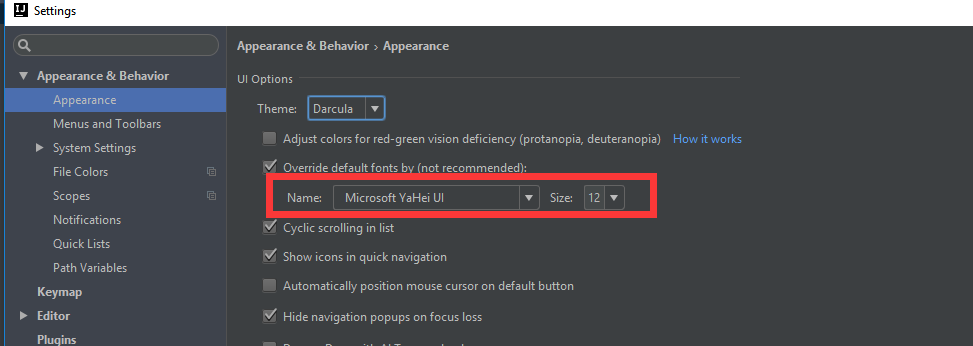
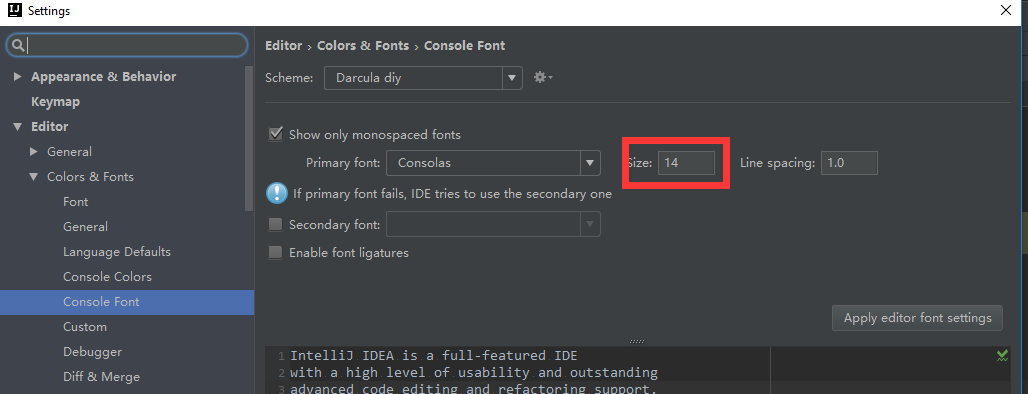
1.1.2 Settings-Font

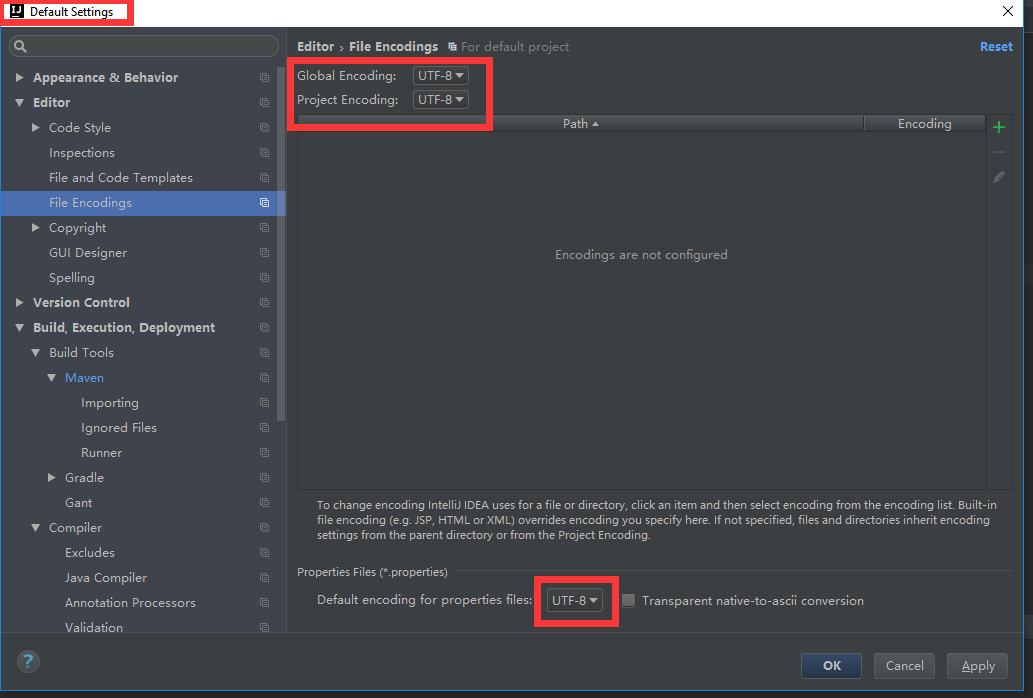
1.1.3 Default Settings- File Encodings
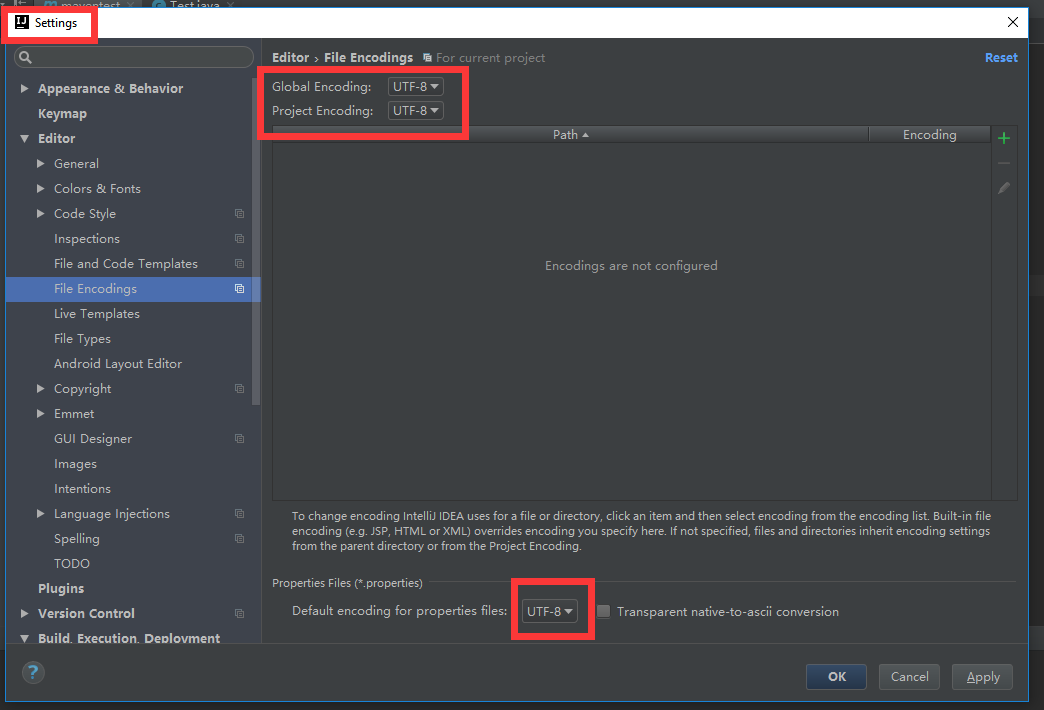
1.1.4 Settings - File Encodings
1.1.5 Lower Right

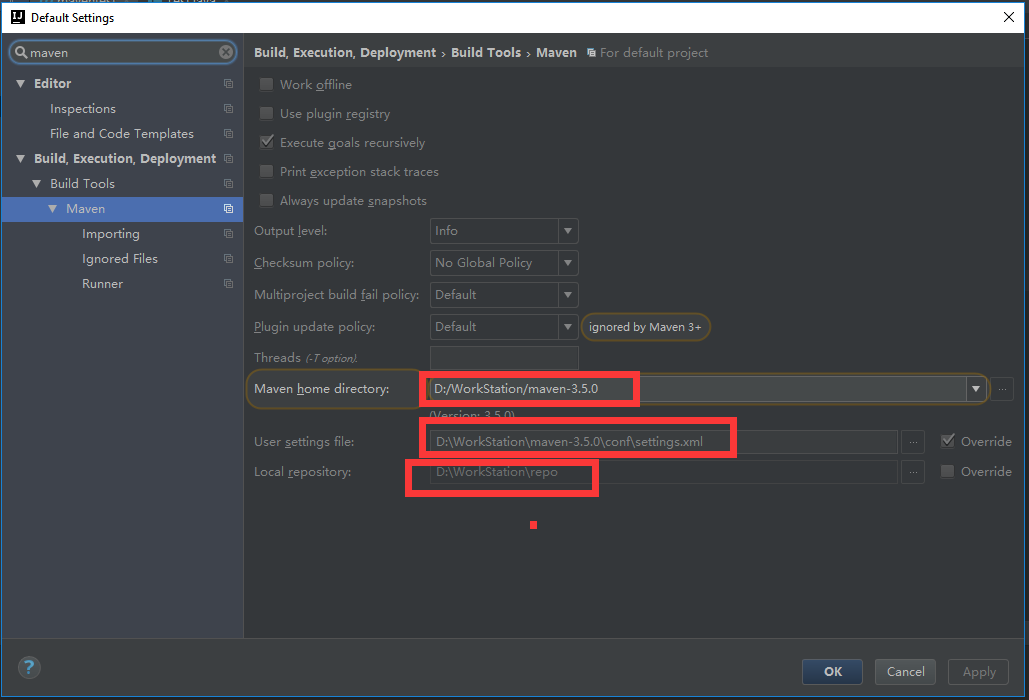
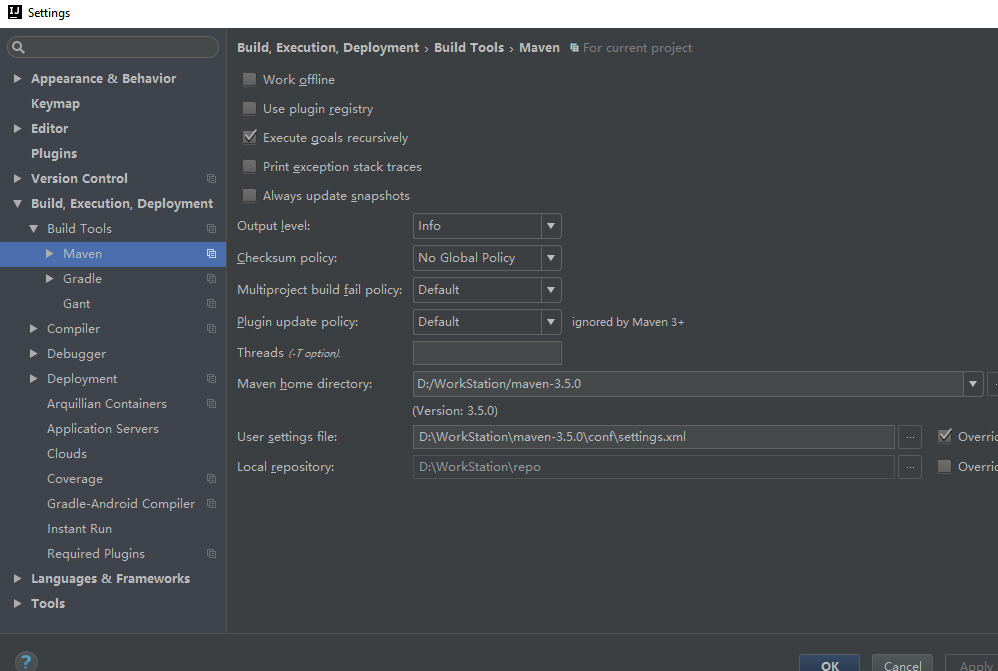
1.1.6 Default Settings - Maven
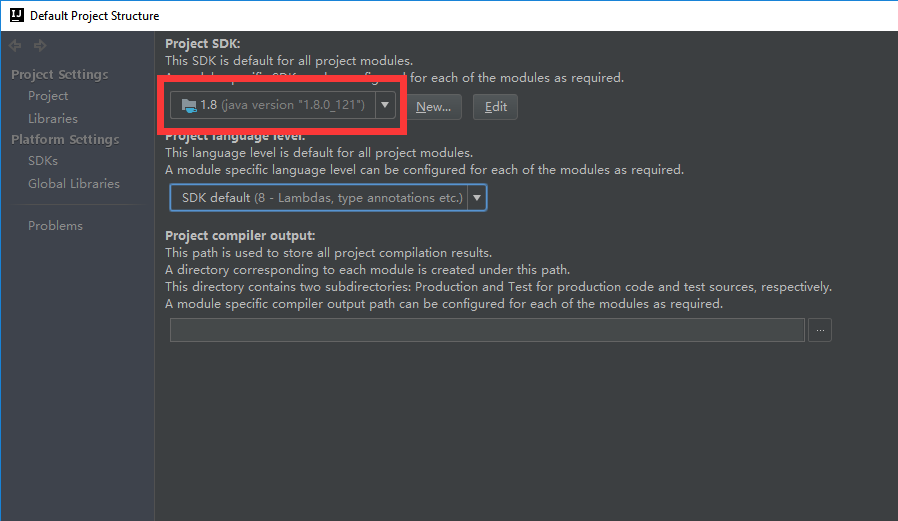
1.1.7 Default Project Structure - SDK
1.1.8 Settings - General
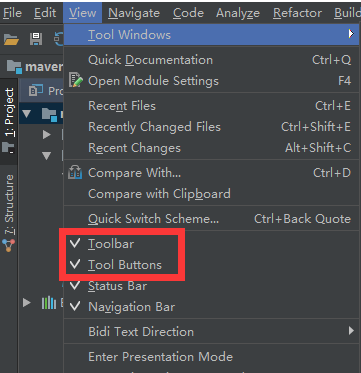
1.1.9 show toolbar
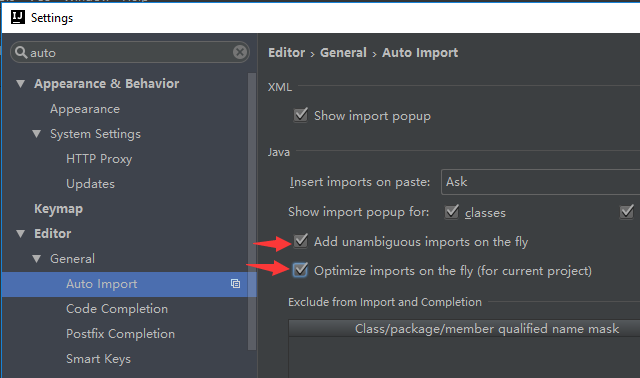
1.1.10 auto import package
"Add unambiguous imports on the fly" means auto import package
"opimize import on the fly" means delete unuseful package
1.1.11 make annotation more beautiful and standard
unrecommend:

recommend:

1.1.12 make bigger cache
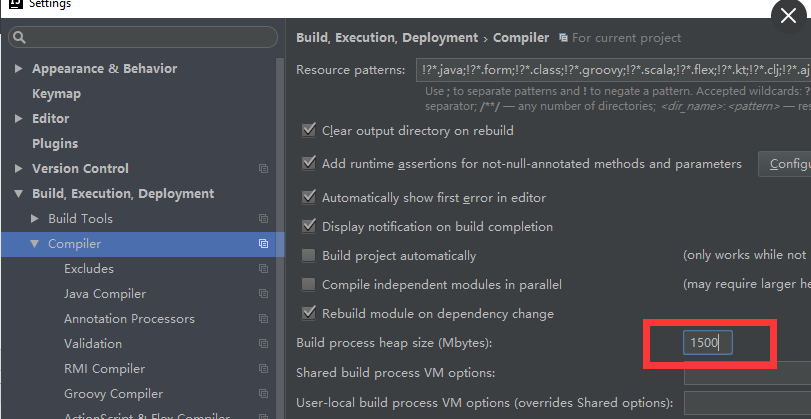
1.1.13 soft-wrap


1.1.14 change size with Ctrl + Mouse Wheel
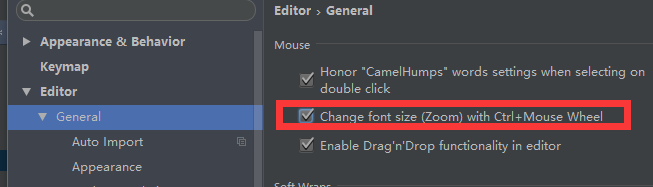
1.1.15 add method separators
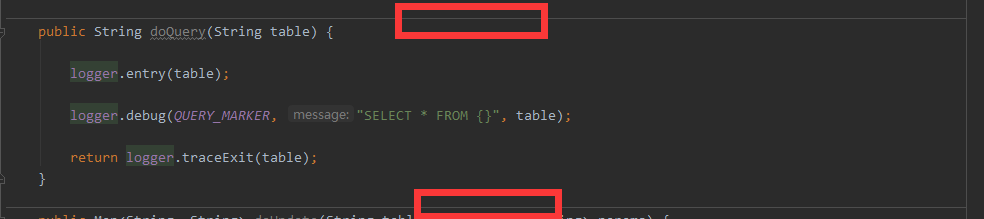
1.1.16 auto location to source
if use manual, click the circle button:

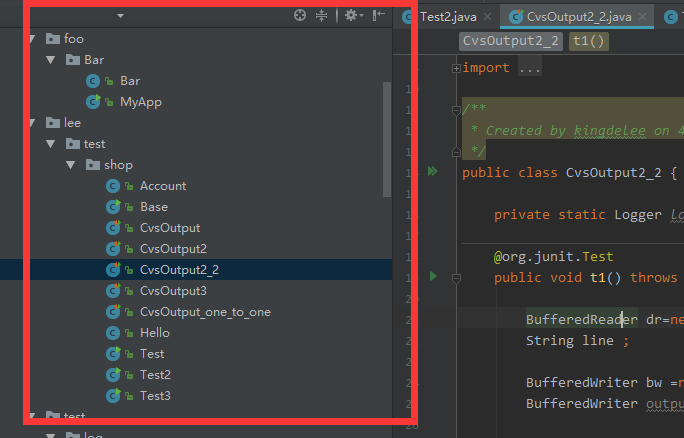
or use auto:
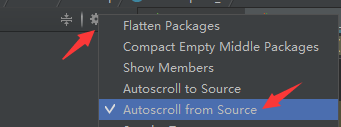
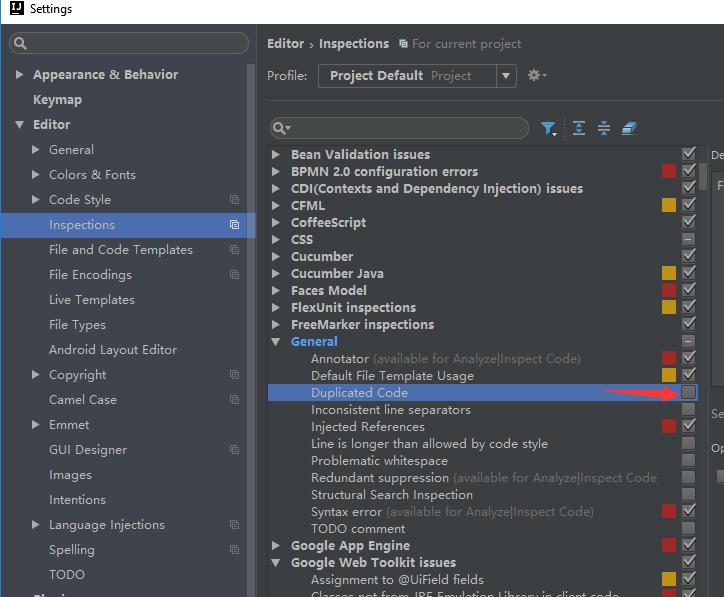
1.1.17
cancel the duplicated code inspection

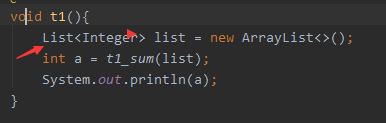
1.1.18 Add generic check
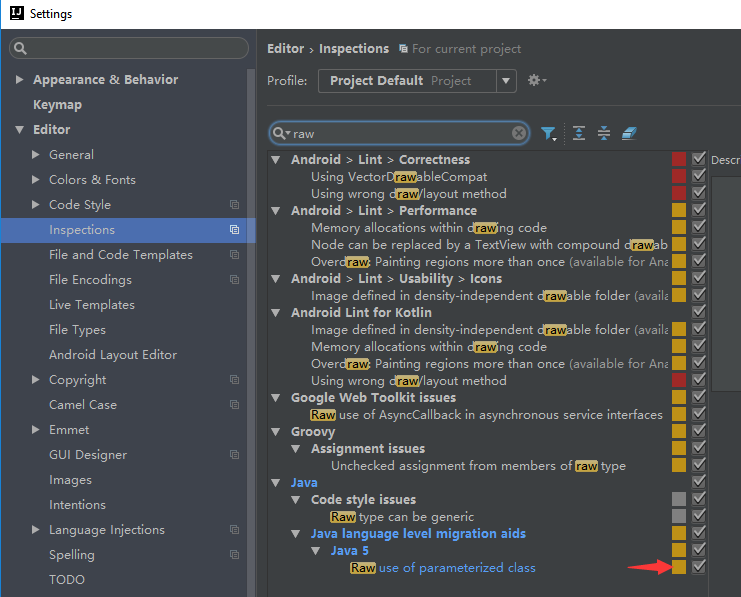
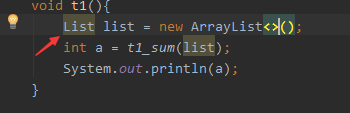
2.1.0
D:\WorkStation\JetBrains\IntelliJIDEA2017.1\bin\
idea64.exe.vmoptions
-Xms512m

-Xmx1500m

-XX:ReservedCodeCacheSize=500m

-XX:+UseConcMarkSweepGC

-XX:SoftRefLRUPolicyMSPerMB=50

-ea

-Dsun.io.useCanonCaches=false

-Djava.net.preferIPv4Stack=true

-XX:+HeapDumpOnOutOfMemoryError

-XX:-OmitStackTraceInFastThrow
idea.properties
#---------------------------------------------------------------------

# This option controls console cyclic buffer: keeps the console output size not higher than the specified buffer size (Kb).

# Older lines are deleted. In order to disable cycle buffer use idea.cycle.buffer.size=disabled

#---------------------------------------------------------------------

idea.cycle.buffer.size=disabled
Synchronize Configuration, If use other PC, copy here to there.
C:\Users\13721\.IntelliJIdea2017.1\*
to
D:\ProjectStation\.IntelliJIdea\*
#---------------------------------------------------------------------

# Uncomment this option if you want to customize path to IDE config folder. Make sure you're using forward slashes.

#---------------------------------------------------------------------

# idea.config.path=${user.home}/.IntelliJIdea/config

idea.config.path=D:/ProjectStation/.IntelliJIdea/config

#---------------------------------------------------------------------

# Uncomment this option if you want to customize path to IDE system folder. Make sure you're using forward slashes.

#---------------------------------------------------------------------

# idea.system.path=${user.home}/.IntelliJIdea/system

idea.system.path=D:/ProjectStation/.IntelliJIdea/system
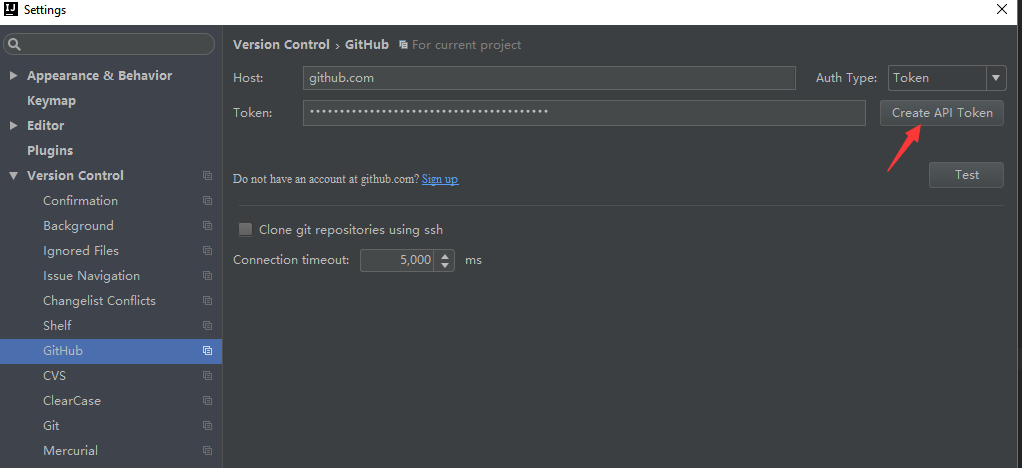
3.1.0
- Subversion 官网下载:https://subversion.apache.org/download/#recommended-release
- TortoiseSVN 官网下载:http://tortoisesvn.net/downloads.zh.html
- Git 官网下载:http://git-scm.com/
- TortoiseGit 官网下载:http://download.tortoisegit.org/tgit/

4.plugin
GsonFormat
5.debug
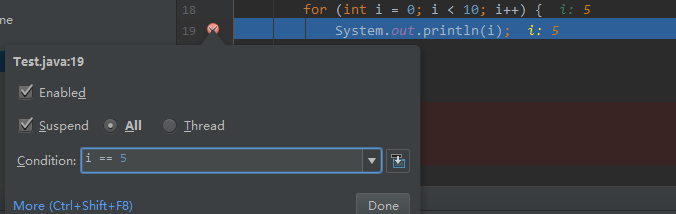
5.1.0 stop in condition
left-click add a breakpoint
right-click make a condition
8.1.0 HotKey:
8.1.1 Ctrl + Alt + S: Show Settings
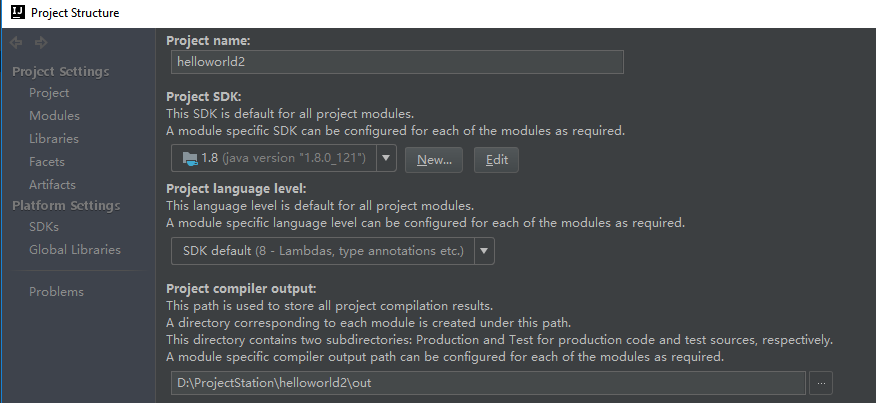
8.1.2 Ctrl + Shift + Alt + S: Project structure
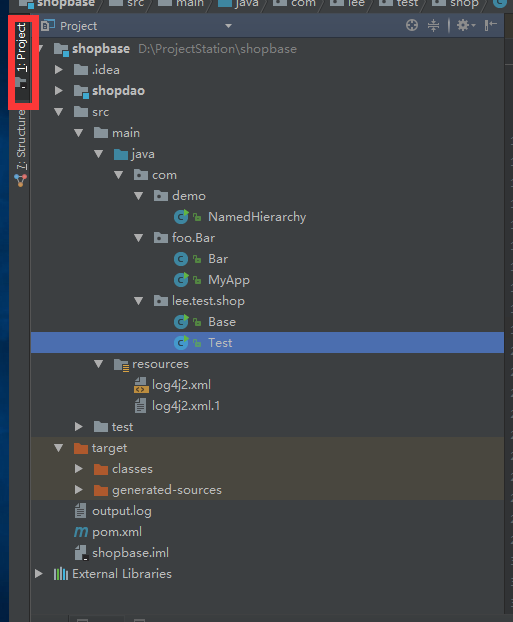
8.1.3 Alt + 1: Show Project Tree
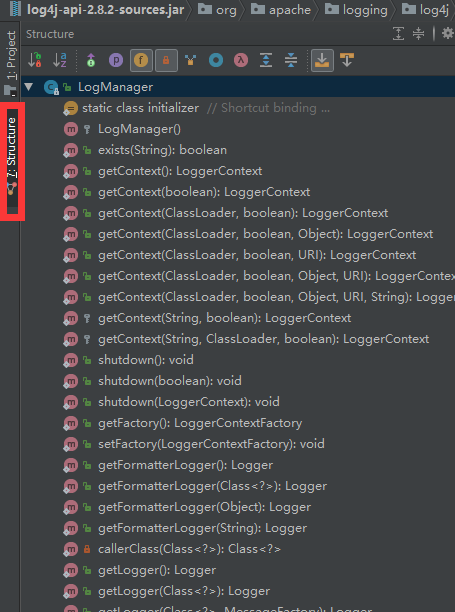
8.1.4 Alt + 7: Show Structure
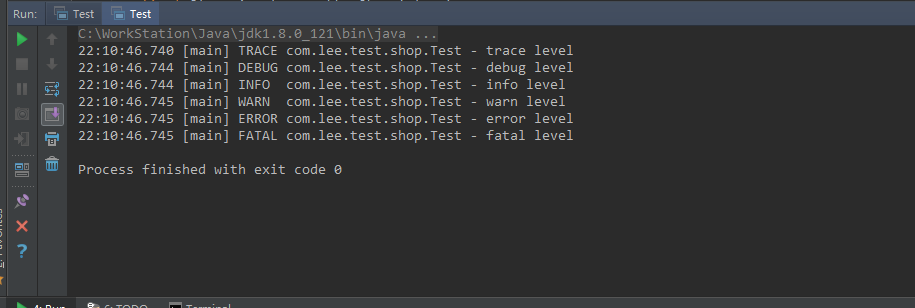
8.1.5 Alt + 4: Show Console
8.1.6 create a new package/class ect : Alt + Inert

8.2.1 Ctrl + J: for ,systemout....
for:iter
sout:System.out.println
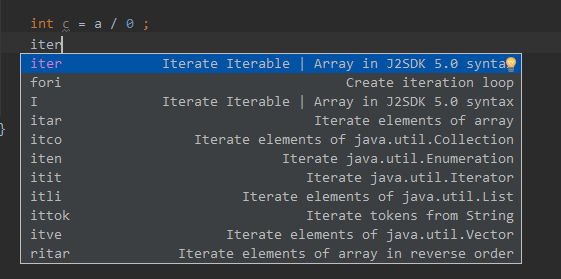
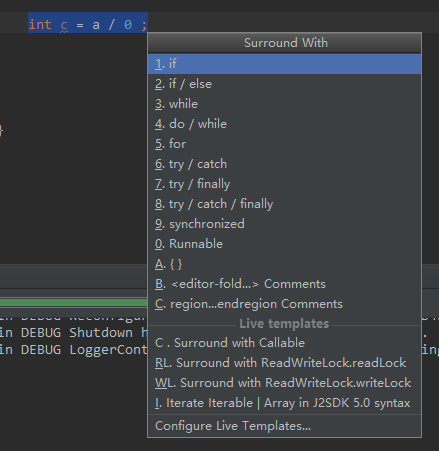
8.2.2 Ctrl + Alt + T: if, try...
8.3.1 Alt + Shift + "up"/"down": move this line to up/down
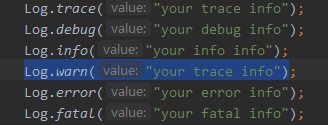
8.3.2 Ctrl + W: Choose whole word/line
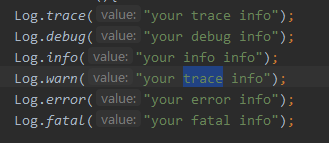
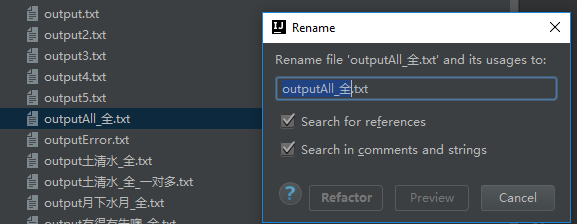
8.3.3 Shift + F6: Rename file
8.3.4 Ctrl + R: replease

8.3.5 Ctrl + Shift + U : lower to higher/ higher to lower


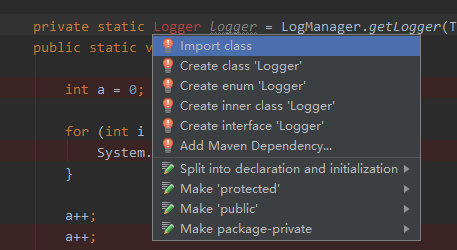
8.3.6 Alt + Enter: import package
F2 to the word without package
8.3.7 Don't compact empty package
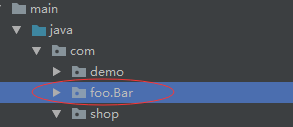

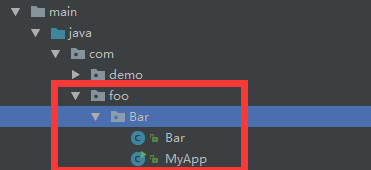
8.4.1 Ctrl + Shift + F10 : Run

9.1.0 Show duplicate viewer
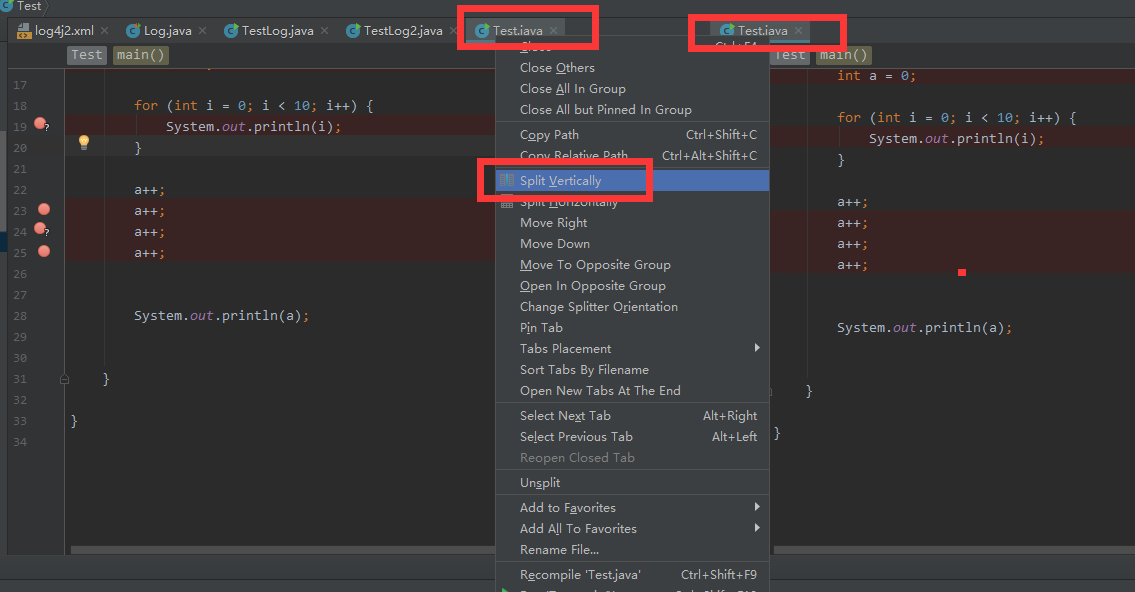
9.1.1 favorite
add to favorite : Alt + Shift + F
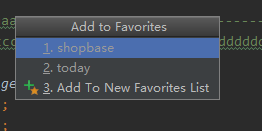
show favorite: Ctrl + Tab


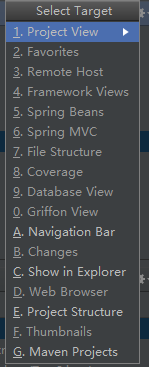
9.1.2 show target: Alt + F1
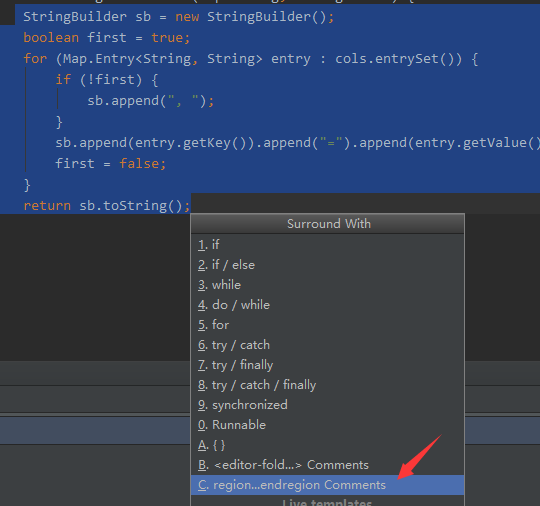
9.1.3 hide some code

select need hide code region, Ctrl + Alt + T, 8


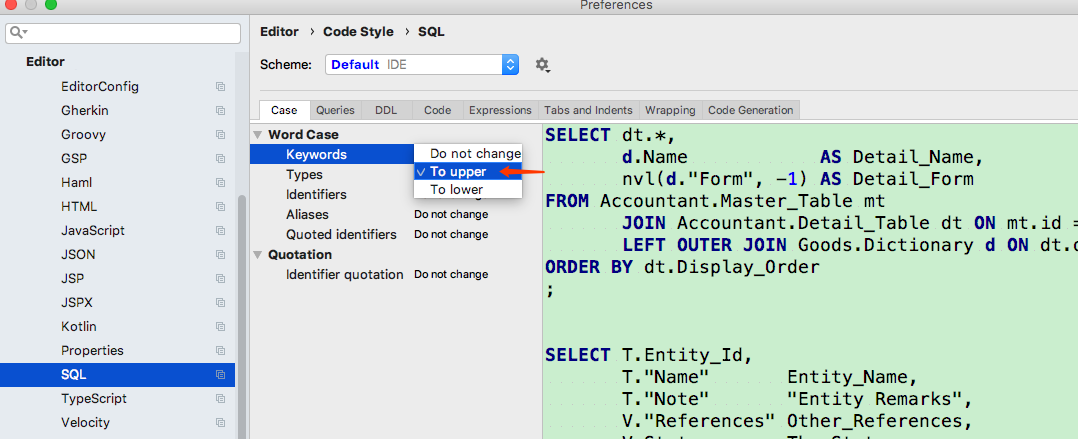
10. update sql format
install plugins
插件推荐
【Tools】-NO.10.Tools.2.IDEA.1.001-【IDEA Configuration】-的更多相关文章
- 【Tools】-NO.93.Tools.5.pyCharm-【pyCharm 安装与破解配置】-
1.0.0 Summary Tittle:[Tools]-NO.93.Tools.5.pyCharm-[pyCharm 安装与破解配置]- Style:Tools Series:Tools Since ...
- 【Tools】-NO.89.Tools.4.Visual Studio 2017.1.001-【Visual Studio 2017 安装与卸载】-
1.0.0 Summary Tittle:[Tools]-NO.89.Tools.4.Visual Studio 2017.1.001-[Visual Studio 2017 安装与卸载]- Styl ...
- 【Tools】-NO.4.Tools.1.VM.1.001-【VMware Workstation PRO 12 Install CentOS 7.1】-
1.0.0 Summary Tittle:[Tools]-NO.4.Tools.1.VM.1.001-[VMware Workstation PRO 12 Install CentOS 7.1]- S ...
- 【Docker 在 windows 10 / windows 8 下安装】
步骤: 1. 下载: a.https://github.com/boot2docker/windows-installer/releases 下载一个 windows 客户端: 安装时建议勾选:Boo ...
- 【Windows 10 IoT - 3】Windows 10 RTM安装及新特性(树莓派 Pi2)
在<[Window 10 IoT - 1]Window 10系统安装(树莓派 Pi2)>中,我们介绍了Windows 10 IoT预览版的安装,正式版Windows 10 IOT(OS版本 ...
- 【Lucene3.6.2入门系列】第10节_Tika
首先贴出来的是演示了借助Tika创建索引的HelloTikaIndex.java PS:关于Tika的介绍及用法,详见下方的HelloTika.java package com.jadyer.luce ...
- Bashu2445 -- 【网络流24题-10】餐巾问题
2445 -- [网络流24题-10]餐巾问题 Description 一个餐厅在相继的n天里,每天需要用的餐巾数不尽相同.假设第i天需要ri块餐巾(i=1,2,…,n).餐厅可以购买新的餐巾,每块餐 ...
- 【Spark深入学习 -10】基于spark构建企业级流处理系统
----本节内容------- 1.流式处理系统背景 1.1 技术背景 1.2 Spark技术很火 2.流式处理技术介绍 2.1流式处理技术概念 2.2流式处理应用场景 2.3流式处理系统分类 3.流 ...
- 【opencv入门篇】 10个程序快速上手opencv【下】
导言:本系列博客目的在于能够在vs快速上手opencv,理论知识涉及较少,大家有兴趣可以查阅其他博客深入了解相关的理论知识,本博客后续也会对图像方向的理论进一步分析,敬请期待:) 上篇传送:http: ...
随机推荐
- 在浏览器中输入 www.baidu.com 后执行的全部过程
现在假设如果我们在客户端(客户端)浏览器中输入http://www.baidu.com,而baidu.com为要访问的服务器(服务器),下面详细分析客户端为了访问服务器而执行的一系列关于协议的操作: ...
- 7:CSS Sprites的原理(图片整合技术)
7:CSS Sprites的原理(图片整合技术) 一.将导航背景图片,按钮背景图片等有规则的合并成一张背景图,即将多张图片合为一张整图,然后用background-position”来实现背景图片的定 ...
- H - Gold Coins(2.4.1)
H - Gold Coins(2.4.1) Crawling in process... Crawling failed Time Limit:1000MS Memory Limit:3000 ...
- Ubuntu-18.04设置开机启动脚本
参考:https://www.cnblogs.com/defifind/p/9285456.html http://www.cnblogs.com/airdot/p/9688530.html s ...
- POJ-1143(状态压缩)
Number Game Time Limit: 1000MS Memory Limit: 65536K Total Submissions: 3432 Accepted: 1399 Descripti ...
- [No0000160]常用C# 正则表达式大全
正则表达式的本质是使用一系列特殊字符模式,来表示某一类字符串.正则表达式无疑是处理文本最有力的工具,而.NET提供的Regex类实现了验证正则表达式的方法.Regex 类表示不可变(只读)的正则表达式 ...
- angular validation 使用总结
我由于制作登陆界面,用到了angular-validation,结合ng-cookies,实现记住账户密码的功能.文档是https://github.com/hueitan/angular-valid ...
- weakSelf 运用 strongSelf来解决block的循环引用
SDWebImage 中有一段源码: #if SD_UIKIT Class UIApplicationClass = NSClassFromString(@"UIApplication&qu ...
- 内存管理 垃圾回收 C语言内存分配 垃圾回收3大算法 引用计数3个缺点
小结: 1.垃圾回收的本质:找到并回收不再被使用的内存空间: 2.标记清除方式和复制收集方式的对比: 3.复制收集方式的局部性优点: https://en.wikipedia.org/wiki/C_( ...
- [GRE] GRE协议介绍
写的一般,主要看下图就行了. https://blog.csdn.net/Mary19920410/article/details/72303641 前半部分介绍还不错,后半部分没看. http:// ...