
20个Flutter实例视频教程-第06节: 酷炫的路由动画-2
博客地址:
https://jspang.com/post/flutterDemo.html#toc-94f
视频地址:
https://jspang.com/post/flutterDemo.html#toc-94f
缩放的效果:
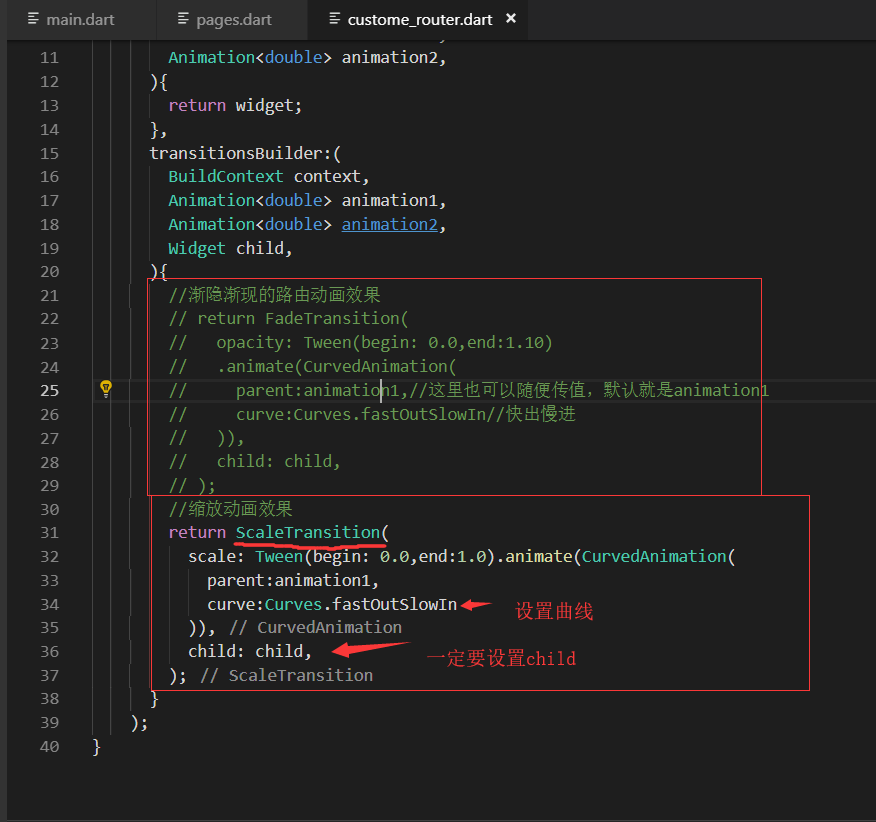
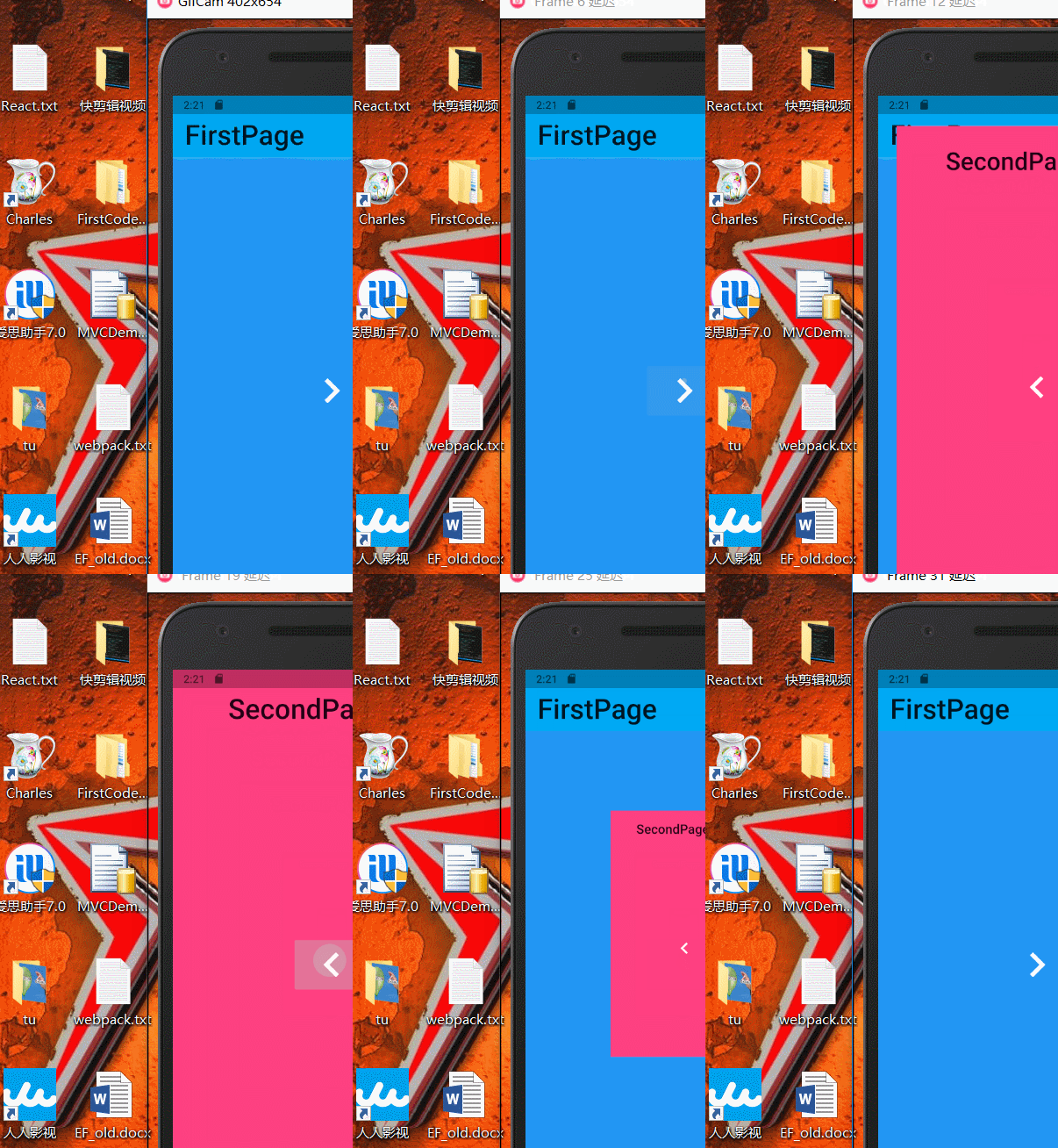
import 'package:flutter/material.dart';

class CustomeRoute extends PageRouteBuilder{

  final Widget widget;

  CustomeRoute(this.widget)

    :super(

      transitionDuration:Duration(seconds: ),

      pageBuilder:(

        BuildContext context,

        Animation<double> animation1,

        Animation<double> animation2,

      ){

        return widget;

      },

      transitionsBuilder:(

        BuildContext context,

        Animation<double> animation1,

        Animation<double> animation2,

        Widget child,

      ){

        //渐隐渐现的路由动画效果

        // return FadeTransition(

        //   opacity: Tween(begin: 0.0,end:1.10)

        //   .animate(CurvedAnimation(

        //     parent:animation1,//这里也可以随便传值,默认就是animation1

        //     curve:Curves.fastOutSlowIn//快出慢进

        //   )),

        //   child: child,

        // );

        //缩放动画效果

        return ScaleTransition(

          scale: Tween(begin: 0.0,end:1.0).animate(CurvedAnimation(

            parent:animation1,

            curve:Curves.fastOutSlowIn

          )),

          child: child,

        );

      }

    );

}
缩放代码
旋转加缩放
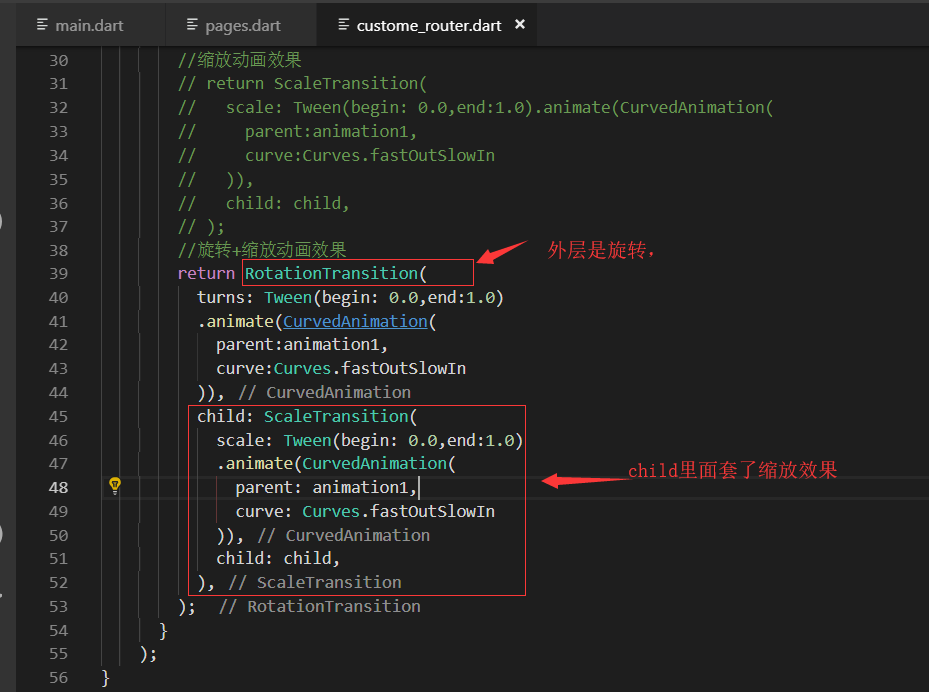
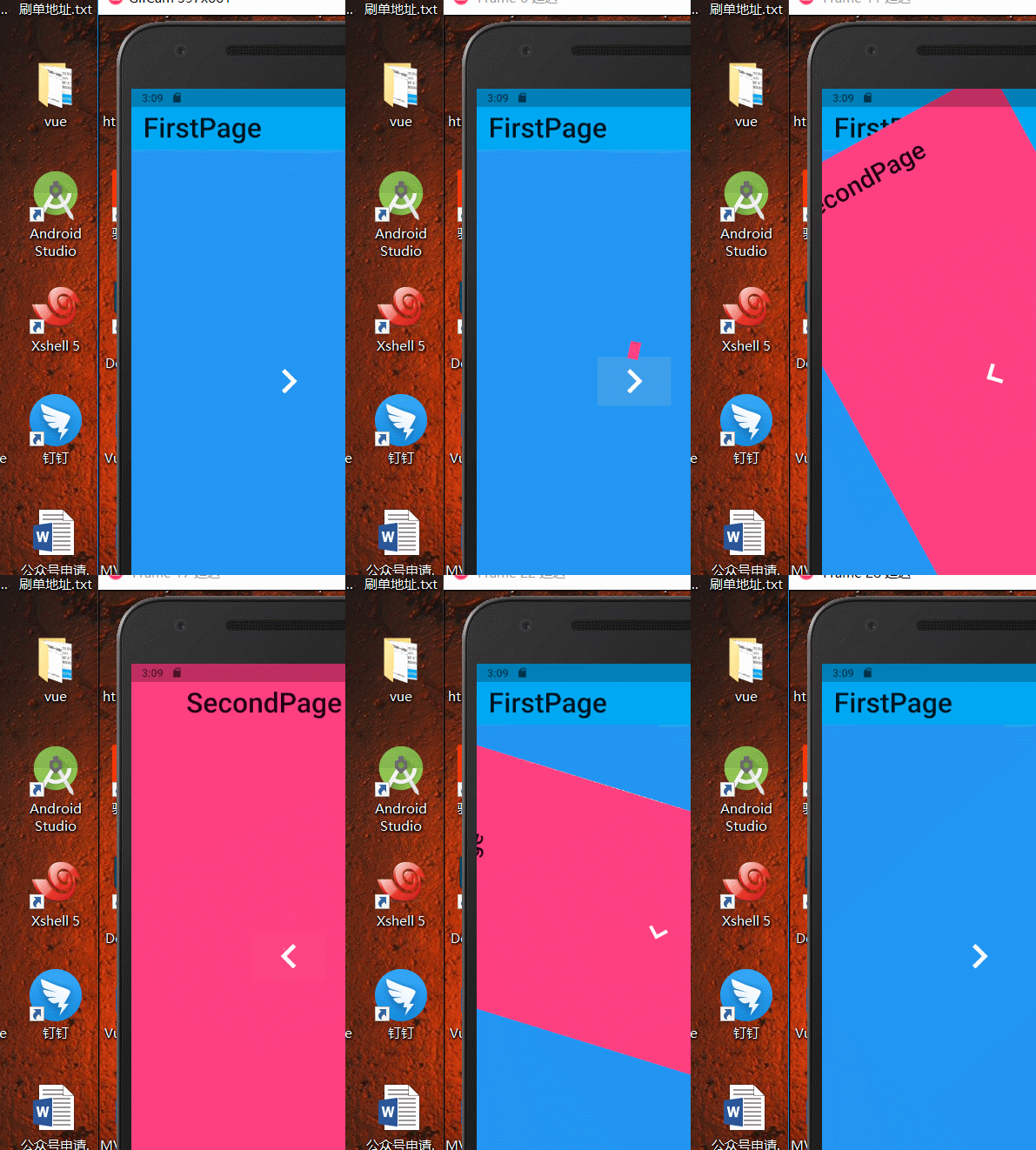
import 'package:flutter/material.dart';

class CustomeRoute extends PageRouteBuilder{

  final Widget widget;

  CustomeRoute(this.widget)

    :super(

      transitionDuration:Duration(seconds: ),

      pageBuilder:(

        BuildContext context,

        Animation<double> animation1,

        Animation<double> animation2,

      ){

        return widget;

      },

      transitionsBuilder:(

        BuildContext context,

        Animation<double> animation1,

        Animation<double> animation2,

        Widget child,

      ){

        //渐隐渐现的路由动画效果

        // return FadeTransition(

        //   opacity: Tween(begin: 0.0,end:1.10)

        //   .animate(CurvedAnimation(

        //     parent:animation1,//这里也可以随便传值,默认就是animation1

        //     curve:Curves.fastOutSlowIn//快出慢进

        //   )),

        //   child: child,

        // );

        //缩放动画效果

        // return ScaleTransition(

        //   scale: Tween(begin: 0.0,end:1.0).animate(CurvedAnimation(

        //     parent:animation1,

        //     curve:Curves.fastOutSlowIn

        //   )),

        //   child: child,

        // );

        //旋转+缩放动画效果

        return RotationTransition(

          turns: Tween(begin: 0.0,end:1.0)

          .animate(CurvedAnimation(

            parent:animation1,

            curve:Curves.fastOutSlowIn

          )),

          child: ScaleTransition(

            scale: Tween(begin: 0.0,end:1.0)

            .animate(CurvedAnimation(

              parent: animation1,

              curve: Curves.fastOutSlowIn

            )),

            child: child,

          ),

        );

      }

    );

}
旋转+缩放
左右滑动路由动画
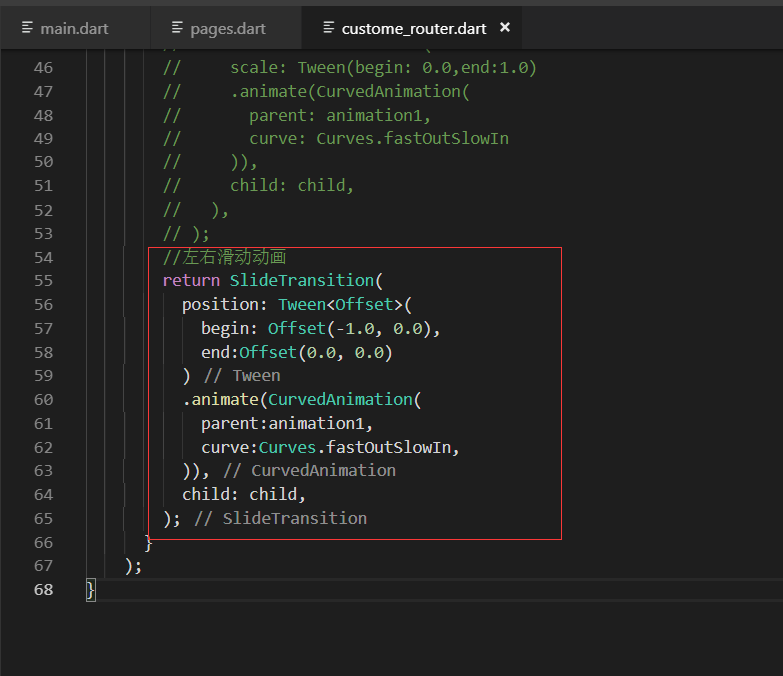
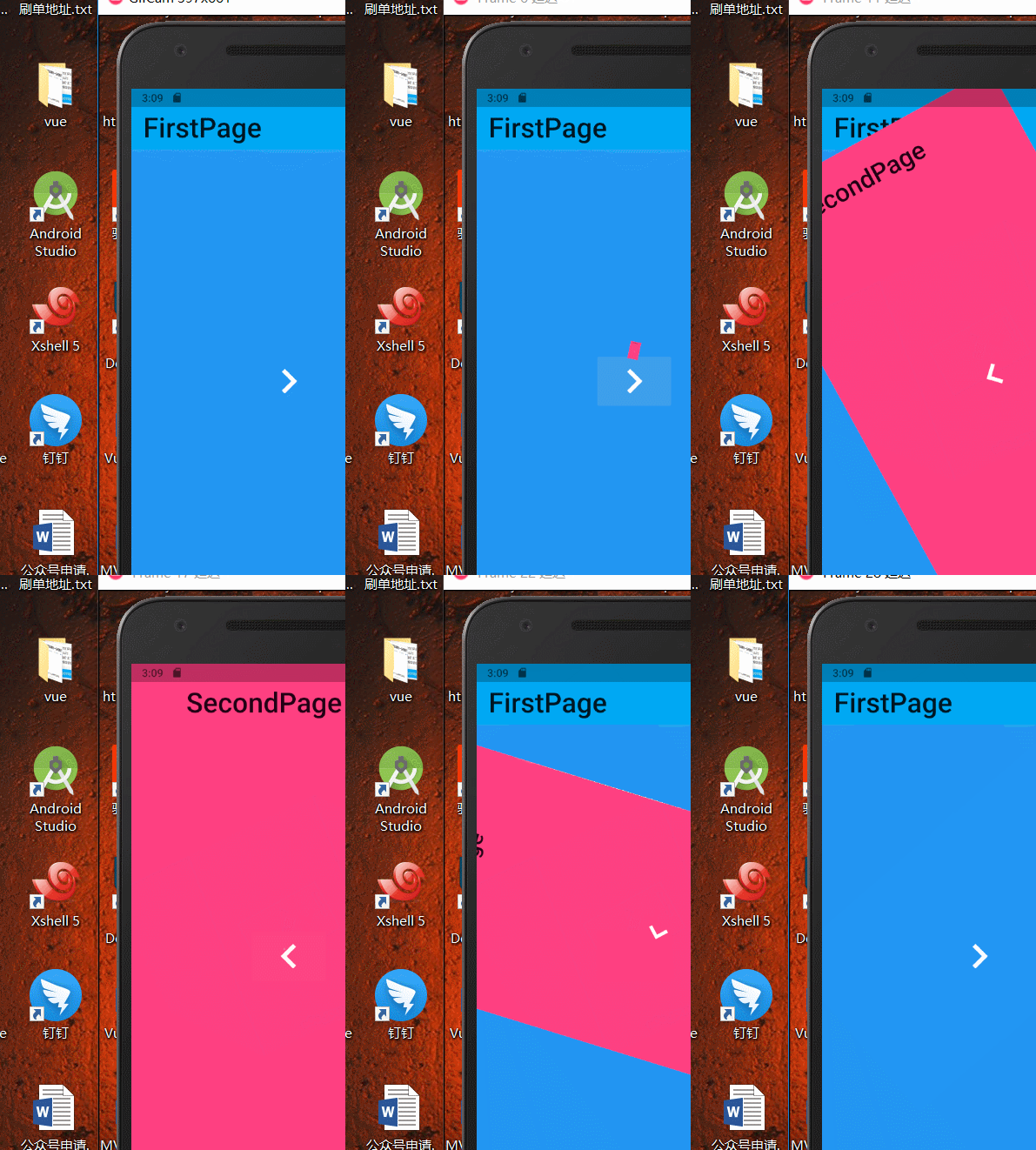
最终代码:
import 'package:flutter/material.dart';

class CustomeRoute extends PageRouteBuilder{

  final Widget widget;

  CustomeRoute(this.widget)

    :super(

      transitionDuration:Duration(seconds: ),

      pageBuilder:(

        BuildContext context,

        Animation<double> animation1,

        Animation<double> animation2,

      ){

        return widget;

      },

      transitionsBuilder:(

        BuildContext context,

        Animation<double> animation1,

        Animation<double> animation2,

        Widget child,

      ){

        //渐隐渐现的路由动画效果

        // return FadeTransition(

        //   opacity: Tween(begin: 0.0,end:1.10)

        //   .animate(CurvedAnimation(

        //     parent:animation1,//这里也可以随便传值,默认就是animation1

        //     curve:Curves.fastOutSlowIn//快出慢进

        //   )),

        //   child: child,

        // );

        //缩放动画效果

        // return ScaleTransition(

        //   scale: Tween(begin: 0.0,end:1.0).animate(CurvedAnimation(

        //     parent:animation1,

        //     curve:Curves.fastOutSlowIn

        //   )),

        //   child: child,

        // );

        //旋转+缩放动画效果

        // return RotationTransition(

        //   turns: Tween(begin: 0.0,end:1.0)

        //   .animate(CurvedAnimation(

        //     parent:animation1,

        //     curve:Curves.fastOutSlowIn

        //   )),

        //   child: ScaleTransition(

        //     scale: Tween(begin: 0.0,end:1.0)

        //     .animate(CurvedAnimation(

        //       parent: animation1,

        //       curve: Curves.fastOutSlowIn

        //     )),

        //     child: child,

        //   ),

        // );

        //左右滑动动画

        return SlideTransition(

          position: Tween<Offset>(

            begin: Offset(-1.0, 0.0),

            end:Offset(0.0, 0.0)

          )

          .animate(CurvedAnimation(

            parent:animation1,

            curve:Curves.fastOutSlowIn,

          )),

          child: child,

        );

      }

    );

}
最终代码
20个Flutter实例视频教程-第06节: 酷炫的路由动画-2的更多相关文章
- 20个Flutter实例视频教程-第05节: 酷炫的路由动画-1
视屏地址: https://www.bilibili.com/video/av39709290/?p=5 博客地址: https://jspang.com/post/flutterDemo.html# ...
- 20个Flutter实例视频教程-第10节: 一个不简单的搜索条-1
20个Flutter实例视频教程-第10节: 一个不简单的搜索条-1 视频地址: https://www.bilibili.com/video/av39709290/?p=10 博客地址: https ...
- 20个Flutter实例视频教程-第13节: 展开闭合案例
20个Flutter实例视频教程-第13节: 展开闭合案例 视频地址: https://www.bilibili.com/video/av39709290/?p=13 博客地址: https://js ...
- 20个Flutter实例视频教程-第03节: 不规则底部工具栏制作-1
第03节: 不规则底部工具栏制作-1 博客地址: https://jspang.com/post/flutterDemo.html#toc-973 视频地址: https://www.bilibili ...
- 20个Flutter实例视频教程-第02节: 底部导航栏制作-2
视频地址: https://www.bilibili.com/video/av39709290?p=2 博客地址: https://jspang.com/post/flutterDemo.html#t ...
- 20个Flutter实例视频教程-第04节: 不规则底部工具栏制作-2
视频地址: https://www.bilibili.com/video/av39709290/?p=4 博客地址: https://jspang.com/post/flutterDemo.html# ...
- 20个Flutter实例视频教程-第07节: 毛玻璃效果制作
视频地址: https://www.bilibili.com/video/av39709290/?p=7 博客地址: https://jspang.com/post/flutterDemo.html# ...
- 20个Flutter实例视频教程-第08节: 保持页面状态
博客地址: https://jspang.com/post/flutterDemo.html#toc-bb9 视频地址: https://www.bilibili.com/video/av397092 ...
- 20个Flutter实例视频教程-第09节: 保持页面状态-2
视频地址:https://www.bilibili.com/video/av39709290/?p=9 博客地址:https://jspang.com/post/flutterDemo.html#to ...
随机推荐
- 笔记16 C# typeof() & GetType()
C#中任何对象都具有GetType()方法,它的作用和typeof()相同,返回Type类型的当前对象的类型.typeof(x)中的x,必须是具体的类名.类型名称等,不可以是变量名称:GetType( ...
- EhCache Monitor的使用
1.在http://ehcache.org/documentation/monitor.html#Installation_And_Configuration下载ehcache-monitor-kit ...
- 【BZOJ2521】[Shoi2010]最小生成树 最小割
[BZOJ2521][Shoi2010]最小生成树 Description Secsa最近对最小生成树问题特别感兴趣.他已经知道如果要去求出一个n个点.m条边的无向图的最小生成树有一个Krustal算 ...
- EasyRTMP实现的rtmp推流的基本协议流程
EasyRTMP介绍 EasyRTMP是结合了多种音视频缓存及网络技术的一个rtmp直播推流端,包括:圆形缓冲区(circular buffer).智能丢帧.自动重连.rtmp协议等等多种技术,能够非 ...
- ssemble JavaBeans components into an application without having to write any code
https://docs.oracle.com/javase/tutorial/javabeans/ https://docs.oracle.com/javase/tutorial/javabeans ...
- SpringBoot-(3)-RestController接口参数
一,无参接口: //无参接口 @RequestMapping("/appSecret") public String secret() { return "EK125EK ...
- 关于hibernate配置步骤
1.导入jar包,根据连接数据库不同改变数据库jar包 2.创建hibernate.cfg.xml文件 几个常用的参数作用: connection.url:表示数据库URL,不同数据库有不同写法 a. ...
- appium()-The event firing
原文地址:https://github.com/appium/java-client/blob/master/docs/The-event_firing.md since 4.1.0 The purp ...
- STM32 ~ STM32 TIM重映射
复用功能 没有重映射 部分重映射 完全重映射 TIM3_CH1 PA6 PB4 PC6 CH2 PA7 PB5 PC7 CH3 PB0 PB0 PC8 CH4 PB1 PB1 PC9 /**重映射 t ...
- js的单线程与异步
一. js 是单线程和异步 1. js 是单线程的,js 的宿主环境(浏览器)是多线程的,实现异步. 2.js是单线程语言,浏览器值分配给js一个主线程,用来执行任务(函数),但一次只能执行一个任务, ...