
[Spring cloud 一步步实现广告系统] 19. 监控Hystrix Dashboard
在之前的18次文章中,我们实现了广告系统的广告投放,广告检索业务功能,中间使用到了 服务发现Eureka,服务调用Feign,网关路由Zuul以及错误熔断Hystrix等Spring Cloud组件。
简单调用关系:
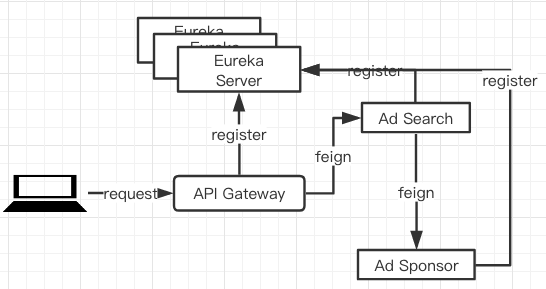
但是系统往往都会报错,我们之前定义了一些容错类和方法,但是只是在控制台可以看到错误信息,我们想要统计一些数据,怎么才能更直观的看到我们的服务调用情况呢,接下来,和大家讨论一个新的熔断监控组件Hystrix Dashboard,顾名思义,从名字上我们就能看出来,它是监控的图形化界面。
Hystrix 在服务中的使用
结合openfeign使用
在我们实际的项目当中,使用的最多的就是结合FeignClient#fallback和Hystrix一起来实现熔断,我们看一下我们在mscx-ad-feign-sdk中的实现。
@FeignClient(value = "mscx-ad-sponsor", fallback = SponsorClientHystrix.class)

public interface ISponsorFeignClient {

    @RequestMapping(value = "/ad-sponsor/plan/get", method = RequestMethod.POST)

    CommonResponse<List<AdPlanVO>> getAdPlansUseFeign(@RequestBody AdPlanGetRequestVO requestVO);

    @RequestMapping(value = "/ad-sponsor/user/get", method = RequestMethod.GET)

    /**

     * Feign 埋坑之 如果是Get请求,必须在所有参数前添加{@link RequestParam},不能使用{@link Param}

     * 会被自动转发为POST请求。

     */

    CommonResponse getUsers(@RequestParam(value = "username") String username);

}
在上述代码中,我们自定义了一个feignclient,并且给了这个client一个fallback的实现类:
@Component

public class SponsorClientHystrix implements ISponsorFeignClient {

    @Override

    public CommonResponse<List<AdPlanVO>> getAdPlansUseFeign(AdPlanGetRequestVO requestVO) {

        return new CommonResponse<>(-1, "mscx-ad-sponsor feign & hystrix get plan error.");

    }

    @Override

    public CommonResponse getUsers(String username) {

        return new CommonResponse<>(-1, "mscx-ad-sponsor feign & hystrix get user error.");

    }

}
这个fallback类实现了我们自定义的ISponsorFeignClient,那是因为fallback的方法必须和原始执行类的方法签名保持一致,这样在执行失败的时候,可以通过反射映射到响应的降级方法/容错方法。
在mscx-ad-search服务中,我们通过注入ISponsorFeignClient来调用我们的mscz-ad-sponsor服务。
@RestController

@Slf4j

@RequestMapping(path = "/search-feign")

public class SearchFeignController {

    /**

     * 注入我们自定义的FeignClient

     */

    private final ISponsorFeignClient sponsorFeignClient;

    @Autowired

    public SearchFeignController(ISponsorFeignClient sponsorFeignClient) {

        this.sponsorFeignClient = sponsorFeignClient;

    }

    @GetMapping(path = "/user/get")

    public CommonResponse getUsers(@Param(value = "username") String username) {

        log.info("ad-search::getUsersFeign -> {}", JSON.toJSONString(username));

        CommonResponse commonResponse = sponsorFeignClient.getUsers(username);

        return commonResponse;

    }

}
使用HystrixCommand
其实Hystrix本身提供了一种直接在方法中应用的方式,就是使用@ com.netflix.hystrix.contrib.javanica.annotation.HystrixCommand,我们看一下这个类的源码:
@Target({ElementType.METHOD})

@Retention(RetentionPolicy.RUNTIME)

@Inherited

@Documented

public @interface HystrixCommand {

    ...

        /**

     * Specifies a method to process fallback logic.

     * A fallback method should be defined in the same class where is HystrixCommand.

     * Also a fallback method should have same signature to a method which was invoked as hystrix command.

     * for example:

     * <code>

     *      @HystrixCommand(fallbackMethod = "getByIdFallback")

     *      public String getById(String id) {...}

     *

     *      private String getByIdFallback(String id) {...}

     * </code>

     * Also a fallback method can be annotated with {@link HystrixCommand}

     * <p/>

     * default => see {@link com.netflix.hystrix.contrib.javanica.command.GenericCommand#getFallback()}

     *

     * @return method name

     */

    String fallbackMethod() default "";

    ...

}
我们主要关注2个点:
@Target({ElementType.METHOD})表明当前的注解只能应用在方法上面。- 可直接定义
fallbackMethod来保证容错。这个方法有一个缺陷,就是必须和执行方法在同一个类文件中,这就会造成我们的方法在实现的时候,显得特别的冗余和不够优雅。
以我们的mscx-ad-search中的广告查询为例:
@Service

@Slf4j

public class SearchImpl implements ISearch {

    /**

     * 查询广告容错方法

     *

     * @param e 第二个参数可以不指定,如果需要跟踪错误,就指定上

     * @return 返回一个空map 对象

     */

    public SearchResponse fetchAdsFallback(SearchRequest request, Throwable e) {

        System.out.println("查询广告失败,进入容错降级 : %s" + e.getMessage());

        return new SearchResponse().builder().adSlotRelationAds(Collections.emptyMap()).build();

    }

    @HystrixCommand(fallbackMethod = "fetchAdsFallback")

    @Override

    public SearchResponse fetchAds(SearchRequest request) {

        ...

    }

}
在我们请求出错的时候,会转到我们的fallback方法,这个实现是通过在应用启动的时候,我们开始了@EnableCircuitBreaker注解,这个注解会通过AOP拦截所有的HystrixCommand方法,将HystrixCommand整合到springboot的容器中,并且将注解标注的方法放入hystrix的线程中,一旦失败,通过反射调用fallback方法来实现。
创建dashboard project
上述代码我们看了Hystrix实现熔断的2种方式,接下来我们来实现请求监控的图形化界面,创建mscx-ad-dashboard,Let's code.
依然遵从我们springboot项目的三部曲:
加依赖
<dependencies>

     <dependency>

         <groupId>org.springframework.cloud</groupId>

         <artifactId>spring-cloud-starter-hystrix</artifactId>

         <version>1.2.7.RELEASE</version>

     </dependency>

     <dependency>

         <groupId>org.springframework.cloud</groupId>

         <artifactId>spring-cloud-starter-hystrix-dashboard</artifactId>

         <version>1.2.7.RELEASE</version>

     </dependency>

     <!--eureka client-->

     <dependency>

         <groupId>org.springframework.cloud</groupId>

         <artifactId>spring-cloud-starter-netflix-eureka-client</artifactId>

     </dependency>

     <dependency>

         <groupId>org.springframework.boot</groupId>

         <artifactId>spring-boot-starter-actuator</artifactId>

     </dependency>

 </dependencies>
加注解
/**

   * AdDashboardApplication for Hystrix Dashboard 启动类

   *

   * @author <a href="mailto:magicianisaac@gmail.com">Isaac.Zhang | 若初</a>

   * @since 2019/8/15

   */

    @SpringBootApplication

    @EnableDiscoveryClient

    @EnableHystrixDashboard

    public class AdDashboardApplication {

        public static void main(String[] args) {

            SpringApplication.run(AdDashboardApplication.class, args);

        }

    }
改配置
    server:

        port: 1234

    spring:

        application:

            name: mscx-ad-dashboard

    eureka:

        client:

            service-url:

            defaultZone: http://server1:7777/eureka/,http://server2:8888/eureka/,http://server3:9999/eureka/

    management:

        endpoints:

            web:

            exposure:

                include: "*"`
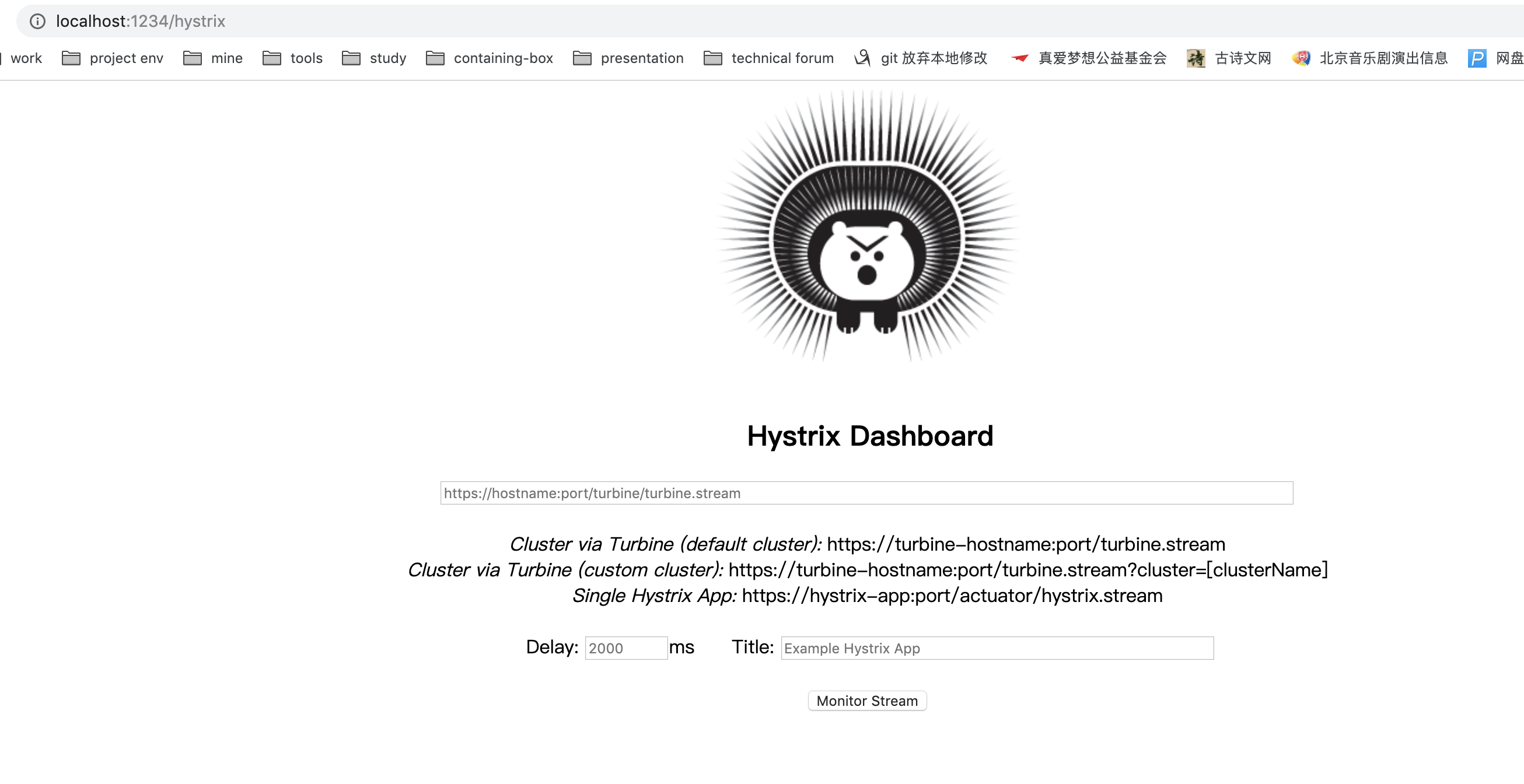
直接启动,可以看到如下页面:
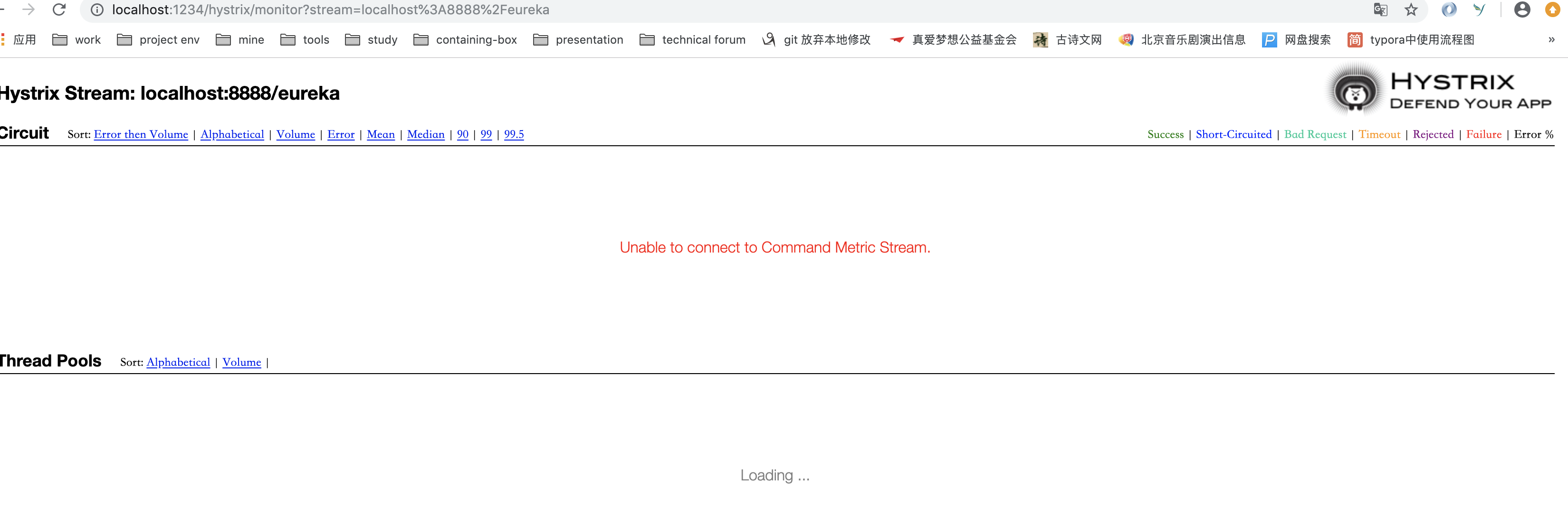
添加要监控的服务地址:
[Spring cloud 一步步实现广告系统] 19. 监控Hystrix Dashboard的更多相关文章
- [Spring cloud 一步步实现广告系统] 21. 系统错误汇总
广告系统学习过程中问题答疑 博客园 Eureka集群启动报错 Answer 因为Eureka在集群启动过程中,会连接集群中其他的机器进行数据同步,在这个过程中,如果别的服务还没有启动完成,就会出现Co ...
- [Spring cloud 一步步实现广告系统] 2. 配置&Eureka服务
父项目管理 首先,我们在创建投放系统之前,先看一下我们的工程结构: mscx-ad-sponsor就是我们的广告投放系统.如上结构,我们需要首先创建一个Parent Project mscx-ad 来 ...
- [Spring cloud 一步步实现广告系统] 22. 广告系统回顾总结
到目前为止,我们整个初级广告检索系统就初步开发完成了,我们来整体回顾一下我们的广告系统. 整个广告系统编码结构如下: mscx-ad 父模块 主要是为了方便我们项目的统一管理 mscx-ad-db 这 ...
- [Spring cloud 一步步实现广告系统] 7. 中期总结回顾
在前面的过程中,我们创建了4个project: 服务发现 我们使用Eureka 作为服务发现组件,学习了Eureka Server,Eureka Client的使用. Eureka Server 加依 ...
- [Spring cloud 一步步实现广告系统] 1. 业务架构分析
什么是广告系统? 主要包含: 广告主投放广告的<广告投放系统> 媒体方(广告展示媒介-)检索广告用的<广告检索系统> 广告计费系统(按次,曝光量等等) 报表系统 Etc. 使用 ...
- [Spring cloud 一步步实现广告系统] 13. 索引服务编码实现
上一节我们分析了广告索引的维护有2种,全量索引加载和增量索引维护.因为广告检索是广告系统中最为重要的环节,大家一定要认真理解我们索引设计的思路,接下来我们来编码实现索引维护功能. 我们来定义一个接口, ...
- [Spring cloud 一步步实现广告系统] 12. 广告索引介绍
索引设计介绍 在我们广告系统中,为了我们能更快的拿到我们想要的广告数据,我们需要对广告数据添加类似于数据库index一样的索引结构,分两大类:正向索引和倒排索引. 正向索引 通过唯一键/主键生成与对象 ...
- [Spring cloud 一步步实现广告系统] 11. 使用Feign实现微服务调用
上一节我们使用了Ribbon(基于Http/Tcp)进行微服务的调用,Ribbon的调用比较简单,通过Ribbon组件对请求的服务进行拦截,通过Eureka Server 获取到服务实例的IP:Por ...
- [Spring cloud 一步步实现广告系统] 6. Service实现&Zuul配置&Test
DAO层设计实现 这里我们使用Spring DATA JPA来实现数据库操作,当然大家也可以使用Mybatis,都是一样的,我们依然以用户表操作为例: /** * AdUserRepository f ...
随机推荐
- c++学习书籍推荐《Exceptional C++ Style》下载
百度云及其他网盘下载地址:点我 编辑推荐 软件“风格”所要讨论的主题是如何在开销与功能之间.优雅与可维护性之间.灵活.性与过分灵活之间寻找完美的平街点.在本书中,著名的C++大师Herb Sutter ...
- spring mvc重定向问题
在页面提交时中,路径应该使用“/默认上下文/controller路径”,在controller重定向中,应该使用“/controller路径”,不加上下文.
- [译]Vulkan教程(33)多重采样
[译]Vulkan教程(33)多重采样 Multisampling 多重采样 Introduction 入门 Our program can now load multiple levels of d ...
- mac 部署安装接口自动化持续集成 jmeter+ant+jenkins
由于前段时间刚换的工作,公司用的是mac电脑办公,之前办公都是windows系统.刚开始使用时连基本的操作都要去找度娘,很不习惯,新电脑开始就是安装相关的工作工具 下面就说说遇到的哪些坑. 1. m ...
- Excel催化剂开源第6波-Clickonce部署之自动升级瘦身之术
Clickonce无痛自动更新是我最喜欢使用VSTO开发并Clickonce部署的特性之一,但这个自动更新,通常会更新整个程序文件,包含所有的引用dll和一些资源文件等. 一般来说,我们更新的都是主程 ...
- [vue折线图] 记录SpringBoot+Vue3.0折线图订单信息展示
因公司业务需求,需要做一份订单相关的折线图, 如果其中有一天没有订单的话,这一天就是空缺的,在绘制折线图的时候是不允许的,所有要求把没有订单数据的日期也要在图表显示. 使用技术vue3.0+sprin ...
- 关键字static、final
final final能修饰类.修饰方法.能修饰属性. 修饰类:该类不能被继承. 修饰方法:该方法不能被重写.所以abstract和final不能同时用 修饰属性/变量:该属性/变量为常量,该值不能再 ...
- [leetcode]375 Guess Number Higher or Lower II (Medium)
原题 思路: miniMax+DP dp[i][j]保存在i到j范围内,猜中这个数字需要花费的最少 money. "至少需要的花费",就要我们 "做最坏的打算,尽最大的努 ...
- LiteDB源码解析系列(1)LiteDB介绍
最近利用端午假期,我把LiteDB的源码仔细的阅读了一遍,酣畅淋漓,确实收获了不少.后面将编写一系列关于LteDB的文章分享给大家,希望这么好的源码不要被埋没. 1.LiteDB是什么 这是一个小型的 ...
- 《VR入门系列教程》之22---GearVR SDK代码剖析
GearVR SDK代码剖析 接下来我们来了解一下GearVR开发包的底层代码,它底层的代码和之前在第三章中讲的桌面SDK代码非常类似,当然,也有许多不同的地方. 首先,我们看看如何构 ...