
Android 布局测试
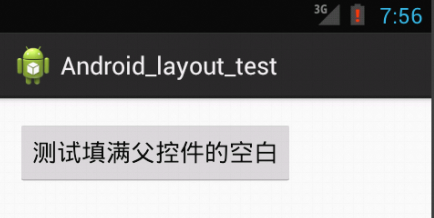
wrap_content
<Button

    android:id="@+id/button1"

    android:layout_width="wrap_content"

    android:layout_height="wrap_content"

    android:text="测试填满父控件的空白" />
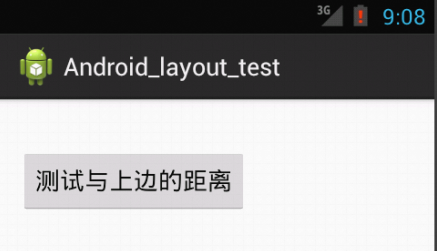
layout_marginTop
<Button

    android:id="@+id/button1"

    android:layout_width="wrap_content"

    android:layout_height="wrap_content"

    android:layout_marginTop="20dp"

    android:text="测试与上边的距离" />
layout_marginLeft
<Button

    android:id="@+id/button1"

    android:layout_width="wrap_content"

    android:layout_height="wrap_content"

    android:layout_marginLeft="50dp"

    android:text="测试与左边距离" />

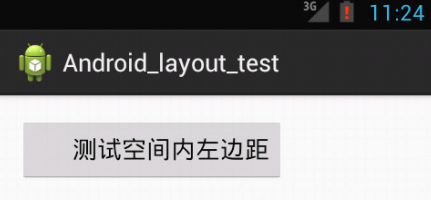
paddingLeft
<Button

    android:id="@+id/button1"

    android:layout_width="wrap_content"

    android:layout_height="wrap_content"

    android:paddingLeft="40sp"

    android:text="测试空间内左边距" />
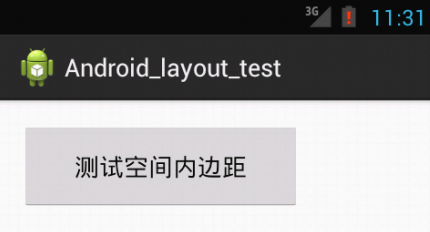
padding
<Button

    android:id="@+id/button1"

    android:layout_width="wrap_content"

    android:layout_height="wrap_content"

    android:paddingTop="20sp"

    android:paddingBottom="20sp"

    android:paddingLeft="40sp"

    android:paddingRight="40sp"

    android:text="测试空间内边距" />
gravity
<Button

    android:id="@+id/button1"

    android:layout_width="fill_parent"

    android:layout_height="wrap_content"

    android:gravity="center"

    android:text="测试文字居中" />

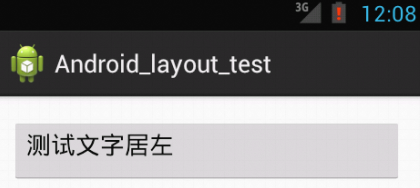
<Button

    android:id="@+id/button1"

    android:layout_width="fill_parent"

    android:layout_height="wrap_content"

    android:gravity="left"

    android:text="测试文字居左" />
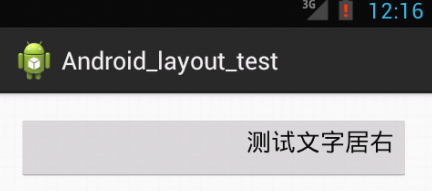
<Button

    android:id="@+id/button1"

    android:layout_width="fill_parent"

    android:layout_height="wrap_content"

    android:gravity="right"

    android:text="测试文字居右" />
Android 布局测试的更多相关文章
- [置顶] Android布局管理器 - 详细解析布局实现
布局管理器都是以ViewGroup为基类派生出来的; 使用布局管理器可以适配不同手机屏幕的分辨率,尺寸大小; 布局管理器之间的继承关系 : 在上面的UML图中可以看出, 绝对布局 帧布局 网格布局 相 ...
- Android测试(一):在Android中测试App
原文:https://developer.android.com/training/testing/index.html 测试你的App是开发过程中的重要组成部分.通过对应用程序持续的运行测试,你可以 ...
- Android 布局学习之——Layout(布局)详解二(常见布局和布局参数)
[Android布局学习系列] 1.Android 布局学习之——Layout(布局)详解一 2.Android 布局学习之——Layout(布局)详解二(常见布局和布局参数) 3.And ...
- 20162311 编写Android程序测试查找排序算法
20162311 编写Android程序测试查找排序算法 一.设置图形界面 因为是测试查找和排序算法,所以先要有一个目标数组.为了得到一个目标数组,我设置一个EditText和一个Button来添加数 ...
- Android程序测试
一.建立测试环境 安装了Android Developer Tools (ADT) 插件的Eclipse将为你创建,构建,以及运行Android程序提供一个基于图形界面的集成开发环境.Eclipse的 ...
- Android开源测试框架学习
近期因工作需要,分析了一些Android的测试框架,在这也分享下整理完的资料. Android测试大致分三大块: 代码层测试 用户操作模拟,功能测试 安装部署及稳定性测试 代码层测试 对于一般java ...
- Android ui 测试课堂笔记
开始接触Android ui测试了,笔记如下 模拟器 Genemotion , the fastest android simulator in the world Android ui 测试工具 S ...
- Android压力测试工具——Monkey
Android压力测试工具——Monkey Monkey是运行在模拟器上和真机设备上的一段程序,它会产生用户事件的一系列伪随机流,比如点击.触摸.手势,还有很多系统级别的事件.Monkey通常是用来做 ...
- 【转】在Android布局中使用include和merge标签
内容转自:http://fengweipeng1208.blog.163.com/blog/static/21277318020138229754135/ 在我们开发android布局时,经常会有很多 ...
随机推荐
- .net Core数据的幕等性
一.背景 代码实例:https://gitee.com/D_C_L/CurtainEtcAOP.git我们实际系统中有很多操作,是不管做多少次,都应该产生一样的效果或返回一样的结果. 例如: 1. 前 ...
- Java - java概述
简介: JAVA是一门面向对象的编程语言 1995有sun公司发布 java程序执行流程: xxxjava源文件, 经过编译器编译 产生字节码文件 字节码交给解释器 解释成当前平台的本地机器指令 名词 ...
- vscode解决nuget插件不能使用的问题
错误提示 使用vscode安装nuget插件之后出现错误: "Versioning information could not be retrieved from the NuGet pac ...
- 高强度学习训练第十六天总结: Spring框架中的设计模式
仔细想了想..没必要重复造轮子. 每天复习啥了就直接CTRL CV了 https://gitee.com/SnailClimb/JavaGuide/blob/master/docs/system-de ...
- 深入浅出之js闭包知识点梳理(一)
简单认识闭包 前言:和大多数编程语言一样,js也采用词法作用域,即函数的执行依赖于变量作用域,这个作用域是在函数定义时决定的,而不是函数调用时决定的.函数对象可以通过作用域链关联起来,函数体内部的 ...
- Spring Boot 2+gRPC 学习系列1:搭建Spring Boot 2+gRPC本地项目
Spring Boot 2+gRPC 学习系列1:搭建Spring Boot 2+gRPC本地项目 https://blog.csdn.net/alinyua/article/details/8303 ...
- Android 查看项目依赖树的四种方式
Android 查看项目依赖树的四种方式: 方式一: ./gradlew 模块名:dependencies //查看单独模块的依赖 ./gradlew :app:dependencies --conf ...
- [20191106]善用column格式化输出.txt
[20191106]善用column格式化输出.txt # man columnDESCRIPTION The column utility formats its input into mu ...
- PHP生成唯一ID
前言 PHP uniqid()函数可用于生成不重复的唯一标识符,该函数基于微秒级当前时间戳.在高并发或者间隔时长极短(如循环代码)的情况下,会出现大量重复数据.即使使用了第二个参数,也会重复,最好的方 ...
- C# JsonConvert 序列号 DateTime类型 格式多T
序列化字符串后,值变成了"2018-02-05T00:00:00" 序列化时候 需要更改一下日期转换方式: IsoDateTimeConverter timeConverter = ...