
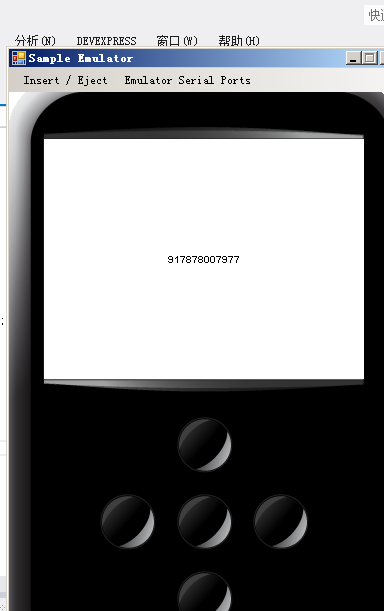
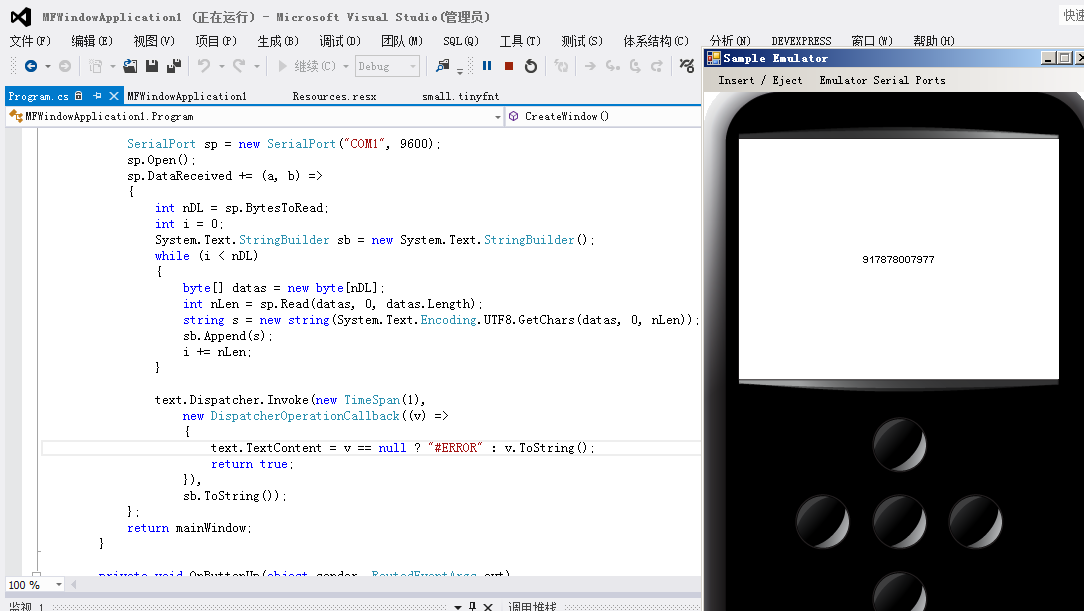
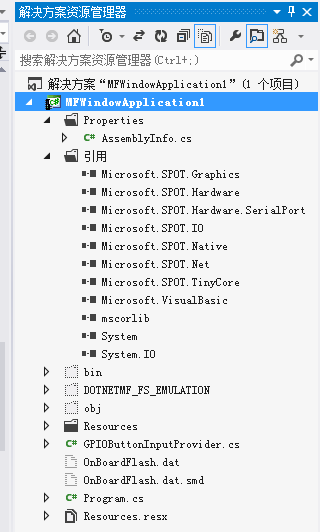
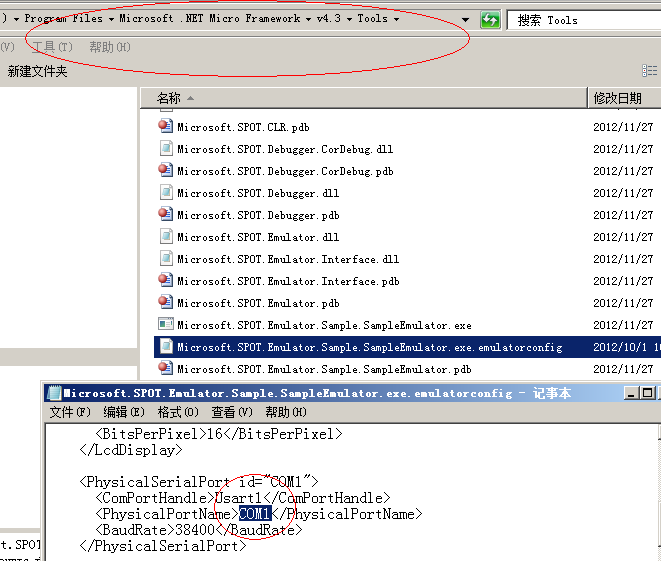
MF 模拟器读取PC串口数据
 using System;

 using Microsoft.SPOT;

 using Microsoft.SPOT.Input;

 using Microsoft.SPOT.Presentation;

 using Microsoft.SPOT.Presentation.Controls;

 using System.IO;

 using System.IO.Ports;

 using System.Threading;

 using Microsoft.SPOT.Hardware;

 using Microsoft.SPOT.Touch;

 using Microsoft.SPOT.IO;

 namespace MFWindowApplication1

 {

     public class Program : Microsoft.SPOT.Application

     {

         public static void Main()

         {

             Program myApplication = new Program();

             Window mainWindow = myApplication.CreateWindow();

             // Create the object that configures the GPIO pins to buttons.

             GPIOButtonInputProvider inputProvider = new GPIOButtonInputProvider(null);

             #region Test

             //InterruptPort myBtn = new InterruptPort((Cpu.Pin)(0),

             //    true,

             //    Port.ResistorMode.PullDown,

             //    Port.InterruptMode.InterruptEdgeBoth);

             //myBtn.OnInterrupt += (a, b, c) =>

             //{

             //};

             // InputPort[] inputs = new InputPort[5];

             //Cpu.Pin[] pins = new Cpu.Pin[]{

             //Cpu.Pin.GPIO_Pin0,

             //};

             #endregion

             // Start the application

             myApplication.Run(mainWindow);

         }

         private Window mainWindow;

         public Window CreateWindow()

         {

             // Create a window object and set its size to the

             // size of the display.

             mainWindow = new Window();

             mainWindow.Height = SystemMetrics.ScreenHeight;

             mainWindow.Width = SystemMetrics.ScreenWidth;

             // Create a single text control.

             Text text = new Text();

             text.Font = Resources.GetFont(Resources.FontResources.small);

             text.TextContent = Resources.GetString(Resources.StringResources.String1);

             text.HorizontalAlignment = Microsoft.SPOT.Presentation.HorizontalAlignment.Center;

             text.VerticalAlignment = Microsoft.SPOT.Presentation.VerticalAlignment.Center;

             // Add the text control to the window.

             mainWindow.Child = text;

             // Connect the button handler to all of the buttons.

             mainWindow.AddHandler(Buttons.ButtonUpEvent, new RoutedEventHandler(OnButtonUp), false);

             // Set the window visibility to visible.

             mainWindow.Visibility = Visibility.Visible;

             // Attach the button focus to the window.

             Buttons.Focus(mainWindow);

             SerialPort sp = new SerialPort("COM1", );

             sp.Open();

             sp.DataReceived += (a, b) =>

             {

                 int nDL = sp.BytesToRead;

                 int i = ;

                 System.Text.StringBuilder sb = new System.Text.StringBuilder();

                 while (i < nDL)

                 {

                     byte[] datas = new byte[nDL];

                     int nLen = sp.Read(datas, , datas.Length);

                     string s = new string(System.Text.Encoding.UTF8.GetChars(datas, , nLen));//0, nLen

                     sb.Append(s);

                     i += nLen;

                 }

                 text.Dispatcher.Invoke(new TimeSpan(),

                     new DispatcherOperationCallback((v) =>

                     {

                         text.TextContent = v == null ? "#ERROR" : v.ToString();

                         return true;

                     }),

                     sb.ToString());

             };

             return mainWindow;

         }

         private void OnButtonUp(object sender, RoutedEventArgs evt)

         {

             ButtonEventArgs e = (ButtonEventArgs)evt;

             // Print the button code to the Visual Studio output window.

             Debug.Print(e.Button.ToString());

         }

     }

 }
MF 模拟器读取PC串口数据的更多相关文章
- android模拟器使用PC串口调试
android模拟器使用PC串口调试1.模拟器可以使用PC的串口 启动模拟器并加载PC串口 命令如下: 运行 emulator @模拟器名称 -qemu -serial COM12.查看串口是否被 ...
- python 下串口数据的读取,解析,和保存-
#!/usr/bin/python # -*-coding: utf-8 -*- import serial import threading import binascii from datetim ...
- C#SerialPort如何读取串口数据并显示在TextBox上
SerialPort中串口数据的读取与写入有较大的不同.由于串口不知道数据何时到达,因此有两种方法可以实现串口数据的读取.一.线程实时读串口:二.事件触发方式实现. 由于线程实时读串口的效率不是十分高 ...
- python3 读取串口数据
python3 读取串口数据 demo import serial import time ser = serial.Serial("COM3",115200,timeout = ...
- 基于FPGA的红外遥控解码与PC串口通信
基于FPGA的红外遥控解码与PC串口通信 zouxy09@qq.com http://blog.csdn.net/zouxy09 这是我的<电子设计EDA>的课程设计作业(呵呵,这个月都拿 ...
- Android(Linux)实时监控串口数据
之前在做WinCE车载方案时,曾做过一个小工具TraceMonitor,用于显示WinCE系统上应用程序的调试信息,特别是在实车调试时,用于监控和显示CAN盒与主机之间的串口数据.因为需要抢占市场先机 ...
- C# ---- 串口数据YSI实例
原文:C# ---- 串口数据YSI实例 C#----串口数据接收发送中,发送接收数据已经可以模拟了. 本次YSI实例过程中 主要是:类型转换问题 .计算校验码 一.不同设备不同的规则,本次实例代码如 ...
- STM32—无需中断来实现使用DMA接收串口数据
本节目标: 通过DMA,无需中断,接收不定时长的串口数据 描述:当在串口多数据传输下,CPU会产生多次中断来接收串口数据,这样会大大地降低CPU效率,同时又需要CPU去做其它更重要的事情,我们应该如何 ...
- [转]WEB页获取串口数据
本文转自:https://www.cnblogs.com/rockyhm/p/3434200.html 最近做一个B/S的项目,需要读取电子秤的值,之前一直没做过,也没有经验,于是在网上找到很多 大 ...
随机推荐
- 虚拟机将ip修改为静态
- applyMiddleware 沉思录
let newStore = applyMiddleware(mid1, mid2, mid3, ...)(createStore)(reducer, null); 给({ getState, dis ...
- 最长公共上升子序列 O(n^2)
#include <bits/stdc++.h> using namespace std; const int MAXN = 5005; int A[MAXN], B[MAXN], N, ...
- CRLF
提示信息: Inject false data in the journalisation log. -------------日志中注入错误数据 开始挑战后,进入如下界面-------------- ...
- (14)树莓派 - 修改pi账号密码,开启root账号
https://blog.csdn.net/yoie01/article/details/45115067 1.修改PI账号的密码 password pi 2.开启root账号树莓派使用的linux是 ...
- MongoDB 实现多key group by 并实现 having
1.group by多个key db.testcol.aggregate( {"$group": {_id:{card:"$card",account:& ...
- 第03组 Alpha冲刺(3/4)
队名:不等式方程组 组长博客 作业博客 团队项目进度 组员一:张逸杰(组长) 过去两天完成的任务: 文字/口头描述: 制定了初步的项目计划,并开始学习一些推荐.搜索类算法 GitHub签入纪录: 暂无 ...
- 洛谷P1979华容道
题目 此题目中存在三种棋盘的放置方法(空白,不能活动,能活动). 而每次变化的格子一定在当前空白格子的周围,因此只需要对空白格子的周围四个状态考虑即可,因此我们设\(a[i][j][k]\)为白格子在 ...
- Linux查看文件的权限
Linux查看权限命令: ls -l 文件或文件夹 输出结果示例: 这里是查看tomcat文件夹中所有子文件或者子文件夹的权限,以列表的形式列出. 关于列表的每列所代表的含义参见我的另外一篇博客:Li ...
- UDP丢包原因总结
丢包检查方法 给每个UDP包编号,对比收发端的接收到的包.对于UDP协议层上的包,例如RTP包,可以从RTP包中读出包的序列号进行判断. 抓包.发送端和接收端分别抓包.linux下可以使用tcpdum ...