
cas client
(The client and server are the same thekeystore)
cas client version: 3.5.1(cas-client-core-3.5.1)
git clone https://gitee.com/xiaobin80/cas-sample-java-webapp
1. config
web.xml(src\main\webapp\WEB-INF)
1) CAS Single Sign Out Filter
https://localhost:8443/cas
2) CAS Authentication Filter
https://localhost:8443/cas/login
3) CAS Validation Filter
https://localhost:8443/cas
4) server name
localhost
2. keystore
copy
/etc/cas/jetty/thekeystore
to
The disk root directory of the application.
For example:
my application:
D:\projects\cas-sample-java-webapp
then
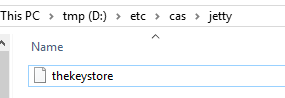
thekeystore file:
D:\etc\cas\jetty\thekeystore
3. build
alter context path(pom.xml):
<webApp>
                        <contextPath>/loginInfo</contextPath>
                        <overrideDescriptor>${basedir}/etc/jetty/web.xml</overrideDescriptor>
                    </webApp>
mvn clean package jetty:run-forked
1) Run directly
mvn jetty:run-forked
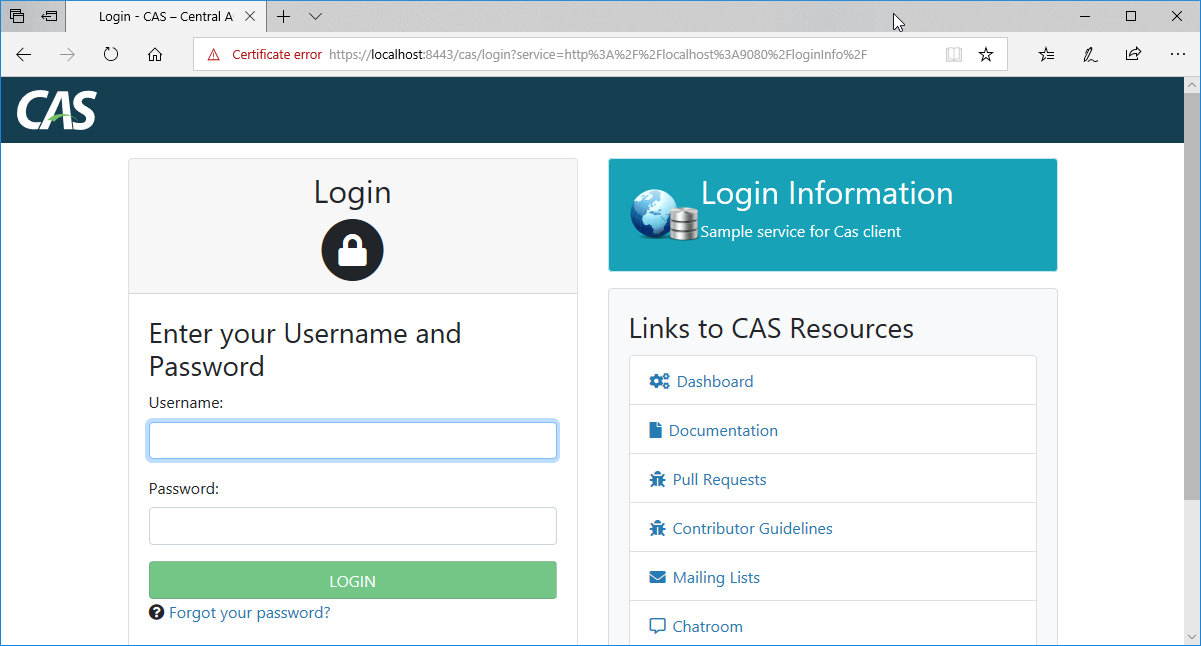
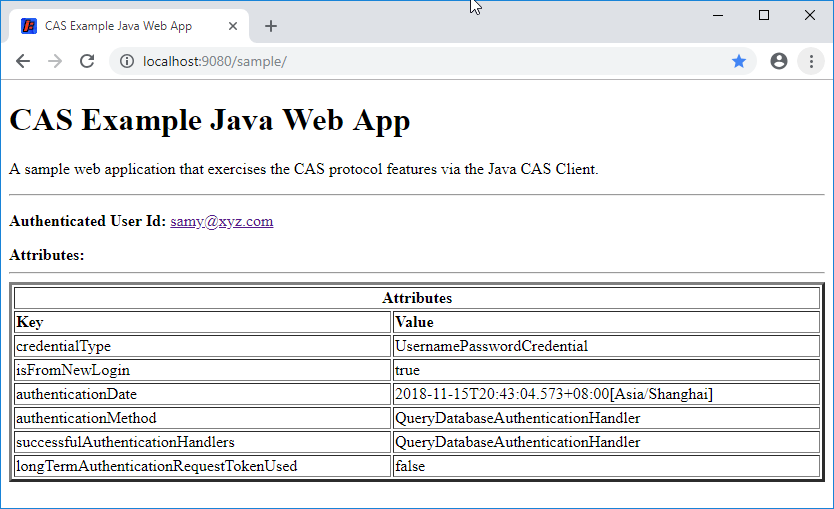
4. test
http://localhost:9080/loginInfo
Source:
web.xml
<?xml version="1.0" encoding="UTF-8"?>
<web-app version="2.4" xmlns="http://java.sun.com/xml/ns/j2ee" xmlns:xsi="http://www.w3.org/2001/XMLSchema-instance"
         xsi:schemaLocation="http://java.sun.com/xml/ns/j2ee http://java.sun.com/xml/ns/j2ee/web-app_2_4.xsd">

<!--
   <context-param>
       <param-name>renew</param-name>
       <param-value>true</param-value>
   </context-param>
-->

    <filter>
        <filter-name>CAS Single Sign Out Filter</filter-name>
        <filter-class>org.jasig.cas.client.session.SingleSignOutFilter</filter-class>
        <init-param>
            <param-name>casServerUrlPrefix</param-name>
            <param-value>https://localhost:8443/cas</param-value>
        </init-param>
    </filter>

    <listener>
        <listener-class>org.jasig.cas.client.session.SingleSignOutHttpSessionListener</listener-class>
    </listener>

    <filter>
        <filter-name>CAS Authentication Filter</filter-name>
        <!--<filter-class>org.jasig.cas.client.authentication.Saml11AuthenticationFilter</filter-class>-->
        <filter-class>org.jasig.cas.client.authentication.AuthenticationFilter</filter-class>
        <init-param>
            <param-name>casServerLoginUrl</param-name>
            <param-value>https://localhost:8443/cas/login</param-value>
        </init-param>
        <init-param>
            <param-name>serverName</param-name>
            <param-value>localhost</param-value>
        </init-param>
    </filter>

    <filter>
        <filter-name>CAS Validation Filter</filter-name>
        <!--<filter-class>org.jasig.cas.client.validation.Saml11TicketValidationFilter</filter-class>-->
        <filter-class>org.jasig.cas.client.validation.Cas30ProxyReceivingTicketValidationFilter</filter-class>
        <init-param>
            <param-name>casServerUrlPrefix</param-name>
            <param-value>https://localhost:8443/cas</param-value>
        </init-param>
        <init-param>
            <param-name>serverName</param-name>
            <param-value>localhost</param-value>
        </init-param>
        <init-param>
            <param-name>redirectAfterValidation</param-name>
            <param-value>true</param-value>
        </init-param>
        <init-param>
            <param-name>useSession</param-name>
            <param-value>true</param-value>
        </init-param>
        <!--
        <init-param>
            <param-name>acceptAnyProxy</param-name>
            <param-value>true</param-value>
        </init-param>
        <init-param>
            <param-name>proxyReceptorUrl</param-name>
            <param-value>/sample/proxyUrl</param-value>
        </init-param>
        <init-param>
            <param-name>proxyCallbackUrl</param-name>
            <param-value>https://mmoayyed.unicon.net:9443/sample/proxyUrl</param-value>
        </init-param>
        -->
        <init-param>
            <param-name>authn_method</param-name>
            <param-value>mfa-duo</param-value>
        </init-param>
    </filter>

    <filter>
        <filter-name>CAS HttpServletRequest Wrapper Filter</filter-name>
        <filter-class>org.jasig.cas.client.util.HttpServletRequestWrapperFilter</filter-class>
    </filter>

    <filter-mapping>
        <filter-name>CAS Single Sign Out Filter</filter-name>
        <url-pattern>/*</url-pattern>
    </filter-mapping>

    <filter-mapping>
        <filter-name>CAS Validation Filter</filter-name>
        <url-pattern>/*</url-pattern>
    </filter-mapping>

    <filter-mapping>
        <filter-name>CAS Authentication Filter</filter-name>
        <url-pattern>/*</url-pattern>
    </filter-mapping>

    <filter-mapping>
        <filter-name>CAS HttpServletRequest Wrapper Filter</filter-name>
        <url-pattern>/*</url-pattern>
    </filter-mapping>

    <welcome-file-list>
        <welcome-file>
            index.jsp
        </welcome-file>
    </welcome-file-list>
</web-app>
web.xml
End.
cas client的更多相关文章
- CAS Client集群环境的Session问题及解决方案
[原创申明:文章为原创,欢迎非盈利性转载,但转载必须注明来源] 之前写过一篇文章,介绍单点登录的基本原理.这篇文章重点介绍开源单点登录系统CAS的登录和注销的实现方法.并结合实际工作中碰到的问题,探讨 ...
- (转)基于CAS实现单点登录(SSO):cas client端的退出问题
出处:http://blog.csdn.net/tch918/article/details/22276627 自从CAS 3.4就很好的支持了单点注销功能,配置也很简单. 之前版本因为在CAS服务器 ...
- cas 单点登录出现org.jasig.cas.client.util.CommonUtils.getResponseFromServer - 拒绝连接 Connection refused
cas 单点登录出现org.jasig.cas.client.util.CommonUtils.getResponseFromServer - 拒绝连接 Connection refused 环境: ...
- Eclipse配置CAS client
1.新建一个Maven项目 2.Next,选择 3.输入group id 和 artifact id --> Finish 4.项目创建完成的目录结构 编辑pom.xml文件,写上依赖 注意把 ...
- Configuring the JA-SIG CAS Client --官方
1. for Java using Spring Configuration of the CAS Client for Java via Spring IoC will depend heavily ...
- cas+tomcat+shiro实现单点登录-4-Apache Shiro 集成Cas作为cas client端实现
目录 1.tomcat添加https安全协议 2.下载cas server端部署到tomcat上 3.CAS服务器深入配置(连接MYSQL) 4.Apache Shiro 集成Cas作为cas cli ...
- [原]基于CAS实现单点登录(SSO):cas client端的退出问题
自从CAS 3.4就很好的支持了单点注销功能,配置也很简单. 之前版本因为在CAS服务器通过HttpClient发送消息时并未指定为POST方式,所以在CAS客户端的注销Filter中没有收到POST ...
- [原]基于CAS实现单点登录(SSO):登录成功后,cas client如何返回更多用户信息
从cas server登录成功后,默认只能从casclient得到用户名.但程序中也可能遇到需要得到更多如姓名,手机号,email等更多用户信息的情况. cas client拿到用户名后再到数据库中查 ...
- CAS Client集群环境的Session问题及解决方案 不能退出登录
casclient源代码下载链接:https://github.com/apereo/java-cas-client cas官网链接:https://www.apereo.org/projects/c ...
- CAS Client集群环境的Session问题及解决方案介绍,下篇介绍作者本人项目中的解决方案代码
CAS Client集群环境的Session问题及解决方案 程序猿讲故事 2016-05-20 原文 [原创申明:文章为原创,欢迎非盈利性转载,但转载必须注明来源] 之前写过一篇文章,介绍单点登 ...
随机推荐
- java_架构与模式
框架有哪些?C++语言的QT.MFC.gtk,Java语言的SSH,php语言的 smarty(MVC模式),python语言的django(MTV模式)等等设计模式有哪些?工厂模式.适配器模式.策略 ...
- 关注 硬件 发展, 转载一篇介绍 VHDL 的文章
<VHDL学习笔记> https://www.eefocus.com/hrbeulvcaho/blog/12-11/289109_978e2.html VHDL 和 “可编程逻辑阵列” ...
- Revit api 创建族并加载到当前项目
using System; using System.Collections.Generic; using System.Linq; using System.Text; using System.T ...
- [转]HTML 简介
HTML 实例 <!DOCTYPE html> <html> <head> <meta charset="utf-8"> <t ...
- PHP扩展开发:第一个扩展
在上一篇文章<PHP扩展开发:安装PHP>我们已经将开发PHP扩展的PHP环境安装成功,那么接下来采用最简单直接的方式创建第一个扩展. 我们先假设业务场景,是需要有这么一个扩展,提供一个叫 ...
- Kafka Stream
Kafka Stream是Apache Kafka从0.10版本引入的一个新Feature(当前:1.0.0-rc0,参见:https://github.com/apache/kafka/releas ...
- Django的版本选择
自从1.0版本开始,Django按照以下形式命名版本编号: 按照A.B或A.B.C的形式命名版本编号.A.B是主版本号,包含新功能以及对原有功能的改进,每一个新版本都向前兼容,Django大概每8个月 ...
- JS和AS交互
这个话题在网上应该说很好找,有很多这方面的资料.比者也看过一些,不过大部分都是AS2与JS进行交互.很少提到AS3,即使有,也让人感觉浅尝辄止.很多东西并没有介绍的太清楚.所有笔者萌生了写这样一篇教程 ...
- 转自高手关于SQL 锁的叙述。。(nolock,rowlock,tablock,xlock,paglock)
锁的概述 一. 为什么要引入锁 多个用户同时对数据库的并发操作时会带来以下数据不一致的问题: [丢失更新]A,B两个用户读同一数据并进行修改,其中一个用户的修改结果破坏了另一个修改的结果,比如订票系统 ...
- 关于java多线程理解到集群分布式和网络设计的浅析
对于JAVA多线程的应用非常广泛,现在的系统没有多线程几乎什么也做不了,很多时候我们在何种场合如何应用多线程成为一种首先需要选择的问题, 另外关于java多线程的知识也是非常的多,本文中先介绍和说明一 ...