
cas client
(The client and server are the same thekeystore)
cas client version: 3.5.1(cas-client-core-3.5.1)
git clone https://gitee.com/xiaobin80/cas-sample-java-webapp
1. config
web.xml(src\main\webapp\WEB-INF)
1) CAS Single Sign Out Filter
https://localhost:8443/cas
2) CAS Authentication Filter
https://localhost:8443/cas/login
3) CAS Validation Filter
https://localhost:8443/cas
4) server name
localhost
2. keystore
copy
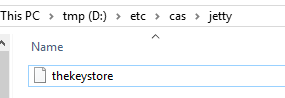
/etc/cas/jetty/thekeystore
to
The disk root directory of the application.
For example:
my application:
D:\projects\cas-sample-java-webapp
then
thekeystore file:
D:\etc\cas\jetty\thekeystore
3. build
alter context path(pom.xml):
<webApp>
                        <contextPath>/loginInfo</contextPath>
                        <overrideDescriptor>${basedir}/etc/jetty/web.xml</overrideDescriptor>
                    </webApp>
mvn clean package jetty:run-forked
1) Run directly
mvn jetty:run-forked
4. test
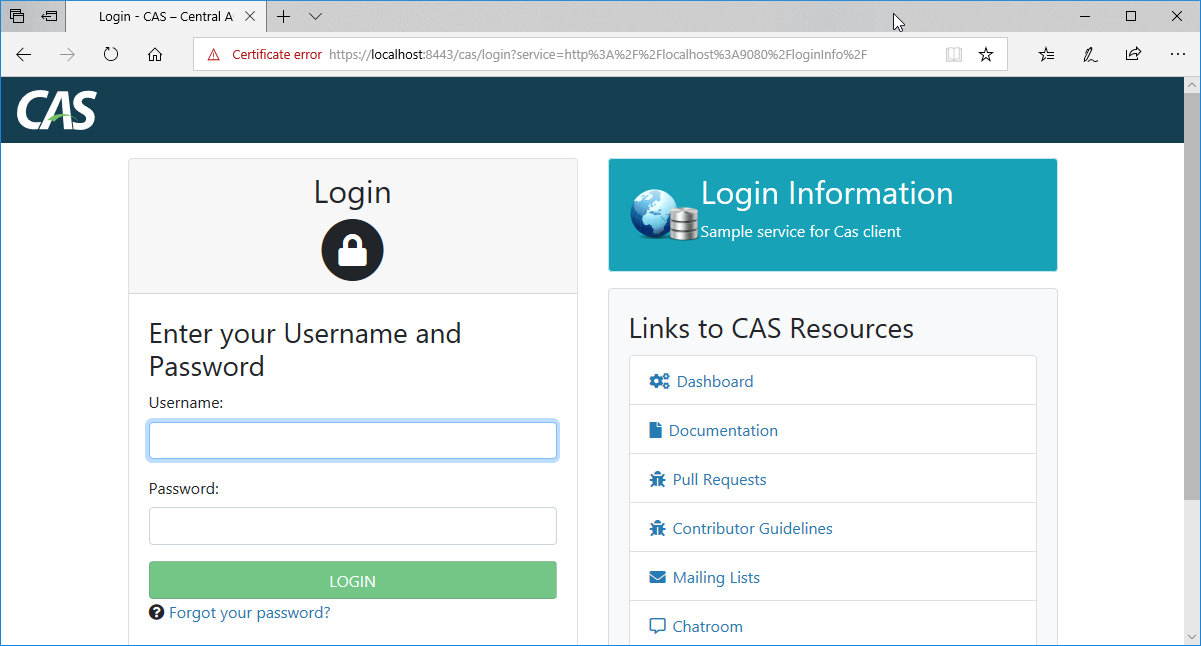
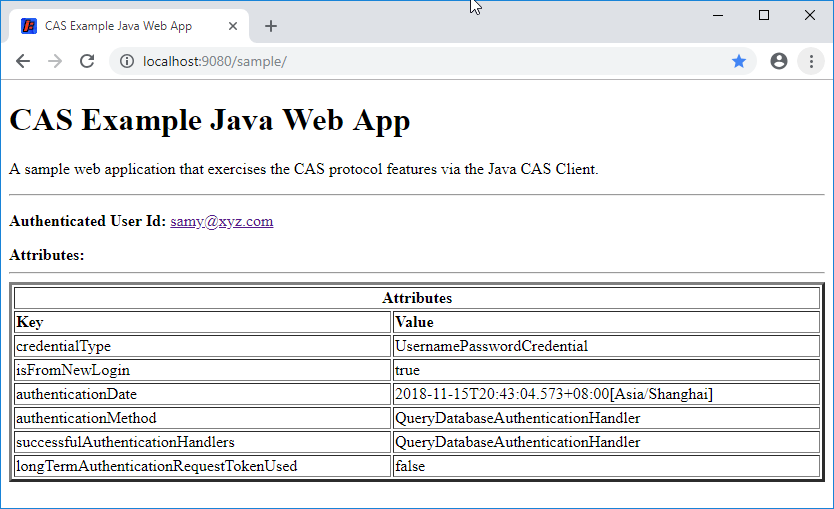
http://localhost:9080/loginInfo
Source:
web.xml
<?xml version="1.0" encoding="UTF-8"?>
<web-app version="2.4" xmlns="http://java.sun.com/xml/ns/j2ee" xmlns:xsi="http://www.w3.org/2001/XMLSchema-instance"
         xsi:schemaLocation="http://java.sun.com/xml/ns/j2ee http://java.sun.com/xml/ns/j2ee/web-app_2_4.xsd">

<!--
   <context-param>
       <param-name>renew</param-name>
       <param-value>true</param-value>
   </context-param>
-->

    <filter>
        <filter-name>CAS Single Sign Out Filter</filter-name>
        <filter-class>org.jasig.cas.client.session.SingleSignOutFilter</filter-class>
        <init-param>
            <param-name>casServerUrlPrefix</param-name>
            <param-value>https://localhost:8443/cas</param-value>
        </init-param>
    </filter>

    <listener>
        <listener-class>org.jasig.cas.client.session.SingleSignOutHttpSessionListener</listener-class>
    </listener>

    <filter>
        <filter-name>CAS Authentication Filter</filter-name>
        <!--<filter-class>org.jasig.cas.client.authentication.Saml11AuthenticationFilter</filter-class>-->
        <filter-class>org.jasig.cas.client.authentication.AuthenticationFilter</filter-class>
        <init-param>
            <param-name>casServerLoginUrl</param-name>
            <param-value>https://localhost:8443/cas/login</param-value>
        </init-param>
        <init-param>
            <param-name>serverName</param-name>
            <param-value>localhost</param-value>
        </init-param>
    </filter>

    <filter>
        <filter-name>CAS Validation Filter</filter-name>
        <!--<filter-class>org.jasig.cas.client.validation.Saml11TicketValidationFilter</filter-class>-->
        <filter-class>org.jasig.cas.client.validation.Cas30ProxyReceivingTicketValidationFilter</filter-class>
        <init-param>
            <param-name>casServerUrlPrefix</param-name>
            <param-value>https://localhost:8443/cas</param-value>
        </init-param>
        <init-param>
            <param-name>serverName</param-name>
            <param-value>localhost</param-value>
        </init-param>
        <init-param>
            <param-name>redirectAfterValidation</param-name>
            <param-value>true</param-value>
        </init-param>
        <init-param>
            <param-name>useSession</param-name>
            <param-value>true</param-value>
        </init-param>
        <!--
        <init-param>
            <param-name>acceptAnyProxy</param-name>
            <param-value>true</param-value>
        </init-param>
        <init-param>
            <param-name>proxyReceptorUrl</param-name>
            <param-value>/sample/proxyUrl</param-value>
        </init-param>
        <init-param>
            <param-name>proxyCallbackUrl</param-name>
            <param-value>https://mmoayyed.unicon.net:9443/sample/proxyUrl</param-value>
        </init-param>
        -->
        <init-param>
            <param-name>authn_method</param-name>
            <param-value>mfa-duo</param-value>
        </init-param>
    </filter>

    <filter>
        <filter-name>CAS HttpServletRequest Wrapper Filter</filter-name>
        <filter-class>org.jasig.cas.client.util.HttpServletRequestWrapperFilter</filter-class>
    </filter>

    <filter-mapping>
        <filter-name>CAS Single Sign Out Filter</filter-name>
        <url-pattern>/*</url-pattern>
    </filter-mapping>

    <filter-mapping>
        <filter-name>CAS Validation Filter</filter-name>
        <url-pattern>/*</url-pattern>
    </filter-mapping>

    <filter-mapping>
        <filter-name>CAS Authentication Filter</filter-name>
        <url-pattern>/*</url-pattern>
    </filter-mapping>

    <filter-mapping>
        <filter-name>CAS HttpServletRequest Wrapper Filter</filter-name>
        <url-pattern>/*</url-pattern>
    </filter-mapping>

    <welcome-file-list>
        <welcome-file>
            index.jsp
        </welcome-file>
    </welcome-file-list>
</web-app>
web.xml
End.
cas client的更多相关文章
- CAS Client集群环境的Session问题及解决方案
[原创申明:文章为原创,欢迎非盈利性转载,但转载必须注明来源] 之前写过一篇文章,介绍单点登录的基本原理.这篇文章重点介绍开源单点登录系统CAS的登录和注销的实现方法.并结合实际工作中碰到的问题,探讨 ...
- (转)基于CAS实现单点登录(SSO):cas client端的退出问题
出处:http://blog.csdn.net/tch918/article/details/22276627 自从CAS 3.4就很好的支持了单点注销功能,配置也很简单. 之前版本因为在CAS服务器 ...
- cas 单点登录出现org.jasig.cas.client.util.CommonUtils.getResponseFromServer - 拒绝连接 Connection refused
cas 单点登录出现org.jasig.cas.client.util.CommonUtils.getResponseFromServer - 拒绝连接 Connection refused 环境: ...
- Eclipse配置CAS client
1.新建一个Maven项目 2.Next,选择 3.输入group id 和 artifact id --> Finish 4.项目创建完成的目录结构 编辑pom.xml文件,写上依赖 注意把 ...
- Configuring the JA-SIG CAS Client --官方
1. for Java using Spring Configuration of the CAS Client for Java via Spring IoC will depend heavily ...
- cas+tomcat+shiro实现单点登录-4-Apache Shiro 集成Cas作为cas client端实现
目录 1.tomcat添加https安全协议 2.下载cas server端部署到tomcat上 3.CAS服务器深入配置(连接MYSQL) 4.Apache Shiro 集成Cas作为cas cli ...
- [原]基于CAS实现单点登录(SSO):cas client端的退出问题
自从CAS 3.4就很好的支持了单点注销功能,配置也很简单. 之前版本因为在CAS服务器通过HttpClient发送消息时并未指定为POST方式,所以在CAS客户端的注销Filter中没有收到POST ...
- [原]基于CAS实现单点登录(SSO):登录成功后,cas client如何返回更多用户信息
从cas server登录成功后,默认只能从casclient得到用户名.但程序中也可能遇到需要得到更多如姓名,手机号,email等更多用户信息的情况. cas client拿到用户名后再到数据库中查 ...
- CAS Client集群环境的Session问题及解决方案 不能退出登录
casclient源代码下载链接:https://github.com/apereo/java-cas-client cas官网链接:https://www.apereo.org/projects/c ...
- CAS Client集群环境的Session问题及解决方案介绍,下篇介绍作者本人项目中的解决方案代码
CAS Client集群环境的Session问题及解决方案 程序猿讲故事 2016-05-20 原文 [原创申明:文章为原创,欢迎非盈利性转载,但转载必须注明来源] 之前写过一篇文章,介绍单点登 ...
随机推荐
- mysql之 sysbench1.0.3 安装与系统压力测试
针对系统和数据库压测是项目上线前必做的一项,这里使用的是最新版本的sysbench做的压测使用详解.sysbench可以做系统层面的压力测试(CPU.内存.硬盘IO.互斥锁.Thead),也可以做数据 ...
- hive 安装 和基本使用
hive是什么: hive是一个数据仓库,hive不是一个数据库,hive 不没有自己的数据,hive的数据存在hdfs 中,hive 依赖一个关系型数据库来存储 自己在 hdfs 中的数据的映射关系 ...
- CSS:绝对定位布局案例 position布局实例
<!DOCTYPE html> <html> <head> <meta charset="utf-8" /> <title&g ...
- IDEA中使用springBoot+gradle构建多模块项目
https://blog.csdn.net/forMelo/article/details/78995875
- 【python】try...except...后中断程序继续运行
- C#实现设置系统时间
using System; using System.Runtime.InteropServices; using System.Windows.Forms; namespace Demo { pub ...
- 跟着未名学 - 免费录屏工具ActivePresenter
目录 简介... 1 录制屏幕... 1 编辑... 3 幻灯片... 3 时间轴... 4 对像... 4 导出视频... 4 未名 2017-7-17 简介 ActivePresenter 个人免 ...
- 微信h5支付demo微信H5支付demo非微信浏览器支付demo微信wap支付
服务项目 新手技术咨询 企业技术咨询 定制开发 服务说明 QQ有问必答 QQ.微信.电话 微信开发.php开发,网站开发,系统定制,小程序开发 价格说明 200元/月 1000/月 商议 ...
- centos 磁盘清理 /dev/vda1系统盘满了
df -h 检查一台服务器磁盘使用空间,发现磁盘已经使用了100% 思路是: 1.cd /usr 当然这里不一定是/usr目录,最好是cd到 根目录再执行下一步 2.du -sh * 看哪 ...
- STL基础--String
String 构造 string s1("Hello"); string s2("Hello", 3); //s2: Hel string s3(s1, 2); ...