
UWP crop image control
最近做项目,需求做一个剪切图片的东东。如下图
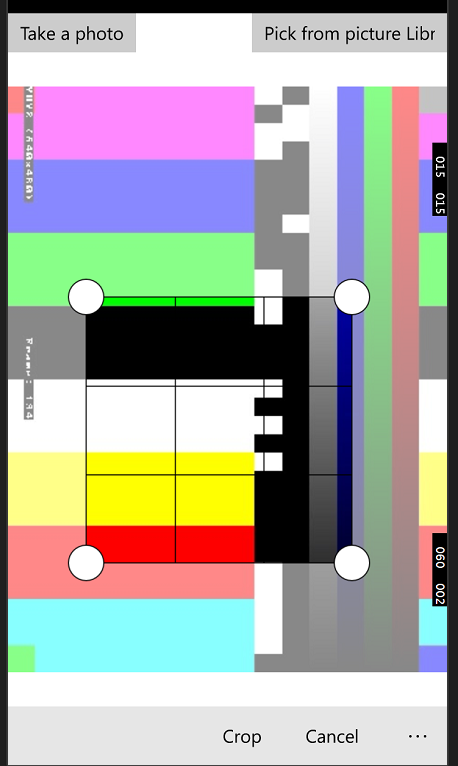
主要是在一个canvas上面。根据crop的大小画出半透明的效果
<Canvas x:Name="imageCanvas" Visibility="Collapsed" >

                            <Path x:Name="nonselectRegion" Fill="#88FFFFFF"  >

                                <Path.Data>

                                    <GeometryGroup>

                                        <RectangleGeometry Rect="{Binding OuterRect}">

                                        </RectangleGeometry>

                                        <RectangleGeometry Rect="{Binding SelectedRect}">

                                        </RectangleGeometry>

                                    </GeometryGroup>

                                </Path.Data>

                            </Path>

                            <Path x:Name="selectRegion" Fill="Transparent" Stroke="{ThemeResource ApplicationForegroundThemeBrush}" StrokeThickness="">

                                <Path.Data>

                                    <RectangleGeometry Rect="{Binding SelectedRect}"/>

                                </Path.Data>

                            </Path>

                            <Rectangle x:Name="horizontalLine" Canvas.Left="{Binding SelectedRect.Left}" Canvas.Top="{Binding HorizontalLineCanvasTop}" Height="" Width="{Binding SelectedRect.Width}" Fill="{ThemeResource ApplicationForegroundThemeBrush}"/>

                            <Rectangle x:Name="verticalLine" Canvas.Left="{Binding VerticalLineCanvasLeft}" Canvas.Top="{Binding SelectedRect.Top}" Width="" Height="{Binding SelectedRect.Height}" Fill="{ThemeResource ApplicationForegroundThemeBrush}"/>

                            <Rectangle x:Name="horizontalLine1" Canvas.Left="{Binding SelectedRect.Left}" Canvas.Top="{Binding HorizontalLine1CanvasTop}" Height="" Width="{Binding SelectedRect.Width}" Fill="{ThemeResource ApplicationForegroundThemeBrush}"/>

                            <Rectangle x:Name="verticalLine1" Canvas.Left="{Binding VerticalLine1CanvasLeft}" Canvas.Top="{Binding SelectedRect.Top}" Width="" Height="{Binding SelectedRect.Height}" Fill="{ThemeResource ApplicationForegroundThemeBrush}"/>

                            <Ellipse x:Name="topLeftThumb"  Canvas.Left="{Binding SelectedRect.Left}" Canvas.Top="{Binding SelectedRect.Top}"/>

                            <Ellipse x:Name="topRightThumb"  Canvas.Left="{Binding SelectedRect.Right}" Canvas.Top="{Binding SelectedRect.Top}"/>

                            <Ellipse x:Name="bottomLeftThumb"  Canvas.Left="{Binding SelectedRect.Left}" Canvas.Top="{Binding SelectedRect.Bottom}"/>

                            <Ellipse x:Name="bottomRightThumb"  Canvas.Left="{Binding SelectedRect.Right}" Canvas.Top="{Binding SelectedRect.Bottom}"/>

                        </Canvas>
另外一个重要的地方就是根据这个crop selection 得到剪切后的流。
代码如下:
 async static private Task<byte[]> GetPixelData(BitmapDecoder decoder, uint startPointX, uint startPointY,

            uint width, uint height, uint scaledWidth, uint scaledHeight)

        {

            BitmapTransform transform = new BitmapTransform();

            BitmapBounds bounds = new BitmapBounds();

            bounds.X = startPointX;

            bounds.Y = startPointY;

            bounds.Height = height;

            bounds.Width = width;

            transform.Bounds = bounds;

            transform.ScaledWidth = scaledWidth;

            transform.ScaledHeight = scaledHeight;

            // Get the cropped pixels within the bounds of transform.

            PixelDataProvider pix = await decoder.GetPixelDataAsync(

                BitmapPixelFormat.Bgra8,

                BitmapAlphaMode.Straight,

                transform,

                ExifOrientationMode.IgnoreExifOrientation,

                ColorManagementMode.ColorManageToSRgb);

            byte[] pixels = pix.DetachPixelData();

            return pixels;

        }
在做这个控件的过程中发现了一个很有意思的东西。就是通过CameraCaptureUI 得到的图片。。看起来是旋转了90 度。。这是为什么呢??
拍照的时候是这样的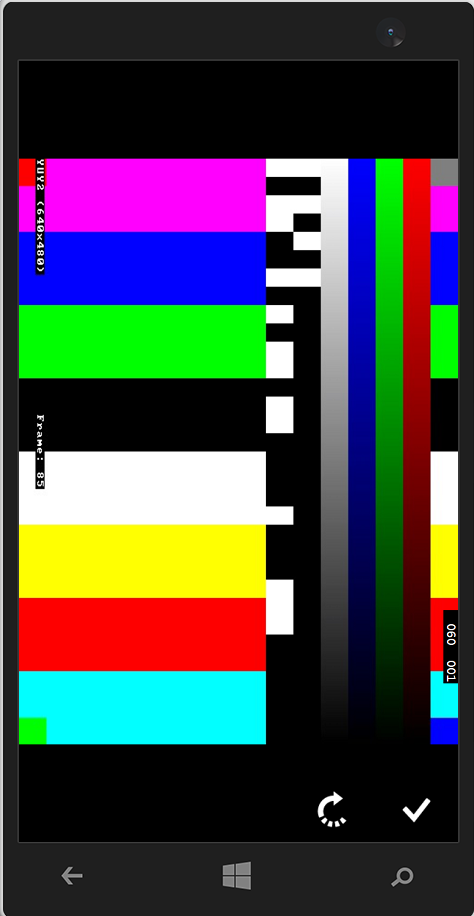
拍完了之后如果直接显示,却是这样的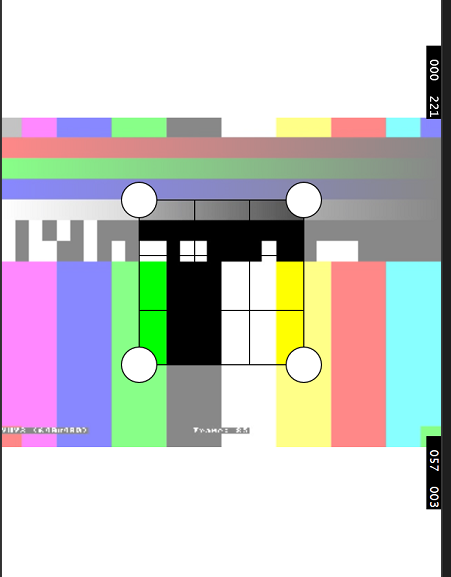
感觉被反转了。。( ╯□╰ )。。
为什么。。等下一个随笔来说说。
有什么问题指出来,大家一起进步
UWP crop image control的更多相关文章
- .NET Core学习笔记(2)—— WPF使用UWP Custom Control
自.NET Core 3.0开始,某软加入了对WPF的支持.同时对XAML Islands也做了进一步加强.在.NET Core 3.0之前,我们只能在WPF程序中,通过两种方式有限制地使用Stand ...
- win10 UWP 等级控件Building a UWP Rating Control using XAML and the Composition API | XAML Brewer, by Diederik Krols
原文:Building a UWP Rating Control using XAML and the Composition API | XAML Brewer, by Diederik Krols ...
- UWP Control Toolkit Collections 求UWP工作
1. it is like wechat wait-sliderdeleteitem in iOS 看起来比较像微信删掉项 now support listview and gridview in C ...
- How To Crop Bitmap For UWP
裁剪图片主要是借助于 BitmapDecoder.GetPixelDataAsync() 以及 BitmapTransform对象来实现. 实现的代码如下: using System; using S ...
- 张高兴的 UWP 开发笔记:横向 ListView
ListView 默认的排列方向是纵向 ( Orientation="Vertical" ) ,但如果我们需要横向显示的 ListView 怎么办? Blend for Visua ...
- UWP控件与DataBind
在uwp开发中必不可少的一个环节就是各种通用的控件的开发,所以在闲暇时间汇总了一下在uwp开发中控件的几种常用写法,以及属性的几种绑定方式,有可能不全面,请大家多多包涵 :) 1.先从win10新增的 ...
- 【UWP开源】图片编辑器,带贴图、滤镜、涂鸦等功能
目录 说明 功能 实现原理 使用方法 效果截图 说明 最近空余时间研究了一下Win2D,它能为我们在UWP中提供一种类似GDI那样的绘图方法.就像传统Winform.MFC中那样重写OnPaint相关 ...
- 新浪微博UWP版-实现‘分享功能’的艰难路
索引 介绍 遇到的问题 寻求帮助 最终的解决方案 最终效果 介绍 在整个Team的共同努力下,在众多WPer的期待下,Weibo UWP版终于正式发布了.有关Weibo UWP版更多的信息请大家参考这 ...
- xamarin UWP中MessageDialog与ContentDialog的区别
MessageDialog与ContentDialog的异同点解析: 相同点一:都是uwp应用上的一个弹窗控件.都能做为弹出应用. 相异点一:所在命名空间不同,MessageDialog在Window ...
随机推荐
- Zabbix监控php-fpm status
开启php-fpm status php-fpm.conf pm.status_path = /statusx45 nginx.conf location ~ /(statusx45)$ { incl ...
- StringBuffer类的功能
StringBuffer类 1.添加功能 public StringBuffer append(String str):可以把任意类型数据添加到缓冲区,并返回缓冲区域 public StringBuf ...
- javascript面向对象:继承、多态
继承 js中同样可以实现类的继承这一面向对象特性,继承父类中的所有成员(变量和属性),同时可扩展自己的成员,下面介绍几种js中实现继承的方式: 1,对象模仿:通过动态的改变 this 指针的指向,实现 ...
- 将C#文档注释生成.chm帮助文档
由于最近需要把以前的一个项目写一个文档,但一时又不知道写成怎样的,又恰好发现了可以生成chm的工具,于是乎我就研究了下,感觉还不错,所以也给大家分享下.好了,不多废话,下面就来实现一下吧. 生成前的准 ...
- Android高手速成--第二部分 工具库
主要包括那些不错的开发库,包括依赖注入框架.图片缓存.网络相关.数据库ORM建模.Android公共库.Android 高版本向低版本兼容.多媒体相关及其他. 一.依赖注入DI 通过依赖注入减少Vie ...
- 前端XSS攻击和防御
xss跨站脚本攻击(Cross Site Scripting),是一种经常出现在web应用中的计算机安全漏洞,指攻击者在网页中嵌入客户端脚本(例如JavaScript), 当用户浏览此网页时,脚本就会 ...
- php的register_globals配置
1.需求 看ci文档的时候,看到register_globals,要了解这个配置的使用 2.分析 register_globals是PHP.ini里的一个配置,这个配置影响到php如何接收传递过来的参 ...
- js跨域解决方案(转载)
1.什么是跨域 我们经常会在页面上使用ajax请求访问其他服务器的数据,此时,客户端会出现跨域问题. 跨域问题是由于javascript语言安全限制中的同源策略造成的. 简单来说,同源策略是指一段脚本 ...
- angularjs向后台传参,后台收不到数据
angularjs中封装了一个$http服务,用来请求远程资源 参见:HTTP API 其中封装过的$http.post和$http.get使用起来比较方便 后台是php,用$_POST['name' ...
- java12
1:List的子类(掌握) (1)List的子类特点 ArrayList: 底层数据结构是数组,查询快,增删慢 线程不安全,效率高 Vector: 底层数据结构是数组,查询快,增删慢 线程安全,效率低 ...