
NX二次开发-UFUN单对象选择对话框UF_UI_select_with_single_dialog
 #include <uf.h>

 #include <uf_ui.h>

 static int select_filter_proc_fn(tag_t object, int type[], void* user_data, UF_UI_selection_p_t select)

 {

     if (object == NULL)

     {

         return UF_UI_SEL_REJECT;

     }

     else

     {

         return UF_UI_SEL_ACCEPT;

     }

 }

 static int init_proc(UF_UI_selection_p_t select, void* user_data)

 {

     int num_triples = ;//可选类型的数量

     UF_UI_mask_t mask_triples[] =

     {UF_point_type, UF_point_subtype, UF_UI_SEL_NOT_A_FEATURE,

      UF_line_type, UF_line_normal_subtype, UF_UI_SEL_NOT_A_FEATURE,

      UF_solid_type, UF_solid_body_subtype, UF_UI_SEL_FEATURE_BODY

     };//可选对象类型

     UF_UI_set_sel_mask(select, UF_UI_SEL_MASK_CLEAR_AND_ENABLE_SPECIFIC, num_triples, mask_triples);

     if ((UF_UI_set_sel_procs(select, select_filter_proc_fn, NULL, user_data)) == )

     {

         return UF_UI_SEL_SUCCESS;

     }

     else

     {

         return UF_UI_SEL_FAILURE;

     }

 }

 UF_initialize();

 //单对象选择对话框

 char sCue[] = "单对象选择对话框";

 char sTitle[] = "单对象选择对话框";

 int iScope = UF_UI_SEL_SCOPE_NO_CHANGE;

 int iResponse;

 tag_t tObject;

 tag_t tView;

 double adCursor[];

 UF_UI_select_with_single_dialog(sCue, sTitle, iScope, init_proc, NULL, &iResponse, &tObject, adCursor, &tView);

 UF_terminate();

 Caesar卢尚宇

 2019年7月1日
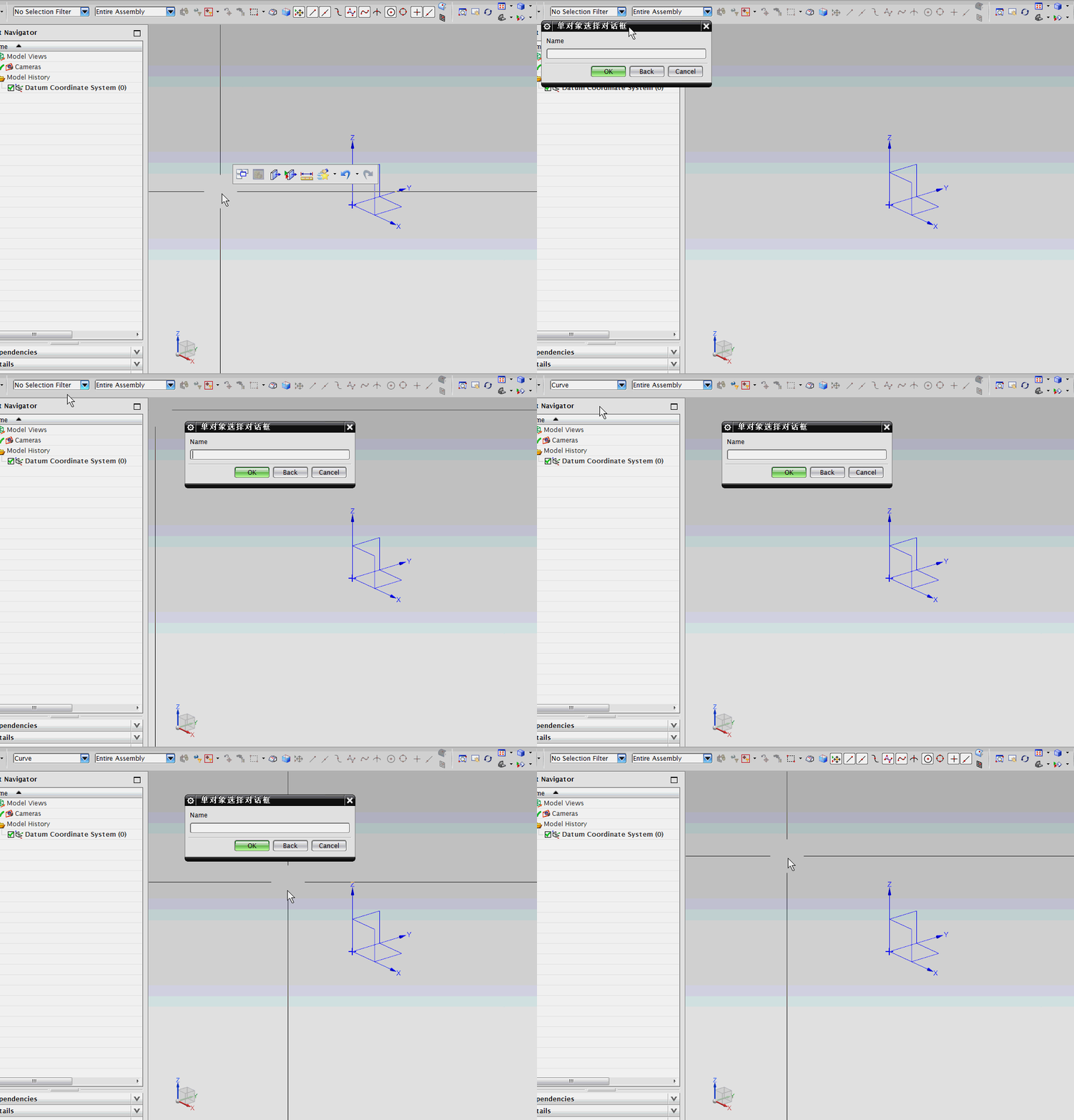
附加代码
 常用图纸视图类型

 static int init_proc(UF_UI_selection_p_t select, void* user_data)

 {

     int num_triples = ;//可选类型的数量

     UF_UI_mask_t mask_triples[] =

     { UF_view_type, UF_UI_SEL_NOT_A_FEATURE };//图纸视图类型

     UF_UI_set_sel_mask(select, UF_UI_SEL_MASK_CLEAR_AND_ENABLE_SPECIFIC, num_triples, mask_triples);

     if ((UF_UI_set_sel_procs(select, select_filter_proc_fn, NULL, user_data)) == )

     {

         return UF_UI_SEL_SUCCESS;

     }

     else

     {

         return UF_UI_SEL_FAILURE;

     }

 }
NX二次开发-UFUN单对象选择对话框UF_UI_select_with_single_dialog的更多相关文章
- NX二次开发-UFUN文件选择对话框UF_UI_create_filebox
NX11+VS2013 #include <uf.h> #include <uf_ui.h> UF_initialize(); //文件选择对话框 char sPromptSt ...
- NX二次开发-UFUN参数选择对话框UF_UI_select_parameters
#include <uf.h> #include <uf_ui.h> #include <uf_modl.h> UF_initialize(); //参数选择对话框 ...
- NX二次开发-UFUN打开选择文件夹对话框UF_UI_create_filebox
#include <uf.h> #include <uf_ui.h> #include <string> using namespace std; string O ...
- NX二次开发-UFUN拾取向量对话框UF_UI_specify_vector
#include <uf.h> #include <uf_ui.h> UF_initialize(); //拾取向量对话框 ], pnt[]; int mode = UF_UI ...
- NX二次开发-UFUN单选菜单对话框uc1603
NX11+VS2013 #include <uf.h> #include <uf_ui.h> UF_initialize(); //单选菜单对话框 char sPromptSt ...
- NX二次开发-UFUN拾取平面对话框UF_UI_specify_plane
#include <uf.h> #include <uf_ui.h> UF_initialize(); //拾取平面对话框 ] = { , , , , , , , , }; ] ...
- NX二次开发-基于MFC界面对话框与NX交互的开发
打开VS2013 点击新建,选择MFC DLL 点击确定 点下一步 什么都不改,直接点完成 进来之后先编译一下,看是否编译成功 打开项目属性,更改这几处 $(UGII_BASE_DIR)\ugopen ...
- NX二次开发-Ufun API Example
UF公共类型 UF_begin_timer计时函数 https://www.cnblogs.com/nxopen2018/p/10957135.html UF_end_timer计时函数 https: ...
- NX二次开发-UFUN发射线函数UF_MODL_trace_a_ray的用法
今天是国庆节,放假休息懒得动,没有出去玩,在家研究一下发射线函数UF_MODL_trace_a_ray.小弟以前在软件公司混的时候,当时我做的那个项目就用到了UF_MODL_trace_a_ray,当 ...
随机推荐
- mysqldump 导出数据库
mysqldump -h47.52.67.230 -P3306 -uroot -pAbc\!@#456789 --hex-blob --opt test_fooku_db >/home/test ...
- Xversion for Mac优秀的SVN客户端功能特色介绍
xversion for mac是一款专为macOS打造的svn客户端,该软件拥有一个设计精美的界面以及全面的功能,简介的用户界面可以让您做到无需浏览用户手册即可熟练使用.xversion支持从最开始 ...
- mybatis调用存储过程(@Select方式)
存储过程还不会写的同学可以参考我另一篇文章:https://www.cnblogs.com/liuboyuan/p/9375882.html 网上已经有很多用mybatis调用的教程了,但是大部分是x ...
- 【JZOJ3673】【luoguP4040】【BZOJ3874】宅男计划
description 外卖店一共有N种食物,分别有1到N编号.第i种食物有固定的价钱Pi和保质期Si.第i种食物会在Si天后过期.JYY是不会吃过期食物的. 比如JYY如果今天点了一份保质期为1天的 ...
- 阿里云高磊:API网关加速能力聚合与生态集成
导读:本文中,阿里云高级技术专家高磊(花名:埃兰)将聚焦API网关加速能力聚合与生态集成,讲述API如何实现系统间的衔接和API网关的产品升级进程,重点展示了一些新功能.新体验和新变化. 大家下午好, ...
- BZOJ 3159: 决战 解题报告
BZOJ 3159: 决战 1 sec 512MB 题意: 给你一颗\(n\)个点,初始点权为\(0\)的有跟树,要求支持 Increase x y w 将路径\(x\)到\(y\)所有点点权加上\( ...
- 冲刺$\mathfrak{CSP-S}$集训模拟赛总结
开坑.手懒并不想继续一场考试一篇文. 既没必要也没时间侧边栏的最新随笔题解反思相间也丑 而且最近越来越懒了竟然都不写题解了……开坑也是为了督促自己写题解. 并不想长篇大论.简要题解也得写啊QAQ. 目 ...
- SQL中忘记用户登陆密码该如何修改
1.每个数据库登陆之前都必须先启动它本身的数据服务,SQL数据库也不例外,首先我们要做的是先打开我们的SQL数据服务! 2.随后在我们的开始菜单中找到我们的SQL启动图标,打开即可 3.弹出登录窗体( ...
- 51nod-1366 贫富差距——并查集
题目链接:https://www.51nod.com/onlineJudge/questionCode.html#!problemId=1366 #include <iostream> # ...
- 【mac】配置sublime开发C
1.sublime text3,Tools/Build System/New Build system创建一个新配置文件. {"cmd": ["gcc", &q ...