
NIO 中文乱码自我解决的简单DEMO
import java.io.FileInputStream;

import java.io.FileNotFoundException;

import java.io.FileOutputStream;

import java.io.IOException;

import java.io.RandomAccessFile;

import java.nio.ByteBuffer;

import java.nio.CharBuffer;

import java.nio.channels.FileChannel;

import java.nio.charset.Charset;

import java.nio.charset.CharsetDecoder;

import org.apache.commons.lang.time.DurationFormatUtils;

public class NIOTest {

	public static final int SIZE = 102400;

	public static final String PATH = "D:\\test\\test.txt";

	public static void main(String args[]) {

		//方法一

		/*

		 try {//写数据

			FileChannel fileOutChannel = new FileOutputStream(PATH,true).getChannel();

			fileOutChannel.write(ByteBuffer.wrap("这是用FileOutpuStream调用NIO的Channel写出的内容".getBytes()));

			System.out.println("写出成功!");

			fileOutChannel.close();

			//读数据

			FileChannel fileInChannel = new FileInputStream(PATH).getChannel();

			ByteBuffer byteBuffer = ByteBuffer.allocate(SIZE);

			fileInChannel.read(byteBuffer);

			byteBuffer.flip();

			Charset charset = Charset.forName("UTF-8");

			while (byteBuffer.hasRemaining()) {

				CharsetDecoder charsetDecoder = charset.newDecoder();

				CharBuffer charBuffer = charsetDecoder.decode(byteBuffer);

				System.out.print(charBuffer);

			}

			System.out.println();

			System.out.println("读入完成!");

			fileInChannel.close();

		} catch (FileNotFoundException e) {

			// TODO Auto-generated catch block

			e.printStackTrace();

		} catch (IOException e) {

			// TODO Auto-generated catch block

			e.printStackTrace();

		}

		*/

		//方法二

		try {

			 RandomAccessFile randomAccessFile = new RandomAccessFile(PATH, "rw");

			//写数据

			randomAccessFile.writeUTF("这是用RandomAccessFile调用NIO的Channel写出的内容");

			System.out.println("写出成功!");

			//读数据

			randomAccessFile.seek(0);

			System.out.println(randomAccessFile.readUTF());

			System.out.println("读入成功!");

		} catch (FileNotFoundException e) {

			// TODO Auto-generated catch block

			e.printStackTrace();

		} catch (IOException e) {

			// TODO: handle exception

		}

	}

}
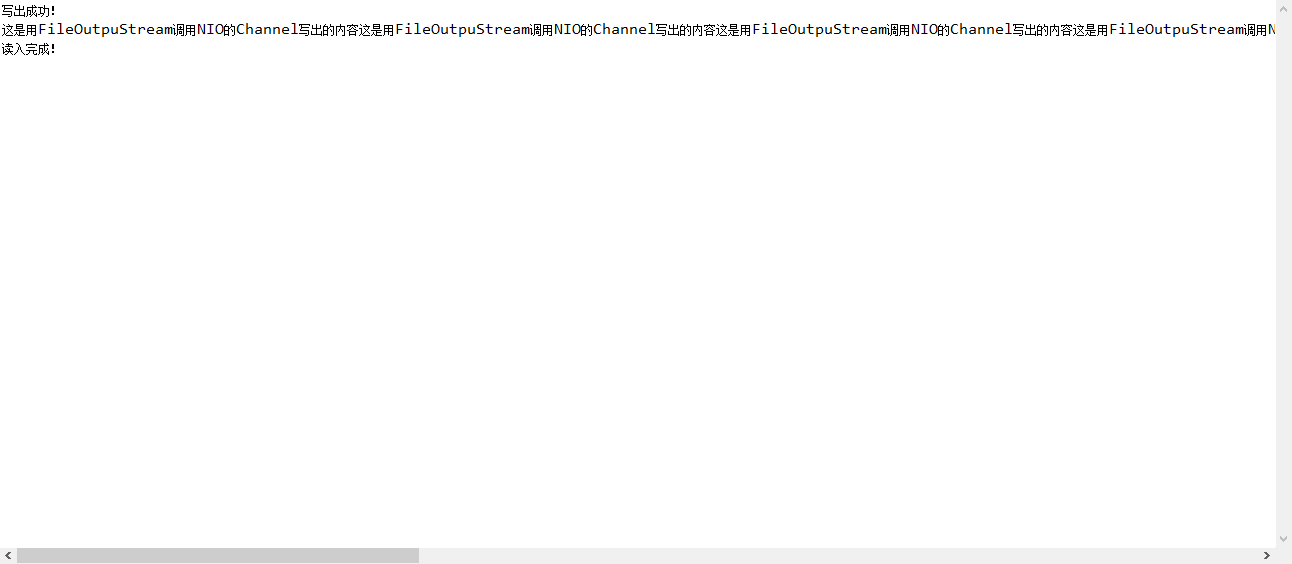
查看方法一运行效果:
NIO 中文乱码自我解决的简单DEMO的更多相关文章
- NIO 中文乱码问题的解决代码实现
之前在网上查询了很多关于解决NIO中文乱码的问题,仁者见仁智者见智,不过就找到的几种方法实现都太繁琐了,稍微研究了下NIO源码,以下是我自己的一种实现,偷懒用最简单的代码去实现是我的习惯! Demo: ...
- Win 7英文系统显示中文乱码的解决(转)
Win 7英文系统显示中文乱码的解决http://www.enet.com.cn/article/2011/0811/A20110811896633.shtml 请点击Startmenu并点击Cont ...
- php 使用phpmailer 发送邮件(附带中文乱码的解决方法)
下载phpmailer ,在程序里包含class.phpmailer.php 类 ,这里有中文乱码的解决方法 实例代码如下 <html> <head> <title&g ...
- C#中WebClient使用DownloadString中文乱码的解决办法
原文:C#中WebClient中文乱码的解决办法 第一次尝试: string question = textBox1.Text.ToString(); WebClient client= new We ...
- JSP的学习(4)——中文乱码的解决
本篇将以JSP页面中可能存在的中文乱码问题进行分析和解决. 中文乱码的问题一直是国人在编程过程中的一大头疼问题,这点上在JSP.Servlet或Tomcat上随处可见.比如我们在写一个Servlet时 ...
- 详解get请求和post请求参数中文乱码的解决办法
首先出现中文乱码的原因是tomcat默认的编码方式是"ISO-8859-1",这种编码方式以单个字节作为一个字符,而汉字是以两个字节表示一个字符的. 一,get请求参数中文乱码的解 ...
- xShell终端中文乱码完全解决方法
xShell终端中文乱码完全解决方法 xShell(xShell5)以及其他终端中文乱码的原因无非有三种:(1)Linux系统的编码问题:(2)xShell终端的编码问题: (3)两端的语言编码不一致 ...
- Source Insight 4 中文乱码的解决办法(source insight 3.5 及以下版本就到其他地方看看吧)
干货:Source Insight 4 中文乱码的解决办法(source insight 3.5 及以下版本就到其他地方看看吧) [解决办法]: 菜单栏中[File]->[Reload As E ...
- js url传值中文乱码完美解决(JAVA)
js url传值中文乱码完美解决(JAVA) 首先在你的jsp页面这样更改: var url="你要传入的Action的位置&ipid="+ipid+"& ...
随机推荐
- string型的“600.000”如何转换为int型
string型的“600.000”怎么转换为int型?为什么我用int.parse不能转换? ------解决方案--------------------int.Parse("600.000 ...
- ArcGISTiledMapServiceLayer
<!DOCTYPE html><html><head> <meta charset="utf-8"> <title>第一 ...
- WPF style 换肤
原文地址:http://www.cnblogs.com/DebugLZQ/p/3181040.html 原作者:DebugLZQ UI的风格一致性是应用程序应当关注的重要特性. 1.Creating ...
- Eight HDU-1043 (bfs)
Eight Time Limit: 10000/5000 MS (Java/Others) Memory Limit: 65536/32768 K (Java/Others)Total Subm ...
- DirectX11笔记(九)--Direct3D渲染5--CONSTANT BUFFERS
原文:DirectX11笔记(九)--Direct3D渲染5--CONSTANT BUFFERS 版权声明:本文为博主原创文章,未经博主允许不得转载. https://blog.csdn.net/u0 ...
- python 对位运算
- 洛谷 P4205 [NOI2005]智慧珠游戏 DFS
目录 题面 题目链接 题目描述 输入输出格式 输入格式 输出格式 输入输出样例 输入样例 输出样例 说明 思路 AC代码 总结 题面 题目链接 P4205 [NOI2005]智慧珠游戏 题目描述 智慧 ...
- python装饰器2
装饰模式有很多经典的使用场景,例如插入日志.性能测试.事务处理等等,有了装饰器,就可以提取大量函数中与本身功能无关的类似代码,从而达到代码重用的目的.下面就一步步看看Python中的装饰器. 一个简单 ...
- CMake学习笔记五-依赖库添加
# # 项目名称 # SET(WIS_PROJECT_NAME EXAMPLE) # dependencies SET(DEPENDENCIES #依赖第三方库 ) #Qt模块 SET(QT_MODU ...
- hdu3917 最大权闭合图
题意:有N个城市,M个公司.现在需要建立交通是获得的利益最大.如果2个公司A,B, A修的路为Xa->Ya,B的路为Xb->Yb,如果Ya==Xb,那么这2个公司有关系. 对于每个公司都有 ...