
mybatis-generator-core快速生成实体类和Mapper
日常使用Mybatis少不了和实体类和 Mapper 打交道。除了我们手写来实现,还可以使用 mybatis-generator-core 来快速生成 实体类和 Mapper。
步骤如下:
1、下载 mybatis-generator-core 到本地
下载链接:https://pan.baidu.com/s/1wTZ_7RTwToaW8oYm81WkLw 密码:lr6x
2、使用 IDEA 打开 mybatis-generator-core
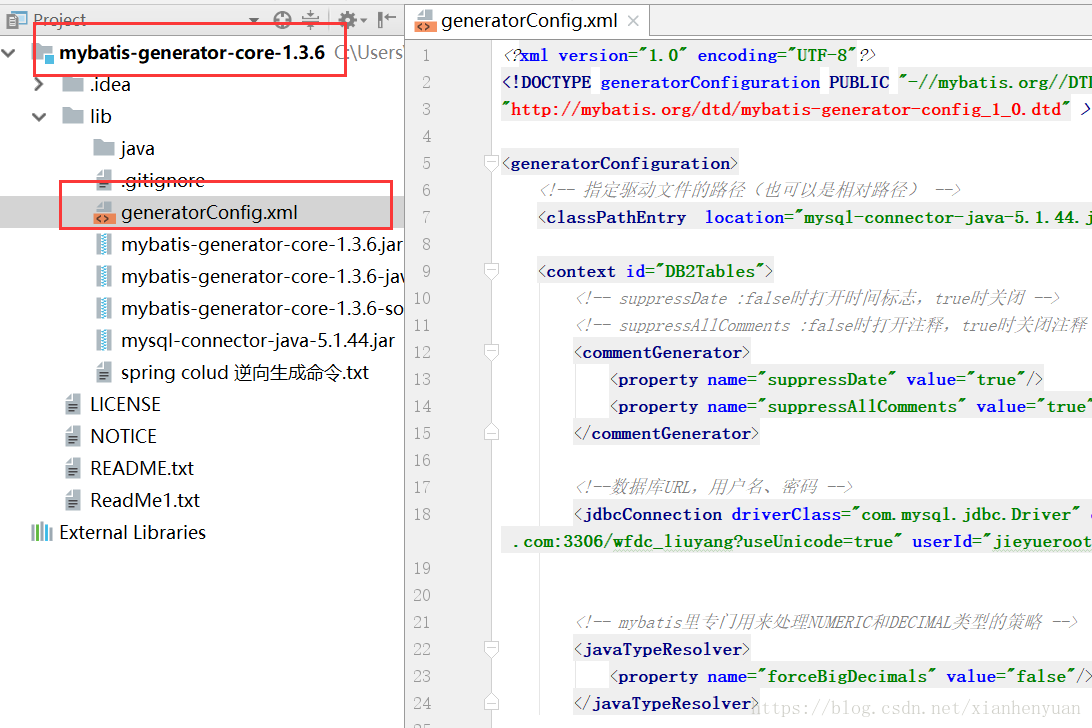
3、配置 generatorConfig.xml 配置文件
<!--数据库URL,用户名、密码 -->
<jdbcConnection driverClass="com.mysql.jdbc.Driver" connectionURL="jdbc:mysql://127.0.0.1:3306/test?useUnicode=true" userId="root" password="root" />
<!--实体类存储的路径:C:\Users\my\Desktop\mybatis-generator-core-1.3.6\lib\java -->
<javaModelGenerator targetPackage="javaModelGenerator"
targetProject="C:\Users\my\Desktop\mybatis-generator-core-1.3.6\lib\java">
<property name="enableSubPackages" value="true" />
<property name="trimStrings" value="true" />
</javaModelGenerator>
<!--Mapper类存储的路径:C:\Users\my\Desktop\mybatis-generator-core-1.3.6\lib\java-->
<sqlMapGenerator targetPackage="sqlMapGenerator"
targetProject="C:\Users\my\Desktop\mybatis-generator-core-1.3.6\lib\java">
<property name="enableSubPackages" value="false" />
</sqlMapGenerator>
<!--Mapper插入时判断字段非空类存储的路径:C:\Users\my\Desktop\mybatis-generator-core-1.3.6\lib\java-->
<javaClientGenerator type="ANNOTATEDMAPPER" targetPackage="javaClientGenerator"
targetProject="C:\Users\my\Desktop\mybatis-generator-core-1.3.6\lib\java">
<property name="enableSubPackages" value="true" />
</javaClientGenerator> <!--可一次指定多个表,这里指定了 6 个表-->
<!-- 指定生成的表: tableName是数据库中的表名 domainObjectName是要生成的实体类名-->
<!-- mybatis generator代码生成器在默认的情况下会生成对于表实体类的一个Examle类,可以更改生成器的配置为false避免生成Examle类 -->
<!-- columnOverride:如果不存在则默认按数据库中字段类型创建实体类,如果存在则按以下指定的名称和类型创建实体类字段, -->
<!-- ignoreColumn:在实体类中不创建此属性 -->
<table tableName="wf_admin_action_logs" domainObjectName="AdminActionLogs" enableCountByExample="false" enableUpdateByExample="false"
enableDeleteByExample="false" enableSelectByExample="false" selectByExampleQueryId="false">
</table>
<table tableName="wf_admin_menus" domainObjectName="AdminMenus" enableCountByExample="false" enableUpdateByExample="false"
enableDeleteByExample="false" enableSelectByExample="false" selectByExampleQueryId="false">
</table>
<table tableName="wf_admin_roles" domainObjectName="AdminRoles" enableCountByExample="false" enableUpdateByExample="false"
enableDeleteByExample="false" enableSelectByExample="false" selectByExampleQueryId="false">
</table>
<table tableName="wf_admin_roles_menus" domainObjectName="AdminRolesMenus" enableCountByExample="false" enableUpdateByExample="false"
enableDeleteByExample="false" enableSelectByExample="false" selectByExampleQueryId="false">
</table>
<table tableName="wf_admin_users" domainObjectName="AdminUsers" enableCountByExample="false" enableUpdateByExample="false"
enableDeleteByExample="false" enableSelectByExample="false" selectByExampleQueryId="false">
</table>
<table tableName="wf_admin_users_roles" domainObjectName="AdminUsersRoles" enableCountByExample="false" enableUpdateByExample="false"
enableDeleteByExample="false" enableSelectByExample="false" selectByExampleQueryId="false">
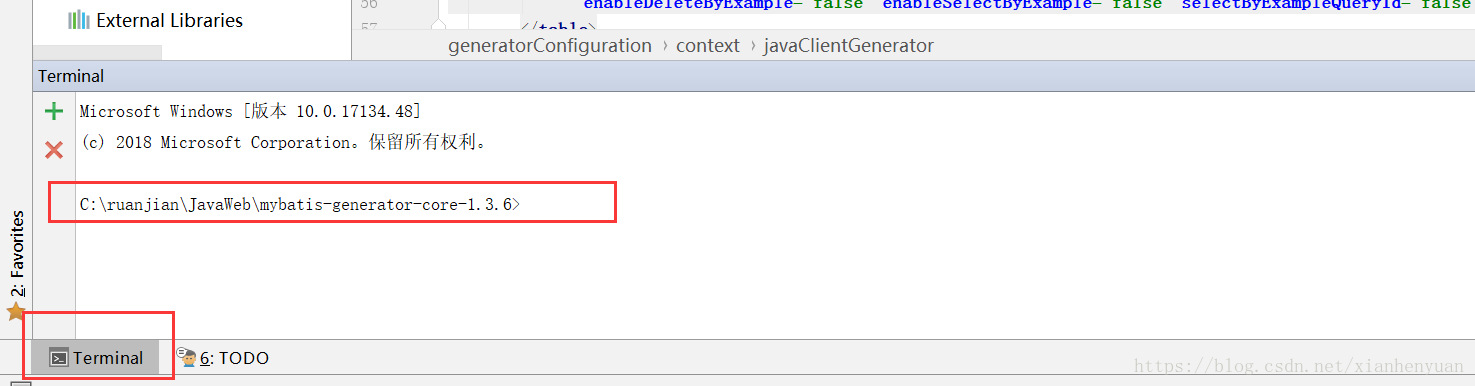
</table>4、IDEA打开命令行窗口或Windows+r打开命令行窗口
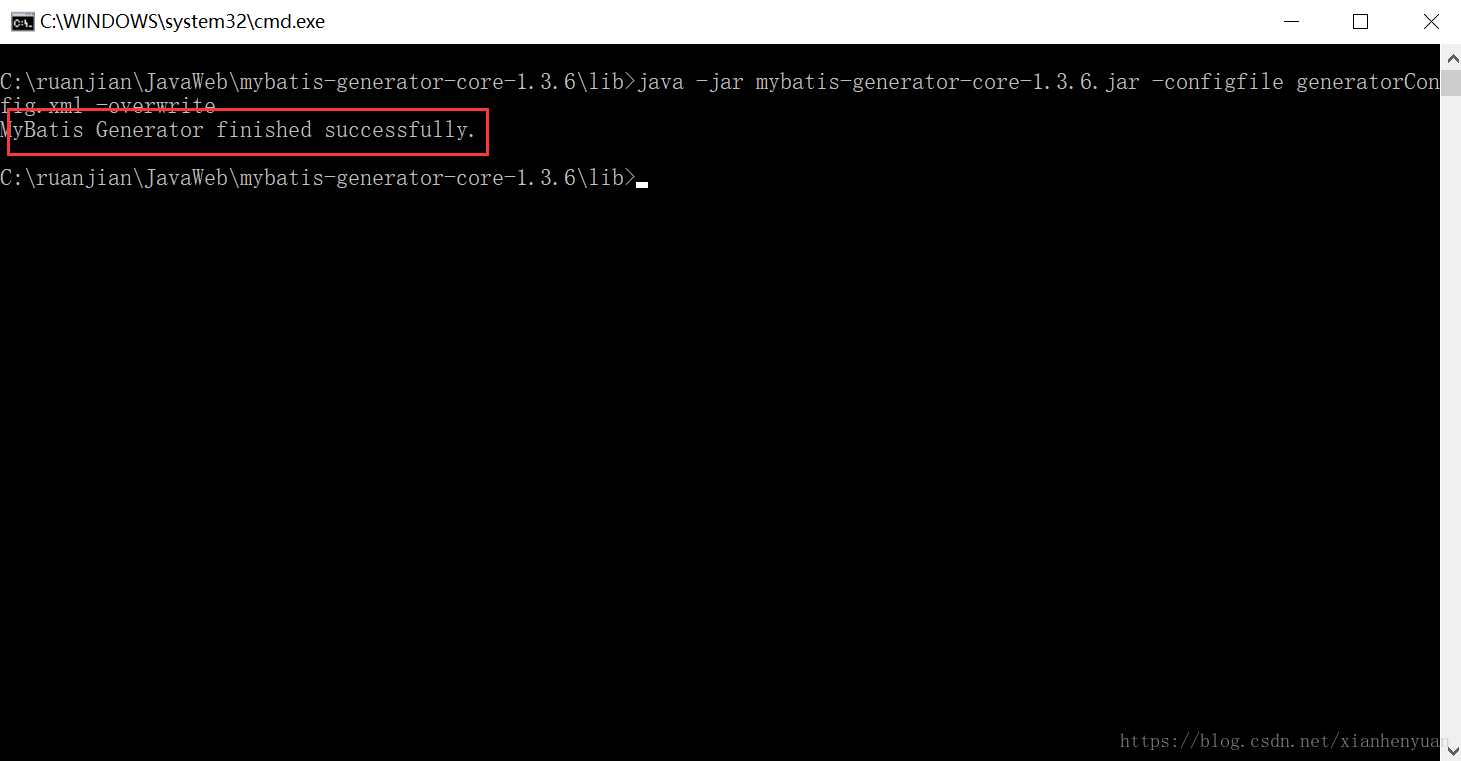
5、运行创建命令
//返回 MyBatis Generator finished successfully. 说明创建成功
java -jar mybatis-generator-core-1.3.6.jar -configfile generatorConfig.xml -overwrite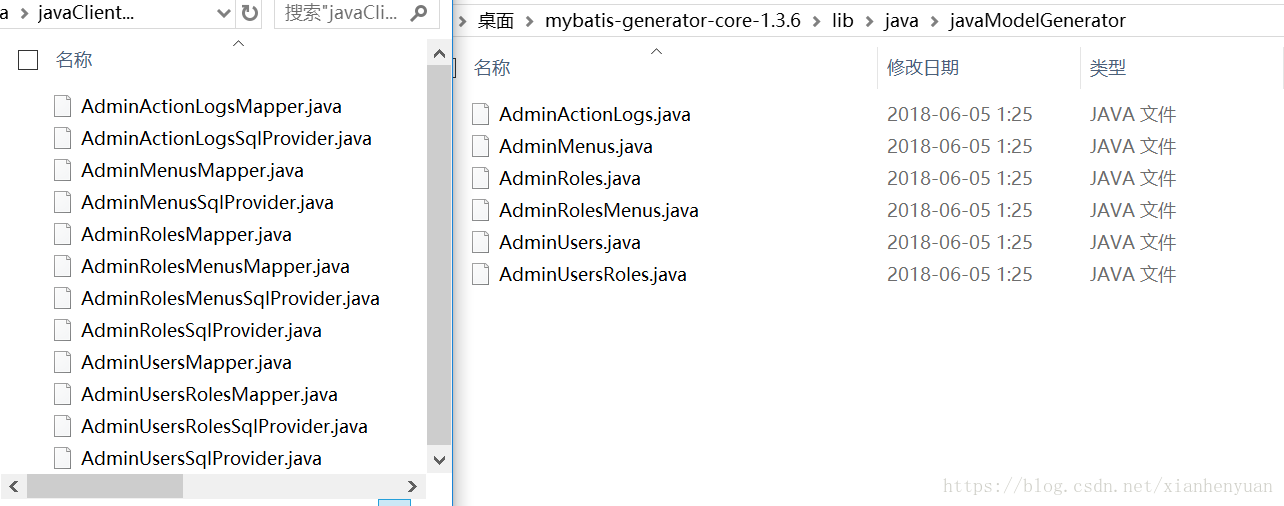
thanks~
mybatis-generator-core快速生成实体类和Mapper的更多相关文章
- 使用eclipse插件mybatis generator来自动生成实体类及映射文件
<?xml version="1.0" encoding="UTF-8" ?> <!DOCTYPE generatorConfiguratio ...
- Springboot mybatis generate 自动生成实体类和Mapper
https://github.com/JasmineQian/SpringDemo_2019/tree/master/mybatis Springboot让java开发变得方便,Springboot中 ...
- mybatis根据表逆向自动化生成代码(自动生成实体类、mapper文件、mapper.xml文件)
.personSunflowerP { background: rgba(51, 153, 0, 0.66); border-bottom: 1px solid rgba(0, 102, 0, 1); ...
- idea快速生成实体类
1.打开idea的视图,选择Database 2.选择对应的数据库[这里是mysql为例] 3.输入自己对应的内容,输入完成可点击Test Connection进行测试,成功SUCCESS 4.点击确 ...
- 第二篇 Springboot mybatis generate根据数据库表自动生成实体类、Mapper和Mapper.xml
源码链接:https://pan.baidu.com/s/1iP4UguBufHbcIEv4Ux4wDw 提取码:j6z9 目录结构如下:只需增加一个generatorConfig.xml文件和在po ...
- 使用generatorConfig配置,自动生成实体类,Mapper接口等
1.在项目的resource目录下面配置generatorConfig.properties文件,以及generatorConfig.xml文件 generatorConfig.properties文 ...
- 使用maven的mybatis-generator代码生成器插件生成实体类、mapper配置文件和mapper接口(使用idea)
接着之前创建的ssmMaven项目 一: 在pom文件中加入mybatis-generator插件 <plugins> <plugin> <groupId>org. ...
- idea快速生成实体类Entity
1)打开idea 2)添加mysql的数据连接 3)生成类
- Mybatis自动生成实体类、dao接口和mapping映射文件
由于Mybatis是一种半自动的ORM框架,它的工作主要是配置mapping映射文件,为了减少手动书写映射文件,可以利用mybatis生成器,自动生成实体类.dao接口以及它的映射文件,然后直接拷贝到 ...
随机推荐
- Python 异常(Exception)
1. 字符串为构造函数的参数 >> raise Exception('hyperdirve overload') Exception Traceback (most recent call ...
- rails数据库操作rake db一点心得
问题描述,对于很多的新手rails lover来说,搞定db是件头疼的事情,当建立了一个model,测试了半天发现我草列名写错了,再过一会儿发现association里面竟然没有xxx_id,这下子s ...
- 用pigz来加速解压tar.gz
兼容tar.gz 多线程的解压工具, 用于解压大文件时使用. https://zlib.net/pigz/ 方法: 1. 安装pigz 2. 使用tar时,选择pigz tar --use-compr ...
- linux系统定时任务crond入门
1,Crond: Crond是linux系统中用来定期执行命令或指定程序任务的一种服务或者软件.(Centos5以后默认存在) 当优化开机自启动的时候,第一个就是crond. Crond服务默认情况( ...
- Gulp 相关
获取执行在文件列表: http://www.thinksaas.cn/ask/question/21950/ 用through2这个插件. var through = require('through ...
- win10+ubuntu的坑
最近几天考虑了诸多,包括分区大小,使用烧写工具等等. 但是实际动手还是遇到了彩蛋.rufus是知乎的大神推荐的,因为UUI貌似有些版本安装时候有些问题. 而rufus的界面有诸多选项.ubuntu的图 ...
- 如何新建一个空的optix工程
参考链接 1.生成自定义里面添加cuda编译器 2. 修改这几个地方,设定cu文件需要的头文件.输出ptx文件的目录.生成ptx 这样就可以得到ptx了,注意ptx的路径即可 3.添加一些头文件.li ...
- SQL中的union
在SQL中,如果我们查询一个班级的考试成绩数据,再统计考试成绩的总和,我们使用以下两条语句: select StudentName,Grade from Student select '总成绩',SU ...
- C#网络编程—HTTP应用编程(转)
https://www.cnblogs.com/huangxincheng/archive/2012/01/09/2316745.html https://www.cnblogs.com/wangqi ...
- [arc082e]ConvexScore
题意: 给出直角坐标系中的$N$个点$(X_i,Y_i)$,定义由其中部分点构成的点集为“凸点集”当且仅当这些点恰好能构成一个凸多边形(内部没有其他点). 如图,点集$\{A,C,E\}$和$\{B, ...