
html 绘图渐变和图片填充
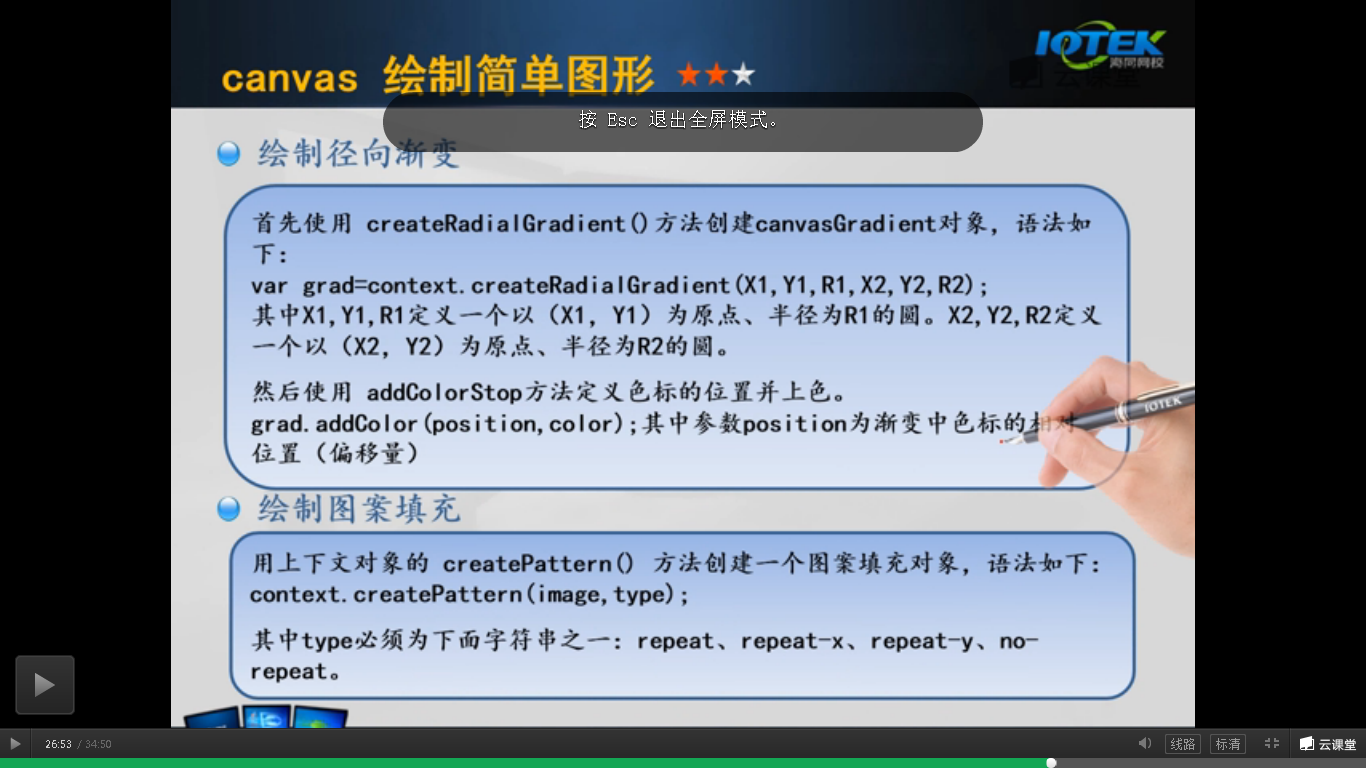
包括线性渐变和径向渐变
<!DOCTYPE html>

<html>

<head lang="en">

    <meta charset="UTF-8">

    <title></title>

    <style>

        #mycanvas{

            border: 1px solid #9c9898;

            background: white;

        }

    </style>

    <script language="JavaScript">

        window.onload=function(){

            var canvas = document.getElementById("mycanvas");

            var contex = canvas.getContext("2d");

            //线性渐变

            var clg=contex.createLinearGradient(0,0,200,0);

            clg.addColorStop(0,"#ff0000");

            clg.addColorStop(0.5,"#00ff00");

            clg.addColorStop(1,"#0000ff");

            contex.fillStyle=clg;

            contex.strokeStyle=clg;

            contex.fillRect(10,10,200,200);

            //径向渐变

            var crg=contex.createRadialGradient(325,100,20,325,100,80);

            crg.addColorStop(0,"#ff0000");

            crg.addColorStop(0.75,"#00ff00");

            crg.addColorStop(1,"#0000ff");

            contex.fillStyle=crg;

            //contex.strokeStyle=crg;

            contex.fillRect(230,10,200,200);

        }

    </script>

</head>

<body>

<canvas id="mycanvas" width="800" height="800"></canvas>

</body>

</html>
填充图片,有四种填充方式
<!DOCTYPE html>

<html>

<head lang="en">

    <meta charset="UTF-8">

    <title></title>

    <style>

        #mycanvas{

            border: 1px solid #9c9898;

            background: blue;

        }

        button{

            height: 80px;

            width: 200px;

        }

    </style>

    <script language="JavaScript">

        function draw(type){

            var canvas = document.getElementById("mycanvas");

            var contex = canvas.getContext("2d");

            contex.clearRect(0,0,500,200);

            var img =document.getElementById("cf");

            var pat = contex.createPattern(img,type);

            contex.rect(0,0,canvas.width,canvas.height);

            contex.fillStyle=pat;

            contex.fill();

        }

    </script>

</head>

<body>

    <img src="1.png" id="cf" width="50 " height="50"><br>

    <button onclick="draw('repeat-x')" >repeat-x</button>

    <button onclick="draw('repeat-y')">repeat-y</button>

    <button onclick="draw('repea')">repeat</button>

    <button onclick="draw('no-repeat'')">no-repeat</button>

    <br>

    <canvas id="mycanvas" width="800" height="800"></canvas>

</body>

</html>
html 绘图渐变和图片填充的更多相关文章
- H5新特性-canvas绘图--渐变对象路径(最复杂)--图片--变形操作
今天的目标 3.1:canvas绘图--(重点掌握:渐变对象.路径.图片.变形) 3.2:canvas绘图--渐变对象 线性渐变: linearGradient 径向渐变: var g = ctx.c ...
- Java设置PPT幻灯片背景——纯色、渐变、图片背景
PPT幻灯片生成时,系统默认是无色背景填充,幻灯片设计需要手动设置背景效果,可设置颜色填充或者图片背景填充.本文将对此介绍具体实现方法. 使用工具:Free Spire.Presentation fo ...
- HTML5 Canvas ( 图片填充样式 ) fillStyle, createPattern
<!DOCTYPE html> <html> <head> <meta charset="UTF-8"> <title> ...
- UI-UIImageView的图片填充方式(contentMode)_图片作为控件背景图的拉伸方式(stretch)介绍
常用图片填充方式 这里只介绍三个最常用的图片填充方式 UIViewContentModeScaleToFill模式会导致图片变形.例如: UIViewContentModeScaleAspectFit ...
- 【pyqtgraph绘图】线条,填充和颜色
解读官方API-线条,填充和颜色 参考: http://www.pyqtgraph.org/documentation/style.html 线条,填充和颜色 Qt依靠其QColor,QPen和QBr ...
- CSS让DIV按照背景图片的比例缩放,并让背景图片填充整个元素(转)
目的是:通过background的一系列属性,让DIV按照背景图片的比例缩放,并让背景图片填充整个DIV 首先我们需要让背景图片在指定的DIV中全部填充显示 之前看有用类似 background-at ...
- 使用Aspose.word (Java) 填充word文档数据(包含图片填充)
Aspose填充word数据 本文介绍了如何使用aspose进行word文档的生成,并提供了工具类供参考. 有问题欢迎 call 微信:905369866,小弟尽力而为..毕竟这玩意没吃透. 目录 A ...
- Qt 2D绘图 渐变填充(三种渐变方式)
在qt中提供了三种渐变方式,分别是线性渐变,圆形渐变和圆锥渐变.如果能熟练应用它们,就能设计出炫目的填充效果. 线性渐变: 1.更改函数如下: void Dialog::paintEvent(QPai ...
- Java基础之在窗口中绘图——渐变填充(GradientApplet 1)
Applet程序. import javax.swing.*; import java.awt.*; import java.awt.geom.*; @SuppressWarnings("s ...
随机推荐
- 使用多种方式实现遍历HashMap
今天讲解的主要是使用多种方式来实现遍历HashMap取出Key和value,首先在java中如果想让一个集合能够用for增强来实现迭代,那么此接口或类必须实现Iterable接口,那么Iterable ...
- php面试题之三——PHP网络编程(高级部分)
三.PHP网络编程 [!!!]1.禁用COOKIE后SEESION还能用吗?(51.com笔试题) 可以,COOKIE和SESSION都是用来实现会话机制的,由于http协议是无状态的,所以要想跟踪一 ...
- Correlation Filter in Visual Tracking
涉及两篇论文:Visual Object Tracking using Adaptive Correlation Filters 和Fast Visual Tracking via Dense Spa ...
- Windows2003操作系统SQL Server 2008安装图解(详细)
最近不少用户在windows2003 server 32位操作系统上安装SQL Server2008总是失败,出现大量错误.今天经过通过我反复测试安装,找出了一个便捷的安装方法,节省大家宝贵时间,具体 ...
- RemObjects SDK Source For Delphi XE7
原文:http://blog.csdn.net/tht2009/article/details/39545545 1.目前官网最新版本是RemObjects SDK for Delphi and al ...
- Bmob用户管理操作
注册用户 BmobUser bu = new BmobUser(); bu.setUsername("sendi"); bu.setPassword("123456&qu ...
- Shortest Word Distance
Given a list of words and two words word1 and word2, return the shortest distance between these two ...
- makefile文件编写
文件转载自:http://www.cppblog.com/lapcca/archive/2010/11/26/134714.html 下面这篇文章讲的很清楚,基本的用法也很简单. 一.Makefi ...
- ios如何生成crash报告
#include <signal.h> #include <execinfo.h> void OnProcessExceptionHandler(int sigl) { do ...
- Java for LeetCode 169 Majority Element
Given an array of size n, find the majority element. The majority element is the element that appear ...