
IntelliJ IDEA 新建项目
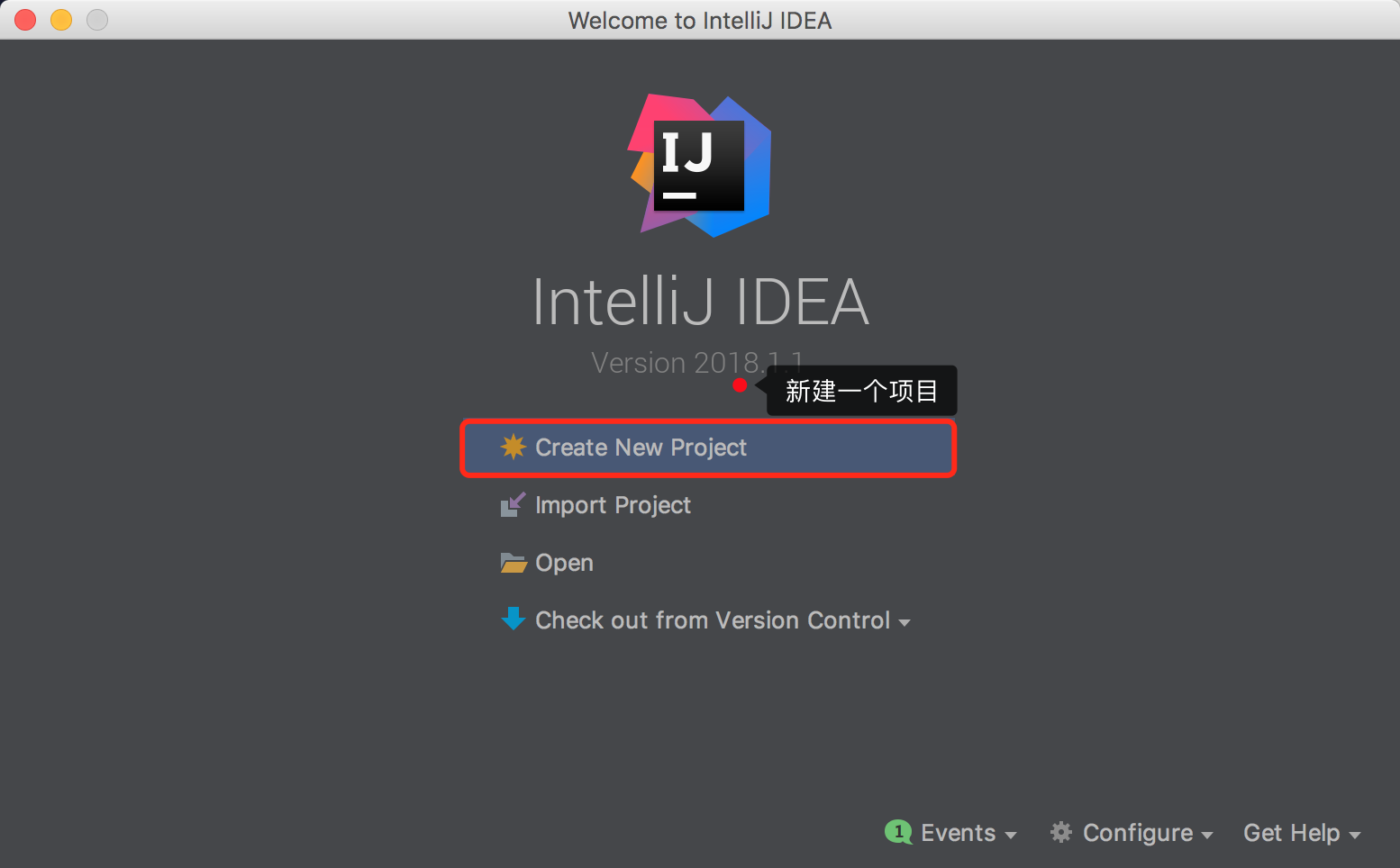
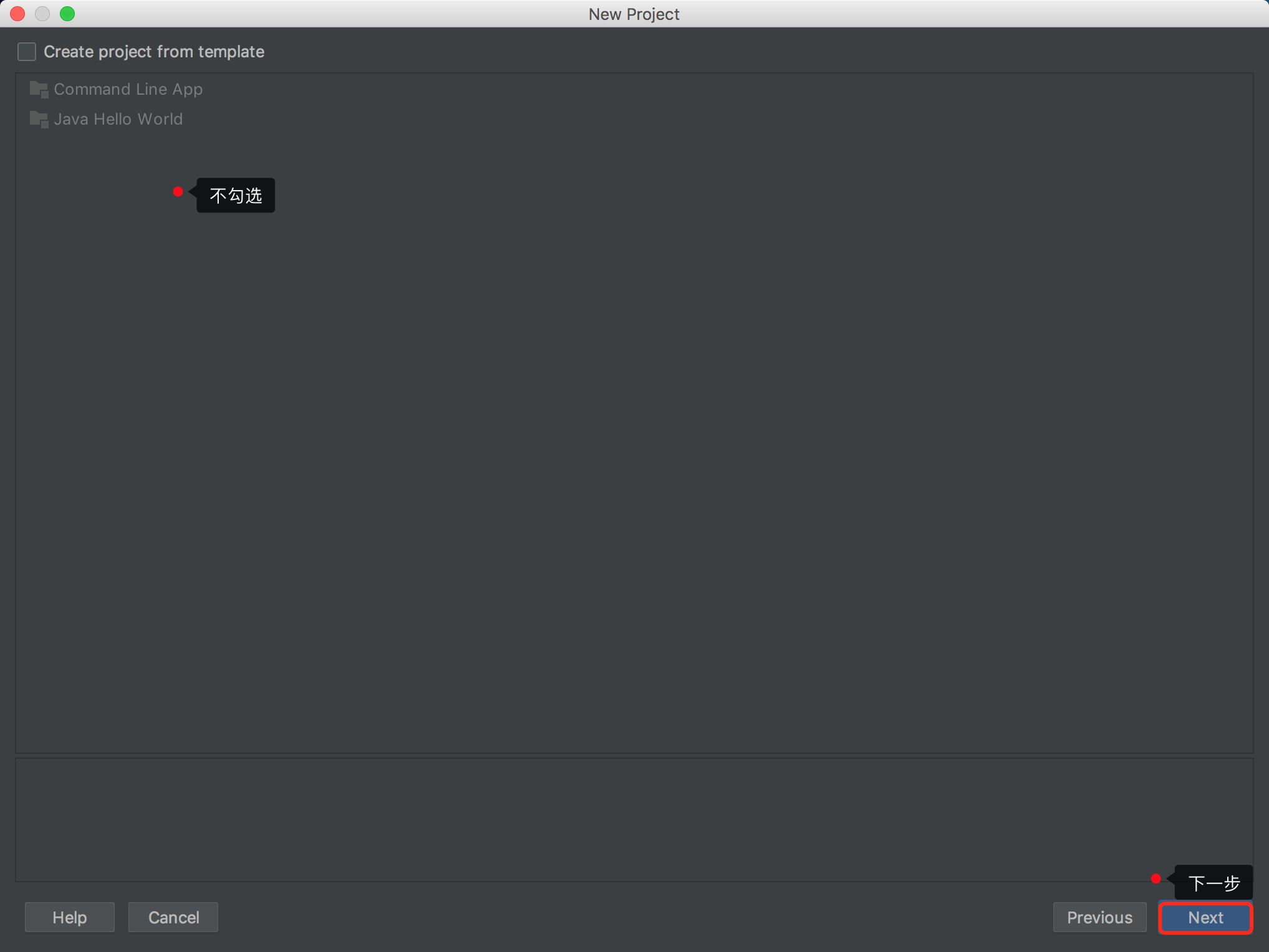
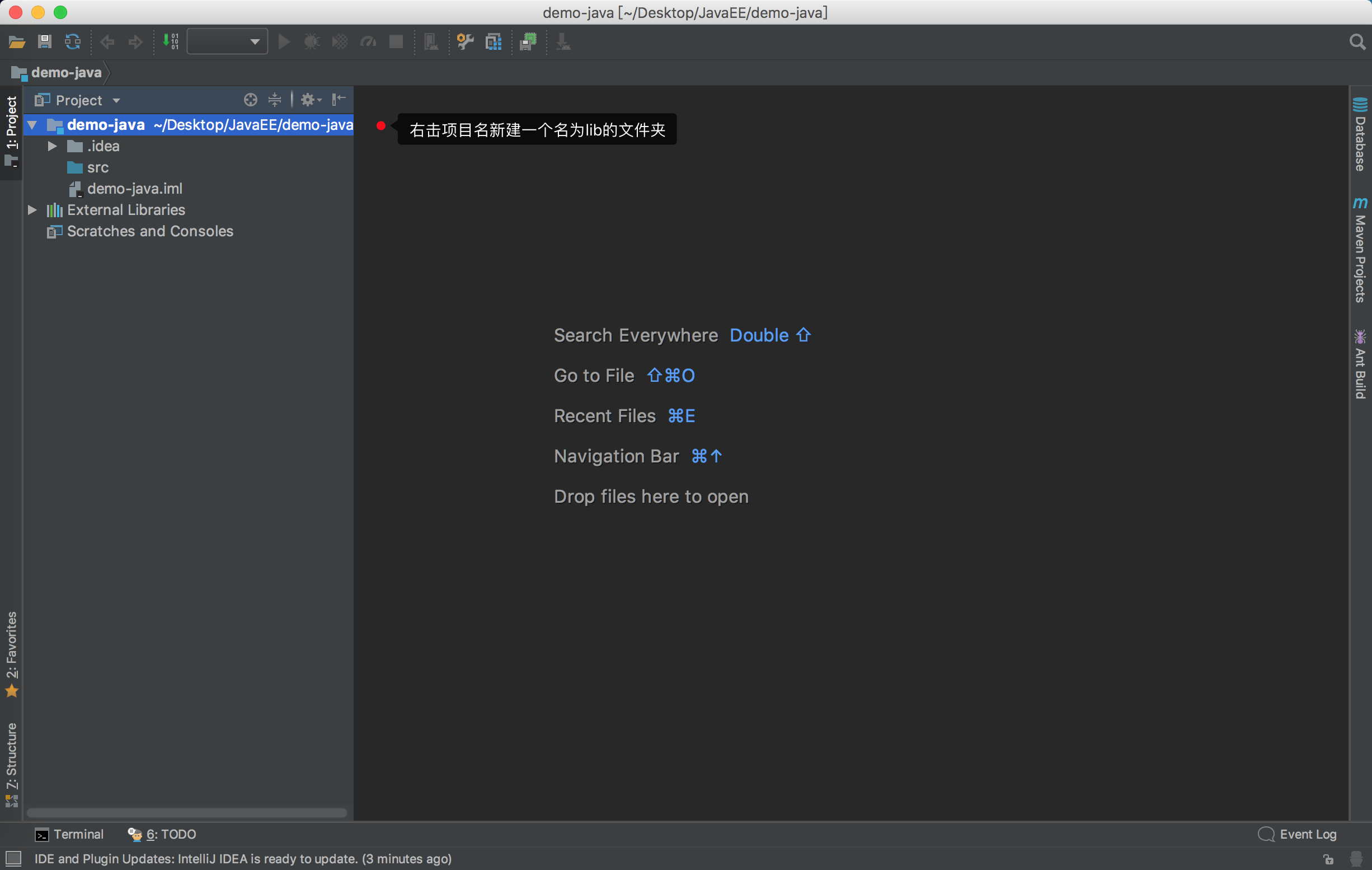
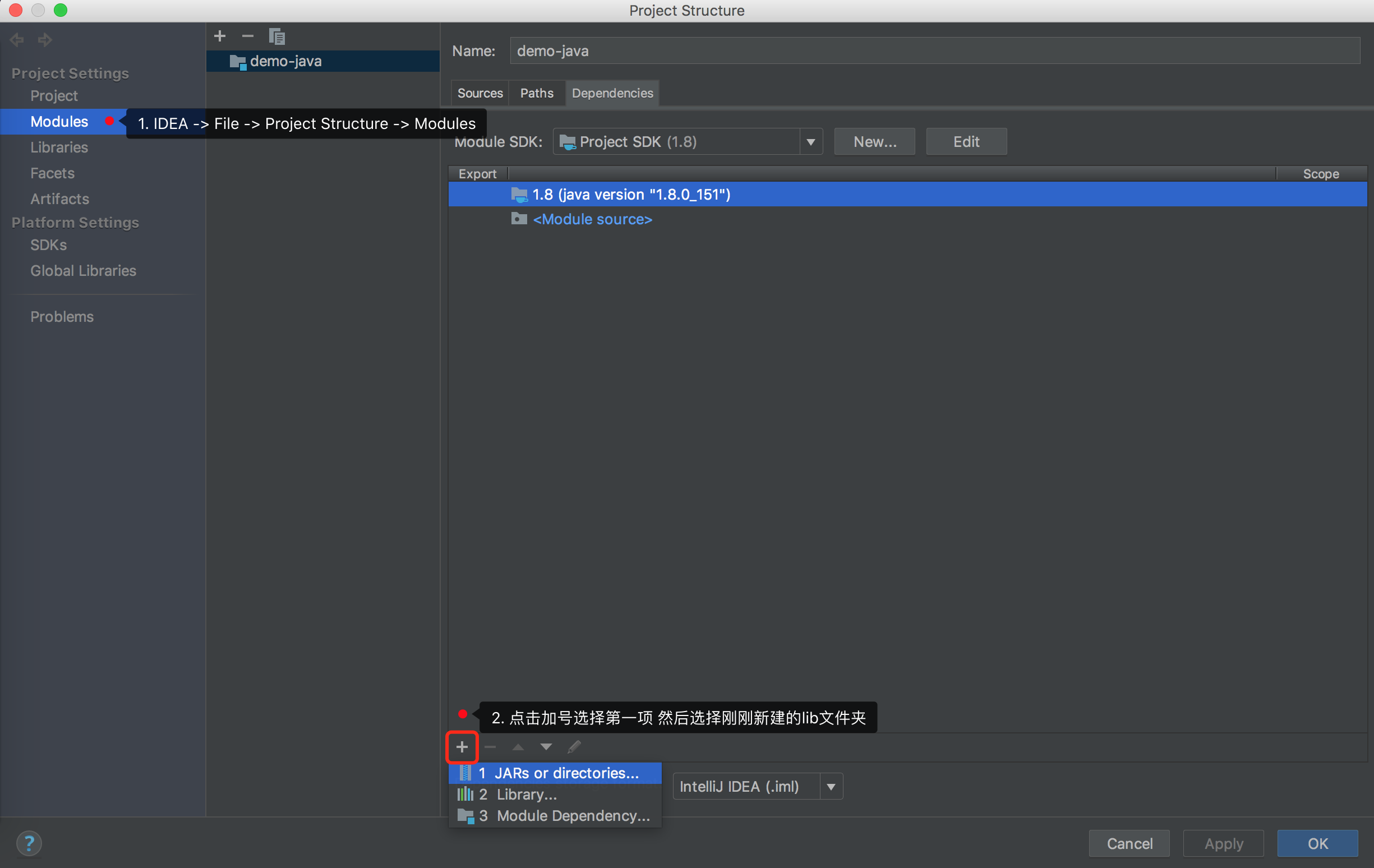
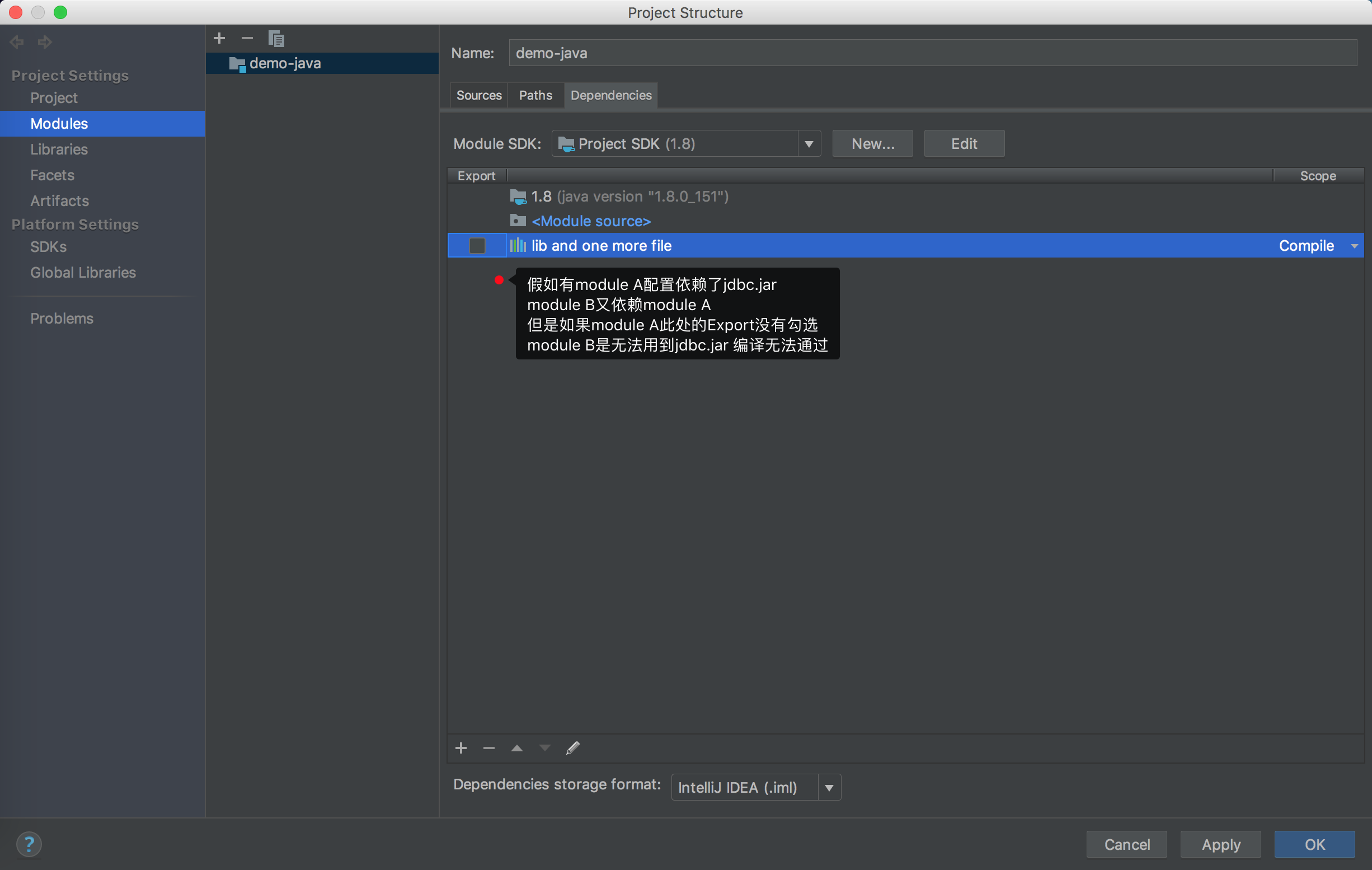
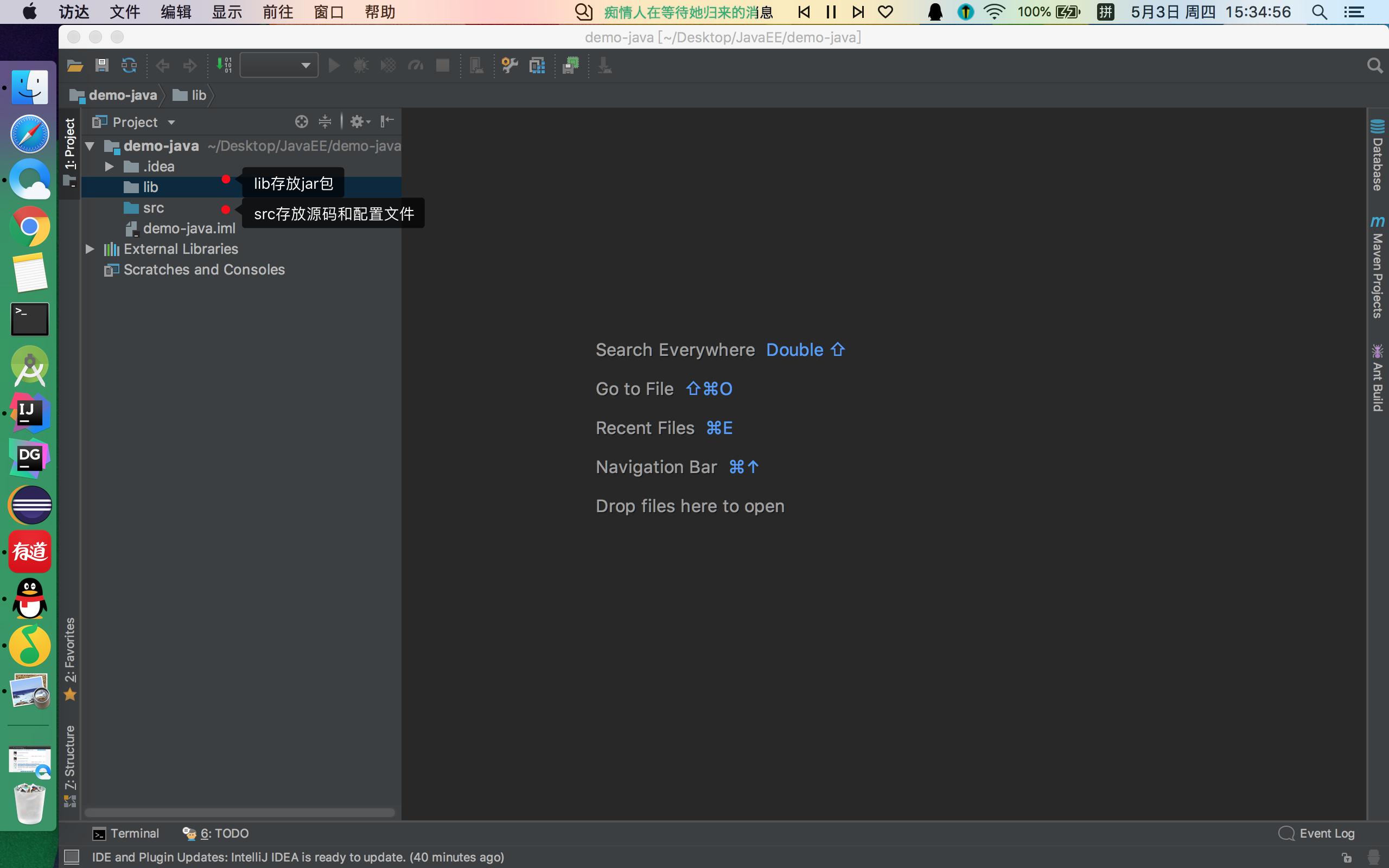
一 新建一个Java项目



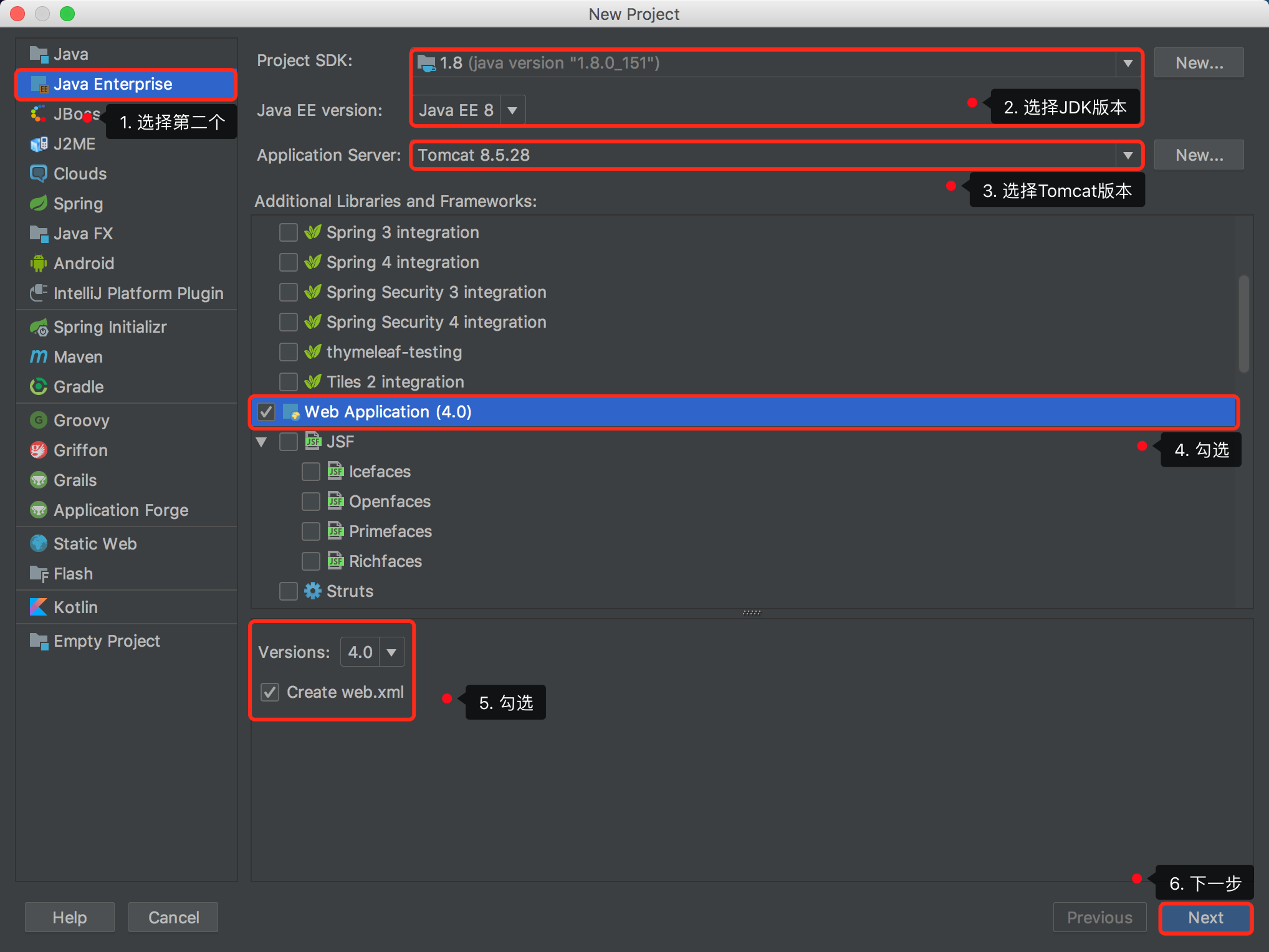
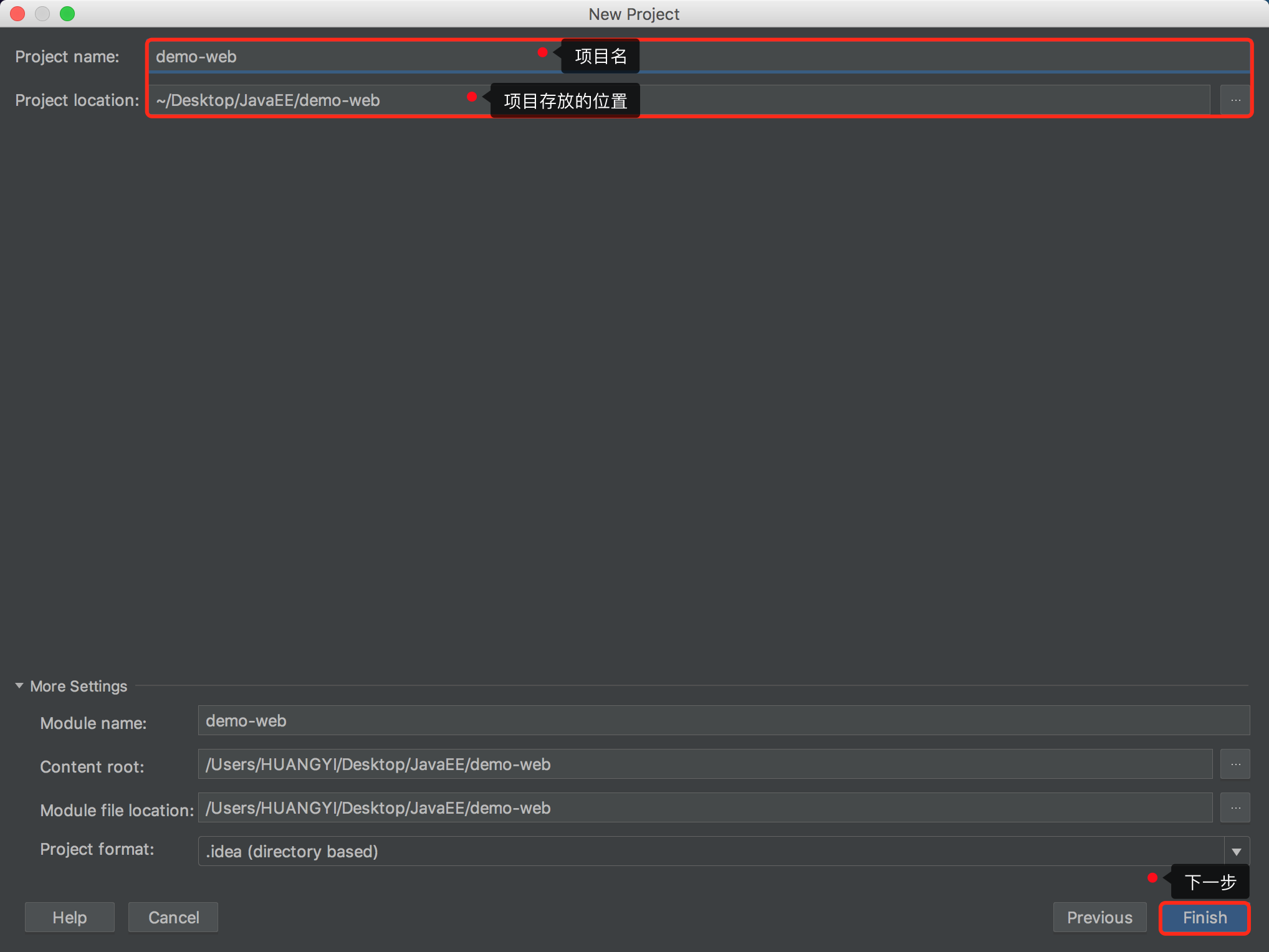
二 新建一个Web项目

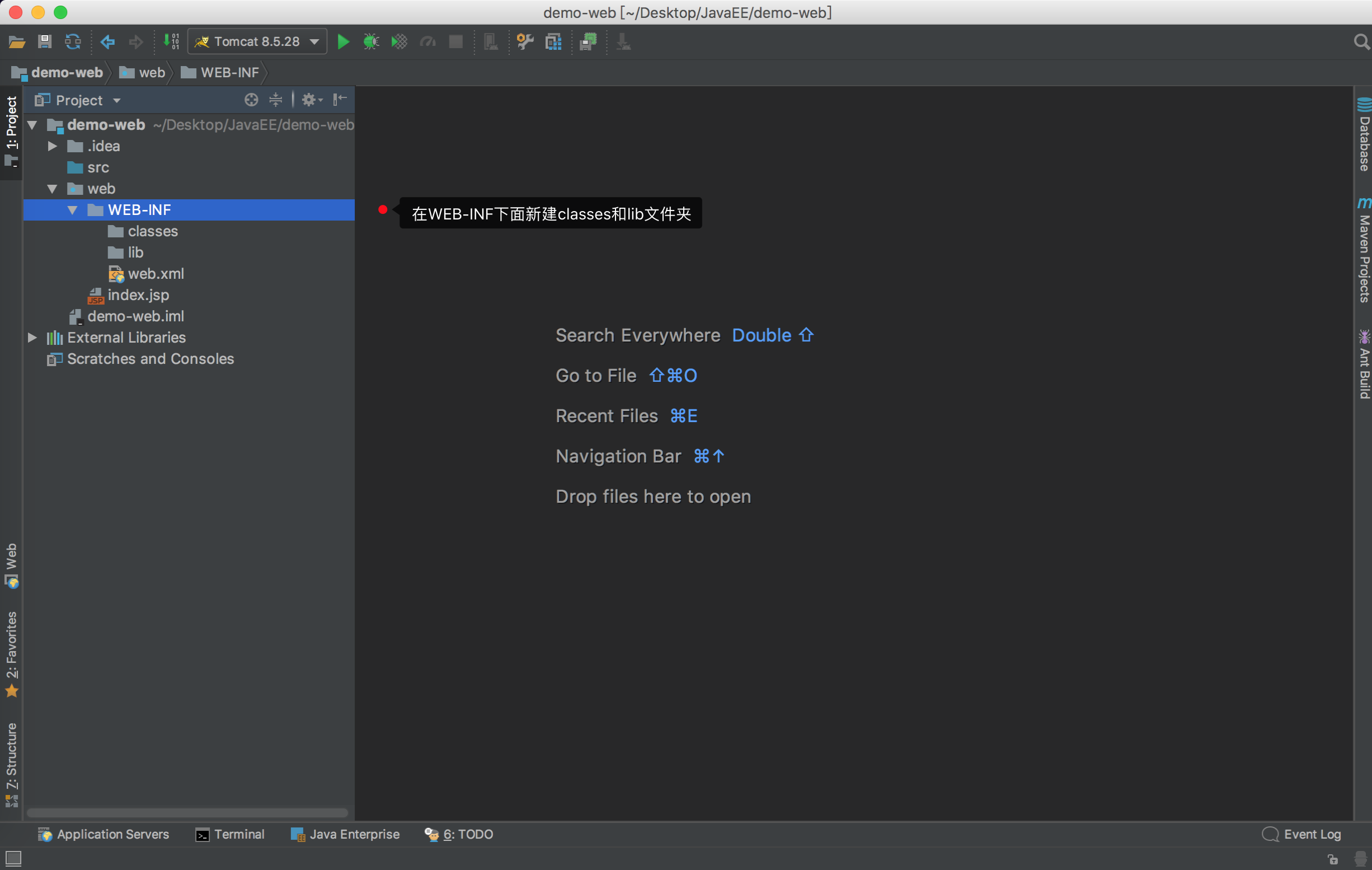
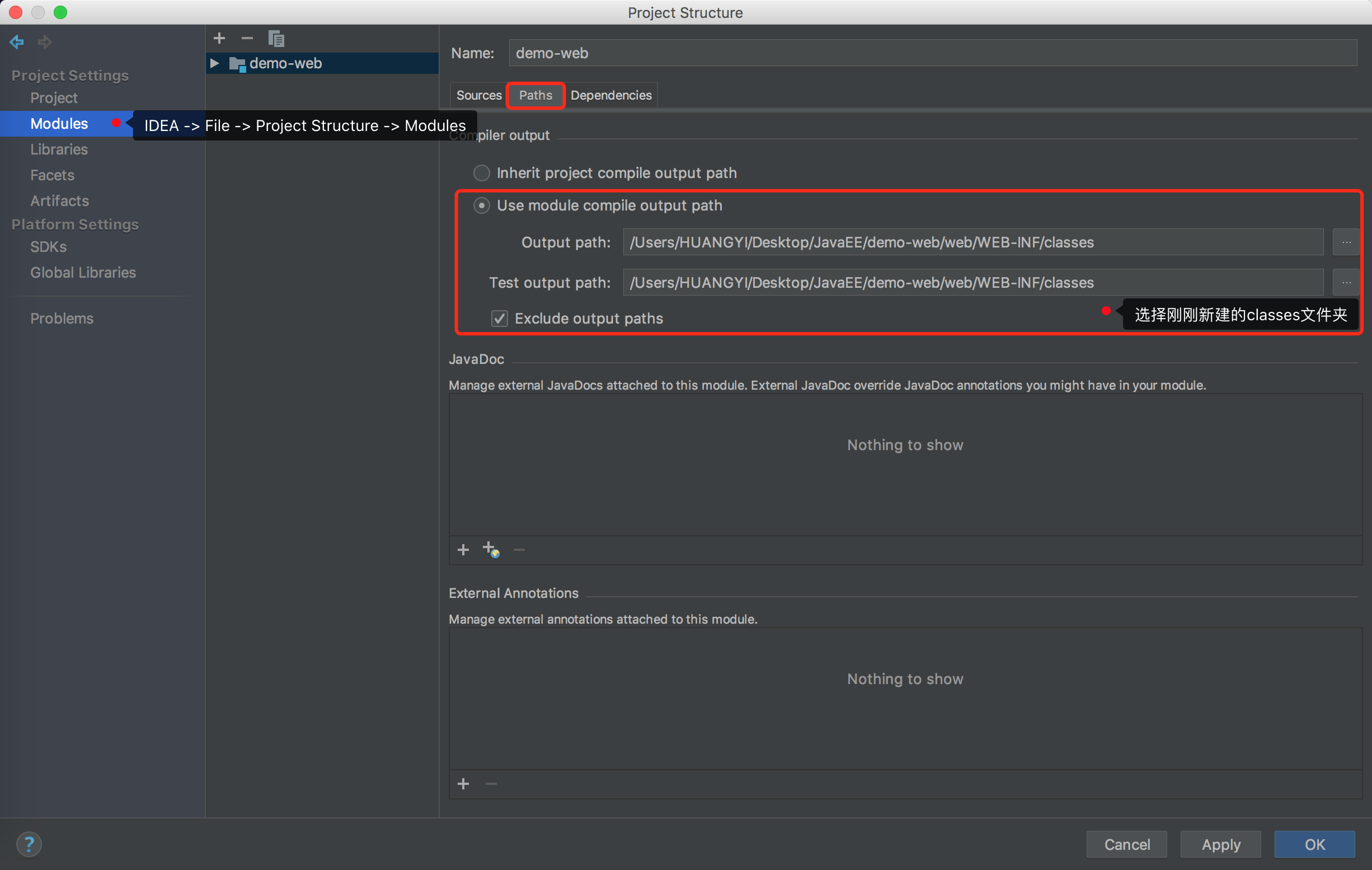
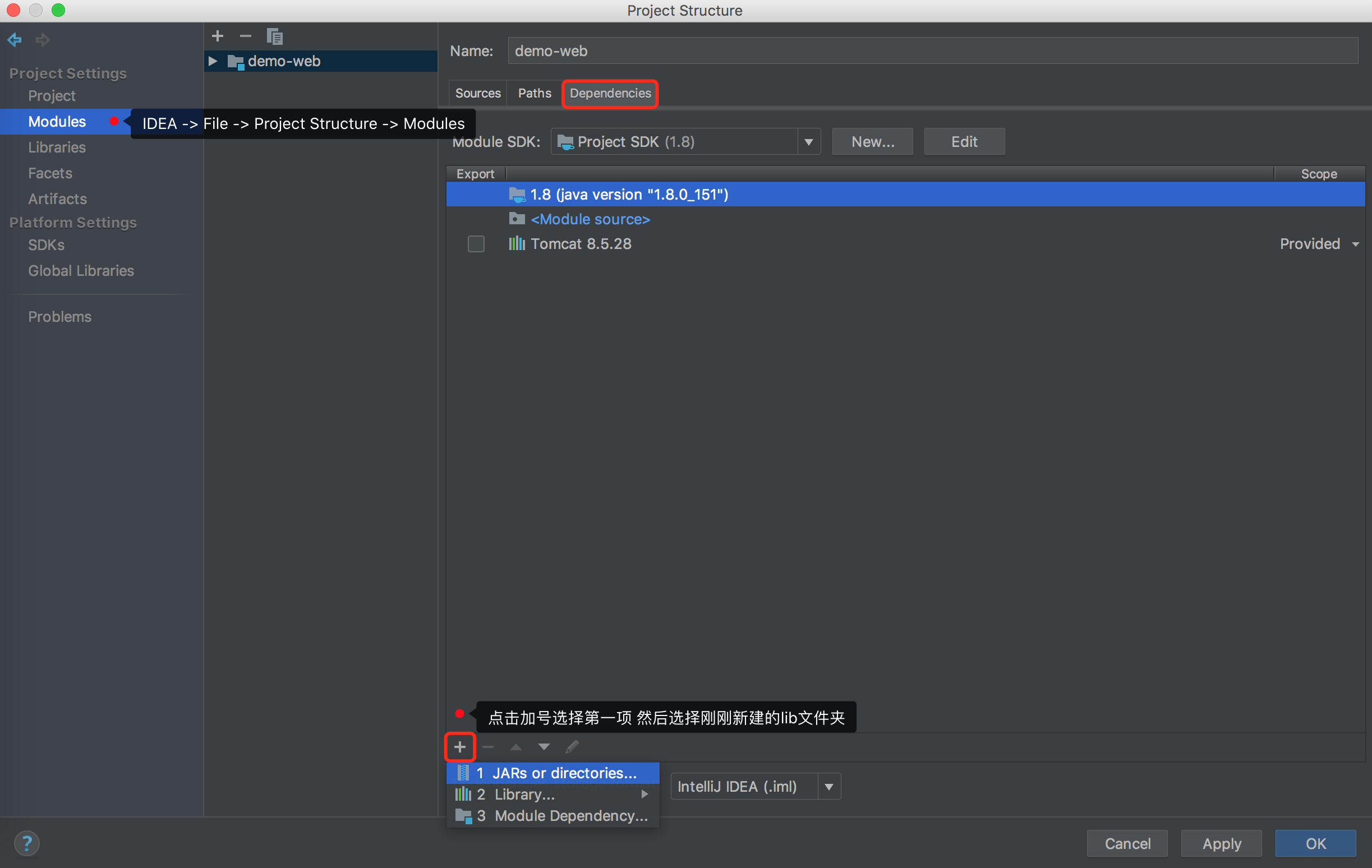
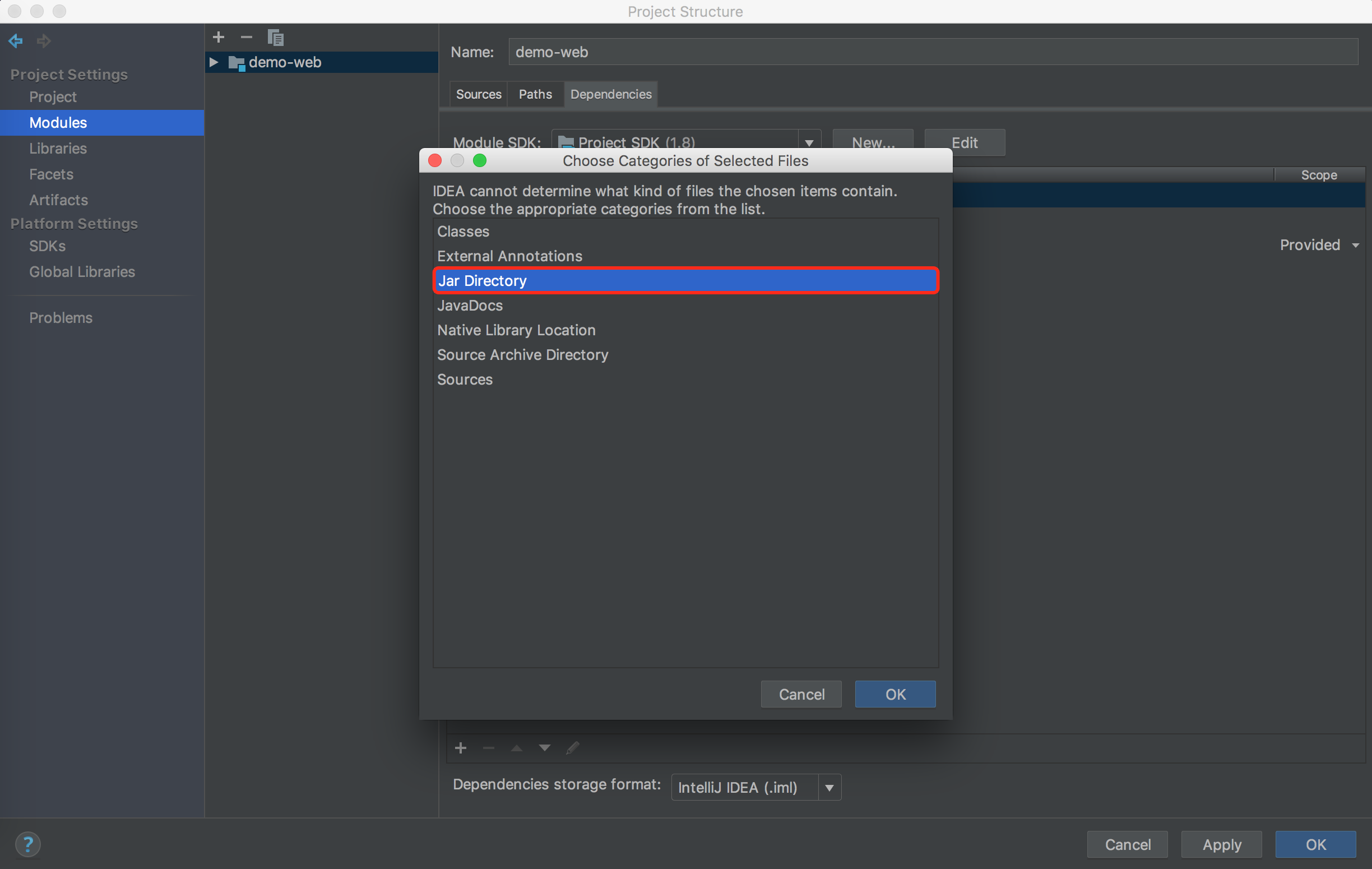
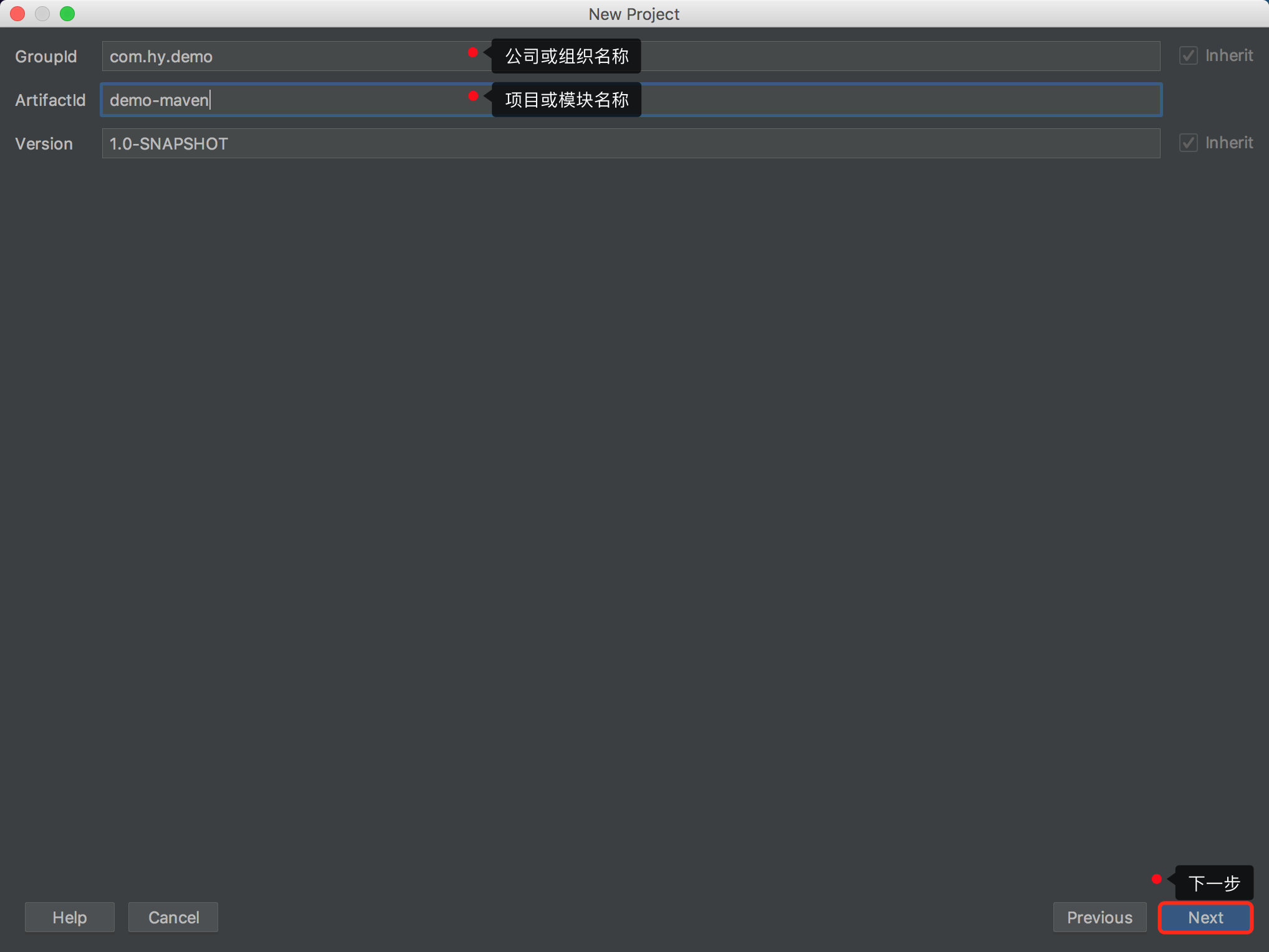
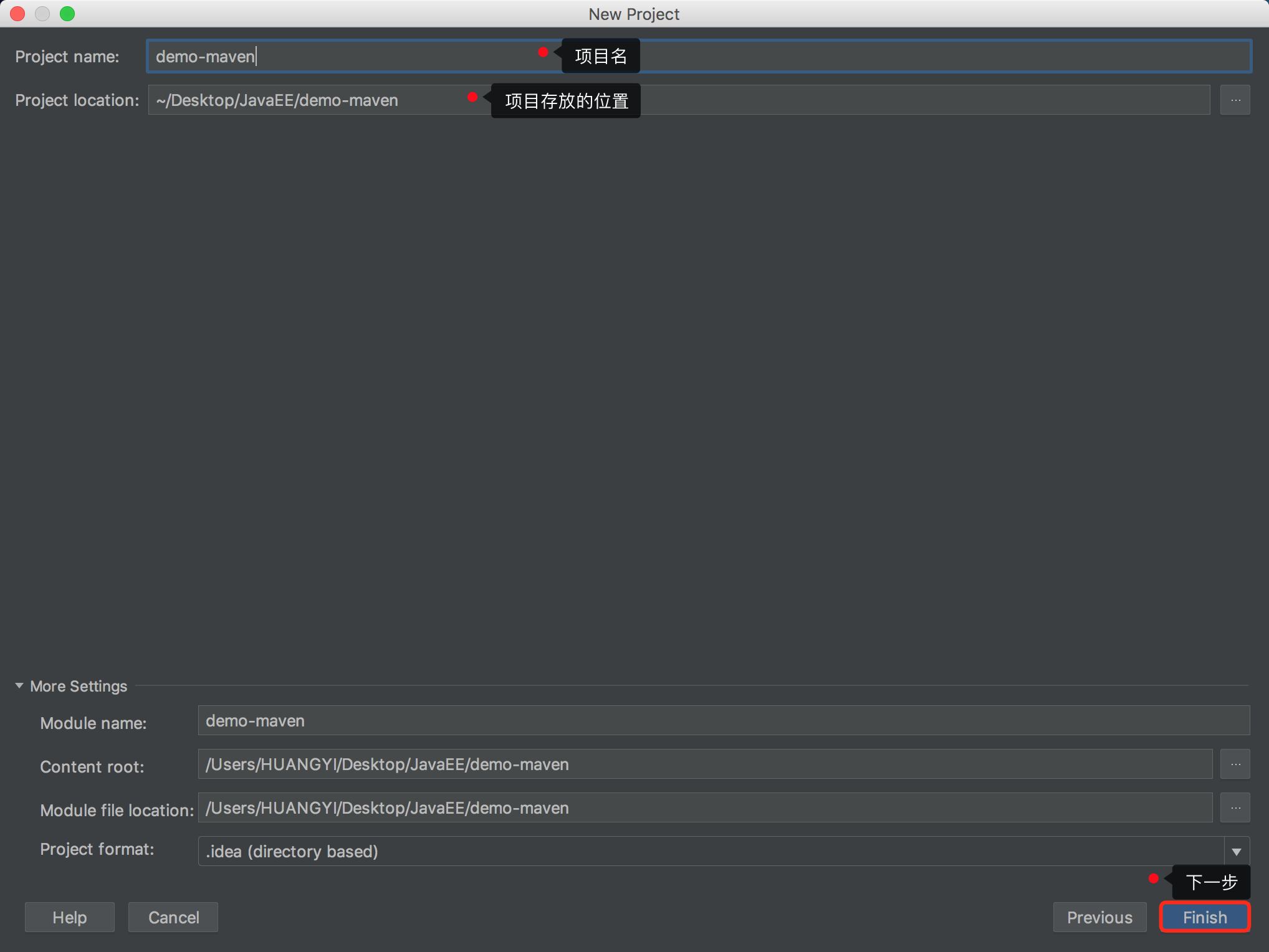
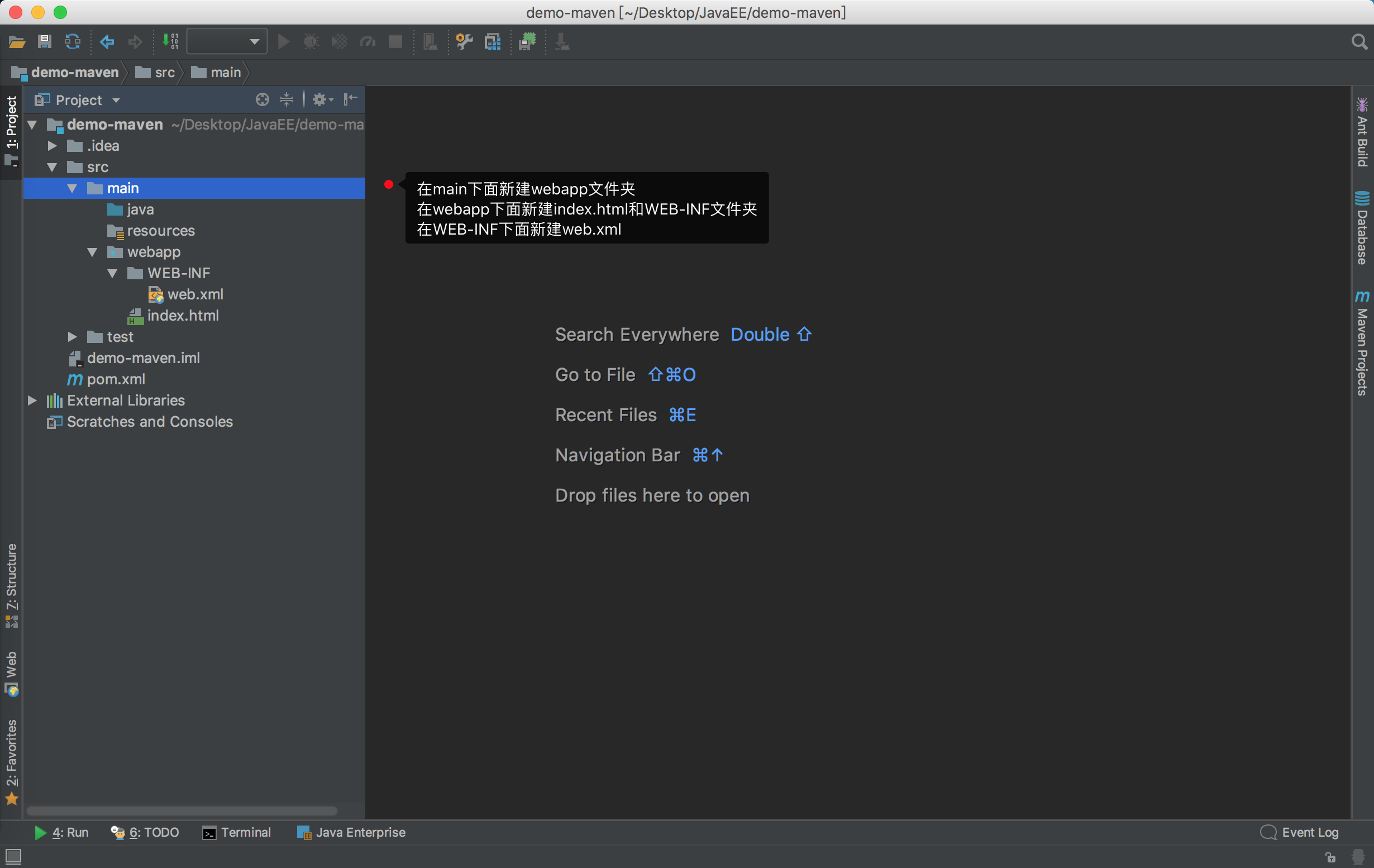
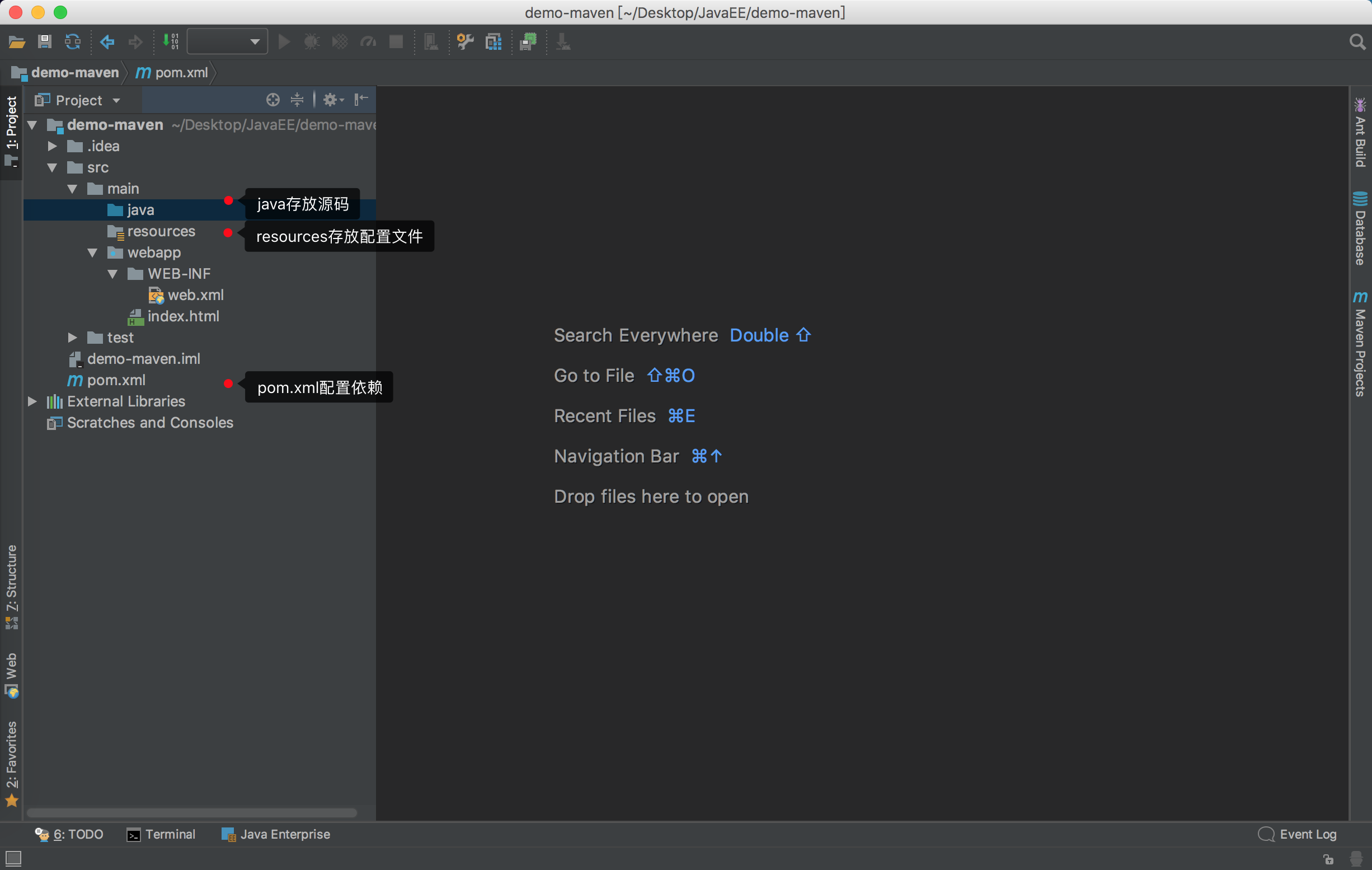
三 新建一个Maven项目
四 web.xml常见版本
<?xml version="1.0" encoding="UTF-8"?>

<web-app xmlns="http://java.sun.com/xml/ns/javaee"

         xmlns:xsi="http://www.w3.org/2001/XMLSchema-instance"

         xsi:schemaLocation="http://java.sun.com/xml/ns/javaee http://java.sun.com/xml/ns/javaee/web-app_2_5.xsd"

         version="2.5">

</web-app>
<?xml version="1.0" encoding="UTF-8"?>

<web-app xmlns="http://java.sun.com/xml/ns/javaee"

         xmlns:xsi="http://www.w3.org/2001/XMLSchema-instance"

         xsi:schemaLocation="http://java.sun.com/xml/ns/javaee http://java.sun.com/xml/ns/javaee/web-app_3_0.xsd"

         version="3.0">

</web-app>
<?xml version="1.0" encoding="UTF-8"?>

<web-app xmlns="http://xmlns.jcp.org/xml/ns/javaee"

         xmlns:xsi="http://www.w3.org/2001/XMLSchema-instance"

         xsi:schemaLocation="http://xmlns.jcp.org/xml/ns/javaee http://xmlns.jcp.org/xml/ns/javaee/web-app_3_1.xsd"

         version="3.1">

</web-app>
<?xml version="1.0" encoding="UTF-8"?>

<web-app xmlns="http://xmlns.jcp.org/xml/ns/javaee"

         xmlns:xsi="http://www.w3.org/2001/XMLSchema-instance"

         xsi:schemaLocation="http://xmlns.jcp.org/xml/ns/javaee http://xmlns.jcp.org/xml/ns/javaee/web-app_4_0.xsd"

         version="4.0">

</web-app>
五 pom.xml纯净版
<?xml version="1.0" encoding="UTF-8"?>

<project xmlns="http://maven.apache.org/POM/4.0.0"

         xmlns:xsi="http://www.w3.org/2001/XMLSchema-instance"

         xsi:schemaLocation="http://maven.apache.org/POM/4.0.0 http://maven.apache.org/xsd/maven-4.0.0.xsd">

    <modelVersion>4.0.0</modelVersion>

    <groupId>com.hy.demo</groupId>

    <artifactId>demo-maven</artifactId>

    <version>1.0-SNAPSHOT</version>

    <!-- 指定打包方式 -->

    <packaging>war</packaging>

    <build>

        <plugins>

            <!-- 指定编译版本 -->

            <plugin>

                <groupId>org.apache.maven.plugins</groupId>

                <artifactId>maven-compiler-plugin</artifactId>

                <version>3.5.1</version>

                <configuration>

                    <encoding>UTF-8</encoding>

                    <source>1.8</source>

                    <target>1.8</target>

                </configuration>

            </plugin>

            <!-- Tomcat7 -->

            <plugin>

                <groupId>org.apache.tomcat.maven</groupId>

                <artifactId>tomcat7-maven-plugin</artifactId>

                <version>2.2</version>

                <configuration>

                    <uriEncoding>UTF-8</uriEncoding>

                    <port>8080</port>

                    <path>/app</path>

                </configuration>

            </plugin>

        </plugins>

    </build>

</project>
IntelliJ IDEA 新建项目的更多相关文章
- IntelliJ IDEA新建JAVA WEB项目(转载)
IntelliJ IDEA是java语言开发的集成环境,IntelliJ在业界被公认为最好的java开发工具之一,尤其在智能代码助手.代码自动提示.重构.J2EE支持.各类版本控制工具(git.svn ...
- 使用Intellij IDEA新建Web项目
在学习Servlet的过程中,发现大多数的教程都是使用MyEclipse或者Eclipse来创建Web项目,这让一直使用高逼格的LZ很是不爽,于是自己配置了一下使用Intellij IDEA新建了We ...
- [转]intellij 13新建javaweb项目并用tomcat 7启动
来自:http://blog.csdn.net/little__zm/article/details/19570535 对intellij不熟,找了很多文章,只这篇最为顺利.其他都有各种各校的问题,先 ...
- Mac下intellij IDEA新建javaweb项目
intellij IDEA可以说是非常好用的工具,本人用来开发java.比eclipse等好用太多了.谁用谁知道,当然只是开发工具而已,用什么都无所谓.大牛们都用记事本编程呢. 本文帮助新手创建一个j ...
- 使用IntelliJ IDEA新建一个spring boot项目
好家伙, 使用IntelliJ IDEA新建一个spring boot项目 目的很简单,就是网页上出现一个"hello world" 别的暂时不管 首先关于工具IntelliJ I ...
- IntelliJ IDEA创建项目技巧(转)
转自:http://www.myext.cn/webkf/a_2539.html IntelliJ IDEA创建项目技巧 来源:网络 编辑:admin intellij idea教程 首先我要说 ...
- Intellij IDEA新建一个EJB工程(二)
从博文:http://www.cnblogs.com/yangyquin/p/5328344.html 中可以知道如何利用Intellij IDEA建立一个EJB Module,还有新建一个测试Mod ...
- Intellij 部署maven项目
一 部署Maven项目 1.下载和配置 (1)下载:maven.apache.org,点击download,下载apache-maven-3.3.9-bin.zip (2)配置环境变量: 环境变量包括 ...
- idea 新建项目上传至git(coding)
一.新建项目 1.改为git版本 2.出现如下框 选择Git 3.新建一个.gitignore file (Git) 4.勾掉一些不需要的 5.出现如下框 5.1.如果不知道.gitignore fi ...
随机推荐
- 使用QT开发GoogleMap瓦片显示和下载工具
之前做项目的时候经常遇到需要大量地图背景数据,然后没有数据被逼着去Google上下载瓦片数据在拼接成整张影像的工作,其实遥感影像晚上有很多可以下载到的,但是大部分是作为研究用的,作为GIS的背景图或者 ...
- IP黑白名单
防攻击可以增加IP白名单/etc/hosts.allow和黑名单/etc/hosts.deny /etc/hosts.allow IP白名单 /etc/hosts.deny IP黑名单 /etc ...
- FactoryBean的实现原理与作用
FactoryBean与BeanFactory: 这俩货在拼写上很是相似,很多同学在看IOC源码或者其他地方并不能分清有啥区别,前面的IOC源码中我简单说过,现在统一简单来讲一下: FactoryBe ...
- 【题解】洛谷P4391 [BOI2009] Radio Transmission(KMP)
洛谷P4391:https://www.luogu.org/problemnew/show/P4391 思路 对于给定的字符串 运用KMP思想 设P[x]为前x个字符前缀和后缀相同的最长长度 则对于题 ...
- imageNamed和dataWithContentsOfFile的区别(1)
imageNamed和dataWithContentsOfFile的区别 imagecacheuiviewextensionprocessingxcode 最近老是受iphone内存问题的困扰,找了些 ...
- Oracle特性总结
最近开发项目使用了Oracle,根据总体架构一开始选择使用Mybatis,发现核心模块用Mybatis效率不够,切换到jdbc实现,效率大增.Oracle可是个庞然大物,特性多多,丝毫不能马虎,否则很 ...
- 解决Windows10下小娜无法搜索本地应用的问题
适用场景 小娜突然出现各种问题.比如突然无法搜索到本地应用...等其它问题 一般使用下面的方法,将小娜进行重新注册就ok了. 解决方案 1.用管理员权限打开 C:\Windows\System32\W ...
- Spring入门第一课:Spring基础与配置Bean
1.入门 Spring是简化java开发的一个框架,其中IoC和AOP是Spring的两个重要核心.由于Spring是非侵入性的,通过Ioc容器来管理bean的生命周期,还整合了许多其他的优秀框架,所 ...
- CentOS7.5二进制安装MySQL-5.6.40
安装依赖 yum install -y gcc gcc-c++ automake autoconf yum -y install cmake bison-devel ncurses-devel lib ...
- django模板的变量,标签,过滤器和自定义过滤器,注释
模板的作用是计算并输出: {{ 变量}} 当模版引擎遇到点如book.title,会按照下列顺序解析: 1.字典book['title'] 2.先属性后方法,将book当作对象,查找属性title,如 ...