
19、配置嵌入式servlet容器(下)
使用外置的Servlet
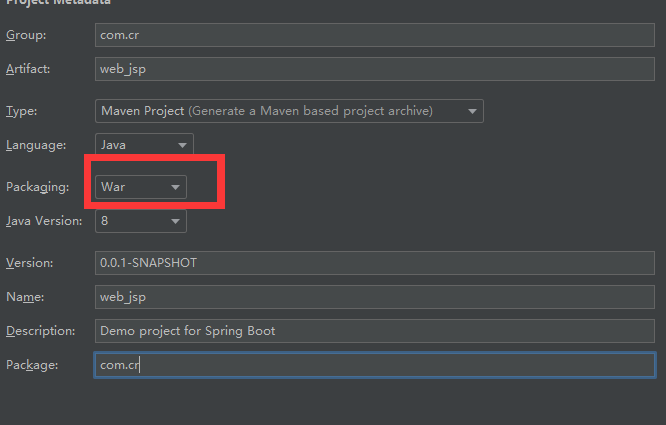
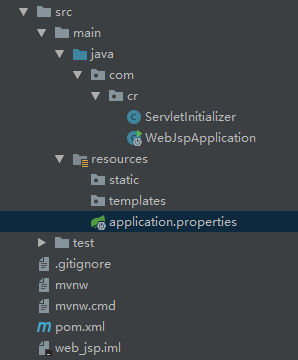
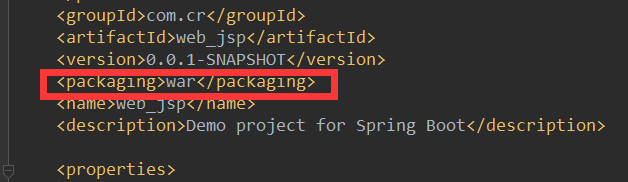
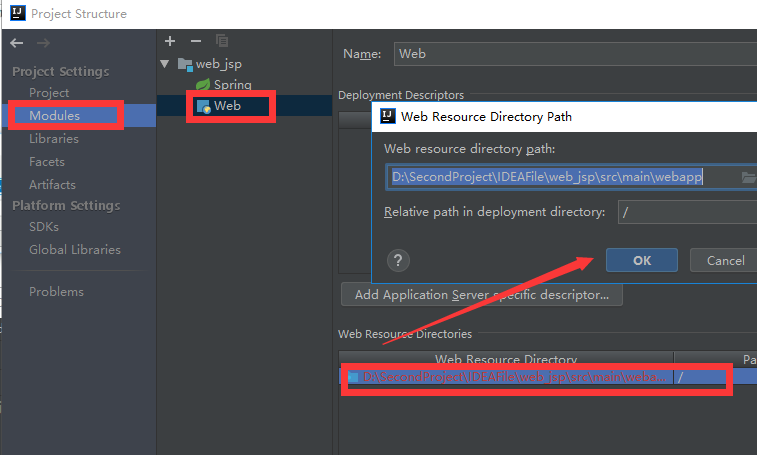
添加xml配置文件


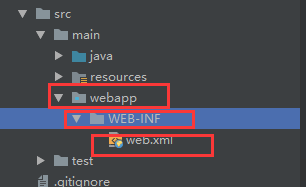

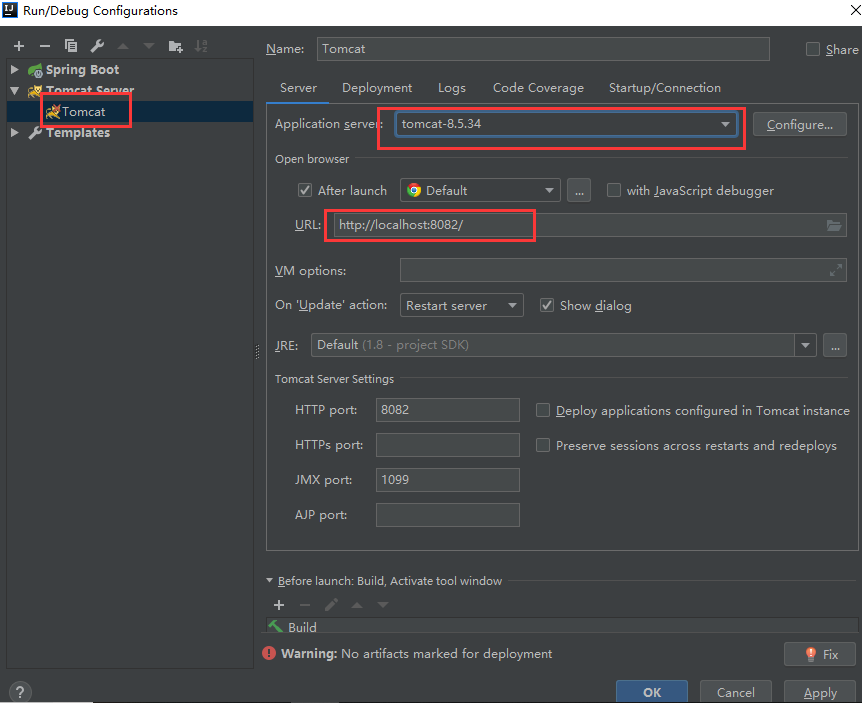

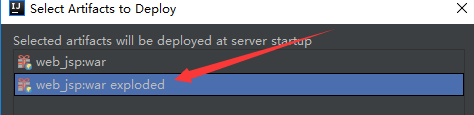


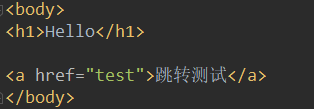
完成hello.jsp页面的跳转

hello.jsp
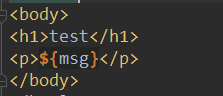
test.jsp


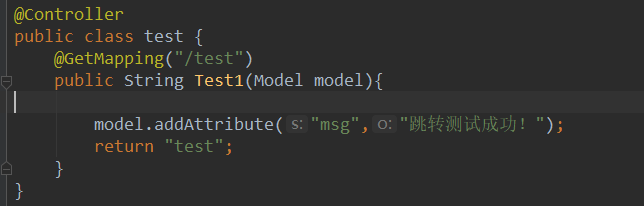
test.java
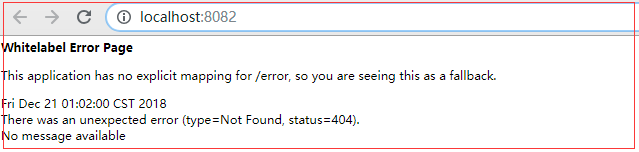
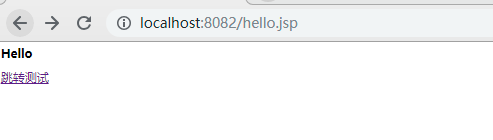
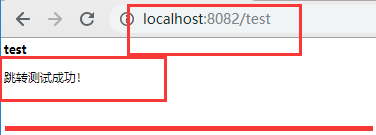
测试:
<dependency>

    <groupId>org.springframework.boot</groupId>

    <artifactId>spring-boot-starter-tomcat</artifactId>

    <scope>provided</scope>

</dependency>
3)、必须编写一个SpringBootServletInitializer的子类,并调用configure方法
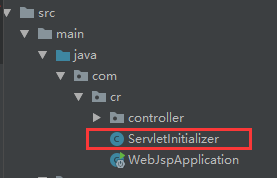
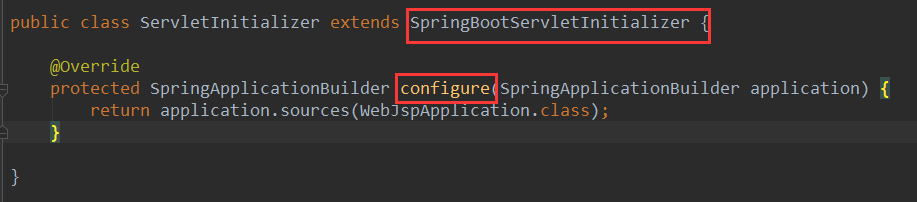
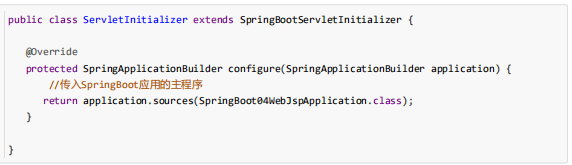
4)、启动服务器就可以使用
原理:
流程:


@HandlesTypes({WebApplicationInitializer.class})

public class SpringServletContainerInitializer implements ServletContainerInitializer {

    public SpringServletContainerInitializer() {

    }

    public void onStartup(@Nullable Set<Class<?>> webAppInitializerClasses, ServletContext servletContext) throws ServletException {

        List<WebApplicationInitializer> initializers = new LinkedList();

        Iterator var4;

        if (webAppInitializerClasses != null) {

            var4 = webAppInitializerClasses.iterator();

            while(var4.hasNext()) {

                Class<?> waiClass = (Class)var4.next();

                if (!waiClass.isInterface() && !Modifier.isAbstract(waiClass.getModifiers()) && WebApplicationInitializer.class.isAssignableFrom(waiClass)) {

                    try {

                        initializers.add((WebApplicationInitializer)ReflectionUtils.accessibleConstructor(waiClass, new Class[]).newInstance());

                    } catch (Throwable var7) {

                        throw new ServletException("Failed to instantiate WebApplicationInitializer class", var7);

                    }

                }

            }

        }

        if (initializers.isEmpty()) {

            servletContext.log("No Spring WebApplicationInitializer types detected on classpath");

        } else {

            servletContext.log(initializers.size() + " Spring WebApplicationInitializers detected on classpath");

            AnnotationAwareOrderComparator.sort(initializers);

            var4 = initializers.iterator();

            while(var4.hasNext()) {

                WebApplicationInitializer initializer = (WebApplicationInitializer)var4.next();

                initializer.onStartup(servletContext);

}}}}

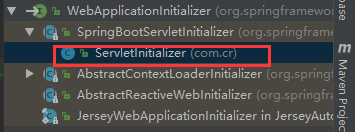
public class ServletInitializer extends SpringBootServletInitializer {

    @Override

    protected SpringApplicationBuilder configure(SpringApplicationBuilder application) {

        return application.sources(WebJspApplication.class);

    }

}
SpringBootServletInitializer.java
public void onStartup(ServletContext servletContext) throws ServletException {

    this.logger = LogFactory.getLog(this.getClass());

    WebApplicationContext rootAppContext = this.createRootApplicationContext(servletContext);

    if (rootAppContext != null) {

        servletContext.addListener(new ContextLoaderListener(rootAppContext) {

            public void contextInitialized(ServletContextEvent event) {

            }

        });

    } else {

        this.logger.debug("No ContextLoaderListener registered, as createRootApplicationContext() did not return an application context");

    }

}

.....
protected WebApplicationContext createRootApplicationContext(

      ServletContext servletContext) {

    //1、创建SpringApplicationBuilder

   SpringApplicationBuilder builder = createSpringApplicationBuilder();

   StandardServletEnvironment environment = new StandardServletEnvironment();

   environment.initPropertySources(servletContext, null);

   builder.environment(environment);

   builder.main(getClass());

   ApplicationContext parent = getExistingRootWebApplicationContext(servletContext);

   if (parent != null) {

      this.logger.info("Root context already created (using as parent).");

      servletContext.setAttribute(

            WebApplicationContext.ROOT_WEB_APPLICATION_CONTEXT_ATTRIBUTE, null);

      builder.initializers(new ParentContextApplicationContextInitializer(parent));

   }

   builder.initializers(

         new ServletContextApplicationContextInitializer(servletContext));

   builder.contextClass(AnnotationConfigEmbeddedWebApplicationContext.class);

    //调用configure方法,子类重写了这个方法,将SpringBoot的主程序类传入了进来

   builder = configure(builder);

    //使用builder创建一个Spring应用

   SpringApplication application = builder.build();

   if (application.getSources().isEmpty() && AnnotationUtils

         .findAnnotation(getClass(), Configuration.class) != null) {

      application.getSources().add(getClass());

   }

   Assert.state(!application.getSources().isEmpty(),

         "No SpringApplication sources have been defined. Either override the "

               + "configure method or add an @Configuration annotation");

   // Ensure error pages are registered

   if (this.registerErrorPageFilter) {

      application.getSources().add(ErrorPageFilterConfiguration.class);

   }

    //启动Spring应用

   return run(application);

}

public ConfigurableApplicationContext run(String... args) {

    StopWatch stopWatch = new StopWatch();

    stopWatch.start();

    ConfigurableApplicationContext context = null;

    Collection<SpringBootExceptionReporter> exceptionReporters = new ArrayList();

    this.configureHeadlessProperty();

    SpringApplicationRunListeners listeners = this.getRunListeners(args);

    listeners.starting();

    Collection exceptionReporters;

    try {

        ApplicationArguments applicationArguments = new DefaultApplicationArguments(args);

        ConfigurableEnvironment environment = this.prepareEnvironment(listeners, applicationArguments);

        this.configureIgnoreBeanInfo(environment);

        Banner printedBanner = this.printBanner(environment);

        context = this.createApplicationContext();

        exceptionReporters = this.getSpringFactoriesInstances(SpringBootExceptionReporter.class, new Class[]{ConfigurableApplicationContext.class}, context);

        this.prepareContext(context, environment, listeners, applicationArguments, printedBanner);

//刷新容器的初始化

 this.refreshContext(context);

        this.afterRefresh(context, applicationArguments);

        stopWatch.stop();

        if (this.logStartupInfo) {

            (new StartupInfoLogger(this.mainApplicationClass)).logStarted(this.getApplicationLog(), stopWatch);

        }

        listeners.started(context);

        this.callRunners(context, applicationArguments);

    } catch (Throwable var10) {

        this.handleRunFailure(context, var10, exceptionReporters, listeners);

        throw new IllegalStateException(var10);

    }

    try {

        listeners.running(context);

        return context;

    } catch (Throwable var9) {

        this.handleRunFailure(context, var9, exceptionReporters, (SpringApplicationRunListeners)null);

        throw new IllegalStateException(var9);

    }

}
19、配置嵌入式servlet容器(下)的更多相关文章
- 17、配置嵌入式servlet容器(1)
SpringBoot默认使用Tomcat作为嵌入式的Servlet容器 1).如何定制和修改Servlet容器的相关配置 1.修改和server有关的配置 (Se ...
- 17. Spring Boot 配置嵌入式Servlet容器
一.如何定制和修改Servlet容器的相关配置 1.配置文件(ServerProperties): 优先级最高 server.port=8081 server.context‐path=/crud s ...
- SpringBoot配置嵌入式Servlet容器
1).如何定制和修改Servlet容器的相关配置: 1.修改和server有关的配置(ServerProperties[也是EmbeddedServletContainerCustomizer]): ...
- 配置嵌入式Servlet容器
SpringBoot默认是用的是Tomcat作为嵌入式的Servlet容器:问题?1).如何定制和修改Servlet容器的相关配置:1.修改和server有关的配置(ServerProperties) ...
- 18、配置嵌入式servlet容器(2)
使用其他Servlet容器 -Jetty(长连接) -Undertow(不支持jsp) 替换为其他嵌入式Servlet容器 默认支持: Tomcat(默认使用) Jetty: <depend ...
- 【串线篇】spring boot配置嵌入式servlet容器
SpringBoot默认使用Tomcat作为嵌入式的Servlet容器 问题? 一.如何定制和修改Servlet容器的相关配置 1.方法1修改和server有关的配置(ServerProperties ...
- SpringBoot起飞系列-配置嵌入式Servlet容器(八)
一.前言 springboot中默认使用的是tomcat容器,也叫做嵌入式的servlet容器.因为它和我们平常使用的tomcat容器不一样,这个tomcat直接嵌入到的springboot,平常我们 ...
- Spring boot 配置嵌入式Servlet容器
SpringBoot默认使用Tomcat作为嵌入式的Servlet容器 1.修改和server有关的配置(ServerProperties[也是EmbeddedServletContainerCust ...
- springboot(七) 配置嵌入式Servlet容器
github代码地址:https://github.com/showkawa/springBoot_2017/tree/master/spb-demo/spb-brian-query-service ...
随机推荐
- vuex 实现vue中多个组件之间数据同步以及数据共享。
http://pan.baidu.com/s/1hrJfpli demo下载地址 前言 在一些项目中有很多数据状态之间要实现数据共享状态共享,例如购物车的数据.用户的登录状态等等.vue父元素是可以 ...
- Java之Poi导出Excel文档
一.Poi简介 在后台管理系统中,我们经常要做的导出操作,通常导出为Excel文档的形式,而Poi则提供了这种需要的支持. 二.Workbook/HSSFWorkbook/XSSFWorkbook 1 ...
- 互联网轻量级框架SSM-查缺补漏第八天(MyBatis插件plugin使用及原理)
简言:今天进行第八天的记录(只是写了八天).有的时候看的多,有的时候看的少,看的少的时候就攒几天一起写了.而今天这个插件我昨天写了一下午,下班没写完就回去了,今天把尾收了,再加上一个过程图方便下面原理 ...
- 初识http2.0
初识http2.0 HTTP2.0性能增强的核心:二进制分帧 HTTP 2.0最大的特点: 不会改动HTTP 的语义,HTTP 方法.状态码.URI 及首部字段,等等这些核心概念上一如往常,却能致力于 ...
- 统计Redis中各种数据的大小
如果 MySQL 数据库比较大的话,很容易就能查出是哪些表占用的空间: 不过如果 Redis 内存比较大的话, […]
- Goclipse的Eclipse插件包安装升级地址
http://goclipse.github.io/releases/ Eclipse Software Site for Goclipse This URL is an Eclipse softwa ...
- mysql 修改数据库密码
MYSQL5.7以下版本的数据库密码使用的是 mysql这个数据库里的user表的password这个字段, 修改密码只需: 1.update MySQL.user set password=pass ...
- html5之hash
http://blog.csdn.net/u012028371/article/details/67636395 原文:https://www.studyscript.com/Post/index/i ...
- Android学习——BroadCast(二)
这篇博文介绍有序广播的使用 有序广播的发送 和普通广播完全相同,只需要更换发送的方式即可 ordered.setOnClickListener(new View.OnClickListener() { ...
- ibatis Order By注入问题
上周六单位被扫描出SQL注入漏洞 经过检查,发现ibatis框架都可能出现这个问题.如果有需求,让你实现页面grid所有字段都能排序,你会怎么做呢? 最简单的做法就是从页面把字段名,排序类型传回来,然 ...