
19、配置嵌入式servlet容器(下)
使用外置的Servlet
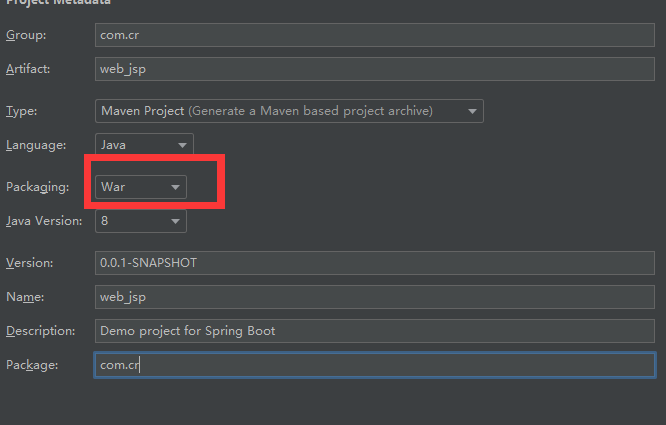
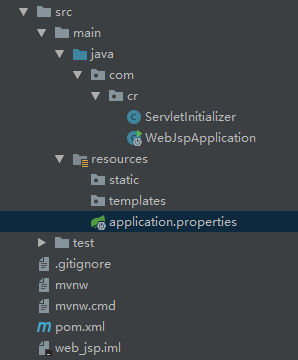
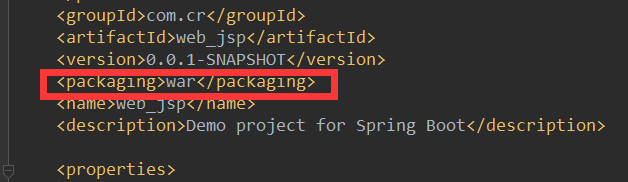
添加xml配置文件

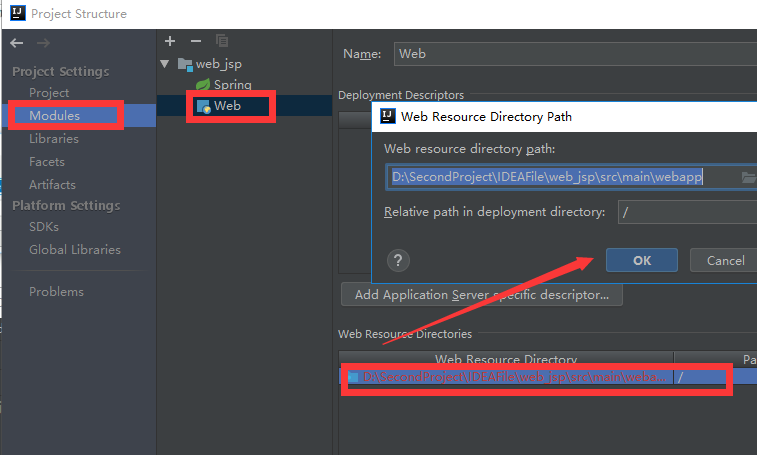

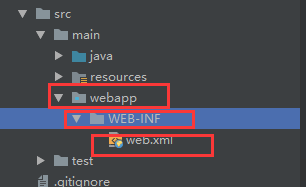

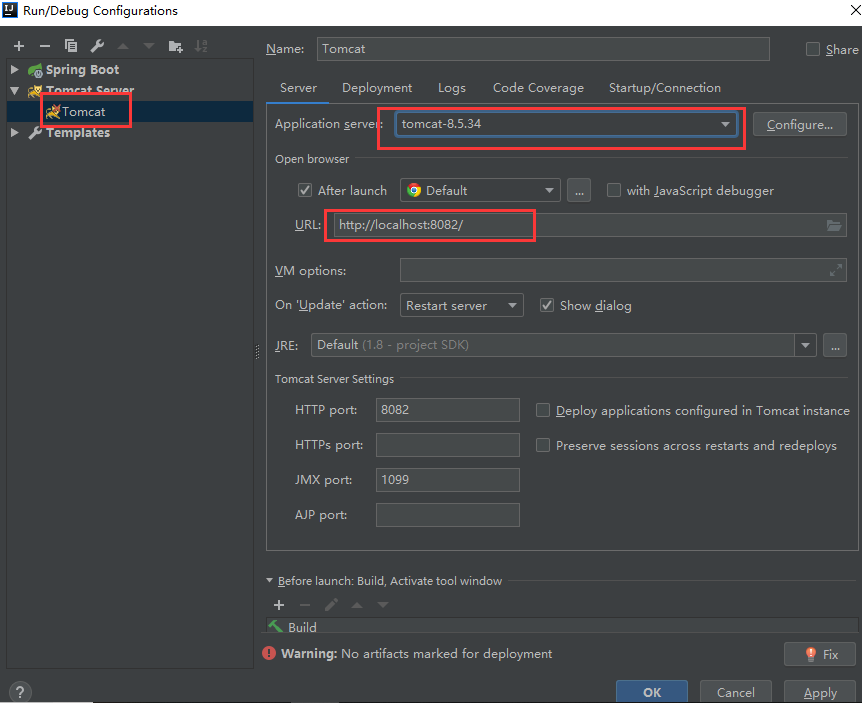

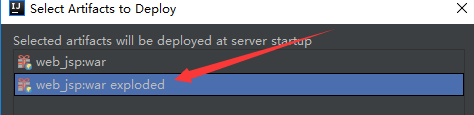
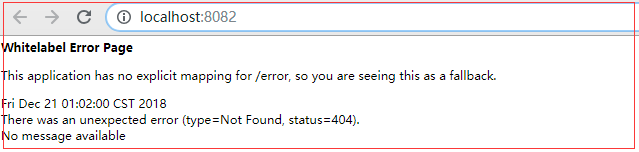


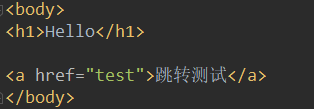
完成hello.jsp页面的跳转

hello.jsp
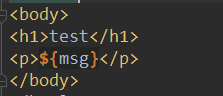
test.jsp


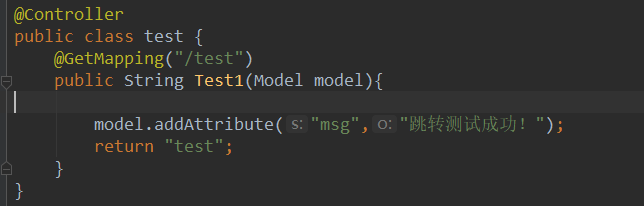
test.java
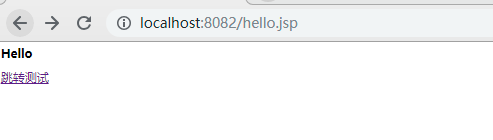
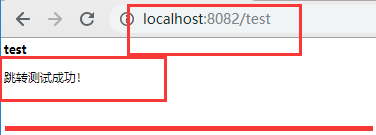
测试:
<dependency>

    <groupId>org.springframework.boot</groupId>

    <artifactId>spring-boot-starter-tomcat</artifactId>

    <scope>provided</scope>

</dependency>
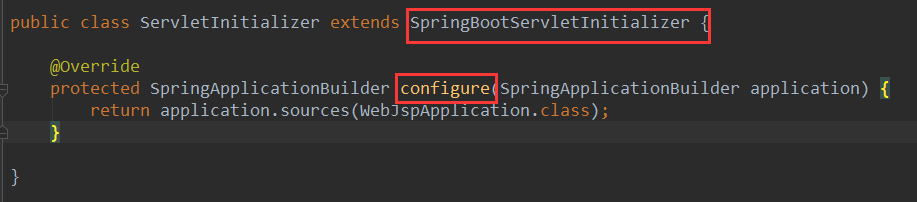
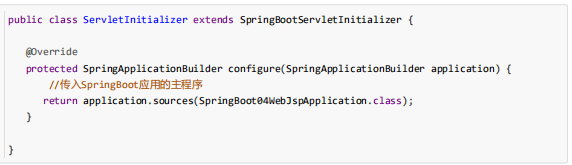
3)、必须编写一个SpringBootServletInitializer的子类,并调用configure方法
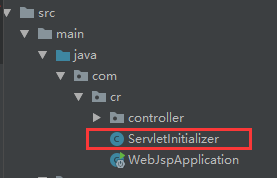
4)、启动服务器就可以使用
原理:
流程:


@HandlesTypes({WebApplicationInitializer.class})

public class SpringServletContainerInitializer implements ServletContainerInitializer {

    public SpringServletContainerInitializer() {

    }

    public void onStartup(@Nullable Set<Class<?>> webAppInitializerClasses, ServletContext servletContext) throws ServletException {

        List<WebApplicationInitializer> initializers = new LinkedList();

        Iterator var4;

        if (webAppInitializerClasses != null) {

            var4 = webAppInitializerClasses.iterator();

            while(var4.hasNext()) {

                Class<?> waiClass = (Class)var4.next();

                if (!waiClass.isInterface() && !Modifier.isAbstract(waiClass.getModifiers()) && WebApplicationInitializer.class.isAssignableFrom(waiClass)) {

                    try {

                        initializers.add((WebApplicationInitializer)ReflectionUtils.accessibleConstructor(waiClass, new Class[]).newInstance());

                    } catch (Throwable var7) {

                        throw new ServletException("Failed to instantiate WebApplicationInitializer class", var7);

                    }

                }

            }

        }

        if (initializers.isEmpty()) {

            servletContext.log("No Spring WebApplicationInitializer types detected on classpath");

        } else {

            servletContext.log(initializers.size() + " Spring WebApplicationInitializers detected on classpath");

            AnnotationAwareOrderComparator.sort(initializers);

            var4 = initializers.iterator();

            while(var4.hasNext()) {

                WebApplicationInitializer initializer = (WebApplicationInitializer)var4.next();

                initializer.onStartup(servletContext);

}}}}

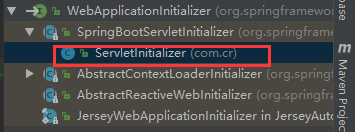
public class ServletInitializer extends SpringBootServletInitializer {

    @Override

    protected SpringApplicationBuilder configure(SpringApplicationBuilder application) {

        return application.sources(WebJspApplication.class);

    }

}
SpringBootServletInitializer.java
public void onStartup(ServletContext servletContext) throws ServletException {

    this.logger = LogFactory.getLog(this.getClass());

    WebApplicationContext rootAppContext = this.createRootApplicationContext(servletContext);

    if (rootAppContext != null) {

        servletContext.addListener(new ContextLoaderListener(rootAppContext) {

            public void contextInitialized(ServletContextEvent event) {

            }

        });

    } else {

        this.logger.debug("No ContextLoaderListener registered, as createRootApplicationContext() did not return an application context");

    }

}

.....
protected WebApplicationContext createRootApplicationContext(

      ServletContext servletContext) {

    //1、创建SpringApplicationBuilder

   SpringApplicationBuilder builder = createSpringApplicationBuilder();

   StandardServletEnvironment environment = new StandardServletEnvironment();

   environment.initPropertySources(servletContext, null);

   builder.environment(environment);

   builder.main(getClass());

   ApplicationContext parent = getExistingRootWebApplicationContext(servletContext);

   if (parent != null) {

      this.logger.info("Root context already created (using as parent).");

      servletContext.setAttribute(

            WebApplicationContext.ROOT_WEB_APPLICATION_CONTEXT_ATTRIBUTE, null);

      builder.initializers(new ParentContextApplicationContextInitializer(parent));

   }

   builder.initializers(

         new ServletContextApplicationContextInitializer(servletContext));

   builder.contextClass(AnnotationConfigEmbeddedWebApplicationContext.class);

    //调用configure方法,子类重写了这个方法,将SpringBoot的主程序类传入了进来

   builder = configure(builder);

    //使用builder创建一个Spring应用

   SpringApplication application = builder.build();

   if (application.getSources().isEmpty() && AnnotationUtils

         .findAnnotation(getClass(), Configuration.class) != null) {

      application.getSources().add(getClass());

   }

   Assert.state(!application.getSources().isEmpty(),

         "No SpringApplication sources have been defined. Either override the "

               + "configure method or add an @Configuration annotation");

   // Ensure error pages are registered

   if (this.registerErrorPageFilter) {

      application.getSources().add(ErrorPageFilterConfiguration.class);

   }

    //启动Spring应用

   return run(application);

}

public ConfigurableApplicationContext run(String... args) {

    StopWatch stopWatch = new StopWatch();

    stopWatch.start();

    ConfigurableApplicationContext context = null;

    Collection<SpringBootExceptionReporter> exceptionReporters = new ArrayList();

    this.configureHeadlessProperty();

    SpringApplicationRunListeners listeners = this.getRunListeners(args);

    listeners.starting();

    Collection exceptionReporters;

    try {

        ApplicationArguments applicationArguments = new DefaultApplicationArguments(args);

        ConfigurableEnvironment environment = this.prepareEnvironment(listeners, applicationArguments);

        this.configureIgnoreBeanInfo(environment);

        Banner printedBanner = this.printBanner(environment);

        context = this.createApplicationContext();

        exceptionReporters = this.getSpringFactoriesInstances(SpringBootExceptionReporter.class, new Class[]{ConfigurableApplicationContext.class}, context);

        this.prepareContext(context, environment, listeners, applicationArguments, printedBanner);

//刷新容器的初始化

 this.refreshContext(context);

        this.afterRefresh(context, applicationArguments);

        stopWatch.stop();

        if (this.logStartupInfo) {

            (new StartupInfoLogger(this.mainApplicationClass)).logStarted(this.getApplicationLog(), stopWatch);

        }

        listeners.started(context);

        this.callRunners(context, applicationArguments);

    } catch (Throwable var10) {

        this.handleRunFailure(context, var10, exceptionReporters, listeners);

        throw new IllegalStateException(var10);

    }

    try {

        listeners.running(context);

        return context;

    } catch (Throwable var9) {

        this.handleRunFailure(context, var9, exceptionReporters, (SpringApplicationRunListeners)null);

        throw new IllegalStateException(var9);

    }

}
19、配置嵌入式servlet容器(下)的更多相关文章
- 17、配置嵌入式servlet容器(1)
SpringBoot默认使用Tomcat作为嵌入式的Servlet容器 1).如何定制和修改Servlet容器的相关配置 1.修改和server有关的配置 (Se ...
- 17. Spring Boot 配置嵌入式Servlet容器
一.如何定制和修改Servlet容器的相关配置 1.配置文件(ServerProperties): 优先级最高 server.port=8081 server.context‐path=/crud s ...
- SpringBoot配置嵌入式Servlet容器
1).如何定制和修改Servlet容器的相关配置: 1.修改和server有关的配置(ServerProperties[也是EmbeddedServletContainerCustomizer]): ...
- 配置嵌入式Servlet容器
SpringBoot默认是用的是Tomcat作为嵌入式的Servlet容器:问题?1).如何定制和修改Servlet容器的相关配置:1.修改和server有关的配置(ServerProperties) ...
- 18、配置嵌入式servlet容器(2)
使用其他Servlet容器 -Jetty(长连接) -Undertow(不支持jsp) 替换为其他嵌入式Servlet容器 默认支持: Tomcat(默认使用) Jetty: <depend ...
- 【串线篇】spring boot配置嵌入式servlet容器
SpringBoot默认使用Tomcat作为嵌入式的Servlet容器 问题? 一.如何定制和修改Servlet容器的相关配置 1.方法1修改和server有关的配置(ServerProperties ...
- SpringBoot起飞系列-配置嵌入式Servlet容器(八)
一.前言 springboot中默认使用的是tomcat容器,也叫做嵌入式的servlet容器.因为它和我们平常使用的tomcat容器不一样,这个tomcat直接嵌入到的springboot,平常我们 ...
- Spring boot 配置嵌入式Servlet容器
SpringBoot默认使用Tomcat作为嵌入式的Servlet容器 1.修改和server有关的配置(ServerProperties[也是EmbeddedServletContainerCust ...
- springboot(七) 配置嵌入式Servlet容器
github代码地址:https://github.com/showkawa/springBoot_2017/tree/master/spb-demo/spb-brian-query-service ...
随机推荐
- C#语言-05.委托和事件
a. 委托:是一种定义方法签名的类型,可以与具有兼容签名的任何方法关联.所谓兼容的方法,是指这个方法和委托的方法签名具有相同的返回类型和参数 i. 语法:delegate 方法签名; . 方法签名是方 ...
- 一个骚气的前端JS代码生成网站
生成Javascript 颜文字代码 稍微试了试 原本的代码: alert("Hello, JavaScript") 转换后代码 ゚ω゚ノ= /`m´)ノ ~┻━┻ //*´∇`* ...
- RabbitMQ - 远程过程调用
试着用RabbitMQ进行RPC. 其实用RabbitMQ搞RPC也没什么特别的.只是我们需要在请求中再加入一个callback queue.比如这样: callbackQueueName = cha ...
- react-native学习之环境安装
1.首先是java环境安装-安装JDK 2.安装Android-SDK,推荐以下地址:http://tools.android-studio.org/index.php/sdk 然后打开SDK Man ...
- 05.部分类 partial
namespace _06.部分类 { class Program { static void Main(string[] args) { } } /// <summary> /// 这个 ...
- 初步理解impress.js
1.认识impress.js impress.js 采用 CSS3 与 JavaScript 语言完成的一个可供开发者使用的表现层框架(演示工具). 现在普通开发者可以利用 impress.js 自己 ...
- thinkphp 手机号和用户名同时登录
//在注册时用户名不能是纯数字, 防止一个人的用户名和另一个人的手机号相同public function Login(){ if (IS_AJAX) { $username = I('param.us ...
- div居中方式
1. position: absolute; top:50%:left: 50%; margin-top: -高度的一半; margin-left: -宽度的一半(此方法适用于固定宽高的元素) 注: ...
- 车厢调度(train.cpp)
车厢调度(train.cpp) [问题描述] 有一个火车站,铁路如图所示,每辆火车从A驶入,再从B方向驶出,同时它的车厢可以重新组合.假设从A方向驶来的火车有n节(n<=1000) ...
- 主动驱动事件执行--createEvent
1. createEvent(eventType)参数:eventType 共5种类型: Events :包括所有的事件. HTMLEvents:包括 'abort', 'b ...