
前端HTML div标签的用法 盒子模型
盒子模型
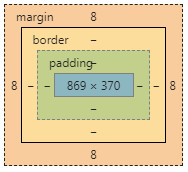
边框 border …外边距 margin…
内容与边框距离padding【会撑大div边框】…
宽width…高height。
div的奇特玩法
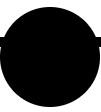
1.把div弄成圆形
【css设置border-radius: ?px;】
例子:<div class="circle" id="c1"></div>
css:
.circle{ width: 100px; height: 100px; border-radius: 50px; background: black; }
2.div画三角形
【1.设置宽高为0,设置边框大小与颜色,要三边透明色transparent】;
例如:<div id="top" class="trdiv"></div>
css:.trdiv{ width: 0px; height: 0px; margin: 0 auto; } #top{ border-bottom: 50px green solid; border-left: 50px transparent solid; border-right: 50px transparent solid; }
3.用1,2方法画画。【门窗可用表格实现更简单】
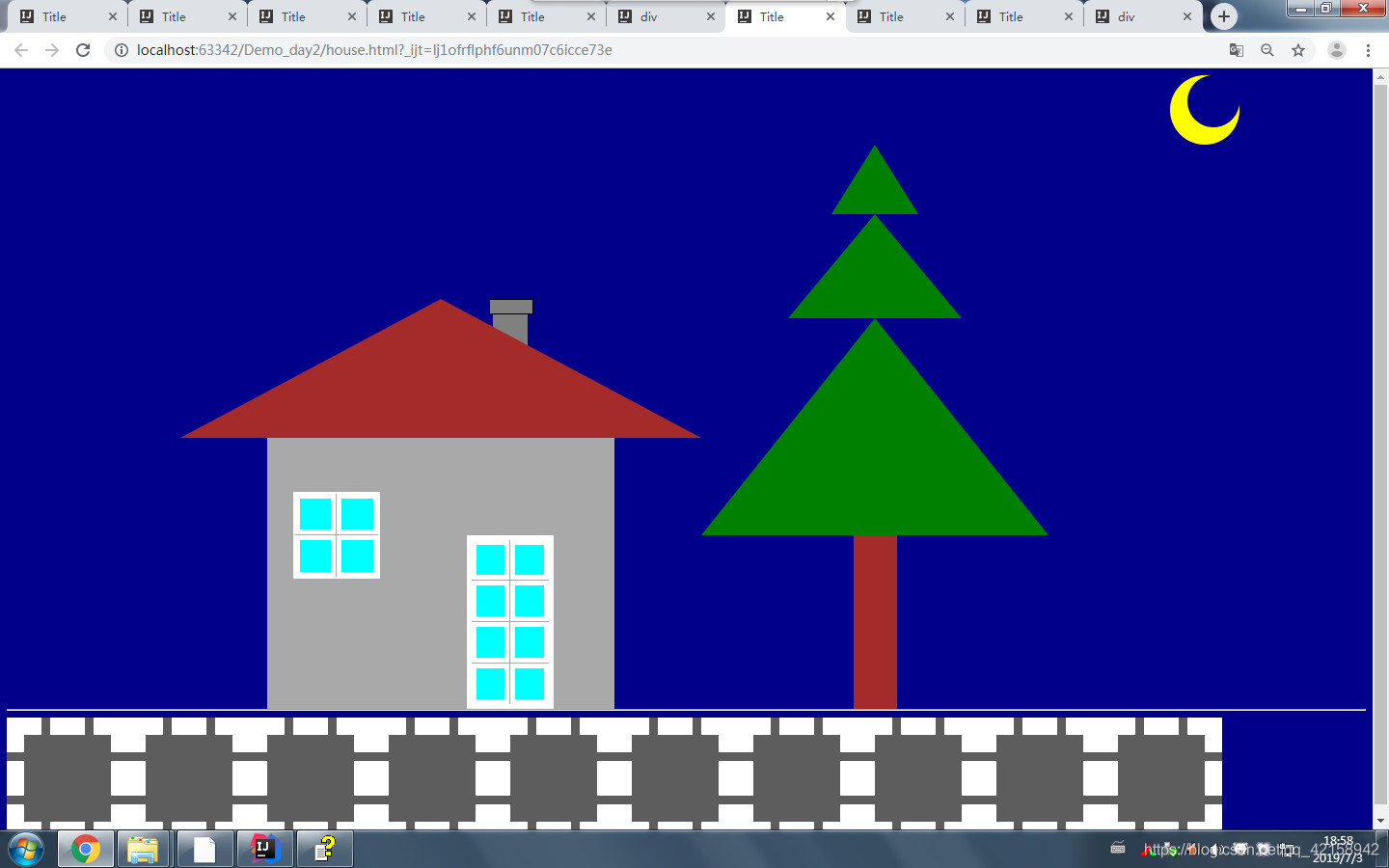
代码:
<!DOCTYPE html>

<html lang="en">

<head>

    <meta charset="UTF-8">

    <title>Title</title>

    <style>

        #top{

            width: 0px;

            height: 0px;

            border-bottom:160px brown  solid;

            border-left: 300px transparent solid;

            border-right: 300px transparent solid;

            float: left;

        }

        #moon{

            width: 60px;

            height: 60px;

            border-radius: 30px;

            float: left;

            margin-left: 1360px;

            background: darkblue;

        }

        #moon2{

            width: 80px;

            height: 80px;

            border-radius: 40px;

            /*float: left;*/

            margin-left: 1340px;

            background: yellow;

        }

        #rom{

            width: 400px;

            height: 300px;

            background: darkgrey;

            margin-left: 100px;

            margin-top: 50px;

            padding-top: 25px;

        }

        #yc1{

            width: 50px;

            height: 15px;

            background: gray;

            margin-left: 355px;

            border: 1px solid black;

        }

        #yc2{

            width: 40px;

            height: 80px;

            background: gray;

            margin-left:360px;

        }

        #window{

            width: 100px;

            height: 100px;

            border: 2px solid white;

            margin-left: 30px;

            float: left;

            margin-top: 50px;

        }

        #window td{

            border: 5px solid white;

            background: aqua;

        }

        #door{

            width: 100px;

            height: 200px;

            border: 5px solid white;

            float: left;

            margin-top: 100px;

            margin-left: 100px;

        }

        #door td{

            border: 5px solid white;

            background: aqua;

        }

        .trdiv{

            width: 0px;

            height: 0px;

            margin: 0 auto;

        }

        #treetop{

            border-bottom: 80px green solid;

            border-left: 50px transparent solid;

            border-right: 50px transparent solid;

        }

        #mid{

            border-bottom: 120px green solid;

            border-left: 100px transparent solid;

            border-right: 100px transparent solid;

        }

        #btm{

            border-bottom:250px green  solid;

            border-left: 200px transparent solid;

            border-right: 200px transparent solid;

        }

        #shugan{

            width: 50px;

            height: 200px;

            background: brown;

        }

        #house{

            margin-top: 178px;

            margin-left: 200px;

        }

        #tree,#house{

            float: left;

        }

        #tree{

            margin-top: 0px;

        }

        #hr1{

            clear: both;

        }

        .road{

            width: 100px;

            height: 100px;

            border: 20px dashed white;

            float: left;

            background: #5d5d5d;

        }

    </style>

</head>

<body bgcolor="#00008b">

    <div id="moon"></div>

    <div id="moon2"></div>

    <div id="house">

    <div id="top"></div>

    <div id="yc1"></div>

    <div id="yc2"></div>

    <div id="rom">

        <table id="window">

            <tr>

                <td></td>

                <td></td>

            </tr>

            <tr>

                <td></td>

                <td></td>

            </tr>

        </table>

        <table id="door">

            <tr>

                <td></td>

                <td></td>

            </tr>

            <tr>

                <td></td>

                <td></td>

            </tr>

            <tr>

                <td></td>

                <td></td>

            </tr>

            <tr>

                <td></td>

                <td></td>

            </tr>

        </table>

    </div>

    </div>

    <div id="tree">

        <div id="treetop" class="trdiv"></div>

        <div id="mid" class="trdiv"></div>

        <div id="btm" class="trdiv"></div>

        <div id="shugan" class="trdiv"></div>

    </div>

    <hr id="hr1"/>

    <div class="road"></div>

    <div class="road"></div>

    <div class="road"></div>

    <div class="road"></div>

    <div class="road"></div>

    <div class="road"></div>

    <div class="road"></div>

    <div class="road"></div>

    <div class="road"></div>

    <div class="road"></div>

</body>

</html>
前端HTML div标签的用法 盒子模型的更多相关文章
- DIV+CSS两种盒子模型(W3C盒子与IE盒子)
在辨析两种盒子模型之前.先简单说明一下什么叫盒子模型. 原理: 先说说我们在网页设计中常听的属性名:内容(content).填充(padding).边框(border).边界(margin), CSS ...
- 前端(十六)—— JavaScript盒子模型、JS动画、DOM、BOM
JS盒子模型.JS动画.DOM.BOM 一.JS盒模型 1.width | height parseInt(getComputedStyle(ele, null).getPropertyValue(' ...
- 每天学点前端——基础篇1:css盒子模型,绝对定位和相对定位
什么是css盒子模型(Box Model)? W3C中解释为:规定了元素框处理元素内容.内边距.边框和外边距的方式: MDN:文档中的每个元素被描绘为矩形盒子.渲染引擎的目的就是判定大小,属性--比如 ...
- DIV+CSS两种盒子模型
盒子模型有两种,分别是 IE 盒子模型和标准 W3C 盒子模型.他们对盒子模型的解释各不相同, 先来看看我们熟悉的标准盒子模型: 从上图可以看到标准 W3C 盒子模型的范围包括 margin.bord ...
- 前端-----margin用法(盒子模型里补充)
margin塌陷问题 当时说到了盒模型,盒模型包含着margin,为什么要在这里说margin呢?因为元素和元素在垂直方向上margin里面有坑. 我们来看一个例子: html结构: <div ...
- HTML之前端操作div标签布局
事例图片: div元素是用于分组HTML元素的块级元素 上图代码示例如下: <!DOCTYPE html> <html lang="en"> <hea ...
- 23----2013.07.01---Div和Span区别,Css常用属性,选择器,使用css的方式,脱离文档流,div+css布局,盒子模型,框架,js基本介绍
01 复习内容 复习之前的知识点 02演示VS创建元素 03div和span区别 通过display属性进行DIV与Span之间的转换.div->span 设置display:inline ...
- CSS复合选择器和div盒子模型
一.复合选择器(3种) 1.交集复合选择器 特点:由2个选择器组成,其中第一个必须是标签选择器,第二个是类或id选择器.两个选择器之间没有空格(有空格属于层级选择器) <h3 class=&qu ...
- js中的盒子模型
说到盒子模型,你第一时间会想到css盒子模型,css中的盒子模型包括(内容区+内边距+边框).那在js中怎么去获取这些属性值呢?下面一起来学习js中的盒子模型. css样式 body { margin ...
随机推荐
- XSS检测总结
XSS漏洞介绍 跨站脚本XSS是一种针对网站应用程序的安全漏洞攻击技术.恶意攻击者往web页面插入恶意的Script代码,当用于浏览该页时,嵌入web中的恶意代码就会被执行,从而达到恶意攻击用 ...
- 加速你的网络!软路由构建 去AD+国内域名加速解析+抗污染+速度优选 与PSW无缝集成 综合方案
本方案利用OpenWrt搭建4级DNS,实现 去AD + 国内域名加速解析 + 抗污染(域名解析按地区分流)+ 访问速度优选. 方案涉及部分软件配置细节可以参照之前博文:https://www.cnb ...
- 【基础】excel如何根据数据内容显示不同颜色。
需求: 店柜完成率排名相比上阶段升降,升显示绿色“↑“,降显示红色“↓”,持平显示黑色“-”. 步骤: 第一步 先计算两次排名的差值(本次排名-上次排名). 第二步 对差值列设置单元格格式,设置格式如 ...
- 1020 Tree Traversals (25分)思路分析 + 满分代码
题目 Suppose that all the keys in a binary tree are distinct positive integers. Given the postorder an ...
- sqli-labs之Page-3
第三十八关:堆叠注入 $sql="SELECT * FROM users WHERE id='$id' LIMIT 0,1"; /* execute multi query */ ...
- VS2019 使用
下载 官网下载:链接 安装 1.点击下载程序,会显示这个界面 2.点击“继续”,等待安装程序安装完成 4.安装程序下载安装验证完毕,将会提示进入这个界面 5.为了方便起见,这里仅展示安装C++功能,在 ...
- 数字化制造-基于Plant Simulation的冲压车间数字化仿真平台研究
冲压车间是将板材冲压形成汽车车身.车厢.车底板等部件的过程,冲压是汽车生产四大加工工艺的首个工序,直接影响着汽车焊装.涂装.总装车间的生产.冲压车间生产具有以下特点: 换模时间长:每种冲压件均有一套专 ...
- 51Nod1127 最小包含字符串
51Nod1127 #include <iostream> #include <string> using namespace std; const int inf = 0x3 ...
- python—day01_环境安装
搭建环境 1.win10_X64,其他Win版本也可以. 2.安装python.()3.PyCharm版本:Professional-2016.2.3. 在Windows上安装Python 首先,根据 ...
- POJ3225
题目链接:https://vjudge.net/problem/POJ-3225 解题思路:这道题要是不看题解以本渣新现在的实力确实是做不出来. 以区间为基础建立线段树. 当X=‘U', 将区间T内的 ...