
How to install Jenkins on CentOS 7
How to install Jenkins on CentOS 7
Introduction
Jenkins is an Open-Source automation software (a fork of Hudson) which can help you automate repetitive technical tasks involved in the continuous integration and delivery of software. Jenkins is written in JAVA language an currently focusing on two main purposes:
- Building and testing software projects, just like CruiseControl or DamageControl. Jenkins provides an easy-to-use continuous integration system, making it easier for developers to integrate changes to the project, and making it easier for users to obtain a fresh build. The automated, continuous build increases the productivity.
- Monitoring executions of externally-run jobs, such as cron jobs, even those that are run on a remote machine. Jenkins keeps those outputs and makes it easy for you to notice when something is wrong.

Install Jenkins
The version of Jenkins which is available by the RHEL official repository is often behind the latest version, so in order to take advantage of the latest fixes and features, we’ll use the project-maintained packages to install Jenkins.
Add the repository key with the following command:
Now we will add the package repository address to our repository list with the command below:
Update your package manager list to get the latest packages:
Finally, install Jenkins and JAVA with the following command:
Starting Jenkins
Jenkins will work as a service, so you can control it using “systemctl” command. start your Jenkins server with the following command:
If you want to make it run at startup execute the command below as well:
You can check Jenkins service status using:
Setting up Jenkins
For start setting up our Jenkins, we need to visit its web dashboard running on port, “8080”. so open your browser and see your public IP address or your Domain name followed by the port number through it:
You will see a page like below:
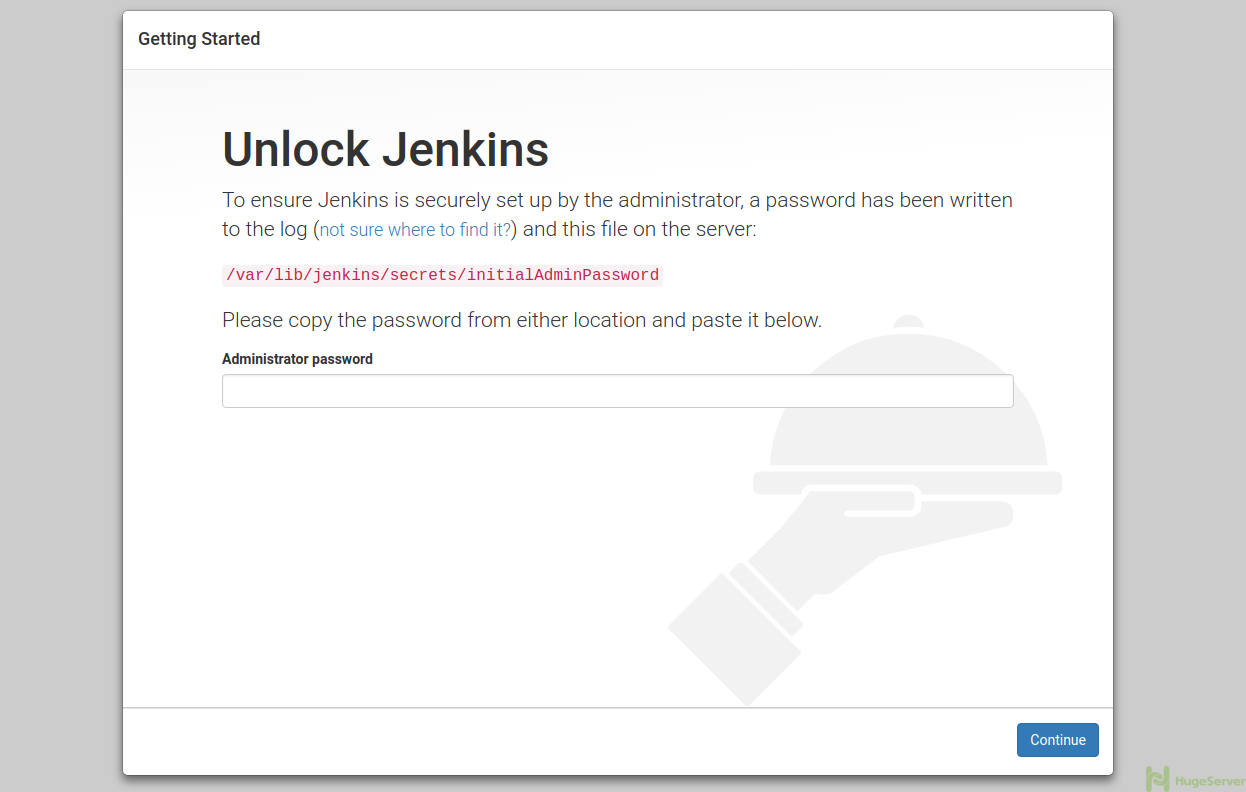
As you can see, you need to enter a password in order to proceed. so get back to your server and execute the following command to get the default password:
You will get something like below in output:
Paste in the “Administrator password” field and hit continue to see the following page:
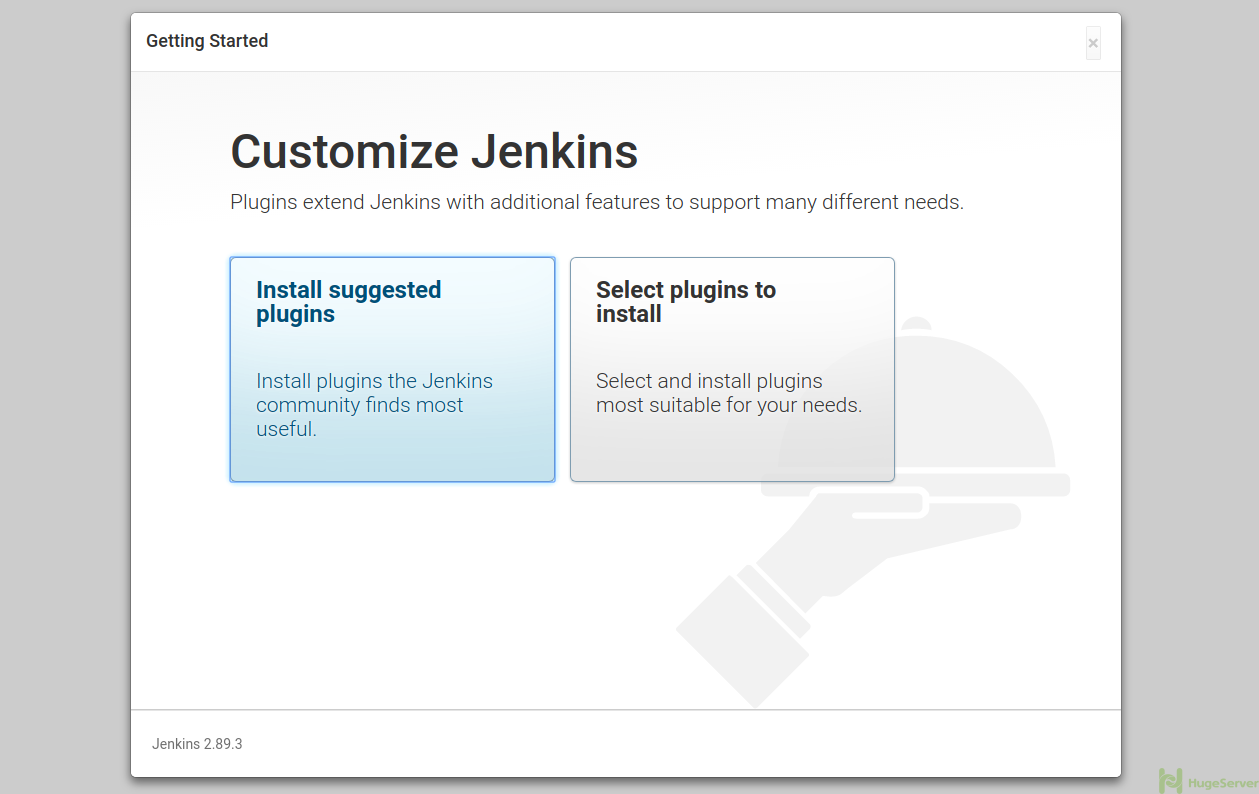
We recommend you to select the “Install suggested plugins” option if you are new to Jenkins. Now you can see that Jenkins is installing some plugins:
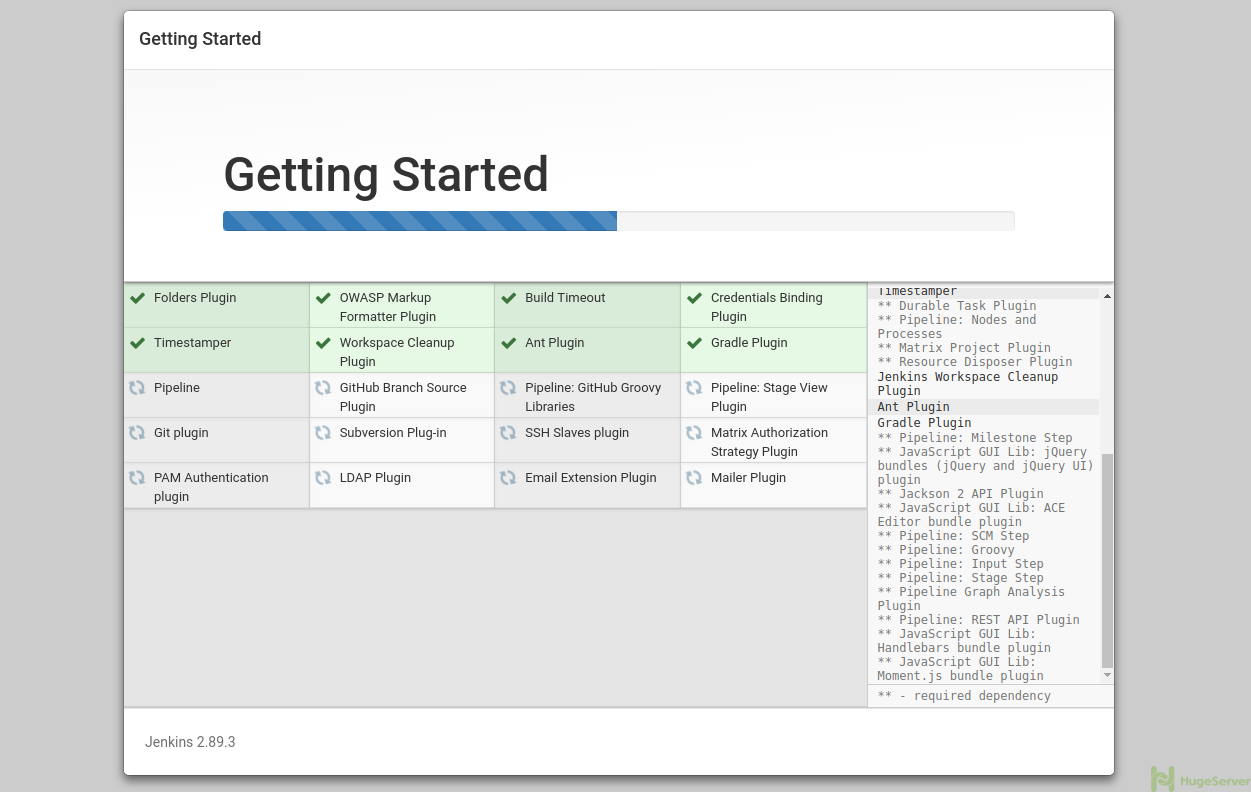
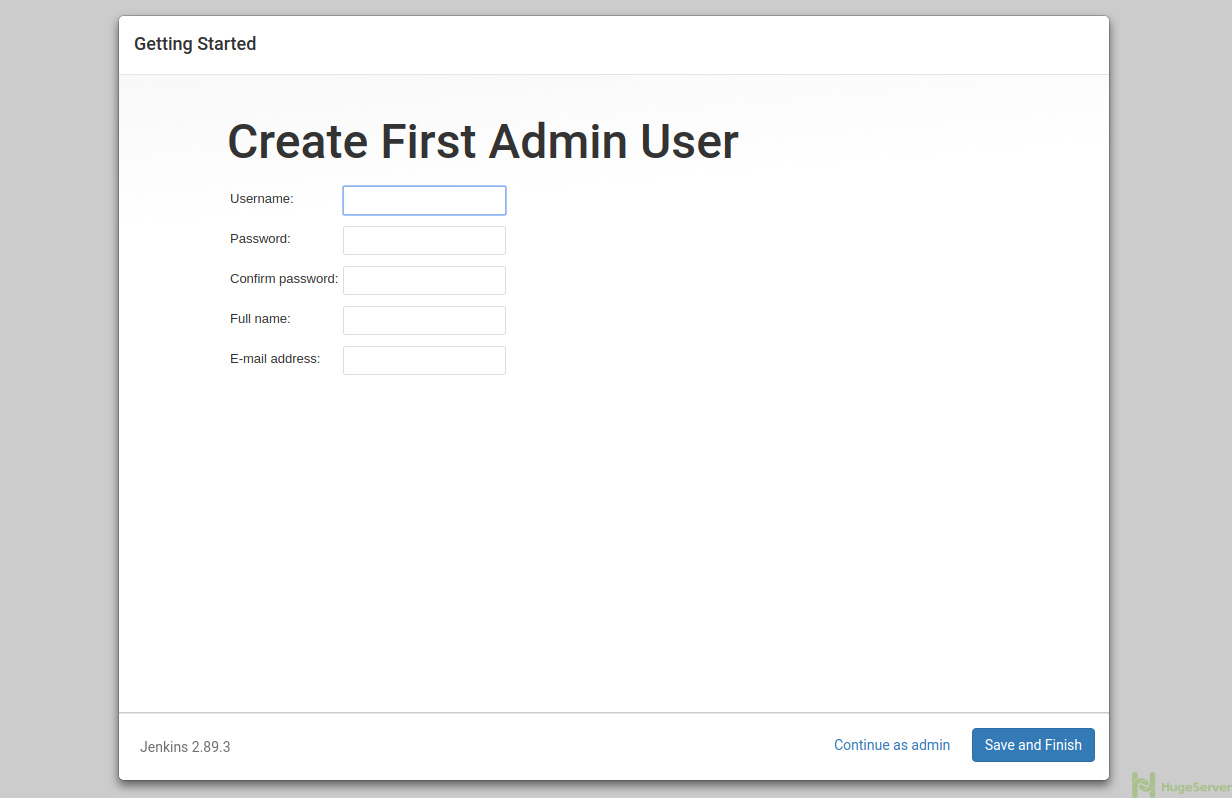
After that, you will direct to a page which you have to create your first user:
If you want to get more information about Jenkins you can visit the official website!
How to install Jenkins on CentOS 7的更多相关文章
- Install Jenkins 2.1.36 and openjdk 1.7.0 on centos 7
#!/bin/bash## Copyright (c) 2014-2015 Michael Dichirico (https://github.com/mdichirico)# This softwa ...
- Jenkins安装 CentOS 7上安装Jenkins
CentOS 7上安装Jenkins Jenkins 安装 只安装不介绍 步骤1:更新CentOS 7 Linux系统管理员的最佳做法之一是使系统保持最新.安装最新的稳定包,然后重新启动. 1 2 ...
- Installing Jenkins to Centos Docker
1.Install Docker CE to Centos7 [root@zoo1 ~]# yum install -y yum-utils device-mapper-persistent-data ...
- How To Install Java on CentOS and Fedora
PostedDecember 4, 2014 453.8kviews JAVA CENTOS FEDORA Introduction This tutorial will show you how ...
- Install Redis on CentOS 6.4--转
Install Redis on CentOS 6.4 source:http://thoughts.z-dev.org/2013/05/27/install-redis-on-centos-6-4/ ...
- Install ssdb-rocks on CentOS 6
Install ssdb-rocks on CentOS 6 C.C. 发表于 2014年08月10日 20:14 | Hits: 649 为了优化节操精选的弹幕系统,打算更换到Facebook的R ...
- Steps to Install Hadoop on CentOS/RHEL 6---reference
http://tecadmin.net/steps-to-install-hadoop-on-centosrhel-6/# The Apache Hadoop software library is ...
- How to install MP4box on CentOS 6
How to install MP4box on CentOS 6 MP4Box is a MP4 multiplexer. It can import MPEG-4 video, DivX, Xvi ...
- brew install Jenkins
Chens-MacBook-Pro:Downloads chenqing$ brew install jenkins ==> Downloading http://mirrors.jenkins ...
随机推荐
- 使用JFinal框架连接数据库,实现注册、登录功能
使用JFinal框架连接数据库,实现注册.登录功能 1.在Eclipse中新建Dynamic Web project项目 2.导入jfinal-2.2-bin-with-src.jar.c3p0-0. ...
- swift -懒加载创建view
// 只有外界访问到headerView的时候才会去执行闭包, 然后将闭包的返回值赋值给headerView // 注意: 一定要记住闭包后面需要写上(), 代表执行闭包 //懒加载 ...
- (转)C# .net微信开发,开发认证,关注触发消息,自动应答,事件响应,自定义菜单
原文地址:http://www.cnblogs.com/qidian10/p/3492751.html 成为开发者 string[] ArrTmp = { "token", Req ...
- MFC中的乱起八糟----字符编码:LPTSTR,LPCTSTR, TCHAR等
注意,编写有 Unicode 意识的代码总是一件好事,比如: CString graycat = CString(_T("Gray")) + _T("Cat") ...
- 动态规划 HDU1231-------最大连续子序列
Problem Description 给定K个整数的序列{ N1, N2, ..., NK },其任意连续子序列可表示为{ Ni, Ni+1, ..., Nj },其中 1 <= i < ...
- Java动态代理(一)动态类Proxy的使用
1.什么是动态代理? 答:动态代理可以提供对另一个对象的访问,同时隐藏实际对象的具体事实.代理一般会实现它所表示的实际对象的接口.代理可以访问实际对象,但是延迟实现实际对象的部分功能,实际对象实现系统 ...
- TypeToken 是google提供的一个解析Json数据的类库中一个类
Type listType = new TypeToken<LinkedList<User>>(){}.getType(); Type是java里的reflect包的Type ...
- 详解CSS float属性
CSS中的float属性是一个频繁用到的属性,对于初学者来说,如果没有理解好浮动的意义和表现出来的特性,在使用的使用很容易陷入困惑,云里雾里,搞不清楚状态.本文将从最基本的知识开始说起,谈谈关于浮动的 ...
- jsp int转String or String转int 方法
将字串 String 转换成整数 int? A. 有两个方法: 1). int i = Integer.parseInt([String]); 或 i = Integer.parseInt([St ...
- SQL表连接查询inner join left join right join full join ...
一.最常见的连接查询 select s.name,m.mark from student s,mark m where s.id=m.studentid. 二.内连接-inner join sel ...