
android软件简约记账app开发day06-将记账条目添加到数据库并且绘制备注页面
android软件简约记账app开发day06-将记账条目添加到数据库并且绘制备注页面
首先写添加到数据库
在DBOpenHelper中添加创建记账表的语句
//创建记账表

sql = "create table accounttb(id integer primary key autoincrement,typename varchar(10),sImageId integer,beizhu varchar(80),money float," +

        "time varchar(60),year integer,month integer,day integer,kind integer)";

db.execSQL(sql);
在数据库管理类中添加保存方法
/*

 * 向记账表当中插入一条元素

 * */

public static void insertItemToAccounttb(AccountBean bean){

    ContentValues values = new ContentValues();

    values.put("typename",bean.getTypename());

    values.put("sImageId",bean.getsImageId());

    values.put("beizhu",bean.getBeizhu());

    values.put("money",bean.getMoney());

    values.put("time",bean.getTime());

    values.put("year",bean.getYear());

    values.put("month",bean.getMonth());

    values.put("day",bean.getDay());

    values.put("kind",bean.getKind());

    db.insert("accounttb",null,values);

}
我们在baseFragment类中写一个保存到数据库的方法,为了方便继承实现,定义成抽象方法,并且把该类改为抽象类。
/**

 * 将数据保存到数据库,因为收入支出保存不同,所以我们封装成抽象类,抽象方法。

 */

public abstract void saveAccountToDB();
分别在子类中重写
@Override

public void saveAccountToDB() {

    accountBean.setKind(1);

    DBManager.insertItemToAccounttb(accountBean);

}
@Override
public void saveAccountToDB() {
accountBean.setKind(0);
DBManager.insertItemToAccounttb(accountBean);
}绘制备注界面
我们在点击备注时,要弹出界面,我们今天只画一下该界面
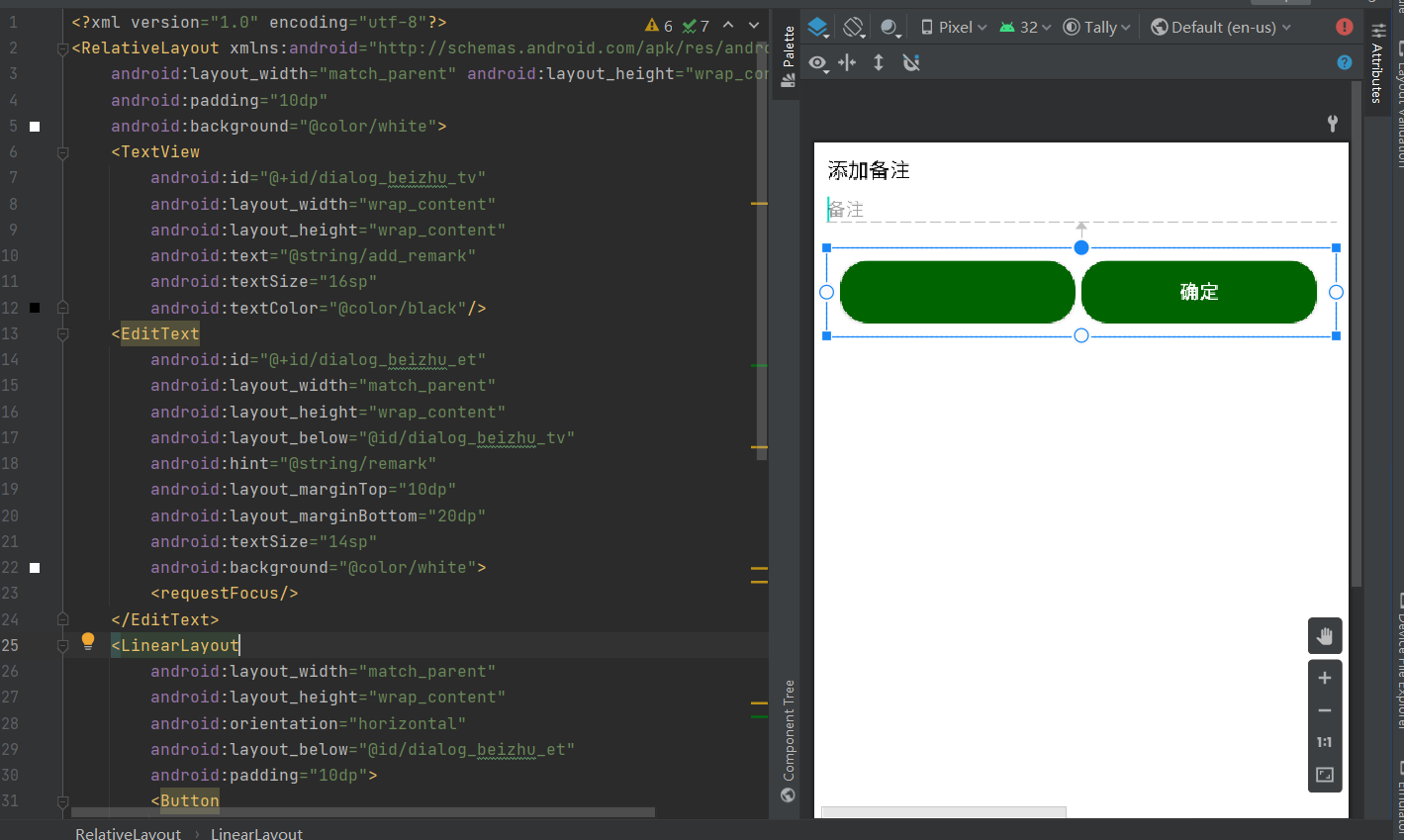
新建dialog_beizhu.xml
<?xml version="1.0" encoding="utf-8"?>

<RelativeLayout xmlns:android="http://schemas.android.com/apk/res/android"

    android:layout_width="match_parent" android:layout_height="wrap_content"

    android:padding="10dp"

    android:background="@color/white">

    <TextView

        android:id="@+id/dialog_beizhu_tv"

        android:layout_width="wrap_content"

        android:layout_height="wrap_content"

        android:text="@string/add_remark"

        android:textSize="16sp"

        android:textColor="@color/black"/>

    <EditText

        android:id="@+id/dialog_beizhu_et"

        android:layout_width="match_parent"

        android:layout_height="wrap_content"

        android:layout_below="@id/dialog_beizhu_tv"

        android:hint="@string/remark"

        android:layout_marginTop="10dp"

        android:layout_marginBottom="20dp"

        android:textSize="14sp"

        android:background="@color/white">

        <requestFocus/>

    </EditText>

    <LinearLayout

        android:layout_width="match_parent"

        android:layout_height="wrap_content"

        android:orientation="horizontal"

        android:layout_below="@id/dialog_beizhu_et"

        android:padding="10dp">

        <Button

            android:id="@+id/dialog_beizhu_btn_cancel"

            android:layout_width="0dp"

            android:layout_height="wrap_content"

            android:layout_weight="1"

            android:text="@string/cancel"

            android:background="@drawable/dialog_btn_bg"

            android:textStyle="bold"

            android:textColor="@color/green_006400"

            android:layout_marginRight="5dp"/>

        <Button

            android:id="@+id/dialog_beizhu_btn_ensure"

            android:layout_width="0dp"

            android:layout_height="wrap_content"

            android:layout_weight="1"

            android:text="@string/ensure"

            android:background="@drawable/main_recordbtn_bg"

            android:textStyle="bold"

            android:textColor="@color/white"

            android:layout_marginRight="5dp"/>

    </LinearLayout>

</RelativeLayout>
在drawable中添加drawable文件
<?xml version="1.0" encoding="utf-8"?>

<shape xmlns:android="http://schemas.android.com/apk/res/android"

    android:shape="rectangle">

    <!-- 四个角设定弧度-->

    <corners android:radius="20dp"/>

<!--    填充颜色-->

    <solid android:color="@color/white"/>

    <stroke android:color="@color/green_006400" android:width="3dp"/>

</shape>
在strings.xml中添加变量
<string name="add_remark">添加备注</string>

<string name="remark">备注</string>

<string name="ensure">确定</string>

<string name="cancel">取消</string>
效果图:
今天的内容比较简单,我们明天见。
android软件简约记账app开发day06-将记账条目添加到数据库并且绘制备注页面的更多相关文章
- android软件简约记账app开发day05-记账页面条目代码优化和bug解决
android软件简约记账app开发day05-记账页面条目代码优化和bug解决 今天还是因为该bug又极大的耽误了项目进程,该开发文档都要没有时间来写了. 先说bug吧,在昨天已经实现了页面图标的展 ...
- android软件简约记账app开发day10-主页面模块--头信息的展示,和之后功能完善的目标。
android软件简约记账app开发day10-主页面模块--头信息的展示,和之后功能完善的目标. 今天来写主界面头信息的展示,也就是将第一天的写的layout中的item_main_top展示到主界 ...
- android软件简约记账app开发day09-主页面模块,收支记账信息的展示
android软件简约记账app开发day09-主页面模块,收支记账信息的展示 我们第一天已经绘制了记账条目的界面,也在主界面设置了LietView来展示记账条目,今天来实现记账后再主界面的展示效果 ...
- android软件简约记账app开发day08-时间对话框的书写+改bug,改bug
android软件简约记账app开发day08-时间对话框的书写+改bug,改bug 绘制对话跨页面 在添加记账信息功能中,我提供了用户添加备注添加事件的功能,设计是点击时间会弹出一个时间对话框供用户 ...
- android软件简约记账app开发day07-备注界面完善
android软件简约记账app开发day07-备注界面完善 ## 昨天我们已经绘制了备注页面,今天来用Java代码组装完善一下. 首先我们新建BeiZhuDialog类关联备注页面,并且实现点击接口 ...
- android软件简约记账app开发day04-记账页面条目的代码书写
android软件简约记账app开发day04-记账页面条目的代码书写 在前三天我们完成了基本的界面展示,从今天开始,我们进入到后台逻辑代码的编写中,今天开发记账条目的代码 我们在主页面点击记一笔图标 ...
- android软件简约记账app开发day03-自定义键盘的书写
android软件简约记账app开发day03-自定义键盘的书写 我们在fragment界面使用了自定义的keybroad键盘,所以今天我们来书写自定义的键盘代码 新建util包,新建keyboard ...
- android软件简约记账app开发day02-收入支出明细页面绘制
android软件简约记账app开发day02-收入支出明细页面绘制 效果图 列表界面绘制 新建layout文件-item_mainlv.xml大体使用绝对布局,嵌套相对布局,嵌套文本内容实现 < ...
- android软件简约记账app开发day01-今日收支明细的界面绘制
android软件简约记账app开发day01-今日收支明细的界面绘制 导入素材 导入在阿里iconfront图标库下载的字体图标分为大小两种,分别导入到项目目录mipmap-hdpi和mipmap- ...
随机推荐
- 数据库原理 之MySQL
数据库种类: 关系型数据库: mysql 专注于数据安全 和功能 ,存取时 会有表的结构化操作解析sql语句---- 丢给磁盘存取 ----取出,结构化成表 常用关系型数据库产品介绍oracle数据库 ...
- SpringMVC解决前端传来的中文字符乱码问题
以前乱码问题通过过滤器解决,而SpringMVC给我们提供了一个过滤器,可以在web.xml中添加以下配置 修改了xml文件需要重启服务器! <!--配置解决中文乱码过滤器--> < ...
- tea加密算法及其变种的研究
tea 介绍 "TEA" 的全称为"Tiny Encryption Algorithm" 是1994年由英国剑桥大学的David j.wheeler发明的. T ...
- InnoDB中加锁?
InnoDB 实现了两种类型的行锁,共享锁(S)与排他锁(X).然后由于 InnoDB引擎又支持表级锁,所以它内部又有意向共享锁(IS)与意向排他锁(IX).这两种表锁,都是InnoDB内部自动处理, ...
- CAS和CAP代表的作用
CAS(自旋锁):https://www.jianshu.com/p/ab2c8fce878b CAP原则:https://baike.baidu.com/item/CAP原则/5712863?fr= ...
- Ubuntu 18.04 磁盘根目录在线扩容 & 修改分区 inode 数量
Ubuntu 18.04 磁盘根目录在线扩容 & 修改分区 inode 数量 Ubuntu 作为服务器系统使用的时候,系统盘的空间可能并不是很充裕,apt apt 着,根目录就满了.诚然, ...
- 外部晶振的使用原因与内部RC振荡器的使用方法
原因一 早些年,芯片的生产制作工艺也许还不能够将晶振做进芯片内部,但是现在可以了.这个问题主要还是实用性和成本决定的. 原因二 芯片和晶振的材料是不同的,芯片 (集成电路) 的材料是硅,而晶体则是 ...
- 用纯RUST手撸一个开源流媒体服务(RTMP/HTTPFLV/HLS)XIU
作者工作目前在音视频流媒体行业,用了大概一年的业余时间学习Rust,并且实现了一个简单的音视频流媒体服务,虽然据说Rust已经连续多年被评为最受程序员喜欢的语言,但是在国内还是比较冷门,作者比较看好R ...
- vue H5 超简单的swiper制作抖音上拉切换视频播放
-----html部分------ <swiper vertical :style="{height: windowheight+'px',width:375+'px'}" ...
- 一步步搭建物联网系统——无处不在的CSS
无处不在的CSS 或许你觉得CSS一点儿也不重要,而事实上,如果说HTML是建筑的框架,CSS就是房子的装修.那么Javascript呢,我听到的最有趣的说法是小三--还是先让我们回到代码上来吧. C ...