
ubuntu 下安装mulval
怎么在虚拟机下安装ubuntu这里就不多说了
ubuntu怎么安装静态ip可以参考:https://www.cnblogs.com/braveym/p/8640563.html
ubuntu安装jdk可以参考:https://www.cnblogs.com/braveym/p/6143356.html
1.XSB安装
我已经把两个安装包都上传到虚拟机了

接下来就是解压
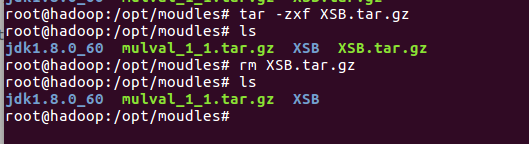
root@hadoop:/opt/moudles# tar -zxf XSB.tar.gz

root@hadoop:/opt/moudles# ls

jdk1..0_60  mulval_1_1.tar.gz  XSB  XSB.tar.gz

root@hadoop:/opt/moudles# rm XSB.tar.gz

root@hadoop:/opt/moudles# ls

jdk1..0_60  mulval_1_1.tar.gz  XSB

root@hadoop:/opt/moudles#
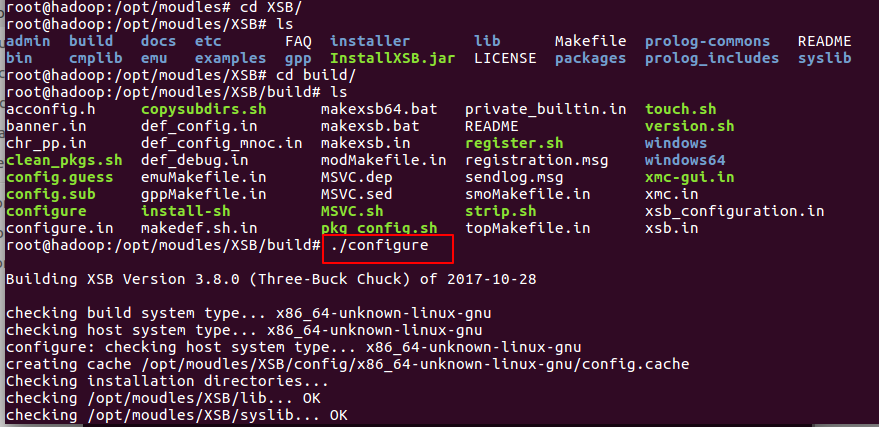
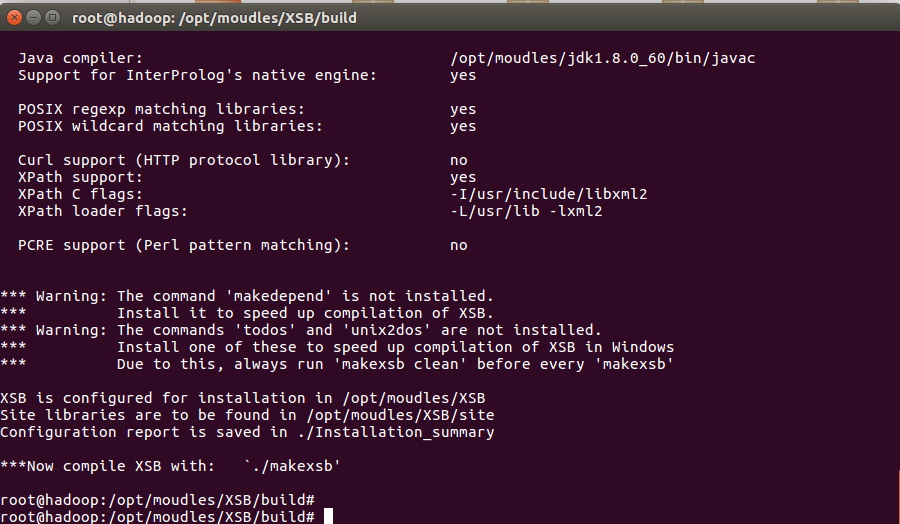
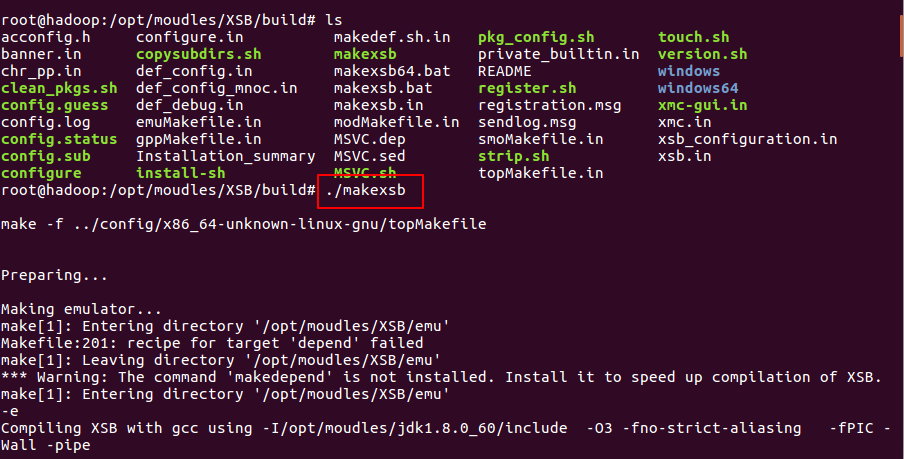
执行安装命令

XSB环境变量设置
加上这么一句
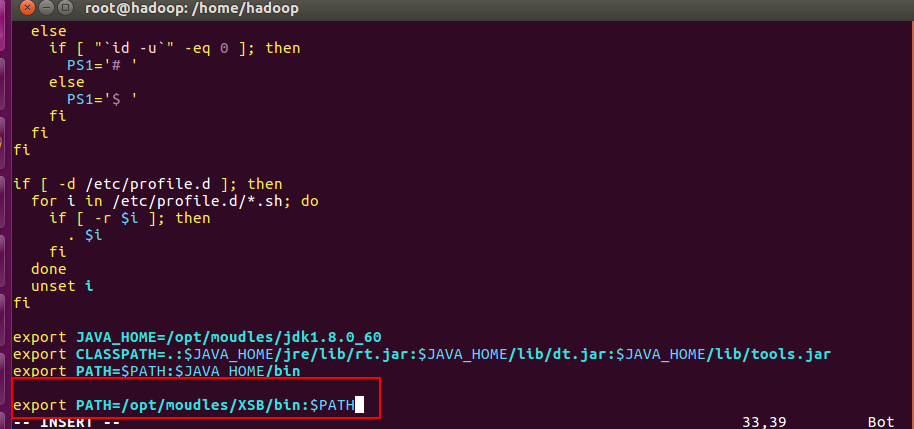
export PATH=/opt/moudles/XSB/bin:$PATH

2.安装graphviz工具
先更新一下

root@hadoop:~# sudo apt-get update

Get: http://security.ubuntu.com/ubuntu xenial-security InRelease [107 kB]

Hit: http://cn.archive.ubuntu.com/ubuntu xenial InRelease

Get: http://cn.archive.ubuntu.com/ubuntu xenial-updates InRelease [109 kB]

Get: http://cn.archive.ubuntu.com/ubuntu xenial-backports InRelease [107 kB]

Fetched  kB in 9s (33.0 kB/s)

Reading package lists... Done

root@hadoop:~#


root@hadoop:/home/hadoop# sudo apt-get install graphviz

Reading package lists... Done

Building dependency tree

Reading state information... Done

The following additional packages will be installed:

  libcdt5 libcgraph6 libgvc6 libgvpr2 libpathplan4

Suggested packages:

  graphviz-doc

The following NEW packages will be installed:

  graphviz libcdt5 libcgraph6 libgvc6 libgvpr2 libpathplan4

 upgraded,  newly installed,  to remove and  not upgraded.

Need to get , kB of archives.

After this operation, 12.4 MB of additional disk space will be used.

Do you want to continue? [Y/n] y

Get: http://cn.archive.ubuntu.com/ubuntu xenial-updates/main amd64 libcdt5 amd64 2.38.0-12ubuntu2.1 [23.4 kB]

Get: http://cn.archive.ubuntu.com/ubuntu xenial-updates/main amd64 libcgraph6 amd64 2.38.0-12ubuntu2.1 [43.6 kB]

Get: http://cn.archive.ubuntu.com/ubuntu xenial-updates/main amd64 libpathplan4 amd64 2.38.0-12ubuntu2.1 [26.6 kB]

Get: http://cn.archive.ubuntu.com/ubuntu xenial-updates/main amd64 libgvc6 amd64 2.38.0-12ubuntu2.1 [591 kB]

Get: http://cn.archive.ubuntu.com/ubuntu xenial-updates/main amd64 libgvpr2 amd64 2.38.0-12ubuntu2.1 [170 kB]

Get: http://cn.archive.ubuntu.com/ubuntu xenial-updates/main amd64 graphviz amd64 2.38.0-12ubuntu2.1 [680 kB]

Fetched , kB in 13s ( kB/s)

Selecting previously unselected package libcdt5.

(Reading database ...  files and directories currently installed.)

Preparing to unpack .../libcdt5_2.38.0-12ubuntu2.1_amd64.deb ...

Unpacking libcdt5 (2.38.-12ubuntu2.) ...

Selecting previously unselected package libcgraph6.

Preparing to unpack .../libcgraph6_2.38.0-12ubuntu2.1_amd64.deb ...

Unpacking libcgraph6 (2.38.-12ubuntu2.) ...

Selecting previously unselected package libpathplan4.

Preparing to unpack .../libpathplan4_2.38.0-12ubuntu2.1_amd64.deb ...

Unpacking libpathplan4 (2.38.-12ubuntu2.) ...

Selecting previously unselected package libgvc6.

Preparing to unpack .../libgvc6_2.38.0-12ubuntu2.1_amd64.deb ...

Unpacking libgvc6 (2.38.-12ubuntu2.) ...

Selecting previously unselected package libgvpr2.

Preparing to unpack .../libgvpr2_2.38.0-12ubuntu2.1_amd64.deb ...

Unpacking libgvpr2 (2.38.-12ubuntu2.) ...

Selecting previously unselected package graphviz.

Preparing to unpack .../graphviz_2.38.0-12ubuntu2.1_amd64.deb ...

Unpacking graphviz (2.38.-12ubuntu2.) ...

Processing triggers for libc-bin (2.23-0ubuntu3) ...

Processing triggers for man-db (2.7.-) ...

Setting up libcdt5 (2.38.-12ubuntu2.) ...

Setting up libcgraph6 (2.38.-12ubuntu2.) ...

Setting up libpathplan4 (2.38.-12ubuntu2.) ...

Setting up libgvc6 (2.38.-12ubuntu2.) ...

Setting up libgvpr2 (2.38.-12ubuntu2.) ...

Setting up graphviz (2.38.-12ubuntu2.) ...

Processing triggers for libc-bin (2.23-0ubuntu3) ...

root@hadoop:/home/hadoop#
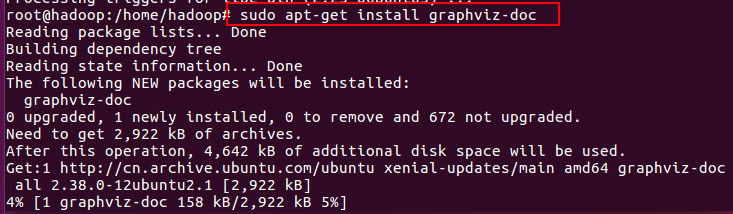
root@hadoop:/home/hadoop# sudo apt-get install graphviz-doc

Reading package lists... Done

Building dependency tree

Reading state information... Done

The following NEW packages will be installed:

  graphviz-doc

 upgraded,  newly installed,  to remove and  not upgraded.

Need to get , kB of archives.

After this operation, , kB of additional disk space will be used.

Get: http://cn.archive.ubuntu.com/ubuntu xenial-updates/main amd64 graphviz-doc all 2.38.0-12ubuntu2.1 [2,922 kB]

Fetched , kB in 17s ( kB/s)

Selecting previously unselected package graphviz-doc.

(Reading database ...  files and directories currently installed.)

Preparing to unpack .../graphviz-doc_2.38.0-12ubuntu2.1_all.deb ...

Unpacking graphviz-doc (2.38.-12ubuntu2.) ...

Processing triggers for doc-base (0.10.) ...

Processing  added doc-base file...

Setting up graphviz-doc (2.38.-12ubuntu2.) ...
3.安装MYSQL
sudo apt-get install mysql-server mysql-client
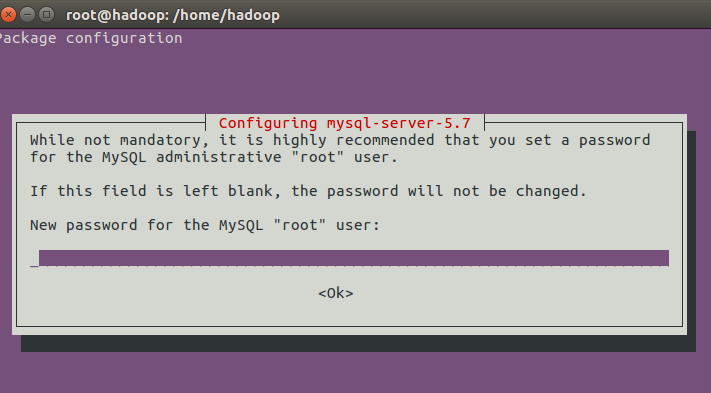
我们给root用户设置一个密码
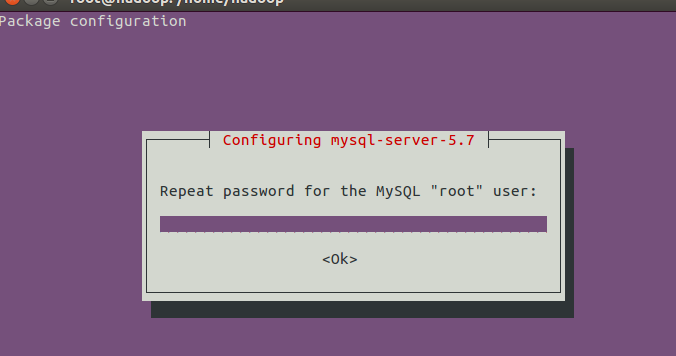
再输入一次密码
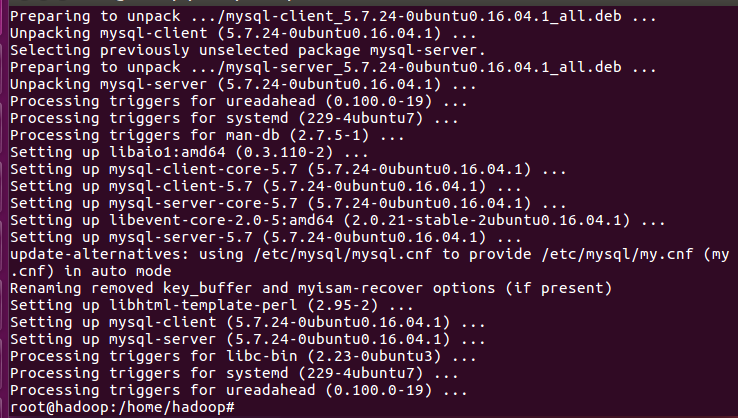
root@hadoop:/home/hadoop# sudo apt-get install mysql-server mysql-client

Reading package lists... Done

Building dependency tree

Reading state information... Done

The following additional packages will be installed:

  libaio1 libevent-core-2.0- libhtml-template-perl mysql-client-5.7

  mysql-client-core-5.7 mysql-common mysql-server-5.7 mysql-server-core-5.7

Suggested packages:

  libipc-sharedcache-perl mailx tinyca

The following NEW packages will be installed:

  libaio1 libevent-core-2.0- libhtml-template-perl mysql-client

  mysql-client-5.7 mysql-client-core-5.7 mysql-common mysql-server

  mysql-server-5.7 mysql-server-core-5.7

 upgraded,  newly installed,  to remove and  not upgraded.

Need to get 18.4 MB of archives.

After this operation,  MB of additional disk space will be used.

Do you want to continue? [Y/n] y

Get: http://cn.archive.ubuntu.com/ubuntu xenial-updates/main amd64 mysql-common all 5.7.24-0ubuntu0.16.04.1 [15.3 kB]

Get: http://cn.archive.ubuntu.com/ubuntu xenial/main amd64 libaio1 amd64 0.3.110-2 [6,356 B]

Get: http://cn.archive.ubuntu.com/ubuntu xenial-updates/main amd64 mysql-client-core-5.7 amd64 5.7.24-0ubuntu0.16.04.1 [6,030 kB]

Get: http://cn.archive.ubuntu.com/ubuntu xenial-updates/main amd64 mysql-client-5.7 amd64 5.7.24-0ubuntu0.16.04.1 [1,720 kB]

Get: http://cn.archive.ubuntu.com/ubuntu xenial-updates/main amd64 mysql-server-core-5.7 amd64 5.7.24-0ubuntu0.16.04.1 [7,757 kB]

Get: http://cn.archive.ubuntu.com/ubuntu xenial-updates/main amd64 libevent-core-2.0-5 amd64 2.0.21-stable-2ubuntu0.16.04.1 [70.6 kB]

Get: http://cn.archive.ubuntu.com/ubuntu xenial-updates/main amd64 mysql-server-5.7 amd64 5.7.24-0ubuntu0.16.04.1 [2,726 kB]

Get: http://cn.archive.ubuntu.com/ubuntu xenial/main amd64 libhtml-template-perl all 2.95-2 [60.4 kB]

Get: http://cn.archive.ubuntu.com/ubuntu xenial-updates/main amd64 mysql-client all 5.7.24-0ubuntu0.16.04.1 [10.1 kB]

Get: http://cn.archive.ubuntu.com/ubuntu xenial-updates/main amd64 mysql-server all 5.7.24-0ubuntu0.16.04.1 [10.8 kB]

Fetched 18.4 MB in 2min 33s ( kB/s)

Preconfiguring packages ...

Selecting previously unselected package mysql-common.

(Reading database ...  files and directories currently installed.)

Preparing to unpack .../mysql-common_5.7.24-0ubuntu0.16.04.1_all.deb ...

Unpacking mysql-common (5.7.-0ubuntu0.16.04.) ...

Selecting previously unselected package libaio1:amd64.

Preparing to unpack .../libaio1_0.3.110-2_amd64.deb ...

Unpacking libaio1:amd64 (0.3.-) ...

Selecting previously unselected package mysql-client-core-5.7.

Preparing to unpack .../mysql-client-core-.7_5.7.24-0ubuntu0.16.04.1_amd64.deb ...

Unpacking mysql-client-core-5.7 (5.7.-0ubuntu0.16.04.) ...

Selecting previously unselected package mysql-client-5.7.

Preparing to unpack .../mysql-client-.7_5.7.24-0ubuntu0.16.04.1_amd64.deb ...

Unpacking mysql-client-5.7 (5.7.-0ubuntu0.16.04.) ...

Selecting previously unselected package mysql-server-core-5.7.

Preparing to unpack .../mysql-server-core-.7_5.7.24-0ubuntu0.16.04.1_amd64.deb ...

Unpacking mysql-server-core-5.7 (5.7.-0ubuntu0.16.04.) ...

Selecting previously unselected package libevent-core-2.0-:amd64.

Preparing to unpack .../libevent-core-2.0-5_2.0.21-stable-2ubuntu0.16.04.1_amd64.deb ...

Unpacking libevent-core-2.0-:amd64 (2.0.-stable-2ubuntu0.16.04.) ...

Processing triggers for libc-bin (2.23-0ubuntu3) ...

Processing triggers for man-db (2.7.-) ...

Setting up mysql-common (5.7.-0ubuntu0.16.04.) ...

update-alternatives: using /etc/mysql/my.cnf.fallback to provide /etc/mysql/my.cnf (my.cnf) in auto mode

Selecting previously unselected package mysql-server-5.7.

(Reading database ...  files and directories currently installed.)

Preparing to unpack .../mysql-server-.7_5.7.24-0ubuntu0.16.04.1_amd64.deb ...

Unpacking mysql-server-5.7 (5.7.-0ubuntu0.16.04.) ...

Selecting previously unselected package libhtml-template-perl.

Preparing to unpack .../libhtml-template-perl_2.-2_all.deb ...

Unpacking libhtml-template-perl (2.95-) ...

Selecting previously unselected package mysql-client.

Preparing to unpack .../mysql-client_5.7.24-0ubuntu0.16.04.1_all.deb ...

Unpacking mysql-client (5.7.-0ubuntu0.16.04.) ...

Selecting previously unselected package mysql-server.

Preparing to unpack .../mysql-server_5.7.24-0ubuntu0.16.04.1_all.deb ...

Unpacking mysql-server (5.7.-0ubuntu0.16.04.) ...

Processing triggers for ureadahead (0.100.-) ...

Processing triggers for systemd (-4ubuntu7) ...

Processing triggers for man-db (2.7.-) ...

Setting up libaio1:amd64 (0.3.-) ...

Setting up mysql-client-core-5.7 (5.7.-0ubuntu0.16.04.) ...

Setting up mysql-client-5.7 (5.7.-0ubuntu0.16.04.) ...

Setting up mysql-server-core-5.7 (5.7.-0ubuntu0.16.04.) ...

Setting up libevent-core-2.0-:amd64 (2.0.-stable-2ubuntu0.16.04.) ...

Setting up mysql-server-5.7 (5.7.-0ubuntu0.16.04.) ...

update-alternatives: using /etc/mysql/mysql.cnf to provide /etc/mysql/my.cnf (my.cnf) in auto mode

Renaming removed key_buffer and myisam-recover options (if present)

Setting up libhtml-template-perl (2.95-) ...

Setting up mysql-client (5.7.-0ubuntu0.16.04.) ...

Setting up mysql-server (5.7.-0ubuntu0.16.04.) ...

Processing triggers for libc-bin (2.23-0ubuntu3) ...

Processing triggers for systemd (-4ubuntu7) ...

Processing triggers for ureadahead (0.100.-) ...

root@hadoop:/home/hadoop#
4.安装mulval工具
先解压之前下载的mulval.tar.gz,将你的路径加入到环境变量。
解压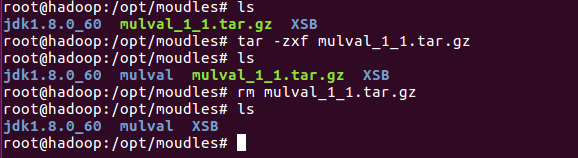
在环境变量加上这两句
export MULVALROOT=/opt/moudles/mulval
export PATH=$MULVALROOT/bin:$MULVALROOT/utils:$PATH


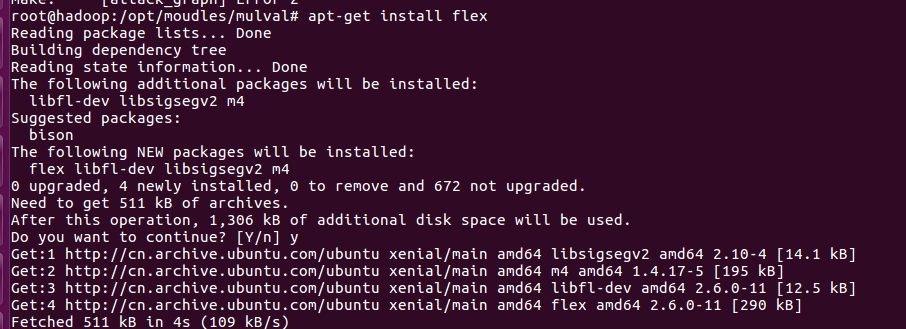
apt-get install flex
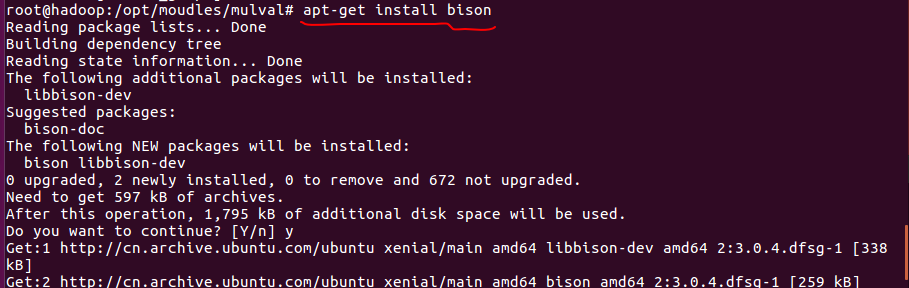
apt-get install bison
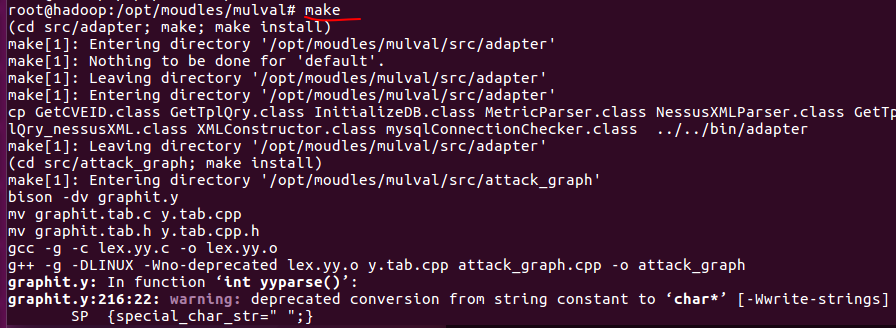
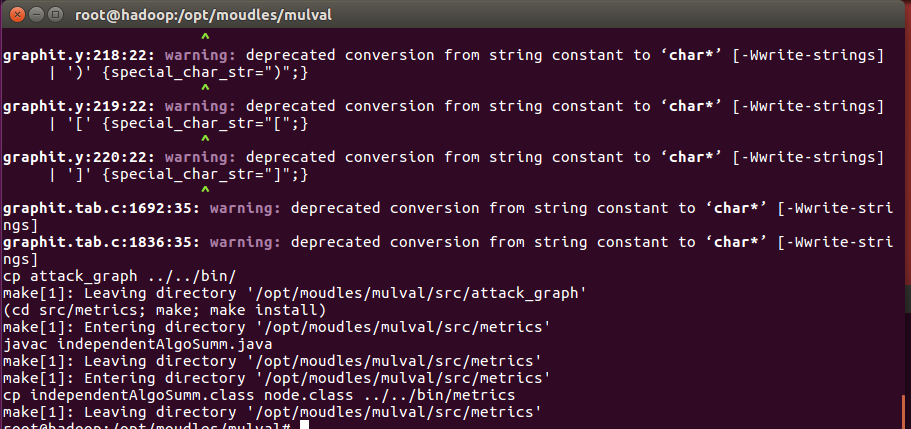
执行make命令
ubuntu 下安装mulval的更多相关文章
- 在Ubuntu下安装ovs-dpdk
在Ubuntu下安装ovs-dpdk 参考资料:https://software.intel.com/zh-cn/articles/using-open-vswitch-with-dpdk-on-ub ...
- Ubuntu 下安装QT
Ubuntu 下安装QT 本文使用的环境 QT Library: qt-everywhere-opensource-src-4.7.4.tar.gz QT Creator: qt-creator-li ...
- Ubuntu下安装JDK以及相关配置
1.查看系统位数,输入以下命令即可 getconf LONG_BIT 2.下载对应的JDK文件,我这里下载的是jdk-8u60-linux-64.tar.gz 3.创建目录作为JDK的安装目录,这里选 ...
- Ubuntu下安装mod_python报错(GIT错误)
Ubuntu下安装mod_python3.4.1版本报出如下错误: writing byte-compilation script '/tmp/tmpE91VXZ.py' /usr/bin/pytho ...
- TODO:Ubuntu下安装Node
TODO:Ubuntu下安装Node Node.js 是一个基于 Chrome V8 引擎的 JavaScript 运行环境.Node.js 使用了一个事件驱动.非阻塞式 I/O 的模型,使其轻量又高 ...
- Ubuntu杂记——Ubuntu下安装VMware
转战Ubuntu,不知道能坚持多久,但是自己还是要努力把转战过程中的学习到的给记录下来.这次就来记录一下,Ubuntu下如何安装VMware. 就我所知,Linux下有VirtualBox和VMwar ...
- 来杯Caffe——在ubuntu下安装Caffe框架并测试
Caffe是一种深度学习框架...blablabla...... Caffe要在ubuntu下安装 1. 安装依赖 sudo apt-get install libatlas-base-dev sud ...
- Ubuntu 下安装 Mysql
这里讲用Ubuntu下安装MySql ubuntu上安装mysql非常简单只需要几条命令就可以完成. 1. sudo apt-get install mysql-server 2. apt-get ...
- ubuntu下安装配置OpenCV
Cmake的安装 我用的是ubuntu-software自动下载安装的. Ubuntu 下安装 OpenCV 首先下载安装相关包,然后下载OpenCV 系统:ubuntu16.04 OpenCV:2. ...
随机推荐
- 20155219付颖卓《网络对抗》MSF基础应用实验
实验后回答问题 1.用自己的话解释什么是exploit,payload,encode. exploit就是进行攻击的那一步 payload是在目标主机上创建会话连接的 encode是对payload进 ...
- Python:从入门到实践--第四章--列表操作--练习
#1.想出至少三种你喜欢的水果,将其名称存储在一个列表中,再使用for循环将每种水果的名称都打印出来. #要求:(1)修改这个for循环,使其打印包含名称的句子,而不是仅仅是水果的名称.对于每种水果, ...
- .NET中的StringBuilder
为什么要使用StringBuilder 为什么使用StringBuilder要从string对象的特性说起. string对象在进行字符串拼接时,因为字符串的不可变性,string对象会每次拼接,都会 ...
- IntelliJ IDEA 使用教程
在IDEA当中,Project和 Module是作为两个不同的概念,对项目结构是重要意义的 eclipse和idea的区别 IDEA里面的子工程要称为Module就是模块化的概念,作为聚合工程亦或普 ...
- C++动态链接库方法调用
//定义内存的信息结构 [StructLayout(LayoutKind.Sequential)] public struct MEMORY_INFO { public uint dwLength; ...
- 采用CAS算法 实现高性能的Disruptor 完成多线程下并发、等待、先后等操作
来源:https://blog.csdn.net/tianyaleixiaowu/article/details/79787377 拓展: https://www.jianshu.com/p/d24b ...
- python练习题3:N的多次方
N的多次方 描述 编写一个程序,计算输入数字N的0次方到5次方结果,并依次输出这6个结果,输出结果间用空格分隔.其中:N是一个整数或浮点数. print()函数可以同时输出多个信息,采用如下方法可以使 ...
- Linux----------rsync的介绍及安装使用
目录 一.rsync的介绍 1.1rsync的特点 二.rsync命令 三.rsync的ssh认证协议 四.ssh协议方式使用方法 五.rsync协议方式使用方法即 (rsync + inotifu- ...
- linux系统如何发送邮件
安装应用yum install mailx sendmail -y接着修改/etc/mail.rc文件,添加一下参数#末尾添加 zabbix 发送告警信息邮箱(按照自己的情况修改)set from= ...
- 手写SpringMVC实现
设计自己的MVC架构 1.读取配置通过web.xml中加载我们自己写的MyDispatcherServlet和读取配置文件. 2.初始化九大组件只需实现基本的:1).加载配置文件:2).扫描用户配置包 ...