
SpringCloud第二弹(高可用Eureka+Ribbon负载均衡)
先建立父工程
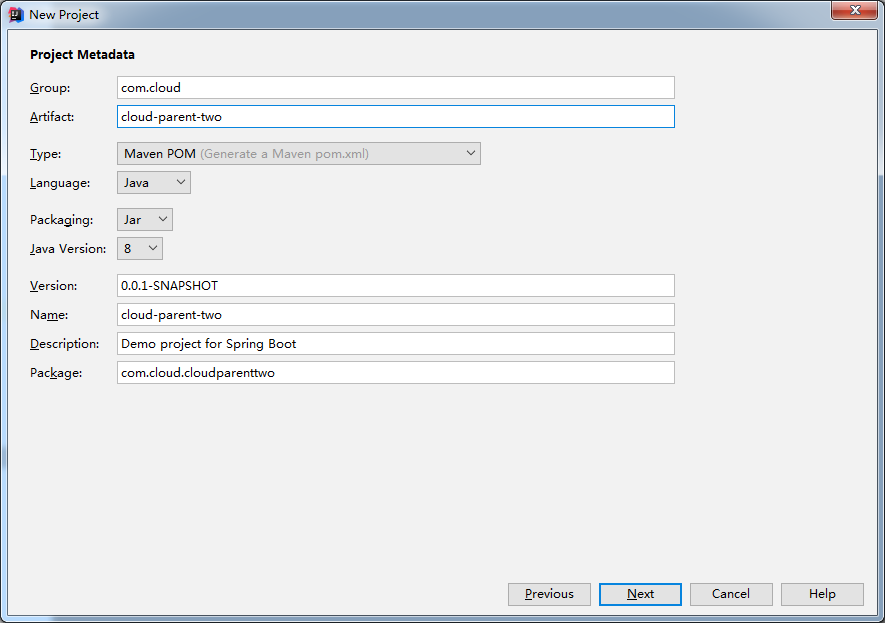
..
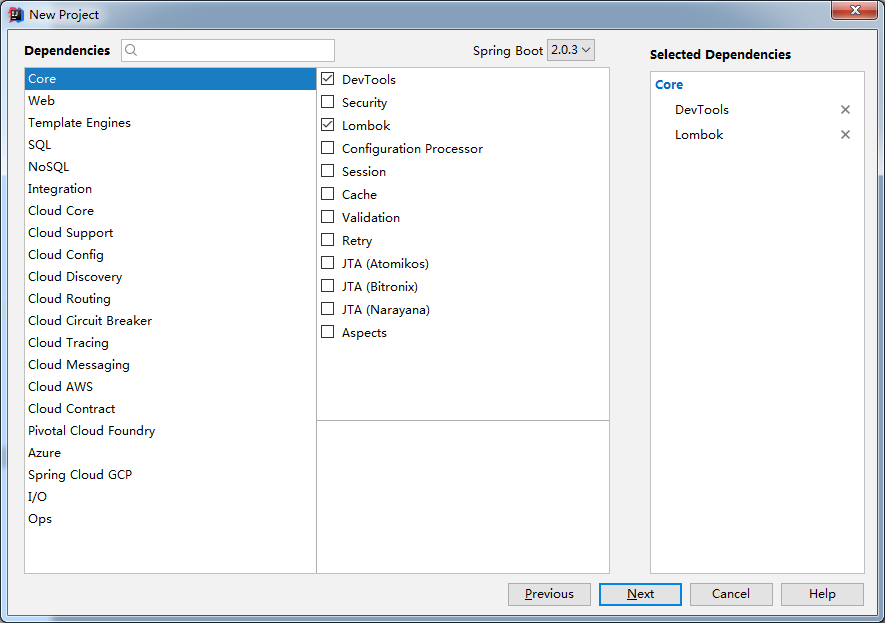
..一路next
搭建注册中心(需要建立三个工程,端口不一样)
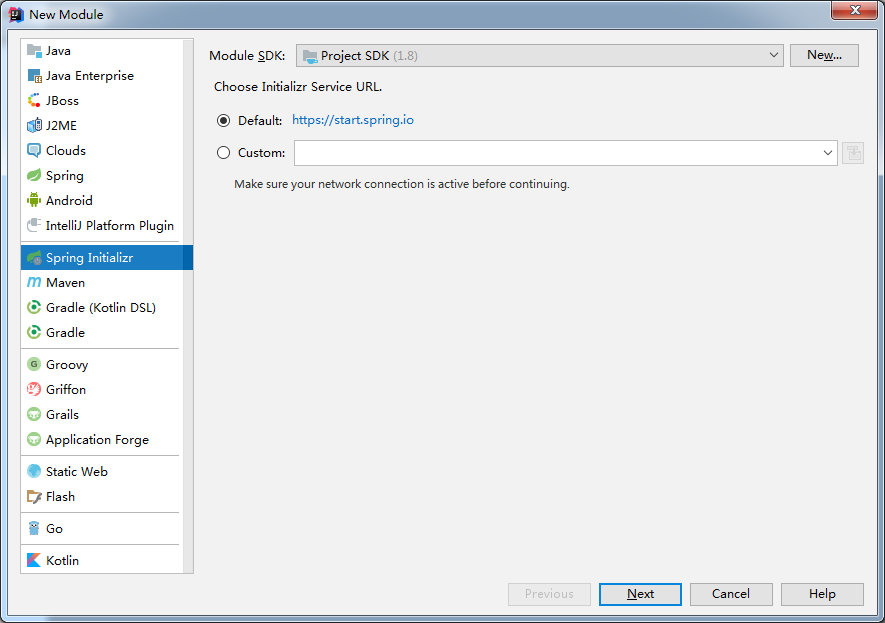
..
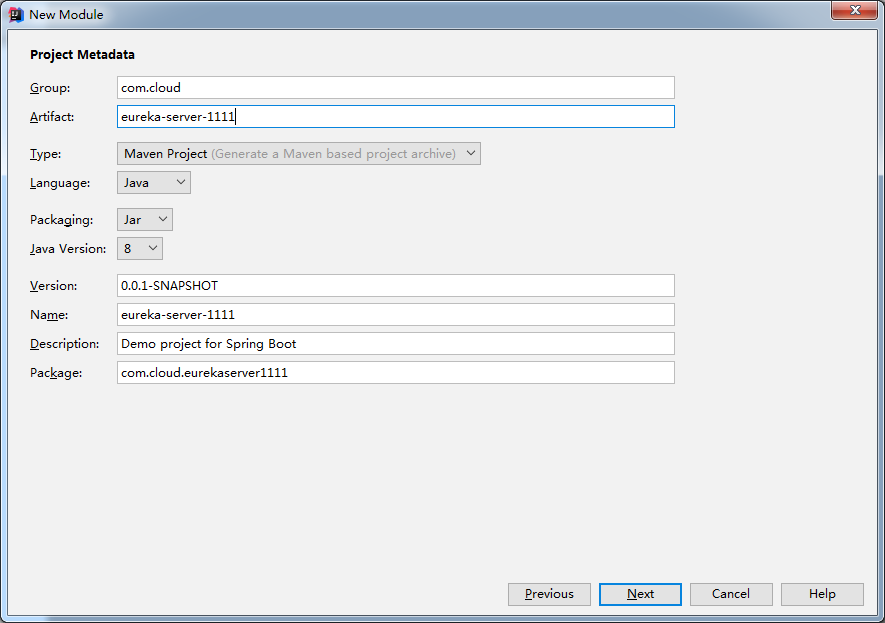
..
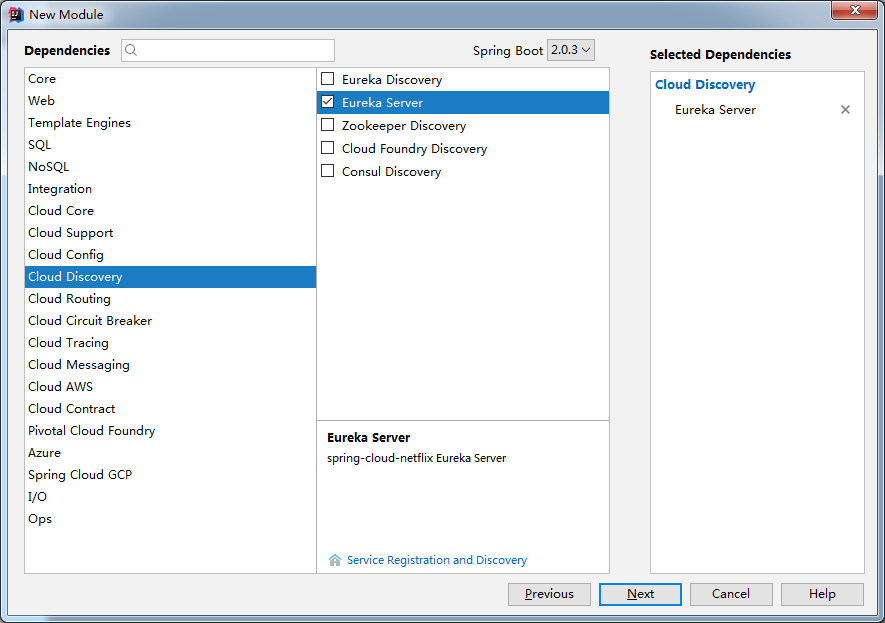
..
修改入口类
package com.cloud.eurekaserver1111;

import org.springframework.boot.SpringApplication;

import org.springframework.boot.autoconfigure.SpringBootApplication;

import org.springframework.cloud.netflix.eureka.server.EnableEurekaServer;

@SpringBootApplication

@EnableEurekaServer

public class EurekaServer1111Application {

    public static void main(String[] args) {

        SpringApplication.run(EurekaServer1111Application.class, args);

    }

}
修改属性文件(一共建立三个Eureka-Server服务,端口分别为1111,2222,3333)
server.port=1111

eureka.instance.hostname=server.one.com

eureka.client.fetch-registry=false

eureka.client.register-with-eureka=false

eureka.client.service-url.defaultZone=http://server.two.com:2222/eureka,http://server.three.com:3333/eureka
..
server.port=2222

eureka.instance.hostname=server.two.com

eureka.client.fetch-registry=false

eureka.client.register-with-eureka=false

eureka.client.service-url.defaultZone=http://server.one.com:1111/eureka,http://server.three.com:3333/eureka
..
server.port=3333

eureka.instance.hostname=server.three.com

eureka.client.fetch-registry=false

eureka.client.register-with-eureka=false

eureka.client.service-url.defaultZone=http://server.one.com:1111/eureka,http://server.two.com:2222/eureka
..

修改hosts文件(C:\Windows\System32\drivers\etc)
127.0.0.1 server.one.com

127.0.0.1 server.two.com

127.0.0.1 server.three.com
修改pom文件,把parent改成父工程
    <parent>

        <groupId>com.cloud</groupId>

        <artifactId>cloud-parent-two</artifactId>

        <version>0.0.1-SNAPSHOT</version>

    </parent>
建立服务提供者-8081

..
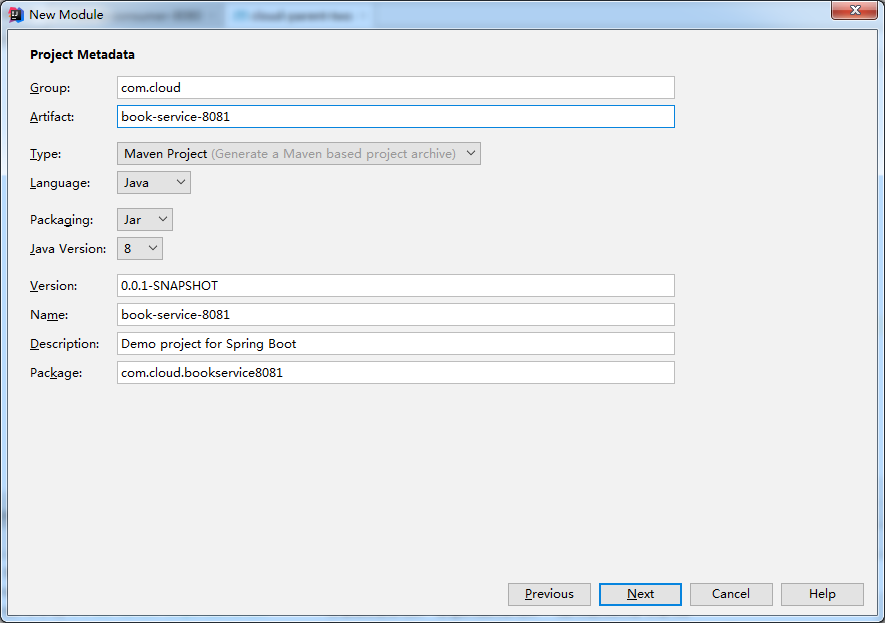
..
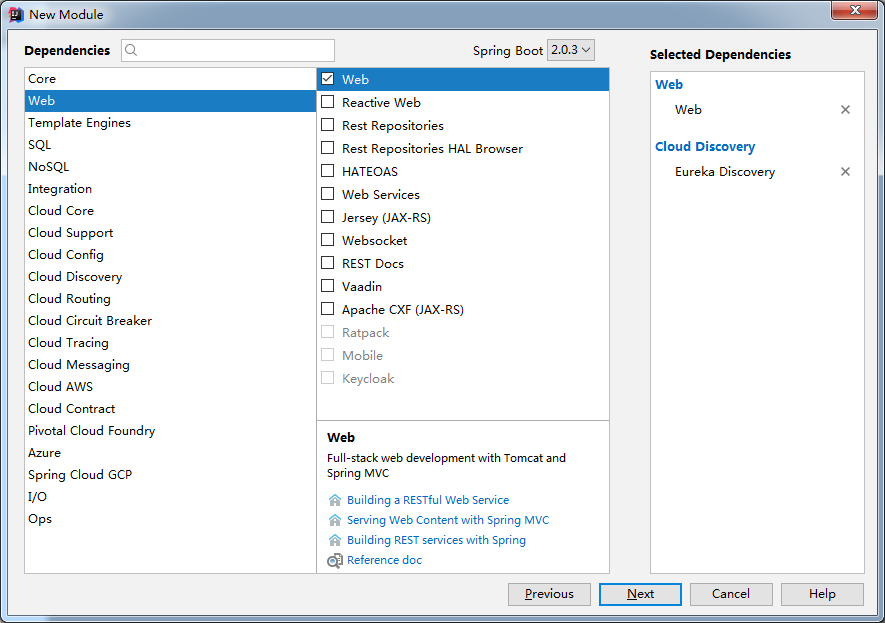
..
修改pom
    <parent>

        <groupId>com.cloud</groupId>

        <artifactId>cloud-parent-two</artifactId>

        <version>0.0.1-SNAPSHOT</version>

    </parent>
修改入口类:
package com.cloud.bookservice8081;

import org.springframework.boot.SpringApplication;

import org.springframework.boot.autoconfigure.SpringBootApplication;

import org.springframework.cloud.client.discovery.EnableDiscoveryClient;

import org.springframework.cloud.netflix.eureka.EnableEurekaClient;

@SpringBootApplication

@EnableEurekaClient

@EnableDiscoveryClient

public class BookService8081Application {

    public static void main(String[] args) {

        SpringApplication.run(BookService8081Application.class, args);

    }

}
修改属性文件
server.port=8081

# 服务名

spring.application.name=BookService

# 注册地址

eureka.client.service-url.defaultZone=http://server.one.com:1111/eureka,http://server.two.com:2222/eureka,http://server.three.com:3333/eureka

# 注册名

eureka.instance.instance-id=book-service:8081

eureka.instance.prefer-ip-address=true
新建controller
package com.cloud.bookservice8081.controller;

import lombok.extern.slf4j.Slf4j;

import org.springframework.beans.factory.annotation.Autowired;

import org.springframework.cloud.client.ServiceInstance;

import org.springframework.cloud.client.discovery.DiscoveryClient;

import org.springframework.web.bind.annotation.RequestMapping;

import org.springframework.web.bind.annotation.RestController;

import java.util.List;

@Slf4j

@RestController

public class BookController {

    @Autowired

    private DiscoveryClient discoveryClient;

    @RequestMapping("/book")

    public String index(){

        List<String> services = discoveryClient.getServices();

        services.forEach(e -> log.info("book-service:8081:" + e));

        List<ServiceInstance> list = discoveryClient.getInstances("BOOKSERVICEPROVIDER");

        list.forEach(e -> {

            log.info("book-service:8081:" + e.getServiceId() + "," + e.getHost() + "," + e.getPort() + "," + e.getUri());

        });

        return "{\n" +

                "  \"bookName\": \"Apache Kafka实战\",\n" +

                "  \"bookSize\": \"16开\",\n" +

                "  \"pack\": \"平装\",\n" +

                "  \"isbn\": \"9787121337765\",\n" +

                "  \"publisher\": \"电子工业出版社\",\n" +

                "  \"publishTime\": \"2018-05-01\",\n" +

                "  \"service\": \"book-service:8081\"\n" +

                "}";

    }

}
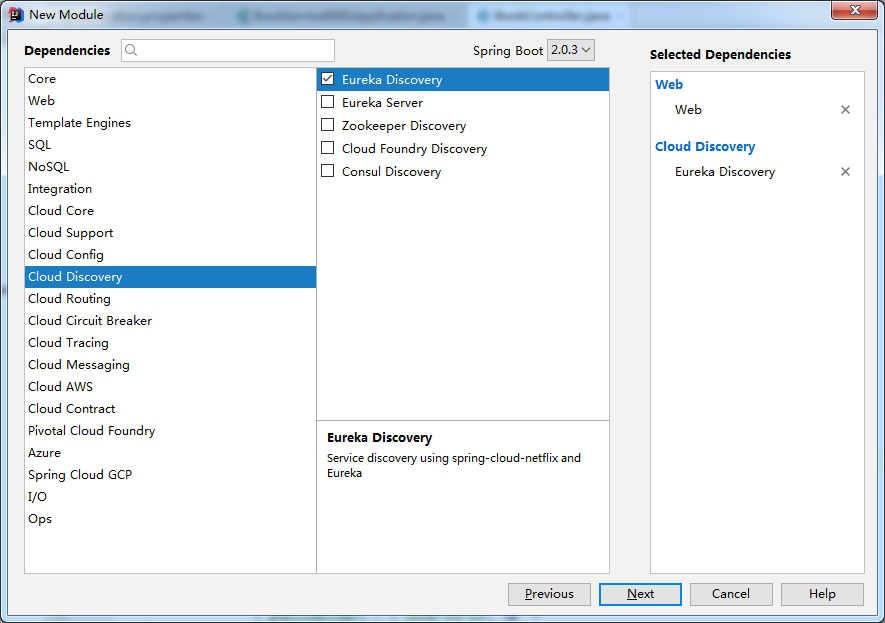
建立服务提供者-8082
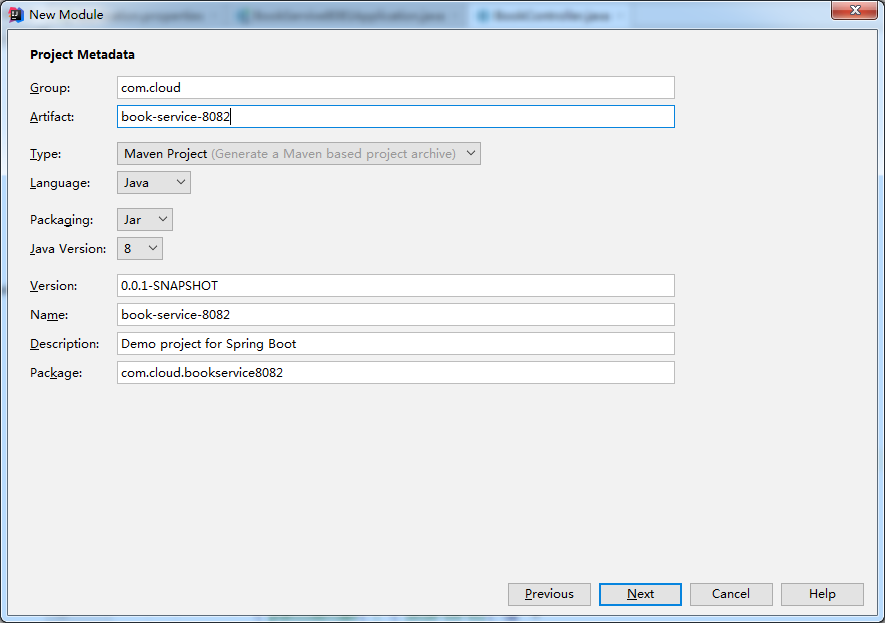
..
..
修改pom
    <parent>

        <groupId>com.cloud</groupId>

        <artifactId>cloud-parent-two</artifactId>

        <version>0.0.1-SNAPSHOT</version>

    </parent>
修改入口类
package com.cloud.bookservice8082;

import org.springframework.boot.SpringApplication;

import org.springframework.boot.autoconfigure.SpringBootApplication;

import org.springframework.cloud.client.discovery.EnableDiscoveryClient;

import org.springframework.cloud.netflix.eureka.EnableEurekaClient;

@SpringBootApplication

@EnableEurekaClient

@EnableDiscoveryClient

public class BookService8082Application {

    public static void main(String[] args) {

        SpringApplication.run(BookService8082Application.class, args);

    }

}
修改属性文件
server.port=8082

# 服务名

spring.application.name=BookService

# 注册地址

eureka.client.service-url.defaultZone=http://server.one.com:1111/eureka,http://server.two.com:2222/eureka,http://server.three.com:3333/eureka

# 注册名

eureka.instance.instance-id=book-service:8082

eureka.instance.prefer-ip-address=true
增加controller
package com.cloud.bookservice8082.controller;

import lombok.extern.slf4j.Slf4j;

import org.springframework.beans.factory.annotation.Autowired;

import org.springframework.cloud.client.ServiceInstance;

import org.springframework.cloud.client.discovery.DiscoveryClient;

import org.springframework.web.bind.annotation.RequestMapping;

import org.springframework.web.bind.annotation.RestController;

import java.util.List;

@Slf4j

@RestController

public class BookController {

    @Autowired

    private DiscoveryClient discoveryClient;

    @RequestMapping("/book")

    public String index(){

        List<String> services = discoveryClient.getServices();

        services.forEach(e -> log.info("book-service:8082:" + e));

        List<ServiceInstance> list = discoveryClient.getInstances("BOOKSERVICEPROVIDER");

        list.forEach(e -> {

            log.info("book-service:8082:" + e.getServiceId() + "," + e.getHost() + "," + e.getPort() + "," + e.getUri());

        });

        return "{\n" +

                "  \"bookName\": \"Apache Kafka实战\",\n" +

                "  \"bookSize\": \"16开\",\n" +

                "  \"pack\": \"平装\",\n" +

                "  \"isbn\": \"9787121337765\",\n" +

                "  \"publisher\": \"电子工业出版社\",\n" +

                "  \"publishTime\": \"2018-05-01\",\n" +

                "  \"service\": \"book-service:8082\"\n" +

                "}";

    }

}
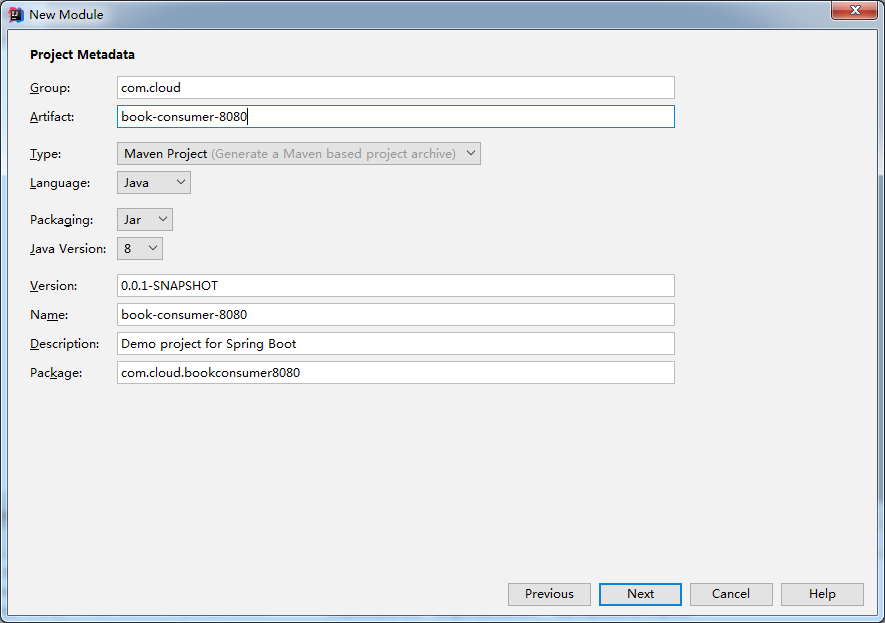
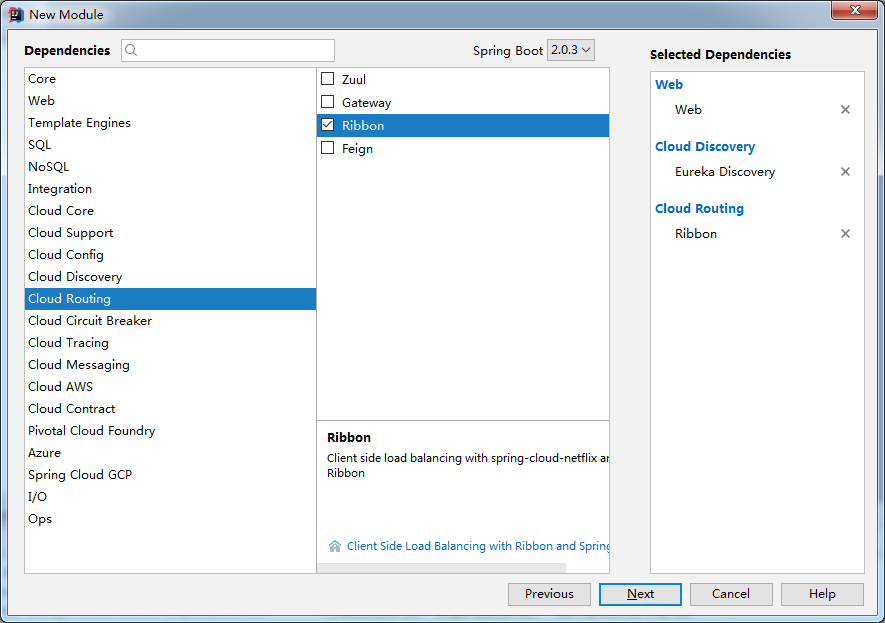
最后建立消费者-8080
..
..
修改pom
    <parent>

        <groupId>com.cloud</groupId>

        <artifactId>cloud-parent-two</artifactId>

        <version>0.0.1-SNAPSHOT</version>

    </parent>
修改入口类(配置了@LoadBalanced注解的Bean)
package com.cloud.bookconsumer8080;

import org.springframework.boot.SpringApplication;

import org.springframework.boot.autoconfigure.SpringBootApplication;

import org.springframework.cloud.client.discovery.EnableDiscoveryClient;

import org.springframework.cloud.client.loadbalancer.LoadBalanced;

import org.springframework.cloud.netflix.eureka.EnableEurekaClient;

import org.springframework.context.annotation.Bean;

import org.springframework.web.client.RestTemplate;

@SpringBootApplication

@EnableDiscoveryClient

@EnableEurekaClient

public class BookConsumer8080Application {

    @Bean

    @LoadBalanced

    public RestTemplate restTemplate(){

        return new RestTemplate();

    }

    public static void main(String[] args) {

        SpringApplication.run(BookConsumer8080Application.class, args);

    }

}
属性文件
server.port=8080

eureka.client.register-with-eureka=false

eureka.client.service-url.defaultZone=http://server.one.com:1111/eureka,http://server.two.com:2222/eureka,http://server.three.com:3333/eureka
controller
package com.cloud.bookconsumer8080.controller;

import org.springframework.beans.factory.annotation.Autowired;

import org.springframework.web.bind.annotation.RequestMapping;

import org.springframework.web.bind.annotation.RestController;

import org.springframework.web.client.RestTemplate;

@RestController

public class BookController {

    private static final String PREFIX = "http://BOOKSERVICE";  // 微服务名字

    @Autowired

    private RestTemplate restTemplate;

    @RequestMapping("consumeBook")

    public String index(){

        return restTemplate.getForEntity(PREFIX + "/book",String.class).getBody();

    }

}
与上一节不同,这次指向的是服务名
目录结构
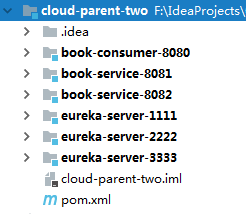
下面开始运行

访问 http://server.one.com:1111/ 出现
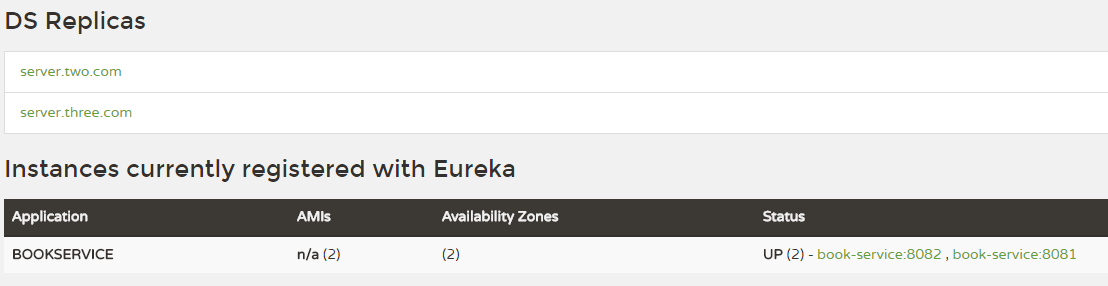
可以看见当前Eureka连接另外两个Eureka,证明注册中心高可用集群搭建成功。
再看下面的服务,有两个,证明服务已经注册进来了
下面访问消费者 http://localhost:8080/consumeBook

刷新

证明负载均衡也成功了
SpringCloud第二弹(高可用Eureka+Ribbon负载均衡)的更多相关文章
- 高性能Linux服务器 第11章 构建高可用的LVS负载均衡集群
高性能Linux服务器 第11章 构建高可用的LVS负载均衡集群 libnet软件包<-依赖-heartbeat(包含ldirectord插件(需要perl-MailTools的rpm包)) l ...
- 高可用 & 七层负载均衡与四层负载均衡
内容概要 高可用 七层负载均衡 和 四层负载均衡 内容详细 一.高可用 1.什么是高可用 一般是指2台机器启动着完全相同的业务系统,当有一台机器down机了,另外一台服务器就能快速的接管,对于访问的用 ...
- SpringCloud无废话入门02:Ribbon负载均衡
1.白话负载均衡 在上一篇的介绍中,我们创建了两个一模一样的服务提供者:Provider1和Provider2,然后它们提供的服务也一模一样,都叫Hello-Service.为什么一样的服务我们要部署 ...
- SpringCloud学习笔记(2):使用Ribbon负载均衡
简介 Spring Cloud Ribbon是基于Netflix Ribbon实现的一套客户端负载均衡工具,在注册中心对Ribbon客户端进行注册后,Ribbon可以基于某种负载均衡算法,如轮询(默认 ...
- SpringCloud微服务实现生产者消费者+ribbon负载均衡
一.生产者springcloud_eureka_provider (1)目录展示 (2)导入依赖 <dependency> <groupId>org.springframewo ...
- keepalived+nginx实现HA高可用的web负载均衡
Keepalived 是一种高性能的服务器高可用或热备解决方案, Keepalived 可以用来防止服务器单点故障的发生,通过配合 Nginx 可以实现 web 前端服务的高可用.Keepalived ...
- Keepalived高可用、四层负载均衡
目录 Keepalived高可用 高可用简介 常用的工具 问题 名称解释 VRRP协议 部署keepalived 下载安装 Keepalived配置 保证nginx配置一样 解决keepalived的 ...
- nginx与keepalived实现高可用+Apache实现负载均衡
nginx与keepalived实现高可用 本实验使用了四台虚拟机 两台需要安装nginx及keepalived 两台安装Apache nginx可以源码安装也可以用yum安装nginx yum安装n ...
- SpringCloud系列五:Ribbon 负载均衡(Ribbon 基本使用、Ribbon 负载均衡、自定义 Ribbon 配置、禁用 Eureka 实现 Ribbon 调用)
1.概念:Ribbon 负载均衡 2.具体内容 现在所有的服务已经通过了 Eureka 进行了注册,那么使用 Eureka 注册的目的是希望所有的服务都统一归属到 Eureka 之中进 行处理,但是现 ...
随机推荐
- 集合之LinkedHashMap(含JDK1.8源码分析)
一.前言 大多数的情况下,只要不涉及线程安全问题,map都可以使用hashMap,不过hashMap有一个问题,hashMap的迭代顺序不是hashMap的存储顺序,即hashMap中的元素是无序的. ...
- 老男孩python学习自修第六天【pycharm的使用】
1.在工程右键可选新建文件夹,包盒python文件 文件夹和包的区别在于,包包含一个空的__init__.py文件,而文件夹没有 2.pycharm的断点调试 点击Debug表示进入调试状态 点击Re ...
- Vue之computed计算属性
demo.html <!DOCTYPE html> <html lang="en" xmlns:v-bind="http://www.w3.org/19 ...
- CML\LVDS
LVDS和CML电平应用区别 https://wenku.baidu.com/view/6bb0066f011ca300a6c3908c.html
- VS Code 编辑器
使用VS Code 编辑器有一段时间了,感觉非常好用,已经成为了我的第一选择了.现在需要学习了一下了. 1,更改编辑器的默认设置 文件 =>首选项 => 设置 或 ctrl + ,(逗号) ...
- js判断一个元素是否在数组中
js判断一个元素是否在数组中 var arr = ['a','s','d','f']; console.info(isInArray(arr,'a'));//循环的方式 function isInAr ...
- .net core 2.0 Autofac
参考自 https://github.com/VictorTzeng/Zxw.Framework.NetCore 安装Autofac,在`project.csproj`加入 <PackageRe ...
- Go语言函数相关
1.函数的声明定义 //func关键字 //getStudent函数名 //(id int, classId int) 参数列表 //(name string,age int) 返回值列表 func ...
- Linux服务器下安装vmware虚拟机
安装包 1.VMware 14 https://dl-sh-ctc-2.pchome.net/08/b7/VMware-Workstation-Full-14.1.3-9474260.x86_64.b ...
- Scrapy突破反爬虫的限制
随机切换UserAgent https://github.com/hellysmile/fake-useragent scrapy使用fake-useragent 在全局配置文件中禁用掉默认的UA,将 ...