
配置apache和nginx的tomcat负载均衡
概述
本篇文章主要介绍apache和nginx的相关配置,tomcat的相关安装配置我在前面有写过一篇,详细介绍通过两种配置方法配置nginx。
tomcat配置参考:http://www.cnblogs.com/chenmh/p/5048893.html
apache配置
源码安装
./configure --prefix=/usr/local/apache (安装目录)

make

make install
对于2.4以上版本的apache在进行源码安装的时候有的机器会提示缺少部分插件例如:apr、apr-util、pcre,需要先将这些插件安装好然后再安装apache
YUM安装
yum install httpd
配置tomcate负载均衡
进入安装目录cnf.d文件夹下面,创建一个.conf后缀的文件
touch apa.conf
vim apa.cnf
Listen 8051

<VirtualHost *:8051>

ServerAdmin root@localhost

ServerName  localhost

ErrorLog    "/etc/httpd/logs/app_error.log"

CustomLog   "/etc/httpd/logs/app_access.log" common

ProxyPass /   balancer://cluster/  stickysession=JSESSIONID|jsessionid nofailover=On lbmethod=byrequests timeout=5 maxattempts=3

ProxyPassReverse / balancer://cluster/

ProxyRequests Off

ProxyPreserveHost On

<proxy balancer://cluster>

#BalancerMember ajp://localhost:8009 route=tomcat_a

BalancerMember http://localhost:8080/Front

#BalancerMember ajp://localhost:8010 route=tomcat_b

BalancerMember http://localhost:8081/Front

</proxy>

</VirtualHost>
配置文件一开始配置了apache的端口8051,然后在最下面配置了连接tomcat的项目端口,我这里的配置的apache和tomcat都在一台服务器上面分别使用了不同的端口,在tomcat的webapps路径下面创建了一个Front项目,项目下面存放了一个test.jsp的测试页面
cd /usr/local/tomcat1/webapps

mkdir Front

cd Front

touch test.jsp

vim test.jsp
<font color=red>testa</font><b>
同样在tomcat2中也使用同样的方法创建测试页面,但是将testa改成testb
接下来确保8051端口被启用,也可以关闭防火墙,tomcat1、tomcat2都已启动,启动方法参考前面我写的关于tomcat的文章,确保httpd也以启动,如果已经将httpd加入了启动服务,
启动http服务

service httpd start

查看服务启动状态

service httpd status
接下来在浏览器中输入:http://localhost:8051/test.jsp
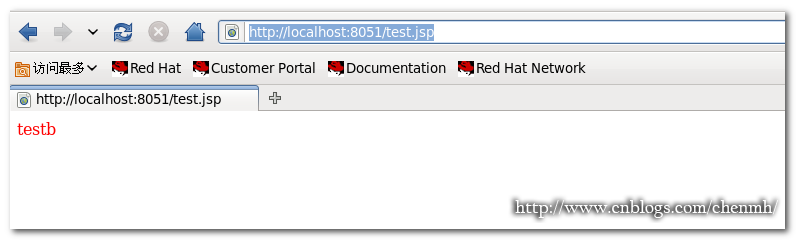
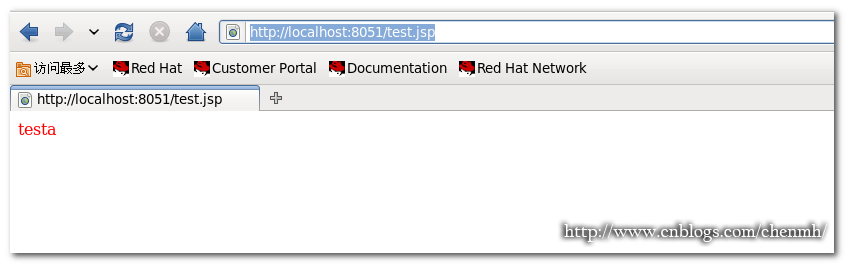
如果刷新连接页面结果是在testa和testb之间切换,说明配置成功。
nginx配置
源码安装
创建nginx用户组

groupadd nginx

创建nginx用户

useradd -g nginx -s /sbin/nologin nginx

安装相关插件

yum install –y make zlib-devel openssl-devel pcre-devel

解压nginx安装包

tar zxvf nginx-1.8.0.tar.gz

进入安装包

cd nginx-1.8.0

安装

 ./configure --prefix=/usr/local/nginx --with-http_ssl_module --with-http_gzip_static_module --with-http_stub_status_module

make && make install
单个文件配置方法
创建测试页面
cd /usr/local/tomcat1/webapps

mkdir MFront

cd MFront

touch index.jsp

vim index.jsp

<font color=red>MFronttesta</font><b>
tomcat2也同样操作,将MFronttesta改成MFronttestb
配置文件
cd /usr/local/nginx/conf

vim nginx.conf
user nginx nginx;

worker_processes 8;

pid /usr/local/nginx/nginx.pid;

worker_rlimit_nofile 102400;

events

{

use epoll;

worker_connections 102400;

}

http

{

  include       mime.types;

  default_type  application/octet-stream;

  fastcgi_intercept_errors on;

  charset  utf-8;

  server_names_hash_bucket_size 512;

  client_header_buffer_size 1024k;

  large_client_header_buffers 4 128k;

  client_max_body_size 300m;

  sendfile on;

  tcp_nopush     on;

  keepalive_timeout 600;

  tcp_nodelay on;

  client_body_buffer_size  512k;

  proxy_connect_timeout    5;

  proxy_read_timeout       600;

  proxy_send_timeout       50;

  proxy_buffer_size        16k;

  proxy_buffers            4 64k;

  proxy_busy_buffers_size 128k;

  proxy_temp_file_write_size 128k;

  gzip on;

  gzip_min_length  1k;

  gzip_buffers     4 16k;

  gzip_http_version 1.1;

  gzip_comp_level 2;

  gzip_types       text/plain application/x-javascript text/css application/xml;

  gzip_vary on;

###2012-12-19 change nginx logs

log_format  main  '$http_x_forwarded_for - $remote_user [$time_local] "$request" '

              '$status $body_bytes_sent "$http_referer" '

              '"$http_user_agent"  $request_time $remote_addr';

upstream Front {

 server 127.0.0.1:8080 weight=1 max_fails=2 fail_timeout=30s;

 server 127.0.0.1:8081 weight=1 max_fails=2 fail_timeout=30s;

}

upstream MFront {

 server 127.0.0.1:8080 weight=1 max_fails=2 fail_timeout=30s;

 server 127.0.0.1:8081 weight=1 max_fails=2 fail_timeout=30s;

}

####chinaapp.sinaapp.com

server {

    listen 80;

    server_name  localhost;

    location /Front

    {

    proxy_next_upstream http_502 http_504 error timeout invalid_header;

    proxy_set_header Host  $host;

    proxy_set_header X-Real-IP $remote_addr;

    proxy_set_header X-Forwarded-For $proxy_add_x_forwarded_for;

    proxy_pass http://Front;

    expires      3d;

    }

    location /MFront

    {

    proxy_next_upstream http_502 http_504 error timeout invalid_header;

    proxy_set_header Host  $host;

    proxy_set_header X-Real-IP $remote_addr;

    proxy_set_header X-Forwarded-For $proxy_add_x_forwarded_for;

    proxy_pass http://MFront;

    expires      3d;

    }

  }

}
注意标红色的地方,配置文件中我配置了两个项目分别是Front和MFront,在下面定义server里面的项目名称一定要跟上面配置负载的姓名名称保持一致否则会出错。
多个配置文件配置方法
对于需要配置多个项目的时候如果所有的信息都配置在一个nginx配置文件当中会导致配置文件内容过长,不好查看,下面就使用多个配置文件的配置方法
cd /usr/local/nginx/conf

创建相关联的配置文件

touch gzip.conf  proxy.conf host.conf web.conf
vim nginx.conf
user  nginx nginx;

worker_processes  4;   # 工作进程数,为CPU的核心数或者两倍

error_log   logs/error.log  crit; # debug|info|notice|warn|error|crit

pid        logs/nginx.pid;

events {

    use epoll;                            #Linux最常用支持大并发的事件触发机制

    worker_connections  65535;

}

http {

    include       mime.types;             #设定mime类型,类型由mime.type文件定义

    default_type  application/octet-stream;

    log_format  main  '$remote_addr - $remote_user [$time_local] "$request" '

                      '$status $body_bytes_sent "$http_referer" '

                      '"$http_user_agent" "$http_x_forwarded_for"';

    access_log  logs/access.log  main;

#设定请求缓冲

    server_names_hash_bucket_size 256;    #增加,原为128

    client_header_buffer_size 256k;       #增加,原为32k

    large_client_header_buffers 4 256k;   #增加,原为32k

    types_hash_max_size 2048;

     proxy_headers_hash_bucket_size   1024;

     proxy_headers_hash_max_size   512;

    #size limits

   client_max_body_size          50m;    #允许客户端请求的最大的单个文件字节数

   client_header_timeout         3m;

   client_body_timeout           3m;

   send_timeout                  3m;

   sendfile                      on;

    tcp_nopush                    on;

    keepalive_timeout             120;

   tcp_nodelay                   on;

   server_tokens                 off;    #不显示nginx版本信息

   #  client_body_buffer_size         1024K;

   # client_header_buffer_size       128k;

   # client_max_body_size            512m;

   # large_client_header_buffers     8 128k;

  #  client_body_timeout             10;

  #  client_header_timeout           10;

  #  keepalive_timeout               60;

  #  send_timeout                    10;

    limit_conn_zone $binary_remote_addr zone=perip:10m; #添加limit_zone,限制同一IP并发数

    #fastcgi_intercept_errors on;        #开启错误页面跳转

    include  gzip.conf;    #压缩配置文件

    include  proxy.conf;    #proxy_cache参数配置文件

    include  host.conf;    #nginx虚拟主机包含文件目录

    include  web.conf;    #后端WEB服务器列表文件

}
注意最后的include这4个相关配置文件,其它的一些相关配置分别在这四个配置文件中配置。
cat gzip.conf
#启动预压缩功能,对所有类型的文件都有效

gzip_static on;    #开启nginx_static后,对于任何文件都会先查找是否有对应的gz文件

#找不到预压缩文件,进行动态压缩

gzip on;

gzip_min_length   1k;  #设置最小的压缩值,单位为bytes.超过设置的min_length的值会进行压缩,小于的不压缩.

gzip_comp_level   3;   #压缩等级设置,1-9,1是最小压缩,速度也是最快的;9刚好相反,最大的压缩,速度是最慢的,消耗的CPU资源也多

gzip_buffers      16 64k;   #设置系统的缓存大小,以存储GZIP压缩结果的数据流,它可以避免nginx频烦向系统申请压缩空间大小

gzip_types text/plain application/x-javascript text/css text/javascript;

#关于gzip_types,如果你想让图片也开启gzip压缩,那么用以下这段吧:

#gzip_types text/plain application/x-javascript text/css text/javascript application/x-httpd-php image/jpeg image/gif image/png;

#gzip公共配置

gzip_http_version 1.1;      #识别http的协议版本(1.0/1.1)

gzip_proxied      any;      #设置使用代理时是否进行压缩,默认是off的

gzip_vary         on;       #和http头有关系,加个vary头,代理判断是否需要压缩

gzip_disable "MSIE [1-6]."; #禁用IE6的gzip压缩
cat proxy.conf
proxy_temp_path   /tmp/proxy_temp;

proxy_cache_path  /tmp/proxy_cache levels=1:2 keys_zone=cache_one:500m inactive=1d max_size=3g;

#client_body_buffer_size  512k;     #原为512k

proxy_connect_timeout    50;       #代理连接超时

proxy_read_timeout       600;      #代理发送超时

proxy_send_timeout       600;      #代理接收超时

proxy_buffer_size        128k;     #代理缓冲大小,原为32k

proxy_buffers           16 256k;   #代理缓冲,原为4 64k

proxy_busy_buffers_size 512k;      #高负荷下缓冲大小,原为128k

proxy_temp_file_write_size 1024m;  #proxy缓存临时文件的大小原为128k

#proxy_ignore_client_abort  on;    #不允许代理端主动关闭连接

proxy_next_upstream error timeout invalid_header http_500 http_503 http_404 http_502 http_504;

~
cat host.conf
server {

        listen       80;

        server_name  localhost;

        #charset GB2312;

location /MFront {

                        proxy_next_upstream http_502 http_504 error timeout invalid_header;

                        proxy_set_header Host $host;

                        proxy_set_header X-Real-IP $remote_addr;

                        proxy_set_header X-Forwarded-For $http_x_forwarded_for;

                        proxy_set_header X-Forwarded-For $proxy_add_x_forwarded_for;

                        proxy_redirect                off;

                        proxy_http_version 1.1;

                        proxy_set_header Connection "";

                        proxy_pass http://MFront;

       }

location /Front {

                        proxy_next_upstream http_502 http_504 error timeout invalid_header;

                        proxy_set_header Host $host;

                        proxy_set_header X-Real-IP $remote_addr;

                        proxy_set_header X-Forwarded-For $http_x_forwarded_for;

                        proxy_set_header X-Forwarded-For $proxy_add_x_forwarded_for;

                        proxy_redirect                off;

                        proxy_http_version 1.1;

                        proxy_set_header Connection "";

                        proxy_pass http://Front;

       }

}
cat web.conf
upstream MFront {

  server 127.0.0.1:8080  max_fails=1 fail_timeout=60s;

  server 127.0.0.1:8081  max_fails=1 fail_timeout=60s;

}

upstream Front {

  server 127.0.0.1:8080  max_fails=1 fail_timeout=60s;

  server 127.0.0.1:8081  max_fails=1 fail_timeout=60s;

}
特别要注意web.conf配置文件中的项目要和host.conf配置文件中的项目名称保持一致
接下来在url中输入:http://localhost/MFront/
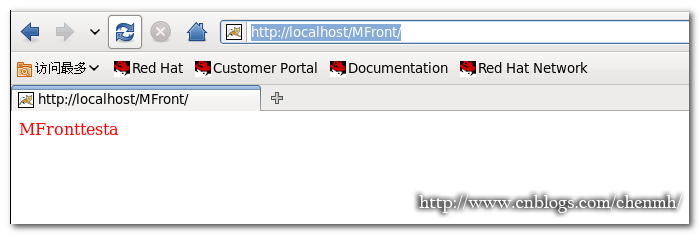
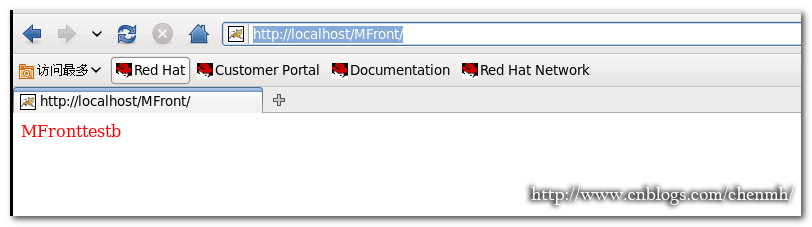
同样显示内容会在MFronttesta和MFronttestb之间切换说明配置正确
配置nginx启动
vim /etc/init.d/nginx
#!/bin/bash

# chkconfig: 345 99 20

# description: nginx

PROG="/usr/local/nginx/sbin/nginx"

PIDF="/usr/local/nginx/logs/nginx.pid"

case "$1" in

start)

$PROG

echo "Nginx servicestart success."

;;

stop)

kill -s QUIT $(cat $PIDF)

echo "Nginx service stopsuccess."

;;

restart)

$0 stop

$0 start

;;

reload)

kill -s HUP $(cat $PIDF)

echo"reload Nginx configsuccess."

;;

*)

echo "Usage: $0{start|stop|restart|reload}"

exit 1

esac
授予可执行文件

chmod +x /etc/init.d/nginx
#添加到启动服务

chkconfig --add nginx

#配置自动启动

chkconfig --level 2345 nginx on
总结
对于配置文件中还有很多参数的调配这里就暂时不做细说,如果后面有时间的话会单独讲。
|
备注: 作者:pursuer.chen 博客:http://www.cnblogs.com/chenmh 本站点所有随笔都是原创,欢迎转载;但转载时必须注明文章来源,且在文章开头明显处给明链接。 《欢迎交流讨论》 |
配置apache和nginx的tomcat负载均衡的更多相关文章
- 基于nginx的tomcat负载均衡和集群
要集群tomcat主要是解决SESSION共享的问题,因此我利用memcached来保存session,多台TOMCAT服务器即可共享SESSION了. 你可以自己写tomcat的扩展来保存SESSI ...
- Nginx+Tomcat 负载均衡、动静分离集群
目录: 一.Nginx负载均衡实现原理 二.Nginx动静分离实现原理 三.Nginx+Tomcat 负载均衡.动静分离集群部署 一.Nginx负载均衡实现原理 1.Nginx实现负载均衡是通过反向代 ...
- Linux配置Nginx+Tomcat负载均衡
cd /usr/local/tomcat1/webapps/ROOT/ tar -zxvf nginx-1.14.2.tar.gz -C /usr/local 一.Linux配置Nginx 一.下载N ...
- nginx多tomcat负载均衡
目的 先说说我要干什么,如题:使用nginx实现多个tomcat服务器的负载均衡. nginx 大名鼎鼎,相信很多人都听过,以前感觉很厉害,用了之后发现真的很厉害.nginx可以做以下几件事: 反向代 ...
- CentOS系统下做nginx和tomcat负载均衡
系统总是频繁更新,为了避免更新系统的时候领导看不到东西,打算用ngix做代理,后台部署两个tomcat做负载均衡,避免更新一台就无法使用系统的问题,这两天看了写资料,把几个关键点记录在这里以便备忘. ...
- Nginx和Tomcat负载均衡实现session共享(转)
以前的项目使用Nginx作为反向代理实现了多个Tomcat的负载均衡,为了实现多个Tomcat之间的session共享,使用了开源的Memcached-Session-Manager框架. 此框架的优 ...
- Nginx和Tomcat负载均衡实现session共享
以前的项目使用Nginx作为反向代理实现了多个Tomcat的负载均衡,为了实现多个Tomcat之间的session共享,使用了开源的Memcached-Session-Manager框架. 此框架的优 ...
- apache的tomcat负载均衡和集群配置 "
略看了一下,感觉太复杂,要配置的东西太多,因此在这里写出一种更简洁的方法. 要集群tomcat主要是解决SESSION共享的问题,因此我利用memcached来保存session,多台TOMCAT服务 ...
- 使用apache和nginx代理实现tomcat负载均衡及集群配置详解
实验环境: 1.nginx的代理功能 nginx proxy: eth0: 192.168.8.48 vmnet2 eth1: 192.168.10.10 tomcat server1: vmnet2 ...
随机推荐
- 【leetcode】Compare Version Numbers
题目描述: Compare two version numbers version1 and version2. If version1 > version2 return 1, if vers ...
- Tor网络突破IP封锁,爬虫好搭档【入门手册】
本文地址:http://www.cnblogs.com/likeli/p/5719230.html 前言 本文不提供任何搭梯子之类的内容,我在这里仅仅讨论网络爬虫遇到的IP封杀,然后使用Tor如何对抗 ...
- mysql 列类型
- vim 基本使用
vim 下基本命令 重新加载 .vimrc source ~/.vimrc 列出当前缓冲区的所有文档 ls 然后使用 b+编号 移至该文档 选中多行 v + shift 然后 j k 上下移动 缩进单 ...
- 关于在django框架里取已登录用户名字的问题
在 views里取值是这样的 request.user.username而在模板页面取值是这样的:{{request.user}} 判断是否通过验证是这样的 {% if request.user.is ...
- 《UML大战需求分析》阅读随笔(五)
在处理复杂事物的时候,用到一种基本手段就是抽象.抽象的目的是区别事物之间的本质和不同,面向对象编程(OOP)的实质就是利用 类和对象来建立抽象模型. 类表示对象的类别,是创建对象的蓝本.建立一个事物的 ...
- 寒冬之下,浩瀚智能开单收银打印扫描POS为何能在批发零售门店商场 车销行业 风靡!:进销存+打印扫描POS机
是一款适用于商超.餐饮.服装鞋帽.家电专营等等具有零售行业特点的企业,供企业管理人员用于管理.监控本品牌的市场占有率.门店覆盖区域.网点分布合理性等经济地理信息的工具平台. 1,功能一:业务抄单文章来 ...
- Effective C++ 笔记1
条款1:视C++为一个语言联邦 1.C.Object-Oriented C++.Template C++ .STL 组成了C++,高效编程取决你使用C++的哪一部分 条款2:尽量用const ,enu ...
- 解决vsftpd的refusing to run with writable root inside chroot错误
参考 http://www.cnblogs.com/CSGrandeur/p/3754126.html 在Ubuntu下用 vsftpd 配置FTP服务器,配置 “ sudo chmod a-w /h ...
- Cordova 3.x入门 - 目录
这个系列是基于Cordova 3.x的,很多Android的东西都是Eclipse ADT+Ant的,而目前Android的开发已经完全切换到了Android Studio+Gradle,需要大家特别 ...