
nginx配置遇到的一个大坑
鄙人负责的项目即将上线,今天团队伙伴反应网站上的图片,有的可以显示有的不可以显示报404,找我看看问题。
我心想啊,404,应该是没有文件才出的,于是,我直接上nginx服务器上查看,检查路径下是否有相应的文件,文件是存在的。那为何还是报404呢????
一时间,我也觉得非常的奇怪,这种问题还是头一回呢。。。。
问题的现象如下图:

但是,我再136这个服务器上的相关路径下找了文件:
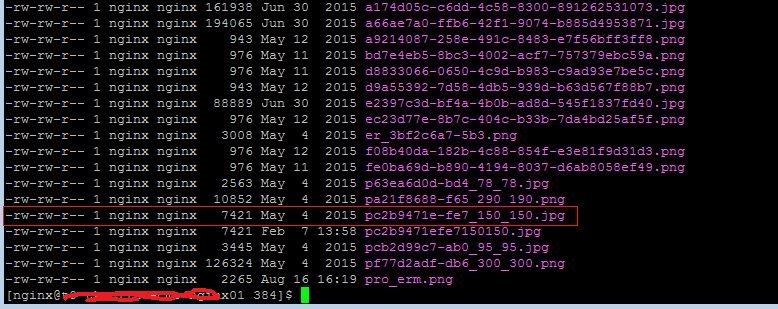
仅仅这个,大伙可能还觉得不能说明问题,我的nginx配置如下:
 。。。。 此前的部分省略了。。。。

         location /uploadfiles {

              root html/TK_ROOT;

              allow all;

          }

          #shi suan shihuc added --

          rewrite ^/product/src/(.*)$ /pc/src/$;

          rewrite ^/product/dist/(.*)$ /pc/dist/$;

          location ~ /(pc|hera_insure) {

              proxy_pass http://10.137.146.93:80;

              proxy_set_header Host $host:$server_port;

              proxy_set_header Remote_Addr $remote_addr;

              proxy_set_header X-Real-IP $remote_addr;

              proxy_set_header X-Forwarded-For $proxy_add_x_forwarded_for;

              proxy_intercept_errors on;

          }

 。。。。此后的部分省略了。。。。
上面图片报404了,但是在nginx的logs目录下的error.log中却找不到错误记录,这个就是非常奇怪的事情了。。。。
莫非,莫非这个url的请求没有进入这个服务器的worker进程处理,莫非真是这样,不知道,猜测的,猜测!
我的配置,关于uploadfiles的目录关系是没有问题的。因为其他的文件显示是正常的,例如下面的:
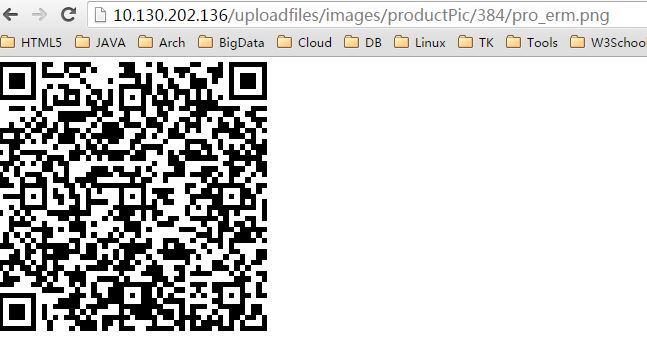
我再次测试正常的图片,将图片改一个扩展名(png-》pngx),就上图,效果如下图:

重点看红框中的nginx版本号信息,这个信息是我找到问题root cause的关键。因为我的nginx系统软件版本就是1.9的,还记得最上面那个图么,错误版本号是1.7
 [nginx@t0-xxxxxx-nginx01 sbin]$ sudo ./nginx -V

 [sudo] password for nginx:

 nginx version: openresty/1.9.3.2

 built by gcc 4.4.  (Red Hat 4.4.-) (GCC)

 built with OpenSSL 1.0.1e-fips  Feb

 TLS SNI support enabled

 configure arguments: --prefix=/u02/nginx//nginx --with-cc-opt=-O2 --add-module=../ngx_devel_kit-0.2.19 --add-module=../echo-nginx-module-0.58 --add-module=../xss-nginx-module-0.05 --add-module=../ngx_coolkit-0.2rc3 --add-module=../set-misc-nginx-module-0.29 --add-module=../form-input-nginx-module-0.11 --add-module=../encrypted-session-nginx-module-0.04 --add-module=../srcache-nginx-module-0.30 --add-module=../ngx_lua-0.9.19 --add-module=../ngx_lua_upstream-0.04 --add-module=../headers-more-nginx-module-0.28 --add-module=../array-var-nginx-module-0.04 --add-module=../memc-nginx-module-0.16 --add-module=../redis2-nginx-module-0.12 --add-module=../redis-nginx-module-0.3.7 --add-module=../rds-json-nginx-module-0.14 --add-module=../rds-csv-nginx-module-0.07 --with-ld-opt=-Wl,-rpath,/u02/nginx/luajit/lib --add-module=/u02/nginx/install/nginx-sticky-module-master --with-http_ssl_module

 [nginx@t0-xxxxxx-nginx01 sbin]$
是不是很神奇,哪里来的版本1.7的nginx呢????
问题一定出在nginx的配置上了,回到nginx.conf文件,这个1.7的版本,应该来自反向代理服务器。基于这个分析,就想到了反向代理服务的配置,重点在下面的这部分:
          location ~ /(pc|hera_insure) {

              proxy_pass http://10.137.146.93:80;

              proxy_set_header Host $host:$server_port;

              proxy_set_header Remote_Addr $remote_addr;

              proxy_set_header X-Real-IP $remote_addr;

              proxy_set_header X-Forwarded-For $proxy_add_x_forwarded_for;

              proxy_intercept_errors on;

          }
的确,我发现出现错误的图片的名称是以pc字符开头的。。。
欧了,问题就是发生在这里,在nginx中有这么一个规则,location后面~的优先级高于什么都不写的模式(局部匹配),即location ~ /(pc|hera_insure) 这个匹配规则优先级高于 location /uploadfiles这个规则。
我们期望URL中以/uploadfiles起始的请求都进入到 location /uploadfiles规则, 以/pc开头或者/hera_insure开头的url请求都进入到location ~ /(pc|hera_insure)规则。所以,就可以解决问题了,只需要将location ~ /(pc|hera_insure)规则修改一下:
          location ~ ^/(pc|hera_insure) {

              proxy_pass http://10.137.146.93:80;

              proxy_set_header Host $host:$server_port;

              proxy_set_header Remote_Addr $remote_addr;

              proxy_set_header X-Real-IP $remote_addr;

              proxy_set_header X-Forwarded-For $proxy_add_x_forwarded_for;

              proxy_intercept_errors on;

          }
主要是加了正则限定,必须以/pc或者/hera_insure开头,才进入反向代理。。。
好了,修改了nginx.conf的配置,再次访问最开始出问题的图片:
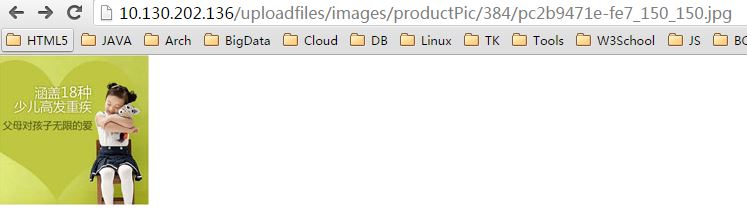
到此,可以总结一下,这个问题的根本内容其实很简单,就是location匹配规则的应用问题。注意:我的问题中url是比较长的(/uploadfiles/images/productPic/384/pc2b9471e-fe7_150_150.jpg)
1. location ~ url {...}的优先级高于location url {...}。【局部匹配情况下】
2. location ~ url {...}是正则匹配,只要url满足正则规则,就会进入相关匹配段。
3. location url {...}是起始匹配,只要url的起始部分和location中指定的url匹配,就会进入相关的匹配段。【注意,这个no modifier的规则,url不支持正则表达】
nginx的官方配置文件,要细读,深入理解,才能避免这些坑啊。下面,附上官方文档中关于nginx搜索匹配的先后顺序:
The order you established in the configuration file is irrelevant. Nginx will search for matching patterns in a
specific order:
1. location blocks with the = modifier: If the specified string exactly matches
the requested URI, Nginx retains the location block.
2. location blocks with no modifier: If the specified string exactly matches the
requested URI, Nginx retains the location block.
3. location blocks with the ^~ modifier: If the specified string matches the
beginning of the requested URI, Nginx retains the location block.
4. location blocks with ~ or ~* modifier: If the regular expression matches the
requested URI, Nginx retains the location block.
5. location blocks with no modifier: If the specified string matches the
beginning of the requested URI, Nginx retains the location block.
注意理解2,5这两条的差别。就能理解我这个问题的解决思路。
nginx配置遇到的一个大坑的更多相关文章
- Nginx配置Web项目(多页面应用,单页面应用)
目前前端项目 可分两种: 多页面应用,单页面应用. 单页面应用 入口是一个html文件,页面路由由js控制,动态往html页面插入DOM. 多页面应用 是由多个html文件组成,浏览器访问的是对应服务 ...
- 做一个有产品思维的研发:部署(Tomcat配置,Nginx配置,JDK配置)
每天10分钟,解决一个研发问题. 如果你想了解我在做什么,请看<做一个有产品思维的研发:课程大纲>传送门:https://www.cnblogs.com/hunttown/p/104909 ...
- Nginx配置中一个不起眼字符"/"的巨大作用
文章转载自:https://mp.weixin.qq.com/s/QwsbuNIqLpxi_FhQ5pSV3w Nginx作为一个轻量级的,高性能的web服务软件,因其占有内存少,并发能力强的特点,而 ...
- 使用nginx反向代理,一个80端口下,配置多个微信项目
我们要接入微信公众号平台开发,需要填写服务器配置,然后依据接口文档才能实现业务逻辑.但是微信公众号接口只支持80接口(80端口).我们因业务需求需要在一个公众号域名下面,发布两个需要微信授权的项目,怎 ...
- nginx配置静态文件服务器的一个特殊需求的探索和分享, nginx处理不同路径返回统一文件,nginx改写,跳转请求.
最近在做一个前后端分离的个人博客,在做自己博客的时候有个想法,本来是打算用nginx作为静态文件服务器使用,django做后端程序. 我的前端页面用vue写的,结果用组件用嗨了,发现页面列表和 详情都 ...
- nginx配置反向代理或跳转出现400问题处理记录
午休完上班后,同事说测试站点访问接口出现400 Bad Request Request Header Or Cookie Too Large提示,心想还好是测试服务器出现问题,影响不大,不过也赶紧上 ...
- Windows下Nginx配置SSL实现Https访问(包含证书生成)
Vincent.李 Windows下Nginx配置SSL实现Https访问(包含证书生成) Windows下Nginx配置SSL实现Https访问(包含证书生成) 首先要说明为什么要实现https ...
- Nginx 配置简述
不论是本地开发,还是远程到 Server 开发,还是给提供 demo 给人看效果,我们时常需要对 Nginx 做配置,Nginx 的配置项相当多,如果考虑性能配置起来会比较麻烦.不过,我们往往只是需要 ...
- Nginx配置详解
序言 Nginx是lgor Sysoev为俄罗斯访问量第二的rambler.ru站点设计开发的.从2004年发布至今,凭借开源的力量,已经接近成熟与完善. Nginx功能丰富,可作为HTTP服务器,也 ...
随机推荐
- C# Sublime text3 环境配置(二)
下载地址:http://www.sublimetext.com/3 1.安装完之后,tools菜单下最下一个点一下,安装Package Control 插件2.Preferences菜单下,点Pack ...
- python day02 作业答案
1. (1).false (2).false 2. (1).8 (2).4 3. (1).6 (2).3 (3).false (4).3 (5).true (6).true (7) ...
- 临时调用call()与apply()方法
当在某个局域范围内要调用构造函数中或者其他局域范围内的方法 此时可以用到临时调用方法call与apply 虽然这两个方法都是起临时调用的功能,但是用法不一样 call(obj,val) obj:对象名 ...
- 存在重复元素(python3)
存在重复元素(描述一): 给定一个整数数组,判断是否存在重复元素.如果任何值在数组中出现至少两次,函数返回 true:如果数组中每个元素都不相同,则返回 false. 示例 1: 输入: [1,2,3 ...
- I.MX6 使用Ubuntu文件系统
/********************************************************************************* * I.MX6 使用Ubuntu文 ...
- JAXB性能优化
前言: 之前在查阅jaxb相关资料的同时, 也看到了一些关于性能优化的点. 主要集中于对象和xml互转的过程中, 确实有些实实在在需要注意的点. 这边浅谈jaxb性能优化的一个思路. 案列: 先来构造 ...
- 我的第一个Python程序,定义主函数,eval、format函数详解,
程序实例: #第一个py小程序 def main(): f = eval(input("输入一个数值:")) p=f*(5/9) print("现在的值为:{0:3.3f ...
- python time 时间处理
a='2018-03-26 17:20:11' >>> print time.strftime("%Y%m%d", a)Traceback (most recen ...
- [MarkDown] markdown语法小结
目录 写在前面 目录 特殊字符自动转换 段落和换行 第一阶标题 第二阶标题显示效果有下划线 H1 H2有下划线 H3 区块引用 列表 代码区块 分割线 链接 强调 删除线 代码 图片 反斜杠 表格 g ...
- cf——Sasha and a Bit of Relax(dp,math)
关于异或运算,是可以求前缀和的.还有一些异或运算的性质 0^a=a; 交换律 a^b=b^a 结合律 a^(b^c)=(a^b)^c 分配率 a^(b+c)=a^b+a^c 自反律 a^b^b=a 判 ...