
ProE常用曲线方程:Python Matplotlib 版本代码(蝴蝶曲线)
花纹的生成可以使用贴图的方式,同样也可以使用方程,本文列出了几种常用曲线的方程式,以取代贴图方式完成特定花纹的生成。
注意极坐标的使用.................
前面部分基础资料,参考:Python:Matplotlib 画曲线和柱状图(Code)
Pyplot教程:https://matplotlib.org/gallery/index.html#pyplots-examples

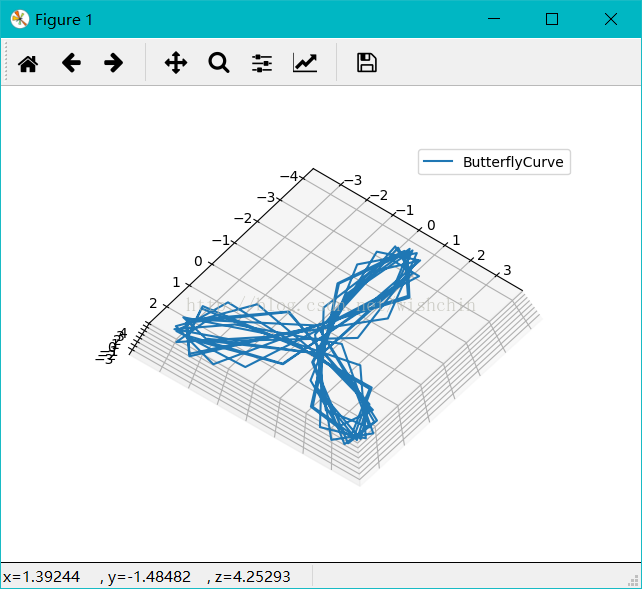
顾名思义,蝴蝶曲线(Butterfly curve )就是曲线形状如同蝴蝶。蝴蝶曲线如图所示,以方程描述,是一条六次平面曲线。如果大家觉得这个太过简单,别着急,还有第二种。如图所示,以方程描述,这是一个极坐标方程。通过改变这个方程中的变量θ,可以得到不同形状与方向的蝴蝶曲线。如果再施以复杂的组合和变换,我们看到的就完全称得上是一幅艺术品了。
Python代码:
import numpy as np

import matplotlib.pyplot as plt

import os,sys,caffe

import matplotlib as mpl

from mpl_toolkits.mplot3d import Axes3D  #draw lorenz attractor

# %matplotlib inline

from math import sin, cos, pi

import math

def mainex():

    #drawSpringCrurve();#画柱坐标系螺旋曲线

    #HelicalCurve();#采用柱坐标系#尖螺旋曲线

    #Votex3D();

    #phoenixCurve();

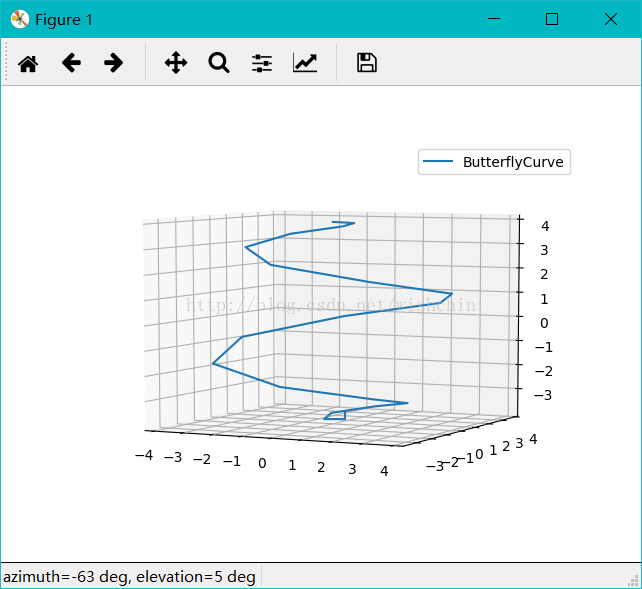
    #ButterflyCurve();

    #ButterflyNormalCurve();

    #dicareCurve2d();

    #WindmillCurve3d();

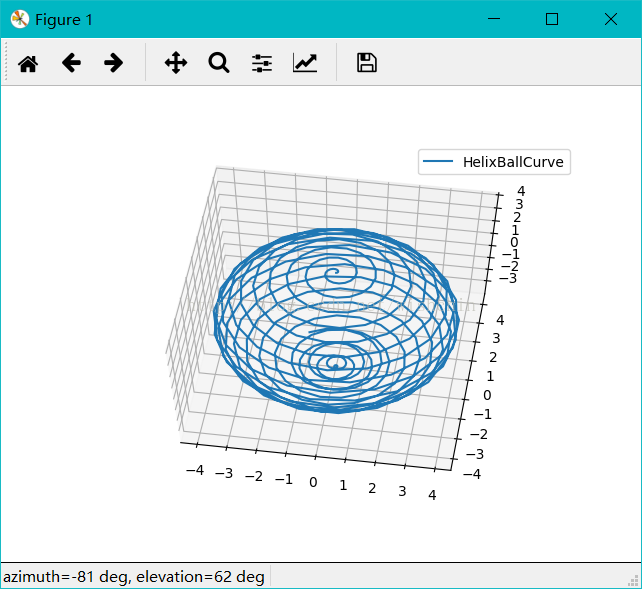
    #HelixBallCurve();#球面螺旋线

    #AppleCurve();

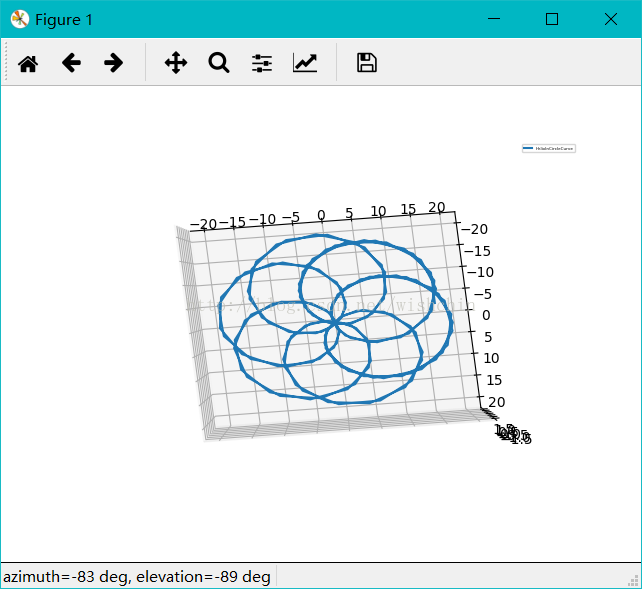
    #HelixInCircleCurve();#使用scatter,排序有问题

    seperialHelix();

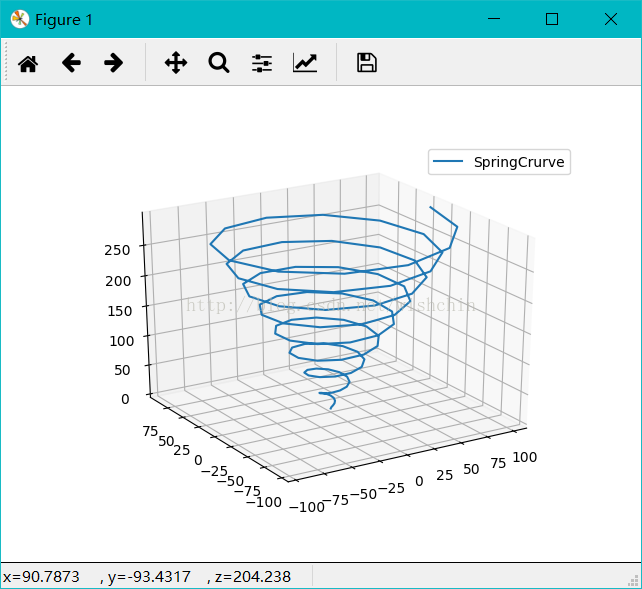
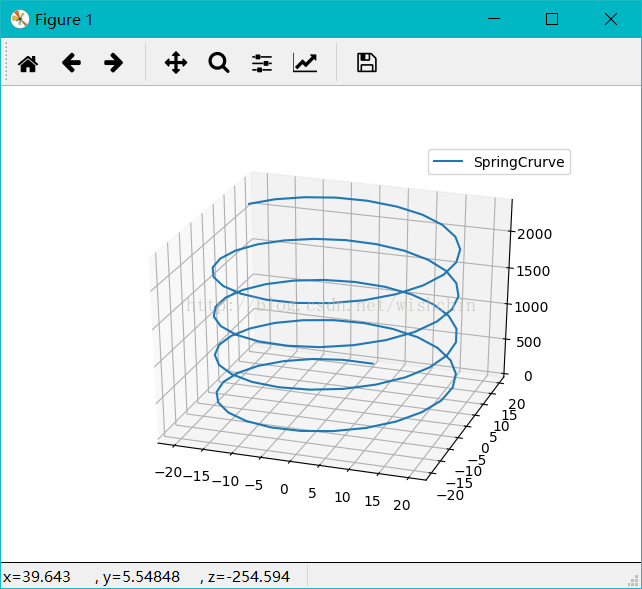
def drawSpringCrurve():

    #碟形弹簧

    #圓柱坐标

    #方程:

    #import matplotlib as mpl

    #from mpl_toolkits.mplot3d import Axes3D

    #import numpy as np

    #import matplotlib.pyplot as plt

    mpl.rcParams['legend.fontsize'] = 10;

    fig = plt.figure();

    ax = fig.gca(projection='3d');

    # Prepare arrays x, y, z

    #theta = np.linspace(-4 * np.pi, 4 * np.pi, 100)

    #z = np.linspace(-2, 2, 100)

    #r = z**2 + 1

    t = np.arange(0,100,1);

    r = t*0 +20;

    theta = t*3600 ;

    z = np.arange(0,100,1);

    for i in range(100):

        z[i] =(sin(3.5*theta[i]-90))+24*t[i];

    x = r * np.sin(theta);

    y = r * np.cos(theta);

    ax.plot(x, y, z, label='SpringCrurve');

    ax.legend();

    plt.show();

def HelicalCurve():

    #螺旋曲线#采用柱坐标系

    t = np.arange(0,100,1);

    r =t ;

    theta=10+t*(20*360);

    z =t*3;

    x = r * np.sin(theta);

    y = r * np.cos(theta);

    mpl.rcParams['legend.fontsize'] = 10;

    fig = plt.figure();

    ax = fig.gca(projection='3d');

    ax.plot(x, y, z, label='HelicalCurve');

    ax.legend();

    plt.show();

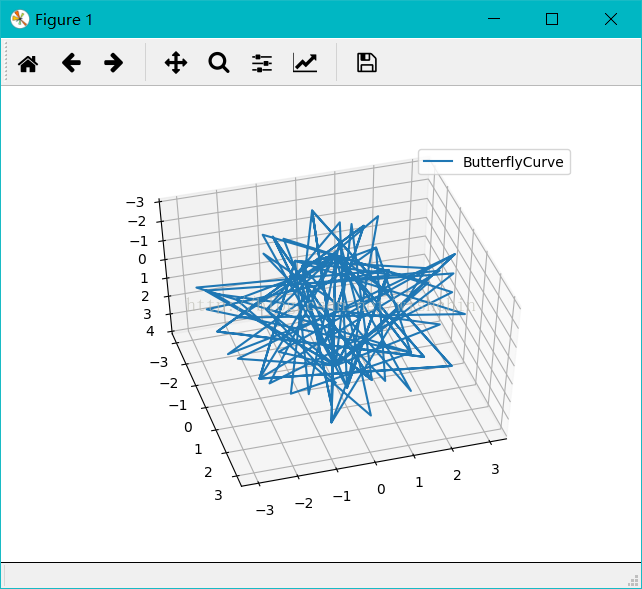
def ButterflyCurve():

    #蝶形曲线,使用球坐标系#或许公式是错误的,应该有更加复杂的公式

    t = np.arange(0,4,0.01);

    r = 8 * t;

    theta = 3.6 * t * 2*1 ;

    phi   = -3.6 * t * 4*1;

    x = t*1;

    y = t*1;

    #z = t*1;

    z =0

    for i in range(len(t)):

        x[i] = r[i] * np.sin(theta[i])*np.cos(phi[i]);

        y[i] = r[i] * np.sin(theta[i])*np.sin(phi[i]);

        #z[i] = r[i] * np.cos(theta[i]);

    mpl.rcParams['legend.fontsize'] = 10;

    fig = plt.figure();

    ax = fig.gca(projection='3d');

    ax.plot(x, y, z, label='ButterflyCurve');

    #ax.scatter(x, y, z, label='ButterflyCurve');

    ax.legend();

    plt.show();

def ButterflyNormalCurve():

    #蝶形曲线,使用球坐标系#或许公式是错误的,应该有更加复杂的公式

    #螺旋曲线#采用柱坐标系

    #t = np.arange(0,100,1);

    theta=np.arange(0,6,0.1);#(0,72,0.1);

    r =theta*0;

    z =theta*0;

    x =theta*0;

    y =theta*0;

    for i in range(len(theta)):

        r[i] = np.power(math.e,sin(theta[i]))- 2*cos(4*theta[i])

        + np.power( sin(1/24 * (2*theta[i] -pi ) ) , 5 );

        #x[i] = r[i] * np.sin(theta[i]);

        #y[i] = r[i] * np.cos(theta[i]);

    x = r * np.sin(theta);

    y = r * np.cos(theta);

    mpl.rcParams['legend.fontsize'] = 10;

    fig = plt.figure();

    ax = fig.gca(projection='3d');

    ax.plot(x, y, z, label='ButterflyNormalCurve');

    ax.legend();

    plt.show();

def phoenixCurve():

    #蝶形曲线,使用球坐标系

    t = np.arange(0,100,1);

    r = 8 * t;

    theta = 360 * t * 4 ;

    phi   = -360 * t * 8;

    x = t*1;

    y = t*1;

    z = t*1;

    for i in range(len(t)):

        x[i] = r[i] * np.sin(theta[i])*np.cos(phi[i]);

        y[i] = r[i] * np.sin(theta[i])*np.sin(phi[i]);

        z[i] = r[i] * np.cos(theta[i]);

    mpl.rcParams['legend.fontsize'] = 10;

    fig = plt.figure();

    ax = fig.gca(projection='3d');

    ax.plot(x, y, z, label='phoenixCurve');

    ax.legend();

    plt.show();

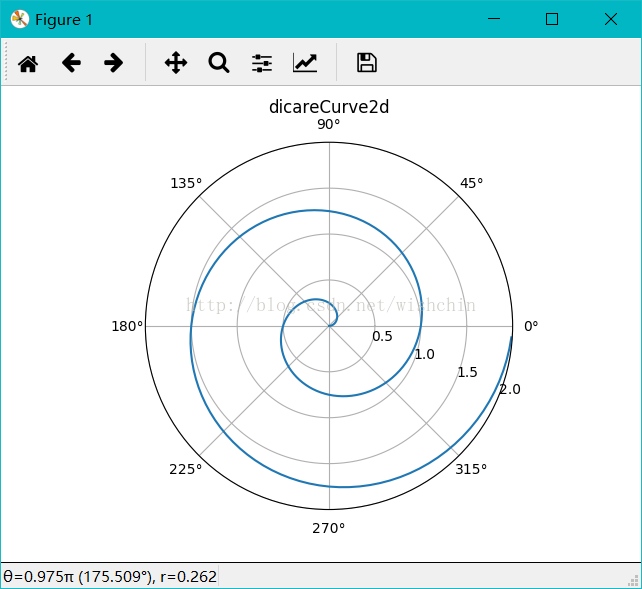
def dicareCurve2d():

    r = np.arange(0, 2, 0.01)

    theta = 2 * np.pi * r

    ax = plt.subplot(111, projection='polar')

    ax.plot(theta, r)

    ax.set_rmax(2)

    ax.set_rticks([0.5, 1, 1.5, 2])  # Less radial ticks

    ax.set_rlabel_position(-22.5)  # Move radial labels away from plotted line

    ax.grid(True)

    ax.set_title("dicareCurve2d", va='bottom')

    plt.show();

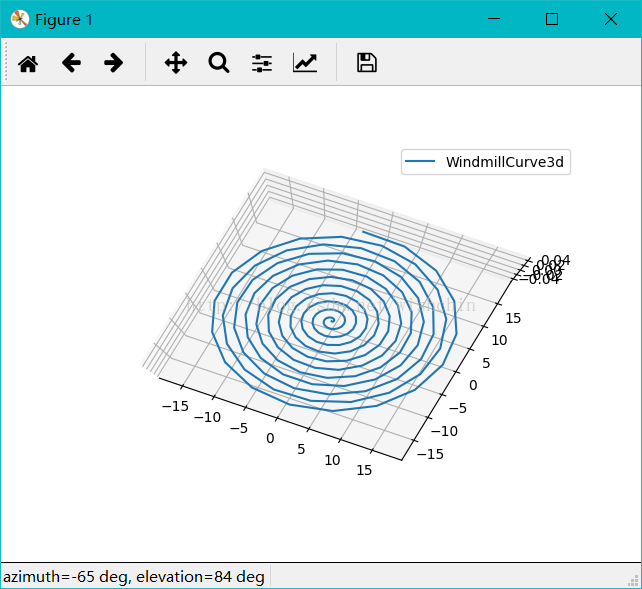
def WindmillCurve3d():

    #风车曲线

    t = np.arange(0,2,0.01);

    r =t*0+1 ;

    #r=1

    ang =36*t;#ang =360*t;

    s =2*pi*r*t;

    x = t*1;

    y = t*1;

    for i in range(len(t)):

        x[i] = s[i]*cos(ang[i]) +s[i]*sin(ang[i]) ;

        y[i] = s[i]*sin(ang[i]) -s[i]*cos(ang[i]) ;

    z =t*0;

    mpl.rcParams['legend.fontsize'] = 10;

    fig = plt.figure();

    ax = fig.gca(projection='3d');

    ax.plot(x, y, z, label='WindmillCurve3d');

    ax.legend();

    plt.show();

def HelixBallCurve():

    #螺旋曲线,使用球坐标系

    t = np.arange(0,2,0.005);

    r =t*0+4 ;

    theta =t*1.8

    phi =t*3.6*20

    x = t*1;

    y = t*1;

    z = t*1;

    for i in range(len(t)):

        x[i] = r[i] * np.sin(theta[i])*np.cos(phi[i]);

        y[i] = r[i] * np.sin(theta[i])*np.sin(phi[i]);

        z[i] = r[i] * np.cos(theta[i]);

    mpl.rcParams['legend.fontsize'] = 10;

    fig = plt.figure();

    ax = fig.gca(projection='3d');

    ax.plot(x, y, z, label='HelixBallCurve');

    ax.legend();

    plt.show();

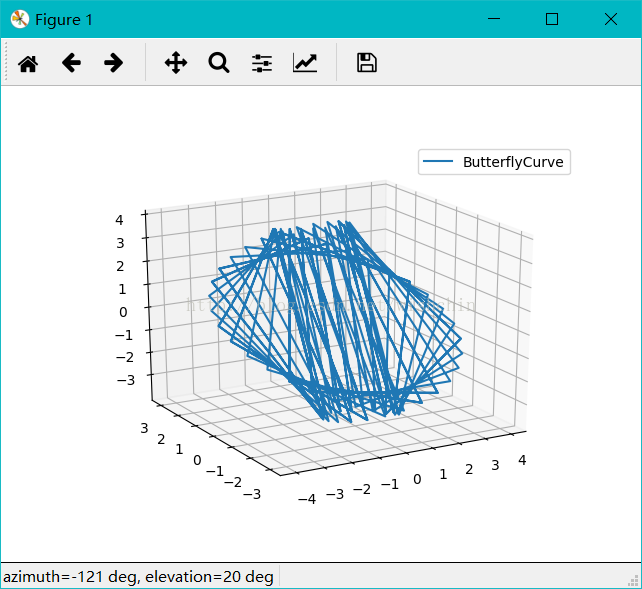
def seperialHelix():

    #螺旋曲线,使用球坐标系

    t = np.arange(0,2,0.1);

    n = np.arange(0,2,0.1);

    r =t*0+4 ;

    theta =n*1.8 ;

    phi =n*3.6*20;

    x = t*0;

    y = t*0;

    z = t*0;

    for i in range(len(t)):

        x[i] = r[i] * np.sin(theta[i])*np.cos(phi[i]);

        y[i] = r[i] * np.sin(theta[i])*np.sin(phi[i]);

        z[i] = r[i] * np.cos(theta[i]);

    mpl.rcParams['legend.fontsize'] = 10;

    fig = plt.figure();

    ax = fig.gca(projection='3d');

    ax.plot(x, y, z, label='ButterflyCurve');

    ax.legend();

    plt.show();

def AppleCurve():

    #螺旋曲线

    t = np.arange(0,2,0.01);

    l=2.5

    b=2.5

    x =  t*1;

    y =  t*1;

    z =0;#z=t*0;

    n = 36

    for i in range(len(t)):

        x[i]=3*b*cos(t[i]*n)+l*cos(3*t[i]*n)

        y[i]=3*b*sin(t[i]*n)+l*sin(3*t[i]*n)

    #x = r * np.sin(theta);

    #y = r * np.cos(theta);

    mpl.rcParams['legend.fontsize'] = 10;

    fig = plt.figure();

    ax = fig.gca(projection='3d');

    ax.plot(x, y, z, label='AppleCurve');

    ax.legend();

    plt.show();

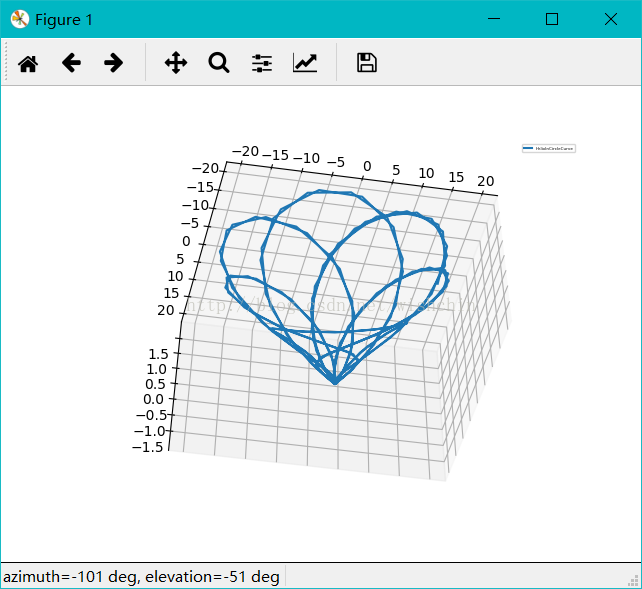
def HelixInCircleCurve():

    #园内螺旋曲线#采用柱坐标系

    t = np.arange(-1,1,0.01);

    theta=t*36 ;#360 deta 0.005鸟巢网 #36 deta 0.005 圆内曲线

    x =  t*1;

    y =  t*1;

    z =  t*1;

    r =  t*1;

    n = 1.2

    for i in range(len(t)):

        r[i]=10+10*sin(n*theta[i]);

        z[i]=2*sin(n*theta[i]);

        x[i] = r[i] * np.sin(theta[i]);

        y[i] = r[i] * np.cos(theta[i]);

    mpl.rcParams['legend.fontsize'] = 3;

    fig = plt.figure();

    ax = fig.gca(projection='3d');

    ax.plot(x, y, z, label='HelixInCircleCurve');

    #ax.scatter(x, y, z, label='HelixInCircleCurve');

    ax.legend();

    plt.show();

def Votex3D():

    def midpoints(x):

        sl = ()

        for i in range(x.ndim):

            x = (x[sl + np.index_exp[:-1]] + x[sl + np.index_exp[1:]]) / 2.0

            sl += np.index_exp[:]

        return x

    # prepare some coordinates, and attach rgb values to each

    r, g, b = np.indices((17, 17, 17)) / 16.0

    rc = midpoints(r)

    gc = midpoints(g)

    bc = midpoints(b)

    # define a sphere about [0.5, 0.5, 0.5]

    sphere = (rc - 0.5)**2 + (gc - 0.5)**2 + (bc - 0.5)**2 < 0.5**2

    # combine the color components

    colors = np.zeros(sphere.shape + (3,))

    colors[..., 0] = rc

    colors[..., 1] = gc

    colors[..., 2] = bc

    # and plot everything

    fig = plt.figure();

    ax = fig.gca(projection='3d');

    ax.voxels(r, g, b, sphere,

              facecolors=colors,

              edgecolors=np.clip(2*colors - 0.5, 0, 1),  # brighter

              linewidth=0.5);

    ax.set(xlabel='r', ylabel='g', zlabel='b');

    plt.show();

def drawFiveFlower():

    theta=np.arange(0,2*np.pi,0.02)

    #plt.subplot(121,polar=True)

    #plt.plot(theta,2*np.ones_like(theta),lw=2)

    #plt.plot(theta,theta/6,'--',lw=2)

    #plt.subplot(122,polar=True)

    plt.subplot(111,polar=True)

    plt.plot(theta,np.cos(5*theta),'--',lw=2)

    plt.plot(theta,2*np.cos(4*theta),lw=2)

    plt.rgrids(np.arange(0.5,2,0.5),angle=45)

    plt.thetagrids([0,45,90]);

    plt.show();

if __name__ == '__main__':

    import argparse

    mainex();
画图结果:
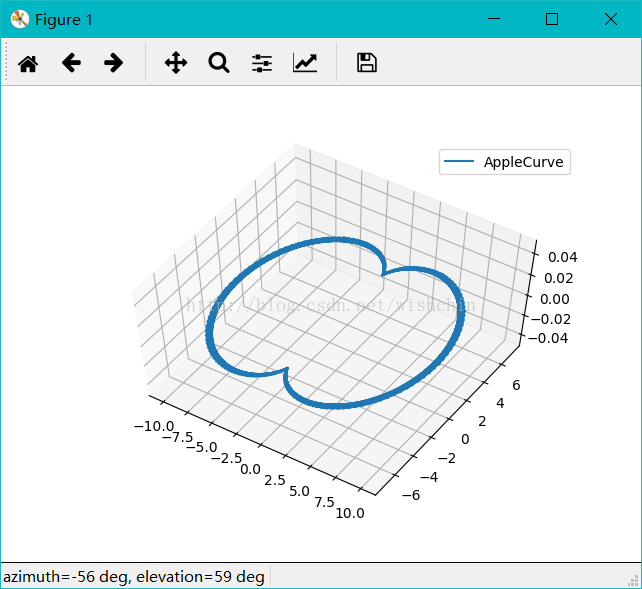
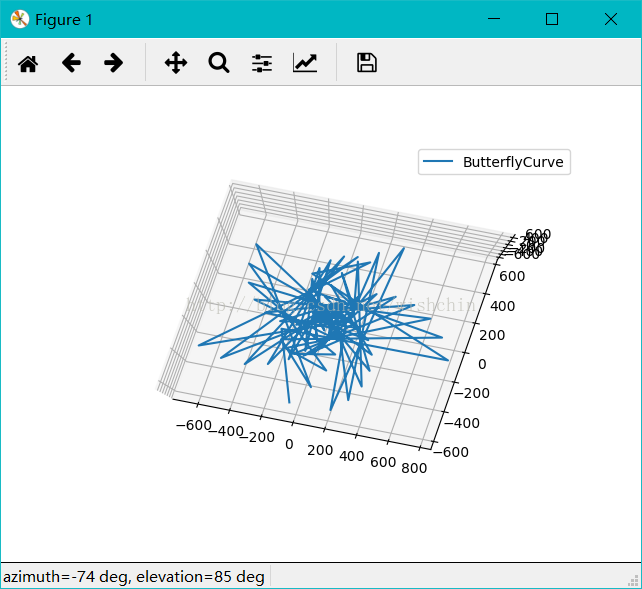
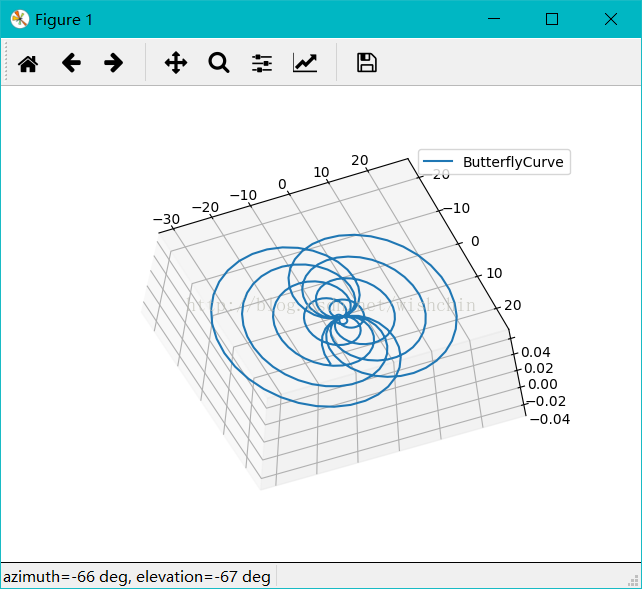
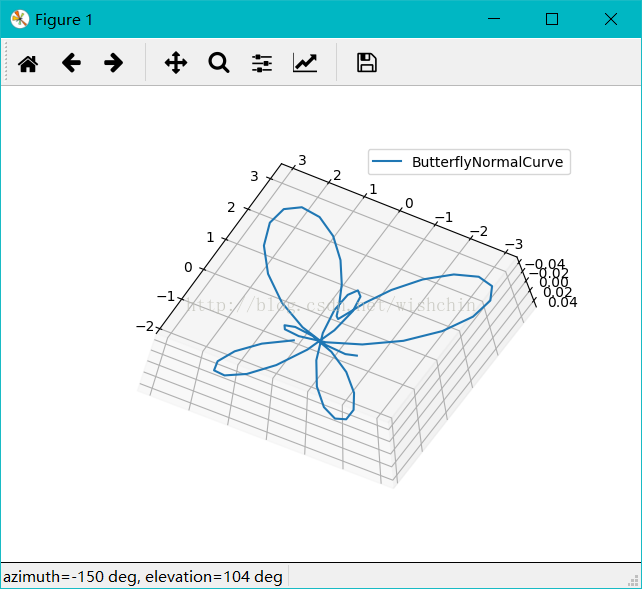
ProE常用曲线方程:Python Matplotlib 版本代码(蝴蝶曲线)的更多相关文章
- ProE常用曲线方程:Python Matplotlib 版本代码(玫瑰曲线)
Pyplot教程:https://matplotlib.org/gallery/index.html#pyplots-examples 玫瑰曲线 文字描述 平面内,围绕某一中心点平均分布整数个正弦花瓣 ...
- ProE复杂曲线方程:Python Matplotlib 版本代码(L系统,吸引子和分形)
对生长自动机的研究由来已久,并在计算机科学等众多学科中,使用元胞自动机的概念,用于生长模拟.而复杂花纹的生成,则可以通过重写一定的生长规则,使用生成式来模拟自然纹理.当然,很多纹理是由人本身设计的,其 ...
- 常用统计分析python包开源学习代码 numpy pandas matplotlib
常用统计分析python包开源学习代码 numpy pandas matplotlib 待办 https://github.com/zmzhouXJTU/Python-Data-Analysis
- python 低版本一段扫描代码
个人在做Linux渗透测试往内网跨的时候,通常我碰到的Linux环境都会是如下集中情况 1: DMZ,严格的DMZ,根本跨不到内网里去.这种最恶心了. 2:WEB SERVER,严格区分,工作机和工作 ...
- python 常忘代码查询 和autohotkey补括号脚本和一些笔记和面试常见问题
笔试一些注意点: --,23点43 今天做的京东笔试题目: 编程题目一定要先写变量取None的情况.今天就是因为没有写这个边界条件所以程序一直不对.以后要注意!!!!!!!!!!!!!!!!!!!!! ...
- 一文总结数据科学家常用的Python库(下)
用于建模的Python库 我们已经到达了本文最受期待的部分 - 构建模型!这就是我们大多数人首先进入数据科学领域的原因,不是吗? 让我们通过这三个Python库探索模型构建. Scikit-learn ...
- 总结数据科学家常用的Python库
概述 这篇文章中,我们挑选了24个用于数据科学的Python库. 这些库有着不同的数据科学功能,例如数据收集,数据清理,数据探索,建模等,接下来我们会分类介绍. 您觉得我们还应该包含哪些Python库 ...
- Python - matplotlib 数据可视化
在许多实际问题中,经常要对给出的数据进行可视化,便于观察. 今天专门针对Python中的数据可视化模块--matplotlib这块内容系统的整理,方便查找使用. 本文来自于对<利用python进 ...
- 我常用的 Python 调试工具 - 博客 - 伯乐在线
.ckrating_highly_rated {background-color:#FFFFCC !important;} .ckrating_poorly_rated {opacity:0.6;fi ...
随机推荐
- Mysql 使用delete drop truncate 删除数据时受外键约束影响解决方案
先禁用数据库的外键约束: set foreign_key_checks=0; 进行删除操作 delete.drop.truncate 恢复数据库外键约束: set foreign_key_checks ...
- impex 语法
impex 语法 2016-01-14 16:23 588人阅读 评论(0) 收藏 举报 分类: hybris(8) 脱离java Model单纯的去看impex文件的代码是不能很好理解impex ...
- LeetCode 819. Most Common Word (最常见的单词)
Given a paragraph and a list of banned words, return the most frequent word that is not in the list ...
- WCF问题集锦:ReadResponse failed: The server did not return a complete response for this request.
今日.对代码进行单元測试时.发现方法GetAllSupplyTypes报例如以下错误: [Fiddler] ReadResponse() failed: The server did not retu ...
- WIZnet的网络产品怎样选型
文章来源:成都浩然 我们在选用WIZnet的网络产品的时候.面对诸多的器件不知怎样选择,这里介绍一些方法以帮助project师高速准确地选择产品. WIZnet的产品有一个共同的特性.那就硬件TCPI ...
- What is a good buffer size for socket programming?
http://stackoverflow.com/questions/2811006/what-is-a-good-buffer-size-for-socket-programming 问题: We ...
- JAVA基础(多线程Thread和Runnable的使用区别(转载)
转自:http://jinguo.iteye.com/blog/286772 Runnable是Thread的接口,在大多数情况下“推荐用接口的方式”生成线程,因为接口可以实现多继承,况且Runnab ...
- 数值分析常见算法C++实现
1.1-有效数字丢失现象观察 #include<bits./stdc++.h> using namespace std; double f1(double x) { )-sqrt(x)); ...
- [Swift通天遁地]三、手势与图表-(11)制作雷达图表更加形象表示各个维度的情况
★★★★★★★★★★★★★★★★★★★★★★★★★★★★★★★★★★★★★★★★➤微信公众号:山青咏芝(shanqingyongzhi)➤博客园地址:山青咏芝(https://www.cnblogs. ...
- SpringBoot2.0整合SpringSecurity实现自定义表单登录
我们知道企业级权限框架一般有Shiro,Shiro虽然强大,但是却不属于Spring成员之一,接下来我们说说SpringSecurity这款强大的安全框架.费话不多说,直接上干货. pom文件引入以下 ...