
nginx和tomcat访问图片和静态页面的配置方法
生产环境下,有时候需要访问图片,正常需要应用ftp、nginx等配套使用,但是有时候为了简化,可以用以下的两种简单的访问,说实话,就是为了偷懒,但是效果是能有的,这就行了,所以今天做这个简化版的方便大家应急之用。
第一种方法:nginx配置下
1、创建文件路径:
[root@localhost /]# mkdir /data/soft/
[root@localhost ~]# cd /data/soft/
[root@localhost soft]# mkdir html images
2、在images目录下面放入图片
[root@localhost soft]# cd images/
[root@localhost images]# ll
总用量 80
-rw-r--r--. 1 root root  9503 4月  25 17:06 thPZFULFJN.jpg
-rw-r--r--. 1 root root 16083 4月  25 17:06 thR2C5VCMZ.jpg
-rw-r--r--. 1 root root 12218 4月  25 17:06 thRG3YX53T.jpg
-rw-r--r--. 1 root root 15048 4月  25 17:06 thSUF51VTR.jpg
-rw-r--r--. 1 root root 21799 4月  25 17:06 thVWSLF8ZE.jpg
3、在html目录下面放入一个测试文件
[root@localhost html]# cat index.html
this is test page !!!!
4、安装nginx,并启动
选用yum还是编译看自己喜好,我选择编译,自己制定安装模块
解压pcre-8.34.tar.gz zlib-1.2.8.tar.gz openssl-1.0.1g.tar.gz三个包并安装
tar -zxvf pcre-8.34.tar.gz
cd pcre-8.34
./configure && make && make install

tar -zxvf zlib-1.2.8.tar.gz
cd zlib-1.2.8
./configure && make && make install

tar -zxvf openssl-1.0.1g.tar.gz
cd openssl-1.0.1g
./config && make && make install
安装Nginx
tar -zxvf nginx-1.9.0.tar.gz
cd nginx-1.9.0
#./configure --prefix=/data/soft/nginx \
--user=www \
--group=www \
--with-mail \
--with-mail_ssl_module \
--with-http_ssl_module \
--with-http_flv_module \
--with-http_dav_module \
--with-http_sub_module \
--with-http_spdy_module \
--with-http_realip_module \
--with-http_addition_module \
--with-http_gzip_static_module \
--with-http_stub_status_module \
--with-pcre=/data/src/pcre-8.34 \
--with-zlib=/data/src/zlib-1.2.8 \
--with-openssl=/data/src/openssl-1.0.1g
编译并安装
make && make install
groupadd www
useradd -g www www
修改nginx配置文件
[root@localhost nginx]# vim conf/nginx.conf
      server {
                listen 80;
                server_name localhost;

                #charset koi8-r;

                #access_log logs/host.access.log main;

                location ~ .*\.(gif|jpg|jpeg|png)$ {
                        expires 24h;
                       root /data/soft/images/;#指定图片存放路径
                       access_log /data/soft/nginx/logs/images.log;#日志存放路径
                       proxy_store on;
                       proxy_store_access user:rw group:rw all:rw;
                       proxy_temp_path /data/soft/images/;#图片访问路径
                       proxy_redirect off;
                       proxy_set_header Host 127.0.0.1;
                       client_max_body_size 10m;
                       client_body_buffer_size 1280k;
                       proxy_connect_timeout 900;
                       proxy_send_timeout 900;
                       proxy_read_timeout 900;
                       proxy_buffer_size 40k;
                       proxy_buffers 40 320k;
                       proxy_busy_buffers_size 640k;
                       proxy_temp_file_write_size 640k;
                       if ( !-e $request_filename)
                       {
                                 proxy_pass http://127.0.0.1;#默认80端口
                       }
         }

                      location / {
                      root /data//soft/html; #html访问路径
                      index index.html index2.htm; #html文件名称
                      }
          }

                      error_page 404 /404.html;
5 、此时可以测试看看
先是html页面


在看看图片
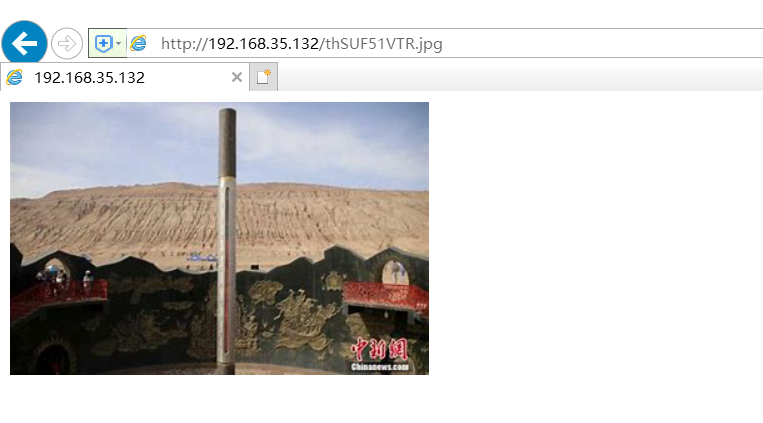
显然,nginx设置下静态页面和图片是可以访问成功的,下面开始tomcat访问设置
第二种方法:tomcat
1、查看jdk版本
 java -version
openjdk version "1.8.0_65"
OpenJDK Runtime Environment (build 1.8.0_65-b17)
OpenJDK 64-Bit Server VM (build 25.65-b01, mixed mode)
2、解压tomcat并启动
tar -xvf apache-tomcat-8.5.30.tar.gz [root@localhost tomcat]# sh bin/startup.sh
3、本地测试能不能访问

4、 上面正常,那么把页面文件夹放到wepapps下面去,注意,html文件夹里有inde.html页面的。
[root@localhost soft]# cp -rp html/ /data/soft/tomcat/webapps/
测试访问html页面

继续把图片文件夹放到wepapps下面去,images下面是有图片的。
[root@localhost images]# cp -rp /data/soft/images/ /data/soft/tomcat/webapps/
直接在浏览器上访问如下
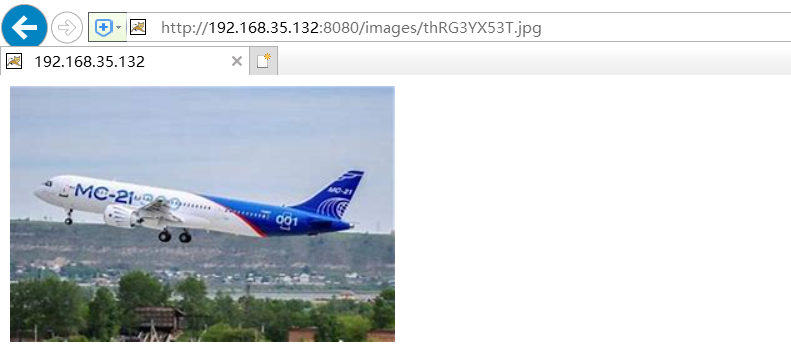
总结:这样,简单的图片访问和html页面访问就可以使用了,非常方便,这两个方法非常适用内网环境,对于运维来说是个不错的选择。
nginx和tomcat访问图片和静态页面的配置方法的更多相关文章
- SpringBoot学习------SpringBoot使用Thymleaf模块访问不了静态页面
SpringBoot使用Thymleaf模块访问不了静态页面 最近学习SpringBoot的过程中使用了Thymeleaf模块引擎,页面发送请求后老是无法显示静态页面,所有的步骤都是参考资料来执行,自 ...
- Tomcat访问图片
Tomcat访问图片 配置server.xml 在 节点中添加 <Context docBase="D:/Tomcat/tomcat-8083/imgs" path=&quo ...
- Nginx+tomcat负载均衡时静态页面报404
百度到的问题解决BLOG http://os.51cto.com/art/201204/326843.htm nginx+2台tomcat负载均衡,应用程序已部署,单独访问tomcat时,可以访问到所 ...
- Tomcat启动web项目静态页面中文乱码问题解决
1 首先查看静态页面在编辑器中是否正常, 如果是eclipse ,需要设置一下项目编码格式为utf-8, 如果是idea , 一般会自动识别, 也可以自己手动检查一下, 检查html上面是否有 ...
- https方式nginx 代理tomcat访问不带www的域名301重定向跳转到www的域名帮助seo集中权重
比如我要把 http://gucanhui.com http://www.gucanhui.com 跳转到https://www.gucanhui.com 用F12的network可以看到状态码301 ...
- 京东轮播图片的静态页面CSS3
效果图: index.html <!DOCTYPE html> <html> <head> <meta charset="utf-8"&g ...
- 一个Tomcat及一个ip,绑定不同的域名,各个域名访问各自不同应用程序的配置方法
http://nickandmiles.blog.163.com/blog/static/23422123201110151492166/ 条件是:这样一种实际情况是,就一台服务器,当公网的IP地址也 ...
- (tomcat访问不了的两种解决方法)Bad Request(Invalid Hostname)
显示这个页面的时候一般有几中解决方法: 第一种就是如下图所示的方法: 具体步骤是: 1.也就是左下角win的“运行”中输入cmd进入doc窗口中 2.输入代码:netstat -ano 3.找到占用8 ...
- Struts2学习第2天--Struts2的Servlet的API的访问 Struts2的结果页面的配置 Struts2的数据的封装(包括复杂类型)
启动后访问jsp 输入姓名密码: 提交后跳转打action 打印: 修改类: 配置同上 结果同上. 实现这俩接口 就得到了 以上代码附上: struts.xml: <?xml version=& ...
随机推荐
- 爬虫模块之selenium模块
一 模块的介绍 selenium模块最开始是一个自动化测试的工具,驱动浏览器完全模拟浏览器自动测试. from selenium import webdriver # 驱动浏览器 browser=we ...
- mybatis 中文做参数报错
一个简单的查询,如果参数中有中文.如下: <select id="xxxx" resultType="hashmap"> select * from ...
- Codeforces 1098 简要题解
文章目录 前言 A题 B题 C题 D题 E题 传送门 前言 没错因为蒟蒻太菜了这场的最后一道题也咕掉了,只有AAA至EEE的题解233 A题 传送门 题意简述:给出一棵带点权的树,根节点深度为111, ...
- 将批量指定的docker镜像打成文件
#/bin/bash tag= img1=hub.chinacloud.com.cn/onex.dev/one-task-scheduler:$tag img2=hub.chinacloud.co ...
- 关于preg_match() / preg_replace()函数的一点小说明
int preg_match ( string $pattern , string $subject [, array &$matches [, int $flags = 0 [, int $ ...
- java通过sftp对linux服务器文件夹进行操作
本文主要讲sftp对linux服务器的文件和文件夹进行操作,windows server 服务器不支持. package com.lx.ftp; import java.io.File; import ...
- 10-padding(内边距)
padding padding:就是内边距的意思,它是边框到内容之间的距离 另外padding的区域是有背景颜色的.并且背景颜色和内容的颜色一样.也就是说background-color这个属性将填充 ...
- js基础学习笔记(六)
事件(可以被 JavaScript 侦测到的行为) 主要事件表: 加载事件(onload) 事件会在页面加载完成后立即发生,同时执行被调用的程序. 卸载事件(onunload) 当用户退出页面时(页面 ...
- 2018-03-10 VCard备份恢复联系人
主要在VCardComposer类中备份联系人的逻辑 导出流程: http://blog.csdn.net/michael_yt/article/details/78270537 导入流程: http ...
- Java理论学时第五节。课后作业。
随机生成10个数,填充一个数组,然后用消息框显示数组内容,接着计算数组元素的和,将结果也显示在消息框中. 设计思路:先声明一个数组,再利用for循环对每一个元素赋随机生成的值,在求所有数的和,再根据要 ...