
Elasticsearch 6.x版本全文检索学习之集群调优建议
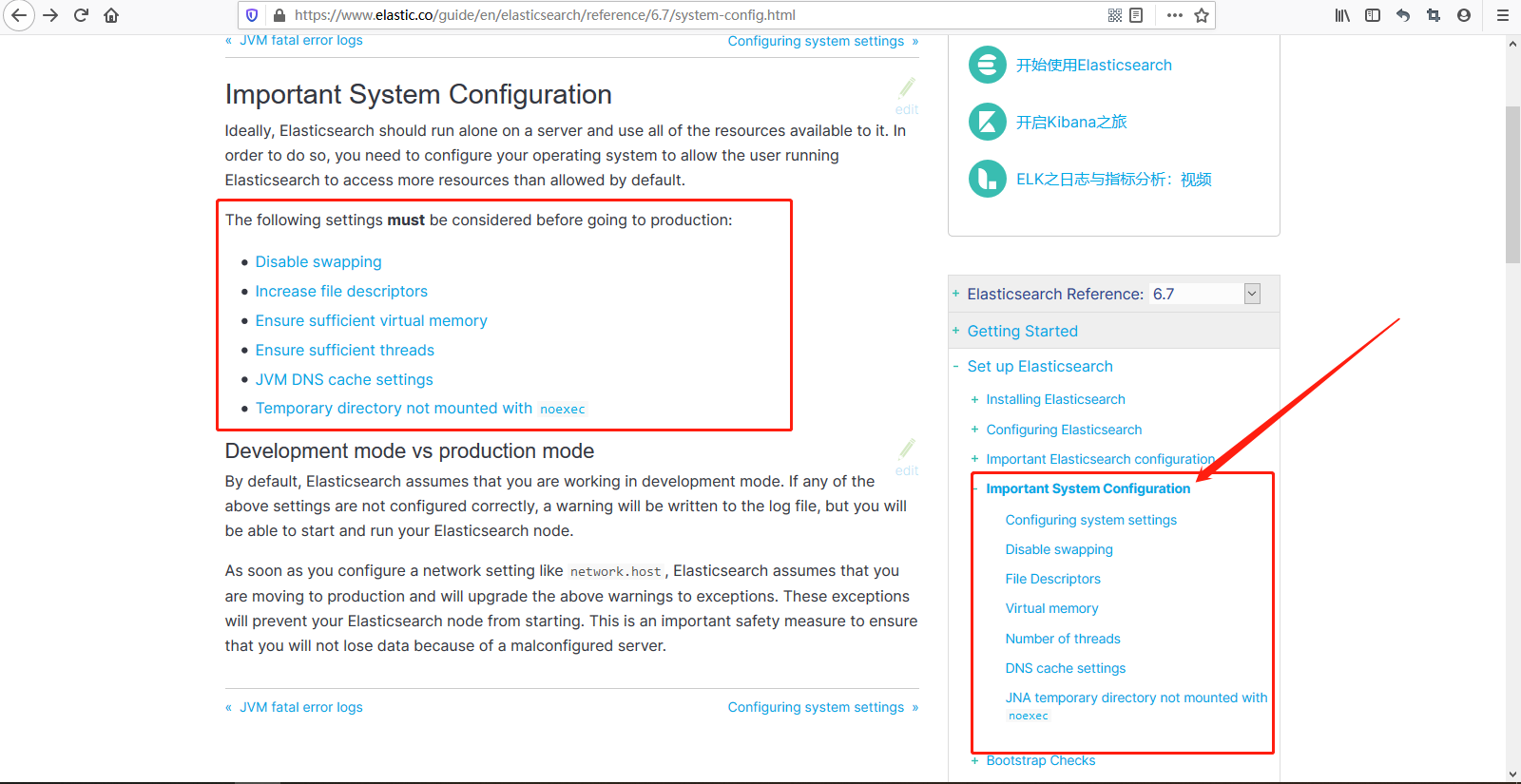
1、系统设置要到位,遵照官方建议设置所有的系统参数。
https://www.elastic.co/guide/en/elasticsearch/reference/6.7/setup.html

部署Elasticsearch集群之前将操作系统的配置设置好。 之前部署单机版、集群报了很多错误,嗯,就是这里可以解决你的问题,提前看下英文文档,解决这些问题。
https://www.elastic.co/guide/en/elasticsearch/reference/6.7/system-config.html
2、Elasticsearch设置尽量简洁,elasticsearch.yml中尽量只写必备的参数,其他可以通过api动态设置的参数都通过api来设置。随着es的版本升级,很多网络流传的配置参数已经不再支持,因此不要随意复制别人的集群配置参数。
https://www.elastic.co/guide/en/elasticsearch/reference/6.7/important-settings.html

3、elasticsearch.yml中建议设定的基本参数。
静态设置参数elasticsearch.yml,cluster.name、node.name、node.master/node.data/node.ingest、network.host建议显示指定为内网ip,不要偷懒直接设定为0.0.0.0、discovery.zen.ping.unicast.hosts设定集群其他节点地址。、discovery.zen.minimum_master_nodes一般设定为2、path.data/path.log。除上述参数外再根据需要增加其他的静态配置参数。
 # ======================== Elasticsearch Configuration =========================

 #

 # NOTE: Elasticsearch comes with reasonable defaults for most settings.

 #       Before you set out to tweak and tune the configuration, make sure you

 #       understand what are you trying to accomplish and the consequences.

 #

 # The primary way of configuring a node is via this file. This template lists

 # the most important settings you may want to configure for a production cluster.

 #

 # Please consult the documentation for further information on configuration options:

 # https://www.elastic.co/guide/en/elasticsearch/reference/index.html

 #

 # ---------------------------------- Cluster -----------------------------------

 #

 # Use a descriptive name for your cluster:

 #

 #cluster.name: my-application

 #

 # ------------------------------------ Node ------------------------------------

 #

 # Use a descriptive name for the node:

 #

 #node.name: node-

 #

 # Add custom attributes to the node:

 #

 #node.attr.rack: r1

 #

 # ----------------------------------- Paths ------------------------------------

 #

 # Path to directory where to store the data (separate multiple locations by comma):

 #

 #path.data: /path/to/data

 #

 # Path to log files:

 #

 #path.logs: /path/to/logs

 #

 # ----------------------------------- Memory -----------------------------------

 #

 # Lock the memory on startup:

 #

 #bootstrap.memory_lock: true

 #

 # Make sure that the heap size is set to about half the memory available

 # on the system and that the owner of the process is allowed to use this

 # limit.

 #

 # Elasticsearch performs poorly when the system is swapping the memory.

 #

 # ---------------------------------- Network -----------------------------------

 #

 # Set the bind address to a specific IP (IPv4 or IPv6):

 #

 #network.host: 192.168.0.1

 # network.host: 192.168.110.133

 network.host: 0.0.0.0

 #

 # Set a custom port for HTTP:

 #

 #http.port:

 #

 # For more information, consult the network module documentation.

 #

 # --------------------------------- Discovery ----------------------------------

 #

 # Pass an initial list of hosts to perform discovery when new node is started:

 # The default list of hosts is ["127.0.0.1", "[::1]"]

 #

 #discovery.zen.ping.unicast.hosts: ["host1", "host2"]

 #

 # discovery.zen.ping.unicast.hosts: ["192.168.110.133:5200", "192.168.110.133:5300"]

 # Prevent the "split brain" by configuring the majority of nodes (total number of master-eligible nodes /  + ):

 #

 # discovery.zen.minimum_master_nodes:

 #

 # discovery.zen.minimum_master_nodes:

 # For more information, consult the zen discovery module documentation.

 #

 # ---------------------------------- Gateway -----------------------------------

 #

 # Block initial recovery after a full cluster restart until N nodes are started:

 #

 #gateway.recover_after_nodes:

 #

 # For more information, consult the gateway module documentation.

 #

 # ---------------------------------- Various -----------------------------------

 #

 # Require explicit names when deleting indices:

 #

 #action.destructive_requires_name: true
动态设置的参数elasticsearch.yml,有transient和persistent两种设置,前者在集群重启后会丢失,后者不会,但两种设定都会覆盖elasticsearch.yml。
 # 动态设置的参数有transient和persistent两种设置

 PUT /_cluster/settings

 {

   "persistent": {

     "discovery.zen.minimum_master_nodes":

   },

   "transient": {

     "indices.store.throttle.max_bytes_per_sec": "50mb"

   }

 }
4、关于JVM内存设定,不要超过31GB,预留一半内存给操作系统,用来做文件缓存。
1)、具体大小根据该node要存储的数据量来估算,为了保证性能,在内存和数据量间有一个建议的比例。
搜索类项目的比例建议在1:16以内。即1GB内存可以存储16GB数据。
日志类项目的比例建议在1:48~1:96。即1GB内存可以存储48GB~96GB的数据。
2)、假设总数据量大小为1TB,3个node,1个副本,那么每个node要存储的数据量为2TB/3=666GB,即700GB左右,做20%的预留空间,每个node要存储大约850GB的数据。
如果是搜索类项目,每个node内存大小为850GB/16=53GB,大于31GB。31*16=496,即每个node最多存储496GB数据,所以需要至少5个node。
如果是日志类型项目,每个node内存大小为850GB/48=18GB,因此3个节点足够。
5、Elasticsearch写数据过程,写性能优化。refresh、translog、flush概念理解。红色截图来源于慕课网,尊重版权从你我做起。
Elasticsearch写数据,refresh过程理解如下所示:


Elasticsearch写数据,translog过程理解如下所示:


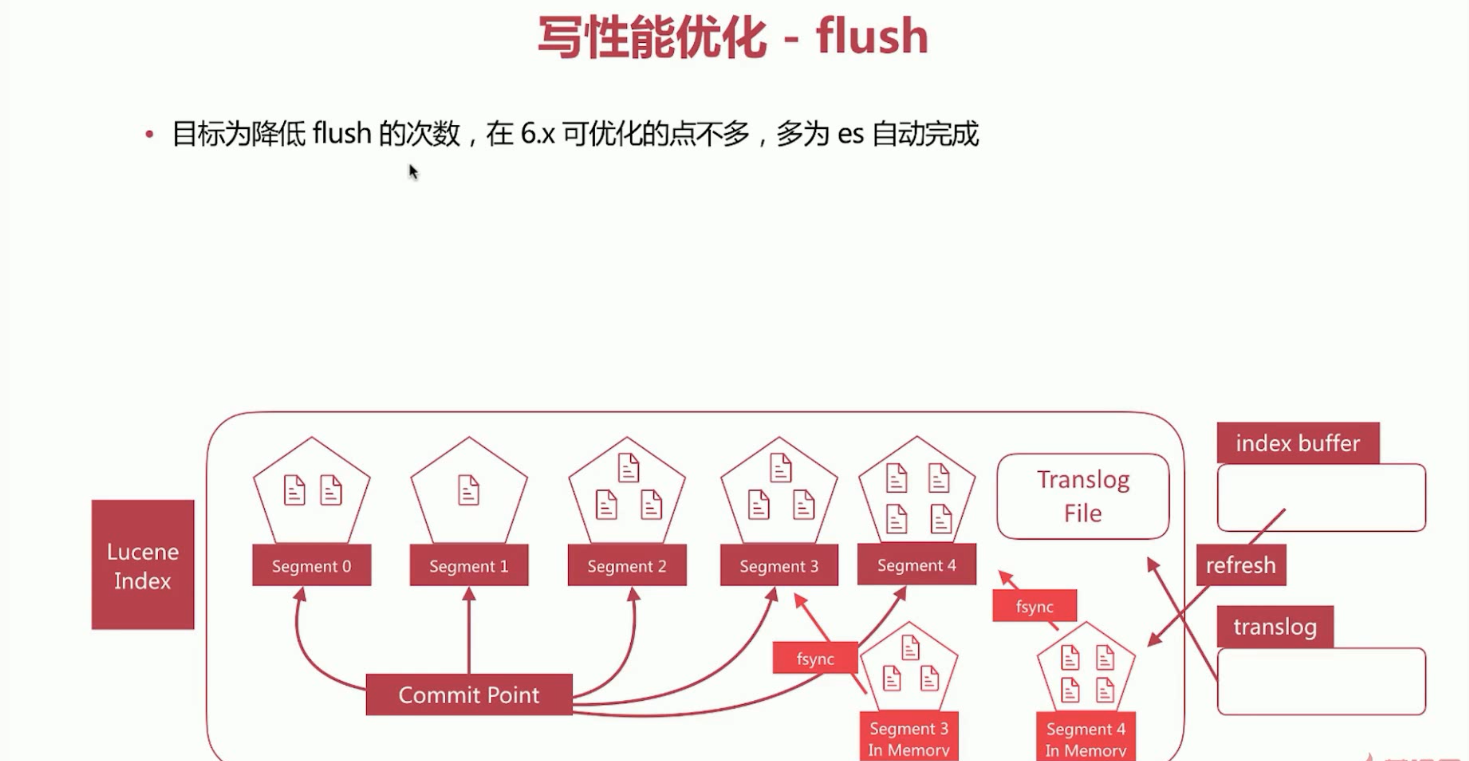
Elasticsearch写数据,flush过程理解如下所示:

Elasticsearch写数据过程,写性能优化。目标是增大写吞吐量-EPS(events Per Second)越高越好。
优化方案:a、客户端,多线程写,批量写。b、Elasticsearch,在高质量数据建模的前提下,主要是在refresh、translog和flush之间做文章。
Elasticsearch写数据过程,写性能优化。refresh优化。
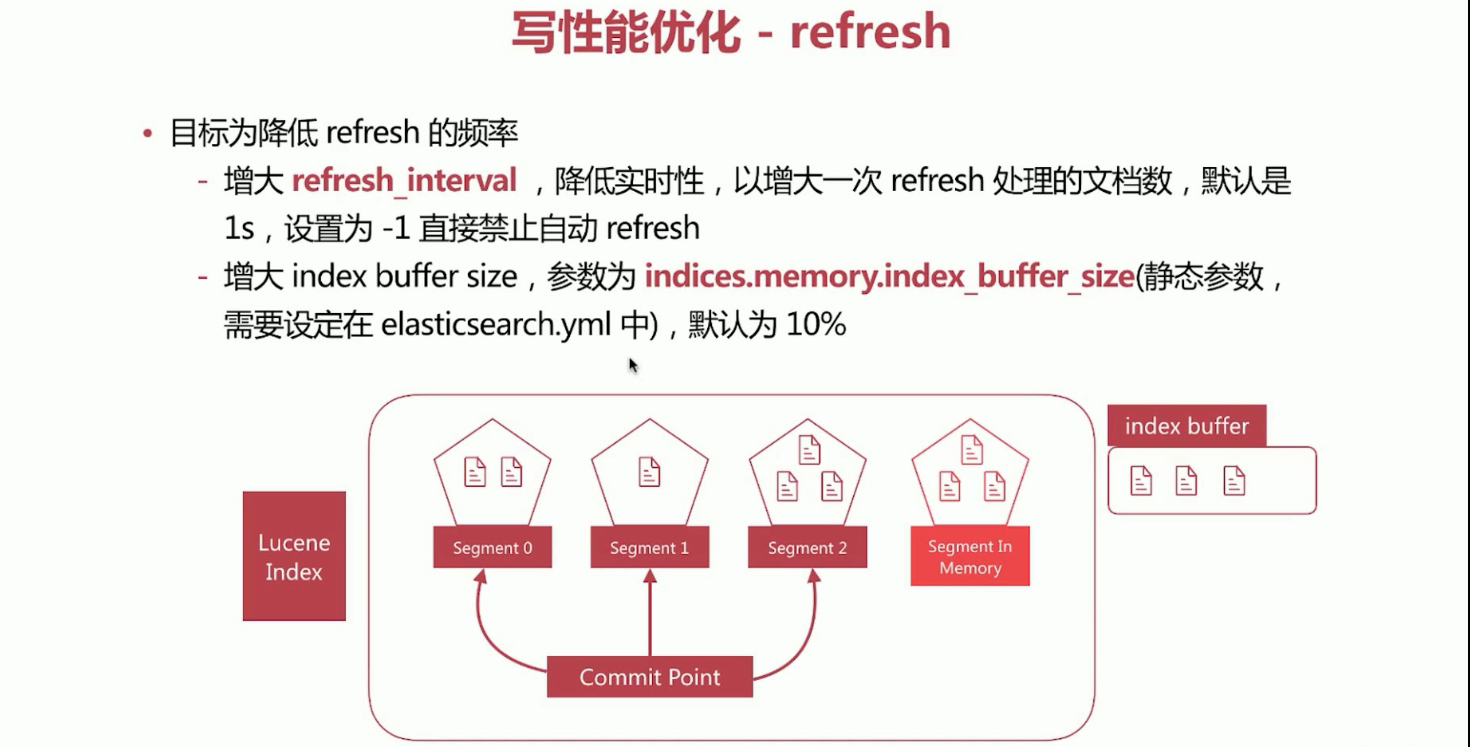
Elasticsearch写数据过程,写性能优化。translog优化。

Elasticsearch写数据过程,写性能优化。flush优化。
6、读性能主要受以下几个方面的影响。
a、数据模型是否符合业务模型。数据建模。高质量的数据建模是优化的基础,将需要通过script脚本动态计算的值提前算好作为字段存到文档中。尽量使得数据模型铁近业务模型。
b、数据规模是否过大。数据规模。根据不同的数据规模设定不同的SLA,上万条数据与上千万条数据性能肯定存在差异。
c、索引配置是否优化。索引配置调优。索引配置优化主要包括,根据数据规模设置合理的主分片数,可以通过测试得到最适合的分片数。设置合理的副本数目,不是越多越好。
d、查询语句是否优化。查询语句调优。查询语句调优主要有以下几种常用手段。
尽量使用Filter上下文,减少算分的场景,由于Filter有缓存机制,可以极大提升查询性能。
尽量不适用Script进行字段计算或者算分排序等等。
结合profile、expalin API分析慢查询语句的症结所在,然后再去优化数据模型。
7、X-Pack Monitoring,官方推出的免费集群监控功能。X-Pack Monitoring的安装,部署。
除了在Elasticsearch安装X-Pack以外,Elasticsearch6.7版本默认安装X-Pack,还要在Kibana安装X-Pack的(嗯,Kibana6.7版本默认安装X-Pack了)。如果没有默认安装的话,安装成功以后,分别重启Elasticsearch、Kibana。
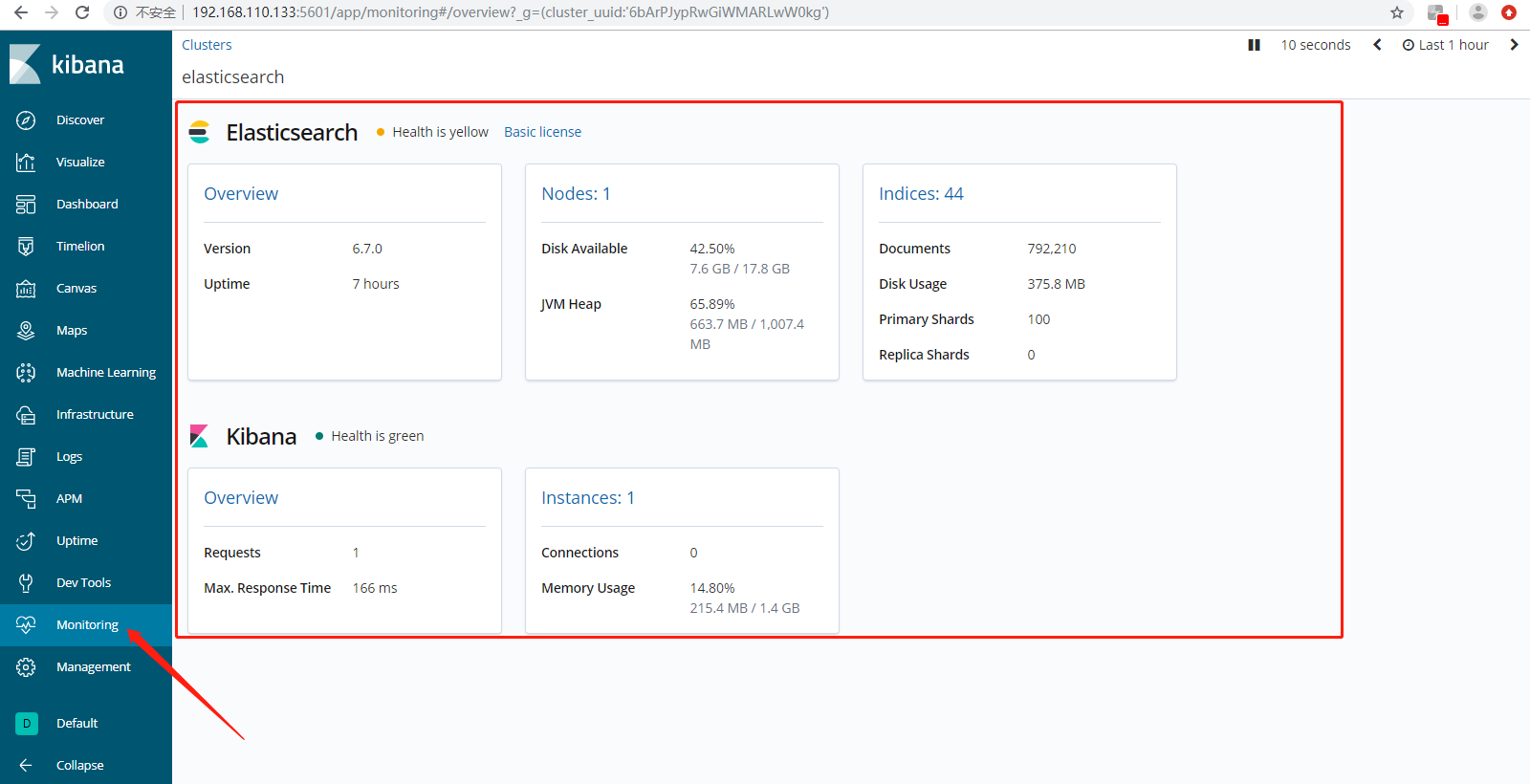
Overview,Search Rate是查询性能,Indexing Rate是写入性能,Search Latency查询延迟,Indexing Latency写入延迟。

Node展示内存,磁盘,Cpu的指标信息。

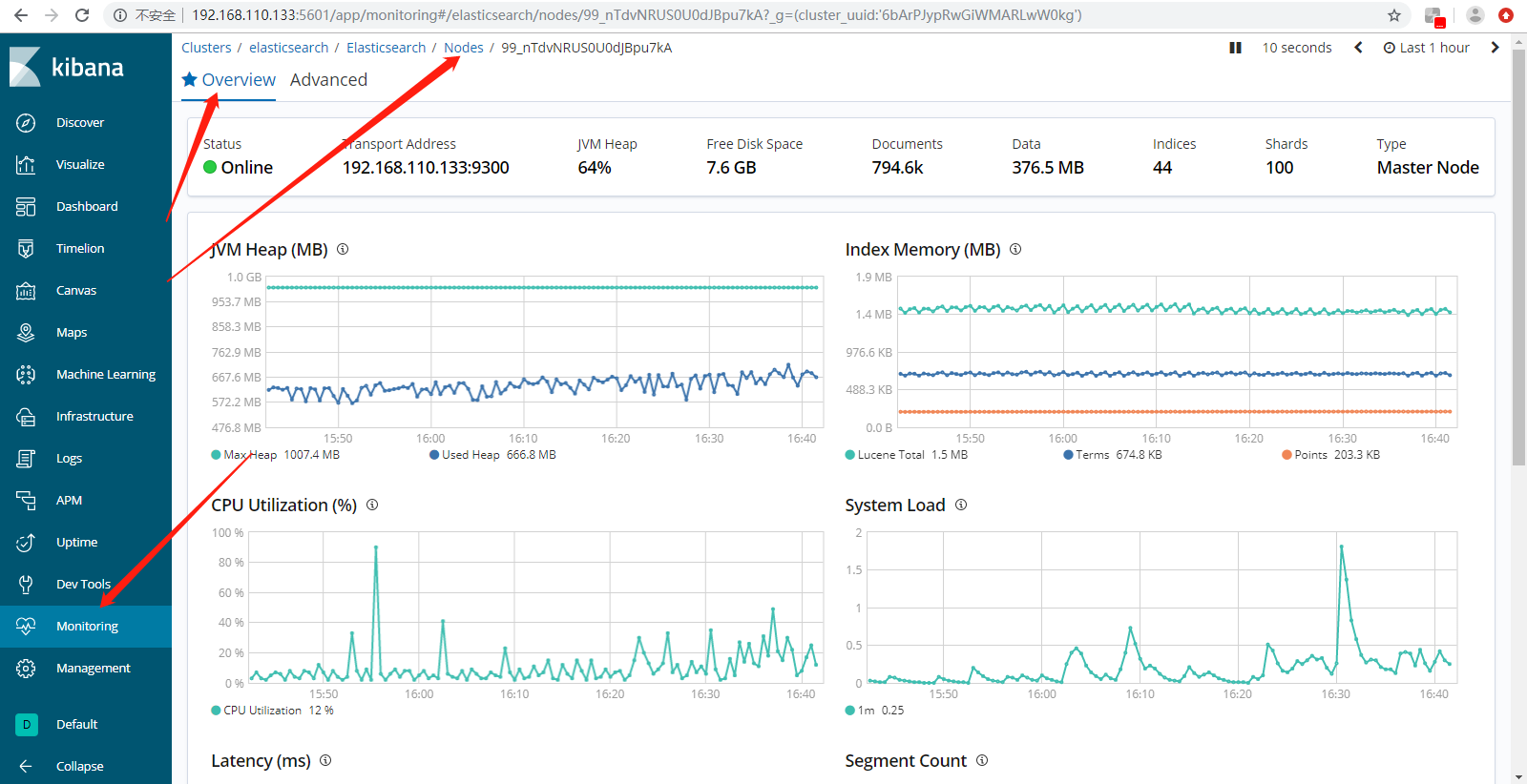
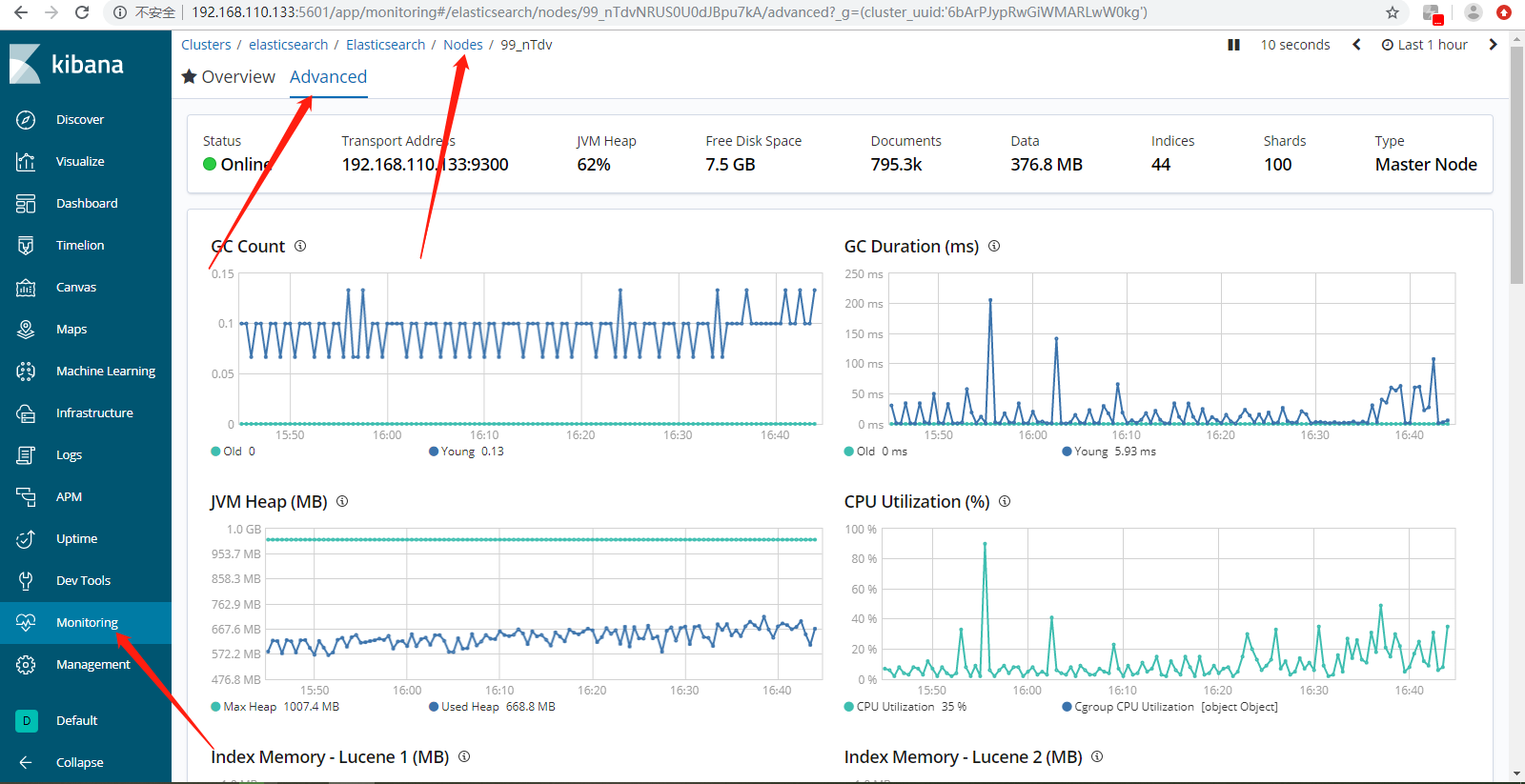
Indices索引级别查看数据。

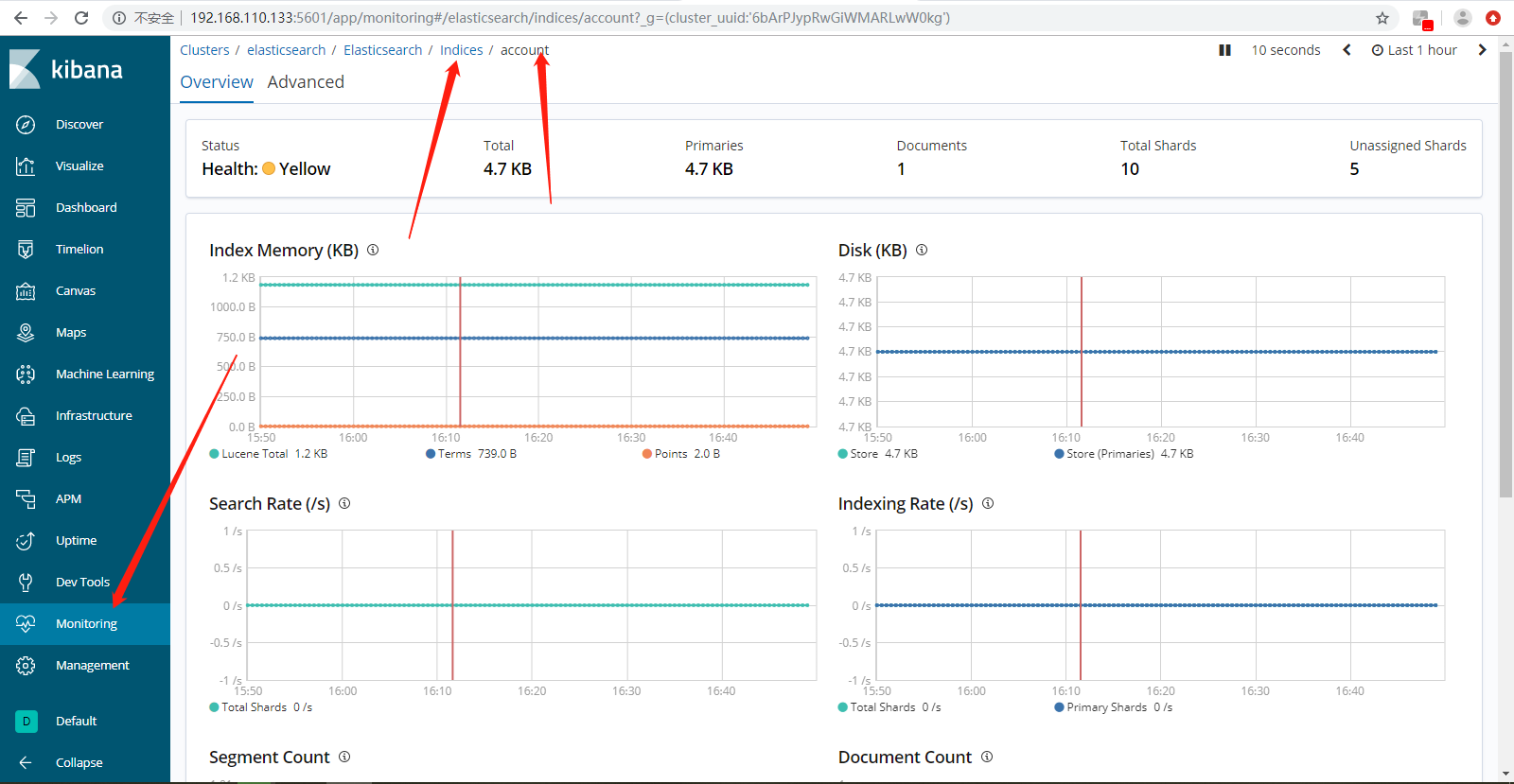
X-Pack更多指标自己慢慢学习和查看吧。
待续......
Elasticsearch 6.x版本全文检索学习之集群调优建议的更多相关文章
- Elasticsearch 6.x版本全文检索学习之分布式特性介绍
1.Elasticsearch 6.x版本全文检索学习之分布式特性介绍. 1).Elasticsearch支持集群默认,是一个分布式系统,其好处主要有两个. a.增大系统容量,如内存.磁盘.使得es集 ...
- Elasticsearch 6.x版本全文检索学习之Search API
Elasticsearch 6.x版本全文检索学习之Search API. 1).Search API,实现对es中存储的数据进行查询分析,endpoind为_search,如下所示. 方式一.GET ...
- Elasticsearch 6.x版本全文检索学习之倒排索引与分词、Mapping 设置
Beats,Logstash负责数据收集与处理.相当于ETL(Extract Transform Load).Elasticsearch负责数据存储.查询.分析.Kibana负责数据探索与可视化分析. ...
- Elasticsearch集群调优
系统调优 禁用swap 使用swapoff命令可以暂时关闭swap.永久关闭需要编辑/etc/fstab,注释掉swap设备的挂载项. swapoff -a 如果完全关闭swap不可行,可以试着降低s ...
- hadoop集群调优-OS和文件系统部分
OS and File System 根据Dell(因为我们的硬件采用dell的方案)关于hadoop调优的相关说明,改变几个Linux的默认设置,Hadoop的性能能够增长大概15%. open f ...
- hadoop 集群调优实践总结
调优概述# 几乎在很多场景,MapRdeuce或者说分布式架构,都会在IO受限,硬盘或者网络读取数据遇到瓶颈.处理数据瓶颈CPU受限.大量的硬盘读写数据是海量数据分析常见情况. IO受限例子: 索引 ...
- hadoop集群调优-hadoop settings and MapReduce
Hadoop Settings 由于Hadoop节点的系统配置,一些hadoop的设置可以减少运行系统中的瓶颈.首先,提高Java运行时的堆内存容量,也要和系统中的整体内存容量相关:其次,保持hado ...
- Elasticsearch 6.x版本全文检索学习之聚合分析入门
1.什么是聚合分析? 答:聚合分析,英文为Aggregation,是es除搜索功能外提供的针对es数据做统计分析的功能.特点如下所示: a.功能丰富,提供Bucket.Metric.Pipeline等 ...
- Elasticsearch 6.x版本全文检索学习之数据建模
1.什么是数据建模. 答:数据建模,英文为Data Modeling,为创建数据模型的过程.数据模型Data Mdel,对现实世界进行抽象描述的一种工具和方法,通过抽象的实体及实体之间联系的形式去描述 ...
随机推荐
- hdu 6301 Distinct Values (贪心)
Distinct Values Time Limit: 4000/2000 MS (Java/Others) Memory Limit: 32768/32768 K (Java/Others)T ...
- 《Java基础知识》Java static关键字以及Java静态变量和静态方法
static 修饰符能够与变量.方法一起使用,表示是“静态”的. 静态变量和静态方法能够通过类名来访问,不需要创建一个类的对象来访问该类的静态成员,所以static修饰的成员又称作类变量和类方法.静态 ...
- 视频剪辑什么鬼?Python 带你高效创作短视频
阅读文本大概需要 10 分钟. 近两年,抖音.快手将短视频推到风口浪尖上,要生产出高质量的视频,离不开视频剪辑这一环节:在全民剪片浪潮中,大众使用最多的剪辑软件如:Pr.FCPX.剪印.Vue 等. ...
- [ASP.NET Core 3框架揭秘] 跨平台开发体验: Windows [下篇]
由于ASP.NET Core框架在本质上就是由服务器和中间件构建的消息处理管道,所以在它上面构建的应用开发框架都是建立在某种类型的中间件上,整个ASP.NET Core MVC开发框架就是建立在用来实 ...
- JavaScript实现动态轮播图效果
功能描述: 1.鼠标经过 左右侧箭头显示,鼠标离开 箭头隐藏 2.动态添加底部小圆圈并绑定单击事件,并且让小圆圈的点击事件和左右箭头点击事件同步 3.拷贝第一张图片添加到ul最后可以实现动态添加图片 ...
- Android 避免内存泄漏
什么是内存泄露? 就是该回收的内存由于种种原因没有被回收,还驻留在内存中. 内存泄露有什么影响? 可能一处小小的内存泄露就会导致整个应用卡顿,甚至崩溃. 例子说明: Toast.makeText(Ma ...
- IDEA开发、测试、生产环境pom配置及使用
pom文件 一般放在最下面,project里 <!--开发环境.测试环境.生产环境--> <!--生产环境--> <profiles> <profile> ...
- Java之缓冲流(字节/字符缓冲流)
概述 缓冲流,也叫高效流,是对4个基本的 FileXxx 流的增强,所以也是4个流,按照数据类型分类: 字节缓冲流: BufferedInputStream , BufferedOutputStrea ...
- js 五种绑定彻底弄懂this,默认绑定、隐式绑定、显式绑定、new绑定、箭头函数绑定详解
壹 ❀ 引 可以说this与闭包.原型链一样,属于JavaScript开发中老生常谈的问题了,百度一搜,this相关的文章铺天盖地.可开发好几年,被几道this题安排明明白白的人应该不在少数(我就是 ...
- Comet OJ - Contest #11 B题 usiness
###题目链接### 题目大意:一开始手上有 0 个节点,有 n 天抉择,m 种方案,在每天中可以选择任意种方案.任意次地花费 x 个节点(手上的节点数不能为负),使得在 n 天结束后,获得 y 个节 ...