
Nginx搭建动态静态服务器
Nginx做静态资源服务器优于Tomcat
区分静态资源,动态资源请求
使用域名区分!
如果是动态资源请求 反向代理到 Tomcat
如果 是静态资源请求 直接走本地Nginx
配置:
###静态资源
server {
listen 80;
server_name static.toov5.com;
location /static/img {
root /home;
index index.html index.htm;
}
error_page 500 502 503 504 /50x.html;
location = /50x.html {
root html;
}
}

女神出现了
动态:

properties:
server.port: 8080

spring.mvc.view.prefix=/WEB-INF/jsp/

spring.mvc.view.suffix=.jsp
controller
package com.controller;

import org.springframework.boot.SpringApplication;

import org.springframework.boot.autoconfigure.SpringBootApplication;

import org.springframework.stereotype.Controller;

import org.springframework.web.bind.annotation.RequestMapping;

@SpringBootApplication

@Controller

public class IndexController {

     @RequestMapping("/")

     public String index() {

         System.out.println("index");

         return "index";

     }

      public static void main(String[] args) {

        SpringApplication.run(IndexController.class, args);

    }

}
jsp
<%@ page language="java" contentType="text/html; charset=utf-8" pageEncoding="utf-8"%>

<%

    String path = request.getContextPath();

    String basepath = request.getScheme()+"://"+request.getServerName()+":"+request.getServerPort()+path+"/";

%>

<html>

<head>

<base href="<%=basepath %>" />

<meta http-equiv="Content-Type" content="text/html; charset=utf-8" />

<title>Insert title here</title>

</head>

<body>

  <h1>

   look:

     <img alt="" src="http://static.toov5.com/static/img/p.jpg">

  </h1>

</body>

</html>
pom:
<project xmlns="http://maven.apache.org/POM/4.0.0" xmlns:xsi="http://www.w3.org/2001/XMLSchema-instance"

	xsi:schemaLocation="http://maven.apache.org/POM/4.0.0 http://maven.apache.org/xsd/maven-4.0.0.xsd">

	<modelVersion>4.0.0</modelVersion>

	<groupId>com.itmayiedu</groupId>

	<artifactId>servet_demo</artifactId>

	<version>0.0.1-SNAPSHOT</version>

	<packaging>war</packaging>

	<parent>

        <groupId>org.springframework.boot</groupId>

        <artifactId>spring-boot-starter-parent</artifactId>

        <version>2.0.0.RELEASE</version>

    </parent>

    <dependencies>

        <!-- SpringBoot 核心组件 -->

        <dependency>

            <groupId>org.springframework.boot</groupId>

            <artifactId>spring-boot-starter-web</artifactId>

        </dependency>

        <dependency>

            <groupId>org.springframework.boot</groupId>

            <artifactId>spring-boot-starter-tomcat</artifactId>

        </dependency>

        <dependency>

            <groupId>org.apache.tomcat.embed</groupId>

            <artifactId>tomcat-embed-jasper</artifactId>

        </dependency>

    </dependencies>

</project>
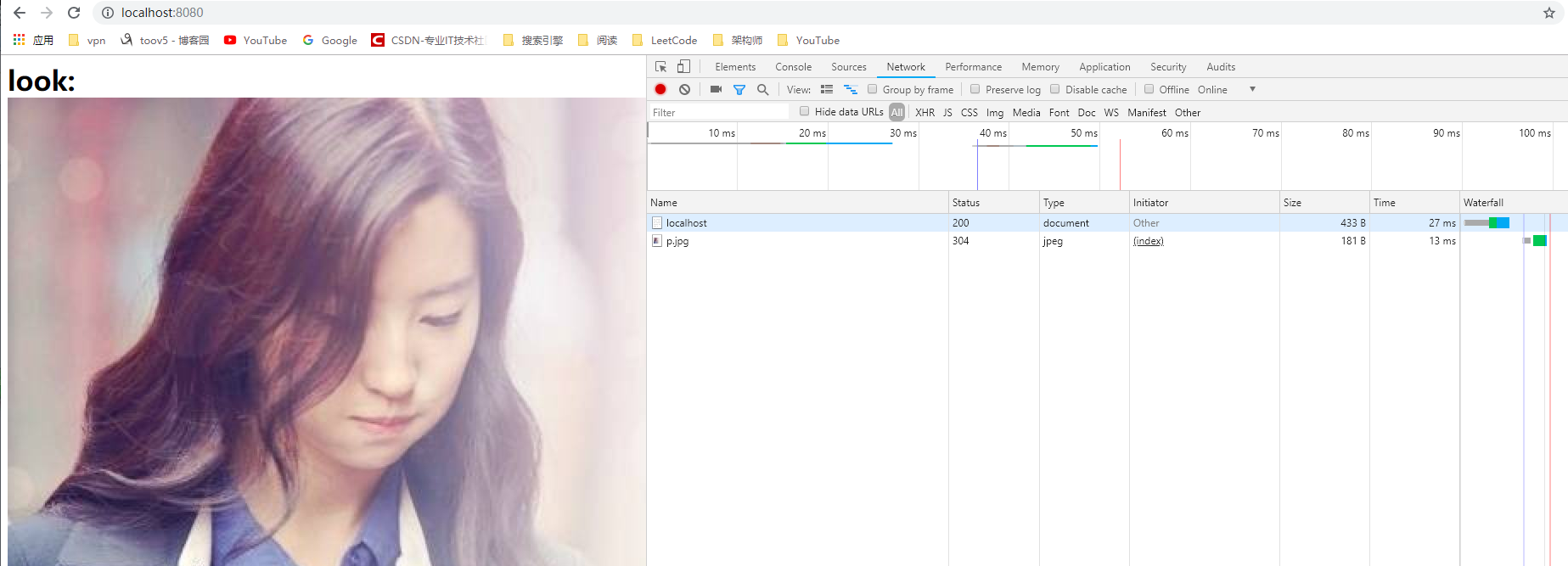
我的访问url与 网页内嵌的不一样哦
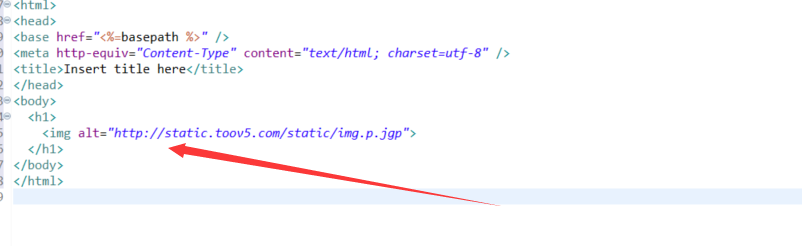

访问时候是www 图片是static 完全分离了哦 哈哈哈
请求一次:
Nginx搭建动态静态服务器的更多相关文章
- 转:Linux下使用Nginx搭建简单图片服务器
最近经常有人问图片上传怎么做,有哪些方案做比较好,也看到过有关于上传图片的做法,但是都不是最好的,今天再这里简单讲一下Nginx实现上传图片以及图片服务器的大致理念. 如果是个人项目或者企业小项目,仅 ...
- 腾讯云,搭建Http静态服务器环境
任务时间:15min ~ 30min 搭建静态网站,首先需要部署环境.下面的步骤,将告诉大家如何在服务器上通过 Nginx 部署 HTTP 静态服务. 安装 Nginx 在 CentOS 上,可直接使 ...
- Nginx搭建flv视频点播服务器
Nginx搭建flv视频点播服务器 前一段时间使用Nginx搭建的多媒体服务器只能在缓冲过的时间区域内拖放, 而不能拖放到未缓冲的地方. 这就带来了一个问题: 如果视频限速的速率很小, 那么客户端观看 ...
- 使用nginx搭建媒体点播服务器
使用nginx搭建媒体点播服务器 最新由于兴趣,对ubuntu和安卓上的视频点播直播等应用比较感兴趣,所以在vmware的虚拟机里面搭建了一个视频点播网站,参考了fengzhanhai的文章Nginx ...
- nginx实现动态/静态文件缓存(week4_day1_part2)-技术流ken
nginx实现静态文件缓存实战 1.nginx静态文件缓存 如果要熟练使用nginx来实现文件的缓存,那下面的几个指令你必须要牢记于心 指令1:proxy_cache_path 作用:设置缓存数据的相 ...
- django uWSGI nginx搭建一个web服务器 确定可用
网上的找了很多篇 不知道为什么不行,于是自己搭建了一个可用的Web 大家可按步骤尝试 总结下基于uwsgi+Nginx下django项目生产环境的部署 准备条件: .确保有一个能够用runserver ...
- 使用Nginx搭建本地流媒体服务器
Mac搭建nginx+rtmp服务器 1.打开终端,查看是否已经安装Homebrew,直接输入命令 man brew 如果Mac已经安装了, 会显示一些命令的帮助信息. 此时输入Q退出即可, 直接进入 ...
- nginx 搭建上传服务器
nginx webdav 服务器搭建 该模块可以为Http webDAV 增加PUT,DELETE,MKCOL,COPY和MOVE等方法.模块在默认编译的情况下是不被包含的,需要指定编译 ./conf ...
- Nginx 搭建rtmp直播服务器
1.到nginx源码目录新建个rtmp目录 ,进入 git clone https://github.com/arut/nginx-rtmp-module.git 2.重编译nginx 代码如下 ...
随机推荐
- 20199319《Linux内核原理与分析》第十二周作业
SET-UID程序漏洞实验 一.实验简介 Set-UID是Unix系统中的一个重要的安全机制.当一个Set-UID程序运行的时候,它被假设为具有拥有者的权限.例如,如果程序的拥有者是root,那么任何 ...
- c++ 数组 结构体
接下来的一点时间我将会记录下我看的c++的一些心得体会,人贵在坚持,希望我可以一直坚持下去!!Go Fighting! 一.c++复合数据类型: 数组类型的一些注意事项: sizeof的用法: 当 ...
- maven中配置jboss仓库
有两种方式,一种是在项目的pom.xml中<repositories>中添加,这是配置是针对具体的某一个项目,更多时候,我们想把jboss仓库作为所有项目的仓库,这就需要在maven的se ...
- Java模板引擎性能对比
模板引擎性能对比 从Github上翻到对JSP.Thymeleaf 3.Velocity 1.7.Freemarker 2.3.23几款主流模板的性能对比,总体上看,Freemarker.Veloci ...
- Python基础:元组
元组(tuple)特点: 1.元组是以圆括号“()”包围的数据集合,不同成员以“,”分隔.通过下标进行访问 2.不可变序列,可以看做不可变的列表,与列表不同:元组中数据一旦确立就不能改变(所以没有类似 ...
- linux系统很卡的基本排查方法
1. 查看内存使用情况 free -g 当观察到free栏已为0的时候,表示内存基本被吃完了,那就释放内存吧(释放内存参考上篇文章) 2. 查看磁盘使用情况 df -h 当发现磁盘使用率很高时,那就要 ...
- hive建表结构
drop table dw.fct_so;create table dw.fct_so(so_id bigint comment '订单ID',parent_so_id bigint comment ...
- Fiddler debug 拦截文件
前言 前端每次本地调试的需要重新build文件,而且如果当前文件是在另外一个项目中使用,则还需要拷贝到另外一个项目下面.这个工作很耗时.如果使用替换包,可以节省很多时间,也便于开发. 解决方案 用Fi ...
- linux下PHP扩展安装memcache模块
linux下PHP扩展安装memcache模块 roid 安装环境RHEL 4Php 5.2.6 所需软件libevent-1.4.6-stable.tar.gz (http://monkey.o ...
- Python网络数据采集(1):博客访问量统计
前言 Python中能够爬虫的包还有很多,但requests号称是“让HTTP服务人类”...口气不小,但的确也很好用. 本文是博客里爬虫的第一篇,实现一个很简单的功能:获取自己博客主页里的访问量. ...