
How to Use Postman to Manage and Execute Your APIs
How to Use Postman to Manage and Execute Your APIs
Postman is convenient for executing APIs because once you’ve entered and saved them, you can use them over and over again without having to remember exact information.
In today’s development world, the importance of APIs is known to almost all.
APIs make it possible for any two separate applications to transfer and share data between themselves and makes it easier for an application user to execute actions without having to use the application’s GUI. From the developer's POV, it's an easy way to execute certain functionalities of their app and test it, as well.
Using APIs on a daily basis might become cumbersome, as one might have dozens or even hundreds of APIs that need to be tested. That makes it difficult to keep up with their exact request’s address, headers, authorization credentials, etc., and that makes it harder to test the API for functionality, security, and exception handling.
Postman is a popular API client that makes it easy for developers to create, share, test, and document APIs. This is done by allowing users to create and save simple and complex HTTP/s requests, as well as read their responses. The result is more efficient and less tedious work.
In this post, we will go over how to use Postman to execute APIs for your daily work, an ability that is available in their free version. We will also show you how to use Postman when using CA BlazeMeter.
In case you don’t have Postman installed, you’ll need Google Chrome browser and to install the Postman chrome extension on Chrome Web Store.
How to Use Postman to Execute APIs
Postman is very convenient when it comes to executing APIs, since once you’ve entered and saved them, you can simply use them over and over again without having to remember the exact endpoint, headers, API key, etc.
Starting with Postman is pretty straightforward. Go to your and select the Postman logo. You will see Postman’s GUI, and in the upper section, you should see the relevant field to enter your API request as well as the Methods menu (GET, POST, etc.) and tabs to add headers, body, authorization credentials, and pre-request scripts. On the right side, you will see the Save button to save your API for future use.
Here is a detailed example explaining how to enter a new API request using CA BlazeMeter’s test create API, but you can do this for the product you are developing.
1. Enter the API endpoint where it says Enter request URL and select the method (the action type) on the left of that field. The default method is GET but we will use POST in the example below.

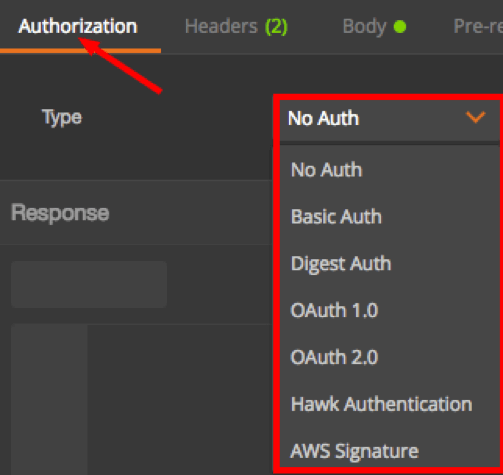
2. Add authorization tokens and credentials according to the server side requirements. The different methods and protocols that Postman supports are No Authentication, Basic Authentication (provide username and password only), Digest Authentication, OAuth 1.0, OAuth 2.0, Hawk Authentication, and AWS Signature.
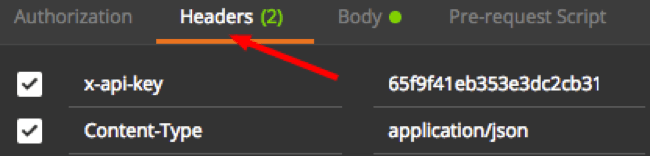
3. Enter headers in case they are required.
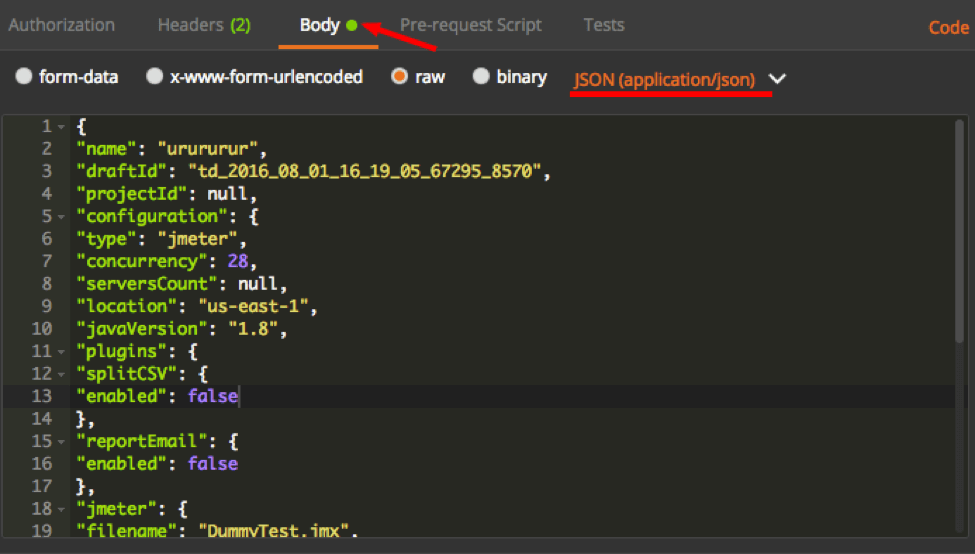
4. Enter a post body in case it is required. In this example, we are creating a CA BlazeMeter test that requires a JSON payload with relevant details.
5. If you wish to execute this API now, hit the Send button, which is located to the right of the API request field. You can also click on the Save button beside it to save that API request to your library.

That’s it! Now, you know how to enter your API request to Postman and save it to your library.
One of Postman’s fantastic features is Collections. Collections allow you to group together several APIs that might be related or perhaps should be executed in a certain sequence.
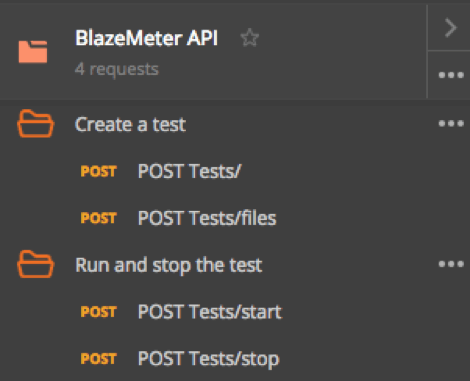
For example, in the screenshot below, you can see a collection that includes four APIs that are all required to create and run a CA BlazeMeter test. The first two APIs create the test object — the first of the two applies the necessary configuration, and the following API uploads the script file needed to run it. The last two APIs start and stop the test we created previously. Obviously, they should be executed in that sequence, hence the collection will be sorted accordingly.
Running a Postman Collection
In order to run a Postman Collection, you will need to use a feature called Collection Runner.
1. In Postman GUI, in the top left corner of the screen, click the Runner button.

2. Select the relevant Collection. In our case, it will be the one called BlazeMeter API.
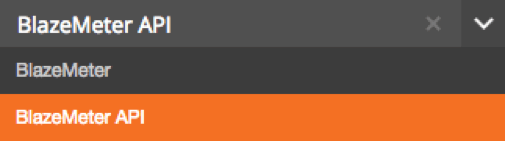
3. There are additional configuration parameters which you may define but it’s not mandatory. For example, you can specify the number of iterations you wish to run the collection for, as well as add delays between each API request.
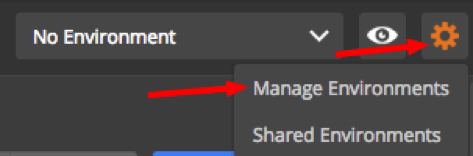
Also, there is an option to choose your environment. Environments allow you customize requests using variables that might include environment specific values. This is extremely helpful in case you are testing against several environments such as development environment, production environment, etc. In order to set up a new environment, click on the gear icon on the top right side of the Postman GUI. Select Manage environments. You will be able to add a new one as well as its respective variables.
How Postman Helps You Use APIs Within Your Own App or Script
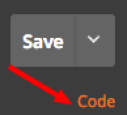
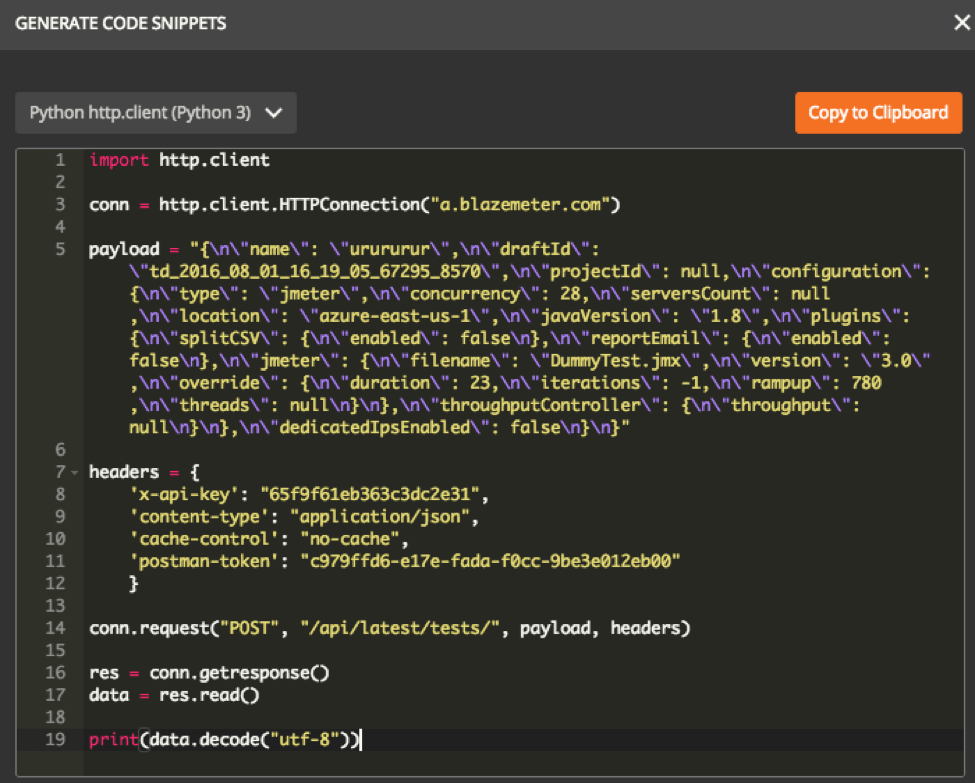
Postman also has a feature called Snippets. By using it, you can generate code snippets in a variety of languages and frameworks such as Java, Python, C, cURL, and many others. This is a huge tim- saver since a developer can easily integrate APIs with his or her own code without too much hassle. To use it, click on the Code link below the Save button on the top right section of Postman’s GUI.
Below is an example for our Create Test API in a python snippet.
Congratulations — now you can now start running and testing your API using Postman!
转自:https://dzone.com/articles/how-to-use-postman-to-manage-and-execute-your-apis
How to Use Postman to Manage and Execute Your APIs的更多相关文章
- Postman(API & HTTP请求调试插件)
简述 Postman是一个Chrome扩展,提供功能强大的Web API & HTTP请求调试.它能够发送任何类型的HTTP 请求(GET.HEAD.POST.PUT..),附带任何数量的参数 ...
- Improve Scalability With New Thread Pool APIs
Pooled Threads Improve Scalability With New Thread Pool APIs Robert Saccone Portions of this article ...
- SAP CRM 最新简介文字(2007年、中英文)
以下内容是SAP CRM功能的精简描述,摘自SAP官方文档,附上中英文版本,可以对SAP CRM的主要功能有大致了解. 营销 - 使用营销资源管理.客户细分及列表管理.营销活动管理.线索管理.贸易促销 ...
- 10分钟入门spark
Spark是硅谷各大公司都在使用的当红炸子鸡,而且有愈来愈热的趋势,所以大家很有必要了解学习这门技术.本文其实是笔者深入浅出hadoop系列的第三篇,标题里把hadoop去掉了因为spark可以不依赖 ...
- cloudera-scm-server启动时出现Caused by: java.io.FileNotFoundException: /var/lib/cloudera-scm-server/.keystore (No such file or directory)问题解决方法(图文详解)
不多说,直接上干货! 问题详情 查看/var/log/cloudera-scm-server.log的启动日志 问题来源 我在用cloudermanager安装好之后,然后,在对如下. 配置kerbe ...
- Network Function Virtualization for a Network Device
An apparatus for performing network function virtualization (NFV), comprising: a memory, a processor ...
- 定位和xml解析和gson解析加上拉加载,下拉刷新
这里的上拉加载,下拉刷新用到是依赖包 Mainactivity,xml解析和定位 package com.exmple.autolayout; import java.util.List; impor ...
- 浅谈HTTP中GET、POST用法以及它们的区别
浅谈HTTP中GET.POST用法以及它们的区别 HTTP定义了与服务器交互的不同方法,最基本的方法有4种,分别是GET,POST,PUT,DELETE.URL全称是资源描述符.我们可以这样认为: 一 ...
- [转]浅谈HTTP中GET、POST用法以及它们的区别
HTTP定义了与服务器交互的不同方法,最基本的方法有4种,分别是GET,POST,PUT,DELETE.URL全称是资源描述符.我们可以这样认为: 一个URL地址,它用于描述一个网络上的资源,而HTT ...
随机推荐
- rsync工具介绍 rsync常用选项 rsync通过ssh同步
linux文件同步工具-rsync [root@centos7 tmp]# yum install -y rsync rsync可以增量的同步,只同步变更的文件 把/etc/passwd 同步到/tm ...
- 腾讯大湘网某处csrf(city.hn.qq.com)可投诉刷留言
触发点: http://city.hn.qq.com http://city.hn.qq.com/auto/c=shop&m=bbs&id=668 POST /msgboard/mes ...
- vue用阿里云oss上传图片使用分片上传只能上传100kb以内的解决办法
首先,vue和阿里云oss上传图片结合参考了 这位朋友的 https://www.jianshu.com/p/645f63745abd 文章,成功的解决了我用阿里云oss上传图片前的一头雾水. 该大神 ...
- jquery判断某个属性是否存在 hasAttr
在JQuery编码中,我们会判断元素是否存在某个属性.比如是否包含 class="new" 的样式呢.JQuery判断就非常简单了,因为有 hasClass这个方法 $(" ...
- Linux-PAM认证机制
http://www.cnblogs.com/marility/articles/9235522.html https://www.jianshu.com/p/342c05b51b7c https:/ ...
- 本地存储(LocalStorage、SessionStorage、Web SQL Database、Indexed DB)
https://www.cnblogs.com/SeeYouBug/p/6127001.html https://blog.csdn.net/inter_peng/article/details/49 ...
- 开发kendo-ui弹窗组件
摘要: kendo-ui中只是提供了windwo插件,并没有提供页内弹窗插件.现在分享项目中自己定制的基于window组件的弹窗插件,如果你的项目也是用的kendo-ui,只需要将组件代码引到项目中即 ...
- 基于jQuery的tooltips插件--poshytip
摘要: 分享一款在项目中使用的tooltips插件--poshytip,这是一款基于jQuery的插件,其特点是简单易用,支持浏览器:IE6+, FF 2+, Opera 9+, Safari 3+, ...
- ubuntu alsa
今天要在linux下搞音频编程,在网上查阅了一下资料,网上很多资料都是在linux下直接对/dev/dsp进行编程的,因为在以往的linux系统中,我们是可以通过cat xxx.wav /dev/d ...
- android:versionCode和android:versionName 用途(转)
转自:http://blog.csdn.net/wh_19910525/article/details/8660416 Android的版本可以在androidmainfest.xml中定义,主要有a ...