
IntelliJ IDEA 2017版 spring-boot 2.0.5 邮件发送简单实例 (三)
一、搭建SpringBoot项目
详见此文:https://www.cnblogs.com/liuyangfirst/p/8298588.html
注意:
需要添加mail依赖的包,同时还添加了lombock,方便日志打印。如图所示
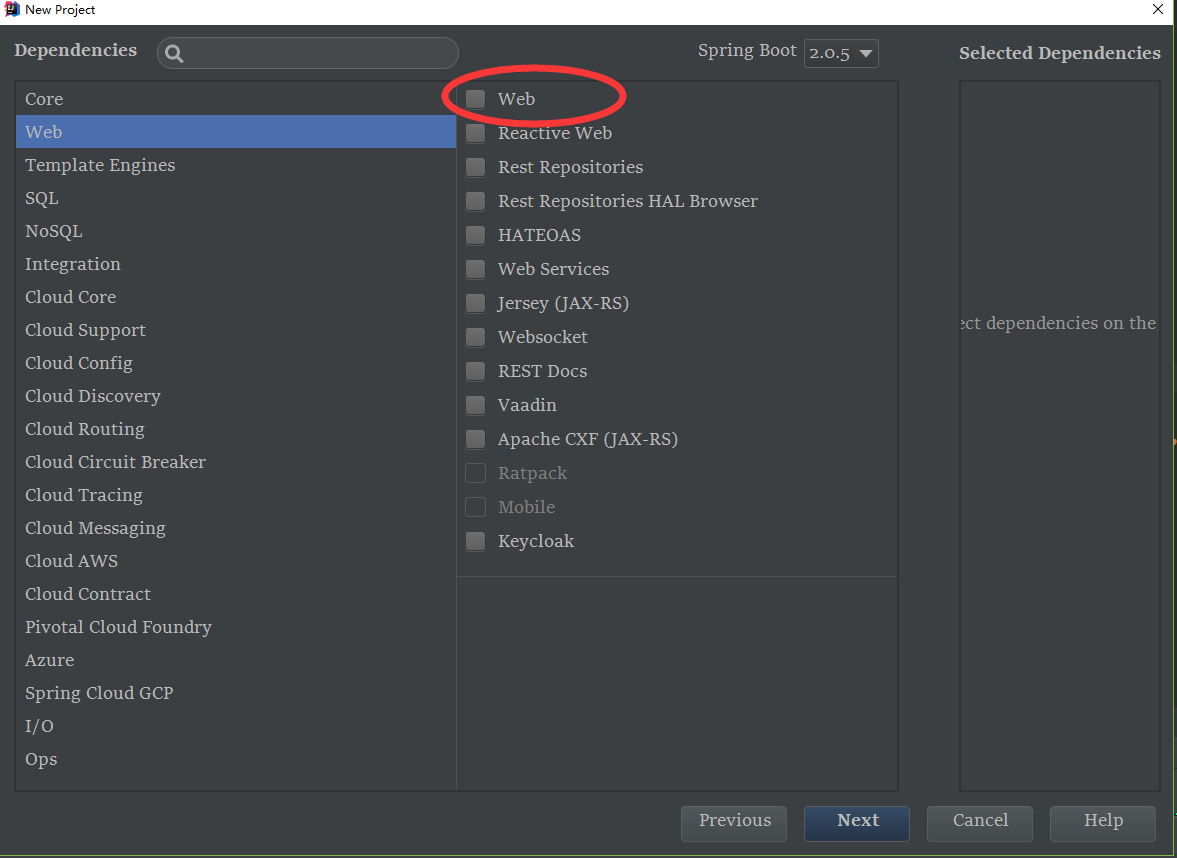
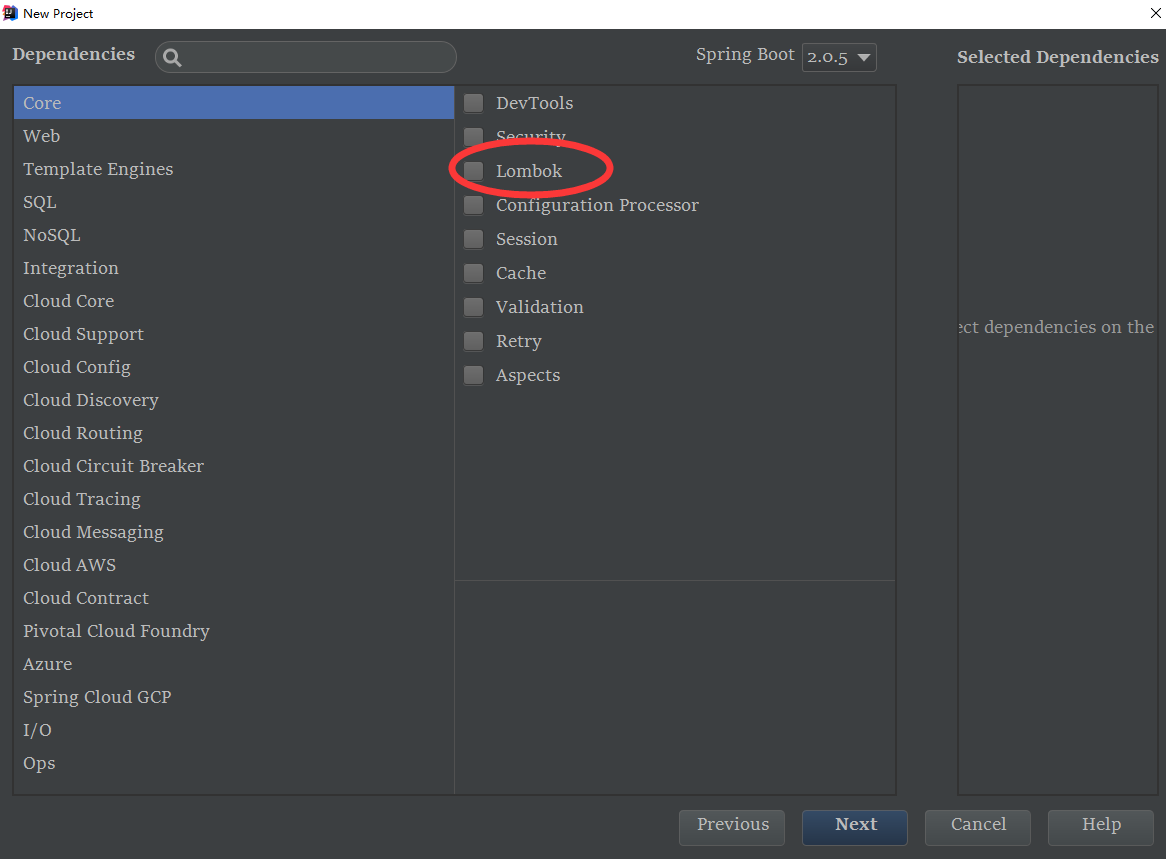
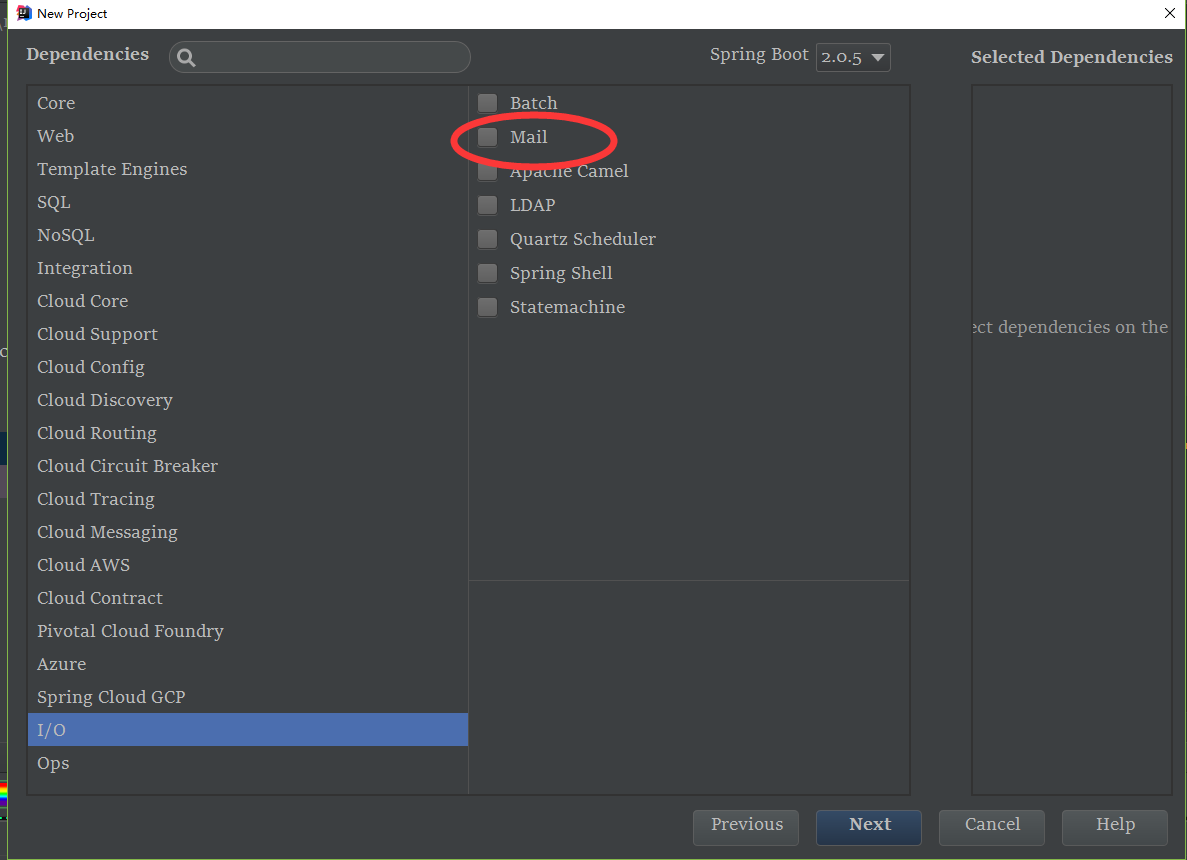
二、启动Application,测试项目搭建是否成功
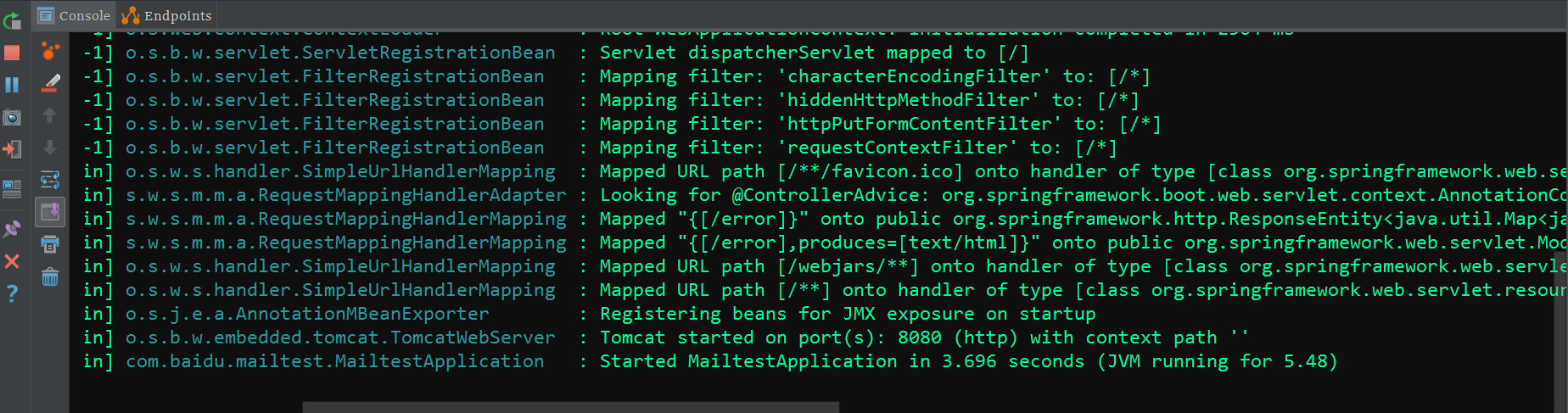
三、配置properties文档
 #########邮箱协议

 spring.mail.host=smtp.163.com  ####还可以是smtp.126.com 等

 ##########发送邮件的用户名

 spring.mail.username= 你的邮箱

 ########移动端客户授权码(需要开通POP3授权)

 spring.mail.password= 授权密码

 #######配置邮件发送默认编码utf-8

 spring.mail.default-encoding=UTF-8
注意:
需要授权码,163为例,163官网授权码开通如下
https://help.mail.163.com/faqDetail.do?code=d7a5dc8471cd0c0e8b4b8f4f8e49998b374173cfe9171305fa1ce630d7f67ac2cda80145a1742516
四、业务逻辑
1、需要发件人邮箱地址
2、需要调用自带邮箱封装的类,JavaMailSender
3、需要将收件人,主题,内容填入到方法内,最后,调用JavaMailSender的send方法发送
 package com.baidu.mailtest.service;

 import lombok.extern.slf4j.Slf4j;

 import org.springframework.beans.factory.annotation.Autowired;

 import org.springframework.beans.factory.annotation.Value;

 import org.springframework.mail.SimpleMailMessage;

 import org.springframework.mail.javamail.JavaMailSender;

 import org.springframework.stereotype.Service;

 /******************************

  * @author : liuyang

  * <p>ProjectName:mail  </p>

  * @ClassName :  MailService

  * @date : 2018/9/22 0022

  * @time : 22:57

  * @createTime 2018-09-22 22:57

  * @version : 2.0

  * @description :

  *

  *

  *

  *******************************/

 @Service

 @Slf4j

 public class MailService {

     /**

      * 发件人邮箱地址

      */

     @Value("${spring.mail.username}")

     private String fromUserName;

     @Autowired

     private JavaMailSender javaMailSender;

     /**

      * 一般发送邮件方法

      *

      * @param to      发送给某人

      * @param subject 邮件主题

      * @param context 邮件内容

      */

     public void sendSimpleMail(String to, String subject, String context) {

         SimpleMailMessage simpleMailMessage = new SimpleMailMessage();

         simpleMailMessage.setTo(to);

         simpleMailMessage.setSubject(subject);

         simpleMailMessage.setText(context);

         simpleMailMessage.setFrom(fromUserName);

         javaMailSender.send(simpleMailMessage);

     }

 }
五、编写测试类
 package com.baidu.mailtest;

 import com.baidu.mailtest.service.MailService;

 import lombok.extern.slf4j.Slf4j;

 import org.junit.Test;

 import org.junit.runner.RunWith;

 import org.springframework.boot.test.context.SpringBootTest;

 import org.springframework.test.context.junit4.SpringRunner;

 import javax.annotation.Resource;

 @RunWith(SpringRunner.class)

 @SpringBootTest

 @Slf4j

 public class MailServiceApplicationTests {

     @Resource

     MailService mailService;

     @Test

     public void sayMail() {

         mailService.sendSimpleMail("收件人邮箱", "SpringBoot邮件测试", "今天需要很多美女陪我");

         log.info("发送成功");

     }

 }
六、观察测试结果
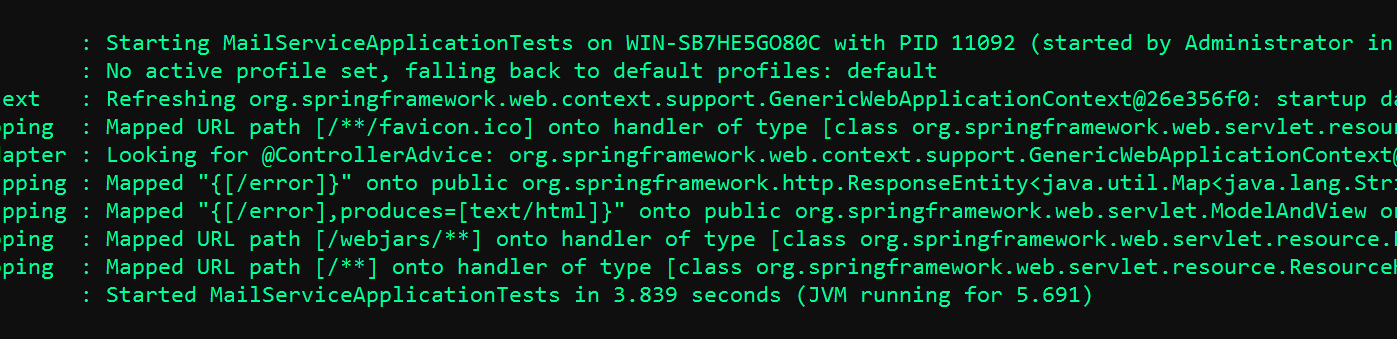
注意发送时候,测试类比较慢,如图位置会卡一会儿。
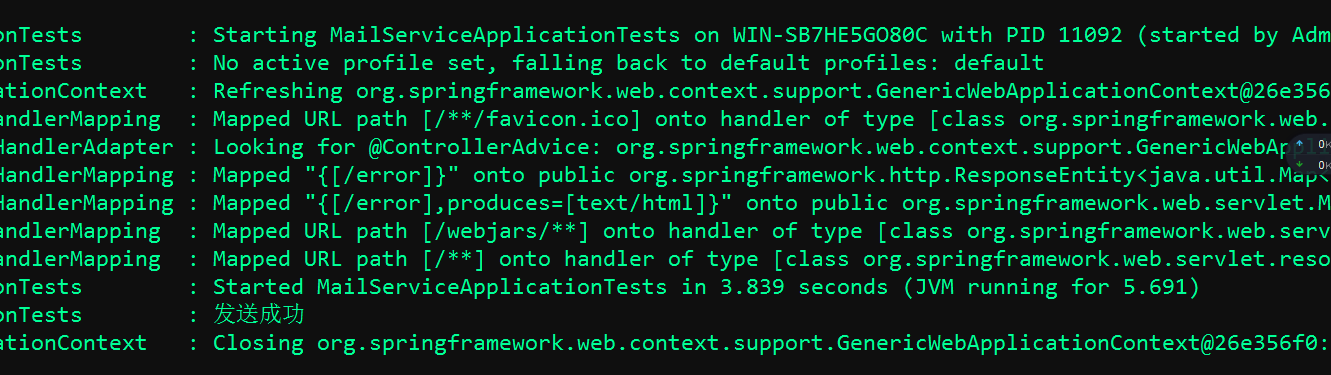
发送成功如图:
七、源码分享
git@github.com:liushaoye/mailtest.git
IntelliJ IDEA 2017版 spring-boot 2.0.5 邮件发送简单实例 (三)的更多相关文章
- Spring Boot 2.0 版的开源项目云收藏来了!
给大家聊一聊云收藏从 Spring Boot 1.0 升级到 2.0 所踩的坑 先给大家晒一下云收藏的几个数据,作为一个 Spring Boot 的开源项目(https://github.com/cl ...
- Spring Boot 2.0 Intellij Idea 中图文详解打包成可执行Jar
我们使用Spring Boot 2.0 创建好我们的项目后,我们一般需要打包,然后部署到服务器上. 打包步骤: 1. 选中项目,右键——> Open Module Settings. 2. 切换 ...
- Spring Boot 2.0正式发布,新特性解读
作者|翟永超 Spring Boot 2.0 来啦,有哪些新特性?升级吗? 写在前面 北京时间 3 月 1 日,经过漫长的等待之后,Spring Boot 2.0 正式发布.作为 Spring 生态中 ...
- Spring Boot 2.0 的快速入门(图文教程)
摘要: 原创出处 https://www.bysocket.com 「公众号:泥瓦匠BYSocket 」欢迎关注和转载,保留摘要,谢谢! Spring Boot 2.0 的快速入门(图文教程) 大家都 ...
- Spring Boot 2.0 入门指南
0x01 什么是Spring Boot? Spring Boot是用来简化Spring应用初始搭建以及开发过程的全新框架,被认为是Spring MVC的“接班人”,和微服务紧密联系在一起. 0x02 ...
- Spring Boot 2.0 返回JSP页面实战
1. 模板引擎JSP的限制 在开始之前呢,我觉得我们有必要先去了解下 Spring Boot 2.0 官方文档中提到的如下内容: 模板引擎 除了REST Web服务之外,还可以使用Spring MVC ...
- Spring Boot 2.0 热部署指南
Spring Boot 2.0 支持热部署,实现方法很简单 Spring Boot 2.0 有几种热重载的选项. 推荐的方法是使用spring-boot-devtools 因为它提供了额外的开发时间功 ...
- spring boot 2.0.3+spring cloud (Finchley)7、服务链路追踪Spring Cloud Sleuth
参考:Spring Cloud(十二):分布式链路跟踪 Sleuth 与 Zipkin[Finchley 版] Spring Cloud Sleuth 是Spring Cloud的一个组件,主要功能是 ...
- Spring Boot 2.0 迁移指南
 .css("color", "green") .css( ...
- Linux_(1)基本命令(上)
一.基本命令1.我是谁 whoami --who am i2.谁在线 who w3.显示当前路径(定位) pwd4.切换目录 cd ~返回主目录 cd ..返回上一级目录5.查看某个目录中的子目录和文 ...
- 性能(js)
1.避免全局查找: <script type="text/javascript"> function updateUI(){ var imgs=document.get ...
- 关于ip包长度
http://blog.csdn.net/naturebe/article/details/6712153 这篇文章总结的不错,转自:http://hi.baidu.com/to_wait/blog/ ...
- bowtie:短序列比对的新工具
bowtie:短序列比对的新工具(转) (2014-11-17 22:15:24) 转载▼ 标签: 转载 原文地址:bowtie:短序列比对的新工具(转)作者:玉琪星兆 Bowtie是一个超级快速 ...
- hisat2+stringtie+ballgown
hisat2+stringtie+ballgown Posted on 2016年11月25日 早在去年九月,我就写个博文说 RNA-seq流程需要进化啦!http://www.bio-info-tr ...
- laravel目录结构