
LaTeX中常用代码段snippets(持续更新)
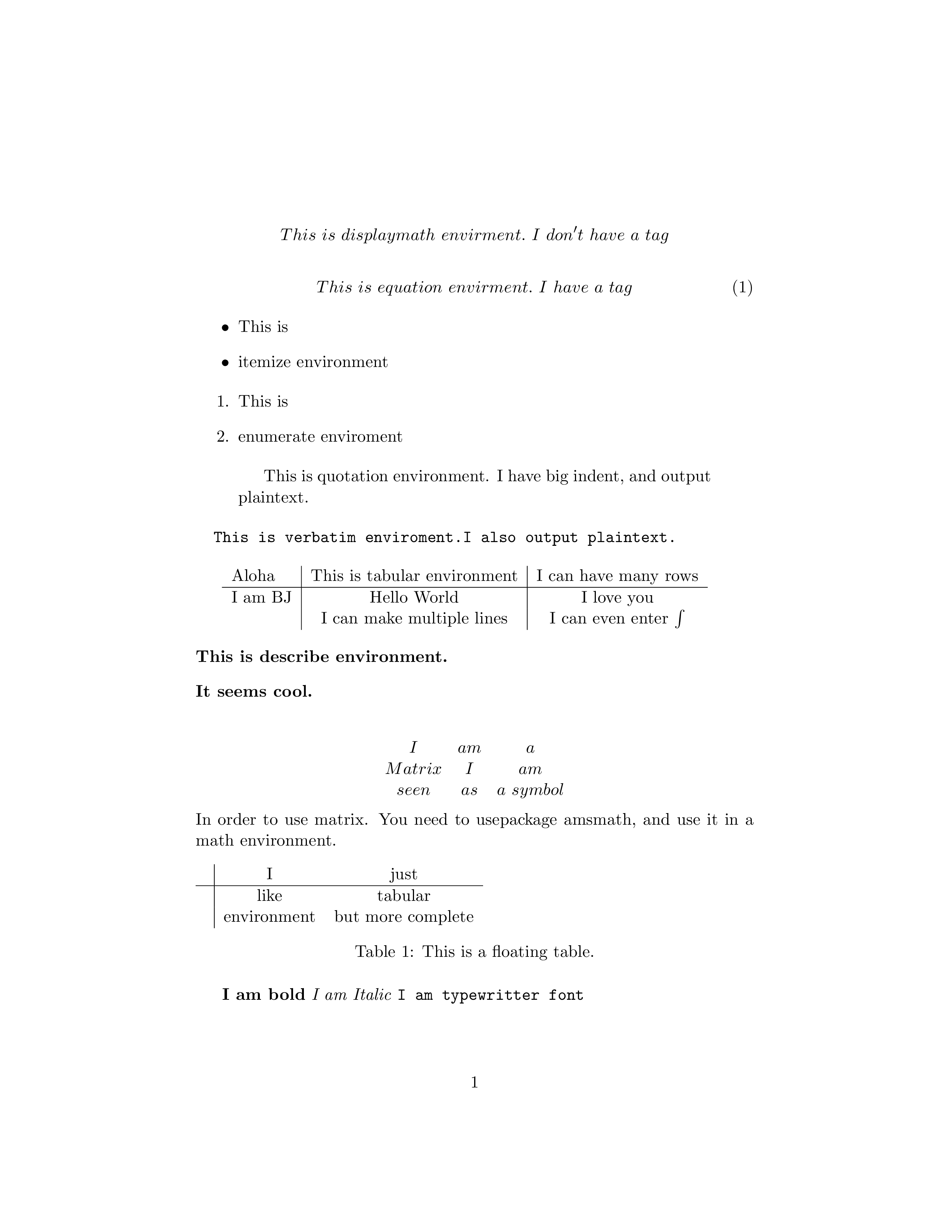
1.displaymath 单行数学环境,不带编号。
\begin{displaymath}

  This\ is\ displaymath\ envirment.\ I\ don

 't\ have\ a\ tag

\end{displaymath}
2.equation 单行数学环境,全文按序编号。
\begin{equation}

	This\ is\ equation\ envirment.\ I\ have\ a\ tag

\end{equation}
3.itemize 条目环境,按小圆点排列。
\begin{itemize}

  \item This is

  \item itemize environment

\end{itemize}
4.enmerate 枚举环境,按数字序号排列。
\begin{enumerate}

	\item This is

	\item enumerate enviroment

\end{enumerate}
5.quotation 引用环境,将输入看作纯文本,有大缩进。
\begin{quotation}

  This is quotation environment. I have big indent, and output plaintext.

\end{quotation}
6.verbatim 复读环境,字体特殊,将输入看作纯文本。
\begin{verbatim}

  This is verbatim enviroment.I also output plaintext.

\end{verbatim}
7.tabular 表格环境。
\begin{tabular}{l|c|c}

  Aloha&This is tabular environment & I can have many rows\\

  \hline

  I am BJ&Hello World &I love you\\

  &I can make multiple lines & I can even enter $\int$

\end{tabular}
其中{}框住的三个字母lcc表示表格有三列,l:本列左对齐,c:本列居中,r:本列右对齐。&符号分割表项,\\换行,\hline添加水平线。
8.description 描述环境,将输入看作纯文本。
\begin{description}

  \item[This is describe environment.]

  \item[It seems cool.]

\end{description}
9.matrix 矩阵环境,使用时要加载amsmath包,并用美元括住。编译器会将matrix看作数学符号处理。
$$

\begin{matrix}

  I& am& a\\

  Matrix& I& am\\

  seen& as& a\ symbol

\end{matrix}

$$
10.table 浮动表格环境,浮动体位置更灵活。
\begin{table}[hbt]

  \begin{tabular}{l|cc}

    & I& just\\

    \hline

   & like & tabular\\

    & environment&but more complete

  \end{tabular}

  \caption{This is a floating table.}

\end{table}
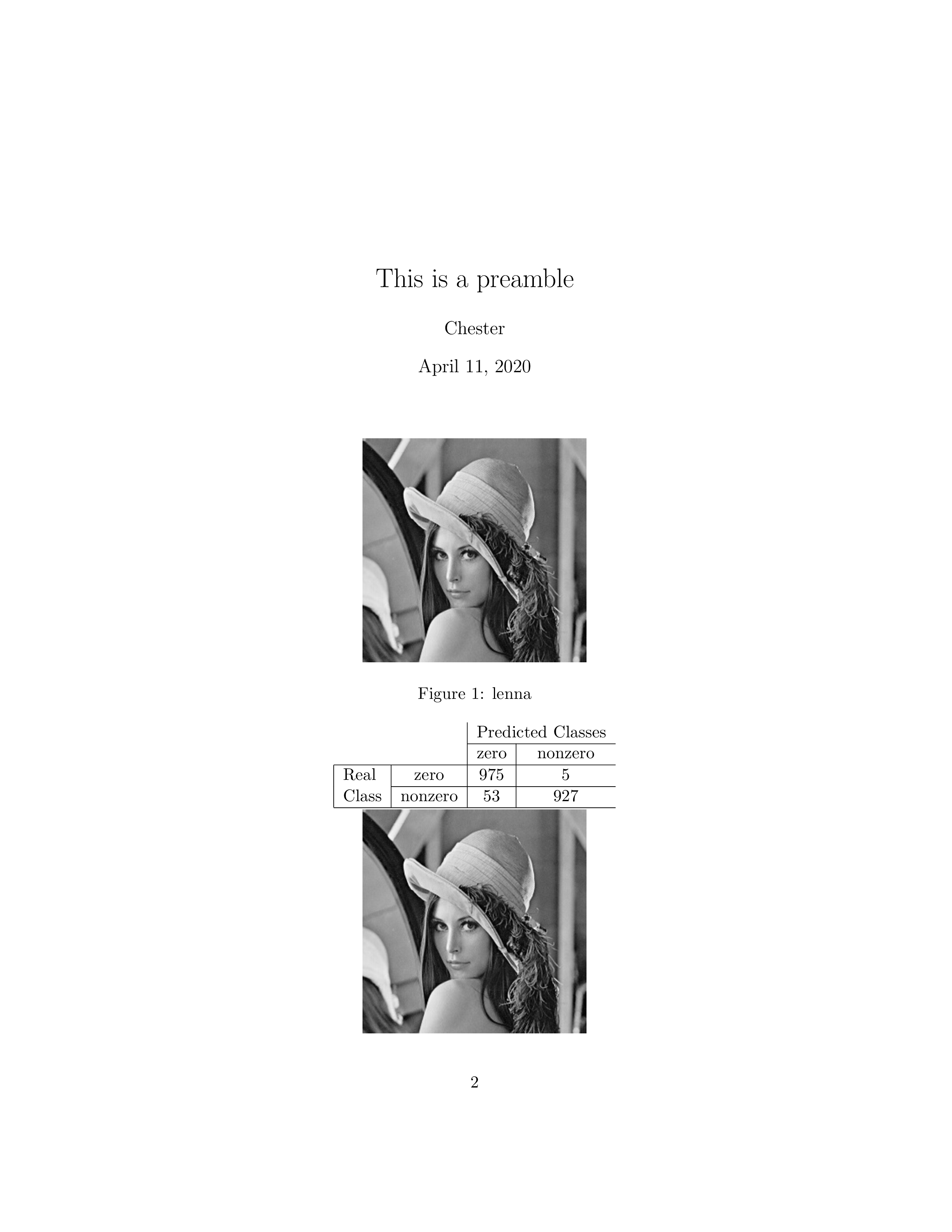
11.preamble 引言环境。
\title{This is a preamble}

\author{Chester}

\date{\today}

\maketitle
12.figure 图片环境。
\begin{figure}[hbt]

  \centering

  \includegraphics{lenna.png}

  \caption{lenna}

\end{figure
13.一个更灵活的图片环境,并且可以居中与缩放图片,需要graphicx包
{\centering\includegraphics[scale=0.85]{test.png}

}\\ 注意这里必须要空一行,这和tex的对齐方式有关,留待日后
14.一个表格的实例,比较细节,含有合并单元格的操作,需要algorithm和algorithmic包
\begin{tabular}{|l|c|c|c}

    	  \multicolumn{2}{}&&\multicolumn{2}{|c}{Predicted Classes}\\ \cline{3-4}

	  \multicolumn{2}{}&&\multicolumn{1}{|c|}{zero }& nonzero\\

	  \hline

	  Real&zero&975&5\\ \cline{2-4}

	  Class&nonzero&53&927\\ \hline

\end{tabular}\\
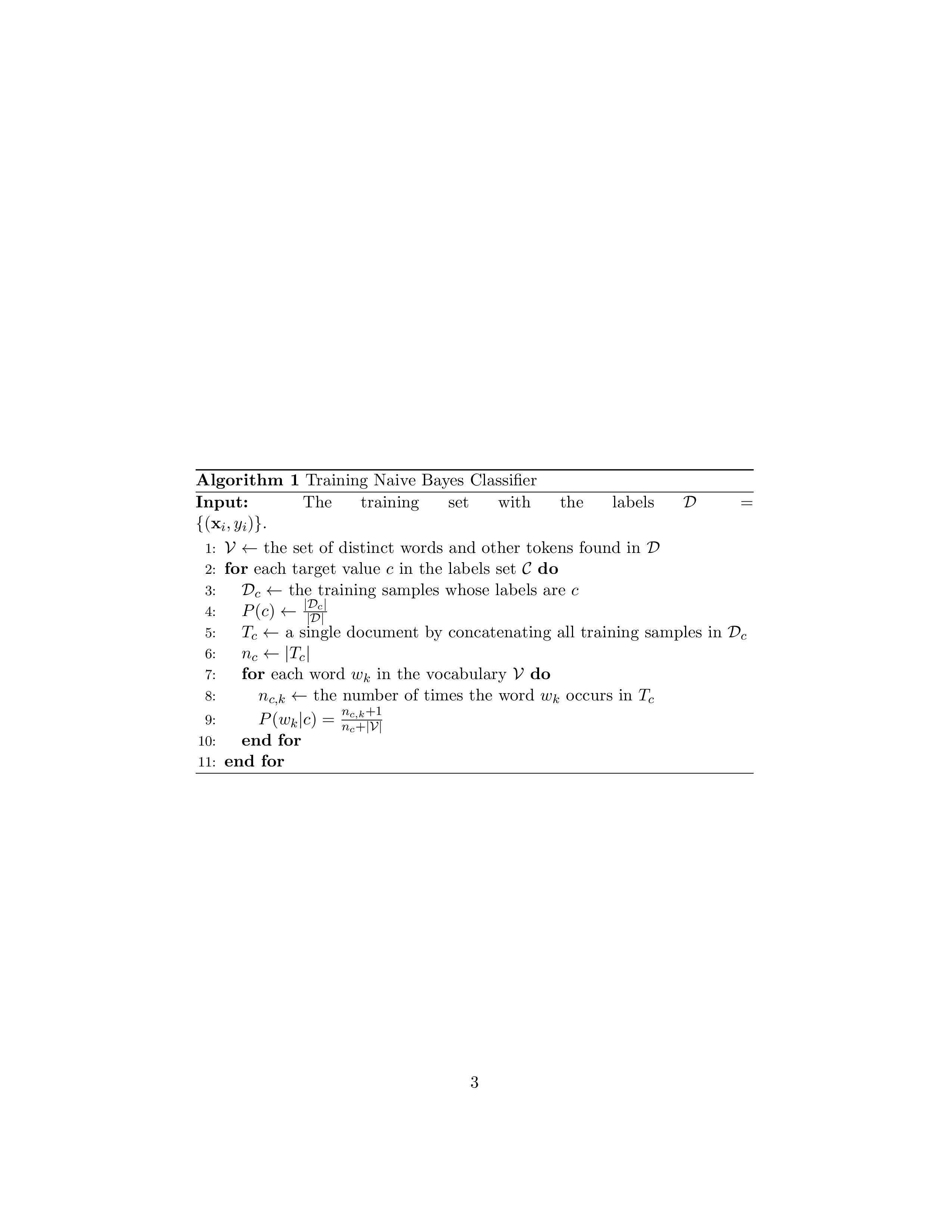
15.一个伪代码的实例(Naive Bayes)
\begin{algorithm}

\caption{Training Naive Bayes Classifier}

\label{alg:train_bayes}

\textbf{Input:} The training set with the labels $\mathcal{D}=\{(\mathbf{x}_i,y_i)\}.$

\begin{algorithmic}[1]

\STATE $\mathcal{V}\leftarrow$ the set of distinct words and other tokens found in $\mathcal{D}$\\

\FOR{each target value $c$ in the labels set $\mathcal{C}$}

\STATE $\mathcal{D}_c\leftarrow$ the training samples whose labels are $c$\\

\STATE $P(c)\leftarrow\frac{|\mathcal{D}_c|}{|\mathcal{D}|}$\\

\STATE $T_c\leftarrow$ a single document by concatenating all training samples in $\mathcal{D}_c$\\

\STATE $n_c\leftarrow |T_c|$

\FOR{each word $w_k$ in the vocabulary $\mathcal{V}$}

\STATE $n_{c,k}\leftarrow$ the number of times the word $w_k$ occurs in $T_c$\\

\STATE $P(w_k|c)=\frac{n_{c,k}+1}{n_c+|\mathcal{V}|}$

\ENDFOR

\ENDFOR

\end{algorithmic}

\end{algorithm}
LaTeX中常用代码段snippets(持续更新)的更多相关文章
- Android开发中常用的库总结(持续更新)
这篇文章用来收集Android开发中常用的库,都是实际使用过的.持续更新... 1.消息提示的小红点 微信,微博消息提示的小红点. 开源库地址:https://github.com/stefanjau ...
- Android中常用开发工具类—持续更新...
一.自定义ActionBar public class ActionBarTool { public static void setActionBarLayout(Activity act,Conte ...
- swiper 轮播中常用的效果,持续更新
swiper一款非常好用的轮播插件,支持移动端和PC端,用过很多次了,这次简单的总结一下.方便以后查找使用,说明一下,下面的例子是基于swiper 4.0+版本的,如果你是其他的版本,请自行前往官网查 ...
- js实用代码段(持续更新)
1.得到一个数,在一个有序数组中应该排在的位置序号: function orderInArr(num,arr) { if(num > arr[0]){ return 1 + arguments. ...
- PyTorch常用代码段整理合集
PyTorch常用代码段整理合集 转自:知乎 作者:张皓 众所周知,程序猿在写代码时通常会在网上搜索大量资料,其中大部分是代码段.然而,这项工作常常令人心累身疲,耗费大量时间.所以,今天小编转载了知乎 ...
- iOS:开发常用GitHub开源项目(持续更新)
IOS开发常用GitHub开源项目(持续更新) 数据类 开源库 作者 简介 AFNetworking Mattt 网络请求库 ASIHTTPRequest pokeb 网络请求库 Alamofire ...
- 用Handler的post()方法来传递线程中的代码段到主线程中执行
自定义的线程中是不能更新UI的,但是如果遇到更新UI的事情,我们可以用handler的post()方法来将更新UI的方法体,直接传送到主线程中,这样就能直接更新UI了.Handler的post()方法 ...
- C++入职学习篇--代码规范(持续更新)
C++入职学习篇--代码规范(持续更新) 一.头文件规范 在头文件中大家一般会定义宏.引入库函数.声明.定义全局变量等,在设计时最后进行分类,代码示范(自己瞎琢磨的,请多多指点): #ifndef T ...
- LaTeX中Python代码的语法高亮
LaTeX中Python代码的语法高亮 本文中,"{}"中的字母为LaTeX或Python的包名,只有"Pygments"是Python的包,其他都是LaTeX ...
随机推荐
- java中的redis常用操作
https://blog.csdn.net/lixiaoxiong55/article/details/81592800 超详细版 常规操作 public class TestReidsComm ...
- 第3章_关系数据库标准语言(SQL)_006_由元组关系演算到SQL Command_001_蕴含式 (其中有对EXISTS的分析)
前序的链接:元组关系演算 六. 蕴含式 ===>1. 什么是“蕴含式”===>设p.q为两个命题.复合命题“如果p,则q”称为p与q的蕴含式,记作p→q,并称p为蕴含式的前件,q为后件.定 ...
- js解析MarkDown语法
1.问题描述: 我们使用MarkDown编辑器之后,比如我们写的MarkDown的语法是: # 一级标题 ## 二级标题 ### 三级标题 这种语法我们最终要转换成HTML的格式最终要存入数据库 ...
- Java IO(十八) BufferedReader 和 BufferedWriter
Java IO(十八) BufferedReader 和 BufferedWriter 一.介绍 BufferedReader 和 BufferedWriter 是字符缓冲流,分别继承自 Reader ...
- parrot os vm镜像failed to fetch cdrom apt-get update的问题
vi /etc/apt/sources.list 注释掉第一行 cdrom x保存就可以了
- Rocket - diplomacy - AddressAdjuster分析
https://mp.weixin.qq.com/s/UYVSO3XFJmhe5bUD_XbMLg 先介绍如何使用AddressAdjuster,然后分析UI参数的生成及使用. 1. ...
- 面试题: hashset如何保证值不会被重复的
个人博客网:https://wushaopei.github.io/ (你想要这里多有) 众所周知,HashSet 的值是不可能被重复的,在业务上经常被用来做数据去重的操作,那么,其内部究竟是怎 ...
- JavaScript (六) js的基本语法 - - - Math 及 Date对象、String对象、Array对象
个人博客网:https://wushaopei.github.io/ (你想要这里多有) 一.Math 1.Math对象的案例 var result= Math.max(10,20,30,40) ...
- Java实现 LeetCode 821 字符的最短距离(暴力)
821. 字符的最短距离 给定一个字符串 S 和一个字符 C.返回一个代表字符串 S 中每个字符到字符串 S 中的字符 C 的最短距离的数组. 示例 1: 输入: S = "loveleet ...
- Java实现 LeetCode 29 两数相除
29. 两数相除 给定两个整数,被除数 dividend 和除数 divisor.将两数相除,要求不使用乘法.除法和 mod 运算符. 返回被除数 dividend 除以除数 divisor 得到的商 ...