
egametang启动配置
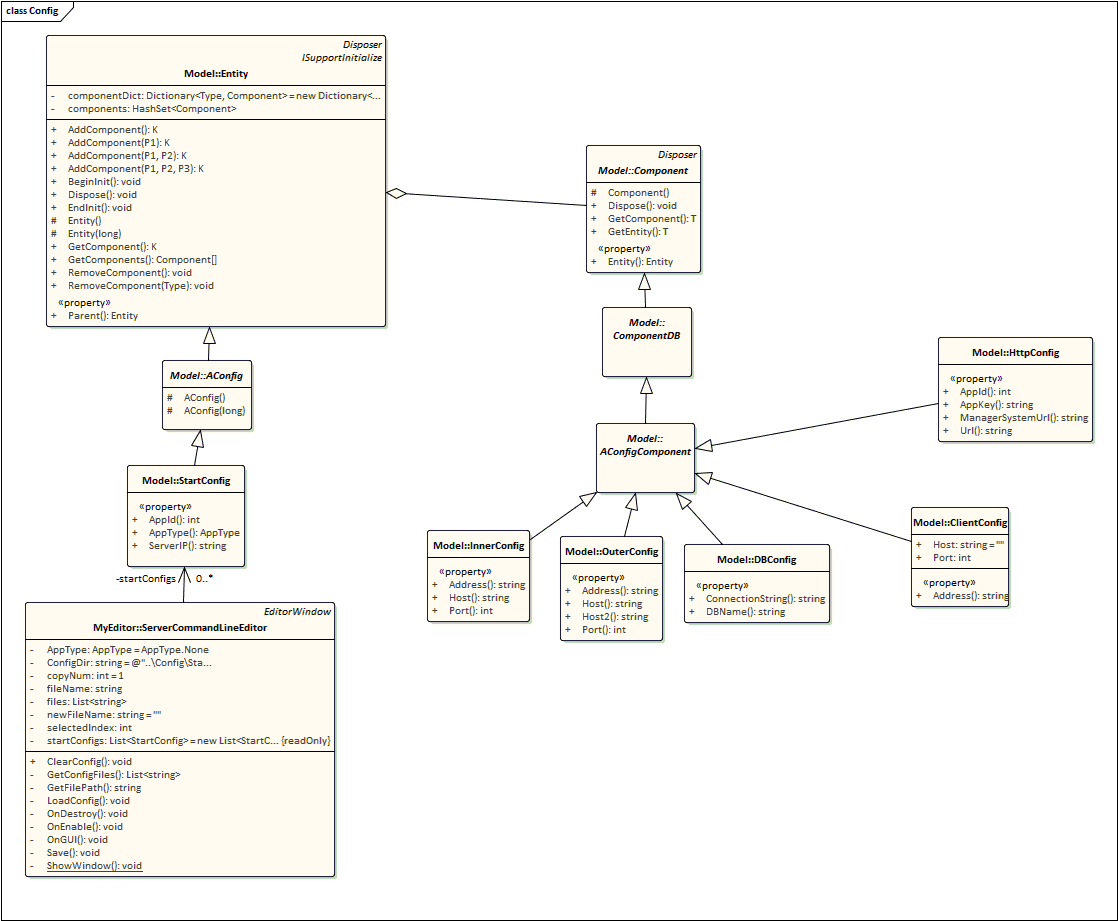
egametang的启动配置文件可以在Unity的Tools->命令行配置中修改保存然后启动
如果需要添加自定义的启动配置项目,只需要修改客户端的
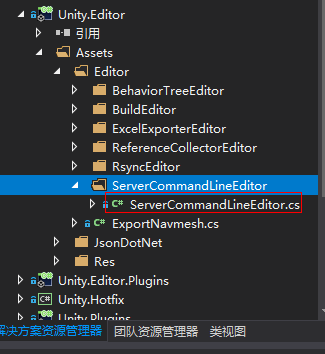
ServerCommandLineEditor.cs
             if (GUILayout.Button("添加一行配置"))

             {

                 StartConfig newStartConfig = new StartConfig();

                 newStartConfig.AppType = this.AppType;

                 if (this.AppType.Is(AppType.Gate | AppType.Realm | AppType.Manager))

                 {

                     newStartConfig.AddComponent<OuterConfig>();

                 }

                 if (this.AppType.Is(AppType.Gate | AppType.Realm | AppType.Manager | AppType.Http | AppType.DB | AppType.Map | AppType.Location))

                 {

                     newStartConfig.AddComponent<InnerConfig>();

                 }

                 if (this.AppType.Is(AppType.Benchmark))

                 {

                     newStartConfig.AddComponent<ClientConfig>();

                 }

                 if (this.AppType.Is(AppType.Http))

                 {

                     newStartConfig.AddComponent<HttpConfig>();

                 }

                 if (this.AppType.Is(AppType.DB))

                 {

                     newStartConfig.AddComponent<DBConfig>();

                 }

                 this.startConfigs.Add(newStartConfig);

             }
这段代码里可以修改AppType对应的startconfig包含的AConfigComponent子类
                 InnerConfig innerConfig = startConfig.GetComponent<InnerConfig>();

                 if (innerConfig != null)

                 {

                     GUILayout.Label($"InnerHost:");

                     innerConfig.Host = EditorGUILayout.TextField(innerConfig.Host);

                     GUILayout.Label($"InnerPort:");

                     innerConfig.Port = EditorGUILayout.IntField(innerConfig.Port);

                 }

                 OuterConfig outerConfig = startConfig.GetComponent<OuterConfig>();

                 if (outerConfig != null)

                 {

                     GUILayout.Label($"OuterHost:");

                     outerConfig.Host = EditorGUILayout.TextField(outerConfig.Host);

                     GUILayout.Label($"OuterHost2:");

                     outerConfig.Host2 = EditorGUILayout.TextField(outerConfig.Host2);

                     GUILayout.Label($"OuterPort:");

                     outerConfig.Port = EditorGUILayout.IntField(outerConfig.Port);

                 }

                 ClientConfig clientConfig = startConfig.GetComponent<ClientConfig>();

                 if (clientConfig != null)

                 {

                     GUILayout.Label($"Host:");

                     clientConfig.Host = EditorGUILayout.TextField(clientConfig.Host);

                     GUILayout.Label($"Port:");

                     clientConfig.Port = EditorGUILayout.IntField(clientConfig.Port);

                 }

                 HttpConfig httpConfig = startConfig.GetComponent<HttpConfig>();

                 if (httpConfig != null)

                 {

                     GUILayout.Label($"AppId:");

                     httpConfig.AppId = EditorGUILayout.IntField(httpConfig.AppId);

                     GUILayout.Label($"AppKey:");

                     httpConfig.AppKey = EditorGUILayout.TextField(httpConfig.AppKey);

                     GUILayout.Label($"Url:");

                     httpConfig.Url = EditorGUILayout.TextField(httpConfig.Url);

                     GUILayout.Label($"ManagerSystemUrl:");

                     httpConfig.ManagerSystemUrl = EditorGUILayout.TextField(httpConfig.ManagerSystemUrl);

                 }

                 DBConfig dbConfig = startConfig.GetComponent<DBConfig>();

                 if (dbConfig != null)

                 {

                     GUILayout.Label($"Connection:");

                     dbConfig.ConnectionString = EditorGUILayout.TextField(dbConfig.ConnectionString);

                     GUILayout.Label($"DBName:");

                     dbConfig.DBName = EditorGUILayout.TextField(dbConfig.DBName);

                 }
修改这段代码即可给新增或者修改的AConfigComponent子类字段赋值
注意如果派生新的AConfigComponent 子类,需要再AConfigComponent上使用BsonKnownTypes标记记录上去
 using MongoDB.Bson.Serialization.Attributes;

 namespace Model

 {

     /// <summary>

     /// 每个Config的基类

     /// </summary>

     [BsonKnownTypes(typeof(ClientConfig))]

     [BsonKnownTypes(typeof(InnerConfig))]

     [BsonKnownTypes(typeof(OuterConfig))]

     [BsonKnownTypes(typeof(HttpConfig))]

     [BsonKnownTypes(typeof(DBConfig))]

     [BsonKnownTypes(typeof(RunServerConfig))]

     public abstract class AConfigComponent: ComponentDB

     {

     }

 }
点击保存后,StartConfig是个Entity,Entity的Componet容器被标记了BsonElement,所以它包含的配置组件及其内容都会序列化成json保存在配置文件夹中。从项目根目录\Config\StartConfig中即可查看这些序列化出来的json配置文件,这些配置文件还包含了_t之类的bson特有字段,和通常的newtonsoft.json序列化出来的还是有点不同。
服务端进程启动时这些序列化好的配置文件会在Program.Main函数中的OptionComponent和StartConfigComponent被反序列化 服务端需要修改StartConfigComponent加入相关代码:
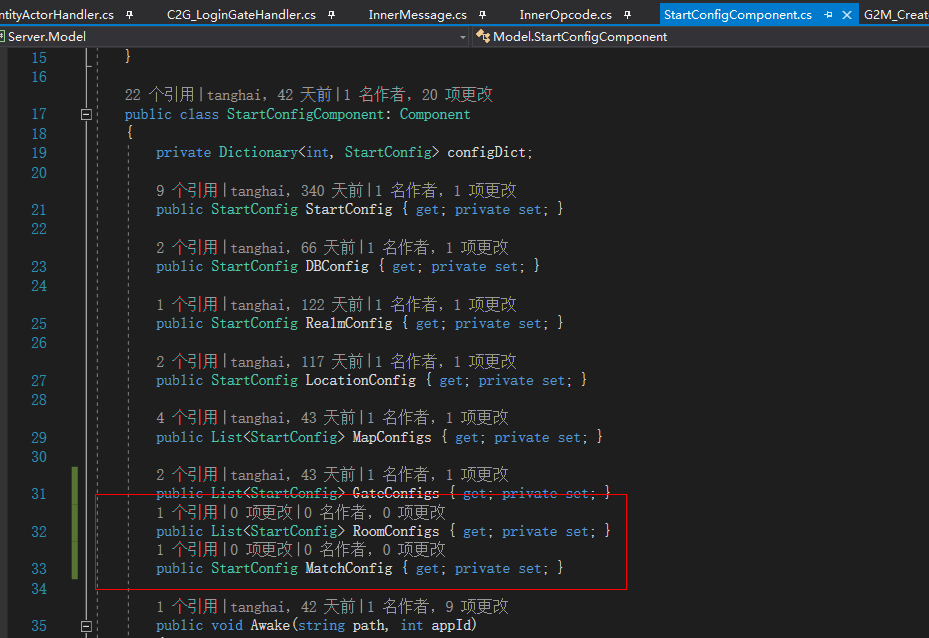
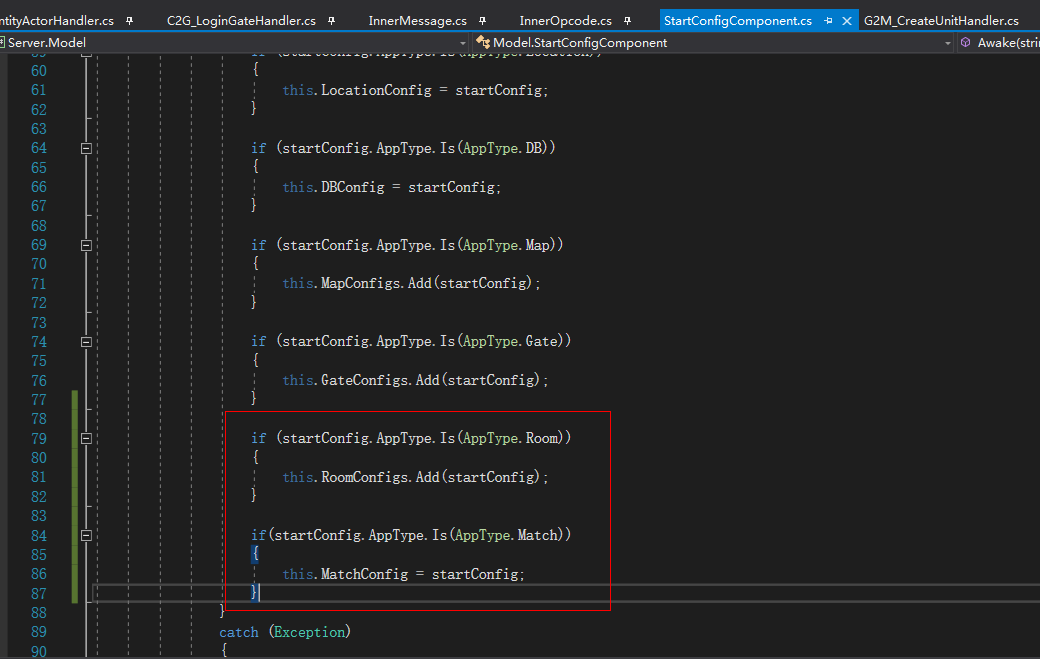
改完上面2处就可以在代码中引用了。
egametang启动配置的更多相关文章
- ABP(现代ASP.NET样板开发框架)系列之5、ABP启动配置
点这里进入ABP系列文章总目录 基于DDD的现代ASP.NET开发框架--ABP系列之5.ABP启动配置 ABP是“ASP.NET Boilerplate Project (ASP.NET样板项目)” ...
- ABP框架 - 启动配置
文档目录 本节内容: 配置ABP 替换内置服务 配置模块 为一个模块创建配置 ABP在启动时,提供基础框架和模型来配置和模块化. 置ABP 在预初始化事件中进行配置,示例: kid1412注:XmlL ...
- ABP理论学习之启动配置
返回总目录 本篇目录 配置ABP 配置模块 为模块创建配置 为了在应用启动时配置ABP和模块,ABP提供了一个基础设施. 配置ABP 配置ABP是在模块的PreInitialize事件中完成的.下面的 ...
- 【推荐】CentOS安装Tomcat-7.0.57+启动配置+安全配置+性能配置
注:以下所有操作均在CentOS 6.5 x86_64位系统下完成. #准备工作# 在安装Tomcat之前,请确保已经安装了JDK-1.7环境,具体见<CentOS安装JDK-1.7>. ...
- 基于DDD的.NET开发框架 - ABP启动配置
返回ABP系列 ABP是“ASP.NET Boilerplate Project (ASP.NET样板项目)”的简称. ASP.NET Boilerplate是一个用最佳实践和流行技术开发现代WEB应 ...
- 适合最新版docker自定义启动配置
docker不断发布新版本,以前默认的在 /etc/default/docker里修改,但是新版已经不推荐了 注意: 一些文章推荐在 /lib/systemd/system/docker.servic ...
- MongoDB启动配置等
目录: 一.mongoDB 启动配置 二.导出,导入,运行时备份 三.Fsync锁,数据修复 四.用户管理,安全认证 一.启动项 mongod --help C:\Windows\system32&g ...
- 14.6.1 InnoDB Startup Configuration 启动配置
14.6.1 InnoDB Startup Configuration 启动配置 首先描述关于InnoDB 配置设计数据库文件,日志文件,page size 和内存buffer 的配置. 推荐你定义数 ...
- ABP启动配置
ABP启动配置 返回ABP系列 ABP是“ASP.NET Boilerplate Project (ASP.NET样板项目)”的简称. ASP.NET Boilerplate是一个用最佳实践和流行 ...
随机推荐
- Git学习记录--git仓库
Git是一款强大的版本控制工具,与svn相比git的分布式提交,本地仓库等在使用时确实比较方便.当然两者之间各有优劣,我在这里不多做比较.由于之前少有接触git,只是零星大致地了解一点,所以找时间系统 ...
- Qt出现堆溢出(Error Code -1073741823)
症状 在使用Debug模式时,程序可以正常启动,但是切换到Release模式,程序报错,错误码-1073741823 原因 程序中使用了过多的new.比如: QActionGroup *mProtoc ...
- html动态生成的代码,绑定事件
如果使用jQuery,你可以这样写: // .class为你绑定事件的动态生成的结点 $(document).on('click', '.class', function() { // 你要绑定的事件 ...
- designed principle
Review Of designed Pattern principle OutLine: Explanation in principles of designed pattern and usef ...
- 利用vanitygen生成比特币个性地址的教程
比特币怎么生成地址?大家都知道比特币地址都是以1开头的一串乱码,很多朋友会新建过一排地址然后在里面挑选,下面小编为大家分享下比特币生成个性地址方法. 其实就是使用vanitygen软件来生成个性化 ...
- 有史以来功能最全,使用最简单的excel导入/导出工具
Github地址:https://github.com/xuanbg/Utility. 还有其他一些福利,请各位园友自取. 构造方法 1.用于导出Excel文件 NpoiHelper(ExcelVer ...
- 译-Web Service剖析: XML, SOAP 和WSDL 用于独立于平台的数据交换
本文是翻译内容,原文参见: Anatomy of a Web Service: XML, SOAP and WSDL for Platform-independent Data Exchange We ...
- js实现最短时间走完不同速度的路程
题目: 现在有一条公路,起点是0公里,终点是100公里.这条公路被划分为N段,每一段有不同的限速.现在他们从A公里处开始,到B公里处结束.请帮他们计算在不超过限速的情况下,最少需要多少时间完成这段路程 ...
- android studio获取sha1签名
转载 :http://blog.csdn.net/kezhongke/article/details/42678077
- python-day2数据类型
内容介绍 数据类型 字符编码 文件处理 1.什么是数据? x=10 , 10是我们要存储的数据. 2.为何数据要分不同的类型 数据是用来表示状态的,不同的状态就应该用不同的类型的数据去表示 3.数据类 ...