
wkhtmltopdf 将网页转换为PDF和图片
wkhtmltopdf 是一个shell工具,它使用了WebKit渲染引擎和Qt,将网页html转换为pdf的强大工具,转换后的pdf也可以通过pdf工具进行复制、备注、修改
官网下载地址:http://wkhtmltopdf.org/downloads.html
安装:
linux
apt-get install wkhtmltopdf
windows 执行下载安装包安装
使用:
使用-help查看使用命令
Name:

  wkhtmltopdf 0.12.3.2 (with patched qt)

Synopsis:

  wkhtmltopdf [GLOBAL OPTION]... [OBJECT]... <output file>

Document objects:

  wkhtmltopdf is able to put several objects into the output file, an object is

  either a single webpage, a cover webpage or a table of content.  The objects

  are put into the output document in the order they are specified on the

  command line, options can be specified on a per object basis or in the global

  options area. Options from the Global Options section can only be placed in

  the global options area

  A page objects puts the content of a singe webpage into the output document.

  (page)? <input url/file name> [PAGE OPTION]...

  Options for the page object can be placed in the global options and the page

  options areas. The applicable options can be found in the Page Options and

  Headers And Footer Options sections.

  A cover objects puts the content of a singe webpage into the output document,

  the page does not appear in the table of content, and does not have headers

  and footers.

  cover <input url/file name> [PAGE OPTION]...

  All options that can be specified for a page object can also be specified for

  a cover.

  A table of content object inserts a table of content into the output document.

  toc [TOC OPTION]...

  All options that can be specified for a page object can also be specified for

  a toc, further more the options from the TOC Options section can also be

  applied. The table of content is generated via XSLT which means that it can be

  styled to look however you want it to look. To get an aide of how to do this

  you can dump the default xslt document by supplying the

  --dump-default-toc-xsl, and the outline it works on by supplying

  --dump-outline, see the Outline Options section.

Description:

  Converts one or more HTML pages into a PDF document, using wkhtmltopdf patched

  qt.

Global Options:

      --collate                       Collate when printing multiple copies

                                      (default)

      --no-collate                    Do not collate when printing multiple

                                      copies

      --copies <number>               Number of copies to print into the pdf

                                      file (default )

  -H, --extended-help                 Display more extensive help, detailing

                                      less common command switches

  -g, --grayscale                     PDF will be generated in grayscale

  -h, --help                          Display help

      --license                       Output license information and exit

  -l, --lowquality                    Generates lower quality pdf/ps. Useful to

                                      shrink the result document space

  -O, --orientation <orientation>     Set orientation to Landscape or Portrait

                                      (default Portrait)

  -s, --page-size <Size>              Set paper size to: A4, Letter, etc.

                                      (default A4)

  -q, --quiet                         Be less verbose

      --read-args-from-stdin          Read command line arguments from stdin

      --title <text>                  The title of the generated pdf file (The

                                      title of the first document is used if not

                                      specified)

  -V, --version                       Output version information and exit

Page Options:

      --print-media-type              Use print media-type instead of screen

      --no-print-media-type           Do not use print media-type instead of

                                      screen (default)

Contact:

  If you experience bugs or want to request new features please visit

  <https://github.com/wkhtmltopdf/wkhtmltopdf/issues>

C:\Program Files\wkhtmltopdf\bin>
所以
wkhtmltopdf example.com example.pdf
即可生成pdf

查看 topdf.pdf
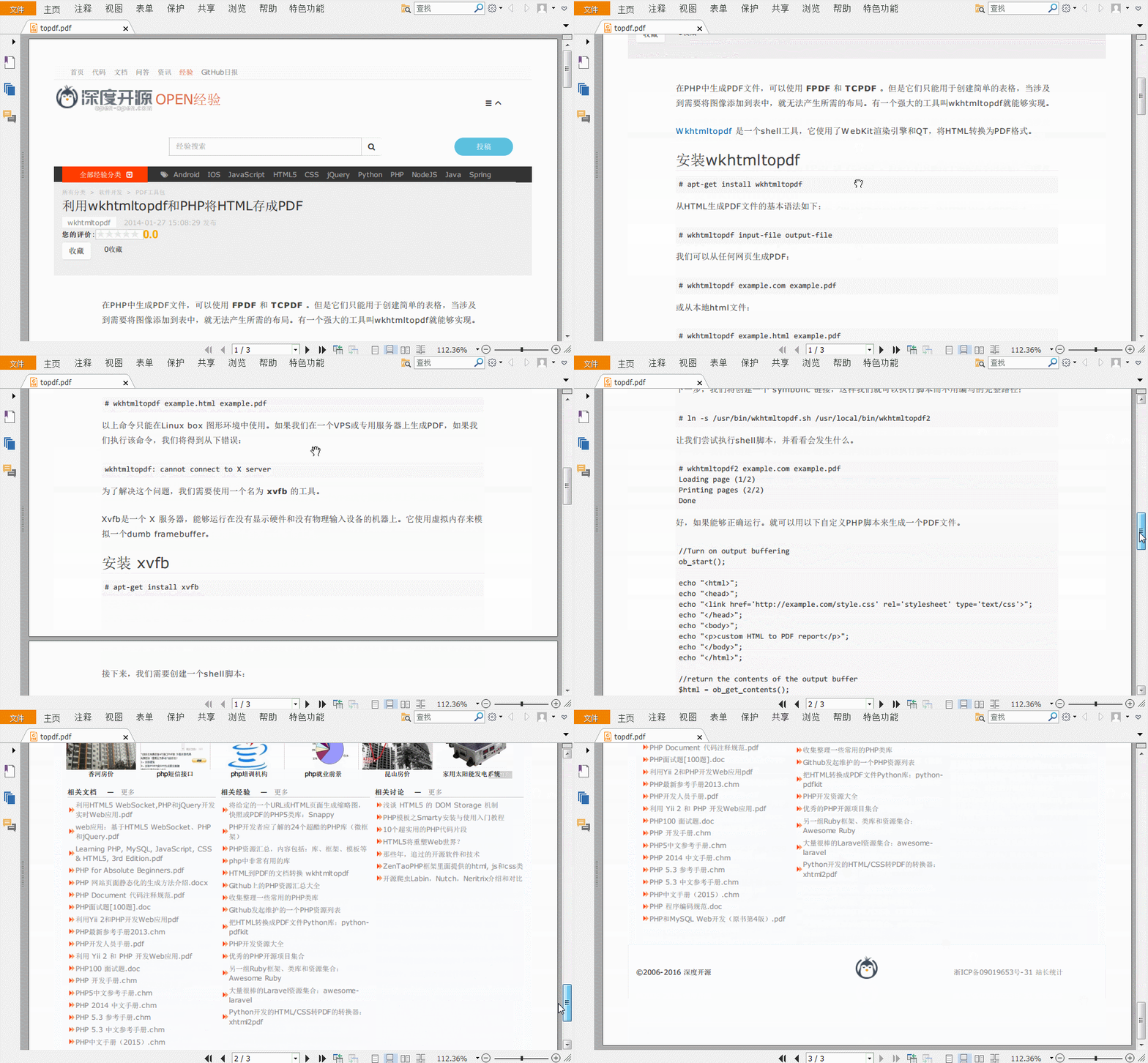
然而,wkhtmltopdf 还提供了一个wkhtmltoimage 的工具
将html转换为图片

效果toimage.png:

wkhtmltopdf 将网页转换为PDF和图片的更多相关文章
- 使用Pechkin将HTML网页转换为PDF
Pechkin开源组件使用wkhtmlbox,可以解析CSS样式,将网页转换为PDF文件, 支持URL,或者HTML字符串 1, 从NuGet程序管理器中获得Pechkin GlobalConfig ...
- Python爬虫实战:将网页转换为pdf电子书
写爬虫似乎没有比用 Python 更合适了,Python 社区提供的爬虫工具多得让你眼花缭乱,各种拿来就可以直接用的 library 分分钟就可以写出一个爬虫出来,今天就琢磨着写一个爬虫,将廖雪峰的 ...
- wkhtmltopdf 将网页生成pdf文件
先安装依赖 yum install fontconfig libXrender libXext xorg-x11-fonts-Type1 xorg-x11-fonts-75dpi freetype l ...
- 如何讲一个网页转换为jpg?(图片!)
不需要安装插件!!! 打开网页,打开开发者工具 快捷键: ctrl+shift+p输入>full即可自动下载!
- 关于html转换为pdf案例的一些测试与思考
由于工作所需,最近花时间研究了html转换为pdf的功能.html转换为pdf的关键技术是如何处理网页中复杂的css样式,通过在网上收集资料,发现目前html 转换为pdf的解决方案主要分为三类: 客 ...
- C# 使用 wkhtmltopdf 把HTML文本或文件转换为PDF
一.简介 之前也记录过一篇关于把 HTML 文本或 HTML 文件转换为 PDF 的博客,只是之前那种方法有些局限性. 后来又了解到 wkhtmltopdf.exe 这个工具,这个工具比起之前的那种方 ...
- Python|网页转PDF,PDF转图片爬取校园课表~
import pdfkit import requests from bs4 import BeautifulSoup from PIL import Image from pdf2image imp ...
- C#/VB.NET 将SVG图片添加到PDF、转换为PDF
以下内容介绍在C# 程序中如何将SVG图片添加到PDF文档.以及如何将SVG图片转换为PDF文档. 一.环境准备 先下载PDF类库工具,Spire.PDF for .NET hotfix 6.5.6及 ...
- python 爬虫,网页转PDF:OSError: No wkhtmltopdf executable found
解决办法: 代码中设置参数: path_wk = r‘D:\Program Files\wkhtmltopdf\bin\wkhtmltopdf.exe‘ #wkhtmltopdf安装位置 config ...
随机推荐
- A couple of notes about .NET Framework 4.6 setup behaviors
https://blogs.msdn.microsoft.com/astebner/2015/06/17/a-couple-of-notes-about-net-framework-4-6-setup ...
- Mysql支持的数据类型(总结)
一.数值类型 Mysql支持所有标准SQL中的数值类型,其中包括严格数据类型(INTEGER,SMALLINT,DECIMAL,NUMBERIC),以及近似数值数据类型(FLOAT,REAL,DOUB ...
- thinkphp5.0分页
第一种 public function index(){ // 页面和面包屑导航 $ttl[] = $this->title; $ttl[] = '管理员列表'; $this->assig ...
- wireshark抓包工具简介以及tcp三次握手的一些含义
wireshark是非常流行的网络封包分析软件,功能十分强大.可以截取各种网络封包,显示网络封包的详细信息.使用wireshark的人必须了解网络协议,否则就看不懂wireshark了.为了安全考虑, ...
- ELK 集中日志分析 windows部署实战
一步步来 1.下载软件 Elasticsearch: https://download.elasticsearch.org/...p/elasticsearch/2.0.0/elasticsearch ...
- [从产品角度学EXCEL 02]-EXCEL里的树形结构
这是<从产品角度学EXCEL>系列第三篇. 前言请看: 0 为什么要关注EXCEL的本质 1 excel是怎样运作的 或者你可以去微信公众号@尾巴说数 获得连载目录. 本文仅由尾巴本人发布 ...
- 03 Yarn 原理介绍
Yarn 原理介绍 大纲: Hadoop 架构介绍 YARN 产生的背景 YARN 基础架构及原理 Hadoop的1.X架构的介绍 在1.x中的NameNodes只可能有一个,虽然可以通过Se ...
- acm小知识
__builtin_popcount(i); __builtin_popcountll(i) ;//计算i的二进制表示中1的个数 int a[M] , b[M] ; memcpy(a+i , b+j ...
- vue2/vuex2的那点坑
说是坑,其实大部分是我们自己的过错! vuex官方demo在1.0可以运行,在2.0报错?此类问题,应该很常见吧? 还有顺溜的利用1.0搭建的webpack编译环境到了vue2.0突然失效了,报错了? ...
- 多个.ui共用一个.qrc出错
在一个已经组建完成的qt项目中,如果再加入新的界面文件,界面文件是无法直接使用原工程的.qrc文件的(执行添加资源操作时不显示资源文件),必须重启一次Qt. 版本: Qt 5.7.0 Qt Creat ...