
centos 防火墙 iptables firewalld SELinux
参考
相关内容
centos7 中才开始引用firewalld的概念,它是iptables的升级版,以上两者都不是真正的防火墙,都需要与内核netfilter配合使用。
Centos5、6使用iptables来管理服务器防火墙,Centos7 默认是firewalld。
SELinux是Linux一个子安全机制
本地环境

SELinux
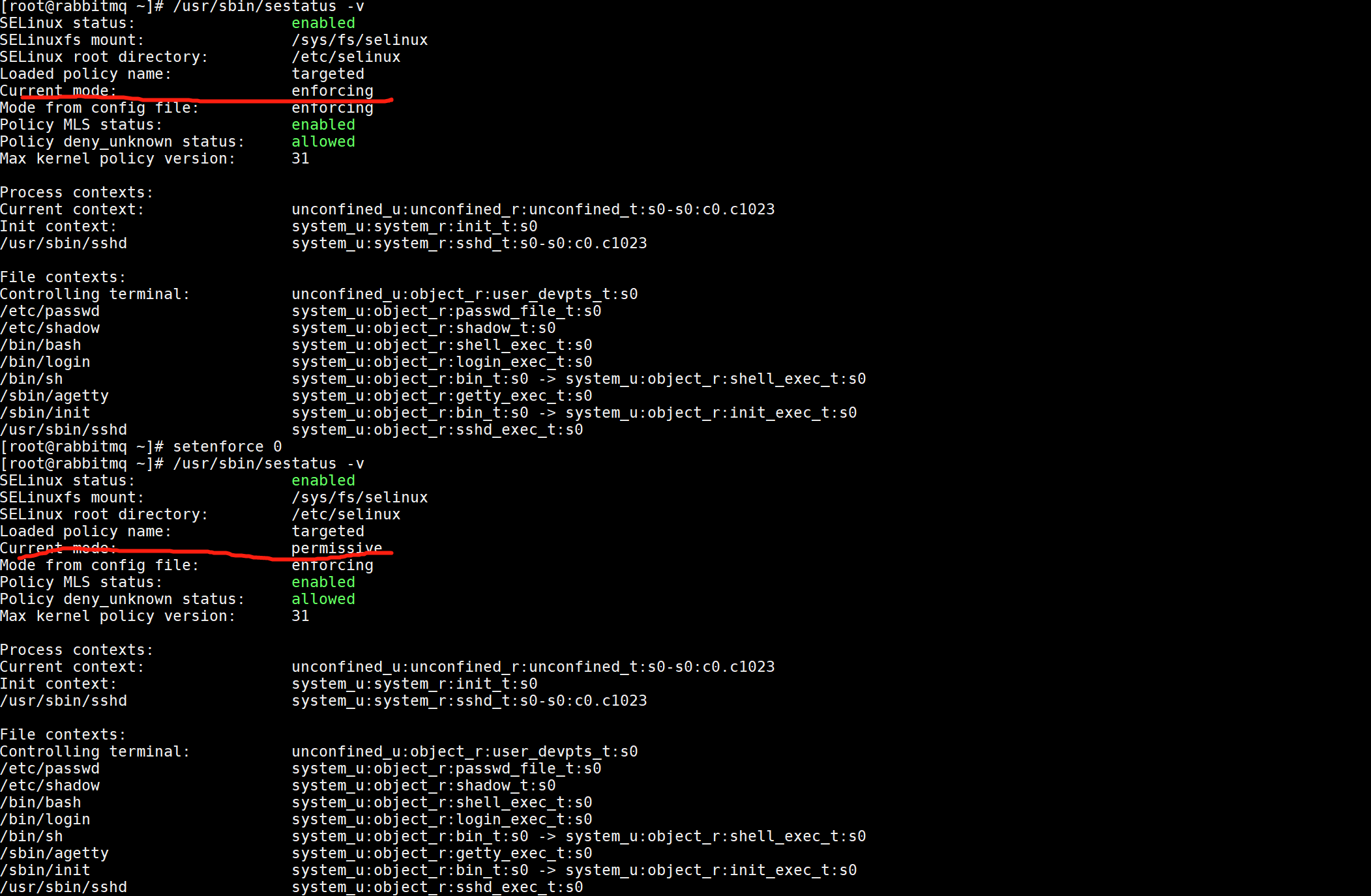
/usr/sbin/sestatus -v        # 查看SELinux状态

# 关闭SELinux:

setenforce 0        # 1.临时关闭(不用重启机器)

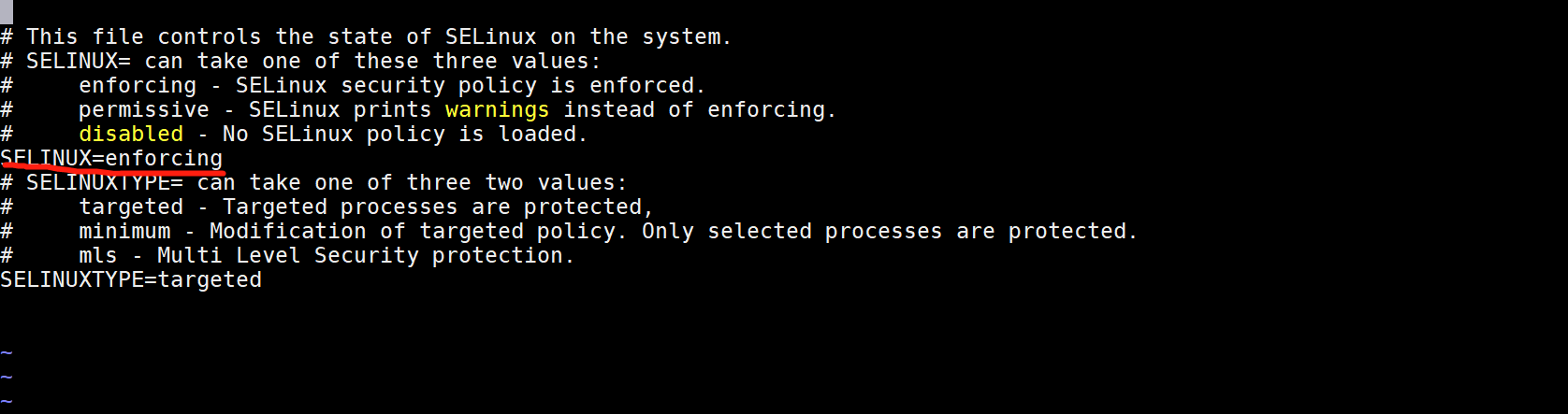
修改/etc/selinux/config文件将SELINUX=enforcing改为SELINUX=disabled 修改配置文件需要重启机器
firewalld
# 使用systemctl

systemctl stop firewalld.service     #关闭firewalld

systemctl start firewalld.service      #启动服务

systemctl restart firewalld.service     #重启服务

systemctl enable firewalld.service     #启用firewalld系统重启firewalld服务加载

systemctl disable firewalld.service     #禁用firewalld系统重启firewalld服务不会加载

firewall-cmd --list-ports     #查看已经开放的端口

firewall-cmd --zone=public --add-port=80/tcp --permanent      #开启80端口:命令含义:–zone #作用域–add-port=80/tcp #添加端口,格式为:端口/通讯协议–permanent #永久生效,没有此参数重启后失效

# 使用service

service firewalld start    # 开启

service firewalld restart    # 重启

service firewalld stop    # 关闭

# 使用firewall-cmd

firewall-cmd --state    #查看状态
iptables
systemctl start iptables.service    # 开启iptables防火墙的命令是

systemctl restart iptables.service    # 重启iptables防火墙的命令是

systemctl stop iptables.service    # 关闭iptables防火墙的命令是

systemctl status iptables.service     #查看iptables防火墙状态的命令是

service iptables status  # 查看防火墙状态

service iptables stop  # 停止防火墙

service iptables start  # 启动防火墙

service iptables restart    # 重启防火墙

chkconfig iptables off  # 永久关闭防火墙

chkconfig iptables on # 永久关闭后重启
安装iptables
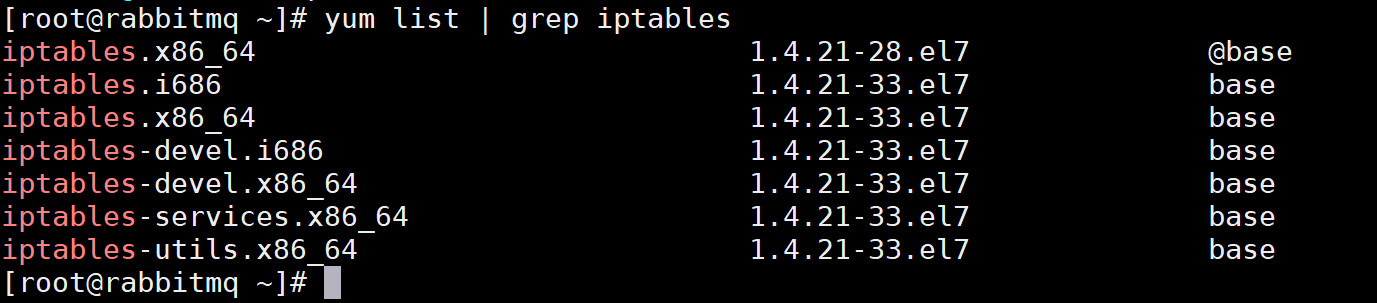
yum list | grep iptables #查看yum源是否有iptables的安装包
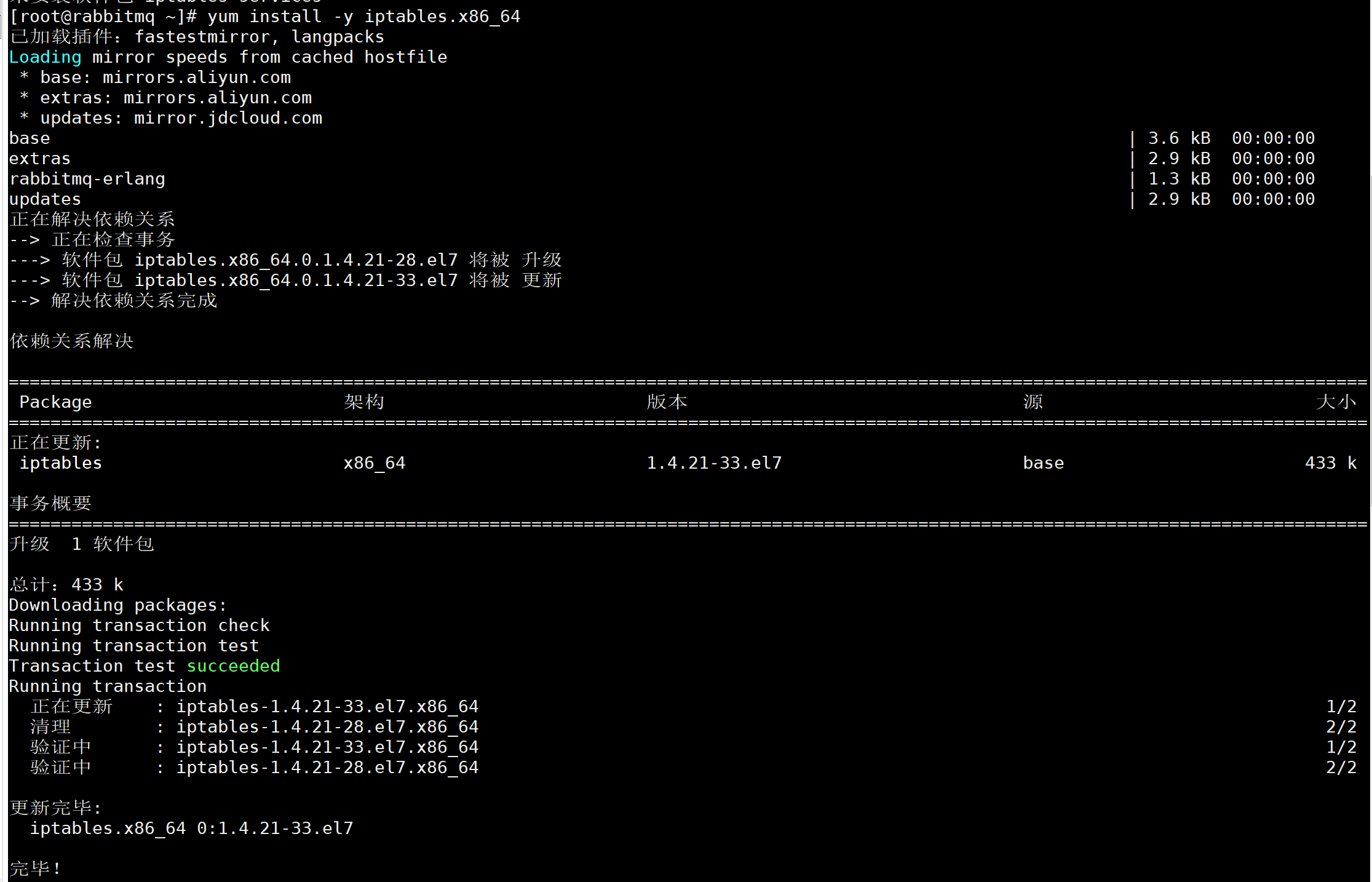
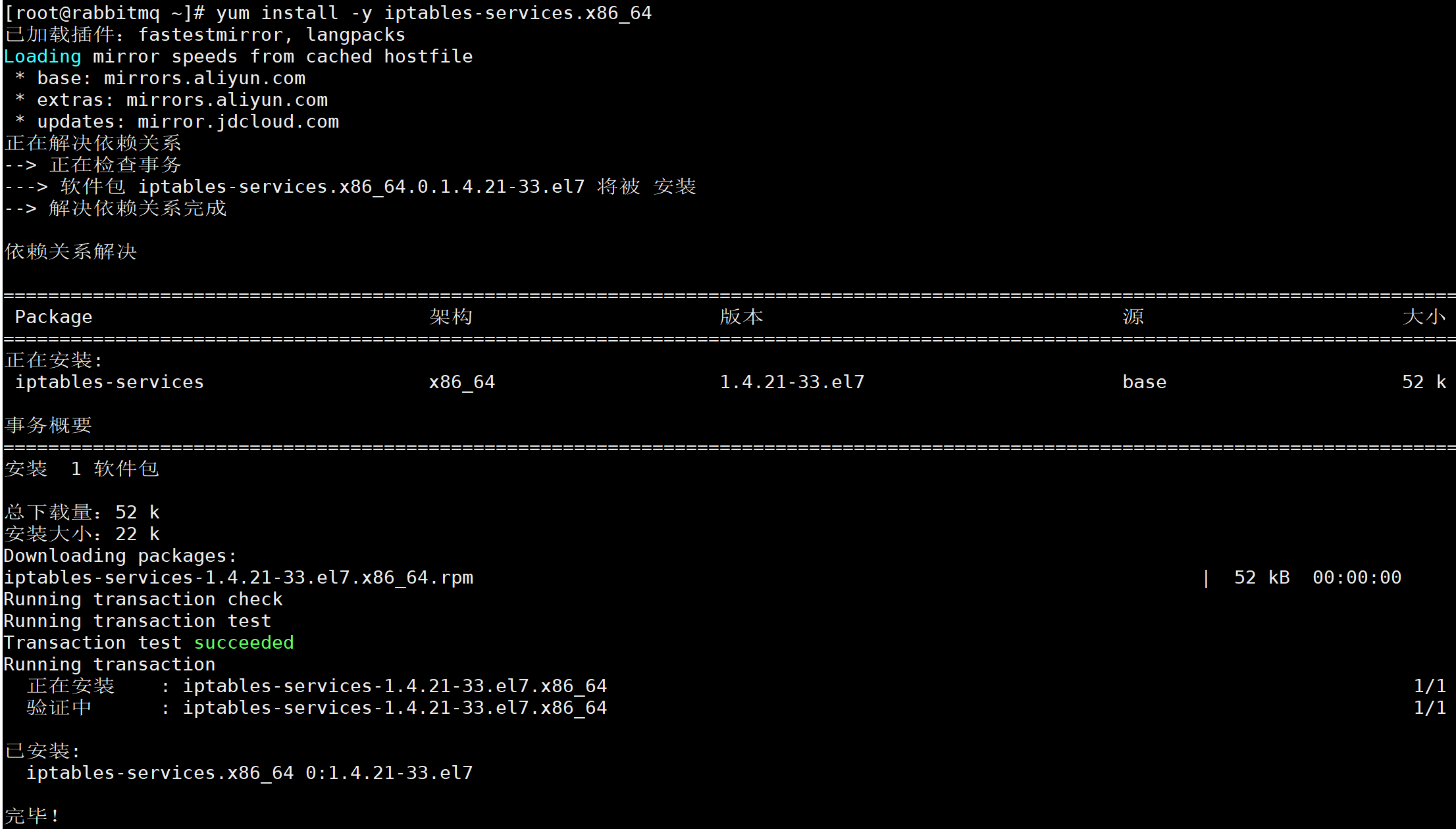
yum install -y iptables.x86_64                                #安装iptables.x86_64 :该安装包主要包含iptables的相关命令以及iptables的相关模块

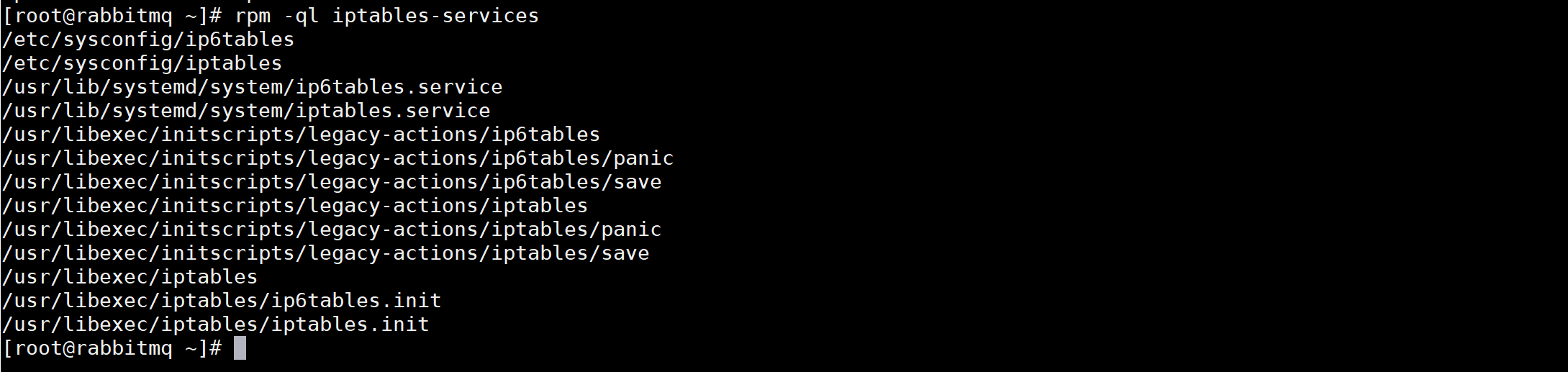
yum install -y iptables-services.x86_64               #该安装包主要配置文件、启动或重启用的systemctl的服务
iptables-services 包含信息
centos 防火墙 iptables firewalld SELinux的更多相关文章
- CentOS防火墙iptables的配置方法详解
CentOS系统也是基于linux中的它的防火墙其实就是iptables了,下面我来介绍在CentOS防火墙iptables的配置教程,希望此教程对各位朋友会有所帮助. iptables是与Linux ...
- 关闭Linux防火墙(iptables) 及 SELinux
一.关闭防火墙 1.重启后永久性生效: 开启:chkconfig iptables on 关闭:chkconfig iptables off 2.即时生效,重启后失效: 开启:service ipta ...
- 关闭Linux中的iptables,firewalld,SELINUX
firewalld 停止firewalld服务 [root@VM_0_13_centos var]# systemctl stop firewalld 或 [root@VM_0_13_centos v ...
- CentOS防火墙iptables使用
1.1 企业安全优化配置原则 尽可能不给服务器配置外网ip ,可以通过代理转发或者通过防火墙映射.并发不是特别大情况有外网ip,可以开启防火墙服务高并发的情况,不能开iptables,会影响性能,利用 ...
- 【Linux】- CentOS 防火墙iptables和firewall
1 iptables防火墙 1.1 基本操作 # 查看防火墙状态 service iptables status # 停止防火墙 service iptables stop # 启动防火墙 s ...
- linux设置iptables防火墙的详细步骤(centos防火墙设置方法)
CentOS系统也是基于linux中的它的防火墙其实就是iptables了,下面我来介绍在CentOS防火墙iptables的配置教程,希望此教程对各位朋友会有所帮助. iptables是与Lin ...
- 解决宿主机不能访问虚拟机CentOS中的站点 | 更新CentOS防火墙设置开启80端口访问
前阵子在虚拟机上装好了centos6.0,并配好了nginx+php+mysql,但是本机就是无法访问.一直就没去折腾了. 具体情况如下 1.本机能ping通虚拟机 2.虚拟机也能ping通本机 3. ...
- CentOS 7.0如何安装配置iptables和seLinux以及firewalld
一.配置防火墙,开启80端口.3306端口 CentOS .0默认使用的是firewall作为防火墙,这里改为iptables防火墙. .关闭firewall: systemctl stop fire ...
- ifconfig 命令,改变主机名,改DNS hosts、关闭selinux firewalld netfilter 、防火墙iptables规则
ifconfig 命令用于查看网络相关的命令: 安装:yum install net-tools -y ifdown eth_name 关闭网卡 ifup eth_name 开启网卡 配 ...
随机推荐
- js 引号 转义字符 json字符串
element_obj.NewTitle.value = json_obj.NewTitle.replace(/\"/g, "\""); model.NewTi ...
- C# DataGridView 更改类型 重绘
DataGridView 更改类型 需要用到重绘 DataGridViewTextBoxColumn aa01 = new DataGridViewTextBoxColumn(); aa00.Da ...
- socket认证客户端链接合法性
服务器端: #_*_coding:utf-8_*_ __author__ = 'Linhaifeng' from socket import * import hmac,os secret_key=b ...
- Nowcoder Playing Games ( FWT 优化 DP && 博弈论 && 线性基)
题目链接 题意 : 给出 N 个数.然后问你最多取出多少石子使得在 NIM 博弈中.后手必胜 分析 : Nim 博弈模型,后手必胜当且仅当各个堆的石子的数目的异或和为 0 转化一下.变成最少取多少石 ...
- Springboot 默认静态路径
springboot 默认静态路径 代码如下所示 类ResourceProperties.class private static final String[] CLASSPATH_RESOURCE_ ...
- mystrcat
#include<stdio.h> //如果一个数组做为函数的形参传递,那么数组可以在被调用的函数中修改 //有时候不希望这个事发生,所以对形参采用const参数 //size_t str ...
- [BZOJ2286][Sdoi2011]消耗战(虚树上DP)
2286: [Sdoi2011]消耗战 Time Limit: 20 Sec Memory Limit: 512 MBSubmit: 6457 Solved: 2533[Submit][Statu ...
- IDEA的Python工程在inspections时提示:The JDK is not configured properly for this project. Inspection cannot proceed.
原因:IDEA将工程误认为了Java工程. 解决方法:如果确认这是个Python工程,修改*.iml文件,将下面的这一行删除 <orderEntry type="inheritedJd ...
- shiro的web.xml的配置
<servlet> <servlet-name>springDispatcherServlet</servlet-name> <servlet-class&g ...
- Error:Connection activation failed: No suitable device found for this connection
原文链接: https://blog.csdn.net/baiboya/article/details/80452822 ens33这个网卡一直无法激活,在网上找了半天,找到这个博主的文章,才解决,虽 ...