
向sd卡读写数据
/data/data 是本地存储
/storage/ 是外部存储
SD卡存储
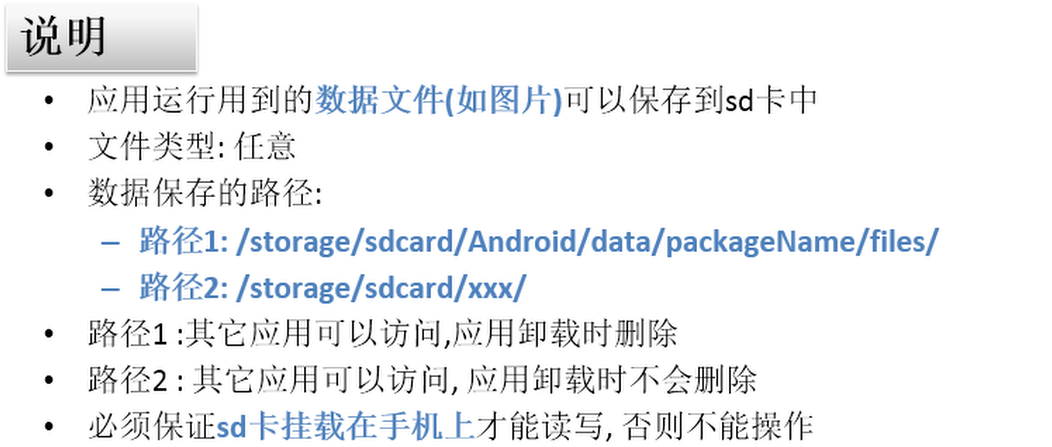
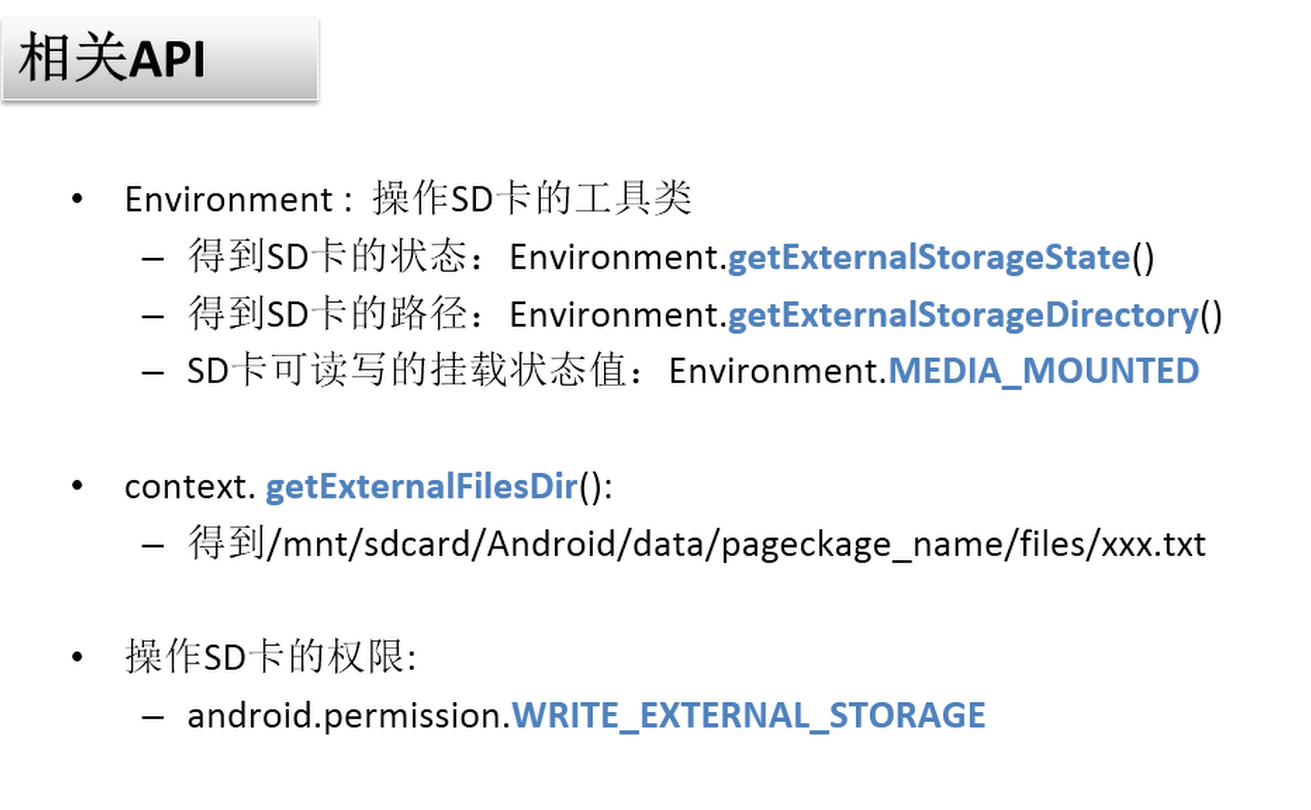
<uses-permission android:name="android.permission.WRITE_EXTERNAL_STORAGE"/>
   public void writeToSdCard() throws IOException {
        if (ActivityCompat.checkSelfPermission(this, Manifest.permission.WRITE_EXTERNAL_STORAGE) != PackageManager.PERMISSION_GRANTED) {
            ActivityCompat.requestPermissions(this, permissions, REQUEST_CODE);
        } else {
            if (Environment.getExternalStorageState().equals(Environment.MEDIA_MOUNTED)) {
                String name = et_of_name.getText().toString();
                String content = et_of_content.getText().toString();
                String dir = getExternalFilesDir(null).getAbsolutePath();
                dir = dir + "/" + name;
                FileOutputStream fos = new FileOutputStream(dir);
                fos.write(content.getBytes("utf-8"));
                fos.close();
                Toast.makeText(this, "save to external sdcard", Toast.LENGTH_SHORT).show();
            } else {
                Toast.makeText(this, "without external sdcard", Toast.LENGTH_SHORT).show();
            }
        }
    }

    @Override
    public void onRequestPermissionsResult(int requestCode, @NonNull String[] permissions, @NonNull int[] grantResults) {
        switch (requestCode) {
            case REQUEST_CODE:
                if (grantResults.length>0 && grantResults[0] == PackageManager.PERMISSION_GRANTED) {
                    try {
                        writeToSdCard();
                    } catch (IOException e) {
                        Toast.makeText(this, "failed save to external sdcard", Toast.LENGTH_SHORT).show();
                    }
                } else {
                    Toast.makeText(this, "Write External SDCARD Permission Not Granted", Toast.LENGTH_SHORT).show();
                }
                break;
            default:
                break;
        }
    }
    public void read(View v) throws IOException {
        if (Environment.getExternalStorageState().equals(Environment.MEDIA_MOUNTED)) {
            String name = et_of_name.getText().toString();
            String dir = getExternalFilesDir(null).getAbsolutePath();
            dir = dir + "/" + name + "txt";
            InputStream fis = new FileInputStream(dir);
            ByteArrayOutputStream bos = new ByteArrayOutputStream();
            int len = -1;
            byte[] bytes = new byte[1024];
            while ((len = fis.read(bytes)) != -1) {
                bos.write(bytes);
            }
            String content = bos.toString();
            et_of_content.setText(content);
        } else {
            Toast.makeText(this, "without external sdcard", Toast.LENGTH_SHORT).show();
        }
    }

判断文件夹是否存在
File file = new File(dir);if(!file.exists()) { file.mkdir();}
String dir =
context.getExternalFilesDir(null).getAbsolutePath();
/storage/emulated/0/Android/data/com.example.storage/files
Environment.getExternalStorageDirectory().getAbsolutePath()
/storage/emulated/0
向sd卡读写数据的更多相关文章
- Android中向SD卡读写数据,读SD卡和手机内存
package com.example.sdoperation; import java.io.BufferedReader; import java.io.File; import java.io. ...
- 第36章 SDIO—SD卡读写测试
第36章 SDIO—SD卡读写测试 全套200集视频教程和1000页PDF教程请到秉火论坛下载:www.firebbs.cn 野火视频教程优酷观看网址:http://i.youku.com/f ...
- 第36章 SDIO—SD卡读写测试—零死角玩转STM32-F429系列
第36章 SDIO—SD卡读写测试 全套200集视频教程和1000页PDF教程请到秉火论坛下载:www.firebbs.cn 野火视频教程优酷观看网址:http://i.youku.com/f ...
- SD卡读写之FileNotFoundException: /storage/emulated/0object.txt: open failed: ENOENT (No such file or dir
读写sd卡中的文件依照例如以下步骤:1调用Environment的getExternalStorageState()方法推断手机上是否插入了sd卡.而且应用程序具有读写SD卡的能力 //假设手机已经插 ...
- 【STM32】使用SDIO进行SD卡读写,包含文件管理FatFs(八)-认识内存管理
[STM32]使用SDIO进行SD卡读写,包含文件管理FatFs(一)-初步认识SD卡 [STM32]使用SDIO进行SD卡读写,包含文件管理FatFs(二)-了解SD总线,命令的相关介绍 [STM3 ...
- 【STM32】使用SDIO进行SD卡读写,包含文件管理FatFs(七)-准备移植FatFs
[STM32]使用SDIO进行SD卡读写,包含文件管理FatFs(一)-初步认识SD卡 [STM32]使用SDIO进行SD卡读写,包含文件管理FatFs(二)-了解SD总线,命令的相关介绍 [STM3 ...
- 【STM32】使用SDIO进行SD卡读写,包含文件管理FatFs(六)-FatFs使用的思路介绍
[STM32]使用SDIO进行SD卡读写,包含文件管理FatFs(一)-初步认识SD卡 [STM32]使用SDIO进行SD卡读写,包含文件管理FatFs(二)-了解SD总线,命令的相关介绍 [STM3 ...
- 【STM32】使用SDIO进行SD卡读写,包含文件管理FatFs(一)-初步认识SD卡
由于一张SD卡要能读写,涉及到的技术有些多,我打算分以下几篇博客 [STM32]使用SDIO进行SD卡读写,包含文件管理FatFs(一)-初步认识SD卡 [STM32]使用SDIO进行SD卡读写,包含 ...
- 【STM32】使用SDIO进行SD卡读写,包含文件管理FatFs(二)-了解SD总线,命令的相关介绍
其他链接 [STM32]使用SDIO进行SD卡读写,包含文件管理FatFs(一)-初步认识SD卡 [STM32]使用SDIO进行SD卡读写,包含文件管理FatFs(二)-了解SD总线,命令的相关介绍 ...
随机推荐
- AC日记——线段树练习5 codevs 4927
4927 线段树练习5 时间限制: 1 s 空间限制: 128000 KB 题目等级 : 黄金 Gold 题解 题目描述 Description 有n个数和5种操作 add a b ...
- 2019南昌邀请赛 C. Angry FFF Party 大数矩阵快速幂+分类讨论
题目链接 https://nanti.jisuanke.com/t/38222 题意: 定义函数: $$F(n)=\left\{\begin{aligned}1, \quad n=1,2 \\F(n- ...
- ES6 的Object.assign(target, source_1, ···)方法与对象的扩展运算符
一.基本概念 Object.assign方法用来将源对象(source)的所有可枚举属性,复制到目标对象(target).它至少需要两个对象作为参数,第一个参数是目标对象,后面的参数都是源对象. Ob ...
- 2017-11-07-noip模拟题
T1 数学老师的报复 矩阵快速幂模板,类似于菲波那切数列的矩阵 [1,1]*[A,1 B,0] #include <cstdio> #define LL long long inline ...
- JRoll 2 使用文档(史上最强大的下拉刷新,滚动,无限加载插件)
概述 说明 JRoll,一款能滚起上万条数据,具有滑动加速.回弹.缩放.滚动条.滑动事件等功能,兼容CommonJS/AMD/CMD模块规范,开源,免费的轻量级html5滚动插件. JRoll第二版是 ...
- Android CrashHandler
package jason.android.utils; import android.content.Context; import android.content.pm.PackageInfo; ...
- GOF 23种设计摩搜-建造者模式
• 场景: – 我们要建造一个复杂的产品.比如:神州飞船,Iphone.这个复杂的产品的创建.有这样 一个问题需要处理: • 装配这些子组件是不是有个步骤问题? – 实际开发中,我们所需要的对象构建时 ...
- Mac 安装配置Mysql
Mac下安装配置Mysql By 白熊花田(http://blog.csdn.net/whiterbear) 转载需注明出处,谢谢. 下载安装 去官网下载Community版本号的mysql安装文件. ...
- iOS开发:Toast for iPhone
iOS开发:Toast for iPhone 分享一个我写的类似于android的toast的提示框 主要特点: 1,支持屏幕Y轴任意位置显示,设置距离顶/底端距离 2,支持多行文本 3,支持设置 ...
- 关于移动端文字无法垂直居中(或line-height不起作用)的问题的解决方案(网摘)
最近开发移动端APP,发现安卓端对于文字垂直居中的问题兼容性不好,网上也搜了很多方法,但是都比较麻烦,自己摸索出来了最终的解决方案: 1.首先在html头部把我们常用的lang="en&qu ...