
spring kafka生产、消费消息
参考网址:
https://blog.csdn.net/lansetiankong12/article/details/54946641
1.新建Maven项目-KafkaMaven
 -》点击next按钮
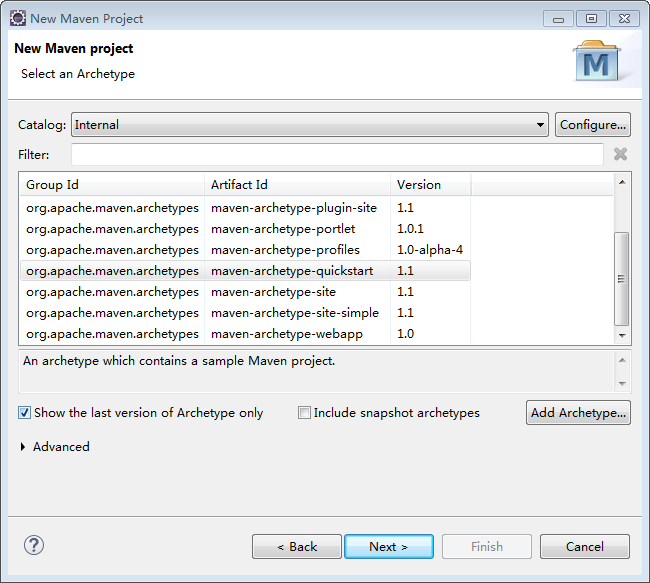
-》点击next按钮
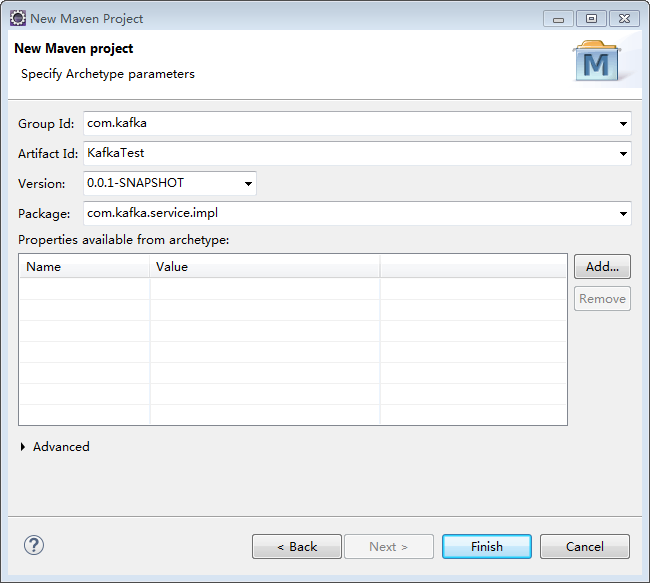
-》点击finish按钮,项目新建成功
2.生产者配置文件:kafka-producer.xml
<?xml version="1.0" encoding="UTF-8"?>
<beans xmlns="http://www.springframework.org/schema/beans"
xmlns:xsi="http://www.w3.org/2001/XMLSchema-instance"
xmlns:context="http://www.springframework.org/schema/context"
xsi:schemaLocation="http://www.springframework.org/schema/beans
http://www.springframework.org/schema/beans/spring-beans.xsd
http://www.springframework.org/schema/context
http://www.springframework.org/schema/context/spring-context.xsd">
<!-- 定义producer的参数 -->
<bean id="producerProperties" class="java.util.HashMap">
<constructor-arg>
<map>
<entry key="bootstrap.servers" value="localhost:9092"/>
<entry key="group.id" value="0"/>
<entry key="retries" value="10"/>
<entry key="batch.size" value="16384"/>
<entry key="linger.ms" value="1"/>
<entry key="buffer.memory" value="33554432"/>
<entry key="key.serializer" value="org.apache.kafka.common.serialization.IntegerSerializer"/>
<entry key="value.serializer" value="org.apache.kafka.common.serialization.StringSerializer"/>
</map>
</constructor-arg>
</bean>
<!-- 创建kafkatemplate需要使用的producerfactory bean -->
<bean id="producerFactory" class="org.springframework.kafka.core.DefaultKafkaProducerFactory">
<constructor-arg>
<ref bean="producerProperties"/>
</constructor-arg>
</bean>
<!-- 创建kafkatemplate bean,使用的时候,只需要注入这个bean,即可使用template的send消息方法 -->
<bean id="kafkaTemplate" class="org.springframework.kafka.core.KafkaTemplate">
<constructor-arg ref="producerFactory"/>
<constructor-arg name="autoFlush" value="true"/>
<property name="defaultTopic" value="myTopic"/>
</bean>
</beans>
3.消费者配置文件:kafka-consumer.xml
<?xml version="1.0" encoding="UTF-8"?>
<beans xmlns="http://www.springframework.org/schema/beans"
xmlns:xsi="http://www.w3.org/2001/XMLSchema-instance"
xmlns:context="http://www.springframework.org/schema/context"
xsi:schemaLocation="http://www.springframework.org/schema/beans
http://www.springframework.org/schema/beans/spring-beans.xsd
http://www.springframework.org/schema/context
http://www.springframework.org/schema/context/spring-context.xsd">
<!-- 定义consumer的参数 -->
<bean id="consumerProperties" class="java.util.HashMap">
<constructor-arg>
<map>
<entry key="bootstrap.servers" value="localhost:9092"/>
<entry key="group.id" value="0"/>
<entry key="enable.auto.commit" value="true"/>
<entry key="auto.commit.interval.ms" value="1000"/>
<entry key="session.timeout.ms" value="15000"/>
<entry key="key.deserializer" value="org.apache.kafka.common.serialization.IntegerDeserializer"/>
<entry key="value.deserializer" value="org.apache.kafka.common.serialization.StringDeserializer"/>
</map>
</constructor-arg>
</bean>
<!-- 创建consumerFactory bean -->
<bean id="consumerFactory" class="org.springframework.kafka.core.DefaultKafkaConsumerFactory">
<constructor-arg>
<ref bean="consumerProperties"/>
</constructor-arg>
</bean>
<!-- 实际执行消息消费的类 -->
<bean id="messageListernerConsumerService" class="com.kafka.service.impl.MsgConsumerServiceImpl"/>
<!-- 消费者容器配置信息 -->
<bean id="containerProperties" class="org.springframework.kafka.listener.config.ContainerProperties">
<constructor-arg value="test"/><!-- test为topic主题名 -->
<property name="messageListener" ref="messageListernerConsumerService"/>
</bean>
<!-- 创建kafkatemplate bean,使用的时候,只需要注入这个bean,即可使用template的send消息方法 -->
<bean id="messageListenerContainer" class="org.springframework.kafka.listener.KafkaMessageListenerContainer" init-method="doStart">
<constructor-arg ref="consumerFactory"/>
<constructor-arg ref="containerProperties"/>
</bean>
</beans>
4.生产者测试类
import org.junit.Test;
import org.junit.runner.RunWith;
import org.springframework.beans.factory.annotation.Autowired;
import org.springframework.kafka.core.KafkaTemplate;
import org.springframework.test.context.ContextConfiguration;
import org.springframework.test.context.junit4.SpringJUnit4ClassRunner;
@RunWith(SpringJUnit4ClassRunner.class)
@ContextConfiguration(locations = { "/config/kafka-producer.xml" })
public class ProduceMessage {
@Autowired
private KafkaTemplate<Integer, String> kafkaTemplate;
@Test
public void testTemplateSend() {
//topic主题test是上篇http://www.cnblogs.com/Bud-blog/p/9020018.html中新建的主题名称
kafkaTemplate.send("test", "www.686868.com");
}
}
5.消费者监听消息
package com.kafka.service.impl;
import org.apache.kafka.clients.consumer.ConsumerRecord;
import org.springframework.kafka.listener.MessageListener;
/**
* 消费者监听
*
*/
public class MsgConsumerServiceImpl implements MessageListener<Integer, String>
{
public void onMessage(ConsumerRecord<Integer, String> record) {
System.out.println(record);
}
}
6.消费者测试类
import org.springframework.beans.BeansException;
import org.springframework.context.support.ClassPathXmlApplicationContext;
public class ConsumerTest {
public static void main(String[] args) {
try {
ClassPathXmlApplicationContext context = new ClassPathXmlApplicationContext("config/kafka-consumer.xml");
context.start();
} catch (BeansException e) {
e.printStackTrace();
}
synchronized (ConsumerTest.class) {
while (true) {
try {
ConsumerTest.class.wait();
} catch (InterruptedException e) {
e.printStackTrace();
}
}
}
}
}
7.pom依赖如下:
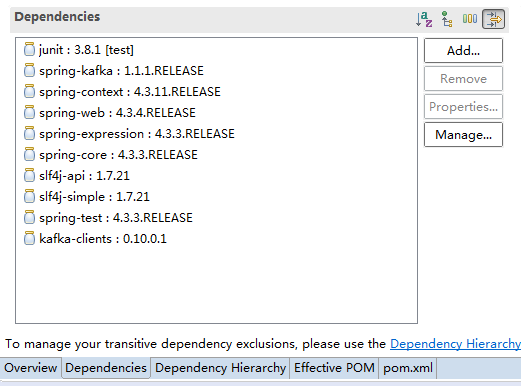
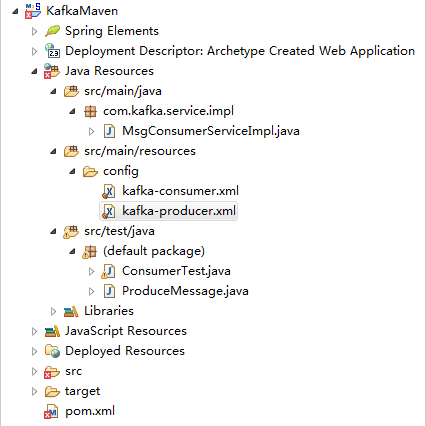
8.项目视图
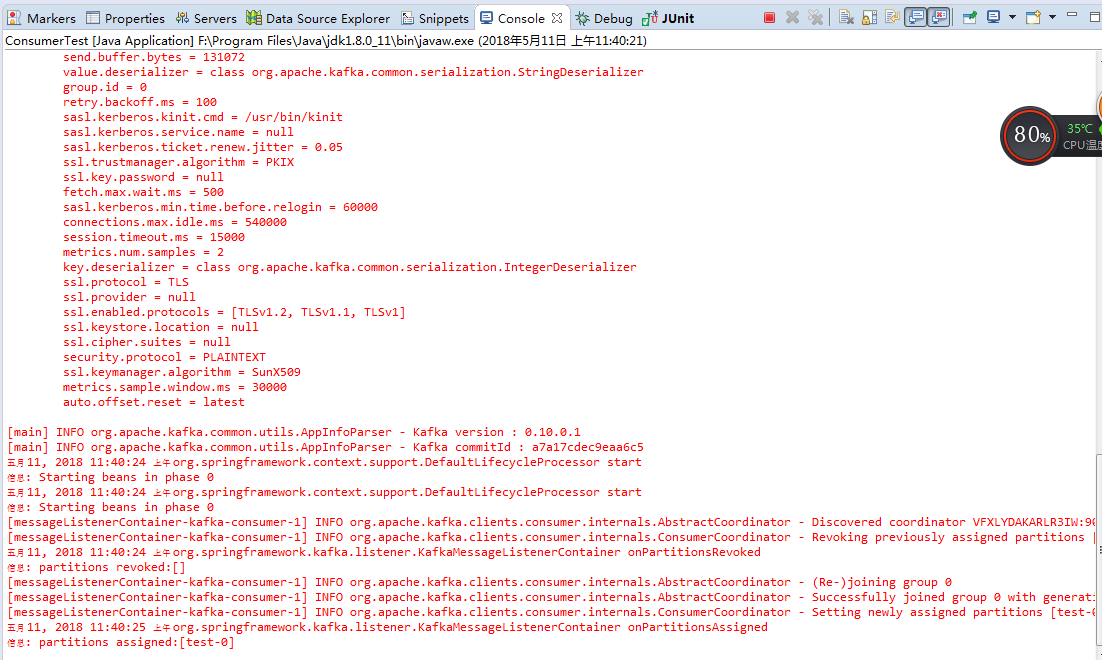
9.启动消费者测试类(注意:启动测试类前,需要启动zookeeper和kafka程序)
启动成功控制台如下显示
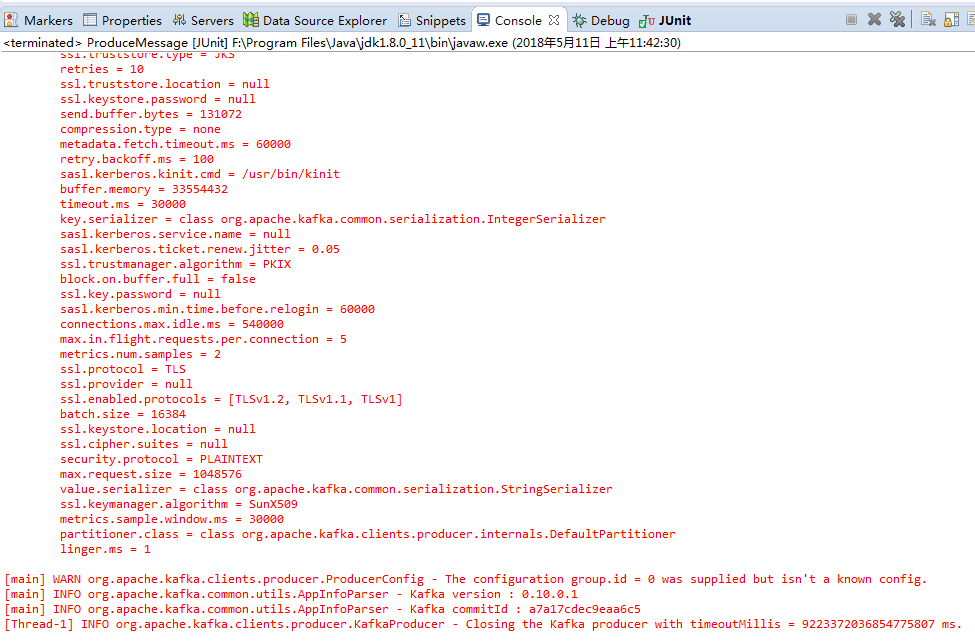
10.启动生产者测试类,启动成功控制台如下显示
9.consumer接收消息,控制台显示如下:

spring kafka生产、消费消息的更多相关文章
- kafka生产消费原理笔记
一.什么是kafka Kafka是最初由Linkedin公司开发,是一个分布式.支持分区的(partition).多副本的(replica),基于zookeeper协调的分布式消息系统,它的最大的特性 ...
- Python往kafka生产消费数据
安装 kafka: pip install kafka-python 生产数据 from kafka import KafkaProducer import json ''' 生产者demo 向te ...
- kafka 生产消费原理详解
Kafka日志及Topic数据清理 https://blog.csdn.net/qiaqia609/article/details/78899298 Kafka--Consumer消费者 pastin ...
- Kafka生产消费API JAVA实现
Maven依赖: <dependency> <groupId>org.apache.kafka</groupId> <artifactId>kafka- ...
- Kafka 生产消费 Avro 序列化数据
https://unmi.cc/kafka-produce-consume-avro-data/ https://unmi.cc/apache-avro-serializing-deserializi ...
- Spring Kafka和Spring Boot整合实现消息发送与消费简单案例
本文主要分享下Spring Boot和Spring Kafka如何配置整合,实现发送和接收来自Spring Kafka的消息. 先前我已经分享了Kafka的基本介绍与集群环境搭建方法.关于Kafka的 ...
- Spring Cloud Stream如何消费自己生产的消息?
在上一篇<Spring Cloud Stream如何处理消息重复消费>中,我们通过消费组的配置解决了多实例部署情况下消息重复消费这一入门时的常见问题.本文将继续说说在另外一个被经常问到的问 ...
- Spring Cloud Stream如何消费自己生产的消息
在上一篇<Spring Cloud Stream如何处理消息重复消费>中,我们通过消费组的配置解决了多实例部署情况下消息重复消费这一入门时的常见问题.本文将继续说说在另外一个被经常问到的问 ...
- kafka生产者与消费者的生产消息与消费消息所遇到的问题
当我们用API写kafka的时候 生产者生产消息,但是消费者接收不到消息?集群上启动消费者显示生产的消息.我们需要修改一下配置 (1)我们打开在虚拟机中修改kafka集群的配置文件 [root@spa ...
随机推荐
- SQL COUNT() 函数
COUNT() 函数返回匹配指定条件的行数. SQL COUNT() 语法 SQL COUNT(column_name) 语法 COUNT(column_name) 函数返回指定列的值的数目(NULL ...
- 2018-2019-2 20175217 实验二《Java面向对象程序设计》实验报告
一.实验报告封面 课程:Java程序设计 班级:1752班 姓名:吴一凡 学号:20175217 指导教师:娄嘉鹏 实验日期:2019年4月15日 实验时间:--- 实验序号:实验二 实验名称:Jav ...
- JQuery:怎么动态切换一个元素的显示、隐藏呢?原来隐藏就显示,原来显示就隐藏
使用toggle() 方法:<script src="//ajax.googleapis.com/ajax/libs/jquery/1.8.3/jquery.min.js"& ...
- IdentityServer4客户端如何获取自定义声明,了解一下?
前言 久违了各位,之前录制过IdentityServer4的基础视频(https://space.bilibili.com/319652230/#/),有兴趣了解的童鞋可以看一下,只不过未发表成博客. ...
- DC/OS安装
dc/os: https://dcos.io/ 安装文档-docker:https://docs.mesosphere.com/1.11/installing/oss/custom/system-re ...
- node.js、js读取excel、操作excel、创建excel之js-xlsx.js
node.js篇 第一步引入包 npm install xlsx -save 第二步使用 var xl =require('xlsx'); //workbook 对象,指的是整份 Excel 文档.我 ...
- VUE中使用geetest滑动验证码
一,准备工作:服务端部署 下载文件gt.gs: https://github.com/GeeTeam/gt3-python-sdk 需要说明的是这里的gt.js文件,它用于加载对应的验证JS库. 1. ...
- RMQ区间最大值与最小值查询
RMQ复杂度:建表$O\left ( nlgn \right ) $,查询$O\left ( 1 \right )$ ll F_Min[maxn][20],F_Max[maxn][20]; void ...
- 编译安装MySQL5.6失败的相关问题解决方案
Q0:需要安装git 解决方案: #CentOS yum install git #ubuntu apt-get install git Q1:CMAKE_CXX_COMPILER could be ...
- Quill 富文本编辑器
Quill 富文本编辑器 https://quilljs.com/ https://github.com/quilljs/quill https://github.com/quilljs/awesom ...