
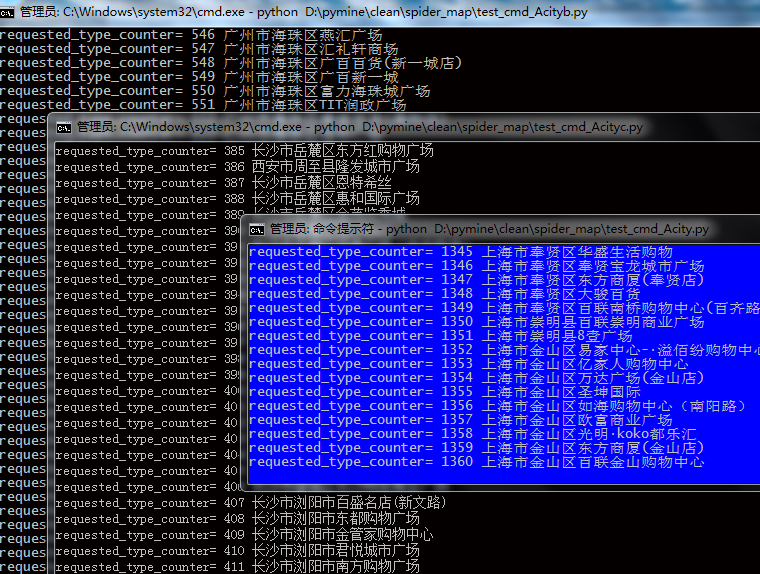
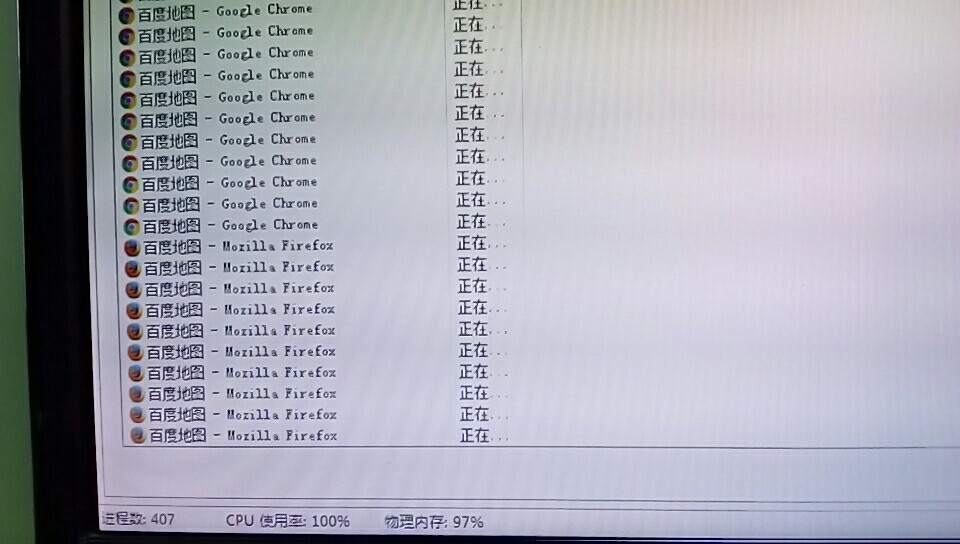
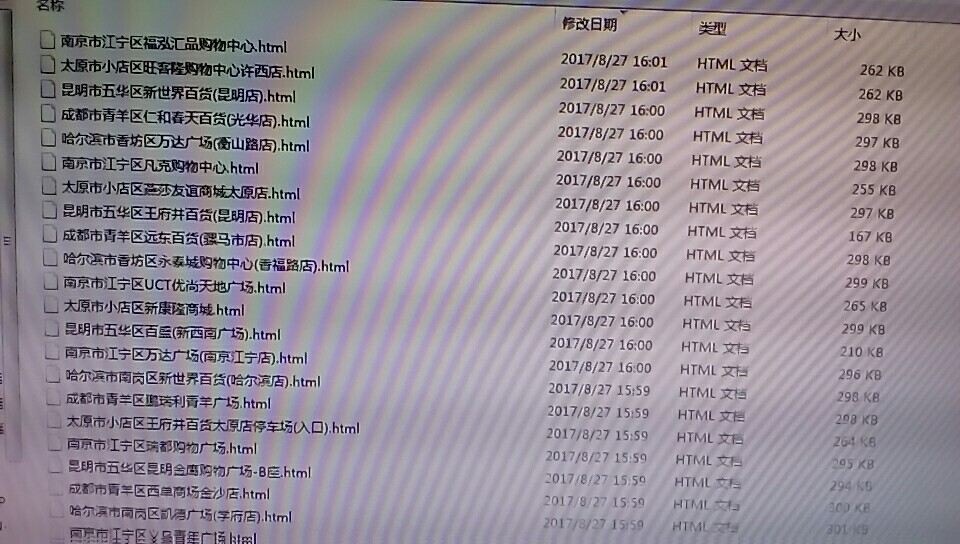
Is this its limit?
import sys

import os

curPath = os.path.abspath(os.path.dirname(__file__))

rootPath = os.path.split(curPath)[0]

sys.path.append(rootPath)

from selenium import webdriver

from selenium.webdriver.chrome.options import Options

# from selenium.webdriver.firefox.options import Options

import time

from time import sleep

import math

import random

import sys

import threading

import urllib.parse

import xlrd

import sys

import os

import sqlite3

MAX_TIME = 600

def py_stop_update_db():

    # db = 'py_bdspider_status.db'

    # db = '%s\\%s' % (curPath, db)

    # conn = sqlite3.connect(db)

    # pyname = os.path.basename(__file__).split('.py')[0]

    # sql_ = '%s%s%s' % ('UPDATE pystatus_table SET pystatus =2 WHERE pyname="', pyname, '"')

    # print(sql_)

    # conn.execute(sql_)

    # conn.commit()

    # conn.close()

    return

def chk_time(browser, start_time):

    if time.time() - start_time > MAX_TIME:

        py_stop_update_db()

        browser.delete_all_cookies()

        browser.quit()

    return

dir_html = 'baidu_map_html_firstpage_pc_not_shop'

filepath = '%s\\%s' % (curPath, dir_html)

requested_file_list = []

pathDir = os.listdir(filepath)

for allDir in pathDir:

    child = os.path.join('%s%s' % (filepath, allDir))

    requested_file = child.split(dir_html)[1].split('&')[0].split('.html')[0]

    requested_file_list.append(requested_file)

tag_jmtool_list = ['(', '(', '-']

def extract_name(name_):

    for i in tag_jmtool_list:

        name_ = name_.split(i)[0]

    return name_

pcity_list = []

pcity_file = '%s\\%s' % (curPath, '省会城市.txt')

with open(pcity_file, 'r', encoding='utf-8') as pf:

    c_ = 0

    for i in pf:

        c_ += 1

        if c_ == 3:

            c_ = 0

            pcity_list.append(i.replace(' ', '').replace('\n', '') + '市')

pcity_sorted_list = sorted(pcity_list)

target_type_list = ['住宅小区', '写字楼']

# target_type_list = ['住宅小区']

target_type_list = ['专科医院']

target_type_list = ['商场']

requested_type_counter = 0

# 商场 4705 酒店 24915 专科医院 2513 商圈 334

target_dic = {}

# target_city_list = ['北京市', '上海市', '深圳市', '广州市']

target_city_list = ['深圳市', '广州市']

target_city_list = ['深圳市']

target_city_list = ['北京市', '上海市']

target_city_list = ['北京市', '上海市', '深圳市', '广州市']

target_city_list = ['北京市', '上海市']

target_city_list = ['深圳市', '广州市']

target_city_list = ['北京市']

target_city_list = ['北京市', '上海市', '深圳市', '广州市']

target_city_list = pcity_sorted_list[21:28]

#pcity_sorted_list[7:14]

#target_city_list = pcity_sorted_list

# target_city_list = ['杭州市']

file_name = 'JMTool任务_csv_py_wholeCSV'

FEXCEL = '%s\\%s%s' % (curPath, file_name, '.xlsx')

data = xlrd.open_workbook(FEXCEL)

table = data.sheets()[0]

nrows, ncols = table.nrows, table.ncols

res_dic, counter_ = {}, 0

for i in range(0, nrows):

    l = table.row_values(i)

    dbid, area_code, ref_area_type_code, city, district, address, city_street, name_, emp_, emp_1 = l

    if city not in target_city_list:

        continue

    # if city not in target_city_list:

    #     target_city_list.append(city)

    type_ = ref_area_type_code

    if type_ not in target_type_list:

        continue

    name_ = name_.replace('?', '')

    name_reduction = extract_name(name_)

    if len(name_reduction) < 3:

        name_reduction = name_

    if city not in target_dic:

        target_dic[city] = {}

    if district not in target_dic[city]:

        target_dic[city][district] = {}

    if type_ not in target_dic[city][district]:

        target_dic[city][district][type_] = {}

    if name_reduction not in target_dic[city][district]:

        target_dic[city][district][type_][name_reduction] = {}

        target_dic[city][district][type_][name_reduction]['name_reduction_list'] = []

        target_dic[city][district][type_][name_reduction]['history_list'] = []

    try:

        target_dic[city][district][type_][name_reduction]['name_reduction_list'].append(name_)

        target_dic[city][district][type_][name_reduction]['history_list'].append(l)

    except Exception:

        print(Exception)

write_res_html_dir = '%s\\%s\\' % (curPath, dir_html)

def write_res_html(browser, dir_=write_res_html_dir):

    close_alert(browser)

    current_url_ = urllib.parse.unquote(browser.current_url)

    try:

        input_ = current_url_.split('&wd=')[1].split('/?')[0]

    except Exception:

        print('Exception-', __file__, sys._getframe().f_lineno, current_url_)

        return

    current_url_ = '%s%s%s' % ('<!--', browser.current_url, '-->')

    page_source = '%s%s' % (current_url_, browser.page_source)

    # localtime_ = time.strftime("%y%m%d%H%M%S", time.localtime())

    # file_name = '%s%s%s%s' % (dir_, input_, localtime_, '.html')

    file_name = '%s%s%s' % (dir_, input_, '.html')

    fo = open(file_name, 'w', encoding='utf-8')

    fo.write(page_source)

    fo.closed

    print(os.path.basename(__file__), 'OK-writed-', sys._getframe().f_lineno, '')

def gen_random_letter():

    return chr(random.randint(97, 122))

def gen_random_num():

    return random.randint(0, 10)

def gen_sougo_pid():

    res_ = ''

    for i in range(1, 17, 1):

        if i in [1, 3, 4, 15]:

            res_ = '%s%s' % (res_, gen_random_letter())

        else:

            res_ = '%s%s' % (res_, gen_random_num())

    return res_

def close_alert(browser, attitude='accept'):

    return

# executable_path_str = '%s\\%s' % (curPath, 'geckodriver.exe')

# browser = webdriver.Firefox(executable_path=executable_path_str)

def mobile_mobile_pages_html(browser, input_):

    start_time = time.time()

    chk_time(browser, start_time)

    sleep(3)

    url_ = '%s%s' % ('http://map.baidu.com/?s=s%26wd%3D', input_)

    browser.get(url_)

    write_res_html(browser)

class MyThread(threading.Thread):

    def __init__(self, func, args, name):

        threading.Thread.__init__(self)

        self.name, self.func, self.args = name, func, args

    def run(self):

        self.func(self.args)

def thread_city(city):

    global requested_type_counter

    for district in target_dic[city]:

        for type_ in target_dic[city][district]:

            for name_reduction in target_dic[city][district][type_]:

                for name_ in target_dic[city][district][type_][name_reduction]['name_reduction_list']:

                    input_ = '%s%s%s' % (city, district, name_)

                    if input_ in requested_file_list:

                        requested_type_counter += 1

                        print('requested_type_counter=', requested_type_counter, input_)

                    else:

                        # executable_path_str = '%s\\%s' % (curPath, 'chromedriver.exe')

                        # browser = webdriver.Chrome(executable_path=executable_path_str)

                        executable_path_str = '%s\\%s' % (curPath, 'geckodriver.exe')

                        browser = webdriver.Firefox(executable_path=executable_path_str)

                        mobile_mobile_pages_html(browser, input_)

threads_list = []

for city in target_dic:

    thread_instance = MyThread(thread_city, (city), thread_city.__name__)

    threads_list.append(thread_instance)

for t in threads_list:

    t.setDaemon = False

    t.start()

for t in threads_list:

    t.join()

# browser.delete_all_cookies()

# browser.quit()
Is this its limit?的更多相关文章
- mysql limit分页查询优化写法
在mysql中进行分页查询时,一般会使用limit查询,而且通常查询中都会使用orderby排 序.但是在表数据量比较大的时候,例如查询语句片段limit 10000, 20,数据库会读取10020条 ...
- SQL中TOP,LIMIT,ROWNUM的用法
SQL SERVER/MS Access的Select Top的用法: Select TOP number|percent table_columname FROM tablename MySQL/O ...
- mysql 中的LIMIT用法
select * from table_name LIMIT 起始偏移量,数量 (1)起始偏移量为0:代表没有偏移,即从第1行开始. (2)数量为-1:代表是无穷,即偏移量之后所有的行. (3)LIM ...
- laravel 框架使用总结 limit
后台开发就是数据的各种处理很多时候需要做到分页,但是在laravel中使用limit做分页的时候会出现问题,偏移量和每页的条数放进去好像不好使了 下面推荐给大家一种在laravel框架中非常好用的写法 ...
- [软件推荐]快速文件复制工具(Limit Copy) V4.0 绿色版
快速文件复制工具(Limit Copy)绿色版是一款智能变频超快复制绿色软件. 快速文件复制工具(Limit Copy)功能比较完善,除了文件复制还可以智能变频,直接把要复制的文件拖入窗口即可,无需手 ...
- java.lang.OutOfMemoryError:GC overhead limit exceeded填坑心得
我遇到这样的问题,本地部署时抛出异常java.lang.OutOfMemoryError:GC overhead limit exceeded导致服务起不来,查看日志发现加载了太多资源到内存,本地的性 ...
- TNS-12540: TNS:internal limit restriction exceeded
应用程序以及客户端工具(Toad.PL/SQL Developer等)出现突然连接不上数据库服务器的情况,监听日志listener.log里面出现了TSN-12518与TSN-12540错误,如下所示 ...
- -bash: ulimit: pipe size: cannot modify limit: Invalid argument
从root账号切换到oracle账号时,出现了"-bash: ulimit: pipe size: cannot modify limit: Invalid argument"提示 ...
- [MySQL性能优化系列]LIMIT语句优化
1. 背景 假设有如下SQL语句: SELECT * FROM table1 LIMIT offset, rows 这是一条典型的LIMIT语句,常见的使用场景是,某些查询返回的内容特别多,而客户端处 ...
- migration integer limit option
https://gist.github.com/stream7/1069589 :limit Numeric Type Column Size Max value 1 tinyint 1 byte 1 ...
随机推荐
- Hive日期格式转换用法
如果想把 20180123 转换成 2018-01-23,可以使用: select from_unixtime(unix_timestamp('${p_date}','yyyymmdd'),'yyyy ...
- Java过滤器(Filter)与SpringMVC拦截器(Interceptor)之间的关系与区别
过滤器和拦截器的区别: ①拦截器是基于java的反射机制的,而过滤器是基于函数回调. ②拦截器不依赖与servlet容器,过滤器依赖与servlet容器. ③拦截器只能对action请求起作用,而过滤 ...
- [Tips + Javascript] Make a unique array
To make an array uniqued, we can use Set() from Javascript. const ary = ["a", "b" ...
- 网络编程readn、writen和readline函数的编写
readn 在Linux中,read的声明为: ssize_t read(int fd, void *buf, size_t count); 它的返回值有以下情形: 1.大于0,代表成功读取的字节 ...
- vue-router push
//push 方法一 对象 // this.$router.push({path:'HelloWorld2'}); //push 方法二 命名的路由 // this.$router.push({nam ...
- apue学习笔记(第一章UNIX基础知识)
总所周知,UNIX环境高级编程是一本很经典的书,之前我粗略的看了一遍,感觉理解得不够深入. 听说写博客可以提高自己的水平,因此趁着这个机会我想把它重新看一遍,并把每一章的笔记写在博客里面. 我学习的时 ...
- cisco 为每个单独的人员设置不同的用户名和密码
cisco 为每个单独的人员设置不同的用户名和密码 2010-12-15 17:00:16 分类: 系统运维 Router1#configure terminalEnter configuration ...
- C语言学习笔记(一) 开发环境的搭建
写这个系列的原因是因为最近在学习C语言,记录博客会让自己能够更好的掌握学习到的东西.编程贵在坚持,每天改变一丢丢! C语言开发两个软件,一个是文本编辑工具,Notepad++或者是EditPlus都可 ...
- java 中的 i++ 和 ++i
熟悉c/c++中的i++和++i,那么你知道下面的java代码效果是什么吗? 一 . 代码示例 /** * * @author elelule * */ public class TestPlusPl ...
- 自动化测试 python2.7 与 selenium 2 学习
windows环境搭建 # 下载 python[python 开发环境] http://python.org/getit/ # 下载 setuptools [python 的基础包工具]setupto ...