
基于Jekyll的博客模板
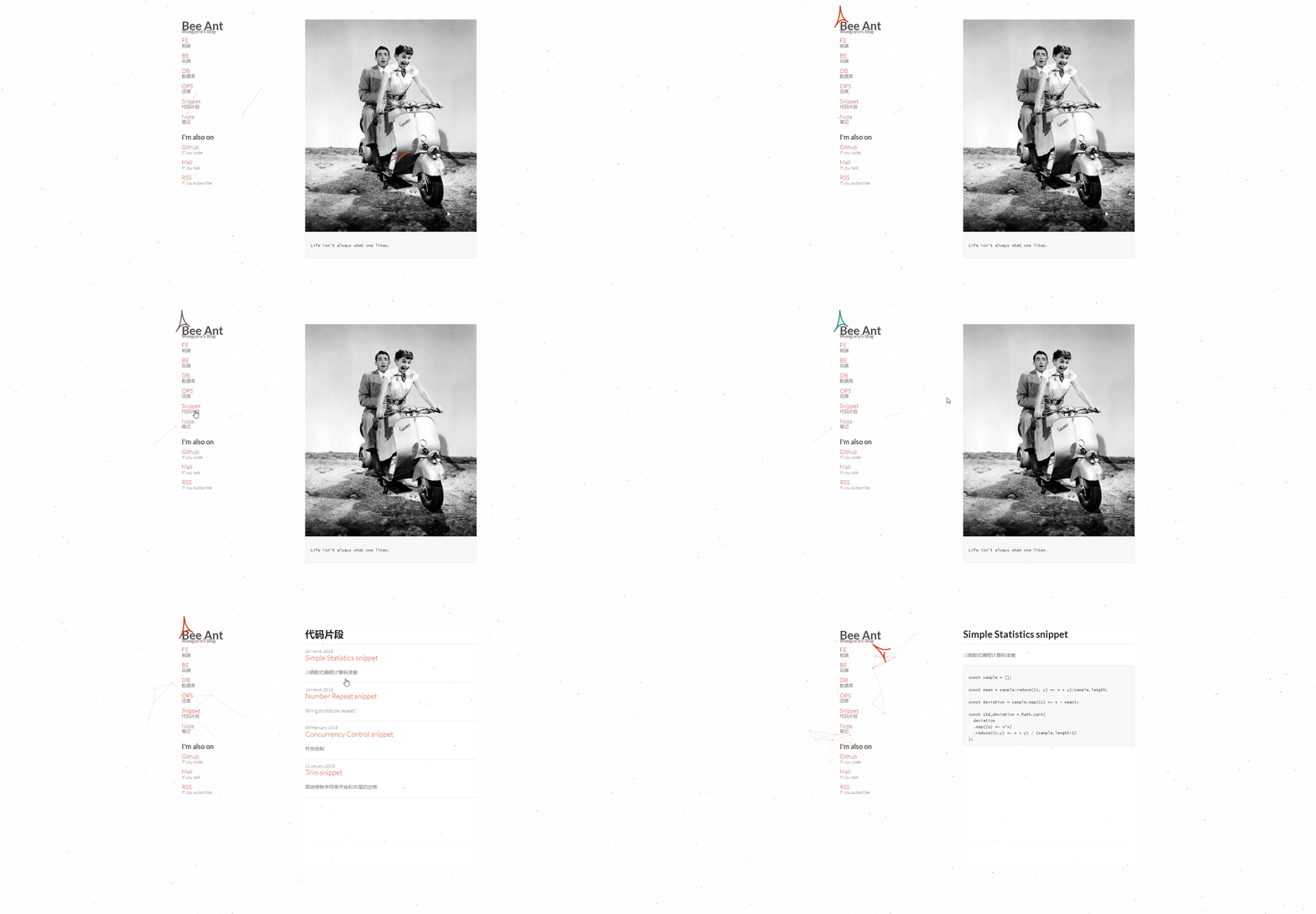
效果
环境配置
环境
- Windows 10
- Git Bash
安装ruby
下载rubyinstaller安装:https://rubyinstaller.org/downloads/ (推荐Ruby 2.2.6版本)
$ ruby -v
安装DevKit
下载DevKit.exe:https://rubyinstaller.org/downloads/ ,解压完成后进入目录,init初始化,review检查,成功添加ruby目录后再install
$ ruby dk.rb init

$ ruby dk.rb review

$ ruby dk.rb install
安装Jekyll
切换gem镜像后再安装Jekyll(需要安装bundler)
$ gem sources --add https://gems.ruby-china.org/ --remove https://rubygems.org/

$ gem sources -l

https://gems.ruby-china.org

$ gem install Jekyll

$ gem install bundler
新建博客
$ jekyll new ba-blog

$ jekyll server
模板套用
_config.yml
进行个性化全局配置。
# All possible configuration.

# For more see: http://jekyllrb.com/docs/configuration/

destination: ./_site

lsi:         false

port:        4000

highligher:  true

# Build settings

markdown:    rdiscount

rdiscount:

  extensions: [smart]

# This is the default base url path.

BASE_PATH : /

# Website title.

title : Bee Ant<small>Wongjorie's Blog</small>

# label listing. [create labels for category in folder `_label`]

# social listing. [create labels for social in folder `_label`]

collections:

  - category

  - social

# This is the default format.

# For more see: http://jekyllrb.com/docs/permalinks/

permalink: /:title

# Pagination based on number of posts

# For more see: http://jekyllrb.com/docs/pagination/

#paginate: 20

#paginate_path: "page/:num"

  ## Author Details ##

###########################

author:

# Info

  name: Wong Jorie

  role: Computer Programmer

  email:

  image: images/ba.jpg

# Social

  github: joriewong

  mail:

#  About

  about: ""

# copyright

  copyright: "Some rights reserved © 2018 Wong Jorie."

# Disable custom plugins,and ignore symbolic links..

# For more see: http://jekyllrb.com/docs/configuration/

safe:    false

# Jekyll-sitemap auto generate

# For more see: https://github.com/jekyll/jekyll-sitemap

gems:

  - jekyll-sitemap
_category目录
1、侧边栏中的博客分类分别对应一个序号-同名.markdown文件,套用格式如下。
---

title: FE

short-description: 前端

permalink: FE

---
2、博客分类在项目根目录下有同名文件夹,其中包含index.md文件,套用格式如下。
---

layout: default

title: FE | 前端

---

<h1>前端</h1>

<hr/>

{% for category in site.categories %}

{% if category[0] == "FE" %}

    {% for posts in category %}

    {% for post in posts %}

{% if post.title %}

		{% if post.custom-link %}

<h2><a href="{{ post.custom-link }}"><small>{{ post.date | date: "%d %B, %Y" }}</small>{{ post.title }}</a></h2>

		{% else %}

<h2><a href="{{ post.url }}"><small>{{ post.date | date: "%d %B, %Y" }}</small>{{ post.title }}</a></h2>

		{% endif %}

<p>{{ post.excerpt | truncatewords:25 }}</p>

<hr/>

{% endif %}

   {% endfor %}

   {% endfor %}

{% endif %}

{% endfor %}
_layouts目录
整体布局模板和博文默认模板(无需修改)。
---

layout: default

---

<article>

<h1>{{page.title}}</h1>

<hr/>

{{content}}

</article>
_posts目录
每次撰写博文在此目录下新增.md文件即可,文件命名格式年-月-日-标题名.md,撰写时,文件头可配置博文分类,正文支持Markdown语法。
---

  layout: post

  title: Trim snippet

  categories: [Snippet]

---

正文部分
_social目录
侧边栏中的社交链接分别对应一个序号-同名.markdown文件,套用格式如下。
---

title: Mail

short-description: If you talk

permalink: "mailto:JieYu.Wang@cisdi.com.cn"

---
首页、订阅配置
首页配置
首页图片为images下ba.jpg,可根据个人喜好随时更换,首页文字在项目根目录下index.html的<pre>标签中编辑。
---

layout: default

title: Bee Ant

---

<!-- 490 x 490 pixels -->

<img src="{{ BASE_PATH }}{{ site.author.image}}" alt="color photo ftl"/>

<!-- <p>Can't find your topic? Use <a href="{{ site.BASE_PATH }}search">Search Page</a></p> -->

<pre>

Life isn't always what one likes.

</pre>
订阅配置
项目根目录下feed.xml基本已完成RSS模板配置,只需变更一些个人信息即可。
<title>Bee Ant ~ Wongjorie's Blog</title>

...

<author>

   <name>Wong Jorie</name>

   <email></email>

 </author>
演示效果
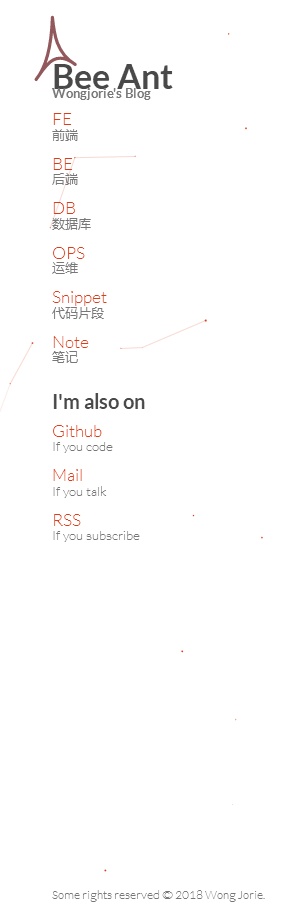
侧边栏
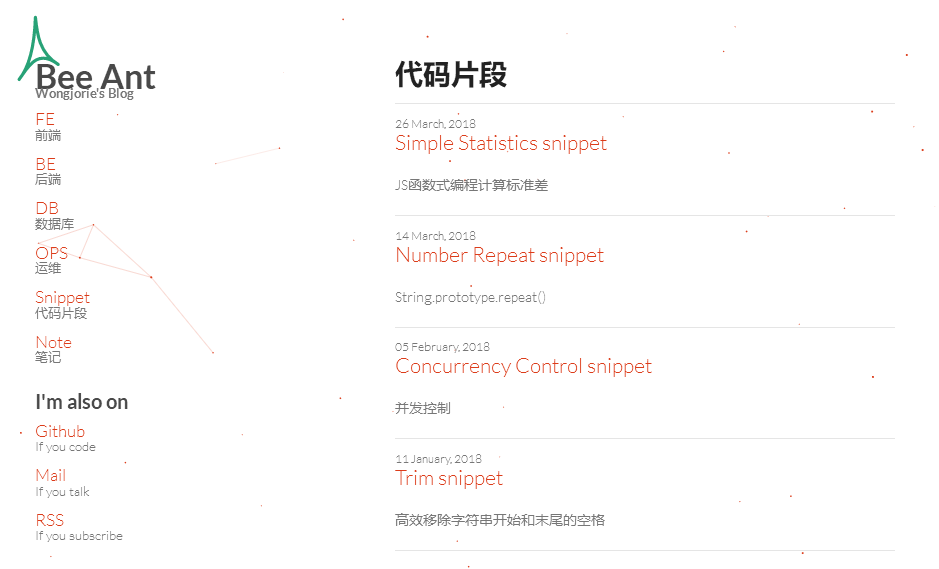
博文目录
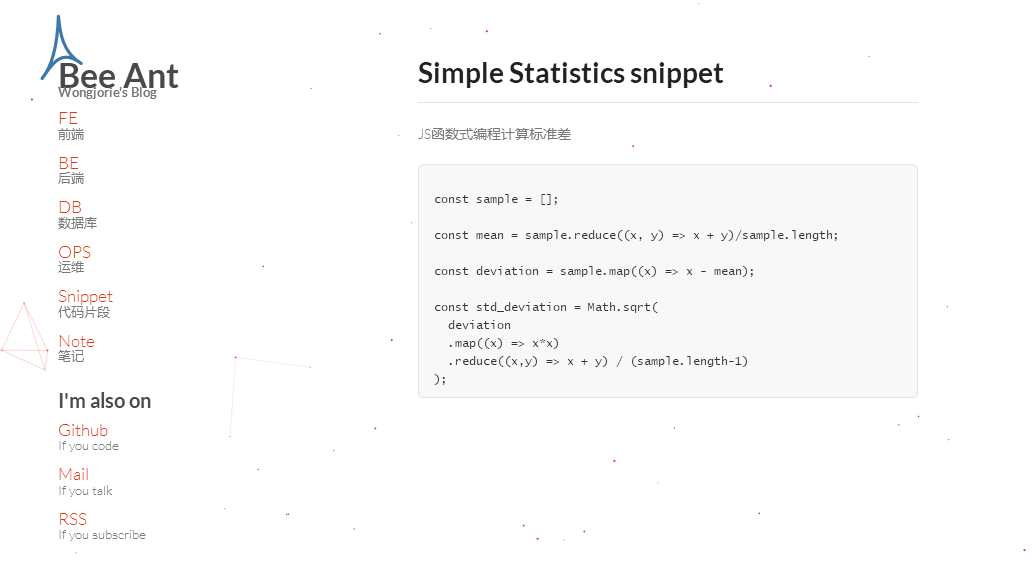
博文详情
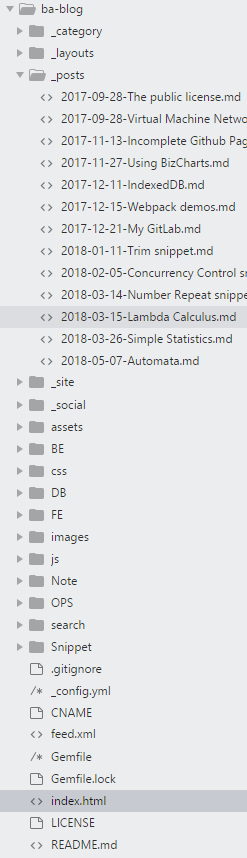
项目文件
 基于Jekyll的博客模板
注:本文著作权归作者,由demo大师代发,拒绝转载,转载需要作者授权
基于Jekyll的博客模板的更多相关文章
- 第41篇 推荐一个jekyll博客模板
本人用的模板是基于Codeboy的博客模板改造模板,(由于本人可能会有很多样式修改,所以不再将修改pullrequst到原项目,在此对codeboy模板表示感谢).功能改造如下: 添加微信支付宝打赏 ...
- 基于Hexo搭建博客并部署到Github Pages
基于Hexo搭建博客并部署到Github Pages 之前在简书上写东西,觉得自己还是太浮躁.本来打算用Flask自己写一个,以为是微框架就比较简单,naive.HTML.CSS.JS等都要学啊,我几 ...
- github page+jekyll搭博客初体验
div.oembedall-githubrepos { border: 1px solid #DDD; list-style-type: none; margin: 0 0 10px; padding ...
- 基于 node 搭建博客系统(一)
系统分为两端,分别实现. 管理员端: 功能 :个人信息,设置,发布随笔,随笔列表,删除随笔,查找,文章 等. 技术点:Boostrap + AdminLTE; 基于nodejs 实现的express ...
- github page+jekyll构建博客的解决方案
想在github page上构建自己的博客,前几个星期就动手搞了起来,但由于自己对于前端这些东西不是很熟,所以断断续续的,直到今天才把所有东西都搞懂,而且构建出自己的github博客了. 最终效果,大 ...
- 给Jekyll静态博客添加ScrollSpy博文大纲目录
目录 内置TOC 添加ScrollSpy博文menu Scrollnav.js 使用方法❤ 最近又双叒把博客模板换成了Jekyll,Jekyll无论上手难度和修改难度都是目前所见流行模板中最低的(以无 ...
- 基于.NetCore开发博客项目 StarBlog - (5) 开始搭建Web项目
系列文章 基于.NetCore开发博客项目 StarBlog - (1) 为什么需要自己写一个博客? 基于.NetCore开发博客项目 StarBlog - (2) 环境准备和创建项目 基于.NetC ...
- 基于.NetCore开发博客项目 StarBlog - (6) 页面开发之博客文章列表
系列文章 基于.NetCore开发博客项目 StarBlog - (1) 为什么需要自己写一个博客? 基于.NetCore开发博客项目 StarBlog - (2) 环境准备和创建项目 基于.NetC ...
- 基于.NetCore开发博客项目 StarBlog - (14) 实现主题切换功能
系列文章 基于.NetCore开发博客项目 StarBlog - (1) 为什么需要自己写一个博客? 基于.NetCore开发博客项目 StarBlog - (2) 环境准备和创建项目 基于.NetC ...
随机推荐
- Asp.net中的一个判断session是否合法的做法
1 if (Session["UserID"] == "" || Session["UserID"] == null) 2 { 3 ...
- AGC 025 B - RGB Coloring
B - RGB Coloring Time limit : 2sec / Memory limit : 1024MB Score : 700 points Problem Statement Taka ...
- 某道我xjb想的题
Function 时限:5s 空限:256M (都是单点) Discription 现在你有一个函数: inline int f(int x){ int tot=0,alr=0,now; while( ...
- [Interview] 程序员如何制作一份漂亮的面试简历
简历模板 *:first-child { margin-top: 0 !important; } body>*:last-child { margin-bottom: 0 !important; ...
- 【Python笔记】Python语言基础
Python是一种解释性(没有编译).交互式.面向对象的语言 1.安装python编译器 版本:Python2.7比较普遍,Python不是向下兼容的软件,因此Python3.x有些东西不好找资料 2 ...
- python语言实现阶乘的两种方法---递归和迭代
阶乘的递归实现,代码如下: def factorial(n): if n==1: return 1 else: return n*factorial(n-1) number = int(input(& ...
- Linux发布Tomcat Web项目
1.打包项目,项目右键–>Export –> WAR file 2.将.war文件放到tomcat下的webapps下.重启tomcat即可. ps afux — 查看进程 ki ...
- Using Dtrace OEL 6.X and Oracle® Solaris 11.3 DTrace (Dynamic Tracing) Guide
http://www.hhutzler.de/blog/using-dtrace/ https://docs.oracle.com/cd/E53394_01/html/E53395/gkyaz.htm ...
- Delphi 使窗体Showmodal后可以操作其他窗体
对话框ShowModal之后不能操作其它窗口,实际上是因为Windows Disable了其它窗口.所以当你需要在模态对话框中访问其它已经可见的窗口时,需要用EnableWindow API来激活对应 ...
- asp.net 视图引擎归类
1. ASPX View Engine 第一个也是我们最熟悉的---aspx,相信做过WebForm开发对Aspx都比较了解: 小示例: <%@ Control Inherits="S ...