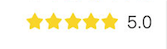
1 IDSStarsScoreView 的实现效果
2 类的封装方法:
<声明文件>
//
// IDSStarsScoreView.h
// Near
//
// Created by levi.duan on 2017/10/23.
// Copyright © 2017年 Near. All rights reserved.
//
#import <UIKit/UIKit.h>
@classIDSStarsScoreView;
@protocol IDSStarsScoreViewDelegate<NSObject>
/**
评分视图点击回调
@param starsView 评分视图
@param score 所选分数
*/
- (void)startsScoreView:(IDSStarsScoreView *)starsView didSelectedScore:(CGFloat)score;
@end
@interface IDSStarsScoreView : UIView
// 星星是否可以点击
@property (nonatomic, assign) BOOL clickTheStar;
@property (nonatomic, weak) id<IDSStarsScoreViewDelegate> delegate;
/*
* size :图像size
* margin :两个星星的间距
* score :显示的星星数
*/
- (instancetype)initWithStarSize:(CGSize)size margin:(CGFloat)margin score:(CGFloat)starNum;
/*
* starNum :显示的星星数
*/
- (void)startInitWithScore:(CGFloat)starNum;
/*
* 获取当前视图评分
*/
- (CGFloat)getCurrentSocore;
@end
<实现文件>
//
// IDSStarsScoreView.m
// Near
//
// Created by levi.duan on 2017/10/23.
// Copyright © 2017年 Near. All rights reserved.
//
#import "IDSStarsScoreView.h"
@interfaceIDSStarsScoreView ()
@property (nonatomic, strong) NSMutableArray *starImageViewArray;
@property (nonatomic, assign) CGFloat stores;
@end
@implementation IDSStarsScoreView
- (instancetype)initWithStarSize:(CGSize)size margin:(CGFloat)margin score:(CGFloat)starNum
{
CGRect frame = CGRectMake(0, 0, size.width*5 + margin*4, size.height);
_stores = starNum;
_clickTheStar = NO;
if (self = [superinitWithFrame:frame]) {
[selfinitWithViewWithTheSize:size margin:margin];
}
returnself;
}
- (void)initWithViewWithTheSize:(CGSize)starSize margin:(CGFloat)starMargin
{
_starImageViewArray = [[NSMutableArrayalloc] init];
UIImageView *imageView;
CGFloat starNum = _stores;
for (int i=0; i<5; ++i) {
if (starNum > 0.5) {
imageView = [[UIImageViewalloc] initWithImage:[UIImageimageNamed:@"ic_yiqiwan_star1"]];
}
elseif (starNum > 0){
imageView = [[UIImageViewalloc] initWithImage:[UIImageimageNamed:@"ic_yiqiwan_star3"]];
}
else {
imageView = [[UIImageViewalloc] initWithImage:[UIImageimageNamed:@"ic_yiqiwan_star2"]];
}
imageView.frame = CGRectMake(self.bounds.origin.x+(i*starSize.width+i*starMargin), 0, starSize.width, starSize.height);
[selfaddSubview:imageView];
[_starImageViewArrayaddObject:imageView];
--starNum;
}
}
- (void)startInitWithScore:(CGFloat)starNum
{
_stores = starNum;
UIImageView *imageView;
for (int i=0; i<5; ++i) {
imageView = _starImageViewArray[i];
if (starNum > 0.5) {
imageView.image = [UIImageimageNamed:@"ic_yiqiwan_star1"];
}
elseif (starNum > 0){
imageView.image = [UIImageimageNamed:@"ic_yiqiwan_star3"];
}
else {
imageView.image = [UIImageimageNamed:@"ic_yiqiwan_star2"];
}
--starNum;
}
}
- (void)touchesBegan:(NSSet *)touches withEvent:(UIEvent *)event
{
if (!_clickTheStar) {
return;
}
UITouch *touch = [touches anyObject];
CGPoint touchPoint = [touch locationInView:self];
UIImageView *imageView ;
_stores = 0;
for(int i=0; i<5; ++i){
imageView = _starImageViewArray[i];
if ((touchPoint.x > 0) && (touchPoint.x < self.bounds.size.width) && (touchPoint.y > 0) && (touchPoint.y < self.bounds.size.height)) {
if (imageView.frame.origin.x <= touchPoint.x) {
++_stores;
imageView.image = [UIImageimageNamed:@"ic_yiqiwan_star1"];
}
else{
imageView.image = [UIImageimageNamed:@"ic_yiqiwan_star2"];
}
}
}
if ([self.delegaterespondsToSelector:@selector(startsScoreView:didSelectedScore:)]) {
[self.delegatestartsScoreView:selfdidSelectedScore:_stores];
}
}
- (CGFloat)getCurrentSocore
{
return_stores;
}
@end
声明方法如下:
- (IDSStarsScoreView *)starsView
{
if (!_starsView) {
if (IS_IPHONE_5 || IS_IPHONE_4_OR_LESS) {
_starsView = [[IDSStarsScoreViewalloc] initWithStarSize:CGSizeMake(12,12) margin:0.5score:4.0];
}
else {
_starsView = [[IDSStarsScoreViewalloc] initWithStarSize:CGSizeMake(13,13) margin:2score:4.0];
}
_starsView.frame = CGRectMake(CGRectGetMinX(self.scoreLabel.frame)-_starsView.frame.size.width-3, 0, _starsView.frame.size.width, _starsView.frame.size.height);
_starsView.centerY = self.scoreLabel.centerY;
}
return_starsView;
}
数据联调用法如下:
if (!IS_NS_STRING_EMPTY(model.gameInfo.score)) {
_scoreLabel.text = model.gameInfo.score;
[_scoreLabel sizeToFit];
_scoreLabel.frame = CGRectMake(self.bounds.size.width-10-_scoreLabel.contentSize.width,99, _scoreLabel.contentSize.width, _scoreLabel.contentSize.height);
_scoreLabel.centerY = self.soundImageView.centerY;
[_starsView startInitWithScore:model.gameInfo.score.floatValue];
}
- OVER
- 性别年龄的模块封装类 IDSGenderLeviNamedView
1 IDSGenderLeviNamedView 的实现效果 2 类的封装方法: IDSGenderLeviNamedView.h @interface IDSGenderLeviNa ...
- 开源日志系统 log4c 使用心得+总结
http://blog.csdn.net/sky_qing/article/details/7208645 一.安装: 我看网上好多人介绍log4c安装的时候都说有两个步骤:先下载expat安装包并安 ...
- 解析大型.NET ERP系统 设计异常处理模块
异常处理模块是大型系统必备的一个组件,精心设计的异常处理模块可提高系统的健壮性.下面从我理解的角度,谈谈异常处理的方方面面.我的设计仅仅限定于Windows Forms,供参考. 1 定义异常类型 . ...
- c#生成静态html文件,封装类
由于这段时间比较轻松,于是想到很多的企业网站,新闻网站需要将页面静态化,于是写了个封装类来实现静态文件的生成,思路比较简单,但未完善,网友可根据自己的思路将此类扩展,运用了简单工厂模式(本来刚开始看设 ...
- C#开发微信门户及应用(43)--微信各个项目模块的定义和相互关系
我们在开发微信相关的应用的时候,一般需要完善的基础模块支持,包括微信公众号,微信企业号,以及一些业务模块的支持,一般随着功能的增多,我们需要非常清晰的界定他们的关系.模块的分拆以及合并往往需要考虑的代 ...
- StackExchange.Redis 访问封装类
最近需要在C#中使用Redis,在Redis的官网找到了ServiceStack.Redis,最后在测试的时候发现这是个坑,4.0已上已经收费,后面只好找到3系列的最终版本,最后测试发现还是有BUG或 ...
- python几个重要的模块备忘
一:模块使用方法 二:时间模块time 三:系统接口模块os和sys 四:数据保存的几个模块json,pickle,xml,configparse 五:数据复制移动模块shutil 六:日志模块log ...
- Android之手机向导以及设置中心模块的开发
当我们使用的新的软件的时候,我们首先需要教用户如何使用我们的软件,当用户学习完使用教程,下次再登录的时候,我们应该直接跳到我们的功能界面,下面我来展示一下我学习视频做的效果图:手机防盗这个功能模块就是 ...
- 第九章:Javascript类和模块
(过年了,祝大家新年好!) 第6章详细介绍了javascript对象,每个javascript对象都是一个属性集合,相互之间没有任何联系.在javascript中也可以定义对象的类,让每个对象都共享某 ...
随机推荐
- 前端构建工具里babel-polyfill的使用问题
看了很多react工程的package.json文件,里面都没有使用babel-polyfill,那对ES6的新API是如何做到被IE9这样的浏览器识别的呢,难道在webpack打包的时候通过别的方式 ...
- mkdir-无法创建目录(单层目录中子目录的个数默认为32000个)
今天运行在一台机器上的脚本突然通知无法创建目录了,上去执行shell脚本,也出现同样的错误,如下: $ mkdir test mkdir: 无法创建目录"test": 过多的连接 ...
- OpenVZ安装指南,一种操作系统级别的虚拟化技术
鼎鼎大名的 OpenVZ 谁不知道?在主机行业被使用(滥用)很多年,依然在茁壮发展.作为一种操作系统级别的虚拟化技术,运行 OpenVZ 没有硬性的硬件要求.OpenVZ 能够创建被称为容器(cont ...
- Java类、实例的初始化顺序
今晚是阿里巴巴 2013 校园招聘的杭州站笔试.下午匆忙看了两张历年试卷,去现场打了瓶酱油. 题目总体考察点偏基础,倒数第二题(Java 附加题)比较有趣,考察了 Java 初始化机制的细节,在此摘录 ...
- FZU Problem 2062 Suneast & Yayamao
http://acm.fzu.edu.cn/problem.php?pid=2062 标题效果: 给你一个数n,要求求出用多少个数字能够表示1~n的全部数. 思路: 分解为二进制. 对于一个数n.看它 ...
- matlab 高阶(三)—— 插值(fft、)
1. FFT 插值 y = interpft(x,n) y = [0, .5, 1., 1.5, 2., 1.5, 1., .5, 0, -.5, -1, -1.5, -2., -1.5, -1., ...
- Enabling granular discretionary access control for data stored in a cloud computing environment
Enabling discretionary data access control in a cloud computing environment can begin with the obtai ...
- Linux性能测试 tcpdump命令
用简单的话来定义tcpdump,就是:dump the traffic on a network,根据使用者的定义对网络上的数据包进行截获的包分析工具. tcpdump可以将网络中传送的数据包的“头” ...
- ASP.NET Core 中间件 - ASP.NET Core 基础教程 - 简单教程,简单编程
原文:ASP.NET Core 中间件 - ASP.NET Core 基础教程 - 简单教程,简单编程 ASP.NET Core 中间件 上一章节中,我们我们有讲到 Startup 类中的 Confi ...
- 如何将任意文件固定在 Win10 的开始屏幕中
虽然Wox和Launchy是我日常启动程序的主力方式,不过开始屏幕的图标方便归类,这是快速启动工具所不能提供的,因此我也会将最常用的程序在开始屏幕上分类固定. 最近需要将一个常用的批处理文件(*.ba ...