
spring cloud微服务实践四
spring cloud的hystrix还有一个配搭的库hystrix-dashboard,它是hystrix的一款监控工具,能直观的显示hystrix响应信息,请求成功率等.但是hystrix-dashboard只能查看单机和集群的信息,如果需要将多台的信息汇总起来的话就需要使用turbine.
注:这一个系列的开发环境版本为 java1.8, spring boot2.x, spring cloud Greenwich.SR2, IDE为 Intelli IDEA
hystrix-dashboard
hystrix-dashboard只要在上一篇的hystrix的基础上稍微修改下就可以了.
添加依赖
依赖文件pom.xml需要添加一些信息.
        <dependency>

            <groupId>org.springframework.cloud</groupId>

            <artifactId>spring-cloud-starter-netflix-hystrix</artifactId>

        </dependency>

        <dependency>

            <groupId>org.springframework.cloud</groupId>

            <artifactId>spring-cloud-starter-netflix-hystrix-dashboard</artifactId>

        </dependency>

        <dependency>

            <groupId>org.springframework.cloud</groupId>

            <artifactId>spring-cloud-starter-netflix-eureka-server</artifactId>

        </dependency>

        <dependency>

            <groupId>org.springframework.boot</groupId>

            <artifactId>spring-boot-starter-actuator</artifactId>

        </dependency>
需改启动类
@SpringBootApplication

@EnableDiscoveryClient

@EnableFeignClients(basePackages = "com.xingyys.hystrix.remote")

// 添加以下注解

@EnableHystrixDashboard

@EnableCircuitBreaker

public class HystrixApplication {

    public static void main(String[] args) {

        SpringApplication.run(HystrixApplication.class, args);

    }

}
修改配置文件
spring cloud 2.x版本和1.x版本不同,需要修改配置文件
# ......

# application.properties

management.endpoints.web.exposure.include=hystrix.stream

management.endpoints.web.base-path=/
测试
重新编译后开始测试
浏览器访问http://127.0.0.1:9002/hystrix出现以下页面:
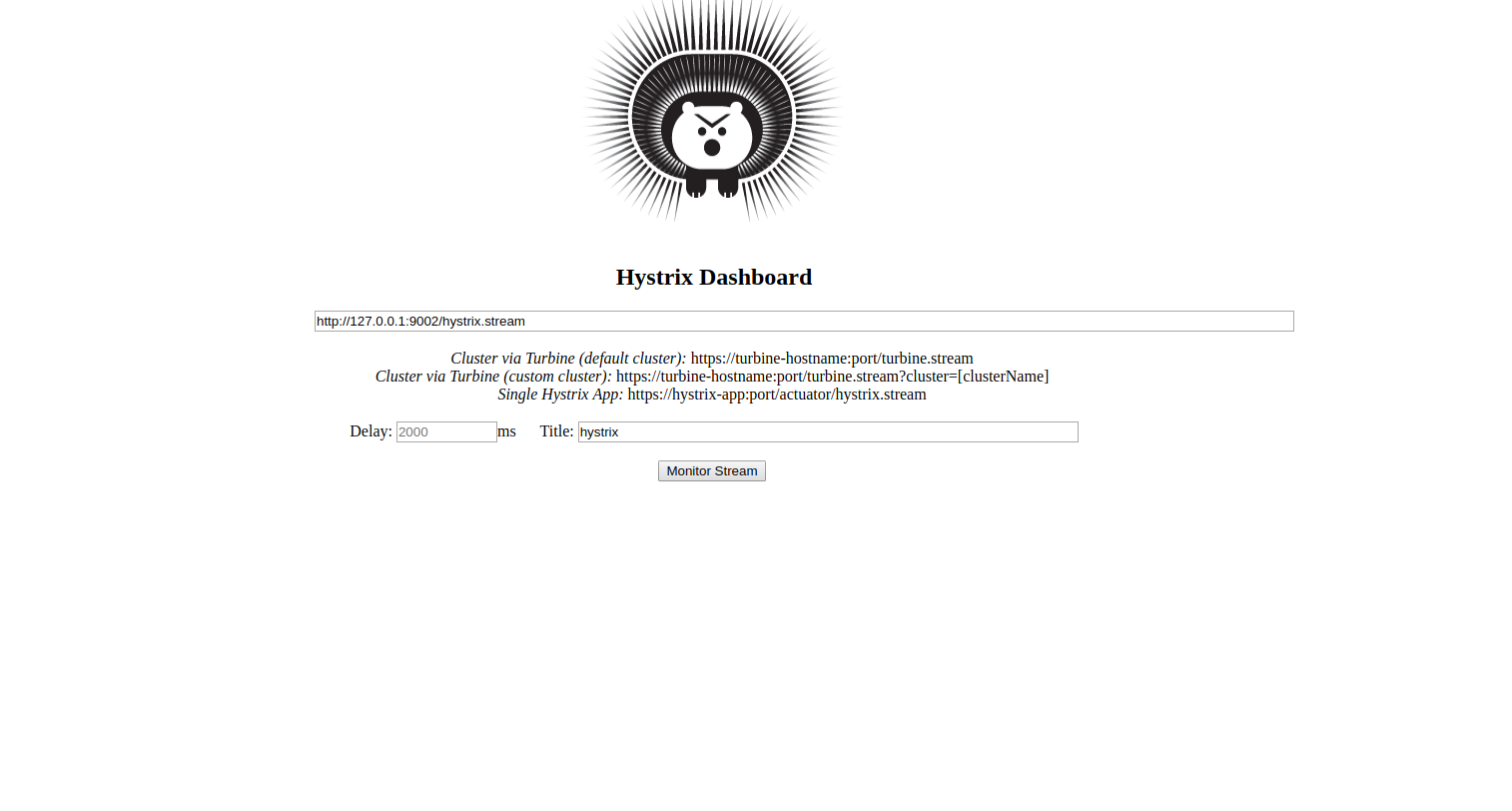
浏览器访问: http://127.0.0.1:9002/hystrix.stream出现以下信息
ping:

data: {...}

data: {...}
同时在http://192.168.1.13:9002/hystrix页面中检测http://127.0.0.1:9002/hystrix.stream ,点击monitor stream跳转页面:
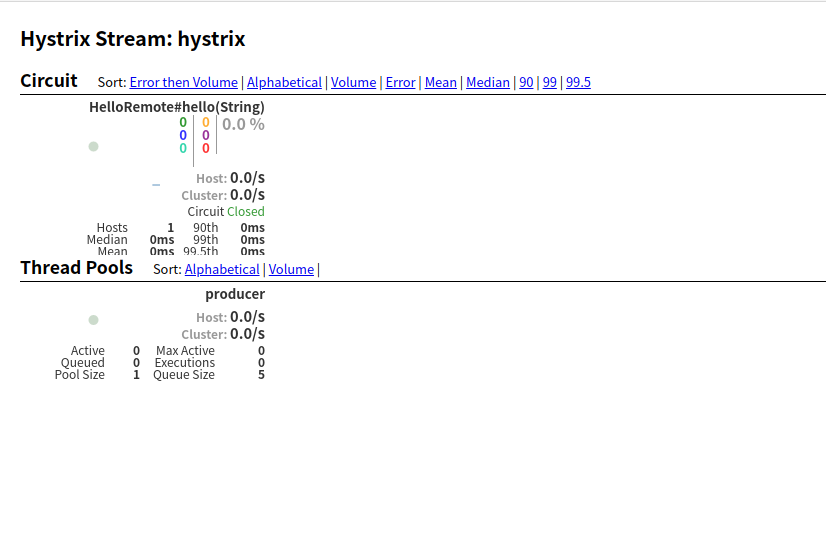
hystrix-dashboard显示的各项信息含义:
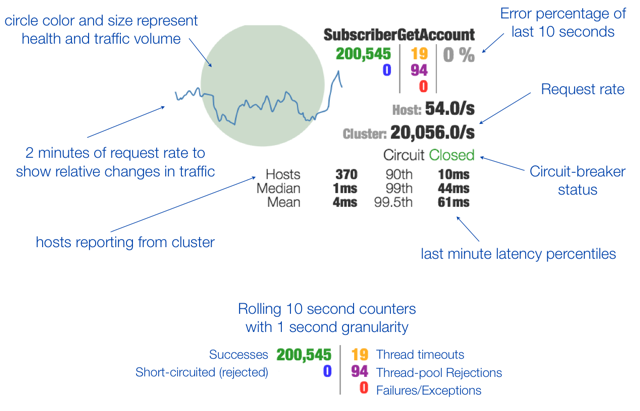
到这里,单节点的监控就完成了.
注:如果一直显示Loading..., 刷新 http://127.0.0.1:9002/hello/xxx页面即可.
turbine
接下来我们来看看在多台节点中的监控工具Turbine是如何配置.
创建工程
首先我们还是先来创建一个工程应用,命名为turbine
依赖文件
修改依赖文件pom.xml
    <properties>

        <java.version>1.8</java.version>

        <spring-cloud.version>Greenwich.SR2</spring-cloud.version>

    </properties>

    <dependencies>

        <dependency>

            <groupId>org.springframework.boot</groupId>

            <artifactId>spring-boot-starter</artifactId>

        </dependency>

        <dependency>

            <groupId>org.springframework.cloud</groupId>

            <artifactId>spring-cloud-netflix-turbine</artifactId>

        </dependency>

        <dependency>

            <groupId>org.springframework.cloud</groupId>

            <artifactId>spring-cloud-starter-netflix-hystrix-dashboard</artifactId>

        </dependency>

        <dependency>

            <groupId>org.springframework.cloud</groupId>

            <artifactId>spring-cloud-starter-netflix-eureka-server</artifactId>

        </dependency>

        <dependency>

            <groupId>org.springframework.boot</groupId>

            <artifactId>spring-boot-starter-actuator</artifactId>

        </dependency>

        <dependency>

            <groupId>org.springframework.boot</groupId>

            <artifactId>spring-boot-starter-test</artifactId>

            <scope>test</scope>

        </dependency>

    </dependencies>

    <dependencyManagement>

        <dependencies>

            <dependency>

                <groupId>org.springframework.cloud</groupId>

                <artifactId>spring-cloud-dependencies</artifactId>

                <version>${spring-cloud.version}</version>

                <type>pom</type>

                <scope>import</scope>

            </dependency>

        </dependencies>

    </dependencyManagement>
配置文件
修改配置文件application.propertoes
spring.application.name=turbine

server.port=8081

# 配置Eureka中的serviceId列表,表明监控哪些服务

turbine.app-config=node01,node02

# 指定聚合哪些集群,多个使用”,”分割,默认为default。可使用http://.../turbine.stream?cluster={clusterConfig之一}访问

turbine.aggregator.cluster-config=default

# 1. clusterNameExpression指定集群名称,默认表达式appName;此时:turbine.aggregator.clusterConfig需要配置想要监控的应用名称;

# 2. 当clusterNameExpression: default时,turbine.aggregator.clusterConfig可以不写,因为默认就是default;

# 3. 当clusterNameExpression: metadata[‘cluster’]时,假设想要监控的应用配置了eureka.instance.metadata-map.cluster: ABC,

# 则需要配置,同时turbine.aggregator.clusterConfig: ABC

turbine.cluster-name-expression=new String("default")

eureka.client.service-url.defaultZone=http://localhost:8000/eureka

# spring cloud 2.x版本需要作的改动

management.endpoints.web.exposure.include=turbine.stream

management.endpoints.web.base-path=/
启动类
@SpringBootApplication

@EnableHystrixDashboard

// 激活对turbine的支持

@EnableTurbine

public class TurbineApplication {

    public static void main(String[] args) {

        SpringApplication.run(TurbineApplication.class, args);

    }

}
测试
开始测试前,需要对hystrix应用做修改,添加两个配置文件application-node01.properites和application-node02.properties.
application-node01.properites
spring.application.name=node01

server.port=9003

# 其他和consumer相同,主要是hystrix的配置

feign.hystrix.enabled=true

eureka.client.service-url.defaultZone=http://localhost:8000/eureka/

management.endpoints.web.exposure.include=hystrix.stream

management.endpoints.web.base-path=/
application-node02.properites
spring.application.name=node02

server.port=9004

# 其他和consumer相同,主要是hystrix的配置

feign.hystrix.enabled=true

eureka.client.service-url.defaultZone=http://localhost:8000/eureka/

management.endpoints.web.exposure.include=hystrix.stream

management.endpoints.web.base-path=/
hystrix启动类
@SpringBootApplication

@EnableDiscoveryClient

@EnableFeignClients(basePackages = "com.xingyys.hystrix.remote")

@EnableHystrixDashboard

@EnableCircuitBreaker

public class HystrixApplication {

    // spring cloud 2.x需要自己指定

    @Bean(name = "HystrixMetricsStreamServlet")

    public ServletRegistrationBean getServlet(){

        HystrixMetricsStreamServlet streamServlet = new HystrixMetricsStreamServlet();

        ServletRegistrationBean registrationBean = new ServletRegistrationBean(streamServlet);

        registrationBean.setLoadOnStartup(1);

        registrationBean.addUrlMappings("/actuator/hystrix.stream");

        registrationBean.setName("HystrixMetricsStreamServlet");

        return registrationBean;

    }

    public static void main(String[] args) {

        SpringApplication.run(HystrixApplication.class, args);

    }

}
以此启动应用:
java -jar target/discovery-0.0.1-SNAPSHOT.jar

java -jar target/hystrix-0.0.1-SNAPSHOT.jar --spring.profiles.active=node01

java -jar target/hystrix-0.0.1-SNAPSHOT.jar --spring.profiles.active=node02

java -jar target/turbine-0.0.1-SNAPSHOT.jar
访问http://127.0.0.1:8081/turbine.stream,返回
: ping

: ping
访问http://127.0.0.1:8081/hystrix并填写表单,出现以下页面:
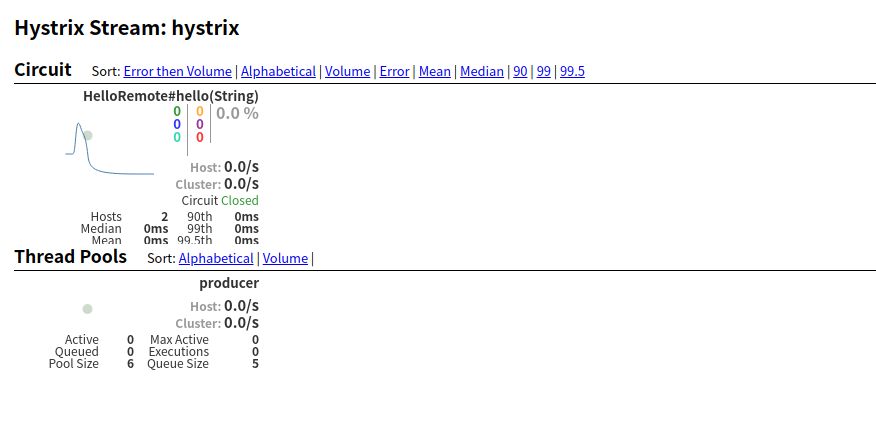
注:假如一直在loading,请刷新node01或node02节点的/hello/neo页面,但要保证服务的提供应用关闭.
spring cloud微服务实践四的更多相关文章
- spring cloud微服务实践二
在上一篇,我们已经搭建了spring cloud微服务中的注册中心.但只有一个注册中心还远远不够. 接下来我们就来尝试提供服务. 注:这一个系列的开发环境版本为 java1.8, spring boo ...
- spring cloud微服务实践七
在spring cloud 2.x以后,由于zuul一直停滞在1.x版本,所以spring官方就自己开发了一个项目 Spring Cloud Gateway.作为spring cloud微服务的网关组 ...
- spring cloud微服务实践五
本篇我们来看看怎么实现spring cloud的配置中心. 在分布式系统中,特别是微服务架构下,可能会存在许多的服务,每个服务都会存在一个或多个的配置文件.那怎么多的配置文件的管理就会成为一个大问题. ...
- spring cloud微服务实践六
本片我们就来认识下spring cloud中的zuul组件. 注:这一个系列的开发环境版本为 java1.8, spring boot2.x, spring cloud Greenwich.SR2, ...
- spring cloud微服务实践一
最近在学习spring框架.其中spring cloud在微服务方面很火,所以在学习过程中,也做一些记录. 注:这一个系列的开发环境版本为 java1.8, spring boot2.x, sprin ...
- spring cloud微服务实践三
上篇文章里我们实现了spring cloud中的服务提供者和使用者.接下来我们就来看看spring cloud中微服务的其他组件. 注:这一个系列的开发环境版本为 java1.8, spring bo ...
- Spring Cloud微服务实践之路-起始
由于各种原因,公司要对现有的营销产品进行微服务化,如果可以,则对公司所有产品逐步进行微服务化. 而本人将探索这条路,很艰难,但干劲十足.整个过会记录下来,以便以后查阅. 感谢公司!感谢领导! 相关书籍 ...
- Spring Cloud微服务实践之路- Eureka Server 中的第一个异常
EMERGENCY! EUREKA MAY BE INCORRECTLY CLAIMING INSTANCES ARE UP WHEN THEY'RE NOT. RENEWALS ARE LESSER ...
- 放弃Dubbo,选择最流行的Spring Cloud微服务架构实践与经验总结
http://developer.51cto.com/art/201710/554633.htm Spring Cloud 在国内中小型公司能用起来吗?从 2016 年初一直到现在,我们在这条路上已经 ...
随机推荐
- vue点击父组件里面的列表动态传值到子组件
<template> <div> 爸爸 <div style="background-color:yellow;margin-top:10px" v- ...
- ngx.shared.DICT.expire 详解
ngx.shared.DICT.expire 原文链接: ngx.shared.DICT.expire syntax: success, err = ngx.shared.DICT:expire(ke ...
- SpringBoot中的异常处理方式
SpringBoot中有五种处理异常的方式: 一.自定义错误页面 SpringBoot默认的处理异常机制:SpringBoot默认的已经提供了一套处理异常的机制.一旦程序出现了异常SpringBoot ...
- js根据数据条数与每页多少条数据计算页数,js前端计算页数
/** *根据数据条数与每页多少条数据计算页数 * totalnum 数据条数 * limit 每页多少条 */ function pageCount (totalnum,limit){ ...
- GitHub上最著名的Android播放器开源项目大全
GitHub上最著名的Android播放器开源项目大全 ...
- python方法未绑定错误
相信 Python 程序员多多少少都和我一样遇到过 Method Unbound Error,直译过来就是 “方法未绑定错误”,虽然搜索之后知道了使用 @classmethod 这样的装饰起后就可以解 ...
- Windows10+VMware Workstation Pro+Ubuntu 16.04+Hadoop-2.6.5+IDEA环境搭建(单机&伪分布式&集群)
(注:下面出现的"czifan"为用户名,需替换成自己的用户名) 本篇博客是在实践该篇博客的过程中的一些补充和修改~ 0 - 安装VMware Workstation Pro 首先 ...
- 阶段5 3.微服务项目【学成在线】_day09 课程预览 Eureka Feign_16-课程预览功能开发-接口测试
cms和课程的微服务重启 从数据库内找一条数据 进入到了断点 拼装课程信息 ,然后进行远程调用 抛出异常 可能是开了两个cms服务的事,负载均衡 到了另外一个服务里面 ,关掉一个 把02关掉,重启cm ...
- 修改root密码
Linux 密码的修改,使用passwd 命令修改 命令如下图:sudo passwd root 即可修改成功
- 雨田家园 delphi 拆分字符串
最近在使用Delphi开发一种应用系统的集成开发环境.其中需要实现一个字符串拆分功能,方法基本原型应该是:procedure SplitString(src: string ; ch: Char; v ...