
iOS绘制线条的使用
1、相关简介
2、绘制曲线
2.1、方法详解
- (void)addQuadCurveToPoint:(CGPoint)endPoint controlPoint:(CGPoint)controlPoint;
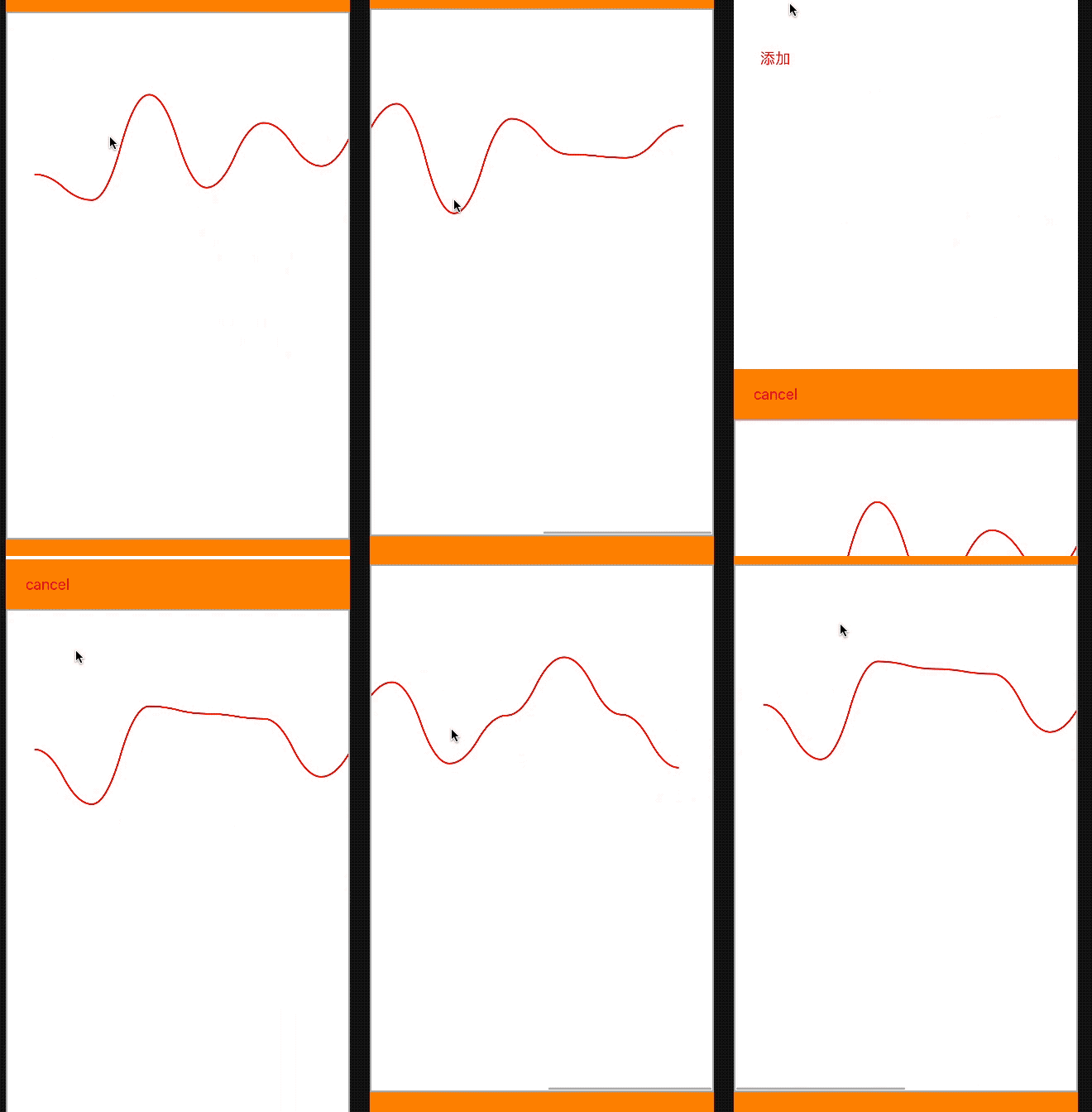
追加一条二次贝塞尔曲线,结束点是endPoint,曲线偏向controlPoint控制点!
2.2、绘制曲线
//绘制曲线

- (void)drawView{

    UIBezierPath *path = [UIBezierPath bezierPath];

    DrawModel *firstModel = [self.dataArr firstObject];

    CGPoint firstPoint = firstModel.currPoint;

    [path moveToPoint:firstPoint];

    if (self.dataArr.count<) {

        return;

    }

    for (int i=; i<self.dataArr.count; i++) {

        DrawModel *seconModel = self.dataArr[i];

        CGPoint secondPoint = seconModel.currPoint;

        //中心点

        CGPoint midPoint = [self getMindPointWithFirstPoint:firstPoint secondPoint:secondPoint];

        //第一个点都是中心点,为了绘制两点之间有弧度

        [path addQuadCurveToPoint:midPoint controlPoint:[self getControlPointWithFirstPoint:midPoint SecondPoint:firstPoint]];

        [path addQuadCurveToPoint:secondPoint controlPoint:[self getControlPointWithFirstPoint:midPoint SecondPoint:secondPoint]];

        firstPoint = secondPoint;

    }

    CAShapeLayer  *layer = [CAShapeLayer layer];

    layer.lineWidth = ;

    layer.strokeColor = [UIColor redColor].CGColor;

    layer.fillColor = [UIColor clearColor].CGColor;

    layer.path = [path CGPath];

    [self.backScrollView.layer addSublayer:layer];

}

//获取两点之间控制点

- (CGPoint)getControlPointWithFirstPoint:(CGPoint)firstPoint

                             SecondPoint:(CGPoint)secondPoint{

    CGPoint controlPoint = [self getMindPointWithFirstPoint:firstPoint secondPoint:secondPoint];

    CGFloat diffY = fabs(secondPoint.y - controlPoint.y);

    if (firstPoint.y < secondPoint.y)

        controlPoint.y += diffY;

    else if (firstPoint.y > secondPoint.y)

        controlPoint.y -= diffY;

    return controlPoint;

}

//获取两点之间中心点

- (CGPoint)getMindPointWithFirstPoint:(CGPoint)firstPoint

                          secondPoint:(CGPoint)secondPoint{

    return CGPointMake((firstPoint.x + secondPoint.x)/, (firstPoint.y + secondPoint.y)/);

}
效果图
3、绘制折线
- (void)drawView{

    UIBezierPath *path = [UIBezierPath bezierPath];

    DrawModel *firstModel = [self.dataArr firstObject];

    CGPoint firstPoint = firstModel.currPoint;

    [path moveToPoint:firstPoint];

    if (self.dataArr.count<) {

        return;

    }

    for (int i=; i<self.dataArr.count; i++) {

        DrawModel *seconModel = self.dataArr[i];

        CGPoint secondPoint = seconModel.currPoint;

        [path addLineToPoint:secondPoint];

    }

    CAShapeLayer  *layer = [CAShapeLayer layer];

    layer.lineWidth = ;

    layer.strokeColor = [UIColor redColor].CGColor;

    layer.fillColor = [UIColor clearColor].CGColor;

    layer.path = [path CGPath];

    [self.backScrollView.layer addSublayer:layer];

}
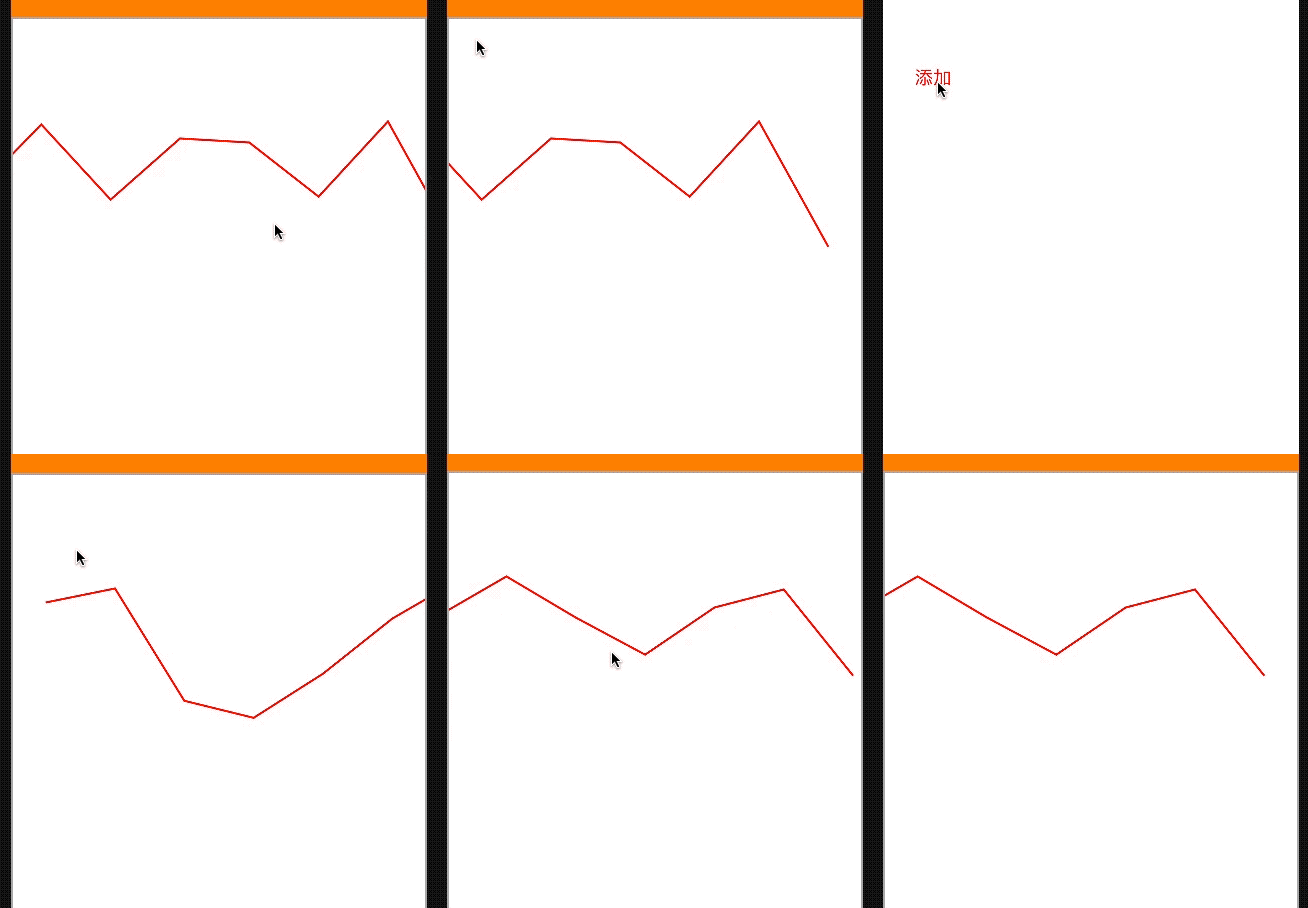
效果图
iOS绘制线条的使用的更多相关文章
- iOS 动画绘制线条颜色渐变的折线图
效果图 .................... 概述 现状 折线图的应用比较广泛,为了增强用户体验,很多应用中都嵌入了折线图.折线图可以更加直观的表示数据的变化.网络上有很多绘制折线图的demo,有 ...
- IOS绘制渐变背景色折线图的一种尝试
1.绘制折线图 上次在群里看到一个折线图划的很漂亮,自己想实现一个这样的 ,但是一直没什么头绪,不知道怎么做,就开始在网上查找划线,绘 制渐变色这一块的内容,用最笨的方式,自己尝试的写了一些,也没 有 ...
- 使用html5 Canvas绘制线条(直线、折线等)
使用html5 Canvas绘制直线所需的CanvasRenderingContext2D对象的主要属性和方法(有"()"者为方法)如下: 属性或方法 基本描述 strokeSty ...
- GDI基础(1):绘制线条和图形
1. 绘制一个像素点:SetPixel(). 绘制直线:MoveTo(),LineTo(). 绘制多个首尾相连的线:Polyline(). 绘制矩形:FrameRect(),Rectangle(),F ...
- html5的canvas绘制线条,moveTo和lineTo详解
今天在看html5,里面新增的属性有一个canvas,它相当于一个画布你可以用js在里面画你想要的效果!我在w3c的手册里面看到用moveTo和lineTo绘制线条讲的不是很清楚,尤其是moveTo和 ...
- canvas绘制线条详解
canvas详解----绘制线条 <!DOCTYPE html> <html> <head> <title>canvas详解</title> ...
- IOS开发 图形绘制,绘制线条,矩形,和垂直和居中绘制文字
概述 吐槽下IOS下 的图形绘图,代码冗长,不得不自己重新封装方法.整理形成本文. 绘制线 // 绘制直线 + (void)toDrawLineFromX:(CGFloat)x1 Y:(CGFloat ...
- iOS绘制坐标图,折线图-Swift
坐标图,经常会在各种各样的App中使用,最常用的一种坐标图就是折线图,根据给定的点绘制出对应的坐标图是最基本的需求.由于本人的项目需要使用折线图,第一反应就是搜索已经存在的解决方案,因为这种需求应该很 ...
- 转:iOS绘制一个UIView
绘制一个UIView 绘制一个UIVIew最灵活的方式就是由它自己完成绘制.实际上你不是绘制一个UIView,你只是子类化了UIView并赋予子类绘制自己的能力.当一个UIVIew需要执行绘图操作的时 ...
随机推荐
- Python匹马行天下之_循环
一.while循环 如果条件成立(true),重复执行相同操作,条件不符合,跳出循环 while 循环条件: 循环操作 (1)while循环示例 例:输入王晓明5门课程的考试成绩,计算平均成绩 1 ...
- Number Sequence /// oj21456
题目大意: 有一组规律数 the first 80 digits of the sequence are as follows: 1 12 123 1234 12345 123456 1234567 ...
- java 在数组{1,2,3,4,6,7,8,9,10}中插入一个数5,使其插入完成后仍然有序
1.需要实现的效果 2.代码实现 import java.util.Scanner; /* * 11.在数组{1,2,3,4,6,7,9,8,10}中插入一个数5, * 使其插入完成后仍然有序,运行结 ...
- pycharm连接数据库及相应操作
1.连接数据库 2.pycharm中数据库的操作
- 接口测试 java+httpclient+testng+excel
最近项目不忙,研究了下java实现接口自动化,借助testng+excel实现数据驱动 目前只用post方式测试,返回结果列没有通过列名去找 另外,请求参数是转义之后的,接口之间的依赖也是个问题,批量 ...
- Java迷宫代码,深度优先遍历
此次迷宫深度优先遍历寻找路径采用栈结构,每个节点都有固定的行走方向(右下左上),除非一个方向走不通,不然会一条道走到黑. 如果路径存在,打印出行走路径,否则打印出迷宫不存在有效路径. 方向常量定义: ...
- sql语句之条件,分页,排序
sql语句之条件,分页,排序
- csp-s模拟100,101T1,T2题解
题面:https://www.cnblogs.com/Juve/articles/11799325.html 我太蒻了只会T1T2 组合: 欧拉路板子?不会呀... 然后打了个优化,防止暴栈 #inc ...
- linux中对EINTR错误的处理
https://www.cnblogs.com/flyfish10000/articles/2576885.html EINTR错误的产生:当阻塞于某个慢系统调用的一个进程捕获某个信号且相应信号处理函 ...
- C++利用动态数组实现顺序表(不限数据类型)
通过类模板实现顺序表时,若进行比较和遍历操作,模板元素可以通过STL中的equal_to仿函数实现,或者通过回调函数实现.若进行复制操作,可以采用STL的算法函数,也可以通过操作地址实现.关于回调函数 ...