
Build 2017 Revisited: .NET, XAML, Visual Studio
For the next couple months we're going to revisit Build 2017, each post focusing on different aspects and technologies presented. Not every session will be listed, just a select set, hopefully enough to wet your appetite. All the on-demand sessions can be found and the Channel 9 Build event site.
This post focuses on a select 31 .Net, XAML, Visual Studio, C#, Entity Framework and related sessions.
Build Revisited Table Of Contents
- Pre-Recorded Sessions
- .Net, XAML, Visual Studio (This Post)
- Azure
- Windows 10
- AI/ML
- Bots
- Office
- ALM & DevOps
- Open Q&A: .NET panel
-
The .NET Core 2.0 roadmap was just announced and we saw some samples of the updated framework and tools in action. We’ve learned about the future of ASP.NET Core and how .NET Standard 2.0 will make our coding processes simpler. Bring your top questions for the team that is building the next generation of the .NET Framework.
- .NET Standard 2.0, UWP support and UI futures
-
Join us as we meet with Scott Hunter, Tim Heuer, and Miguel de Icaza to discuss the latest updates around .NET and UWP
- Visual Studio Mobile Center
-
Find out the latest updates around the Visual Studio Mobile Center in this Channel 9 Live session with Keith Ballinger, Thomas Dohmke, and Ryan J. Salva
- Visual Studio Q&A
-
In this Q&A session around Visual Studio on Channel 9 Live, we're joined by Tim Sneath, Amanda Silver, and Saqib Shaikh
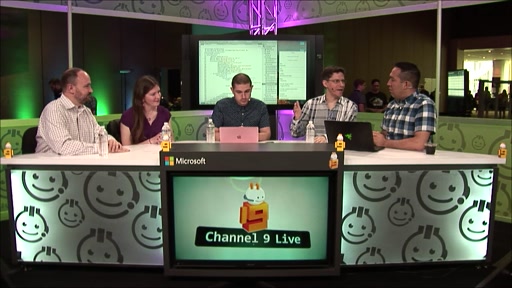
- Visual Studio for Mac and Xamarin Live Player
-
In this Channel 9 Live session find out the latest Build 2017 updates from Miguel de Icaza, Joseph Hill, James Montemagno, and Mikayla Hutchinson
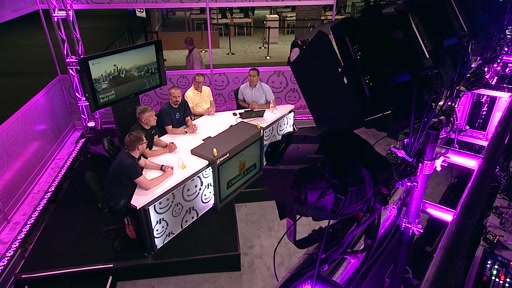
- .NET Standard 2.0 and .NET Core 2.0
-
Join us as we chat with Scott Hunter, Immo Landwerth, Richard Lander, and Damian Edwards about the latest updates to .NET Standard 2.0 and .NET Core 2.0
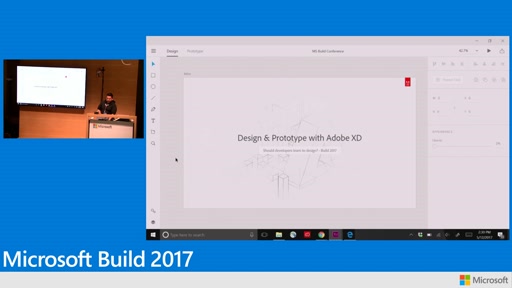
- Design and prototype with Adobe XD: Even if you’re a developer
-
Experience Design (Xd) is new powerful UI/X design and prototyping tool from Adobe. See how important it is to create captivating and engaging app UI for your next app. Adobe Xd has built in UWP templates to get you started quickly and accurately. This demonstration shows you how to design a UWP app, prototype behaviors or transitions, and share your design with others.
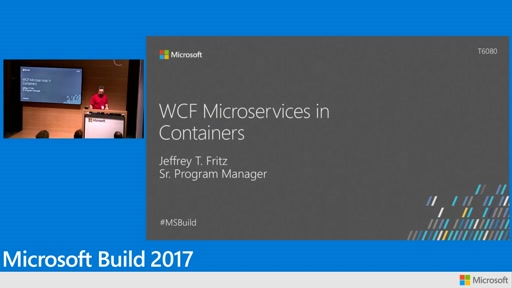
- WCF microservices in containers
-
Windows Communication Foundation (WCF) services are easily deployed to Windows VMs, but they’re even easier to use in Windows containers. In this session, we look at how to lift and shift your existing service architecture with WCF in containers and then we see how easy it is to deploy them for use on Azure.
- Using Visual Studio for Machine Learning
-
Whether it is building a model for online product recommendation, or developing a project using Microsoft SQL Server 2016 with R, where you need to develop both the models, and the stored procedure, Visual Studio enables both developers and data scientists to work together to build your next generation intelligent apps and services. All the tooling you need to analyze, build models, and create smart apps, including: Python Tools for Visual Studio and R Tools for Visual Studio. Join us in this this session, as we show you how Visual Studio can be used to do data science, and help you create the next intelligent application!
- Support for ASP.NET Core: What is an LTS?
-
.NET Core is new and open source, but it can be confusing how one gets support? We explain the Current branch vs. the LTS (Long Term Support) branch. What version of .NET Core will set you up for success? How do you balance stable enterprise software and daily builds of Open Source?
- Building Cross platform applications with React Native
-
ReactJS and React Native are two very popular frameworks to build websites and Mobile applications. In this talk, speakers from Microsoft and Facebook look at React and GraphQL as first principles of developer abstraction and how they are used to build some of the most popular large scale apps like Instagram, Facebook Ads Manager and the Facebook app. We look at the underlying frameworks like React/React Native, Relay and Litho. We also explore the various tools that Microsoft offers in this space, including debugging React Native apps with VSCode. We look at the end to end workflow - from a single commit on github triggering continuous builds and tests, to the final, signed app distributed to testers, clients or end users. From monitoring services like JavaScript enabled crashes to understanding user behavior with analytics, we look at ways to get better mobile apps to your users.
- Modernize WinForms and WPF apps with maximum code reuse, cross-platform reach, and…
-
Windows 10 provides developer features and services that can yield high-quality and engaging apps that delight users across platforms. At the same time, developers have existing investments in technology and skills that they shouldn't have to abandon in order to move forward. In this session, we explore these new features and capabilities from the perspective of WinForms and WPF .NET developers with an emphasis on being able to move forward incrementally from your existing investments as you see value. Discover the flexibility to enrich your existing apps with Windows 10 features, extend to new platforms with Xamarin, and modernize your DevOps software lifecycle with Mobile Center.
- Azure Service Fabric, microservices, containers, and the road ahead
-
Service Fabric is the Microsoft Azure microservices platform. This session is a developer’s tour and roadmap and dives into the latest Service Fabric capabilities, including containerized services, container orchestration including using Docker Compose, ASP.NET Core service support, integration with other Azure services and the latest developments in Visual Studio 2017 tooling, all sprinkled with customers scenarios.
- What's new and coming for Windows UI: XAML and composition
-
Great user experiences can delight and engage your users, and make them more productive. Innovations in the Windows UI platform in XAML and Visual Layer make creating these experiences easy on Windows. This session shows you how to easily enable these experiences in your apps – be they consumer, enterprise, or line-of-business. We also tease you with what’s in store for Windows UI in the future and how we progressively make the 'possible' even easier.
- Ten things you didn’t know about Visual Studio 2017 for building .NET UWP apps
-
With the new Windows 10 Creators Update, .NET Standard, and changes to NuGet, there is a lot going on in the world of .NET Windows development. We made this session to keep you up to date with the new tools for UWP development. Improvements have been made all around - from installation and getting started, all the way to tools that help you test and publish your apps. Along the way we show you tips and tricks to accelerate your Windows app development.
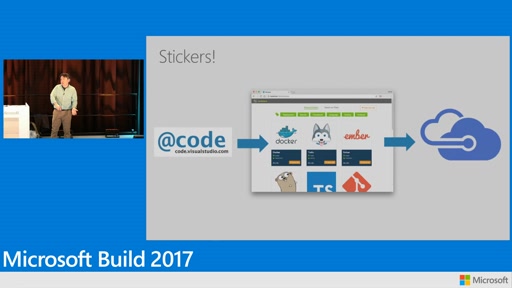
- Visual Studio Code: Conquer the cloud with an editor and a CLI
-
Bring your laptop and VS Code and in less than 60 minutes learn how to configure Code for great editing, navigation, linting, and debugging experiences building modern Node.js based (MEAN, MERN, etc.) applications. Learn how to use a rich set of (new!) extensions to build, deploy, and diagnose (containerized!) cloud apps that run on Azure PaaS services (App Service, DocDB, and more). Also, set up Team System for continuous deployment. Throughout it all, leverage the new Azure cross platform CLI, enhanced with VS Code’s signature rich editing experiences. Conquer the cloud with VS Code!
- The future of Visual Studio
-
Even though we only just released Visual Studio 2017 a couple of months ago, the team has been busy. In this session we take you on a rollercoaster ride through a number of features we’re working on. We show you investments we’re making to increase development productivity, how we’re bringing testing and code analysis even more deeply into the development “inner loop”, and highlight new areas that we’re working on to extend Visual Studio to new platforms and application categories. Expect a demo-heavy, so-new-the-paint-hasn’t-dried session!
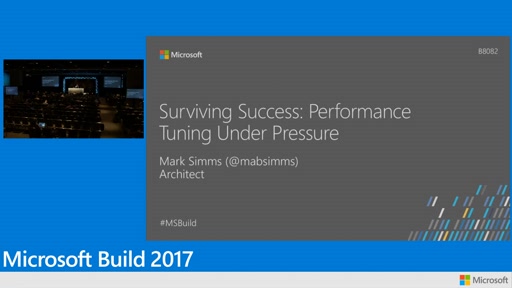
- Surviving success: Performance tuning under pressure
-
Rapid and runaway success is the best way to expose all of the gaps, rough edges and pain points in your back end services. Under live-site pressure to fix issues, making the crucial set of engineering choices and investments can be challenging. This session will take a hands-on walk through scaling a representative back-end application (written in .NET Core and Docker on Linux) from hundreds to hundreds of thousands of requests per second, illustrating data, techniques, and common performance barriers from real customer deployments.
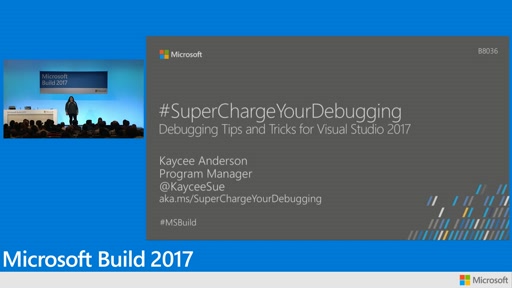
- Supercharge your debugging in Visual Studio 2017
-
Every software developer has to deal with bugs in the code, but we are rarely taught how to use debugging tools available to us. Frolic on over to this demo-driven .NET based session and learn how to #SuperChargeYourDebugging to find and fix glitches faster. We tour most of the debugger, highlighting the best tips and tricks as we go. You will see firsthand what’s new for the debugging in Visual Studio 2017. Whatever your experience level we guarantee you’ll learn something new!
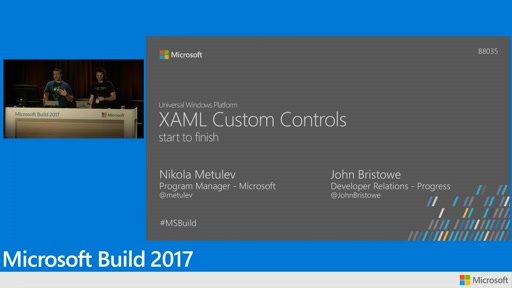
- XAML custom controls for UWP: Start to finish
-
The XAML platform was always built with extensibility in mind. In this session, the speakers cover the process of building custom and reusable controls by extending existing controls or building them from scratch. You will be able to build controls that work great on any device with any input modality, are fully designer aware, theme aware and accessible, and can be packaged for distribution or contributed to open source libraries such as the Progress UI for UWP library or the UWP Community Toolkit.
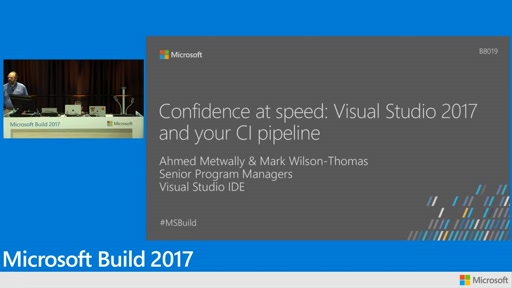
- Confidence at speed: Visual Studio 2017 and your CI pipeline
-
Visual Studio 2017 can help you and your team drive productivity in today’s world of agile development and team collaboration. We walk you through configuring a repository and Continuous Integration and Continuous Delivery (CI/CD). Leverage new Visual Studio 2017 features that help improve developers’ productivity and discover quality issues before they hit your CI builds. Experience how new Visual Studio 2017 features will help you configure CI/CD for Docker, ASP.NET and ASP.NET Core projects targeting different Azure hosts; track your CI build status without leaving the IDE; and see and fix code quality issues before committing your code changes or creating a PR.
- Application Insights for .NET Microservices and Containers
-
Come to this session to learn how you can use Application Insights to tame the complexity of .NET microservices and containers. We take a quick tour of how to make the most of the Application Map and Analytics with Service Fabric and Docker with Service Fabric and Kubernetes.
- Get my ASP.NET 4 app running in containers in Azure
-
Containers, containers, containers – I know I need to get going, but what can they do for my "old" ASP.NET MVC 4 application? And how can that help me get on a path to modern DevOps, cloud and easy maintenance?
- Build a CI/CD pipeline from Visual Studio
-
In this video Donovan Brown shows you how to use the new Continuous Delivery Extension for Visual Studio to build a complete CI/CD pipeline in Visual Studio Team Service and deploy to Azure.
- A lap around R Tools 1.0 for Visual Studio 2017
-
R Tools for Visual Studio is a new, open source and free tool for R users built on top of the powerful Visual Studio IDE. In this talk, we take you on a tour of its features and show how they can help you be a more productive R user. We look at: integrated debugging support; variable/data frame visualization; plotting and help integration; using the Editor and REPL in concert with each other; RMarkdown and Shiny integration using Microsoft Excel and SQL Server; Extensions and source control. We also demo our R remoting feature that allows developers to execute R code on SQL Server.
- A lap around Python tools in Visual Studio
-
Learn about the Data Science workload in Visual Studio and how it can help developers install the latest and greatest Python tools and distributions for Windows. We look at using these tools to solve machine learning problems within minutes, debug Python code running on a remote VM, and some nifty new REPL features. We demonstrate how the Cookiecutter Explorer can help developers get started with Microsoft Azure faster, and how it is easier than ever to deploy web apps to Azure App Service from the comfort of Visual Studio.
- Building cross platform applications with ReactNative
-
React Native is a great way to build mobile applications for iOS, Android, and Windows using JavaScript. Learn about the tools from Microsoft to super charge your React Native developer workflow. See how VSCode can enable IntelliSense and inline debugging of React Native apps. Set up an automated DevOps workflow, understand user behavior using analytics, collect crash reports and distribute your app to end users and testers seamlessly. Use CodePush to update apps instantly and deliver the latest updates to users quickly.
- The next generation of HockeyApp: Visual Studio Mobile Center
-
In this video, Ian previews the first step in our [transition plan](https://hockeyapp.net/mobile-center): using your existing HockeyApp apps inside Mobile Center. This will be initially limited to HockeyApp Preseason customers and will expand over the coming months to all HockeyApp customers.
- Modernize your database development lifecycle with SQL Server Data Tools in Visual Studio
-
Learn how SQL Server Data Tools (SSDT) turns Visual Studio into a powerful environment for database development. Easily build, debug, maintain, and refactor databases inside Visual Studio with a declarative model that spans all the phases of database development and easily enables continuous integration and deployment for your databases. Work offline with a database project, or work directly with a connected database instance in Azure SQL Database, Azure SQL Data Warehouse, and SQL Server running on Windows, Linux, or Docker, on-premises or in any cloud.
- Advanced SQL Server on Linux (Docker) via Entity Framework (EF)
-
It’s SQL Server as you already know it today, but it’s now native to Linux. It works with your data, your favorite tools, application frameworks (Entity Framework) and programming languages. In this session, we pull the code for an application running in cloud to a Linux-based machine. We test and enhance the application for performance (using EF, in-memory) and security against SQL vNext (Linux). Then we re-deploy the changes using DevOps to Azure with just a flip of d, show how the application works across platforms, on-premises, and in the cloud. Best part, all of it will be done in ten minutes.
- The future of C#
-
We’re back! With C# 7.0 and Visual Studio 2017 just recently shipped, we paint the big picture: let’s lay out where the C# language and tooling experience is headed, and show early glimpses of what we’re currently working on.
Build 2017 Revisited: .NET, XAML, Visual Studio的更多相关文章
- Microsoft Visual Studio 2017 找不到 Visual Studio Installer
Microsoft Visual Studio 2017 找不到 Visual Studio Installer ? 打开vs2017 ,选择 工具 --> 扩展和更新 --> 联机,搜索 ...
- build MYSQL source code Using visual studio 2017
https://dev.mysql.com/doc/refman/8.0/en/installing-source-distribution.html cmake .. -G "Visual ...
- Visual Studio 2017无法加载Visual Studio 2015创建的SharePoint解决方案
前几天安装了最新的Visual Studio 2017企业版,发现无法打开之前使用Visual Studio 2015创建的SharePoint 2016解决方案,提示"需要更新" ...
- [Note] Build your SDL2 Environment in Visual Studio 2013 配置你的SDL2运行环境
Right key your project in "solution manager(解决方案资源管理器)", choose the "Property(属性)&quo ...
- 最强 IDE Visual Studio 2017 正式版发布
Visual Studio 2017 正式版发布,该版本不仅添加了实时单元测试.实时架构依赖关系验证等新特性,还对许多实用功能进行了改进,如代码导航.IntelliSense.重构.代码修复和调试等等 ...
- 终于等到你,最强 IDE Visual Studio 2017 正式版发布
Visual Studio 2017 正式版发布,该版本不仅添加了实时单元测试.实时架构依赖关系验证等新特性,还对许多实用功能进行了改进,如代码导航.IntelliSense.重构.代码修复和调试等等 ...
- 微软 Visual Studio 2017 中文正式版下载 – 免费社区版/专业版/企业版
作为“宇宙最强”的集成开发环境 IDE,微软的 Visual Studio 不仅破天荒发布了 macOS 版本,如今终于也推出了其 Windows 的最新版本—— VS 2017 正式版了.这对开发者 ...
- Visual Studio - File Properties (Build Action, Copy to Output Directory)
Ref: MSDN (https://docs.microsoft.com/en-us/previous-versions/visualstudio/visual-studio-2010/0c6xyb ...
- Visual Studio 2017的安装与使用
Visual Studio 2017的安装与使用 作者:凯鲁嘎吉 - 博客园 http://www.cnblogs.com/kailugaji/ 1. 下载Visual Studio 2017 在官网 ...
随机推荐
- Jenkins Pipeline高级用法-ShareLibrary
1.Github配置 1.1 上传jenkinsfile到github https://github.com/zeyangli/ShareLibrary-jenkins.git 2.Jenkins配置 ...
- 很详细全部的WinDbg学习资料
[ 分类 ]- windbg - hgy413的专栏(﹎゛Never Give Up Your Dream ..ヽ..) - CSDN博客 .
- Vue.js 系列教程 1:渲染,指令,事件
原文:intro-to-vue-1-rendering-directives-events 译者:nzbin 如果要我用一句话描述使用 Vue 的经历,我可能会说“它如此合乎常理”或者“它提供给我需要 ...
- Item 19: 使用srd::shared_ptr来管理共享所有权的资源
本文翻译自modern effective C++,由于水平有限,故无法保证翻译完全正确,欢迎指出错误.谢谢! 博客已经迁移到这里啦 使用带垃圾回收机制语言的程序员指出并嘲笑C++程序员需要遭受防止资 ...
- 使用模块PIL 生成 随机验证码
--------------默认自己无能,无疑是给失败制造机会!你认为自己是什么样的人,就将成为什么样的人. 要使用PIL模块. 安装: 1 pip3 install pillow 基本使用 1. 创 ...
- 循环 while
day 2 ---------------------------------------------------把一件简单的事情做到极致,你就成功了. Day2作业及默写 1.判断下列逻辑语句的Tr ...
- Minesweeper
你玩过扫雷吗?这个可爱的小游戏带有一个我们记不住名字的操作系统.游戏的目标是找到所有地雷在M x N场中的位置.游戏在一个正方形中显示一个数字,它告诉你在这个正方形附近有 多少个地雷.每个方块最多有八 ...
- BeautifulSoup库
'''灵活又方便的网页解析库,处理高效,支持多种解析器.利用它不用编写正则表达式即可方便的实现网页信息的提取.''' BeautifulSoup库包含的一些解析库: 解析库 使用方法 优势 劣势 py ...
- urllib库
python内置的最基本的HTTP请求库,有以下四个模块: urllib.request 请求模块 urllib.error 异常处理模块 urllib.parse url解析模块 urllib.ro ...
- Python删除list里面的重复元素的俩种方法
1.使用set函数 In [116]: a=[1,2,3,2,1,3,4,5,6,5] In [117]: set(a) Out[117]: {1, 2, 3, 4, 5, 6} 2.使用字典函数 ...