
Spring 学习笔记(一):Spring 入门
1 Spring简介
Spring是一个轻量级Java开发框架,最早由Rod Johnson创建,目的是为了解决企业级应用开发的业务逻辑层和其他各层的耦合问题,是一个分层的Java SE/EE full-stack轻量级开源框架,为开发Java应用程序提供全面的基础架构支持。
2 Spring体系结构
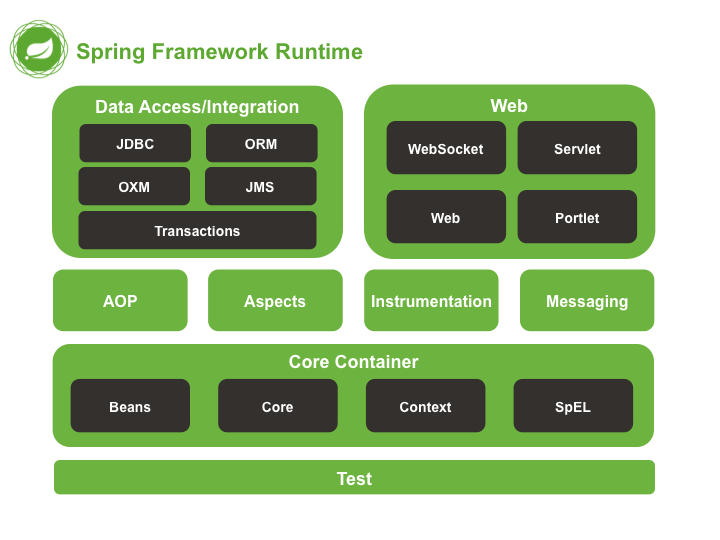
目前Spring已经集成了20多个模块,分布在以下模块中:
Core Container:核心容器Data Access/Integration:数据访问/集成Web:Web模块AOP:Aspect Oriented Programming,面向切面编程Instrumentation:植入模块Messaging:消息传输Test:测试模块
如图所示:
2.1 核心容器
由Spring-core、Spring-beans、Spring-context、Spring-context-support、Spring-expression等模块组成:
Spring-core:提供了框架的基本组成部分,包括Ioc(Inversion of Control,控制反转)以及DI(Dependency Injection,依赖注入)功能Spring-beans:提供了BeanFactory,是工厂模式的一个典型实现,Spring将管理的对象称为BeanSpring-context:建立在Core和Beans模块的基础上,提供了一个框架式的对象访问方式,是访问定义和配置的任何对象的媒介,ApplicationContext接口是Context模块的焦点Spring-context-support:支持整合第三方库到Spring应用程序上下文,特别是用于高速缓存(EhCache、JCache)和任务调度(CommonJ、Quartz)的支持Spring-expression:提供了强大的表达式语言去支持运行时查询和操作对象图,是JSP 2.1规定的统一表达式语言的扩展
2.2 AOP和Instrumentation
Spring-aop:提供了一个符合AOP要求的面向切面的编程实现,允许定义方法拦截器和切入点Spring-aspects:提供了与AspectJ的集成功能,AspectJ是一个功能强大且成熟的AOP框架Spring-instrumentation:提供了类植入支持和类加载器的实现
2.3 消息
Spring 4.0后增加了消息模块,提供了对消息传递体系结构和协议的支持。
2.4 数据访问/集成
数据访问/集成层由JDBC、ORM、OXM、JMS和事务模块组成。
Spring-JDBC:提供了一个JDBC抽象层,消除了繁琐的JDBC编码和数据库厂商特有的错误代码解析Spring-ORM:为流行的ORM(Object-Relational Mapping,对象关系映射)框架提供了支持,包括JPA和Hibernate,使用Spring-ORM框架可以将这些O/R映射框架与Spring提供的所有其他功能结合使用Spring-OXM:提供了一个支持对象/XML映射的抽象层实现,例如JAXB、Castor、JiBX、XStreamSpring-JMS:JMS(Java Messaging Service,Java消息传递服务),包含用于生产和使用消息的功能Spring-TX:事务管理模块,支持用于实现特殊接口和所有POJO类的编程和声明式事务管理
2.5 Web
Web有Spring-Web、Spring-WebMVC、Spring-WebSocket和Portlet模块组成。
Spring-Web:提供了基本的Web开发集成功能,例如多文件上传等Spring-WebMVC:也叫Web-Servlet模块,包含用于Web应用程序的Spring MVC和REST Web Services的实现。Spring-WebSocket:提供了WebSocket和SockJS的实现Porlet:类似于Servlet模块的功能,提供了Porlet环境下MVC的实现
2.6 测试
Spring-test模块支持使用JUnit或TestNG对Spring组件进行单元测试和集成测试。
3 环境
OpenJDK 11.0.8IDEA 2020.2Maven/Gradle
4 入门Demo(Java版)
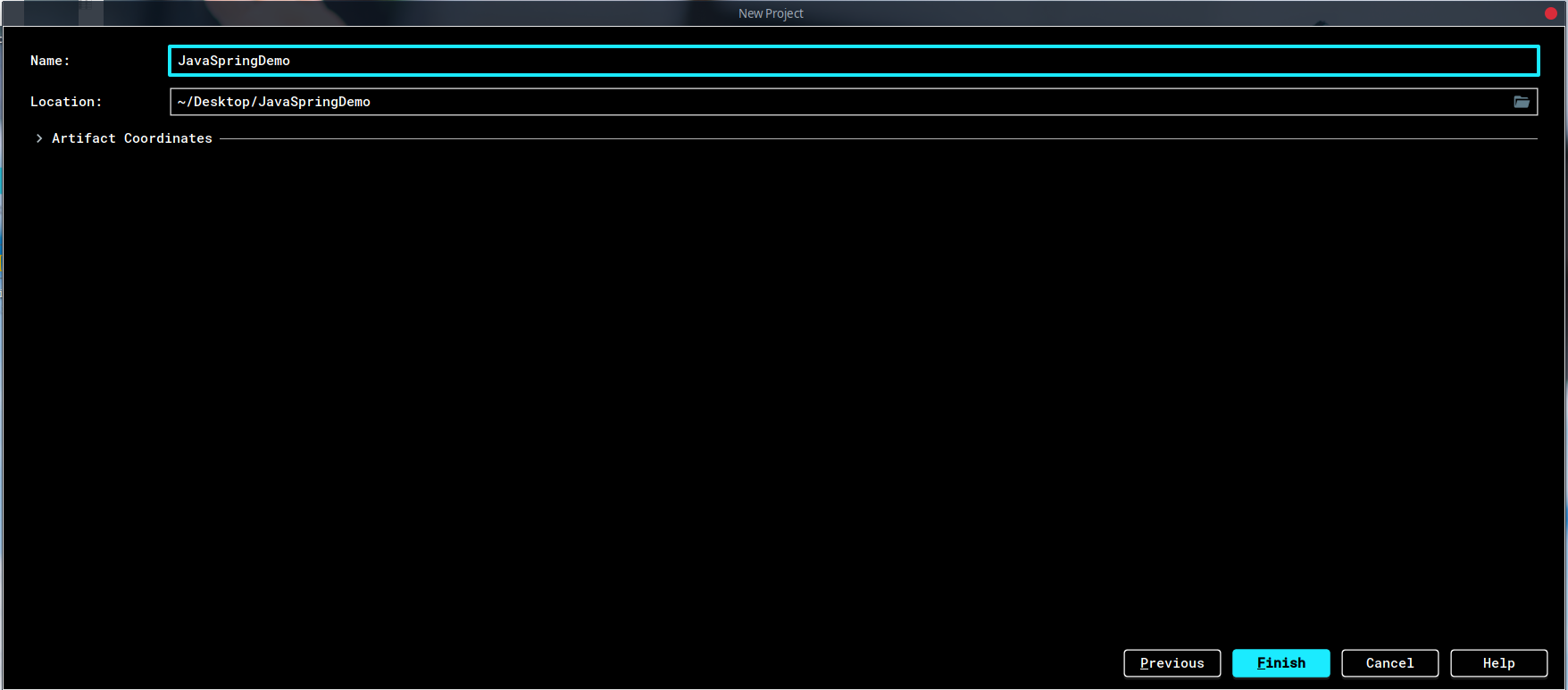
4.1 新建Maven工程

4.2 引入依赖
pom.xml文件加入:
<dependencies>

    <dependency>

        <groupId>org.springframework</groupId>

        <artifactId>spring-context</artifactId>

        <version>5.2.8.RELEASE</version>

    </dependency>

    <dependency>

        <groupId>org.springframework</groupId>

        <artifactId>spring-core</artifactId>

        <version>5.2.8.RELEASE</version>

    </dependency>

    <dependency>

        <groupId>org.springframework</groupId>

        <artifactId>spring-beans</artifactId>

        <version>5.2.8.RELEASE</version>

    </dependency>

    <dependency>

        <groupId>org.springframework</groupId>

        <artifactId>spring-web</artifactId>

        <version>5.2.8.RELEASE</version>

    </dependency>

    <dependency>

        <groupId>org.springframework</groupId>

        <artifactId>spring-test</artifactId>

        <version>5.2.8.RELEASE</version>

        <scope>test</scope>

    </dependency>

    <dependency>

        <groupId>commons-logging</groupId>

        <artifactId>commons-logging</artifactId>

        <version>1.2</version>

    </dependency>

	<dependency>

	    <groupId>org.junit.jupiter</groupId>

	    <artifactId>junit-jupiter-api</artifactId>

	    <version>5.6.2</version>

	    <scope>test</scope>

	</dependency>

</dependencies>
可以戳这里查看最新的版本。
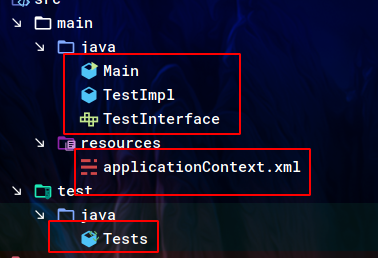
4.3 新建文件
新建如下5个空文件:
4.4 applicationContext.xml
该文件是Spring的配置文件,习惯命名为applicationContext.xml,内容如下:
<?xml version="1.0" encoding="utf-8" ?>

<beans xmlns="http://www.springframework.org/schema/beans"

       xmlns:xsi="http://www.w3.org/2001/XMLSchema-instance"

       xsi:schemaLocation="http://www.springframework.org/schema/beans

       http://www.springframework.org/schema/beans/spring-beans.xsd">

    <bean id="test" class="TestImpl"/>

</beans>
这里声明了一个id为test,类为TestImpl的Bean。
4.5 TestInterface
public interface TestInterface {

    void hello();

}
4.6 TestImpl
public class TestImpl implements TestInterface {

    @Override

    public void hello() {

        System.out.println("Hello Spring.");

    }

}
4.7 Main
public class Main {

    public static void main(String[] args) {

        System.out.println("Hello");

        ApplicationContext context = new ClassPathXmlApplicationContext("applicationContext.xml");

        ((TestInterface)context.getBean("test")).hello();

    }

}
4.8 Tests
public class Tests {

    @Test

    public void test()

    {

        ApplicationContext context = new ClassPathXmlApplicationContext("applicationContext.xml");

        TestInterface testInterface = (TestInterface)context.getBean("test");

        testInterface.hello();

    }

}
4.9 运行
4.9.1 测试
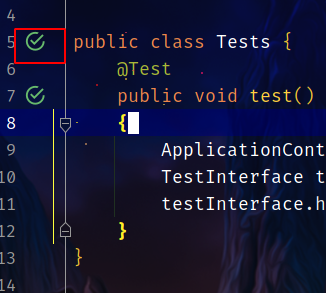
直接点击测试类旁边的按钮即可:
若出现如下错误:

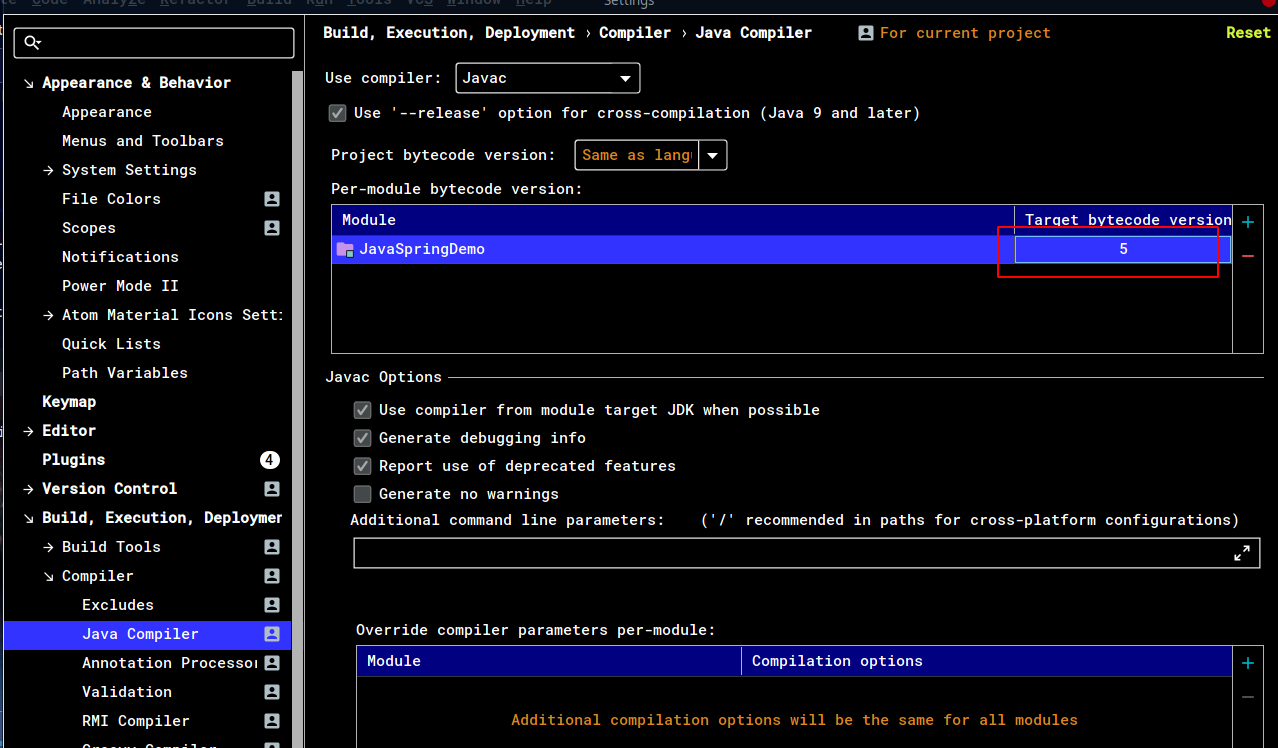
是JDK版本设置错误的问题,先打开Project Structure,修改Modules下的JDK版本:
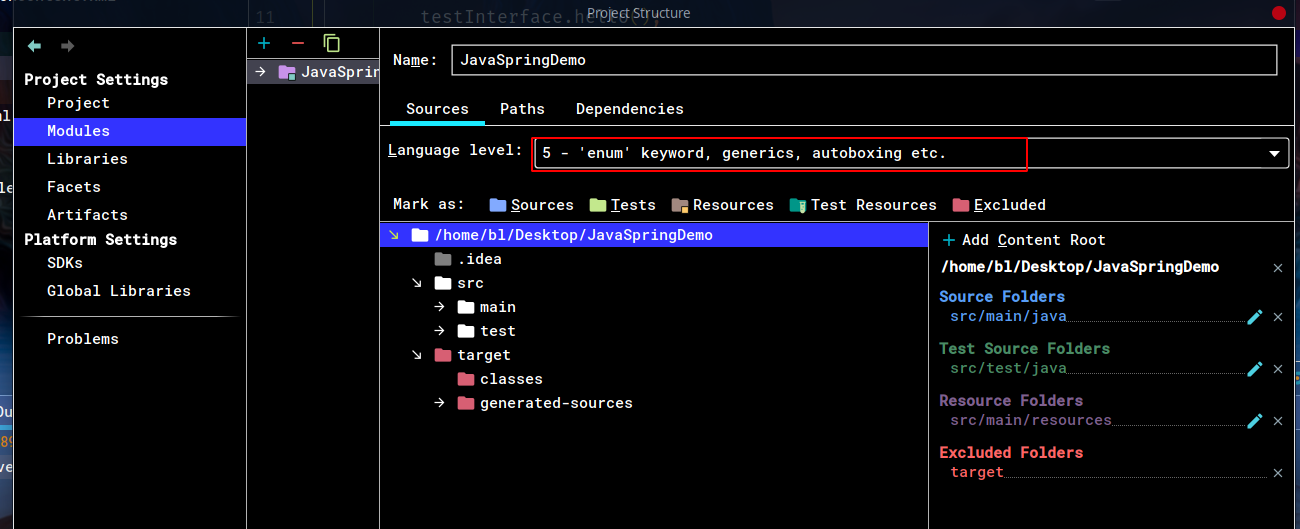
下一步是打开设置,修改Comiler下的JDK版本:
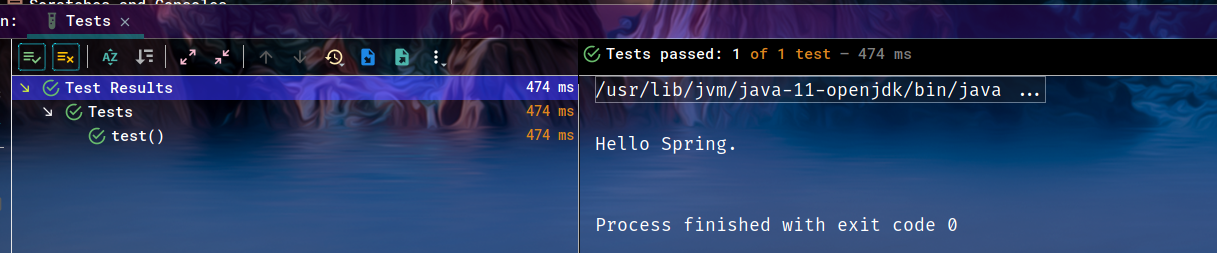
输出:
4.9.2 Main
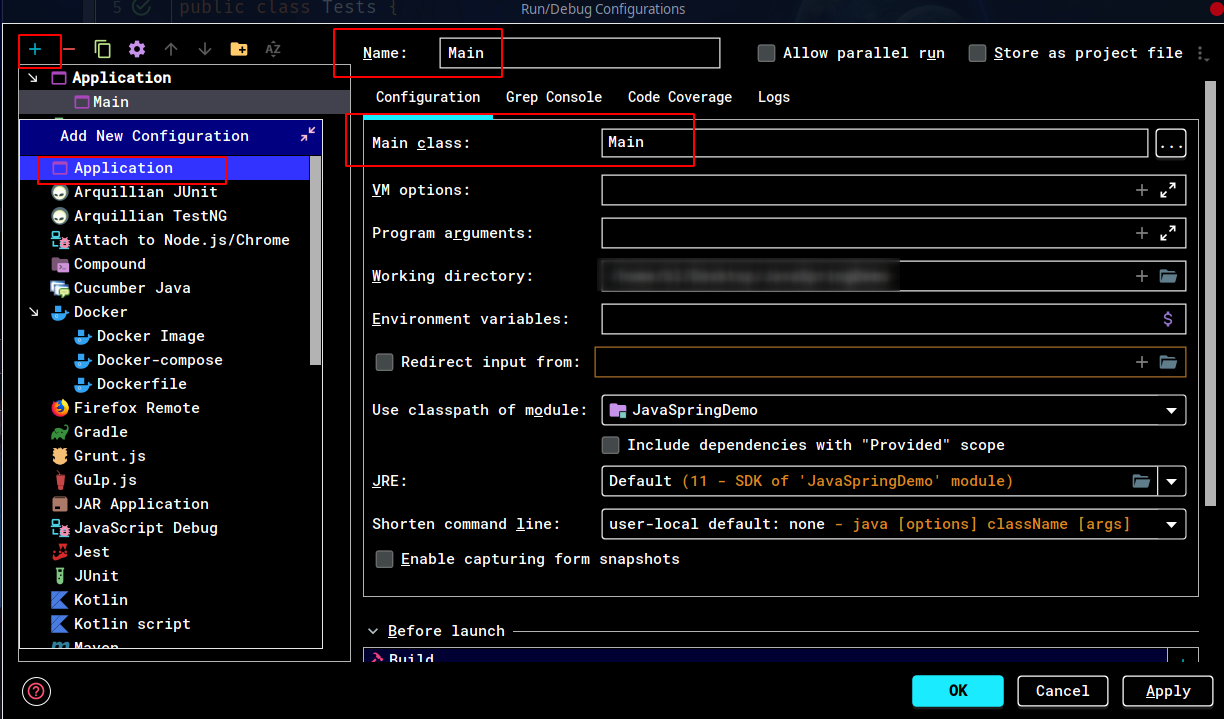
默认不能直接运行Main函数,需要添加运行配置:
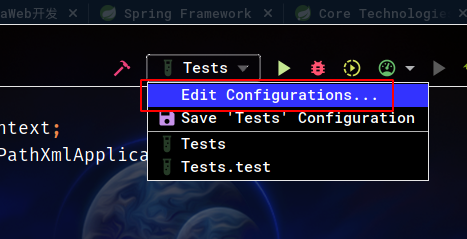
选择Application添加配置,并且指定Name以及Main class:
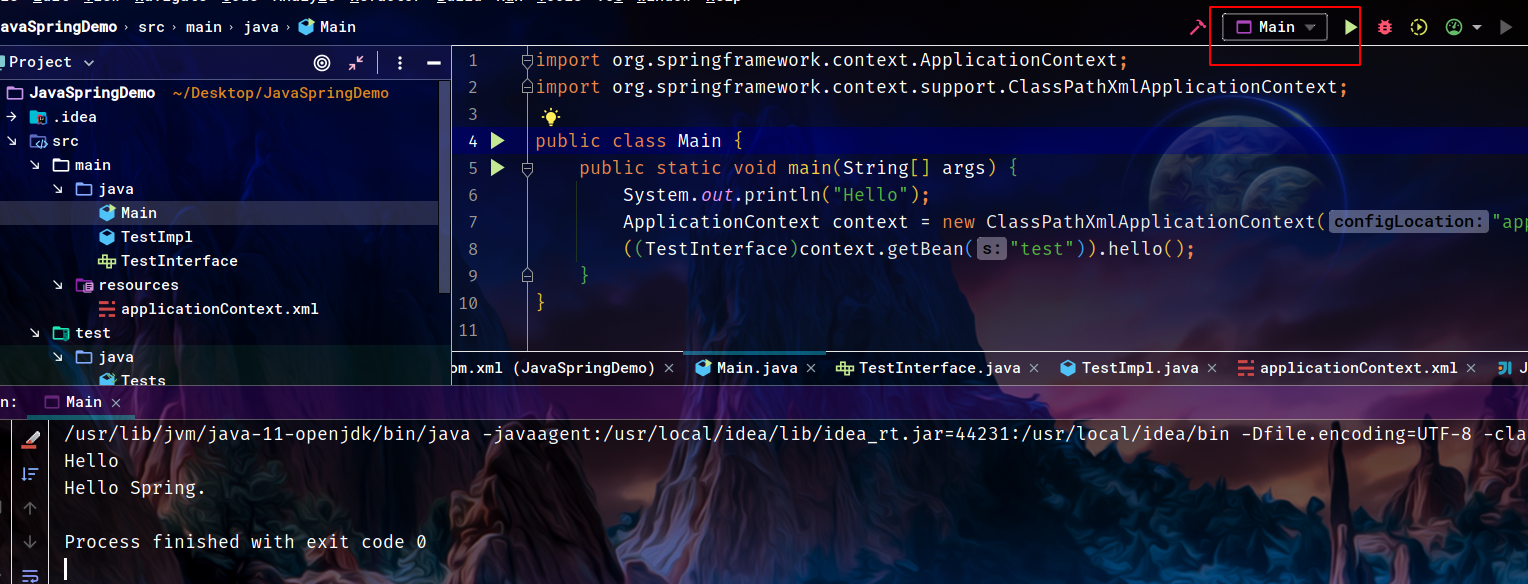
这样就可以运行了:
5 Kotlin版Demo
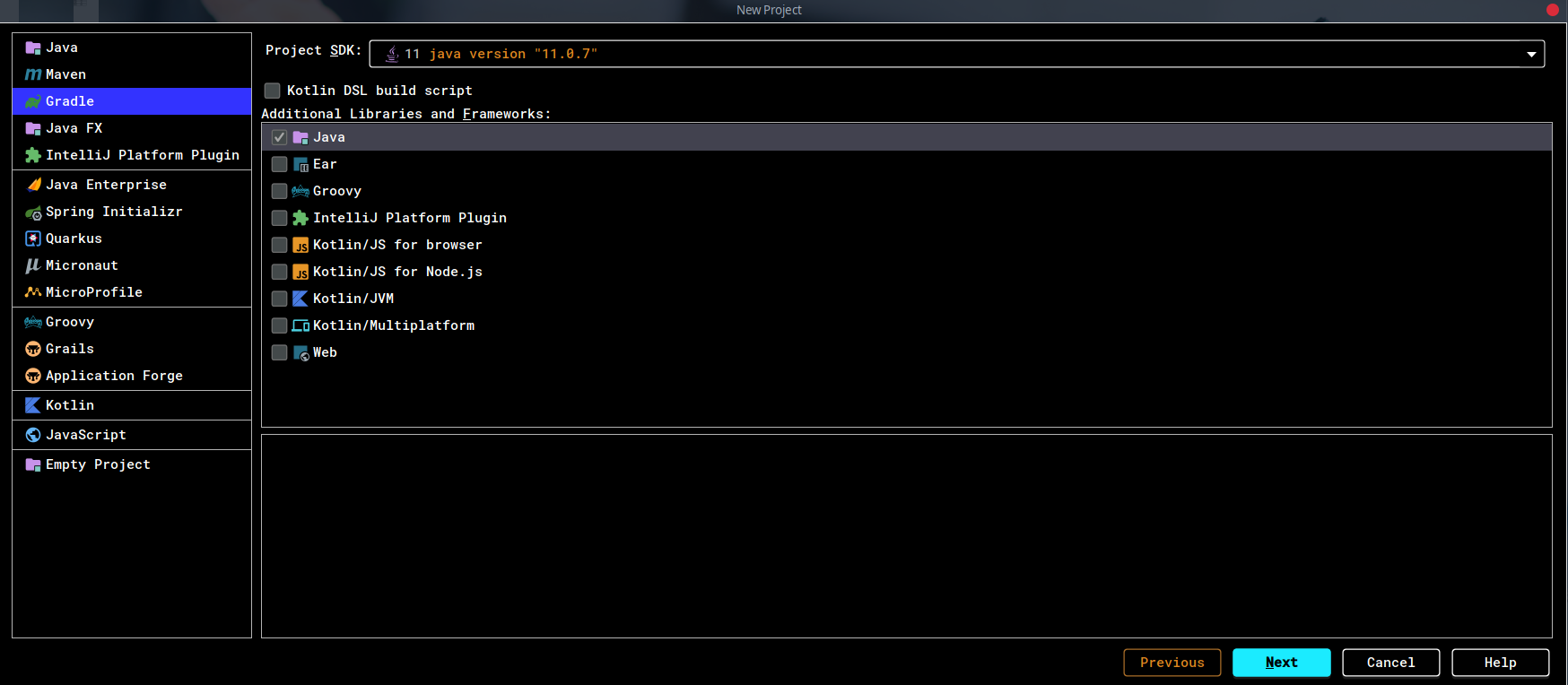
使用Gradle+Kotlin的入门Demo。
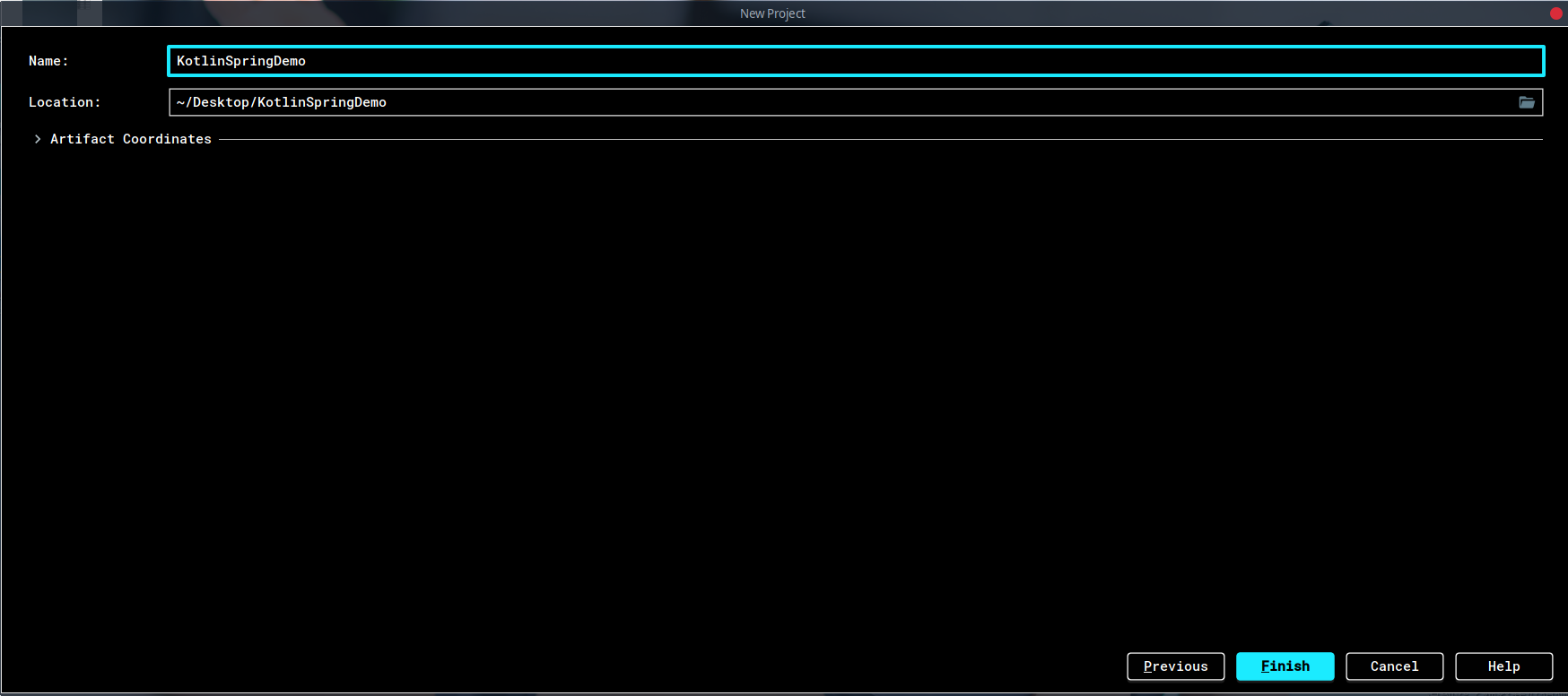
5.1 新建Gradle工程
5.2 build.gradle
完整文件如下:
plugins {

    id 'java'

    id 'org.jetbrains.kotlin.jvm' version '1.4.0'

}

group 'org.example'

version '1.0-SNAPSHOT'

repositories {

    mavenCentral()

}

dependencies {

    compile group: 'org.springframework', name: 'spring-context', version: '5.2.8.RELEASE'

    compile group: 'org.springframework', name: 'spring-core', version: '5.2.8.RELEASE'

    compile group: 'org.springframework', name: 'spring-beans', version: '5.2.8.RELEASE'

    testCompile group: 'junit', name: 'junit', version: '4.12'

    implementation "org.jetbrains.kotlin:kotlin-stdlib-jdk8"

}

compileKotlin {

    kotlinOptions {

        jvmTarget = "11"

    }

}
除了添加依赖以外还添加了一些其他参数。
5.3 新建文件夹以及文件
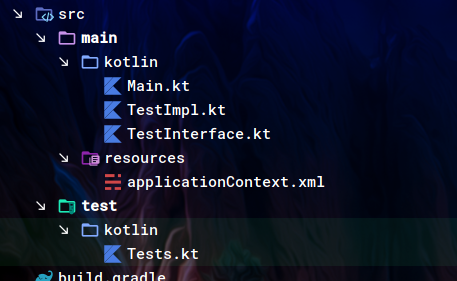
5.4 TestInterface
interface TestInterface {

    fun hello()

}
5.5 TestImpl
class TestImpl:TestInterface

{

    override fun hello() {

        println("Hello Spring")

    }

}
5.6 Main
fun main() {

    println("Hello")

    val context: ApplicationContext = ClassPathXmlApplicationContext("applicationContext.xml")

    val test: TestInterface = context.getBean("test") as TestInterface

    test.hello()

}
5.7 applicationContext.xml
同上。
5.8 Tests
class Tests {

    @Test

    fun test()

    {

        val context:ApplicationContext = ClassPathXmlApplicationContext("applicationContext.xml")

        val test:TestInterface = context.getBean("test") as TestInterface

        test.hello()

    }

}
5.9 运行
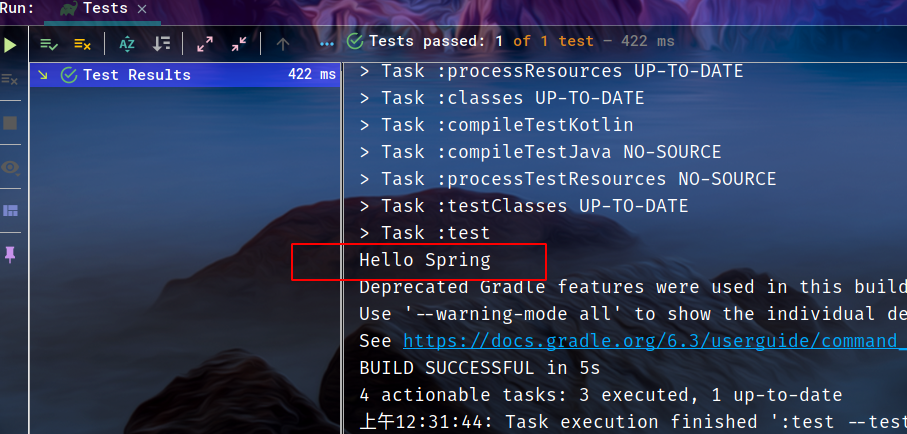
5.9.1 测试
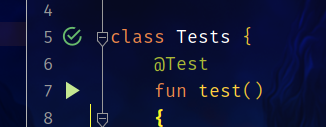
同样直接点击旁边的按钮即可运行:
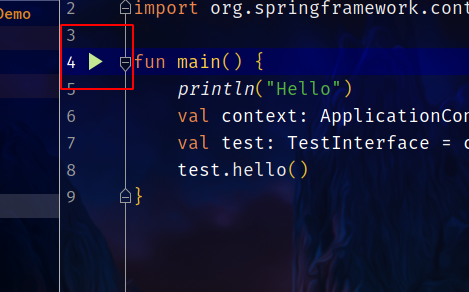
5.9.2 Main
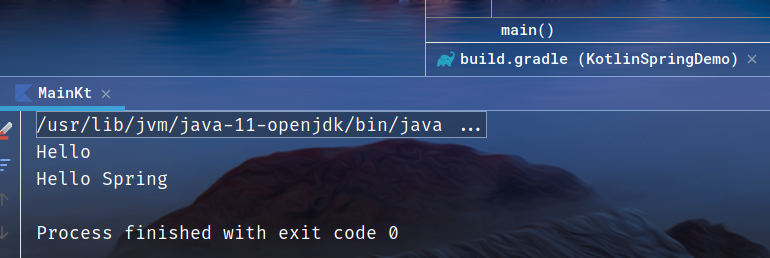
同样点击按钮即可:
6 源码
Spring 学习笔记(一):Spring 入门的更多相关文章
- spring学习笔记(一) Spring概述
博主Spring学习笔记整理大部分内容来自Spring实战(第四版)这本书. 强烈建议新手购入或者需要电子书的留言. 在学习Spring之前,我们要了解这么几个问题:什么是Spring?Spring ...
- Java架构师之路 Spring学习笔记(一) Spring介绍
前言 这是一篇原创的Spring学习笔记.主要记录我学习Spring4.0的过程.本人有四年的Java Web开发经验,最近在面试中遇到面试官总会问一些简单但我不会的Java问题,让我觉得有必要重新审 ...
- Spring 学习笔记(2) Spring Bean
一.IoC 容器 IoC 容器是 Spring 的核心,Spring 通过 IoC 容器来管理对象的实例化和初始化(这些对象就是 Spring Bean),以及对象从创建到销毁的整个生命周期.也就是管 ...
- Spring学习笔记之Spring概述
概述 Spring是一个java应用最广的开源框架,它是于2003 年兴起的一个轻量级的Java 开发框架,由Rod Johnson 在其著作Expert One-On-One J2EE Deve ...
- Spring学习笔记之五----Spring MVC
Spring MVC通常的执行流程是:当一个Web请求被发送给Spring MVC Application,Dispatcher Servlet接收到这个请求,通过HandlerMapping找到Co ...
- Spring学习笔记之 Spring IOC容器(二) 之注入参数值,自动组件扫描方式,控制Bean实例化方式,使用注解方式
本节主要内容: 1. 给MessageBean注入参数值 2. 测试Spring自动组件扫描方式 3. 如何控制ExampleBean实例化方式 4. 使用注解方式重构Jdb ...
- Spring学习笔记之 Spring IOC容器(一)之 实例化容器,创建JavaBean对象,控制Bean实例化,setter方式注入,依赖属性的注入,自动装配功能实现自动属性注入
本节主要内容: 1.实例化Spring容器示例 2.利用Spring容器创建JavaBean对象 3.如何控制Bean实例化 4.利用Spring实现bean属性sett ...
- spring学习笔记之spring框架本质
Spring框架的本质是,开发者在Spring配置文件中使用XML元素进行配置,实际驱动Spring执行相应的代码: 使用<bean.../>元素,实际启动Spring执行无参或有参构造函 ...
- Spring学习笔记2:Spring HelloWorld
1:IntelliJ新建Maven工程 2:pom文件加入Spring依赖 <project xmlns="http://maven.apache.org/POM/4.0.0" ...
- [Spring学习笔记 7 ] Spring中的数据库支持 RowMapper,JdbcDaoSupport 和 事务处理Transaction
1.Spring中的数据库支持 把具有相同功能的代码模板抽取到一个工具类中.2.关于jdbc template的应用 jdbcTemplate模板操作类,把访问jdbc的模板抽取到template中, ...
随机推荐
- 云服务器Centos7部署Tomcat服务器
目录 部署Tomcat服务器 1.安装JDK1.8 2.安装与启动tomcat 配置安全组(8080端口) 参考文章 部署Tomcat服务器 1.安装JDK1.8 JDK下载地址:https://ww ...
- 谈谈 JS 垃圾回收机制
谈谈 JS 垃圾回收机制 JS内存泄漏与垃圾回收机制 https://javascript.info/garbage-collection
- Linux Cron 定时任务
作者:丁仪 来源:https://chengxuzhixin.com/blog/post/LinuxCron-ding-shi-ren-wu.html 定时任务是经常被用到的,比如系统备份.数据导出等 ...
- golang知识总结
目录 1.slice扩容规则 2.内存寻址.内存对齐,go结构体内存对齐策略 3.go语言map类型分析 3.1 hash冲突 3.2 hash表扩容 3.3 go语言中的map结构是hash表. 3 ...
- Kubernetes 实战 —— 01. Kubernetes 介绍
简介 P2 Kubernetes 能自动调度.配置.监管和故障处理,使开发者可以自主部署应用,并且控制部署的频率,完全脱离运维团队的帮助. Kubernetes 同时能让运维团队监控整个系统,并且在硬 ...
- Python3+pygame实现的90坦克大战 代码完整 有演示效果
我是一个典型的80后,年轻时玩过了特别多的游戏,所以这几天用Python3+pygame实现了一个另外小游戏"坦克大战"(其他的游戏,请翻阅我的博客) 本实例代码量有些多,完整的版 ...
- 手把手教你集成华为机器学习服务(ML Kit)人脸检测功能
当给自己拍一张美美的自拍照时,却发现照片中自己的脸不够瘦.眼睛不够大.表情不够丰富可爱-如果此时能够一键美颜瘦脸并且添加可爱的贴纸的话,是不是很棒? 当家里的小孩观看iPad屏幕时间过长或者眼睛离屏幕 ...
- C# 基础 - 堆栈跟踪使用
使用一:可用于捕获报错时. using System.Diagnostics; ... StackTrace st = new StackTrace(true); string stackIndent ...
- vue 折线柱状图
需求:折线柱状图实现,显示不同提示,颜色,标记等等. 图例: 实现: <template> <div class="transaction-barline"> ...
- 微服务分布式事务之LCN、TCC
在亿级流量架构之分布式事务解决方案对比中, 已经简单阐明了从本机事务到分布式事务的演变过程, 文章的最后简单说明了TCC事务, 这儿将会深入了解TCC事务是原理, 以及理论支持, 最后会用Demo举例 ...