
CrawlSpider_获取图片名称地址,及入库
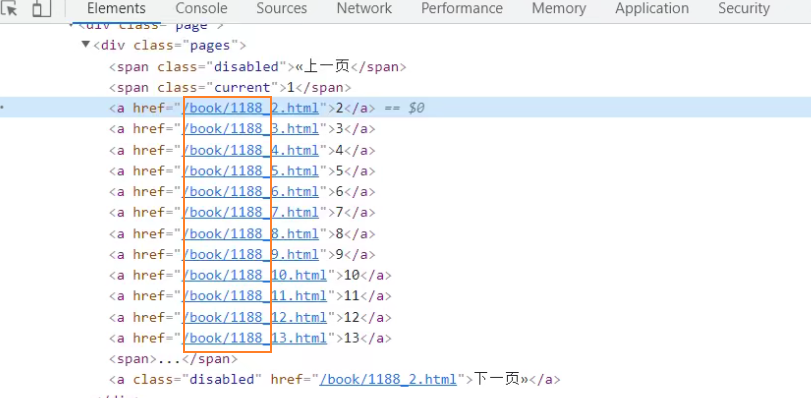
对当前网页链接提取

导入链接提取器

使用正则语法,比较多
\b 表数字
\b+ 一到多个数字
\. 转义点号

查看提取的链接


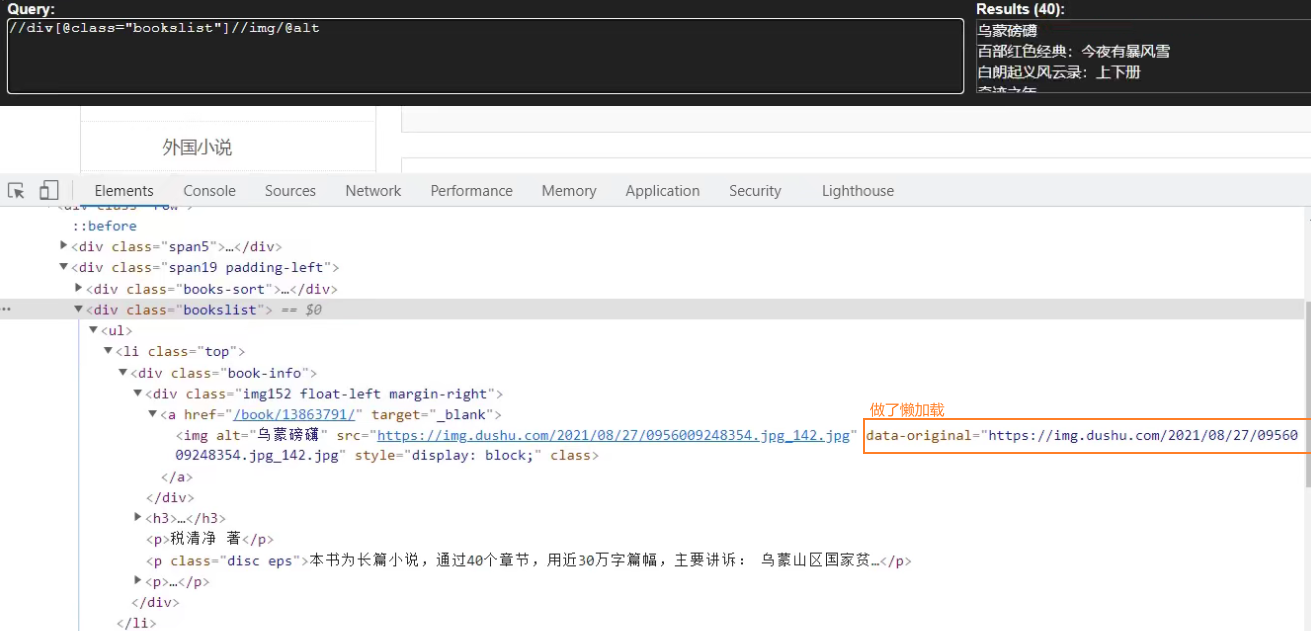
使用xpath语法

查看提取的链接


items定义爬取的数据结构类
name名字、src图片

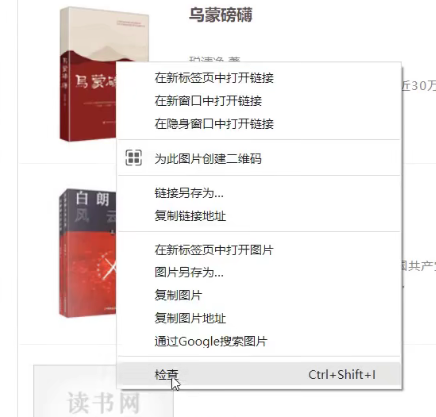
items数据结构类的导包
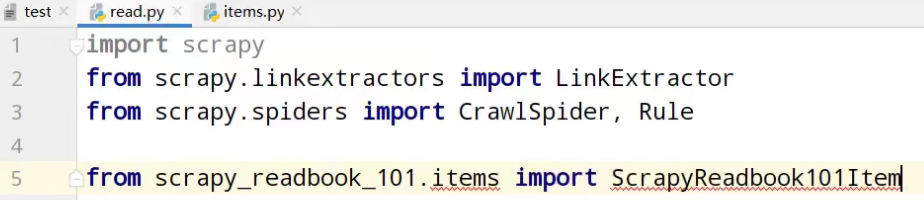
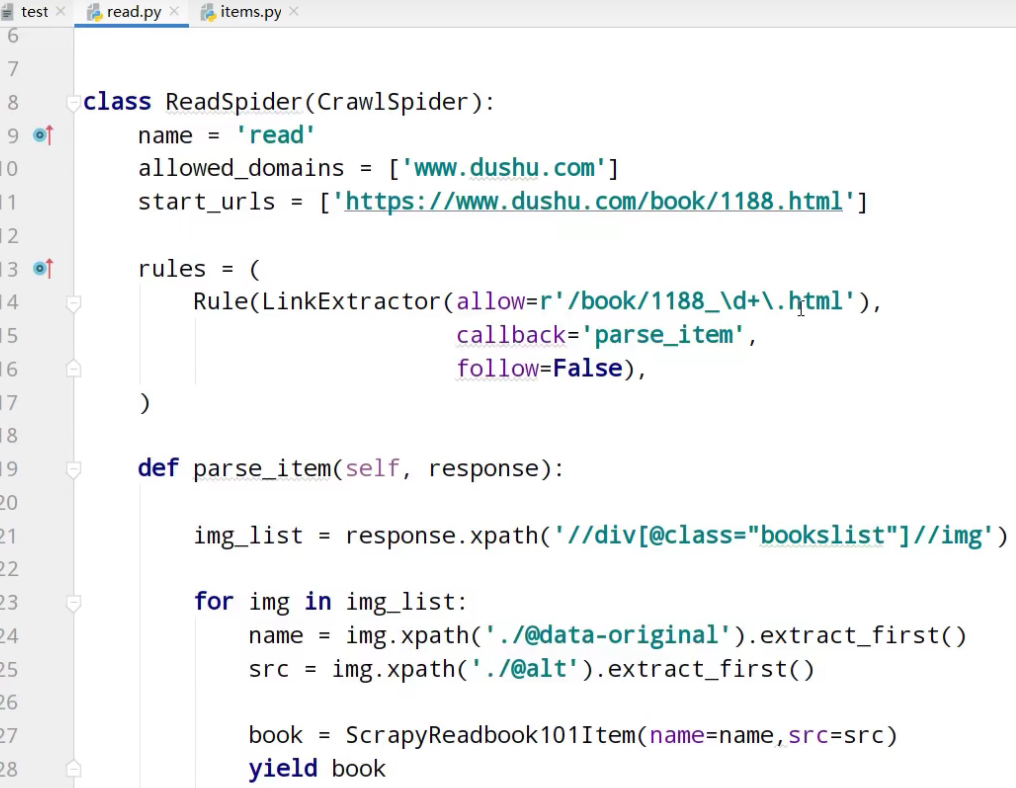
运行


开启管道
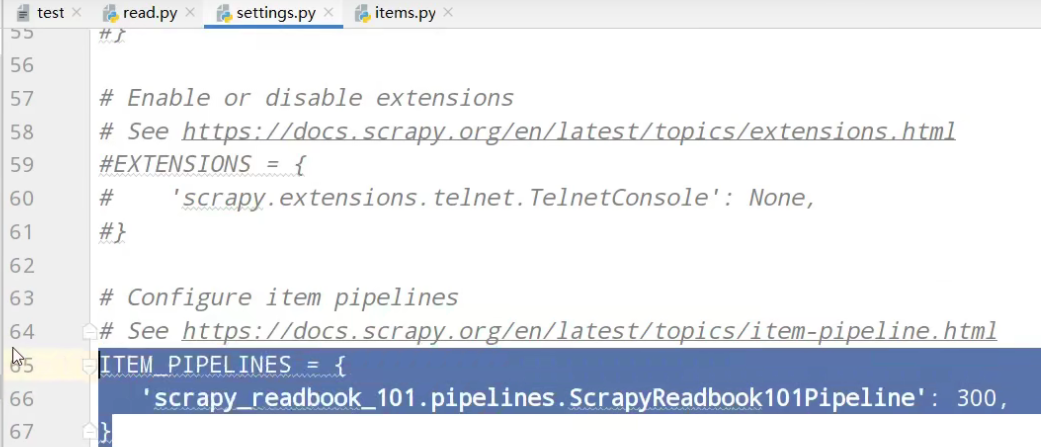
pipelines管道功能

运行

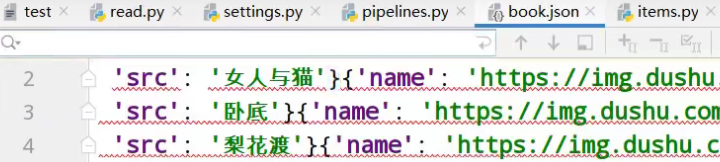

经过计算观察,缺失第一页的数据


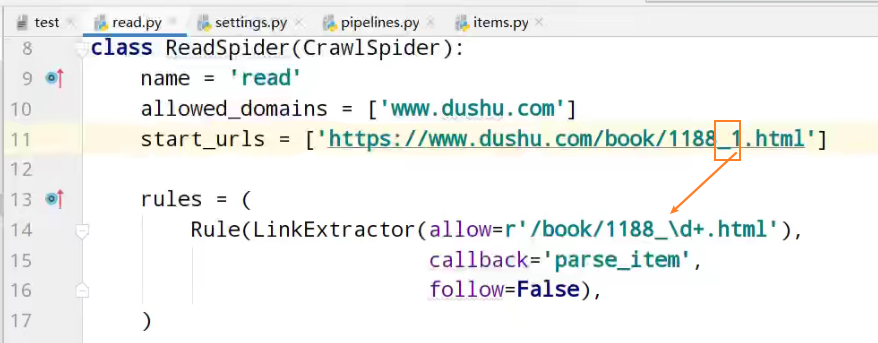
运行
这次,没有问题,13页的所有数据

入库操作
链接mysql数据库

创建spider01数据库

使用spider01数据库

创建book表

查询book表内容

查询虚拟机ip

settings配置,链接使用数据库

开启数据库插入管道

pipelines数据库插入功能实现
# Define your item pipelines here

#

# Don't forget to add your pipeline to the ITEM_PIPELINES setting

# See: https://docs.scrapy.org/en/latest/topics/item-pipeline.html

# useful for handling different item types with a single interface

from itemadapter import ItemAdapter

class ScrapyReadbook101Pipeline:

    def open_spider(self,spider):

        self.fp = open('book.json','w',encoding='utf-8')

    def process_item(self, item, spider):

        self.fp.write(str(item))

        return item

    def close_spider(self,spider):

        self.fp.close()

# 加载settings文件,数据库参数

from scrapy.utils.project import get_project_settings
# 导入pyymsql

import pymysql

# 创建mysql插入管道

class MysqlPipeline:


  # 获取数据库链接参数

    def open_spider(self,spider):

        settings = get_project_settings()

        self.host = settings['DB_HOST']

        self.port =settings['DB_PORT']

        self.user =settings['DB_USER']

        self.password =settings['DB_PASSWROD']

        self.name =settings['DB_NAME']

        self.charset =settings['DB_CHARSET']

     # 链接

        self.connect()


    # 链接数据库函数实现,获取cursor对象

    def connect(self):

        self.conn = pymysql.connect(

                            host=self.host,

                            port=self.port,

                            user=self.user,

                            password=self.password,

                            db=self.name,

                            charset=self.charset

        )

     # 创建执行mysql语句对象

        self.cursor = self.conn.cursor()

  # 操作数据库函数

    def process_item(self, item, spider):

     # 插入操作

        sql = 'insert into book(name,src) values("{}","{}")'.format(item['name'],item['src'])

        # 执行sql语句

        self.cursor.execute(sql)

        # 提交

        self.conn.commit()

        return item

  #关闭插入,关闭链接

    def close_spider(self,spider):

        self.cursor.close()

        self.conn.close()
运行


虚拟机中,查询表中数据


以上是13页数据的爬取
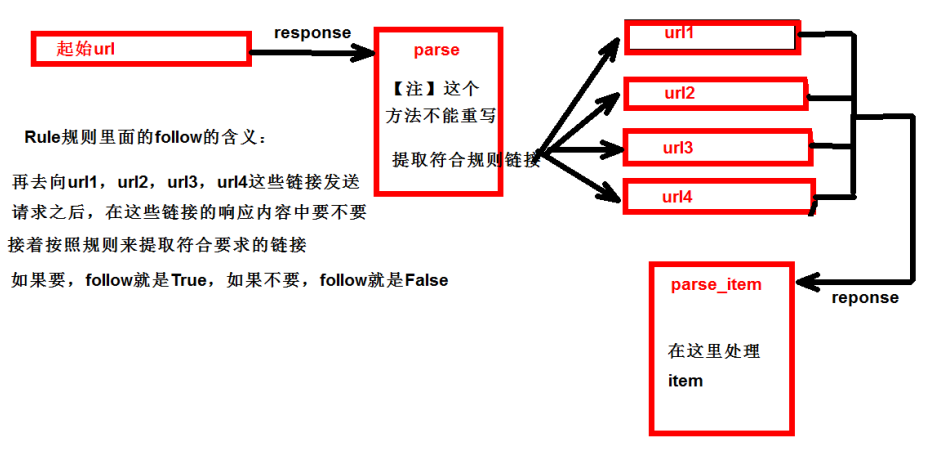
follow=true 跟进 按照提取连接规则进行提取
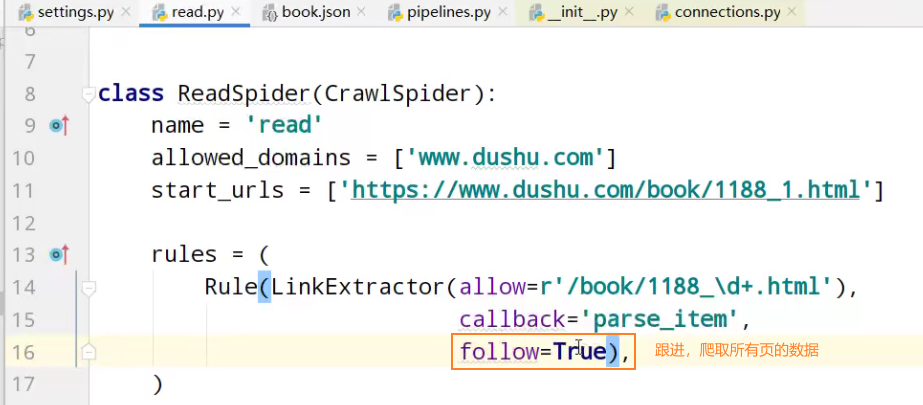
运行

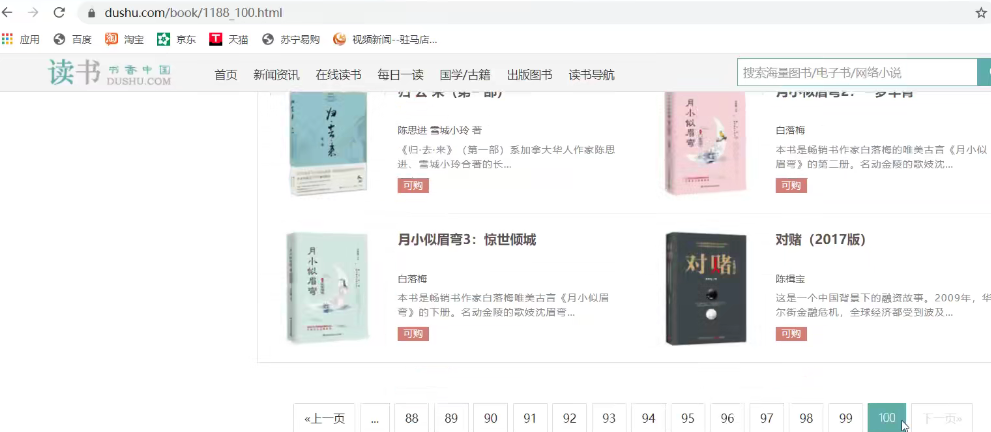
虚拟机中,查询表中数据

项目文件夹
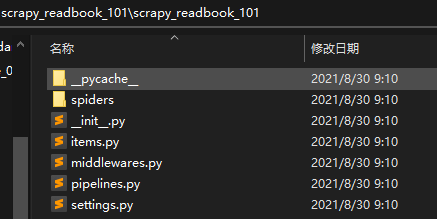
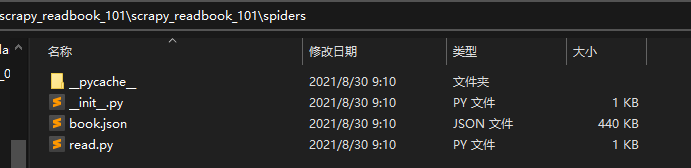
read.py爬虫核心文件
import scrapy

from scrapy.linkextractors import LinkExtractor

from scrapy.spiders import CrawlSpider, Rule

from scrapy_readbook_101.items import ScrapyReadbook101Item

class ReadSpider(CrawlSpider):

    name = 'read'

    allowed_domains = ['www.dushu.com']

    start_urls = ['https://www.dushu.com/book/1188_1.html']

    rules = (

        Rule(LinkExtractor(allow=r'/book/1188_\d+.html'),

                           callback='parse_item',

                           follow=True),

    )

    def parse_item(self, response):

        img_list = response.xpath('//div[@class="bookslist"]//img')

        for img in img_list:

            name = img.xpath('./@data-original').extract_first()

            src = img.xpath('./@alt').extract_first()

            book = ScrapyReadbook101Item(name=name,src=src)

            yield book
items.py自定义数据结构类
# Define here the models for your scraped items

#

# See documentation in:

# https://docs.scrapy.org/en/latest/topics/items.html

import scrapy

class ScrapyReadbook101Item(scrapy.Item):

    # define the fields for your item here like:

    # name = scrapy.Field()

    name = scrapy.Field()

    src = scrapy.Field()
settings.py参数配置文件
# Scrapy settings for scrapy_readbook_101 project

#

# For simplicity, this file contains only settings considered important or

# commonly used. You can find more settings consulting the documentation:

#

#     https://docs.scrapy.org/en/latest/topics/settings.html

#     https://docs.scrapy.org/en/latest/topics/downloader-middleware.html

#     https://docs.scrapy.org/en/latest/topics/spider-middleware.html

BOT_NAME = 'scrapy_readbook_101'

SPIDER_MODULES = ['scrapy_readbook_101.spiders']

NEWSPIDER_MODULE = 'scrapy_readbook_101.spiders'

# Crawl responsibly by identifying yourself (and your website) on the user-agent

#USER_AGENT = 'scrapy_readbook_101 (+http://www.yourdomain.com)'

# Obey robots.txt rules

ROBOTSTXT_OBEY = True

# Configure maximum concurrent requests performed by Scrapy (default: 16)

#CONCURRENT_REQUESTS = 32

# Configure a delay for requests for the same website (default: 0)

# See https://docs.scrapy.org/en/latest/topics/settings.html#download-delay

# See also autothrottle settings and docs

#DOWNLOAD_DELAY = 3

# The download delay setting will honor only one of:

#CONCURRENT_REQUESTS_PER_DOMAIN = 16

#CONCURRENT_REQUESTS_PER_IP = 16

# Disable cookies (enabled by default)

#COOKIES_ENABLED = False

# Disable Telnet Console (enabled by default)

#TELNETCONSOLE_ENABLED = False

# Override the default request headers:

#DEFAULT_REQUEST_HEADERS = {

#   'Accept': 'text/html,application/xhtml+xml,application/xml;q=0.9,*/*;q=0.8',

#   'Accept-Language': 'en',

#}

# Enable or disable spider middlewares

# See https://docs.scrapy.org/en/latest/topics/spider-middleware.html

#SPIDER_MIDDLEWARES = {

#    'scrapy_readbook_101.middlewares.ScrapyReadbook101SpiderMiddleware': 543,

#}

# Enable or disable downloader middlewares

# See https://docs.scrapy.org/en/latest/topics/downloader-middleware.html

#DOWNLOADER_MIDDLEWARES = {

#    'scrapy_readbook_101.middlewares.ScrapyReadbook101DownloaderMiddleware': 543,

#}

# Enable or disable extensions

# See https://docs.scrapy.org/en/latest/topics/extensions.html

#EXTENSIONS = {

#    'scrapy.extensions.telnet.TelnetConsole': None,

#}

# 参数中一个端口号 一个是字符集 都要注意

DB_HOST = '192.168.231.130'

# 端口号是一个整数

DB_PORT = 3306

DB_USER = 'root'

DB_PASSWROD = '1234'

DB_NAME = 'spider01'

# utf-8的杠不允许写

DB_CHARSET = 'utf8'

# Configure item pipelines

# See https://docs.scrapy.org/en/latest/topics/item-pipeline.html

ITEM_PIPELINES = {

   'scrapy_readbook_101.pipelines.ScrapyReadbook101Pipeline': 300,

   # MysqlPipeline

   'scrapy_readbook_101.pipelines.MysqlPipeline':301

}

# Enable and configure the AutoThrottle extension (disabled by default)

# See https://docs.scrapy.org/en/latest/topics/autothrottle.html

#AUTOTHROTTLE_ENABLED = True

# The initial download delay

#AUTOTHROTTLE_START_DELAY = 5

# The maximum download delay to be set in case of high latencies

#AUTOTHROTTLE_MAX_DELAY = 60

# The average number of requests Scrapy should be sending in parallel to

# each remote server

#AUTOTHROTTLE_TARGET_CONCURRENCY = 1.0

# Enable showing throttling stats for every response received:

#AUTOTHROTTLE_DEBUG = False

# Enable and configure HTTP caching (disabled by default)

# See https://docs.scrapy.org/en/latest/topics/downloader-middleware.html#httpcache-middleware-settings

#HTTPCACHE_ENABLED = True

#HTTPCACHE_EXPIRATION_SECS = 0

#HTTPCACHE_DIR = 'httpcache'

#HTTPCACHE_IGNORE_HTTP_CODES = []

#HTTPCACHE_STORAGE = 'scrapy.extensions.httpcache.FilesystemCacheStorage'
pipelines.py功能核心功能
# Define your item pipelines here

#

# Don't forget to add your pipeline to the ITEM_PIPELINES setting

# See: https://docs.scrapy.org/en/latest/topics/item-pipeline.html

# useful for handling different item types with a single interface

from itemadapter import ItemAdapter

class ScrapyReadbook101Pipeline:

    def open_spider(self,spider):

        self.fp = open('book.json','w',encoding='utf-8')

    def process_item(self, item, spider):

        self.fp.write(str(item))

        return item

    def close_spider(self,spider):

        self.fp.close()

# 加载settings文件

from scrapy.utils.project import get_project_settings

import pymysql

class MysqlPipeline:

    def open_spider(self,spider):

        settings = get_project_settings()

        self.host = settings['DB_HOST']

        self.port =settings['DB_PORT']

        self.user =settings['DB_USER']

        self.password =settings['DB_PASSWROD']

        self.name =settings['DB_NAME']

        self.charset =settings['DB_CHARSET']

        self.connect()

    def connect(self):

        self.conn = pymysql.connect(

                            host=self.host,

                            port=self.port,

                            user=self.user,

                            password=self.password,

                            db=self.name,

                            charset=self.charset

        )

        self.cursor = self.conn.cursor()

    def process_item(self, item, spider):

        sql = 'insert into book(name,src) values("{}","{}")'.format(item['name'],item['src'])

        # 执行sql语句

        self.cursor.execute(sql)

        # 提交

        self.conn.commit()

        return item

    def close_spider(self,spider):

        self.cursor.close()

        self.conn.close()
CrawlSpider_获取图片名称地址,及入库的更多相关文章
- ResDrawableImgUtil【根据图片名称获取resID值或者Bitmap对象】
版权声明:本文为HaiyuKing原创文章,转载请注明出处! 前言 根据图片名称获取项目的res/drawable-xxdhpi中相应资源的ID值以及bitmap值的封装类. 效果图 代码分析 根据图 ...
- java SpringWeb 接收安卓android传来的图片集合及其他信息入库存储
公司是做APP的,进公司一年了还是第一次做安卓的接口 安卓是使用OkGo.post("").addFileParams("key",File); 通过这种方式传 ...
- angular上传获取图片的directive指令
在AngularJS中,操作DOM一般在指令中完成,那么指令是如何实现的呢?指令的作用是把我们自定义的语义化标签替换成浏览器能够认识的HTML标签 一般的事件监听是在对静态的dom绑定事件,而如果在指 ...
- 阿里云使用js 实现OSS图片上传、获取OSS图片列表、获取图片外网访问地址(读写权限私有、读写权限公共);
详情请参考:https://help.aliyun.com/document_detail/32069.html?spm=a2c4g.11186623.6.763.ZgC59a 或者https://h ...
- 如何获取Flickr图片链接地址作为外链图片
Flickr,雅虎旗下图片分享网站.为一家提供免费及付费数位照片储存.分享方案之线上服务,也提供网络社群服务的平台.其重要特点就是基于社会网络的人际关系的拓展与内容的组织.这个网站的功能之强大,已超出 ...
- Android 获取手机Mac地址,手机名称
/** * 获取手机mac地址<br/> * 错误返回12个0 */ public static String getMacAddress(Context context) { // 获取 ...
- Android BLE与终端通信(一)——Android Bluetooth基础API以及简单使用获取本地蓝牙名称地址
Android BLE与终端通信(一)--Android Bluetooth基础API以及简单使用获取本地蓝牙名称地址 Hello,工作需要,也必须开始向BLE方向学习了,公司的核心技术就是BLE终端 ...
- 根据图片url地址获取图片的宽高
/** * 根据img获取图片的宽高 * @param img 图片地址 * @return 图片的对象,对象中图片的真实宽高 */ public BufferedImage getBufferedI ...
- 图片url地址的生成获取方法
在写博客插入图片时,许多时候需要提供图片的url地址.作为菜鸡的我,自然是一脸懵逼.那么什么是所谓的url地址呢?又该如何获取图片的url地址呢? 首先来看一下度娘对url地址的解释:url是统一资源 ...
随机推荐
- 使用node-gyp编写简单的node原生模块
通过样例,让我们了解如何编写一个node的原生模块.当然,这篇文章还有一个目的,是为了方便以后编写关于node-gyp的文章,搭建初始环境. 基于node-addon-api 基于node-addon ...
- 题解 「SCOI2016」萌萌哒
link Description 一个长度为 $ n $ 的大数,用 $ S_1S_2S_3 \ldots S_n $表示,其中 $ S_i $ 表示数的第 $ i $ 位,$ S_1 $ 是数的最高 ...
- 详解build-gradle文件
目录 gradle 两个build.gradle文件 最外层目录下的build.gradle文件 jcenter dependencies闭包 app目录下的build.gradle文件 com.an ...
- CAM对象样式表
CAM对象样式表 121 160 UF_machining_task_type UF_mach_order_task_subtype 112 UF_machining_null_grp_type 无 ...
- CSS引入字体文件
在css引入字体文件可以直接把以下代码复制到css文件中 /* 字体声明 */ @font-face {font-family: 'icomoon';src: url('fonts/icomoon.e ...
- TypeError: module() takes at most 2 arguments (3 given)
1. 错误提示 2. 代码 class Parent: """定义父类""" def __init__(self): print(" ...
- 【UE4 C++】 SaveGame 存档/读档
创建 SaveGame 类 继承自 USaveGame UCLASS() class TIPS_API USimpleSaveGame : public USaveGame { GENERATED_B ...
- 【c++ Prime 学习笔记】第3章 字符串、向量和数组
string和vector是两类最重要的标准库类型 strng表示可变长的字符序列 vector存放某种给定类型对象的可变长序列. 3.1 命名空间的using声明 using namespace:: ...
- 实用小技巧:Notepad++直接连接Linux
实用小技巧:Notepad++直接连接Linux 前言 号称编辑器之神的Vim对于只会用几个基础操作的本人而言,在编辑一些大型文本有那么些力不从心: 平时都是通过Xftp拖到本地,修改完后再覆盖回去: ...
- elasticsearch嵌套对象的映射
在es中,我们有时候可能需要映射,{ "field" : "xx" , "field01" : [] }这样格式的嵌套对象,默认情况下es会 ...