
Arduino+ESP32 之 驱动GC9A01圆形LCD(二),移植LVGL,跑示例程序,显示自制图片
在前文Arduino+ESP32 之 驱动GC9A01圆形LCD(一),
我们已经移植好了arduino GFX库, 该库的示例程序内,还有LVGL的示例程序哦。
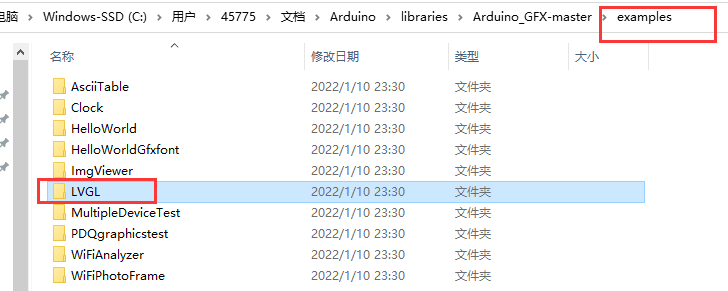
arduino环境下移植lvgl是很方便的,我们一起来移植一个,并且跑一下lvgl的示例demo!
由于arduino的library这个路径内的arduino工程文件是只读的,不便于我们编译测试示例程序,所以我们复制一份lvgl的示例程序到桌面上的我的一个文件夹内。
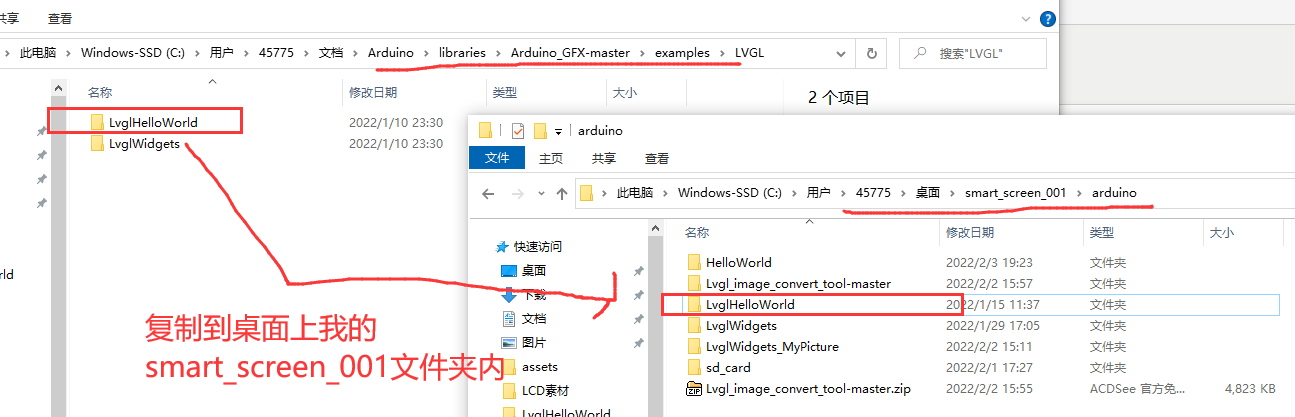
打开LvglHelloWorld.ino工程文件。
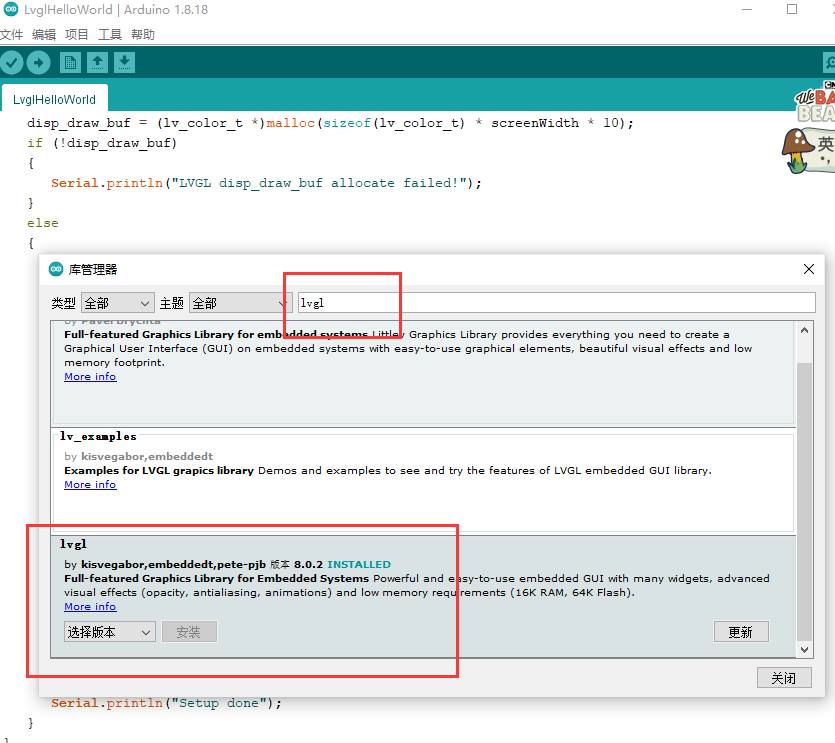
工具->管理库->库管理器,搜索LVGL并在线安装。我安装的是8.0.2版本,建议你也安装V8版本的LVGL,因为arduino GFX库的LVGL的示例程序是基于V8版本的。
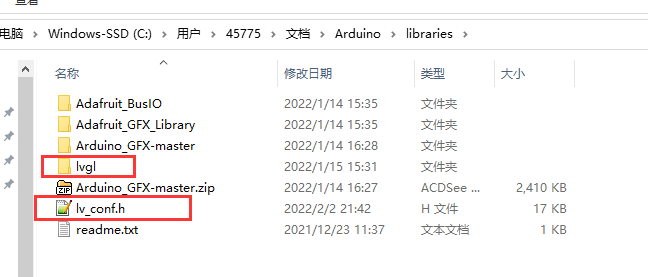
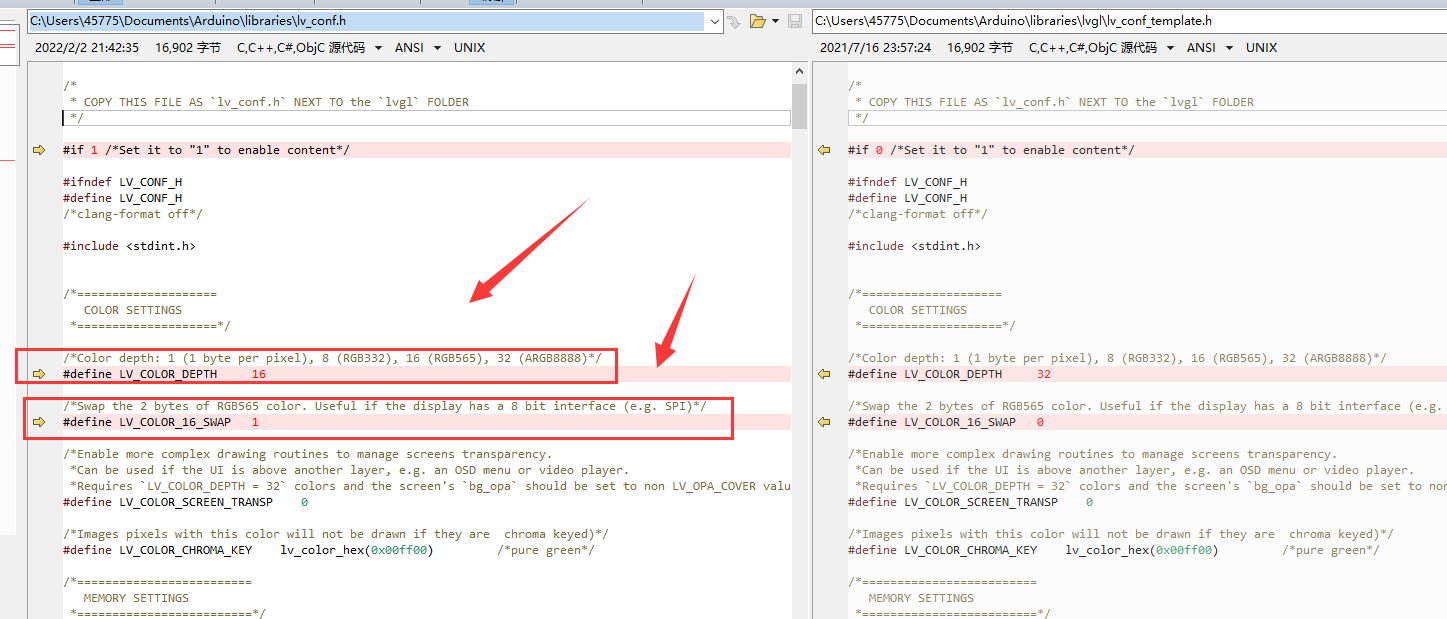
安装好LVGL以后,library路径下会出现lvgl文件夹。复制lvgl文件夹内的lv_conf_template.h,我们将其重命名为lv_conf.h,放在library路径下。
为了让lvgl适配我的硬件LCD,我修改了几个参数。大部分的SPI 或者IIC的LCD,需要修改的地方都是这几处。
我修改的地方(红色箭头所指):
1. 跑arduino GFX库的LVGL的示例程序,LvglHelloWorld
修改LvglHelloWorld.ino工程文件的三处代码:
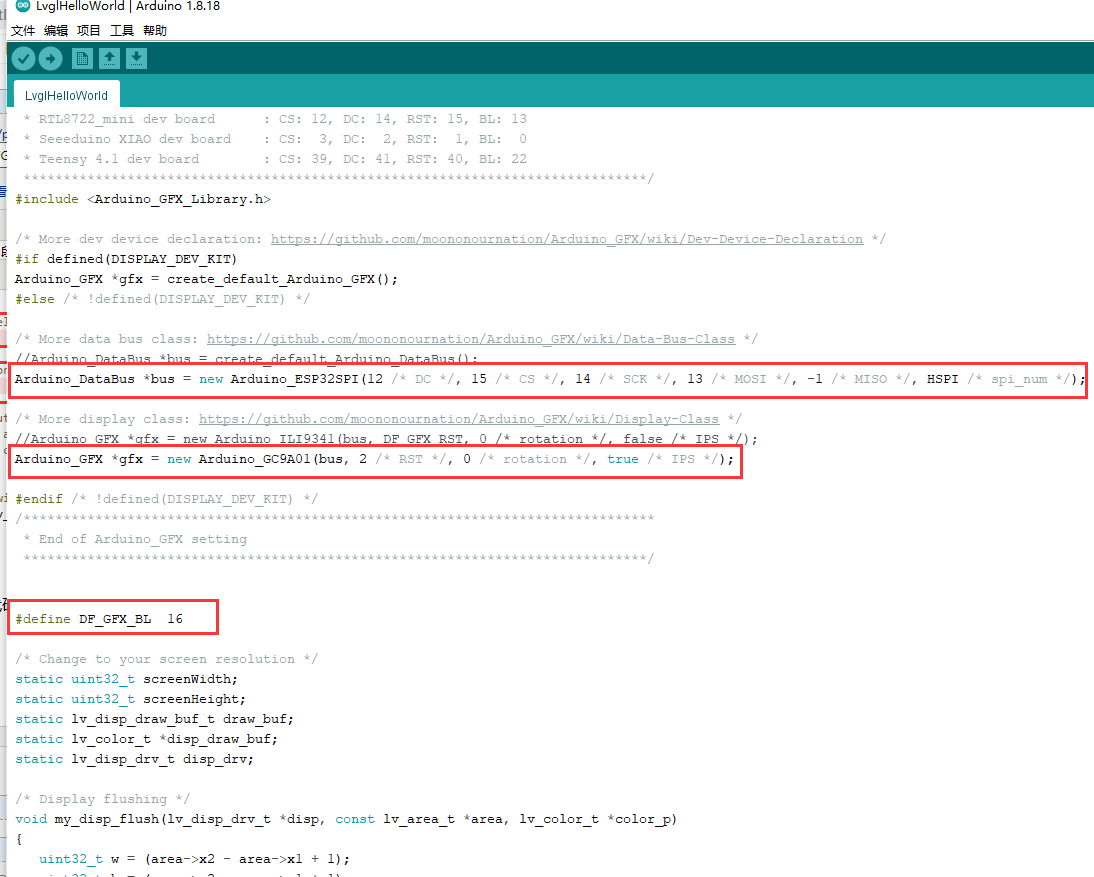
代码源文件:
#include <lvgl.h>

/*******************************************************************************

 * LVGL Hello World

 * This is a simple examplle for LVGL - Light and Versatile Graphics Library

 *

 * Dependent libraries:

 * LVGL: https://github.com/lvgl/lvgl.git

 ******************************************************************************/

/*******************************************************************************

 * Start of Arduino_GFX setting

 *

 * Arduino_GFX try to find the settings depends on selected board in Arduino IDE

 * Or you can define the display dev kit not in the board list

 * Defalult pin list for non display dev kit:

 * Arduino Nano, Micro and more: CS:  9, DC:  8, RST:  7, BL:  6

 * ESP32 various dev board     : CS:  5, DC: 27, RST: 33, BL: 22

 * ESP32-C3 various dev board  : CS:  7, DC:  2, RST:  1, BL:  3

 * ESP32-S2 various dev board  : CS: 34, DC: 26, RST: 33, BL: 21

 * ESP8266 various dev board   : CS: 15, DC:  4, RST:  2, BL:  5

 * Raspberry Pi Pico dev board : CS: 17, DC: 27, RST: 26, BL: 28

 * RTL8720 BW16 old patch core : CS: 18, DC: 17, RST:  2, BL: 23

 * RTL8720_BW16 Official core  : CS:  9, DC:  8, RST:  6, BL:  3

 * RTL8722 dev board           : CS: 18, DC: 17, RST: 22, BL: 23

 * RTL8722_mini dev board      : CS: 12, DC: 14, RST: 15, BL: 13

 * Seeeduino XIAO dev board    : CS:  3, DC:  2, RST:  1, BL:  0

 * Teensy 4.1 dev board        : CS: 39, DC: 41, RST: 40, BL: 22

 ******************************************************************************/

#include <Arduino_GFX_Library.h>

/* More dev device declaration: https://github.com/moononournation/Arduino_GFX/wiki/Dev-Device-Declaration */

#if defined(DISPLAY_DEV_KIT)

Arduino_GFX *gfx = create_default_Arduino_GFX();

#else /* !defined(DISPLAY_DEV_KIT) */

/* More data bus class: https://github.com/moononournation/Arduino_GFX/wiki/Data-Bus-Class */

//Arduino_DataBus *bus = create_default_Arduino_DataBus();

Arduino_DataBus *bus = new Arduino_ESP32SPI(12 /* DC */, 15 /* CS */, 14 /* SCK */, 13 /* MOSI */, -1 /* MISO */, HSPI /* spi_num */);

/* More display class: https://github.com/moononournation/Arduino_GFX/wiki/Display-Class */

//Arduino_GFX *gfx = new Arduino_ILI9341(bus, DF_GFX_RST, 0 /* rotation */, false /* IPS */);

Arduino_GFX *gfx = new Arduino_GC9A01(bus, 2 /* RST */, 0 /* rotation */, true /* IPS */);

#endif /* !defined(DISPLAY_DEV_KIT) */

/*******************************************************************************

 * End of Arduino_GFX setting

 ******************************************************************************/

#define DF_GFX_BL  16

/* Change to your screen resolution */

static uint32_t screenWidth;

static uint32_t screenHeight;

static lv_disp_draw_buf_t draw_buf;

static lv_color_t *disp_draw_buf;

static lv_disp_drv_t disp_drv;

/* Display flushing */

void my_disp_flush(lv_disp_drv_t *disp, const lv_area_t *area, lv_color_t *color_p)

{

   uint32_t w = (area->x2 - area->x1 + 1);

   uint32_t h = (area->y2 - area->y1 + 1);

   gfx->draw16bitBeRGBBitmap(area->x1, area->y1, (uint16_t *)&color_p->full, w, h);

   lv_disp_flush_ready(disp);

}

void setup()

{

   Serial.begin(115200);

   // while (!Serial);

   Serial.println("LVGL Hello World");

   // Init Display

   gfx->begin();

   gfx->fillScreen(BLACK);

#ifdef DF_GFX_BL

   pinMode(DF_GFX_BL, OUTPUT);

   digitalWrite(DF_GFX_BL, HIGH);

   delay(100);

#endif

   lv_init();

   screenWidth = gfx->width();

   screenHeight = gfx->height();

   disp_draw_buf = (lv_color_t *)malloc(sizeof(lv_color_t) * screenWidth * 10);

   if (!disp_draw_buf)

   {

      Serial.println("LVGL disp_draw_buf allocate failed!");

   }

   else

   {

      lv_disp_draw_buf_init(&draw_buf, disp_draw_buf, NULL, screenWidth * 10);

      /* Initialize the display */

      lv_disp_drv_init(&disp_drv);

      /* Change the following line to your display resolution */

      disp_drv.hor_res = screenWidth;

      disp_drv.ver_res = screenHeight;

      disp_drv.flush_cb = my_disp_flush;

      disp_drv.draw_buf = &draw_buf;

      lv_disp_drv_register(&disp_drv);

      /* Initialize the (dummy) input device driver */

      static lv_indev_drv_t indev_drv;

      lv_indev_drv_init(&indev_drv);

      indev_drv.type = LV_INDEV_TYPE_POINTER;

      lv_indev_drv_register(&indev_drv);

      /* Create simple label */

      lv_obj_t *label = lv_label_create(lv_scr_act());

      lv_label_set_text(label, "Arduino-Niceday");

      lv_obj_align(label, LV_ALIGN_CENTER, 0, 0);

      Serial.println("Setup done");

   }

}

void loop()

{

   lv_timer_handler(); /* let the GUI do its work */

   delay(5);

}
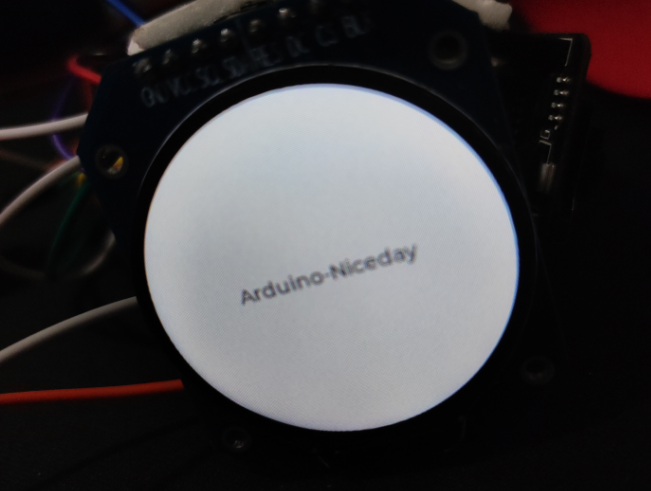
烧录代码后的实验效果
2.跑lvgl库自身提供的示例代码
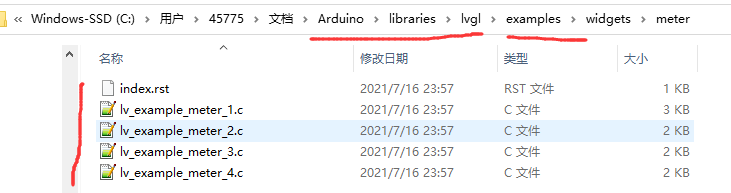
lvgl自身提供了很多的example,比arduino GFX库的LVGL的示例程序要丰富得多,所以我们需要把lvgl自身提供的示例程序跑起来,这样才更有利于学习lvgl。
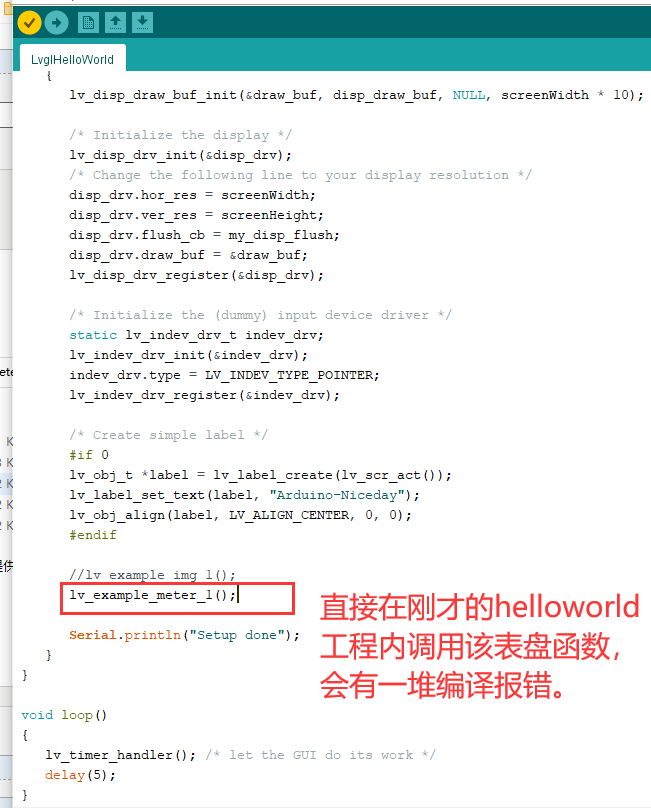
上图是一个表盘的示例程序。
百度查找到类似解决方法

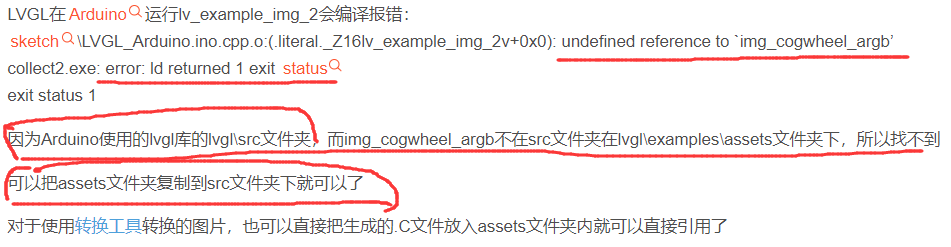
答案就是把相关的文件或文件夹复制到lvgl/src路径下,然后再去编译。
这是一个编译的问题,修改CMake肯定也可以解决。先不研究,先用这种简单的挪动文件夹的方式搞定功能,先体验一把再说。
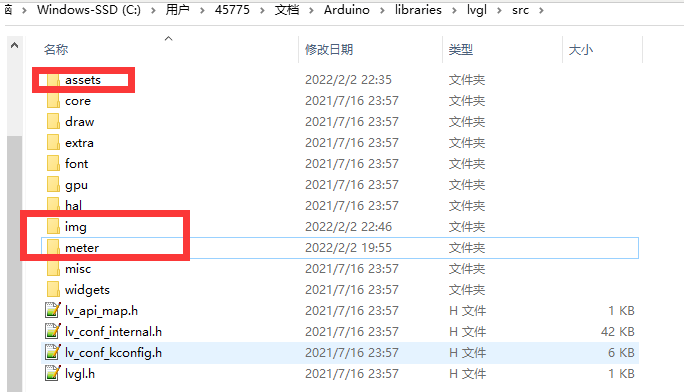
我把lvgl/examples文件夹内的assets、meter和img文件夹都复制了过来,
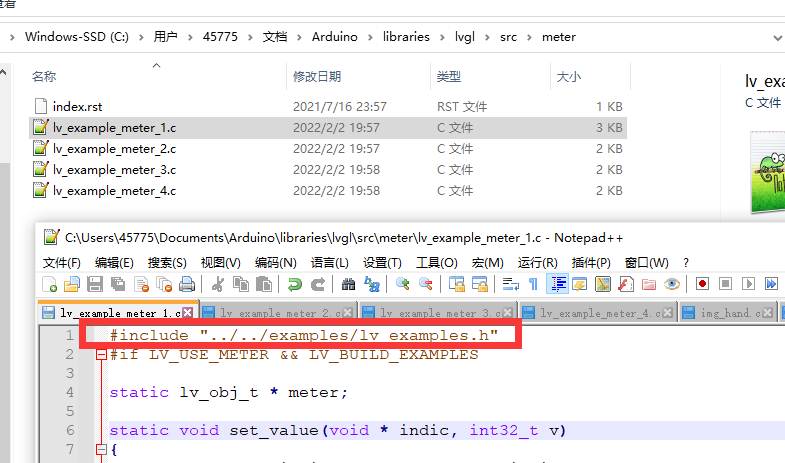
遇到编译报错,修改了一下头文件包含就解决了,
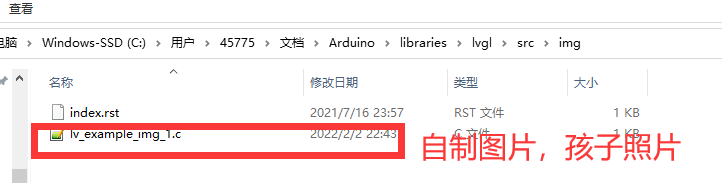
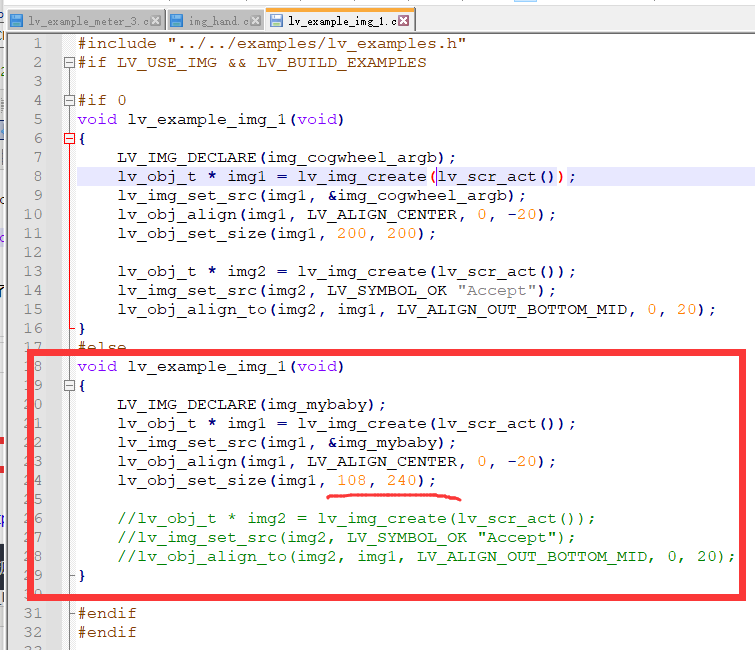
img文件夹里的东西被我删除了,修改了其代码,用于配套显示我自制的图片。
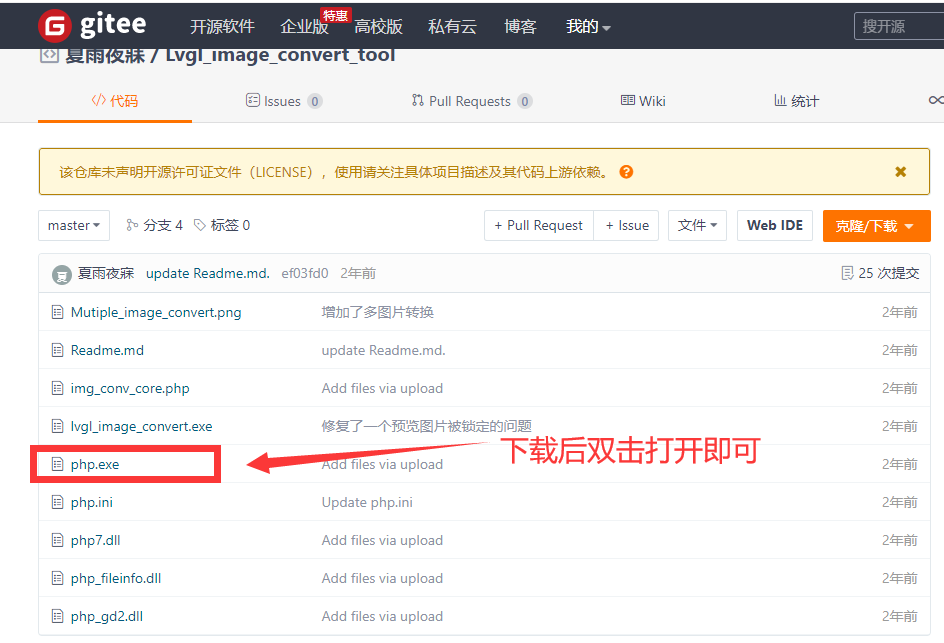
LVGL图片转C文件工具=》 https://gitee.com/gzmarkz/Lvgl_image_convert_tool
使用展示:
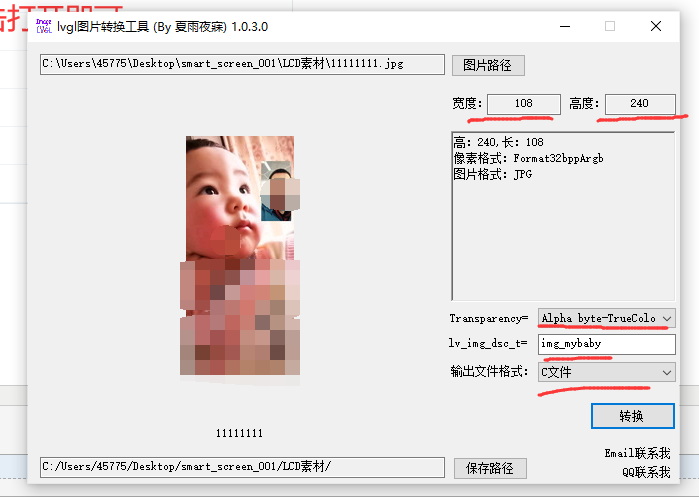
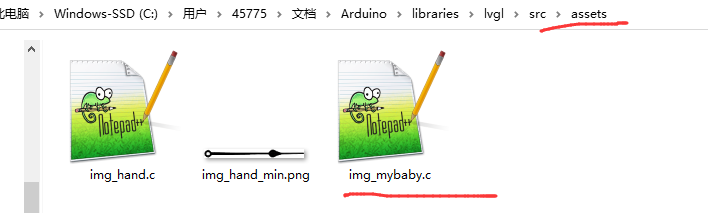
将转换后的C文件放置在asserts文件夹内即可。
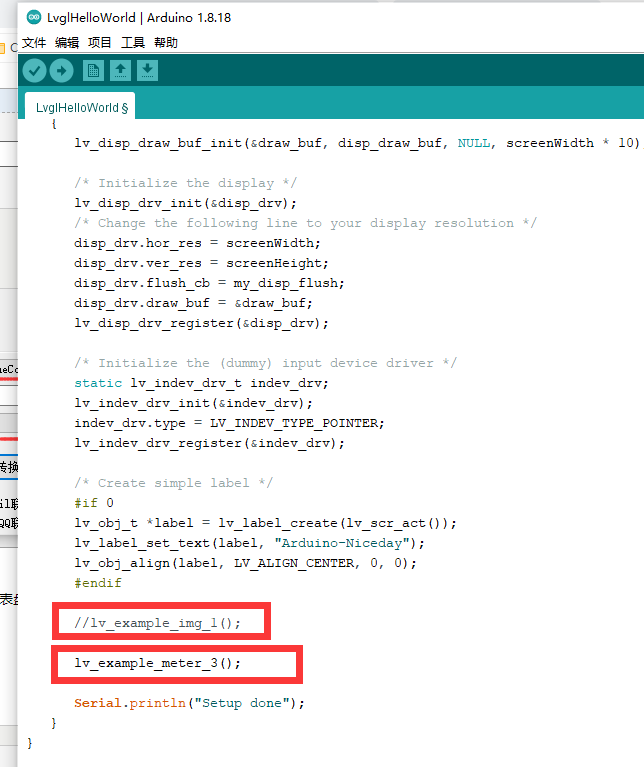
直接在本篇的原工程内调用俩函数,即可显示不同的效果了。一个显示我的自制图片,一个显示lvgl的表盘例子。
实验效果:

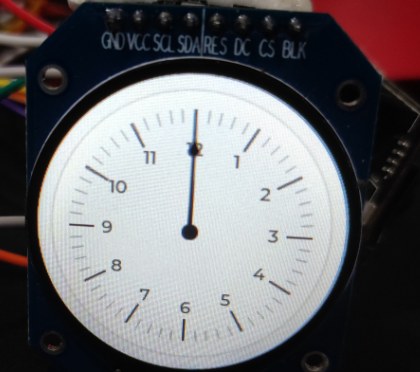
存在的问题,我看别人的表盘示例效果,有俩指针,是会动的,我的指针没动。
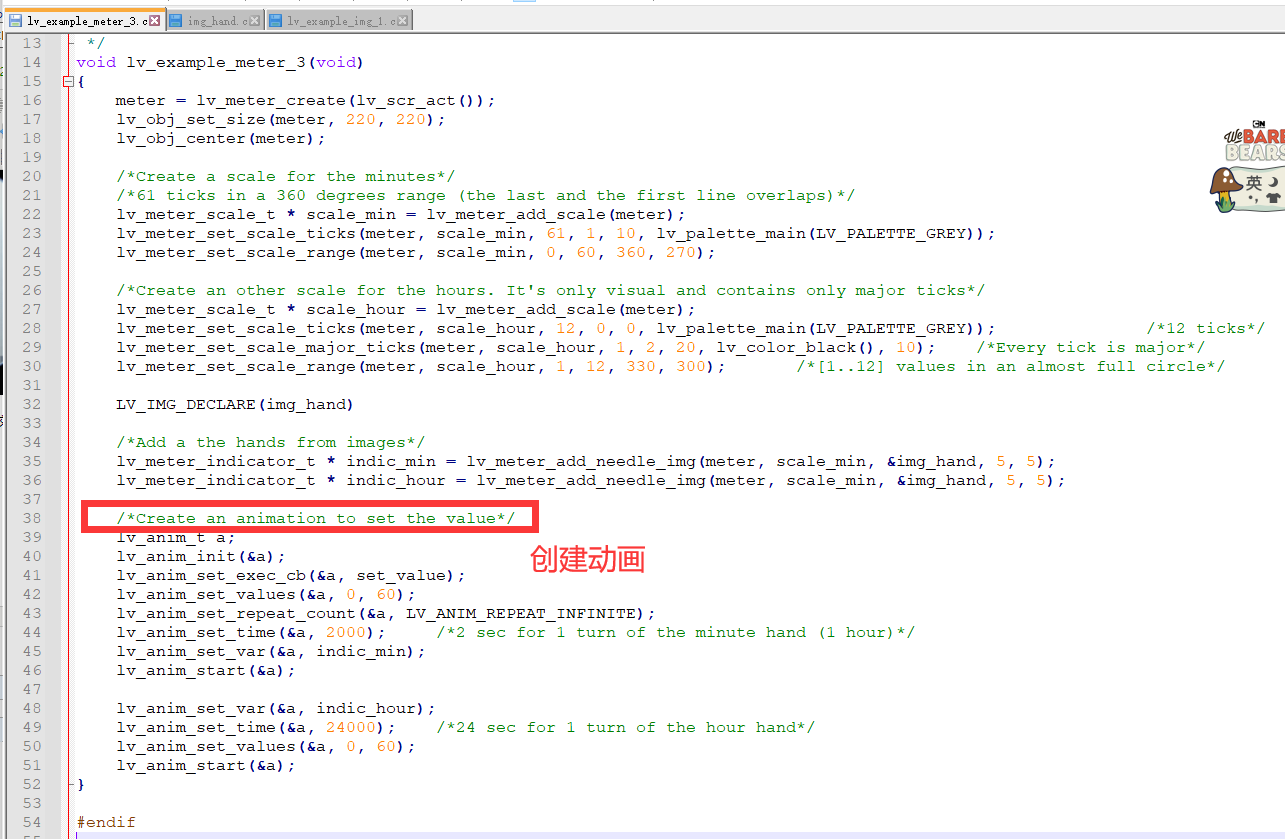
看代码,应该是创建动画的这部分没达到预期效果。动画功能,在LVGL移植后,未能正常工作。
.
Arduino+ESP32 之 驱动GC9A01圆形LCD(二),移植LVGL,跑示例程序,显示自制图片的更多相关文章
- Arduino+ESP32 之 驱动GC9A01圆形LCD(一),基于Arduino_GFX库
最近买了一块圆形屏幕,驱动IC是GC9A01,自己参考淘宝给的stm32的驱动例程, 在ubuntu下使用IDF开发ESP32,也在windows的vscode内安装IDF开发ESP32,虽然都做到了 ...
- 【转】Android LCD(二):LCD常用接口原理篇
关键词:android LCD TFT TTL(RGB) LVDS EDP MIPI TTL-LVDS TTL-EDP 平台信息:内核:linux2.6/linux3.0系统:android/ ...
- 联盛德 HLK-W806 (四): 软件SPI和硬件SPI驱动ST7735液晶LCD
目录 联盛德 HLK-W806 (一): Ubuntu20.04下的开发环境配置, 编译和烧录说明 联盛德 HLK-W806 (二): Win10下的开发环境配置, 编译和烧录说明 联盛德 HLK-W ...
- 联盛德 HLK-W806 (九): 软件SPI和硬件SPI驱动ST7789V液晶LCD
目录 联盛德 HLK-W806 (一): Ubuntu20.04下的开发环境配置, 编译和烧录说明 联盛德 HLK-W806 (二): Win10下的开发环境配置, 编译和烧录说明 联盛德 HLK-W ...
- 联盛德 HLK-W806 (十一): 软件SPI和硬件SPI驱动ST7567液晶LCD
目录 联盛德 HLK-W806 (一): Ubuntu20.04下的开发环境配置, 编译和烧录说明 联盛德 HLK-W806 (二): Win10下的开发环境配置, 编译和烧录说明 联盛德 HLK-W ...
- C#进阶系列——DDD领域驱动设计初探(二):仓储Repository(上)
前言:上篇介绍了DDD设计Demo里面的聚合划分以及实体和聚合根的设计,这章继续来说说DDD里面最具争议的话题之一的仓储Repository,为什么Repository会有这么大的争议,博主认为主要原 ...
- win7下Arduino Mega 2560驱动安装失败解决办法
因为玩四轴用的apm的飞控板,而其需要安装此驱动,曾经在win8使用其,但是因为win8有相对应的数字证书保护措施(应该是这样的,因为好久了记不清楚了),以至于我每次都需要长按shift重启电脑关闭此 ...
- linux设备驱动归纳总结(二):模块的相关基础概念【转】
本文转载自:http://blog.chinaunix.net/uid-25014876-id-59415.html linux设备驱动归纳总结(二):模块的相关基础概念 系统平台:Ubuntu 10 ...
- Android LCD(二):LCD常用接口原理篇(转)
源: Android LCD(二):LCD常用接口原理篇
随机推荐
- 更快的Maven来了,我的天,速度提升了8倍!
周末被 maven-mvnd 刷屏了,于是我也下载了一个 mvnd 体验了一把.虽然测试的数据都是基于我本地项目,不具备普适性和权威性,但也足以说明问题.它的测试结果远远超出我的预期,下面一起来看. ...
- STC8A,STC8G,STC8H系列的IRC内部振荡源频率调节
从STC15开始, 宏晶就在内置RC震荡源(内置时脉, 宏晶称之为IRC)这条路上越走越远. STC15这一代仅仅是"有", 精度和漂移差强人意. 从STC8开始对IRC的调节就越 ...
- 《从LFS到自己的Linux发行版》系列教程:一步到位体验LFS11.0
目录 前言 第一节:LFS 准备工作 第二节:一步完成你的 LFS11.0 第三节:开启你的 LFS 系统 结语 前言 如果你把从源代码开始编译构建一个操作系统的工作当成厨师做一桌菜的话,Lin ...
- 第三十三个知识点:Bellcore攻击是如何攻击使用CRT的RSA的?
第三十三个知识点:Bellcore攻击是如何攻击使用CRT的RSA的? 注意:这篇博客是由follow论密码计算中消除错误的重要性(On the importance of Eliminating E ...
- P4081 [USACO17DEC]Standing Out from the Herd P
知识点: 广义 SAM 原题面 Luogu 「扯」 随便「口胡」一下居然「过」了. 比较考验「代码能力」,第一次感觉「大模拟」没有白写((( 还有这个「符号」实在是太「上头」了. 前置知识 在线构造广 ...
- [opencv]统计每个像素值的数目
int histo[256] = { 0 };//直方图统计每个像素值的数目 int width = img.cols, height = img.rows; int num_of_pixels = ...
- CS5211完全替代兼容LT7211|PS8625|CH7511方案|EDP转LVDS|Capstone CS5211
CH7511|LT7211|PS8625替代方案--Capstone CS5211AN 设计EDP转LVDS优势方案原理图+PCB板设计 CH7511|LT7211|PS8625这三款都是专门用于设计 ...
- 使用PyTorch构建神经网络以及反向传播计算
使用PyTorch构建神经网络以及反向传播计算 前一段时间南京出现了疫情,大概原因是因为境外飞机清洁处理不恰当,导致清理人员感染.话说国外一天不消停,国内就得一直严防死守.沈阳出现了一例感染人员,我在 ...
- Java初学者作业——编写Java程序,简单判断“王者荣耀”英雄收到攻击后是否死亡
返回本章节 返回作业目录 需求说明: 判断"王者荣耀"中英雄受到攻击后是否死亡? 计算"王者荣耀"中怪物攻击英雄的伤害,做出英雄死亡的判断. 如果英雄受到过量伤 ...
- Java中常见的转义字符
转移字符对应的英文是escape character , 转义字符串(Escape Sequence)字母前面加上捺斜线"\"来表示常见的那些不能显示的ASCII字符.称为转义字 ...