
Ubuntu18.04 instsall XMind_8 and crack
1.dowload XMind_8 linux install zip
wget https://www.xmind.cn/xmind/downloads/xmind-8-update8-linux.zip   # download xmind8 linux tarball

wget https://eastasia1-mediap.svc.ms/transform/zipcontent?provider=spo&inputFormat=rar&cs=fFNQTw&docid=https%3A%2F%2Fwhuteducn-my.sharepoint.com%3A443%2F_api%2Fv2.0%2Fdrives%2Fb!-AlaD0iokkmTJVnhL6b7OQIQypljKdBKgxPhdFDqJj7wZDwsLO7bRK0kIqJsJ3R8%2Fitems%2F01AUAJOYZ6JZ6XOXEV6ZAYEH7V4VORIDHJ%3Fversion%3DPublished&access_token=eyJ0eXAiOiJKV1QiLCJhbGciOiJub25lIn0.eyJhdWQiOiIwMDAwMDAwMy0wMDAwLTBmZjEtY2UwMC0wMDAwMDAwMDAwMDAvd2h1dGVkdWNuLW15LnNoYXJlcG9pbnQuY29tQGRiOTBmMGNkLThlNzEtNDExZS1hYmYzLTExODY3NGQ1MDliNyIsImlzcyI6IjAwMDAwMDAzLTAwMDAtMGZmMS1jZTAwLTAwMDAwMDAwMDAwMCIsIm5iZiI6IjE1Njg3NzY3NzkiLCJleHAiOiIxNTY4Nzk4Mzc5IiwiZW5kcG9pbnR1cmwiOiJEbmhodjVKV2RHUlRqekhEcWhoL0Y4MHhsWWRSRnBOcjRtU243d1hLb0ZnPSIsImVuZHBvaW50dXJsTGVuZ3RoIjoiMTE5IiwiaXNsb29wYmFjayI6IlRydWUiLCJjaWQiOiJaV00wT0RBMU9XWXRNakJpWXkwNU1EQXdMVGd6TWpJdE16Z3hOakpoTnpKbE1HUTQiLCJ2ZXIiOiJoYXNoZWRwcm9vZnRva2VuIiwic2l0ZWlkIjoiTUdZMVlUQTVaamd0WVRnME9DMDBPVGt5TFRrek1qVXROVGxsTVRKbVlUWm1Zak01IiwibmFtZWlkIjoiMCMuZnxtZW1iZXJzaGlwfHVybiUzYXNwbyUzYWFub24jOGU1NTg4ZTU1YjA4ZDkxODQzY2E1NmIxNTlhOTA5MWQ4NTllNTA4MDE0ZDhjNjVkNjIwNTg1NGNhYTU3OWI4OSIsIm5paSI6Im1pY3Jvc29mdC5zaGFyZXBvaW50IiwiaXN1c2VyIjoidHJ1ZSIsImNhY2hla2V5IjoiMGguZnxtZW1iZXJzaGlwfHVybiUzYXNwbyUzYWFub24jOGU1NTg4ZTU1YjA4ZDkxODQzY2E1NmIxNTlhOTA5MWQ4NTllNTA4MDE0ZDhjNjVkNjIwNTg1NGNhYTU3OWI4OSIsInNoYXJpbmdpZCI6ImkrUjZLa29xMkVpb2loYWdkeTl6eWciLCJ0dCI6IjAiLCJ1c2VQZXJzaXN0ZW50Q29va2llIjoiMiJ9.T3R2alpiQkdia0tURnJaY1pjbUJKaWM5OEl1QmJ3TVQzQUlwVm9tUEpLaz0    #download crack jar for xmind
2. unzip the xmind install tarball
mkdir /opt/xmind_8

chown lenmom:lenmom /opt/xmind_8

unzip ./xmind--update8-linux.zip -d /opt/xmind_8
3. unzip the crack jar rar
rar x ./思维导图.rar /opt/xmind_8
4. locate XMind.ini in /opt/xmind_8
add the following contents in the ini file:
-javaagent:/opt/xmind_8/XMind_amd64/XMindCrack.jar
5. edit /etc/hosts
vim /etc/hosts
add the following content at the end of file:
# XMind_8

127.0.0.1 www.xmind.net
6. open xmind8 and register
click menu help->serial No, and input register info
mail: x@iroader.me

sn:

XAka34A2rVRYJ4XBIU35UZMUEEF64CMMIYZCK2FZZUQNODEKUHGJLFMSLIQMQUCUBXRENLK6NZL37JXP4PZXQFILMQ2RG5R7G4QNDO3PSOEUBOCDRYSSXZGRARV6MGA33TN2AMUBHEL4FXMWYTTJDEINJXUAV4BAYKBDCZQWVF3LWYXSDCXY546U3NBGOI3ZPAP2SO3CSQFNB7VVIY123456789012345
7. restart xmind8
8. create launch shell
create run.sh which located in the install root dir of xmind8.
cd /opt/xmind_8/

touch run.sh

vim run.sh
add the following content in this file:
#!/bin/bash

# tis file launchs the xmind application

CURRENT_PATH=$(cd `dirname $`; pwd)

echo "xmind root dir is: "${CURRENT_PATH}

cd ${CURRENT_PATH}/XMind_amd64 && ./XMind
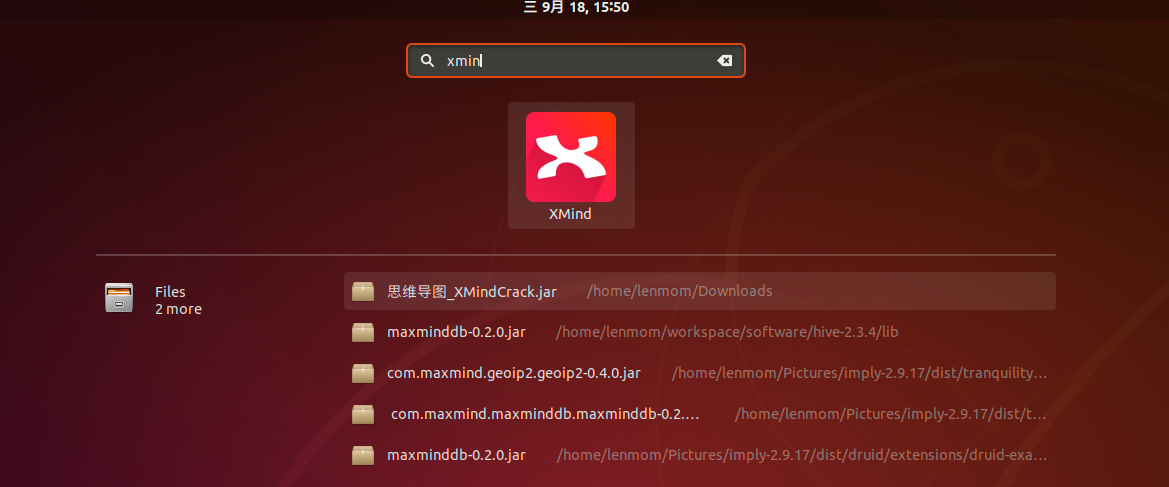
9. add desktop file
cd /usr/share/applications

touch xmind.desktop

vim xmind.desktop
add the following content in this file:
[Desktop Entry]

Name=XMind

Exec=/opt/xmind_8/run.sh

Icon=/opt/xmind_8/xmind2.png

Type=Application

Categories=Utility;TextEditor;Development;IDE;

Keywords=xmind;
Note: the file xmind2.png is a shortcut icon which I found from the internet, do set it yourself.

Ubuntu18.04 instsall XMind_8 and crack的更多相关文章
- Ubuntu18.04教程
pre.ctl { font-family: "Liberation Mono", monospace } h1 { margin-bottom: 0.21cm } h1.west ...
- Ubuntu18.04美化主题(mac主题)
前端时间Ubuntu18.04LTS发布,碰巧之前用的Ubuntu16.04出了一点问题,懒得解决,索性就换了Ubuntu18.04. 成果: 参考博客:https://www.cnblogs.com ...
- 给Ubuntu18.04安装mac os主题
安装完的效果: 参考: https://linuxhint.com/gnome-tweak-tool-ubuntu-17-10/ ----------------------------------- ...
- Ubuntu18.04 Desktop Entry
1.Desktop Entry 是什么? 我们都知道,在Windows里软件在安装的时候都会询问是不是要在开始菜单和桌面创建快捷方式,这样就不用在使用软件的时候去安装目录启动,而是直接去开始菜单点击相 ...
- Ubuntu18.04(linux)安装MySQL
安装 mysql sudo apt-get --purge remove mysql-server mysql-common mysql-client sudo apt-get install mys ...
- ubuntu-18.04 设置开机启动脚本-亲测有效
ubuntu-18.04不能像ubuntu14一样通过编辑rc.local来设置开机启动脚本,通过下列简单设置后,可以使rc.local重新发挥作用. 2.将下列内容复制进rc-local.servi ...
- c/c++ 多线程 ubuntu18.04 boost编译与运行的坑
多线程 boost编译与运行的坑 背景:因为要使用boost里的多线程库,所以遇到了下面的坑. 系统版本:ubuntu18.04 一,安装boost 1,去boost官网下载 boost_1_XX_0 ...
- win10下安装ubuntu18.04
在win10下安装Ubuntu18.04,双系统共存.Ubuntu 18.04 使用的是Gnome桌面. 查看系统的启动模式: Win+R打开运行,输入msinfo32,回车查看系统信息.在BIOS模 ...
- ubuntu18.04安装mysql
ubuntu18.04中,默认情况下mysql默认包含在apt软件存储库中,要安装它只需要更新服务器上的包索引并安装默认包apt-get. 1.安装mysql sudo apt-get update ...
随机推荐
- C#调用一下CMD
C#程序调用CMD执行命令 在windows环境下,命令行程序为cmd.exe,是一个32位的命令行程序,微软Windows系统基于Windows上的命令解释程序,类似于微软的DOS操作系统.输入 ...
- 瀑布流(基于Django)
# 后端 from django.shortcuts import render, HttpResponse from django.http import JsonResponse from app ...
- linux下Boost序列化问题解决
由于项目需要,要使用boost,所以在网上找了一些例子帮助理解,其中遇到很多问题,再次总结记录一下.#include <boost/archive/text_oarchive.hpp> # ...
- 使用bufio包和函数式变成实现类似python生成器效果
package main import ( "bufio" "fmt" "io" "strings" ) type in ...
- YAML_07 有报错信息,告诉你错误忽略,继续执行下面的命令
ansible]# vim user5.yml --- - hosts: cache remote_user: root vars: user: bb tasks: - sh ...
- Win32 Error Code COM Error Code NTSTATUS的区别、转换
这三种码其实都是Windows系统错误码,只是对应不同API和使用场景.它们既有区别,又相互有联系. 一.区别和联系 都是32位值 Win32 Error Code和NTSTATUS位域组成相同,但W ...
- Hdu 2157 How many ways??(DP||矩阵乘法)
How many ways?? Time Limit:1000 MS Memory Limit: 32768 K Problem Description 春天到了, HDU校园里开满了花, 姹紫嫣红, ...
- AutoCAD .NET二次开发(一)
其他话不多说,直接进入主题,既然是二次开发,当然是用CAD平台已经封装好了很多类,我们需要熟悉和使用它们.常用的AutoCAD .NET API的四个主要DLL文件是: 名称 作用 备注 AcDbMg ...
- python代码统计
代码统计 修改filename为文件夹or文件地址,然后统计所有python文件代码 import os import sys def count_code_lines(filename): res ...
- Dockers安装nginx
方法一.通过 Dockerfile构建 创建Dockerfile 首先,创建目录nginx,用于存放后面的相关东西. runoob@runoob:~$ mkdir -p ~/nginx/www ~/n ...