
Jacob工具类使用文件互转服务 word转html html转excel word转pdf excel转pdf ppt转pdf
- 安装Microsoft Office
- JDK 最低1.6
- jacob-1.18-M2-1.zip
- idea
- spring boot项目
需求:银行的报表下载来有的是正规的excel 有的是不正规的表格 内部是html写的,因此 产生了此业务.
原来 用linux上的LibreOffice命令行方式将excel进行转换,后来发现 转换过程中发现不支持多线程并发,转换科学计数法会出问题.跟Microsoft Office不是一个级别的.最终方案 在一台windows上搭建一个转换服务,使用kafka 或httpClient方式进行服务.
核心工具类:
package com.guige.base.util;

import com.jacob.activeX.ActiveXComponent;

import com.jacob.com.ComFailException;

import com.jacob.com.ComThread;

import com.jacob.com.Dispatch;

import com.jacob.com.Variant;

import java.util.Date;

/**

 * TODO

 *

 * @author songaw

 * @date 2018/5/17 9:54

 */

public class JacobUtil {

    //word转PDF

    private static final String wdFormatPDF="17";

    //html转xls

    private static final String htmlFormatExcel="51";

    //PPT 转pdf

    private static final String pptFormatPDF="32";

    //excel转PDF

    private static final String xlTypePDF="0";

    /**

     * html转excel

     * @param srcFilePath

     * @param targetFilePath

     * @return

     */

    public static boolean htmlToExcel(String srcFilePath, String targetFilePath) {

        ActiveXComponent app = null;

        Dispatch excel = null;

        try {

             app = new ActiveXComponent("Excel.Application");

            System.out.println("*****正在转换...*****");

            // 设置Excel应用程序不可见

            app.setProperty("Visible", false);

            // Workbooks表示Excel程序的所有文档窗口,(

            app.setProperty("AutomationSecurity", new Variant(3)); // 禁用宏

            Dispatch excels = app.getProperty("Workbooks").toDispatch();

            //打开要转换的Excel文件

            excel = Dispatch.call(excels, "Open", srcFilePath, false,

                    true).toDispatch();

            //设置兼容性检查为false

            Dispatch.put(excel, "CheckCompatibility", false);

            app.setProperty("DisplayAlerts",false);

            Dispatch.invoke(excel, "SaveAs", Dispatch.Method, new Object[]{targetFilePath, new Variant(htmlFormatExcel)}, new int[1]);

            app.setProperty("DisplayAlerts",true);

            System.out.println("*****转换成功...*****");

            return true;

        } catch (Exception e) {

            e.printStackTrace();

            return false;

        } finally {

            if (excel != null) {

                Dispatch.call(excel, "Close", false);

            }

            if (app != null) {

                app.invoke("Quit", new Variant[] {});

                //app.invoke("Quit", 0);

            }

            ComThread.Release();

        }

    }

    /**

     * word转pdf

     * @param srcFilePath

     * @param targetFilePath

     * @return

     */

    public static boolean docToPdf(String srcFilePath, String targetFilePath) {

        ActiveXComponent app = null;

        Dispatch doc = null;

        try {

            ComThread.InitSTA();

            app = new ActiveXComponent("Word.Application");

            System.out.println("*****正在转换...*****");

            app.setProperty("Visible", false);

            Dispatch docs = app.getProperty("Documents").toDispatch();

            doc = Dispatch.invoke(docs, "Open", Dispatch.Method,

                    new Object[] { srcFilePath,

                            new Variant(false),

                            new Variant(true),//是否只读

                            new Variant(false),

                            new Variant("pwd") },

                    new int[1]).toDispatch();

             //Dispatch.put(doc, "CheckCompatibility", false);  //兼容性检查,为特定值false不正确

            Dispatch.put(doc, "RemovePersonalInformation", false);

            app.setProperty("DisplayAlerts",false);

            Dispatch.call(doc, "ExportAsFixedFormat", targetFilePath, wdFormatPDF); // word保存为pdf格式宏,值为17

            app.setProperty("DisplayAlerts",true);

            System.out.println("*****转换成功...*****");

            return true; // set flag true;

        } catch (Exception e) {

            e.printStackTrace();

            return false;

        } finally {

            if (doc != null) {

                Dispatch.call(doc, "Close", false);

            }

            if (app != null) {

                app.invoke("Quit", 0);

            }

            ComThread.Release();

        }

    }

    public static boolean pptToPdf(String srcFilePath, String pdfFilePath) {

        ActiveXComponent app = null;

        Dispatch ppt = null;

        try {

            ComThread.InitSTA();

            app = new ActiveXComponent("PowerPoint.Application");

            System.out.println("*****正在转换...*****");

            Dispatch ppts = app.getProperty("Presentations").toDispatch();

            // 因POWER.EXE的发布规则为同步,所以设置为同步发布

            ppt = Dispatch.call(ppts, "Open", srcFilePath, true,// ReadOnly

                    true,// Untitled指定文件是否有标题

                    false// WithWindow指定文件是否可见

            ).toDispatch();

            //Dispatch.put(ppt, "CheckCompatibility", false);  //兼容性检查,为特定值false不正确

            app.setProperty("DisplayAlerts",false);

            Dispatch.call(ppt, "SaveAs", pdfFilePath, pptFormatPDF); //ppSaveAsPDF为特定值32

            app.setProperty("DisplayAlerts",true);

            System.out.println("*****转换成功...*****");

            return true; // set flag true;

        } catch (Exception e) {

            e.printStackTrace();

            return false;

        } finally {

            if (ppt != null) {

                Dispatch.call(ppt, "Close");

            }

            if (app != null) {

                app.invoke("Quit");

            }

            ComThread.Release();

        }

    }

    public static boolean excelToPDF(String srcFilePath, String pdfFilePath) {

        ActiveXComponent app = null;

        Dispatch excel = null;

        try {

            ComThread.InitSTA(true);

             app = new ActiveXComponent("Excel.Application");

            System.out.println("*****正在转换...*****");

            long date = new Date().getTime();

            app.setProperty("Visible", false);

            app.setProperty("AutomationSecurity", new Variant(3)); // 禁用宏

            Dispatch excels = app.getProperty("Workbooks").toDispatch();

             excel = Dispatch

                    .invoke(excels, "Open", Dispatch.Method,

                            new Object[] { srcFilePath, new Variant(false), new Variant(false) }, new int[9])

                    .toDispatch();

            // 转换格式

            Dispatch.put(excel, "CheckCompatibility", false);

            app.setProperty("DisplayAlerts",false);

            Dispatch.invoke(excel, "ExportAsFixedFormat", Dispatch.Method, new Object[] { new Variant(0), // PDF格式=0

                    pdfFilePath, new Variant(xlTypePDF) // 0=标准 (生成的PDF图片不会变模糊) 1=最小文件

                    // (生成的PDF图片糊的一塌糊涂)

            }, new int[1]);

            app.setProperty("DisplayAlerts",true);

            System.out.println("*****转换成功...*****");

            // 这里放弃使用SaveAs

            /*

             * Dispatch.invoke(excel,"SaveAs",Dispatch.Method,new Object[]{

             * outFile, new Variant(57), new Variant(false), new Variant(57),

             * new Variant(57), new Variant(false), new Variant(true), new

             * Variant(57), new Variant(true), new Variant(true), new

             * Variant(true) },new int[1]);

             */

            return true;

        } catch (Exception e) {

            e.printStackTrace();

            // TODO: handle exception

            return false;

        }finally {

            if (excel != null) {

                Dispatch.call(excel, "Close", false);

            }

            if (app != null) {

                app.invoke("Quit", new Variant[] {});

                //app.invoke("Quit", 0);

            }

            ComThread.Release();

        }

    }

}
各个转换代码:
Excel操作 转换
xlAddIn 18 Microsoft Office Excel 加载项

xlAddIn8 18 Excel 2007 加载项

xlCSV 6 CSV

xlCSVMac 22 Macintosh CSV

xlCSVMSDOS 24 MSDOS CSV

xlCSVWindows 23 Windows CSV

xlCurrentPlatformText -4158 当前平台文本

xlDBF2 7 DBF2

xlDBF3 8 DBF3

xlDBF4 11 DBF4

xlDIF 9 DIF

xlExcel12 50 Excel 12

xlExcel2 16 Excel 2

xlExcel2FarEast 27 Excel2 FarEast

xlExcel3 29 Excel3

xlExcel4 33 Excel4

xlExcel4Workbook 35 Excel4 工作簿

xlExcel5 39 Excel5

xlExcel7 39 Excel7

xlExcel8 56 Excel8

xlExcel9795 43 Excel9795

xlHtml 44 HTML 格式

xlIntlAddIn 26 国际加载项

xlIntlMacro 25 国际宏

xlOpenXMLAddIn 55 打开 XML 加载项

xlOpenXMLTemplate 54 打开 XML 模板

xlOpenXMLTemplateMacroEnabled 53 打开启用的 XML 模板宏

xlOpenXMLWorkbook 51 打开 XML 工作簿

xlOpenXMLWorkbookMacroEnabled 52 打开启用的 XML 工作簿宏

xlSYLK 2 SYLK

xlTemplate 17 模板

xlTemplate8 17 模板 8

xlTextMac 19 Macintosh 文本

xlTextMSDOS 21 MSDOS 文本

xlTextPrinter 36 打印机文本

xlTextWindows 20 Windows 文本

xlUnicodeText 42 Unicode 文本

xlWebArchive 45 Web 档案

xlWJ2WD1 14 WJ2WD1

xlWJ3 40 WJ3

xlWJ3FJ3 41 WJ3FJ3

xlWK1 5 WK1

xlWK1ALL 31 WK1ALL

xlWK1FMT 30 WK1FMT

xlWK3 15 WK3

xlWK3FM3 32 WK3FM3

xlWK4 38 WK4

xlWKS 4 工作表

xlWorkbookDefault 51 默认工作簿

xlWorkbookNormal -4143 常规工作簿

xlWorks2FarEast 28 Works2 FarEast

xlWQ1 34 WQ1

xlXMLSpreadsheet 46 XML 电子表格

word 操作 转换

//0:Microsoft Word 97 - 2003 文档 (.doc)

//1:Microsoft Word 97 - 2003 模板 (.dot)

//2:文本文档 (.txt)

//3:文本文档 (.txt)

//4:文本文档 (.txt)

//5:文本文档 (.txt)

//6:RTF 格式 (.rtf)

//7:文本文档 (.txt)

//8:HTML 文档 (.htm)(带文件夹)

//9:MHTML 文档 (.mht)(单文件)

//10:MHTML 文档 (.mht)(单文件)

//11:XML 文档 (.xml)

//12:Microsoft Word 文档 (.docx)

//13:Microsoft Word 启用宏的文档 (.docm)

//14:Microsoft Word 模板 (.dotx)

//15:Microsoft Word 启用宏的模板 (.dotm)

//16:Microsoft Word 文档 (.docx)

//17:PDF 文件 (.pdf)

//18:XPS 文档 (.xps)

//19:XML 文档 (.xml)

//20:XML 文档 (.xml)

//21:XML 文档 (.xml)

//22:XML 文档 (.xml)

//23:OpenDocument 文本 (.odt)

//24:WTF 文件 (.wtf)
看看效果:
excel转PDF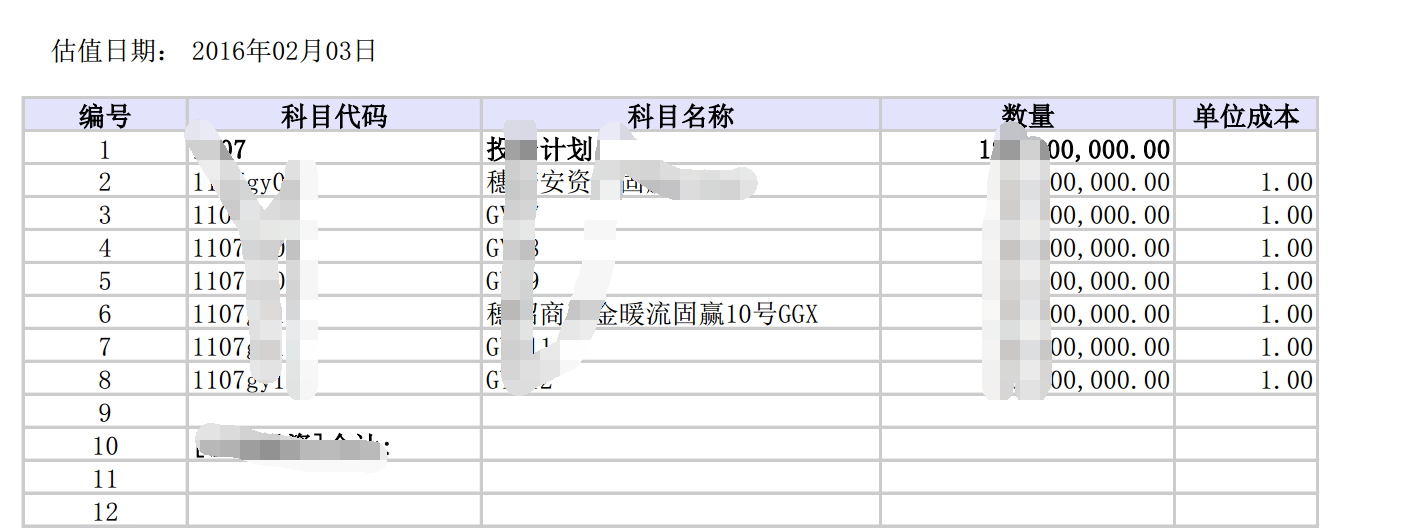
PPF转PDF

html转xls
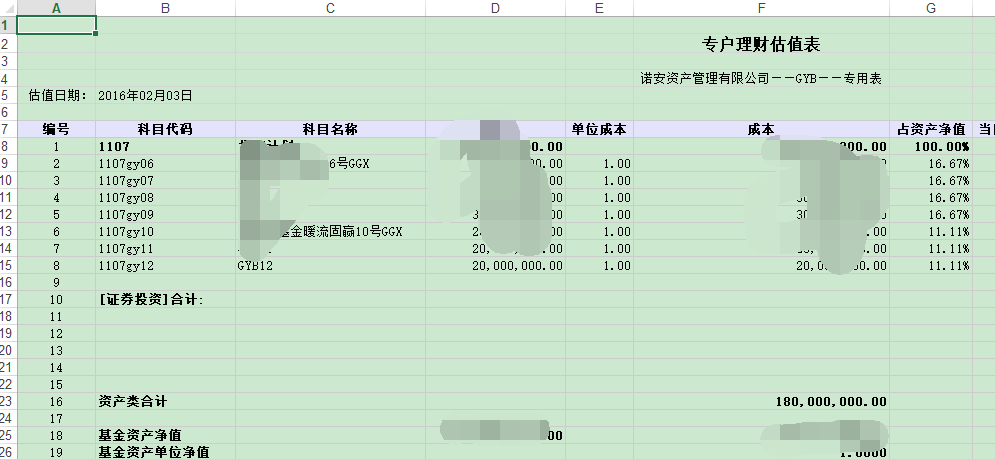
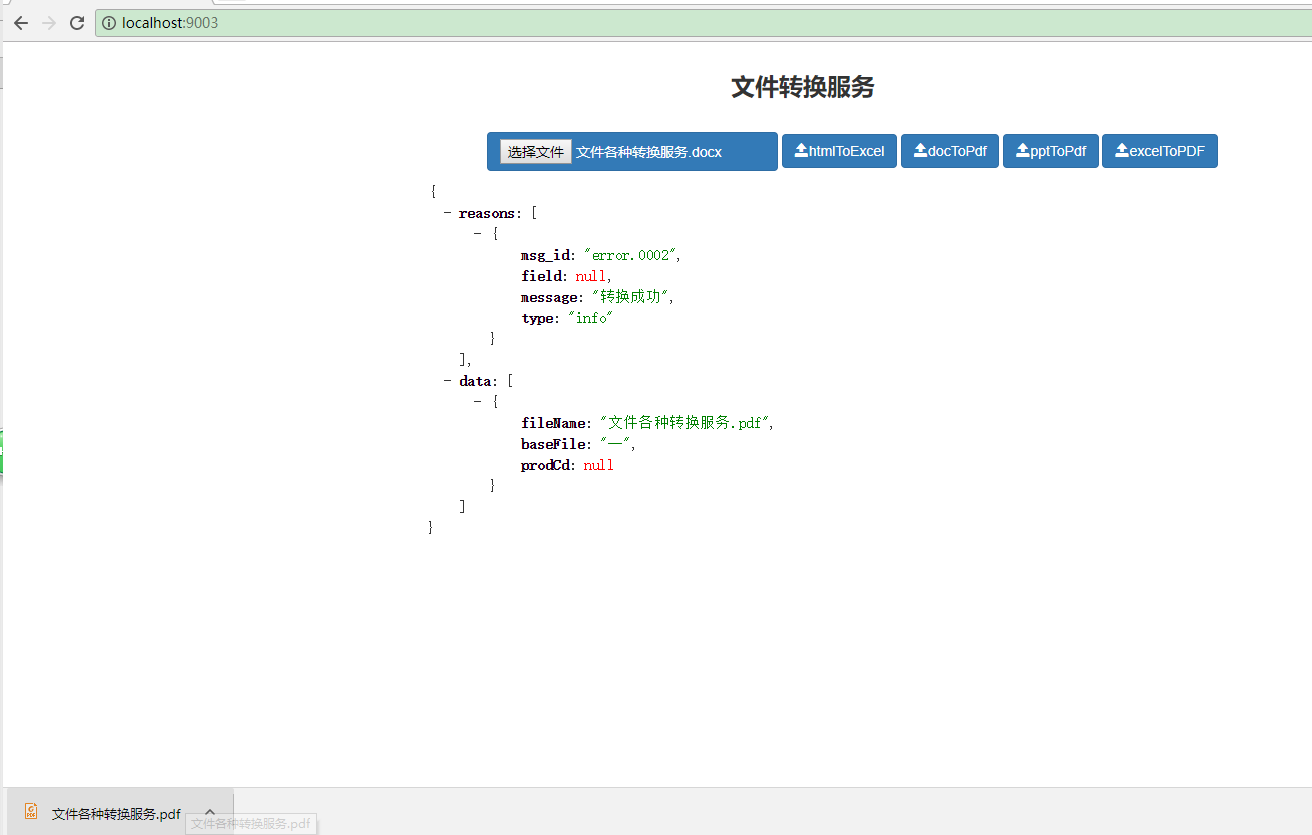
源码地址https://gitee.com/javaqingchun/rocky-convert.git
Jacob工具类使用文件互转服务 word转html html转excel word转pdf excel转pdf ppt转pdf的更多相关文章
- 【转载】ASP.NET工具类:文件夹目录Directory操作工具类
在ASP.NET开发网站的过程中,有时候会涉及到文件夹相关操作,如判断文件夹目录是否存在.删除文件夹目录.创建文件.删除文件.复制文件夹等等.这一批有关文件目录的操作可以通过Directory类.Fi ...
- 文件压缩、解压工具类。文件压缩格式为zip
package com.JUtils.file; import java.io.BufferedOutputStream; import java.io.File; import java.io.Fi ...
- FastDFS 工具类实现文件上传_02
一.jar 包 jar包下载:https://pan.baidu.com/s/1nwkAHU5 密码:tlv6 或者 下载工程,安装到 maven 本地仓库 工程下载:https://pan.baid ...
- 工具类_JavaPOI_Office文件内容读取
文件内容读取工具类,亲测可用 maven依赖: <dependency> <groupId>org.apache.poi</groupId> <artifac ...
- list集合、txt文件对比的工具类和文件读写工具类
工作上经常会遇到处理大数据的问题,下面两个工具类,是在处理大数据时编写的:推荐的是使用map的方式处理两个list数据,如果遇到list相当大数据这个方法就起到了作用,当时处理了两个十万级的list, ...
- 常用工具类,文件和内存的大小获取,shell脚本的执行
/* * Copyright (C) 2012 The Android Open Source Project * * Licensed under the Apache License, Versi ...
- 【转载】C#工具类:实现文件操作File的工具类
在应用程序的开发中,文件操作的使用基本上是必不可少的,FileStream类.StreamWriter类.Directory类.DirectoryInfo类等都是文件操作中时常涉及到的类,我们可以通过 ...
- c#中@标志的作用 C#通过序列化实现深表复制 细说并发编程-TPL 大数据量下DataTable To List效率对比 【转载】C#工具类:实现文件操作File的工具类 异步多线程 Async .net 多线程 Thread ThreadPool Task .Net 反射学习
c#中@标志的作用 参考微软官方文档-特殊字符@,地址 https://docs.microsoft.com/zh-cn/dotnet/csharp/language-reference/toke ...
- Android工具类整合
Android-JSONUtil工具类 常用的Json工具类,包含Json转换成实体.实体转json字符串.list集合转换成json.数组转换成json public class JSONUtil ...
随机推荐
- infiniDB的论坛
http://infinidb.co/community 包括了基本的内容. 安装目录?
- OSB开发常用资料
成功搭建OSB环境并运行HelloWorld项目 http://www.beansoft.biz/?p=2066 Oracle Service Bus 11gR1开发环境安装文档 http://www ...
- iOS监听模式系列之通知中心
补充--通知中心 对于很多初学者往往会把iOS中的本地通知.推送通知和iOS通知中心的概念弄混.其实二者之间并没有任何关系,事实上它们都不属于一个框架,前者属于UIKit框架,后者属于Foundati ...
- Android服务器——TomCat服务器的搭建
Android服务器--TomCat服务器的搭建 作为一个开发人员,当然是需要自己调试一些程序的,这个时候本地的服务器就十分方便了,一般都会使用TomCat或者IIS服务器,IIS就比较简单了,其实t ...
- Android特效专辑(三)——自定义不一样的Toast
Android特效专辑(三)--自定义不一样的Toast 大家都知道,Android的控件有时候很难满足我们的需求,所以我们需要自定义View.自定义的方式很多,有继承原生控件也有直接自定义View的 ...
- mybatis ----数据级联查询(多对一)
工程的目录结构: 有两个表,一个文章表article ,一个用户表user. create table article (id int(11) not null auto_increment, use ...
- Course1-Python数据类型总结
一. 开始正式学习前的tips: Python和其他语言有很多类似, 也有一些差异, 下面先总结了一些基本语法上的注意事项 1. 注意缩进 2. 一行语句分为多行显示: \ 3. 注释: 单行注释#, ...
- 01_Linux学习_基础知识
学Linux就学命令行 === cd / 转到根目录,相对当前路径 cd dev 转到dev目录 whoami 查阅当前用户 pwd 查阅当前目录 ls 查阅当前目录下的目录和文件 === Linux ...
- Webapck项目开发基本构建及配置
1.创建项目文件夹 myapp 手动创建myapp,或mkdir myapp 2.cd myapp 3.npm init (初始化项目) 4.一路回车(关于项目信息的填写,可以不写,一路回车即可) 可 ...
- mac port 清理
http://popozhu.github.io/2014/10/27/mac-port-%E6%B8%85%E7%90%86/ 使用 mac port 来安装一些软件,时间久了后(也有两年多),更新 ...