
[vue]vue-book
我们打算要做这几个模块
首页 列表 收藏 添加

home.vue -->

list.vue -->app.vue --> main.js
安装环境
npm i vue-cli -g

vue init webpack vue-book
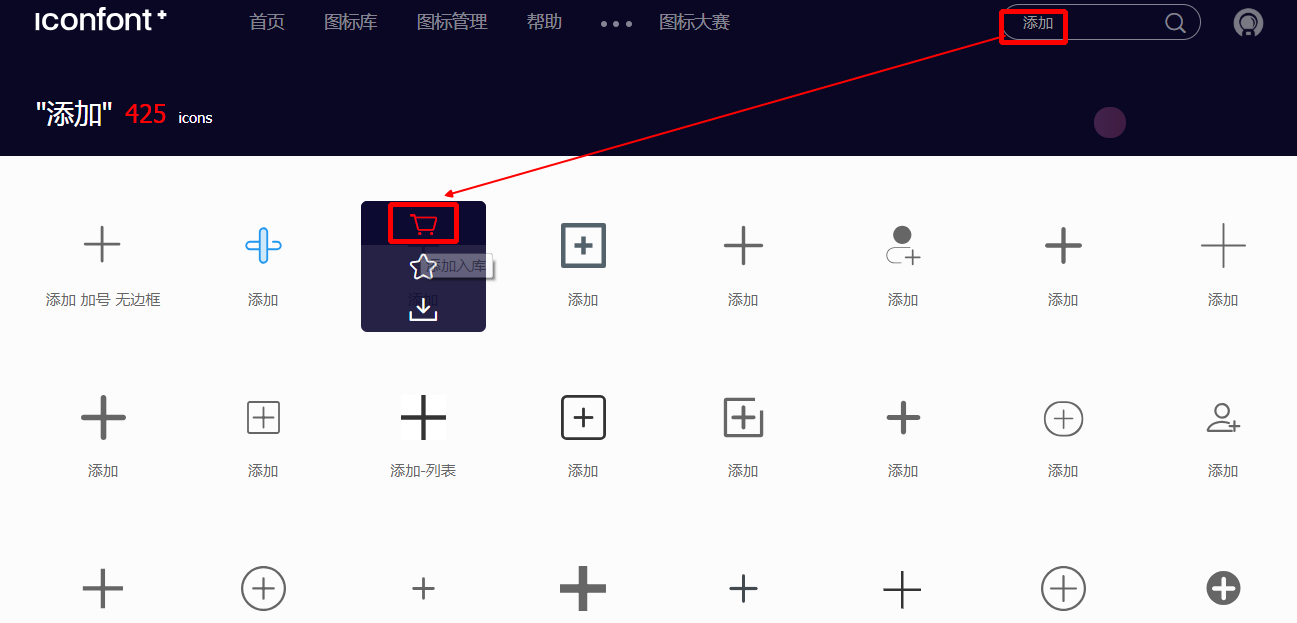
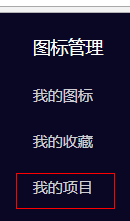
选择图标
逐次选择好


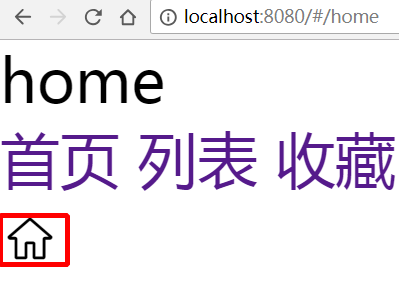
新建那几个vue组件
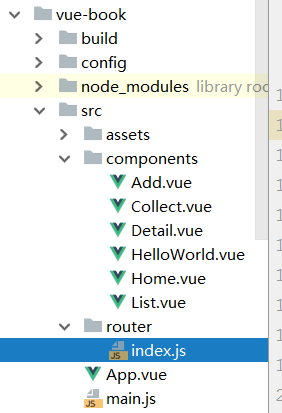
- Home.vue

<template>

    <div>home</div>

</template>

<script>

    export default {

        data() {

            return {}

        },

        methods: {},

        computed: {},

        componets: {}

    }

</script>

<style scoped>

</style>

...
- index.js

import Vue from 'vue'

import Router from 'vue-router'

import HelloWorld from '@/components/HelloWorld'

import Add from "../components/Add.vue"

import Collect from "../components/Collect.vue"

import Detail from "../components/Detail.vue"

import Home from "../components/Home.vue"

import List from "../components/List.vue"

Vue.use(Router);

export default new Router({

  routes: [

    {path: "/add", component: Add},

    {path: "/collect", component: Collect},

    {path: "/detail", component: Detail},

    {path: "/home", component: Home},

    {path: "/list", component: List},

  ]

})
- App.vue

<template>

  <div id="app">

    <router-view></router-view>

    <router-link to="/home">首页</router-link>

    <router-link to="/list">列表</router-link>

    <router-link to="/collect">收藏</router-link>

    <router-link to="/add">添加</router-link>

  </div>

</template>

<script>

  export default {

    name: 'App'

  }

</script>

<style>  <!-- 公共样式,不带scope -->

  * {

    margin: 0;

    padding: 0;

  }

  ul li {

    list-style: none;

  }

  a {

    text-decoration: none;

  }

  input button {

    -webkit-appearance: none;

    -moz-appearance: none;

    appearance: none;

  }

</style>

第二版: Tab.vue隔离
- Tab.vue
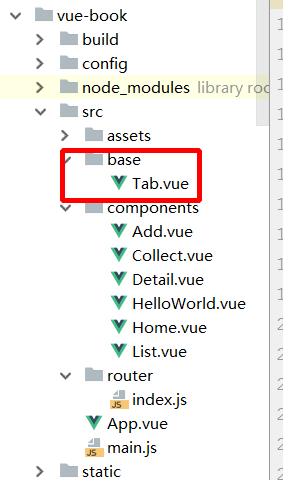
<template>

  <div>

    <router-link to="/home">首页</router-link>

    <router-link to="/list">列表</router-link>

    <router-link to="/collect">收藏</router-link>

    <router-link to="/add">添加</router-link>

  </div>

</template>

<style scoped>

</style>
- App.vue
<template>

  <div id="app">

    <router-view></router-view>

    <Tab></Tab>

  </div>

</template>

<script>

  import Tab from "./base/Tab.vue"

  export default {

    name: 'app',

    components: {

      Tab

    }

  }

</script>

<style>

  * {

    margin: 0;

    padding: 0;

  }

  ul li {

    list-style: none;

  }

  a {

    text-decoration: none;

  }

  input button {

    -webkit-appearance: none;

    -moz-appearance: none;

    appearance: none;

  }

</style>
[vue]vue-book的更多相关文章
- Javascript - Vue - vue对象
vue提供了一整套前端解决方案,可以提升企业开发效率 vue的处理过程 app.js 项目入口,所有请求最先进入此模块进行处理 route.js 由app.js调用,处理路由的分发 controlle ...
- Vue - vue.js 常用指令
Vue - vue.js 常用指令 目录: 一. vuejs模板语法之常用指令 1. 常用指令: v-html 2. 常用指令: v-text 3. 常用指令: v-for 4. 常用指令: v-if ...
- 前端开发 Vue Vue.js和Nodejs的关系
首先vue.js 是库,不是框架,不是框架,不是框架. Vue.js 使用了基于 HTML 的模版语法,允许开发者声明式地将 DOM 绑定至底层 Vue 实例的数据. Vue.js 的核心是一个允许你 ...
- [Vue] : Vue概述
什么是Vue.js Vue.js 是目前最火的一个前端框架,React是最流行的一个前端框架. Vue.js 是前端的主流框架之一,和Angular.js.React.js 一起,并成为前端三大主流框 ...
- Property 'validate' does not exist on type 'Element | Element[] | Vue | Vue[]'. Property 'valid...
使用vue-cli 3.0+Element-ui时候,调用form表单校验时候出现的问题是: Property 'validate' does not exist on type 'Element | ...
- Vue Vue.use() / Vue.component / router-view
Vue.use Vue.use 的作用是安装插件 Vue.use 接收一个参数 如果这个参数是函数的话,Vue.use 直接调用这个函数注册组件 如果这个参数是对象的话,Vue.use 将调用 ins ...
- vue & vue router & dynamic router
vue & vue router & dynamic router https://router.vuejs.org/guide/essentials/dynamic-matching ...
- vue & vue router & match bug
vue & vue router & match bug match bugs solution name must be router https://stackoverflow.c ...
- [Vue] vue中setInterval的问题
vue中使用setInterval this.chatTimer = setInterval(() => { console.log(this.chatTimer); this.chatMsg( ...
- [Vue] vue跳转外部链接
问题 vue 跳转外部链接问题,当跳转的时候会添加在当前地址后面 var url = 'www.baidu.com' //跳转1 window.localtion.href = url //跳转2 w ...
随机推荐
- rabbitmq queue_declare arguments参数注释
版权声明:本文为博主原创文章,未经博主允许不得转载. https://blog.csdn.net/qq_26656329/article/details/77891793说明官方文档 在创建queue ...
- 列式存储hbase系统架构学习
一.Hbase简介 HBase是一个开源的非关系型分布式数据库(NoSQL),它参考了谷歌的BigTable建模,实现的编程语言为 Java.它是Apache软件基金会的Hadoop项目的一部分,运行 ...
- Qt封装百度人脸识别+图像识别
AI技术的发展在最近几年如火如荼,工资待遇也是水涨船高,应用的前景也是非常广阔,去年火起来的人脸识别,今年全国遍地开花,之前封装了下face++的人脸识别等接口,今年看了下百度的AI,还免费了,效果也 ...
- GitHub 在使用命令行 git push 时报错:The requested URL returned error: 403
使用 git 的命令行向 GitHub 提交的时候,报错: [Young@localhost OtherLang]$ git push origin master error: The request ...
- Python Tkinter 学习成果:点歌软件music
笔者工作业余时间也没什么爱好,社交圈子也小,主要娱乐就是背着自己带电瓶的卖唱音响到住地附近找个人多的位置唱唱KtV. 硬件上点歌就用笔记本电脑,歌曲都是网上下载的mkv格式的含有两个音轨的视频.因此点 ...
- AD采样模块采集带模拟量真空表值的实验
实验采用带模拟量,分辨率为1-5V,量程为0--101kpa的真空表 数据采集模块采用DAM-8021, 16位模块 算法描述如下: 真空表读数范围: 0到-101kpa 模拟量输出: 1-5V 一 ...
- Android手机资料拷贝导出工具 --- 91手机助手
http://zs.91.com/
- 注意@ Override不同版本的区别
@Override注解用于方法的覆写上,它在编译期有效,也就是Java编译器在编译时会根据该注解检查是否真的是覆写,如果不是就报错,拒绝编译. 该注解很大程度解决我们的误写问题,比如子类和父类的方法名 ...
- apache两种工作模式详解
prefork模式 这个多路处理模块(MPM)实现了一个非线程型的.预派生的web服务器,它的工作方式类似于Apache 1.3.它适合于没有线程安全库,需要避免线程兼容性问题的系统.它是要求将每个请 ...
- 关于linux例行任务crontab的使用
Linux 例行性任务(也叫周期性任务)命令使用:crontab1.crontab -l 查看当前用户的任务2.crontab -e 编辑(设置)当前用户的任务,执行行不用重启crond服务.3 ...