
Diycode开源项目 如何解决InputMethodManager造成的内存泄漏问题
1.内存泄漏的状况及原因
1.1.利用LeakCanary查看内存泄漏的状况
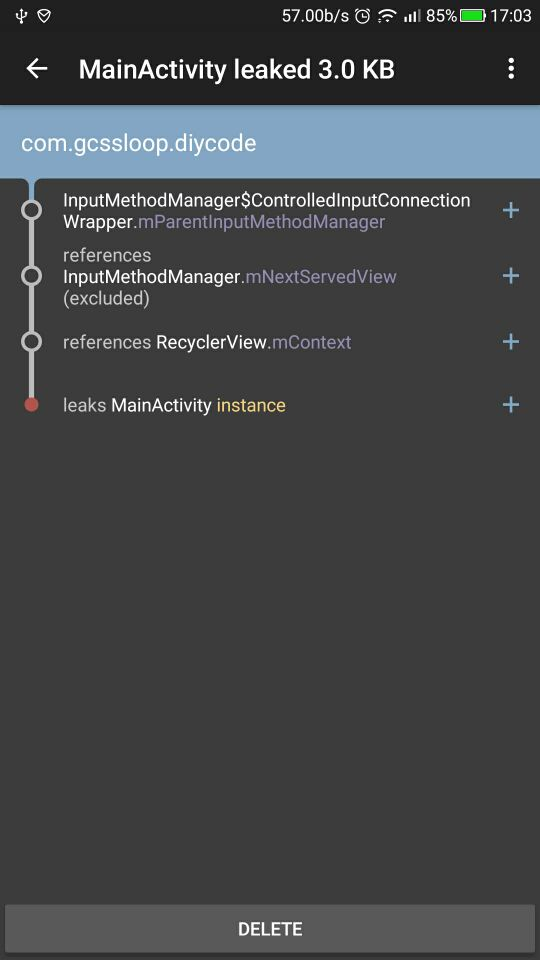
1.2.内存泄漏怎么产生的呢?
InputMethodManager.mServicedView持有一个最后聚焦View的引用
直到另外的一个View聚焦后才会释放当前的View
当发生GC是mServicedView(GCRoot)持有的View的引用不会被回收
导致了内存泄漏
因为这个问题出现的频率比较高,LeakCanary上经常有这个泄漏的弹窗。
2.新建一个自定义类LMMleaks
2.1.自定义类LMMleaks介绍
这个类主要用于解决内存泄漏而建立的。
所以当前只是某一个原因的内存泄漏,所以今后很多的时候,往里面添加函数即可。
我自认为是这样。
2.2.源代码
package com.gcssloop.diycode.hackpatch;

import android.app.Activity;

import android.app.Application;

import android.content.Context;

import android.content.ContextWrapper;

import android.os.Build;

import android.os.Bundle;

import android.os.Looper;

import android.os.MessageQueue;

import android.support.annotation.RequiresApi;

import android.util.Log;

import android.view.View;

import android.view.ViewTreeObserver;

import android.view.inputmethod.InputMethodManager;

import java.lang.reflect.Field;

import java.lang.reflect.InvocationTargetException;

import java.lang.reflect.Method;

import static android.content.Context.INPUT_METHOD_SERVICE;

import static android.os.Build.VERSION.SDK_INT;

import static android.os.Build.VERSION_CODES.KITKAT;

public class IMMLeaks {

  static class ReferenceCleaner implements

          MessageQueue.IdleHandler, View.OnAttachStateChangeListener, ViewTreeObserver.OnGlobalFocusChangeListener {

    private final InputMethodManager inputMethodManager;

    private final Field mHField;

    private final Field mServedViewField;

    private final Method finishInputLockedMethod;

    ReferenceCleaner(InputMethodManager inputMethodManager, Field mHField, Field mServedViewField,

        Method finishInputLockedMethod) {

      this.inputMethodManager = inputMethodManager;

      this.mHField = mHField;

      this.mServedViewField = mServedViewField;

      this.finishInputLockedMethod = finishInputLockedMethod;

    }

    @Override public void onGlobalFocusChanged(View oldFocus, View newFocus) {

      if (newFocus == null) {

        return;

      }

      if (oldFocus != null) {

        oldFocus.removeOnAttachStateChangeListener(this);

      }

      Looper.myQueue().removeIdleHandler(this);

      newFocus.addOnAttachStateChangeListener(this);

    }

    @Override public void onViewAttachedToWindow(View v) {

    }

    @Override public void onViewDetachedFromWindow(View v) {

      v.removeOnAttachStateChangeListener(this);

      Looper.myQueue().removeIdleHandler(this);

      Looper.myQueue().addIdleHandler(this);

    }

    @RequiresApi(api = Build.VERSION_CODES.KITKAT)

    @Override public boolean queueIdle() {

      clearInputMethodManagerLeak();

      return false;

    }

    @RequiresApi(api = Build.VERSION_CODES.KITKAT)

    private void clearInputMethodManagerLeak() {

      try {

        Object lock = mHField.get(inputMethodManager);

        // This is highly dependent on the InputMethodManager implementation.

        synchronized (lock) {

          View servedView = (View) mServedViewField.get(inputMethodManager);

          if (servedView != null) {

            boolean servedViewAttached = servedView.getWindowVisibility() != View.GONE;

            if (servedViewAttached) {

              // The view held by the IMM was replaced without a global focus change. Let's make

              // sure we get notified when that view detaches.

              // Avoid double registration.

              servedView.removeOnAttachStateChangeListener(this);

              servedView.addOnAttachStateChangeListener(this);

            } else {

              // servedView is not attached. InputMethodManager is being stupid!

              Activity activity = extractActivity(servedView.getContext());

              if (activity == null || activity.getWindow() == null) {

                // Unlikely case. Let's finish the input anyways.

                finishInputLockedMethod.invoke(inputMethodManager);

              } else {

                View decorView = activity.getWindow().peekDecorView();

                boolean windowAttached = decorView.getWindowVisibility() != View.GONE;

                if (!windowAttached) {

                  finishInputLockedMethod.invoke(inputMethodManager);

                } else {

                  decorView.requestFocusFromTouch();

                }

              }

            }

          }

        }

      } catch (IllegalAccessException | InvocationTargetException unexpected) {

        Log.e("IMMLeaks", "Unexpected reflection exception", unexpected);

      }

    }

    private Activity extractActivity(Context context) {

      while (true) {

        if (context instanceof Application) {

          return null;

        } else if (context instanceof Activity) {

          return (Activity) context;

        } else if (context instanceof ContextWrapper) {

          Context baseContext = ((ContextWrapper) context).getBaseContext();

          // Prevent Stack Overflow.

          if (baseContext == context) {

            return null;

          }

          context = baseContext;

        } else {

          return null;

        }

      }

    }

  }

  /**

   * Fix for https://code.google.com/p/android/issues/detail?id=171190 .

   *

   * When a view that has focus gets detached, we wait for the main thread to be idle and then

   * check if the InputMethodManager is leaking a view. If yes, we tell it that the decor view got

   * focus, which is what happens if you press home and come back from recent apps. This replaces

   * the reference to the detached view with a reference to the decor view.

   *

   * Should be called from {@link Activity#onCreate(android.os.Bundle)} )}.

   */

  @RequiresApi(api = Build.VERSION_CODES.KITKAT)

  public static void fixFocusedViewLeak(Application application) {

    // Don't know about other versions yet.

    if (SDK_INT < KITKAT || SDK_INT > 22) {

      return;

    }

    final InputMethodManager inputMethodManager =

        (InputMethodManager) application.getSystemService(INPUT_METHOD_SERVICE);

    final Field mServedViewField;

    final Field mHField;

    final Method finishInputLockedMethod;

    final Method focusInMethod;

    try {

      mServedViewField = InputMethodManager.class.getDeclaredField("mServedView");

      mServedViewField.setAccessible(true);

      mHField = InputMethodManager.class.getDeclaredField("mServedView");

      mHField.setAccessible(true);

      finishInputLockedMethod = InputMethodManager.class.getDeclaredMethod("finishInputLocked");

      finishInputLockedMethod.setAccessible(true);

      focusInMethod = InputMethodManager.class.getDeclaredMethod("focusIn", View.class);

      focusInMethod.setAccessible(true);

    } catch (NoSuchMethodException | NoSuchFieldException unexpected) {

      Log.e("IMMLeaks", "Unexpected reflection exception", unexpected);

      return;

    }

    application.registerActivityLifecycleCallbacks(new LifecycleCallbacksAdapter() {

      @Override public void onActivityCreated(Activity activity, Bundle savedInstanceState) {

        ReferenceCleaner cleaner =

            new ReferenceCleaner(inputMethodManager, mHField, mServedViewField,

                finishInputLockedMethod);

        View rootView = activity.getWindow().getDecorView().getRootView();

        ViewTreeObserver viewTreeObserver = rootView.getViewTreeObserver();

        viewTreeObserver.addOnGlobalFocusChangeListener(cleaner);

      }

    });

  }

}
2.3.内部类ReferenceCleaner
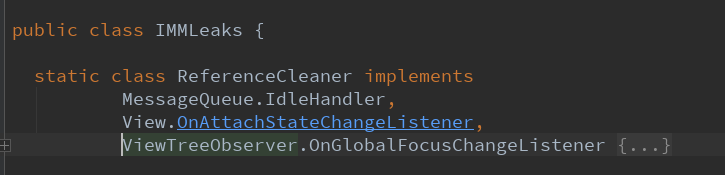
实现了MessageQueue.IdleHandler,View.OnAttachStateChangeListener,
ViewTreeObserver.OnGlobalFocusChangeListener
2.4.实现第一个抽象接口函数queueIdle
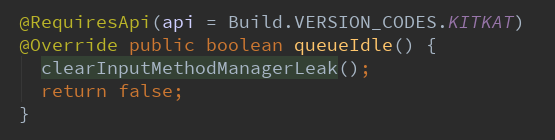
然后具体的clearInputMethodManagerLeak()函数为:
  @RequiresApi(api = Build.VERSION_CODES.KITKAT)

    private void clearInputMethodManagerLeak() {

      try {

        Object lock = mHField.get(inputMethodManager);

        // This is highly dependent on the InputMethodManager implementation.

        synchronized (lock) {

          View servedView = (View) mServedViewField.get(inputMethodManager);

          if (servedView != null) {

            boolean servedViewAttached = servedView.getWindowVisibility() != View.GONE;

            if (servedViewAttached) {

              // The view held by the IMM was replaced without a global focus change. Let's make

              // sure we get notified when that view detaches.

              // Avoid double registration.

              servedView.removeOnAttachStateChangeListener(this);

              servedView.addOnAttachStateChangeListener(this);

            } else {

              // servedView is not attached. InputMethodManager is being stupid!

              Activity activity = extractActivity(servedView.getContext());

              if (activity == null || activity.getWindow() == null) {

                // Unlikely case. Let's finish the input anyways.

                finishInputLockedMethod.invoke(inputMethodManager);

              } else {

                View decorView = activity.getWindow().peekDecorView();

                boolean windowAttached = decorView.getWindowVisibility() != View.GONE;

                if (!windowAttached) {

                  finishInputLockedMethod.invoke(inputMethodManager);

                } else {

                  decorView.requestFocusFromTouch();

                }

              }

            }

          }

        }

      } catch (IllegalAccessException | InvocationTargetException unexpected) {

        Log.e("IMMLeaks", "Unexpected reflection exception", unexpected);

      }

    }
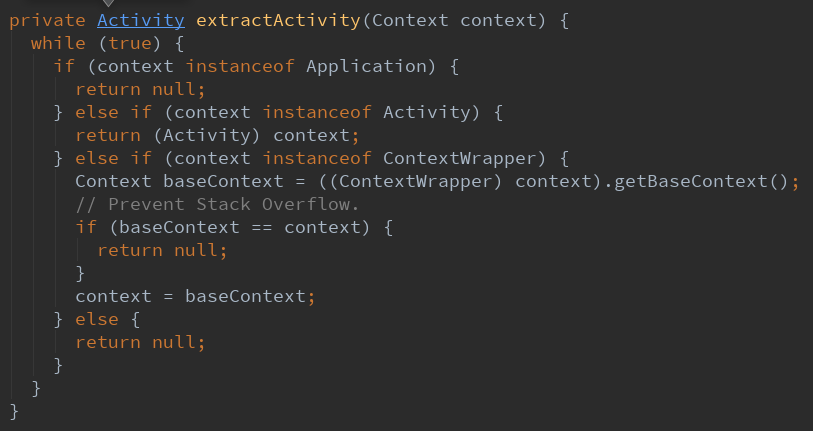
这里面还有一个函数,用来提取活动
2.5.实现第二个抽象接口函数View.OnAttachStateChangeListener

2.6.实现第三个抽象接口函数ViewTreeObserver.OnGlobalFocusChangeListener
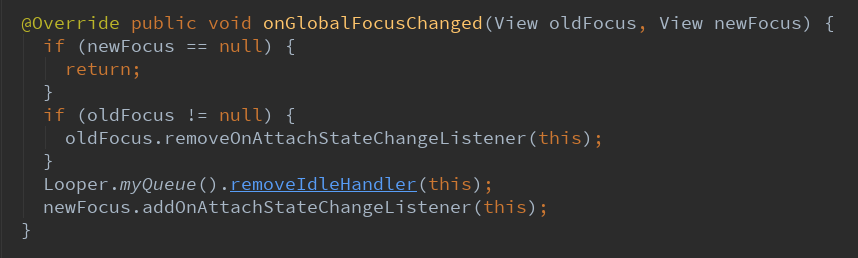
2.7.似乎忘记了构造函数呢!

需要4个参数
inputMethodManager,mHField,mServedViewField,finishInputLockedMethod
2.8.以上都是内部类中的方法,然后有一个修复内存泄漏的方法
这里才是核心点。

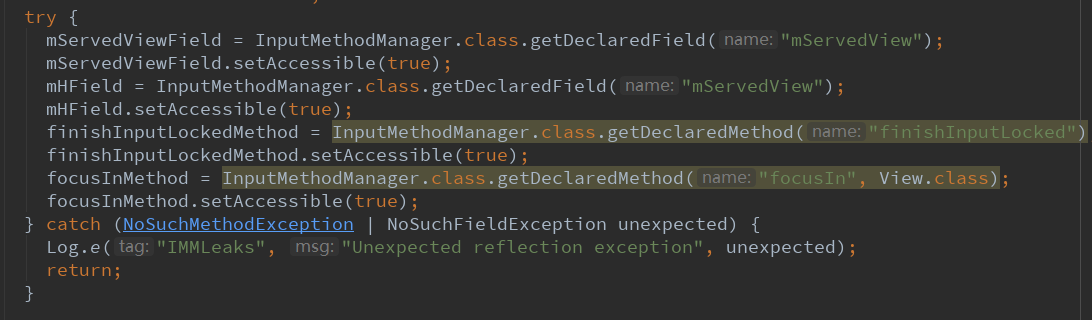
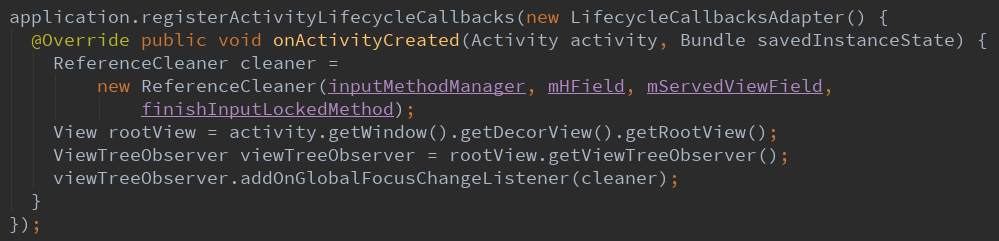
这里调用了一个LifecycleCallbacksAdapter
这是一个继承Application.ActivityLifecycleCallbacks接口的一个方法
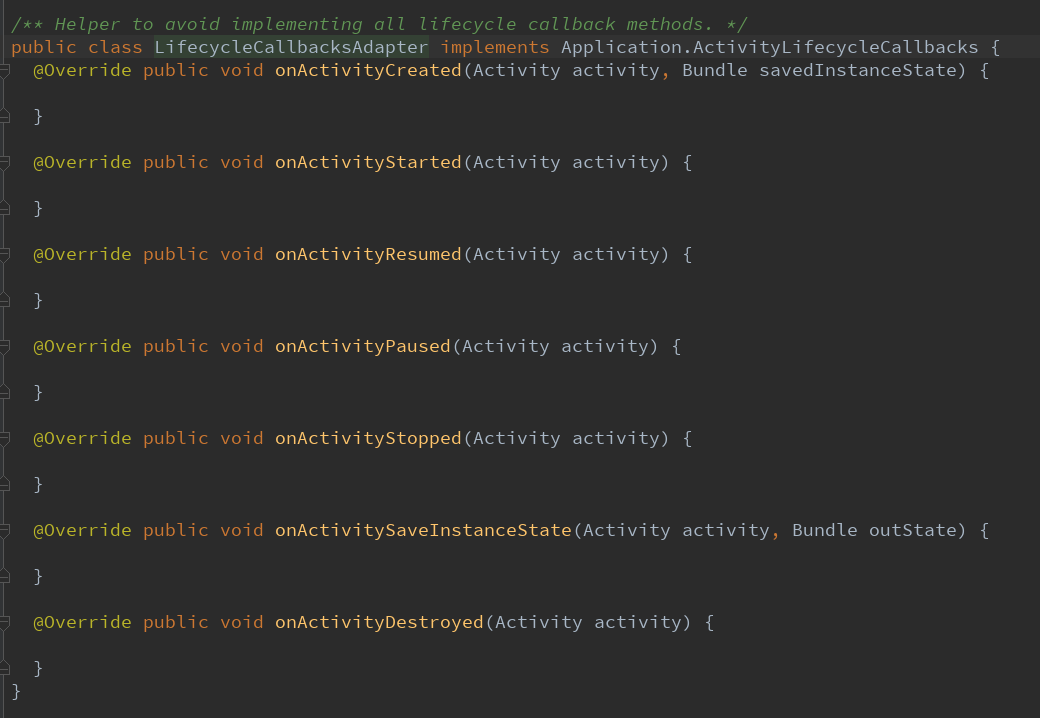
2.9.LifecycleCallbacksAdapter具体方法
这里面只是定义了声明周期中的方法
没有做任何具体的方法
意思就是全部为空函数
3.所有流程归纳
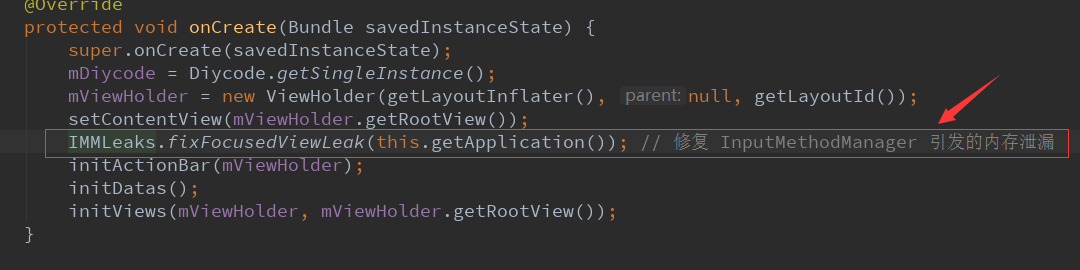
3.1.新建一个IMMLeaks类
里面有一个内部类+一个方法
package com.gcssloop.diycode.hackpatch;

import android.app.Activity;

import android.app.Application;

import android.content.Context;

import android.content.ContextWrapper;

import android.os.Build;

import android.os.Bundle;

import android.os.Looper;

import android.os.MessageQueue;

import android.support.annotation.RequiresApi;

import android.util.Log;

import android.view.View;

import android.view.ViewTreeObserver;

import android.view.inputmethod.InputMethodManager;

import java.lang.reflect.Field;

import java.lang.reflect.InvocationTargetException;

import java.lang.reflect.Method;

import static android.content.Context.INPUT_METHOD_SERVICE;

import static android.os.Build.VERSION.SDK_INT;

import static android.os.Build.VERSION_CODES.KITKAT;

public class IMMLeaks {

  static class ReferenceCleaner implements

          MessageQueue.IdleHandler,

          View.OnAttachStateChangeListener,

          ViewTreeObserver.OnGlobalFocusChangeListener {

    private final InputMethodManager inputMethodManager;

    private final Field mHField;

    private final Field mServedViewField;

    private final Method finishInputLockedMethod;

    ReferenceCleaner(InputMethodManager inputMethodManager, Field mHField, Field mServedViewField,

        Method finishInputLockedMethod) {

      this.inputMethodManager = inputMethodManager;

      this.mHField = mHField;

      this.mServedViewField = mServedViewField;

      this.finishInputLockedMethod = finishInputLockedMethod;

    }

    @Override public void onGlobalFocusChanged(View oldFocus, View newFocus) {

      if (newFocus == null) {

        return;

      }

      if (oldFocus != null) {

        oldFocus.removeOnAttachStateChangeListener(this);

      }

      Looper.myQueue().removeIdleHandler(this);

      newFocus.addOnAttachStateChangeListener(this);

    }

    @Override public void onViewAttachedToWindow(View v) {

    }

    @Override public void onViewDetachedFromWindow(View v) {

      v.removeOnAttachStateChangeListener(this);

      Looper.myQueue().removeIdleHandler(this);

      Looper.myQueue().addIdleHandler(this);

    }

    @RequiresApi(api = Build.VERSION_CODES.KITKAT)

    @Override public boolean queueIdle() {

      clearInputMethodManagerLeak();

      return false;

    }

    @RequiresApi(api = Build.VERSION_CODES.KITKAT)

    private void clearInputMethodManagerLeak() {

      try {

        Object lock = mHField.get(inputMethodManager);

        // This is highly dependent on the InputMethodManager implementation.

        synchronized (lock) {

          View servedView = (View) mServedViewField.get(inputMethodManager);

          if (servedView != null) {

            boolean servedViewAttached = servedView.getWindowVisibility() != View.GONE;

            if (servedViewAttached) {

              // The view held by the IMM was replaced without a global focus change. Let's make

              // sure we get notified when that view detaches.

              // Avoid double registration.

              servedView.removeOnAttachStateChangeListener(this);

              servedView.addOnAttachStateChangeListener(this);

            } else {

              // servedView is not attached. InputMethodManager is being stupid!

              Activity activity = extractActivity(servedView.getContext());

              if (activity == null || activity.getWindow() == null) {

                // Unlikely case. Let's finish the input anyways.

                finishInputLockedMethod.invoke(inputMethodManager);

              } else {

                View decorView = activity.getWindow().peekDecorView();

                boolean windowAttached = decorView.getWindowVisibility() != View.GONE;

                if (!windowAttached) {

                  finishInputLockedMethod.invoke(inputMethodManager);

                } else {

                  decorView.requestFocusFromTouch();

                }

              }

            }

          }

        }

      } catch (IllegalAccessException | InvocationTargetException unexpected) {

        Log.e("IMMLeaks", "Unexpected reflection exception", unexpected);

      }

    }

    private Activity extractActivity(Context context) {

      while (true) {

        if (context instanceof Application) {

          return null;

        } else if (context instanceof Activity) {

          return (Activity) context;

        } else if (context instanceof ContextWrapper) {

          Context baseContext = ((ContextWrapper) context).getBaseContext();

          // Prevent Stack Overflow.

          if (baseContext == context) {

            return null;

          }

          context = baseContext;

        } else {

          return null;

        }

      }

    }

  }

  /**

   * Fix for https://code.google.com/p/android/issues/detail?id=171190 .

   *

   * When a view that has focus gets detached, we wait for the main thread to be idle and then

   * check if the InputMethodManager is leaking a view. If yes, we tell it that the decor view got

   * focus, which is what happens if you press home and come back from recent apps. This replaces

   * the reference to the detached view with a reference to the decor view.

   *

   * Should be called from {@link Activity#onCreate(android.os.Bundle)} )}.

   */

  @RequiresApi(api = Build.VERSION_CODES.KITKAT)

  public static void fixFocusedViewLeak(Application application) {

    // Don't know about other versions yet.

    if (SDK_INT < KITKAT || SDK_INT > 22) {

      return;

    }

    final InputMethodManager inputMethodManager =

        (InputMethodManager) application.getSystemService(INPUT_METHOD_SERVICE);

    final Field mServedViewField;

    final Field mHField;

    final Method finishInputLockedMethod;

    final Method focusInMethod;

    try {

      mServedViewField = InputMethodManager.class.getDeclaredField("mServedView");

      mServedViewField.setAccessible(true);

      mHField = InputMethodManager.class.getDeclaredField("mServedView");

      mHField.setAccessible(true);

      finishInputLockedMethod = InputMethodManager.class.getDeclaredMethod("finishInputLocked");

      finishInputLockedMethod.setAccessible(true);

      focusInMethod = InputMethodManager.class.getDeclaredMethod("focusIn", View.class);

      focusInMethod.setAccessible(true);

    } catch (NoSuchMethodException | NoSuchFieldException unexpected) {

      Log.e("IMMLeaks", "Unexpected reflection exception", unexpected);

      return;

    }

    application.registerActivityLifecycleCallbacks(new LifecycleCallbacksAdapter() {

      @Override public void onActivityCreated(Activity activity, Bundle savedInstanceState) {

        ReferenceCleaner cleaner =

            new ReferenceCleaner(inputMethodManager, mHField, mServedViewField,

                finishInputLockedMethod);

        View rootView = activity.getWindow().getDecorView().getRootView();

        ViewTreeObserver viewTreeObserver = rootView.getViewTreeObserver();

        viewTreeObserver.addOnGlobalFocusChangeListener(cleaner);

      }

    });

  }

}
3.2.新建一个LifecycleCallbacksAdapter类
里面有几个生命周期的空函数
/*

 * Copyright 2017 GcsSloop

 *

 * Licensed under the Apache License, Version 2.0 (the "License");

 * you may not use this file except in compliance with the License.

 * You may obtain a copy of the License at

 *

 *    http://www.apache.org/licenses/LICENSE-2.0

 *

 * Unless required by applicable law or agreed to in writing, software

 * distributed under the License is distributed on an "AS IS" BASIS,

 * WITHOUT WARRANTIES OR CONDITIONS OF ANY KIND, either express or implied.

 * See the License for the specific language governing permissions and

 * limitations under the License.

 *

 * Last modified 2017-03-17 20:31:21

 *

 * GitHub:  https://github.com/GcsSloop

 * Website: http://www.gcssloop.com

 * Weibo:   http://weibo.com/GcsSloop

 */

package com.gcssloop.diycode.hackpatch;

import android.app.Activity;

import android.app.Application;

import android.os.Bundle;

/** Helper to avoid implementing all lifecycle callback methods. */

public class LifecycleCallbacksAdapter implements Application.ActivityLifecycleCallbacks {

  @Override public void onActivityCreated(Activity activity, Bundle savedInstanceState) {

  }

  @Override public void onActivityStarted(Activity activity) {

  }

  @Override public void onActivityResumed(Activity activity) {

  }

  @Override public void onActivityPaused(Activity activity) {

  }

  @Override public void onActivityStopped(Activity activity) {

  }

  @Override public void onActivitySaveInstanceState(Activity activity, Bundle outState) {

  }

  @Override public void onActivityDestroyed(Activity activity) {

  }

}
3.3.调用方法
Diycode开源项目 如何解决InputMethodManager造成的内存泄漏问题的更多相关文章
- DiyCode开源项目 BaseActivity 分析
1.首先将这个项目的BaseActivity源码拷贝过来. /* * Copyright 2017 GcsSloop * * Licensed under the Apache License, Ve ...
- Diycode开源项目 搭建可以具有下拉刷新和上拉加载的Fragment
1.效果预览 1.1.这个首页就是一个Fragment碎片,本文讲述的就是这个碎片的搭建方式. 下拉会有一个旋转的刷新圈,上拉会刷新数据. 1.2.整体结构 首先底层的是BaseFragment 然后 ...
- Diycode开源项目 BaseApplication分析+LeakCanary第三方+CrashHandler自定义异常处理
1.BaseApplication整个应用的开始 1.1.看一下代码 /* * Copyright 2017 GcsSloop * * Licensed under the Apache Licens ...
- Diycode开源项目 TopicContentActivity分析
1.效果预览以及布局分析 1.1.实际效果预览 左侧话题列表的布局是通过TopicProvider来实现的,所以当初分析话题列表就没有看到布局. 这里的话题内容不是一个ListView,故要自己布局. ...
- 深入解析开源项目之Universal-Image-Loader(二)内存---缓存篇
珍惜作者劳动成果,如需转载,请注明出处. http://blog.csdn.net/zhengzechuan91/article/details/50292871 Universal-Image-Lo ...
- 解决NSTimer存在的内存泄漏的问题
创建定时器会在一定的间隔后执行某些操作,一般大家会这样创建定时器,这样创建的定时,self对定时器有个引用,定时器对self也有个引用,造成了循环引用,最终造成了内存泄漏,如果定时器在做下载的操作就会 ...
- Diycode开源项目 磁盘图片缓存+自定义webViewClient+图片点击js方法
1.磁盘图片缓存器DiskImageCache 1.1.这个类很多情况都可能用的到,耦合性很低,所以分开讲. 源代码: /* * Copyright 2017 GcsSloop * * License ...
- Diycode开源项目 ImageActivity分析
1.首先看一下效果 1.1做成了一个GIF 1.2.我用格式工厂有点问题,大小无法调到手机这样的大小,目前还没有解决方案. 1.3.网上有免费的MP4->GIF,参考一下这个网站吧. 1.4.讲 ...
- Diycode开源项目 Glide图片加载分析
1.使用Glide前的准备 1.1.首先要build.gradle中添加 github原地址点击我. 参考博客:Glide-开始! 参考博客:android图片加载库Glide的使用介绍. 参考博 ...
随机推荐
- 【起航计划 012】2015 起航计划 Android APIDemo的魔鬼步伐 11 App->Activity->Save & Restore State onSaveInstanceState onRestoreInstanceState
Save & Restore State与之前的例子Android ApiDemo示例解析(9):App->Activity->Persistent State 实现的UI类似,但 ...
- android错误整理
1.Caused by: java.lang.IllegalStateException: Only fullscreen opaque activities can request orientat ...
- JavaScript如何转换数据库DateTime字段类型?
Javascript一种直译式脚本语言,是一种动态类型.弱类型.基于原型的语言,内置支持类型.它的解释器被称为JavaScript引擎,为浏览器的一部分,广泛用于客户端的脚本语言,最早是在html(标 ...
- 安装国际版firefox(火狐浏览器)并设置语言为中文
访问https://www.mozilla.org/zh-CN/firefox/new/?scene=2下载.安装: 访问https://addons.mozilla.org/zh-CN/firefo ...
- 贪心,POJ(2709)
题目链接:http://poj.org/problem?id=2709 解题报告: #include <stdio.h> #include <algorithm> #inclu ...
- python 爬取猫眼榜单100(二)--多个页面以及多进程
#!/usr/bin/env python # -*- coding: utf- -*- # @Author: Dang Kai # @Date: -- :: # @Last Modified tim ...
- 2017.11.12 web中JDBC 方式访问数据库的技术
JavaWeb------ 第四章 JDBC数据库访问技术 在JavaWeb应用程序中数据库访问是通过Java数据库连接(JavaDateBase Connectivity简称JDBC)数据库的链接一 ...
- 整个trick
数据输入方面:1.image pyramid 图像金字塔.目前代码里是先选取一个scale,然后在每个GPU上按照scale读图片,相应的gt也更改."scales":[440, ...
- 线程 Thread类 的四个构造方法简介
在线程中,Thread类有四个构造方法: 当我们使用 Thread类创建对象的时候,传入参数,就会用到构造方法.ThreadStart 和ParameterizedThreadStart 都是 委托类 ...
- [P1363] 幻想迷宫
题目链接 很好的一道搜索题,应该是利用了离散化的思想我好蒟蒻呀 地图是根据给定的图无限的拼接的. 所以说暴力建图是不可取的. 其实不难看出,在跨越两张图时.我们就可以看做这个点时空穿梭一般.从底下回来 ...