
通过web对.exe程序进行更新和修改
实现功能:通过网站更新用户的软件,需要联网,也可以通过本地网站更新局域网用户软件。
根本实现:1.一个网站(我用的是自己的www.aq36.xyz ,本地就可以,可以用localhost)然后运行update.exe->{通过update.xml获取网址,然后查看当前版本号和网站的server.xml最高版本号对比。然后判断是否更新}。
2.更新就下载zip文件,解压替换并删除。
3.更新update.xml文档版本信息,跟新结束。
主要代码:
1.解析xml文件:
/// <summary>

        /// 载入并解析XML

        /// </summary>

        private void LoadXml()

        {

            XmlDocument document = new XmlDocument();

            try

            {

                document.Load(updateurl + "Server.xml");

                XmlNode node = document.SelectSingleNode("//updates");

                //获取最新版本号

                version = Convert.ToInt32(node.Attributes["version"].Value);

                //所有需要升级文件大小,文件列表,sql列表

                XmlNodeList updateList = document.SelectNodes("//updates//update");

                foreach (XmlNode n in updateList)

                {

                    long tempVersion = Convert.ToInt32(n.Attributes["version"].Value);

                    long tempSize = Convert.ToInt64(n.Attributes["size"].Value);

                    if (tempVersion > localversion && tempVersion <= version)

                    {

                        allsize += tempSize;

                        versions.Add(tempVersion.ToString());

                        //获取升级文件列表

                        XmlNodeList fileList = n.SelectNodes("//update[@version='" + tempVersion + "']//files//file");

                        foreach (XmlNode n1 in fileList)

                        {

                            files.Add(n1.InnerText);

                        }

                        //获取执行的SQL语句列表

                        XmlNodeList sqlList = n.SelectNodes("//update[@version='" + tempVersion + "']//sqls//sql");

                        foreach (XmlNode n2 in sqlList)

                        {

                            sqls.Add(n2.InnerText);

                        }

                        //升级的提示信息

                        XmlNodeList msgList = n.SelectNodes("//update[@version='" + tempVersion + "']//msg");

                        foreach (XmlNode n3 in msgList)

                        {

                            msg += string.Format(CultureInfo.InvariantCulture, "版本【{0}】 {1}", new object[] { tempVersion, n3.InnerText.Replace("\r\n\t\t", "") }) + "\r\n";

                        }

                    }

                }

            }

            catch (Exception e)

            {

                //Console.WriteLine(e.Message);

                MessageBox.Show("连接升级服务器失败,请重试!", "错误提示", MessageBoxButtons.OK, MessageBoxIcon.Error);

            }

        }
2.下载文件:
 private void DownloadFile(int index)

        {

            try

            {

                downindex++;

                filename = files[index];

                //LabelNow.Text = "开始下载版本【" + versions[index] + "】" + filename;

                LabelAll.Text = string.Format(CultureInfo.InvariantCulture, "升级进度 {0}/{1}  [ {2} ]", new object[] { downindex, files.Count, this.ConvertSize(allsize) });

                PBNow.Value = ;

                downWebClient.DownloadFileAsync(new Uri(updateurl + filename), Application.StartupPath + "/temp/" + filename);

            }

            catch (WebException exception)

            {

                MessageBox.Show(exception.Message, "错误提示", MessageBoxButtons.OK, MessageBoxIcon.Error);

            }

        }
3.开始升级:
 private void StartUpdate()

        {

            if (localversion >= version)

            {

                UpdateCompleted();

                return;

            }

            this.downWebClient.DownloadProgressChanged += new DownloadProgressChangedEventHandler(DownloadProgressChanged);

            this.downWebClient.DownloadFileCompleted += new AsyncCompletedEventHandler(DownloadFileCompleted);

            if (this.allsize == 0L || files == null || files.Count == )

            {

                this.UpdateCompleted();

            }

            if (files != null && files.Count > )

            {

                DownloadFile();

            }

        }
4.下载完成并更改update.xml
  private void DownloadFileCompleted(object wcsender, AsyncCompletedEventArgs ex)

        {

            if (ex.Error != null)

            {

                MessageBox.Show(ex.Error.Message, "错误提示", MessageBoxButtons.OK, MessageBoxIcon.Hand);

            }

            else

            {

                if (File.Exists(Application.StartupPath + @"\" + this.filename))

                {

                    File.Delete(Application.StartupPath + @"\" + this.filename);

                }

                File.Move(Application.StartupPath + @"\temp\" + this.filename, Application.StartupPath + @"\" + this.filename);

                new FastZip().ExtractZip(Application.StartupPath + @"\" + this.filename, Application.StartupPath + @"\", "");

                File.Delete(Application.StartupPath + @"\" + this.filename);

                this.downedsize += this.filesize;

                if (this.files.Count > this.downindex)

                {

                    this.DownloadFile(this.downindex);

                }

                else

                {

                    XmlTextWriter writer = new XmlTextWriter(Application.StartupPath + @"\update.xml", null)

                    {

                        Formatting = Formatting.Indented,

                        Indentation =

                    };

                    writer.WriteStartDocument();

                    writer.WriteStartElement("update");

                    writer.WriteStartElement("ProcessName");

                    writer.WriteString(this.ProcessName);

                    writer.WriteEndElement();

                    writer.WriteStartElement("version");

                    writer.WriteString(this.version.ToString());

                    writer.WriteEndElement();

                    writer.WriteStartElement("url");

                    writer.WriteString(this.updateurl);

                    writer.WriteEndElement();

                    writer.WriteEndElement();

                    writer.WriteEndDocument();

                    writer.Flush();

                    writer.Close();

                    if (!string.IsNullOrEmpty(this.msg))

                    {

                        MessageBox.Show(this.msg, "升级提示", MessageBoxButtons.OK, MessageBoxIcon.Asterisk);

                    }

                    this.UpdateCompleted();

                }

            }

        }
跟新进度条效果图:

更新前:

更新后:
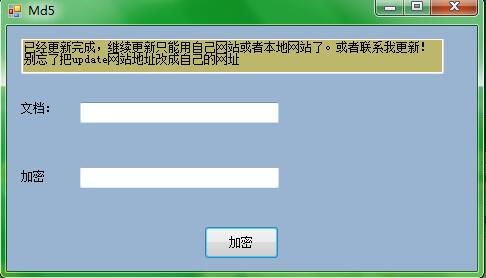
一些文档代码图解:
1.本地update.xml

2.网站server.xml

代码粗糙,只是一个简单的demo,简单参考一下,有错误及时联系我。
百度网盘源码加文件:http://pan.baidu.com/s/1qYe2Vgg。
通过web对.exe程序进行更新和修改的更多相关文章
- nw.js桌面程序自动更新(node.js表白记)
Hello Google Node.js 一个基于Google V8 的JavaScript引擎. 一个伟大的端至端语言,或许我对你的热爱源自于web这门极富情感的技术吧! 注: 光阴似水,人生若梦, ...
- .Net桌面程序自动更新NAppUpdate
自动更新介绍 我们做了程序,不免会有版本升级,这就需要程序有自动版本升级的功能.应用程序自动更新是由客户端应用程序自身负责从一个已知服务器下载并安装更新,用户唯一需要进行干预的是决定是否愿意现在或以后 ...
- Python编写的桌面图形界面程序实现更新检测和下载安装
在Python中我们有很多种方案来编写桌面图形用户界面程序,譬如内置的 Tkinter .强大的 PyQt5 和 PySide2 ,还有 wxPython .借助这些或内置或第三方的模块,我们可以轻松 ...
- Docker容器环境下ASP.NET Core Web API应用程序的调试
本文主要介绍通过Visual Studio 2015 Tools for Docker – Preview插件,在Docker容器环境下,对ASP.NET Core Web API应用程序进行调试.在 ...
- 在docker中运行ASP.NET Core Web API应用程序
本文是一篇指导快速演练的文章,将介绍在docker中运行一个ASP.NET Core Web API应用程序的基本步骤,在介绍的过程中,也会对docker的使用进行一些简单的描述.对于.NET Cor ...
- <转>exe & dll自我更新
exe & dll自我更新 分类: c/c++ 2008-10-16 22:07 756人阅读 评论(1) 收藏 举报 exedlldelayapi游戏 exe与dll的自我更新 在改 ...
- 本地json文件的编辑器,node-webkit开发的exe程序
首发:个人博客,更新&纠错&回复 在昨天的dota契合度计算器中,用到了dota英雄数据和dota玩家数据这两个数据库,为了便于网页应用使用,这两个数据库的存储格式是json,即her ...
- HTML5 Web缓存&运用程序缓存&cookie,session
在介绍HTML5 web缓存前,来认识一下cookie和session: session: 由于HTTP是无状态的,你是谁?你干了什么?抱歉服务器都是不知道的. 因此session(会话)出现了,它会 ...
- Linux,在不使用U盘的情况下使用wubi.exe程序在Win7上安装ubuntu-14.04.3版系统
本文介绍如何在不使用U盘的情况下使用wubi.exe程序在Win7上安装ubuntu-14.04.3版系统. 花了一天的时间终于安装上了Ubuntu14.04,过程坎坷,是血泪史,开始报“cannot ...
随机推荐
- 10条建议让你创建更好的jQuery插件
在开发过很多 jQuery 插件以后,我慢慢的摸索出了一套开发jQuery插件比较标准的结构和模式.这样我就可以 copy & paste 大部分的代码结构,只要专注最主要的逻辑代码就行了.使 ...
- (原创)我对未来的人类的发展,以及AI技术发展的一些思考。
最近AI非常的火,不仅仅是阿尔法狗的成功,因为它击败了人类最强的大脑,颠覆了人类几千年来的对传统的认识,也让人类意识 到了一个问题:天外有天,人外有AI. 那么AI究竟会对人类的未来造成什么深远的影响 ...
- 关于利用input的file属性在页面添加图片的问题
在页面添加图片涉及到兼容的问题怎么解决兼容问题呢?请看下面分析: 在IE浏览器上面我们能直接通过获取其input的value值来获取其图片的路径. 在火狐和谷歌需要用createObjectURL(( ...
- 学习HTML5一周的收获4
/* [CSS常用文本属性] * 1.字体.字号: font-weight:字体的粗细,可选属性值:bold加粗 lighter细体 100~900数值(400正常,700 bold) fo ...
- React之ref详细用法
在react典型的数据流中,props传递是父子组件交互的唯一方式:通过传递一个新的props值来使子组件重新re-render,从而达到父子组件通信.当然,就像react官网所描述的一样,在reac ...
- 3359: [Usaco2004 Jan]矩形
3359: [Usaco2004 Jan]矩形 Time Limit: 10 Sec Memory Limit: 128 MBSubmit: 8 Solved: 5[Submit][Status] ...
- 1709: [Usaco2007 Oct]Super Paintball超级弹珠
1709: [Usaco2007 Oct]Super Paintball超级弹珠 Time Limit: 5 Sec Memory Limit: 64 MBSubmit: 339 Solved: ...
- 1708: [Usaco2007 Oct]Money奶牛的硬币
1708: [Usaco2007 Oct]Money奶牛的硬币 Time Limit: 5 Sec Memory Limit: 64 MBSubmit: 544 Solved: 352[Submi ...
- ST HW1 An Error
曾经使用ThinkPHP完成一个网上电子银行的项目,凡是涉及到金钱的,需要注意的问题很多,比如使用float类型,比如金钱的数额不能为负数等等.最初没有考虑到剩余金额不能为负数或者消费的金额不能为负, ...
- #MainTest
'界面设计' --- <TextView android:layout_width="wrap_content" android:layout_height="wr ...