
Ubuntu利用ROS搭建手机移动网络摄像头(Android)
| PC -> Ubuntu 16.04 - > ROS Kinetic |
| Android系统手机 |
1、Android移动端APP下载安装
配置手机端:(一般默认即可RTSP)
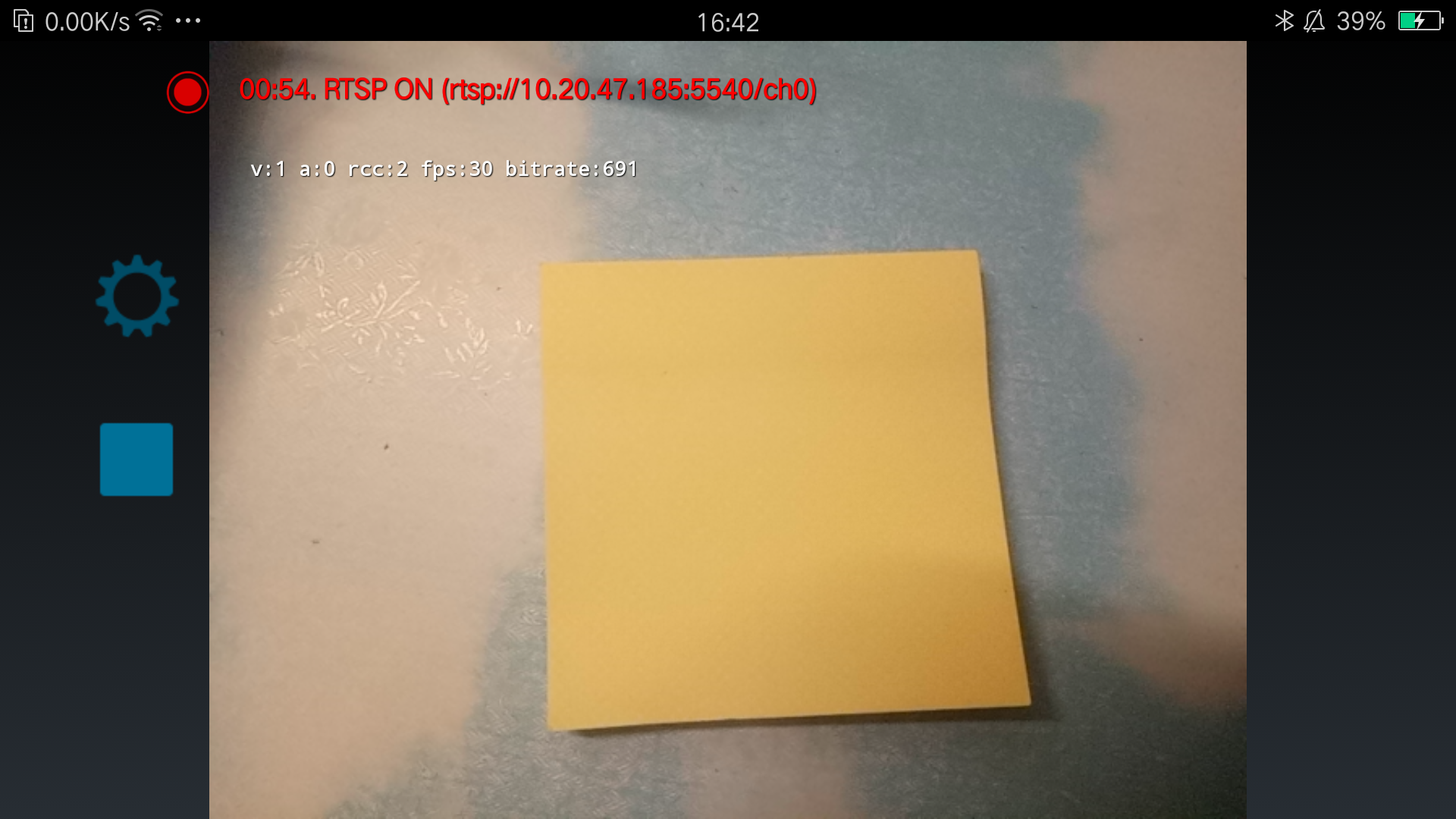
2、源码下载(rocon_devices_kinetic)
将文件解压在catkin_ws/src文件夹;
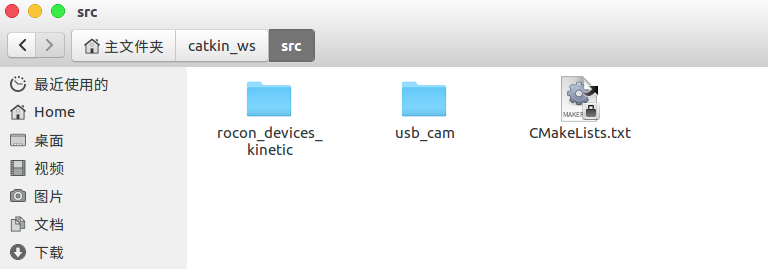
3、编译
catkin_make
4、配置
source xxx/devel/setup.bash (×××是路径)
5、查看手机端接口,并配置
export ROCON_RTSP_CAMERA_RELAY_URL=rtsp://×××:5540/ch0 (×××是IP)
6、运行驱动
roslaunch rocon_rtsp_camera_relay rtsp_camera_relay.launch --screen
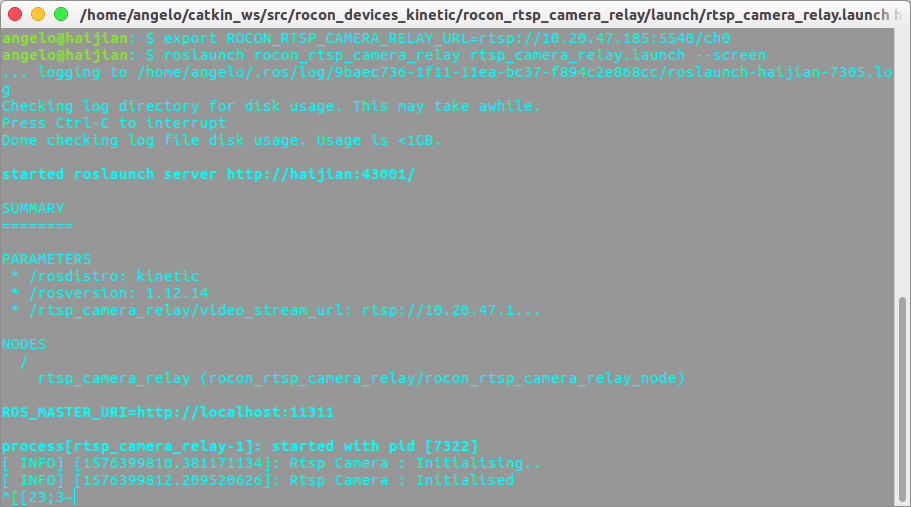
7、查看ros接口
rostopic list
/rosout

/rosout_agg

/rtsp_camera_relay/camera_info

/rtsp_camera_relay/image

/rtsp_camera_relay/image/compressed

/rtsp_camera_relay/image/compressed/parameter_descriptions

/rtsp_camera_relay/image/compressed/parameter_updates

/rtsp_camera_relay/image/compressedDepth

/rtsp_camera_relay/image/compressedDepth/parameter_descriptions

/rtsp_camera_relay/image/compressedDepth/parameter_updates

/rtsp_camera_relay/image/theora

/rtsp_camera_relay/image/theora/parameter_descriptions

/rtsp_camera_relay/image/theora/parameter_updates

/rtsp_camera_relay/status
8、数据可视化
rosrun image_view image_view image:=/rtsp_camera_relay/image

过程可能遇到错误:
error while loading shared libraries: libopencv_core3.so.3.3: cannot open shared object file: No such file or directory
解决方法:
①打开路径/etc/ld.so.conf.d
②创建文件OpenCV.conf
③在OpenCV.conf中写入:opencv文件夹lib的路径
④在终端执行命令:
sudo ldconfig
Ubuntu利用ROS搭建手机移动网络摄像头(Android)的更多相关文章
- 利用 Docker 搭建 IPFS 私有网络
利用 Docker 搭建 IPFS 私有网络 本文原始地址:https://sitoi.cn/posts/40630.html 下载项目 项目地址:https://github.com/Sitoi/p ...
- 利用 VMWare 搭建随机拓扑网络
这篇文章是计算机网络上机实验课的作业. 实验任务:利用 VMWare 搭建一个由 5 个主机组成的随机拓扑的网络.要求该网络中至少有 2 个子网,两个路由器 .实验的网络拓扑图如下: 网络中有两个路由 ...
- 利用CocoaHttpServer搭建手机本地服务器
原理 使用CocoaHTTPServer框架,在iOS端建立一个本地服务器,只要电脑和手机连入同一热点或者说网络,就可以实现通过电脑浏览器访问iOS服务器的页面,利用POST实现文件的上传. 实现 1 ...
- 基于opencv网络摄像头在ubuntu下的视频获取
基于opencv网络摄像头在ubuntu下的视频获取 1 工具 原料 平台 :UBUNTU12.04 安装库 Opencv-2.3 2 安装编译运行步骤 安装编译opencv-2.3 参 ...
- Ubuntu安装DroidCamX网络摄像头
1.安装依赖项 sudo apt-get install gcc make linux-headers-`uname -r` 2.安装 cd /tmp/ bits=`getconf LONG_BIT` ...
- Ubuntu虚拟机+ROS+Android开发环境配置笔记
Ubuntu虚拟机+ROS+Android开发环境配置笔记 虚拟机设置: 1.本地环境:Windows 7:VMWare:联网 2.虚拟环境 :Ubuntu 14.04. 比較稳定,且支持非常多ROS ...
- 安天透过北美DDoS事件解读IoT设备安全——Mirai的主要感染对象是linux物联网设备,包括:路由器、网络摄像头、DVR设备,入侵主要通过telnet端口进行流行密码档暴力破解,或默认密码登陆,下载DDoS功能的bot,运行控制物联网设备
安天透过北美DDoS事件解读IoT设备安全 安天安全研究与应急处理中心(安天CERT)在北京时间10月22日下午启动高等级分析流程,针对美国东海岸DNS服务商Dyn遭遇DDoS攻击事件进行了跟进分析. ...
- 如何在一个ubuntu系统上搭建SVN版本控制工具
有话说,由于公司项目部署需要,将Windows工程迁移到Linux,通过调查确定使用Ubuntu的Linux操作系统.那么如何快速搭建和Windows一样快捷方便的开发环境就很重要了.本文讲述如何在一 ...
- [原] 利用 OVS 建立 VxLAN 虚拟网络实验
OVS 配置 VxLAN HOST A ------------------------------------------ | zh-veth0(10.1.1.1) VM A | | ---|--- ...
随机推荐
- 在K8S上跑一个helloworld
建立docker镜像 为了方便起见,这里直接使用一个js网页作为应用,以此创建镜像 hello world网页 创建server.js,输入以下代码创建helloworld网页: var http = ...
- okgo网络请求框架的实现
第一步:添加依赖: implementation 'com.lzy.net:okgo:3.0.4' implementation 'com.lzy.net:okrx2:2.0.2' implement ...
- Android 面试汇总<三>
1.3 计算机网络 基础 Q:五层协议的体系结构分别是什么?每一层都有哪些协议? 技术点:网络模型.协议 思路:分条解释每层名字以及协议 参考回答: 物理层 数据链路层:逻辑链路控制LLC.媒体接入控 ...
- 第一篇 python数据类型
IO文件输出 问题1:Python如何实现print不换行? 默认情况下Python的print()函数是换行的,如 print("你好大成") print("!!!&q ...
- xcode dyld: Library not loaded: @rpath/libswiftCore.dylib问题解决
app安装好了之后就报这个错误,这个时候可以将xcode工程clear一下,删除已经安装好的app,再重新安装即可
- Interface default method介绍
一.introduce interface default method Introduce default methodWrite the default method at interfaceTh ...
- Cinder 架构分析、高可用部署与核心功能解析
目录 文章目录 目录 Cinder Cinder 的软件架构 cinder-api cinder-scheduler cinder-volume Driver 框架 Plugin 框架 cinder- ...
- 拉取代码产生冲突 && 切换分支
1.拉取代码产生冲突 项目中用的主要是 IDEA 编辑器,拉取代码时产生冲突的时候,就先 add + commit 一下,然后再拉取代码,这样子就不冲突了. 拉取过后再push一次. 2.切换一个新增 ...
- nginx提示地址或端口被占用解决
nginx提示地址或端口被占用解决 今天小编在启动nginx 的时候遇到如下的错误 Starting nginx: nginx: [emerg] bind() to 0.0.0.0:80 failed ...
- java:多线程(代理模式,Thread中的方法,Timer,生产者和消费者)
*进程:一个正在运行的程序,进程是操作系统分配资源的基本单位,每个进行有独立的内存空间,进程之间切换开销较大. *线程:一个轻量级的进程,线程是任务调度的基本单位,一个进程可以有多个线程, * 系统没 ...